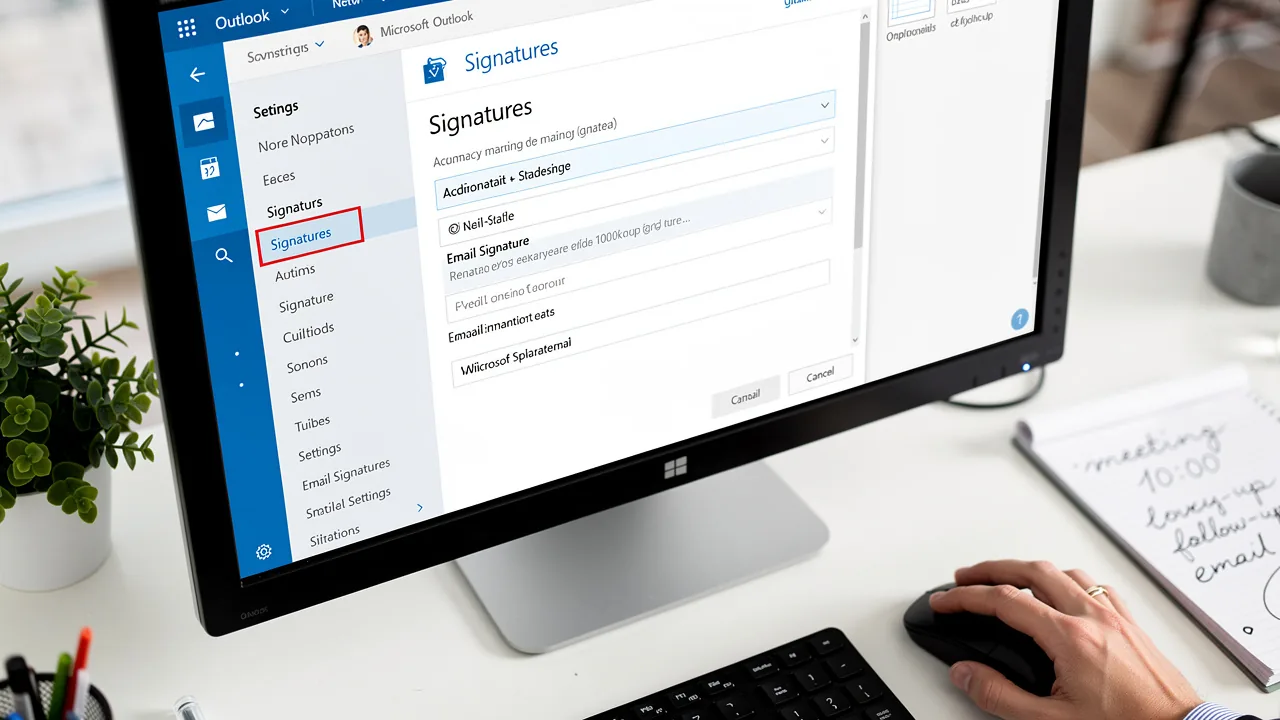
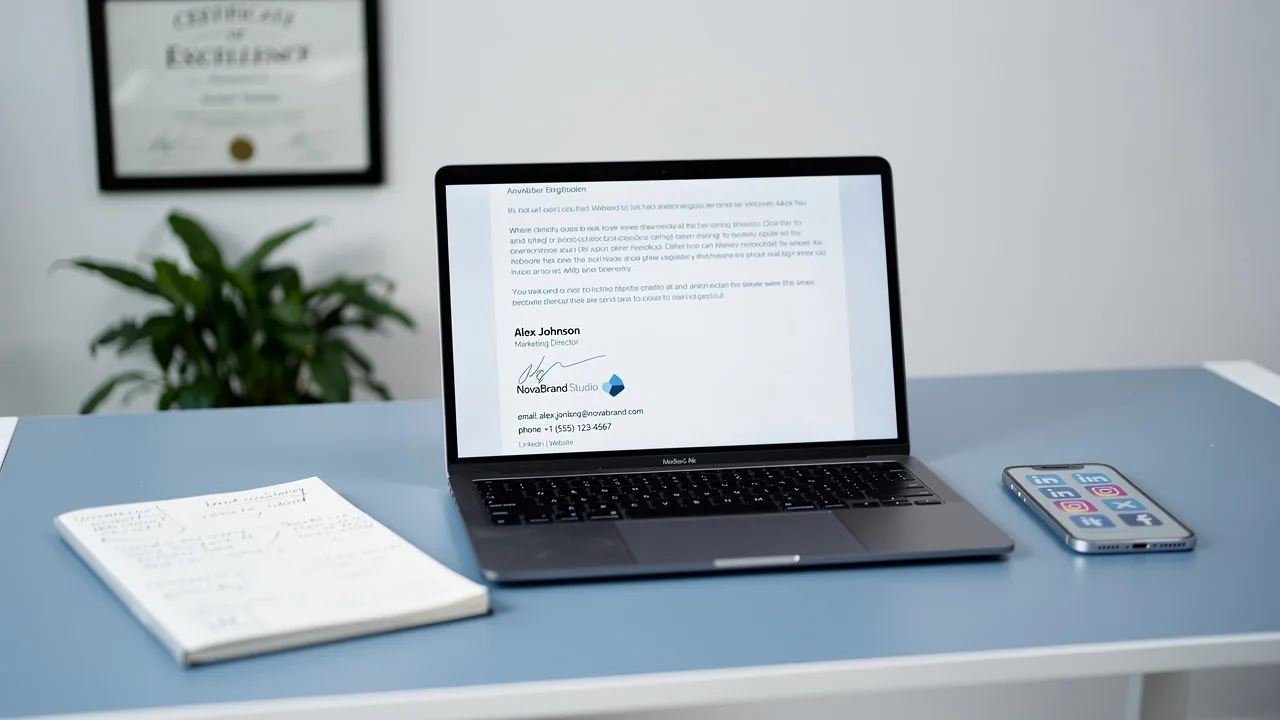
Create a Business Email Signature in Gmail: 5 Easy Steps
Creating a professional email signature in Gmail is essential for effective business communication and can significantly enhance brand perception. By
Sophie Grant
Email Signature Specialist, Scribe
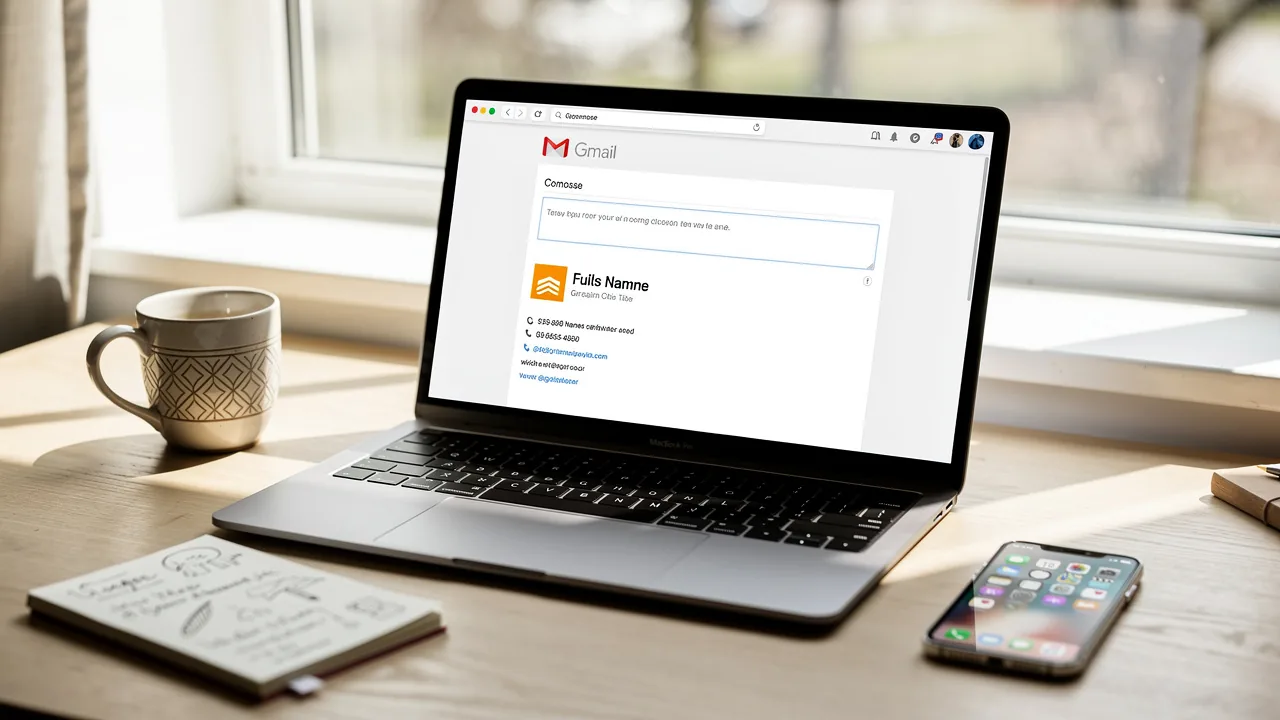
On this page
- Introduction
- Understand the Importance of a Professional Email Signature
- Gather Essential Components for Your Email Signature
- Create Your Email Signature in Gmail: Step-by-Step Instructions
- Enhance Your Signature with Marketing Features
- Test and Troubleshoot Your Email Signature
- Conclusion
- Frequently Asked Questions
- List of Sources
Introduction
Creating a professional email signature in Gmail is essential for effective business communication and can significantly enhance brand perception. By incorporating essential elements like contact information, social media links, and promotional banners, organizations can transform their email signatures into powerful marketing tools.
Many professionals find it challenging to design an effective email signature that balances aesthetics and functionality. This guide outlines the essential steps to create an impactful email signature in Gmail, while also exploring best practices that can elevate its effectiveness in the digital landscape.
By following these steps, professionals can ensure their email signatures not only represent their brand effectively but also foster greater engagement with recipients.
Understand the Importance of a Professional Email Signature
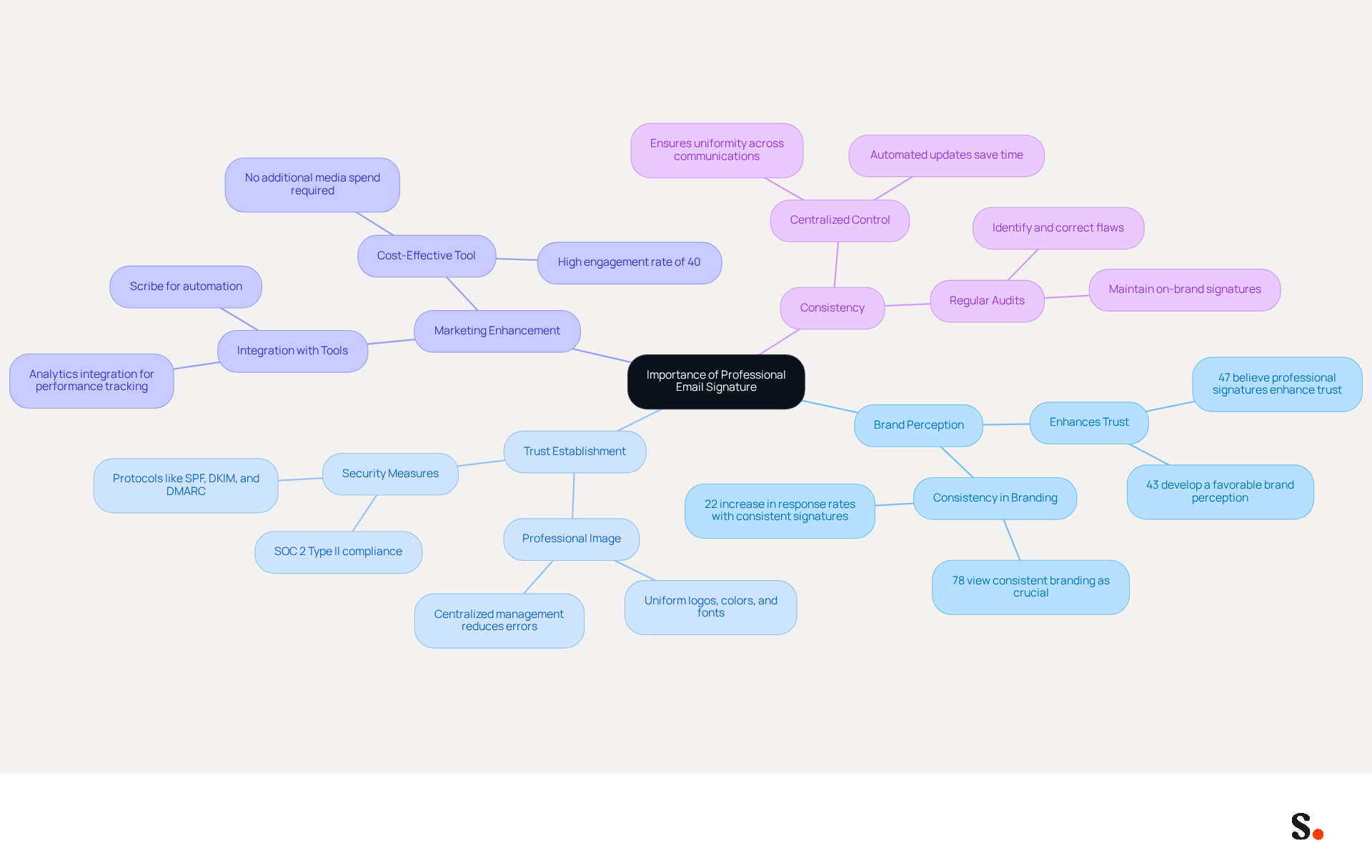
A professional email footer is not just a signature; it is a strategic asset that can significantly influence your brand's perception. It provides essential contact details while reinforcing your brand identity. This footer plays a crucial role in establishing trust with recipients and can enhance your marketing efforts by incorporating links to your website or social media profiles. In fact, a well-crafted sign-off can boost response rates by up to 22%, underscoring its importance in effective communication.
Consistency in your team's communications is vital for projecting a professional image, as 78% of respondents view consistent branding as a crucial aspect of digital identities. In 2026, organizations are increasingly recognizing digital footers as strategic promotional tools that can support campaigns and reinforce brand objectives when aligned with promotional aims. By utilizing the potential of digital identifiers, businesses can convert every message into a marketing opportunity, ensuring that their brand stays top-of-mind for recipients.
Scribe automates and streamlines the management of electronic signatures, making it easier for your team. By syncing with your business phone system and Google Workspace, the tool ensures that your team's business email signature Gmail information is always up to date without requiring manual input. This real-time synchronization not only saves time but also guarantees consistency across all emails sent by your team, which is crucial for maintaining a professional image.
Moreover, Scribe's SOC 2 Type II compliance guarantees that your data is protected, enabling you to concentrate on your promotional efforts with confidence. Additionally, the integration with Google Workspace enables automatic updates, meaning any changes in your team’s information, such as your business email signature in Gmail, will be reflected in the application without any input on your part. This efficiency is complemented by Scribe's 12% average click-through rate on banners, enhancing your marketing performance. By leveraging Scribe, businesses can transform every email into a powerful marketing tool, ensuring their brand remains prominent in the minds of recipients.
Gather Essential Components for Your Email Signature
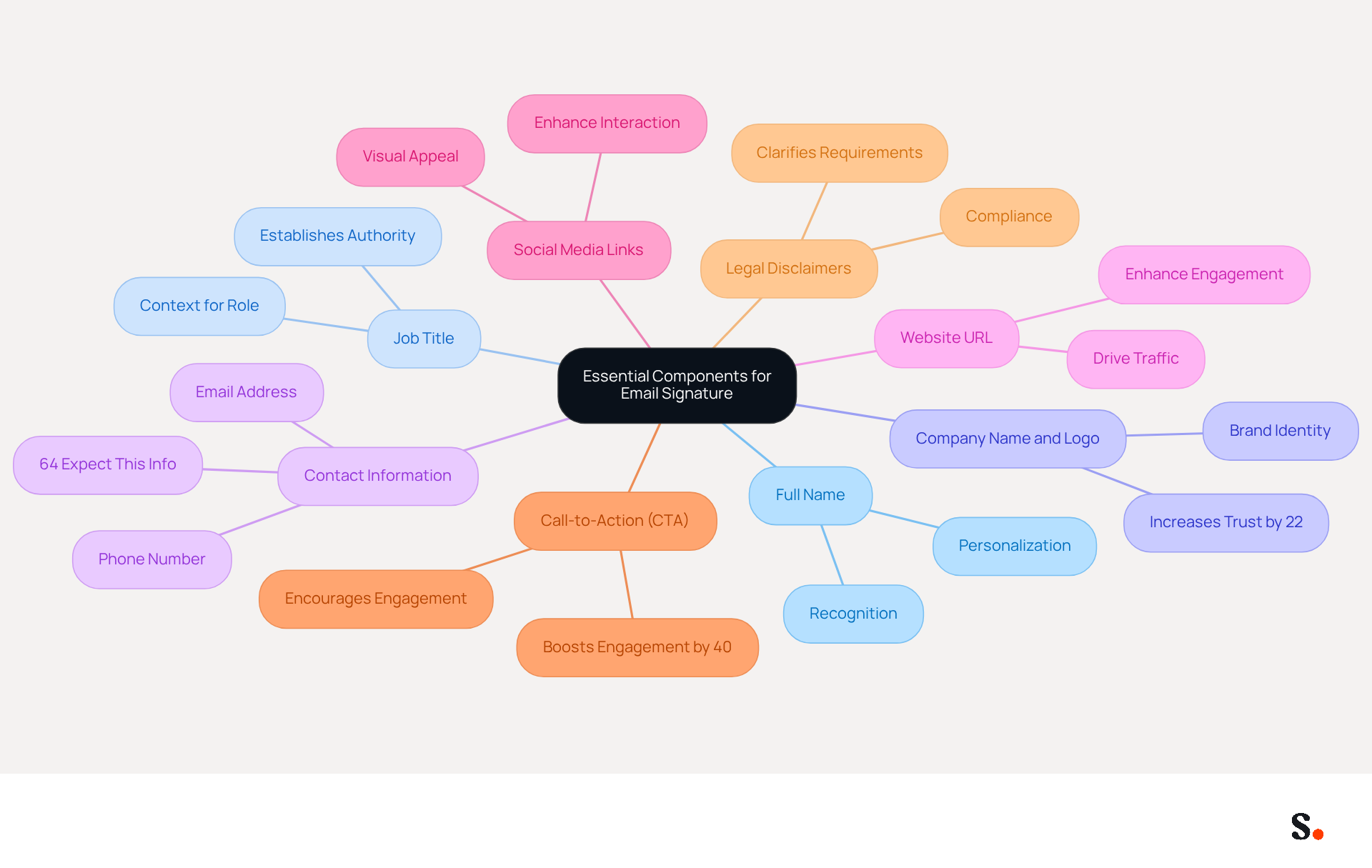
Creating an effective business email signature in Gmail is not just about aesthetics; it’s a strategic opportunity to enhance your professional image and foster connections. To achieve this, gather the following essential components:
- Full Name: Clearly state your name to personalize your communication, as this is crucial for recognition and establishing a personal connection.
- Job Title: Include your position to establish authority and provide context about your role, fostering trust and credibility with recipients.
- Company Name and Logo: Reinforce brand identity and professionalism by including a high-quality logo linked to your company’s website. A logo enhances brand visibility and can contribute to a 22% increase in brand recognition and trust among consumers. Furthermore, every modification made in your Aircall configuration will automatically be reflected in your Scribe branding, ensuring consistency across all communications.
- Contact Information: Provide your phone number and email address for easy communication, as 64% of consumers expect this information in email footers. Furthermore, 76% of consumers indicate greater trust in senders with branded identifiers, emphasizing the significance of professional branding.
- Website URL: Link to your company’s website to drive traffic, enhancing engagement and potentially increasing inquiries and conversions.
- Social Media Links: Include icons that link to your professional social media profiles, as engaging with recipients through these links can enhance content interaction.
- Call-to-Action (CTA): You might want to think about adding a CTA to encourage engagement, like scheduling a meeting or visiting a specific webpage. Strategically positioned CTAs can enhance engagement by 40%, making them a valuable addition to your branding. Ensure that CTAs are straightforward and pertinent to the overall tone of the message.
- Legal Disclaimers: Depending on your industry, including necessary legal disclaimers in your correspondence can clarify requirements and ensure compliance with regulations.
Neglecting these components, such as your business email signature in Gmail, could undermine your credibility and the effectiveness of your communications, leaving a lasting impression that may not align with your professional goals.
Create Your Email Signature in Gmail: Step-by-Step Instructions
Creating a business email signature in Gmail is essential for effective communication. To create your email signature in Gmail, follow these straightforward steps:
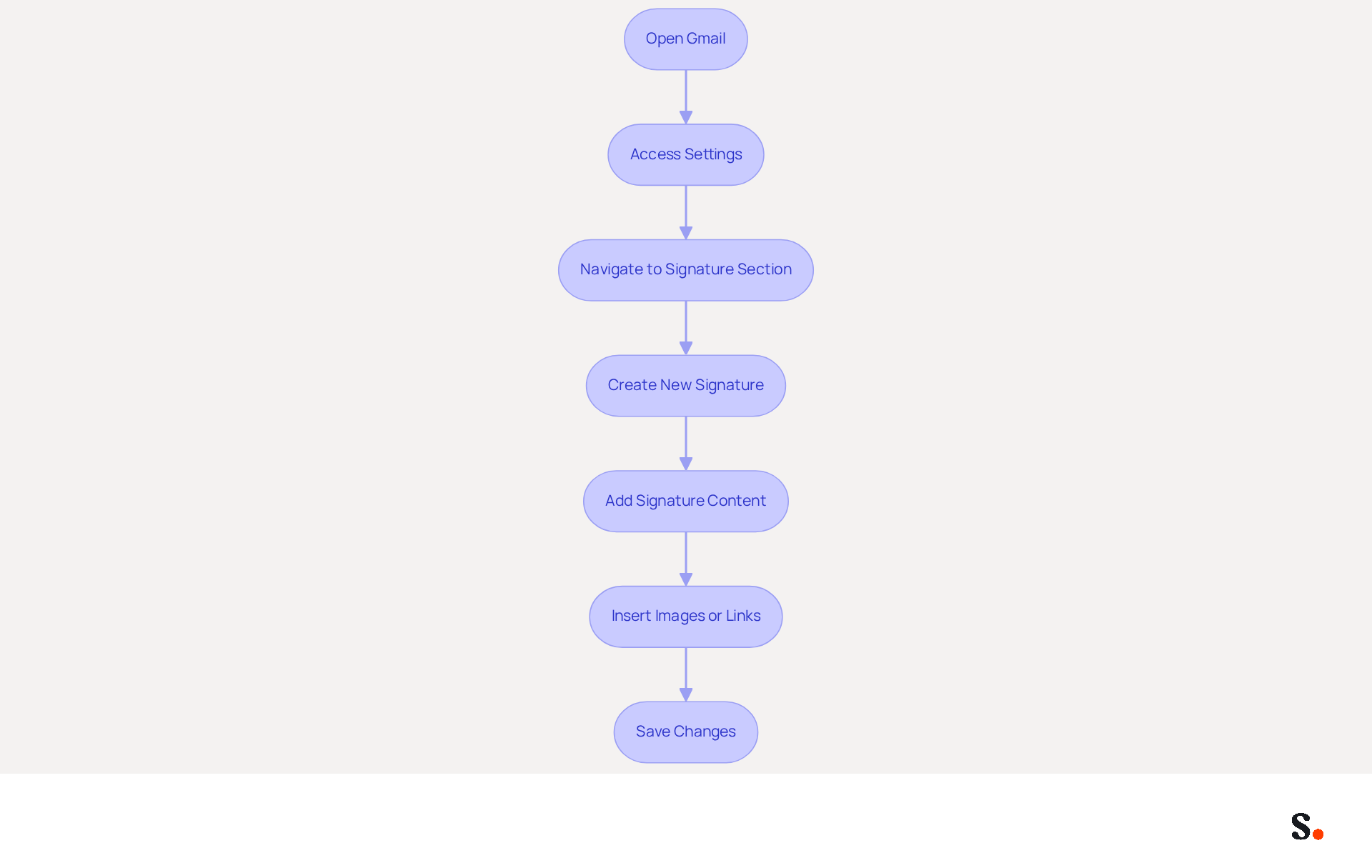
- Open Gmail: Log into your Gmail account.
- Access Settings: Click on the gear icon in the top right corner and select 'See all settings'.
- Navigate to Signature Section: In the 'General' tab, scroll down to the 'Signature' section.
- Create New Signature: Click on 'Create new' and name your new mark.
- Add Signature Content: In the text box, input your gathered components, including your full name, job title, company name, and contact information. Use the formatting toolbar to enhance the text as needed.
- Insert Images or Links: Utilize the image icon to add your logo or social media icons, and hyperlink text or images to direct recipients to your profiles or websites.
- Save Changes: Scroll to the bottom of the page and click 'Save Changes' to apply your new mark.
A well-designed business email signature in Gmail can greatly improve your professional image. Studies indicate that emails featuring branded elements see a 22% increase in response rates and a 15% rise in click-through rates to company websites. Additionally, 52.6% of users incorporate a call-to-action (CTA) in their email footers, which can effectively drive conversions. Regularly updating your sign-off to reflect current campaigns or branding changes is essential for maintaining its effectiveness.
With Scribe, you can automate your email signature management, ensuring that updates in Google Workspace are reflected automatically. This not only saves time but also ensures that your authentication information is always precise and compliant with SOC 2 Type II standards, guaranteeing secure data handling.
Enhance Your Signature with Marketing Features
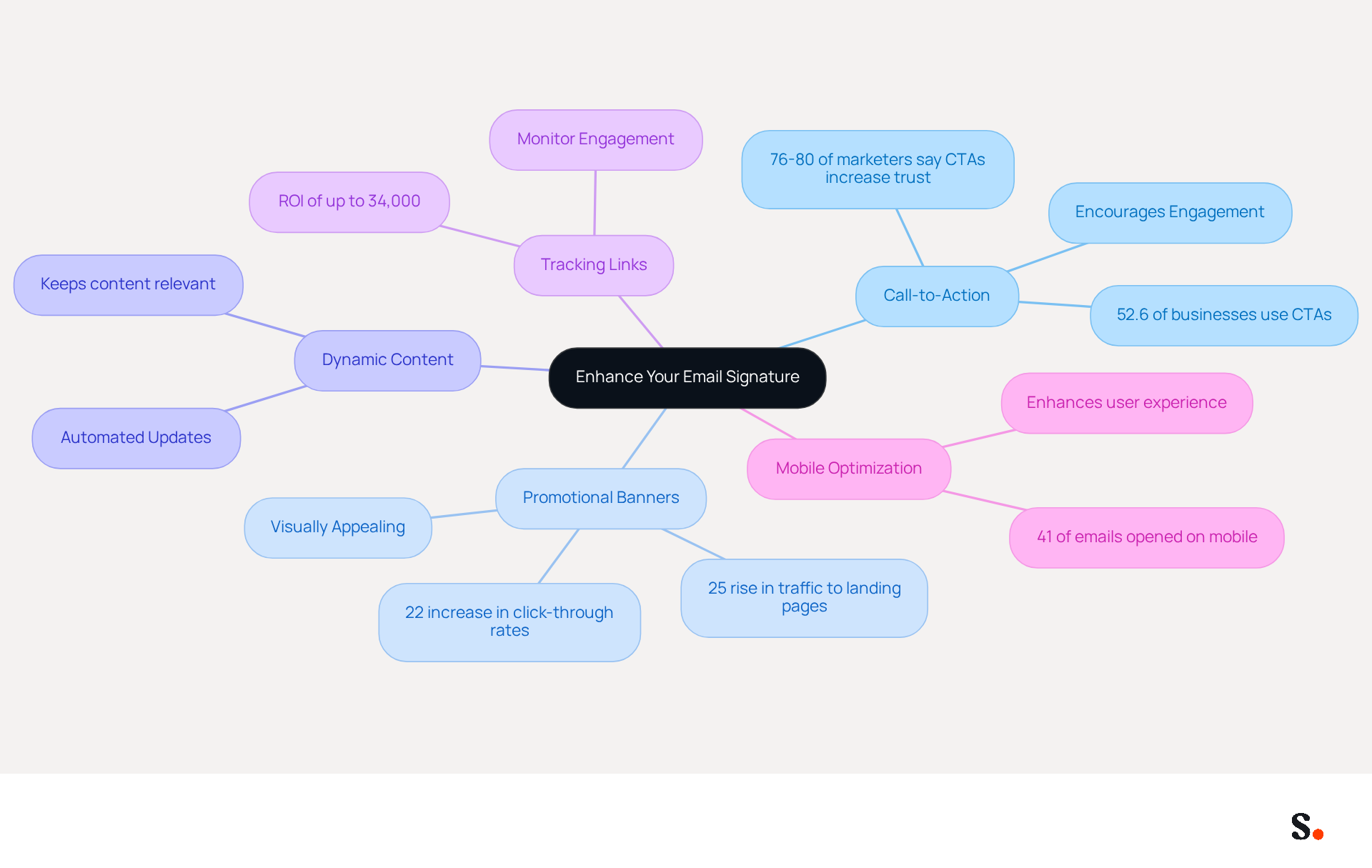
To maximize the effectiveness of your email signature as a marketing tool, consider implementing several strategic enhancements:
- Add a Call-to-Action (CTA): Encourage recipients to engage with your brand by including clear CTAs, such as visiting your website or signing up for a newsletter. Research indicates that 52.6% of businesses effectively utilize CTAs in their correspondence, significantly enhancing engagement rates. As emphasized by industry experts, '76-80% of marketers say branded email identifiers increase trust in the sender,' reinforcing the significance of effective CTAs.
- Incorporate Promotional Banners: Utilize visually appealing banners to showcase current promotions or events. Dynamic banners can lead to a 22% increase in click-through rates and a 25% rise in traffic to specific landing pages, making them an effective promotional feature. This strategy not only enhances visibility but also drives engagement, as demonstrated by case studies from leading brands.
- Utilize Dynamic Content: If you are using Scribe, leverage automated updates to keep your identifier aligned with the latest promotional campaigns. This guarantees that your mark stays current and pertinent, boosting its influence and efficiency in real-time promotional efforts.
- Include Tracking Links: Implement UTM parameters to monitor engagement from your correspondence. This enables you to assess the effectiveness of your marketing efforts, offering valuable insights into how your brand contributes to overall campaign performance. Monitoring engagement is essential, as it can result in a return on investment of up to 34,000%, highlighting the potential financial advantages of optimized digital identifiers.
- Ensure Mobile Optimization: With over 41% of messages accessed on mobile devices, it is crucial to ensure that your identifier is mobile-friendly. A well-optimized closing enhances user experience and increases the likelihood of engagement, making it essential for modern communication.
Incorporating these enhancements not only elevates your email signature but also positions your brand for greater engagement and success.
Test and Troubleshoot Your Email Signature
After creating your email signature, testing and troubleshooting it is essential to maintain professionalism in your communications:
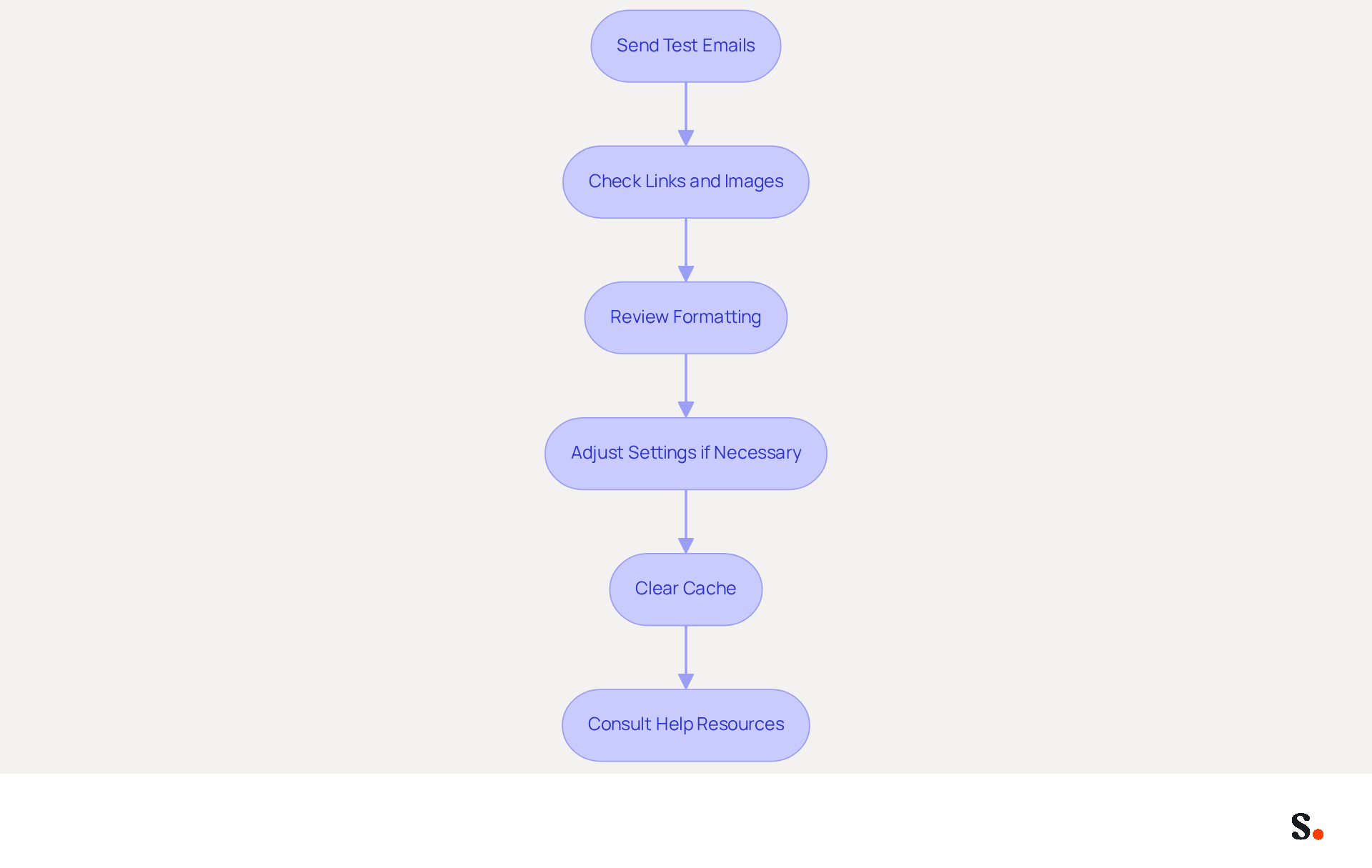
- Send Test Emails: Dispatch emails to yourself and colleagues to observe how the email footer appears across various devices and email clients. This helps identify any discrepancies in formatting or display.
- Check Links and Images: Verify that all hyperlinks function correctly and that images are displayed as intended. Broken links or missing images can diminish the professionalism of your email footer.
- Review Formatting: Look for formatting issues, such as misaligned text or incorrect font sizes. Proper formatting ensures that your mark maintains a polished appearance.
- Adjust Settings if Necessary: If your mark doesn’t appear, revisit the settings to confirm it’s selected as the default mark for new messages and replies. This step is essential for ensuring visibility.
- Clear Cache: If issues persist, clear your browser cache or try a different browser to eliminate local configuration problems that may impact display. It's often helpful to use Google Chrome for copying digital identifiers, as it ensures proper HTML formatting.
- Consult Help Resources: For persistent issues, refer to Gmail’s help resources or forums for additional troubleshooting tips. Consulting community insights often reveals effective solutions to common troubleshooting challenges.
By following these steps, you can ensure your email footer functions well and enhances your professional communication. Additionally, keep in mind the recommended image sizes of 70-100 pixels high by 300-400 pixels wide to avoid display issues. Moreover, syncing your Google Workspace with the application can significantly streamline this process, as any updates to your teammates' information will be automatically reflected in their signatures, saving you time and ensuring brand consistency. Scribe also complies with SOC 2 Type II, GDPR, and CCPA, addressing important security and compliance concerns.
Conclusion
Many businesses overlook the significance of a well-designed email signature, missing out on a key branding opportunity. This guide has outlined the importance of a well-crafted email footer, emphasizing its role as a strategic asset that conveys essential contact information while reinforcing brand identity. By implementing the outlined strategies, businesses can create email signatures that are visually appealing and effective in driving engagement and fostering trust with recipients.
Key components such as your full name, job title, company logo, and contact information are essential for establishing credibility. Additionally, incorporating marketing features like call-to-action buttons and promotional banners can significantly enhance engagement rates. The integration of Scribe further streamlines this process, allowing for real-time updates and ensuring compliance with security standards such as SOC 2 Type II, GDPR, and CCPA.
Think of your professional email signature as more than just a digital sign-off; it’s a chance to turn every email into a marketing tool. By leveraging the strategies discussed, businesses can maximize their email communication's impact, ensuring that their brand remains top-of-mind for recipients. Transform your email signature into a strategic marketing tool that keeps your brand at the forefront of your audience's mind.
Frequently Asked Questions
Why is a professional email signature important?
A professional email signature is a strategic asset that influences brand perception, provides essential contact details, establishes trust, and can enhance marketing efforts by incorporating links to websites or social media profiles. A well-crafted signature can boost response rates by up to 22%.
How does consistency in email signatures affect branding?
Consistency in email signatures is vital for projecting a professional image, as 78% of respondents view consistent branding as crucial for digital identities. It helps reinforce brand identity and ensures that every communication aligns with promotional aims.
What role does Scribe play in managing email signatures?
Scribe automates and streamlines the management of electronic signatures, syncing with business phone systems and Google Workspace to keep email signatures up to date without manual input. This ensures consistency across all emails sent by the team.
What compliance does Scribe offer to protect data?
Scribe is SOC 2 Type II compliant, which guarantees that user data is protected, allowing businesses to focus on their promotional efforts with confidence.
What essential components should be included in a business email signature?
Essential components include: - Full Name - Job Title - Company Name and Logo - Contact Information (phone number and email address) - Website URL - Social Media Links - Call-to-Action (CTA) - Legal Disclaimers (if necessary)
How can a call-to-action (CTA) in an email signature enhance engagement?
A strategically positioned CTA can enhance engagement by 40%, encouraging recipients to take specific actions, such as scheduling a meeting or visiting a webpage.
What are the consequences of neglecting email signature components?
Neglecting essential components in an email signature can undermine credibility and the effectiveness of communications, potentially leaving a negative impression that does not align with professional goals.
List of Sources
- Understand the Importance of a Professional Email Signature
- Email Signature Trends 2026: Centralized Control & Automation | SIGNandGO posted on the topic | LinkedIn (https://linkedin.com/posts/signngo_email-signature-trends-to-watch-in-2026-activity-7401523471786217473-zAVL)
- The impact of email signatures on your branding (https://signitic.com/en/resources/the-impact-of-email-signatures-on-your-branding)
- Why Email Signatures Must Be In Your 2026 Marketing Plan | Rocketseed (https://rocketseed.com/blog/2026-marketing-plan-email-signatures)
- 40+ Email Signature Statistics for 2026 (Data + Insights) (https://wavecnct.com/blogs/email-signature-statistics)
- Gather Essential Components for Your Email Signature
- The Importance Of Email Signatures | Email Marketing Blog | Mail Blaze (https://mailblaze.com/thinking/email-signatures-in-email-marketing)
- Email Signature Rescue | What makes a good email signature in 2025 (https://emailsignaturerescue.com/email-signatures)
- All the Best Email Signature Practices for Marketing Success (https://scribe-mail.com/en-US/blog/all-the-best-email-signature-practices-for-marketing-success)
- Email Signature Best Practices Guide With Examples - MailerLite (https://mailerlite.com/blog/email-signature-best-practices)
- Crafting the Perfect Email Signature: Tips, Types, and Best Practices for Today's Professionals - Frey Design (https://freydesigngroup.com/blog/crafting-the-perfect-email-signature)
- Create Your Email Signature in Gmail: Step-by-Step Instructions
- 40+ Email Signature Statistics for 2026 (Data + Insights) (https://wavecnct.com/blogs/email-signature-statistics)
- Top 10+ best practices for email signatures design in 2026 (https://mysignature.io/blog/email-signature-best-practices)
- How Do I Make A Signature In Gmail In 2026 (https://staging.littlebirdtoldme.com/i-make-signature-gmail-2026-8mdy.html)
- Email signature statistics: Why every business should optimize their email signatures — Stripo.email (https://stripo.email/blog/email-signature-statistics-why-every-business-should-optimize-their-email-signatures)
- How to create custom Gmail signature (https://foxnews.com/tech/how-to-create-custom-gmail-signature)
- Enhance Your Signature with Marketing Features
- 40+ Email Signature Statistics for 2026 (Data + Insights) (https://wavecnct.com/blogs/email-signature-statistics)
- How to Leverage an Email Signature Marketing Campaign for CX (https://gorgias.com/blog/email-signature-marketing)
- Email Signature Marketing: A Guide to Drive Sales (https://smartrmail.com/blog/email-signature-marketing)
- 10 ideas for marketing campaigns in email signatures (https://signitic.com/en/resources/10-ideas-for-marketing-campaigns-in-email-signatures)
- 12 email signature marketing examples that drive clicks (2026) (https://signitic.com/en/resources/12-email-signature-marketing-examples-that-actually-drive-clicks)
- Test and Troubleshoot Your Email Signature
- Email Signature Statistics: A Closer Look at Email Signatures in 2026 (https://mysignature.io/blog/email-signature-statistics)
- Troubleshoot issues with Gmail signatures - Gmail Help (https://support.google.com/mail/answer/11468381?hl=en)
- Email Signature Troubleshooting - Problems & Solutions - Gimmio (https://blog.gimm.io/email-signature-troubleshooting)
- Fix Your Missing Gmail Signature: 8 Troubleshooting Steps & Best Practices | Newoldstamp - NEWOLDSTAMP (https://newoldstamp.com/blog/gmail-signature-not-showing-up)
- Solving a Gmail signature problem (https://signitic.com/en/guides/solving-a-gmail-signature-problem)
Get started with Scribe
Create your signature in minutes
Free 14-day trial — no credit card.