Best Practices for a Gmail Professional Email Signature That Engages
Creating a professional email signature in Gmail is crucial; it acts as a digital business card that enhances brand recognition and communication
Sophie Grant
Email Signature Specialist, Scribe
Introduction
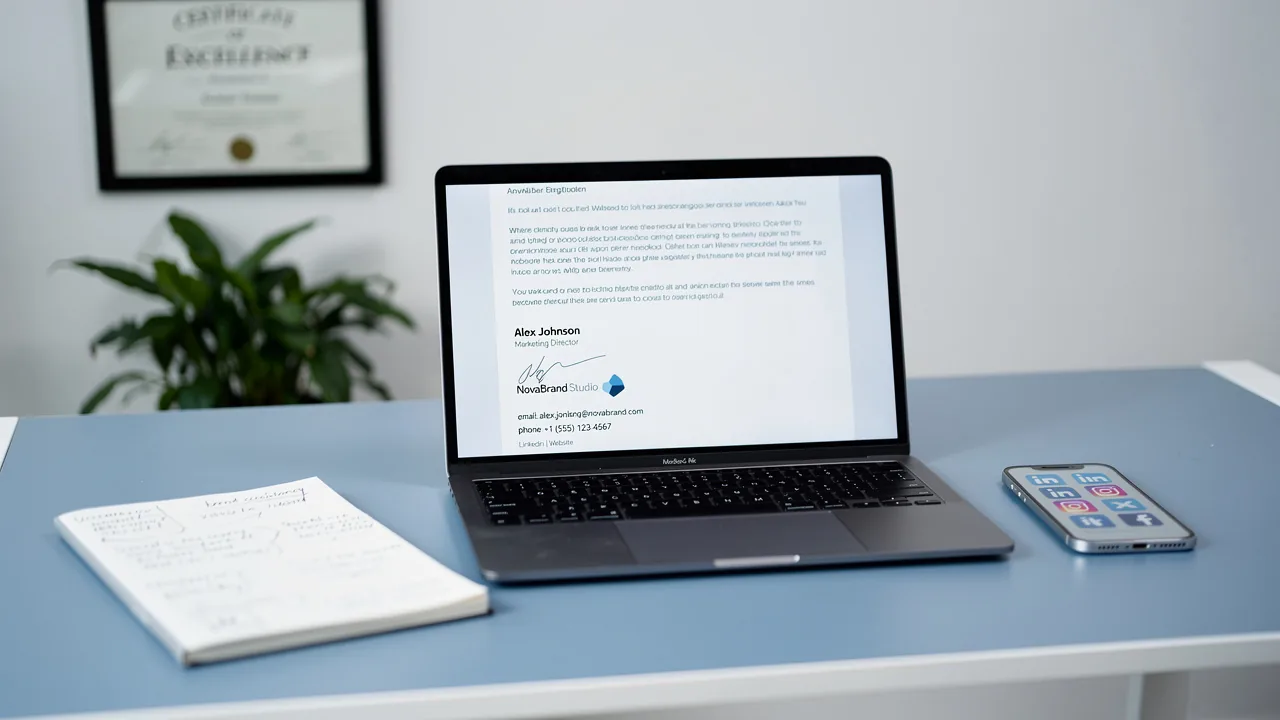
Creating a professional email signature in Gmail is crucial; it acts as a digital business card that enhances brand recognition and communication effectiveness. By incorporating essential elements and design strategies, professionals can create signatures that convey their identity, engage recipients, and drive action.
Navigating the myriad of elements involved in crafting an email signature can be challenging, but a clear strategy can ensure it stands out while remaining compliant and consistent. This article outlines best practices for designing an impactful Gmail signature that resonates with audiences and reflects your organization's values.
Define Essential Elements of a Professional Email Signature
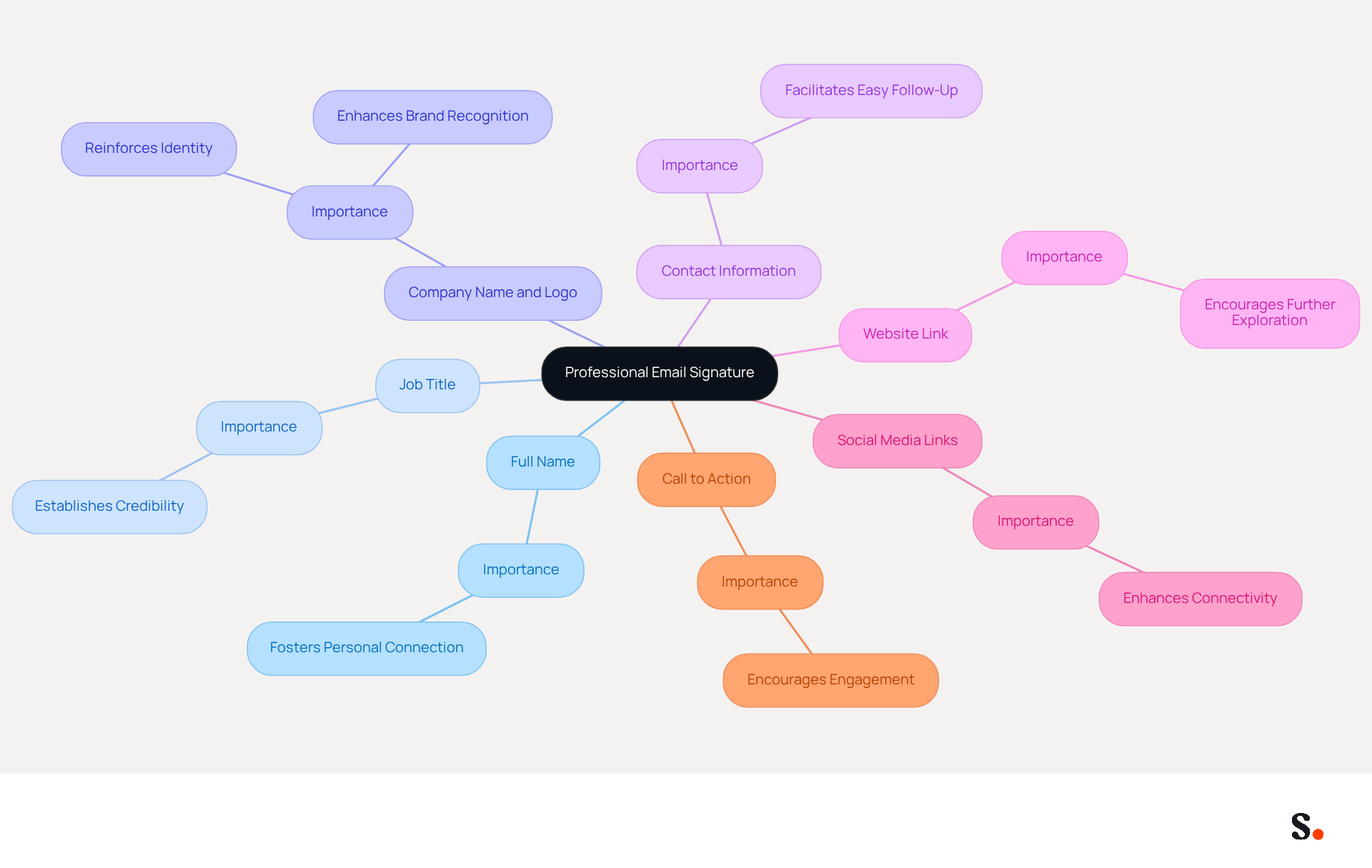
To effectively communicate your identity and promote your brand, a professional email signature must include several essential elements:
- Full Name: Clearly stating your name ensures recipients know who they are communicating with, fostering a personal connection.
- Job Title: Including your position establishes credibility and provides context for your role within the organization.
- Company Name and Logo: This reinforces identity, making it easier for recipients to recognize your organization. A significant percentage of businesses recognize the importance of branded signatures for establishing identity.
- Contact Information: Providing a phone number and email address facilitates easy follow-up, enhancing communication efficiency.
- Website Link: Directing recipients to your company’s website allows for further exploration of your services or products.
- Social Media Links: Including links to professional social media profiles enhances connectivity and engagement, making it easier for recipients to interact with your organization.
- Call to Action: A brief, compelling call to action encourages recipients to engage further, such as visiting a website or signing up for a newsletter.
By integrating these components, you not only create a clear identity but also boost your professional image with a gmail professional email signature. Regular use of these elements can help professionals establish a recognizable and trustworthy identity in their communications. For example, organizations that utilize branded digital identifiers report enhanced brand recognition and a more professional appearance, resulting in increased trustworthiness among recipients. Moreover, with Scribe's automated synchronization of identifiers with Aircall, any modifications made in your Aircall settings will be automatically reflected in your Scribe identifiers, ensuring that your team's information is always current without requiring action from your colleagues. This seamless integration, along with Scribe's SOC 2 Type II compliance, ensures that your data is managed securely, transforming it into a strategic asset for your marketing initiatives. Ultimately, neglecting these components can hinder your professional image and limit your organization's potential for engagement.
Implement Design Strategies for Maximum Impact
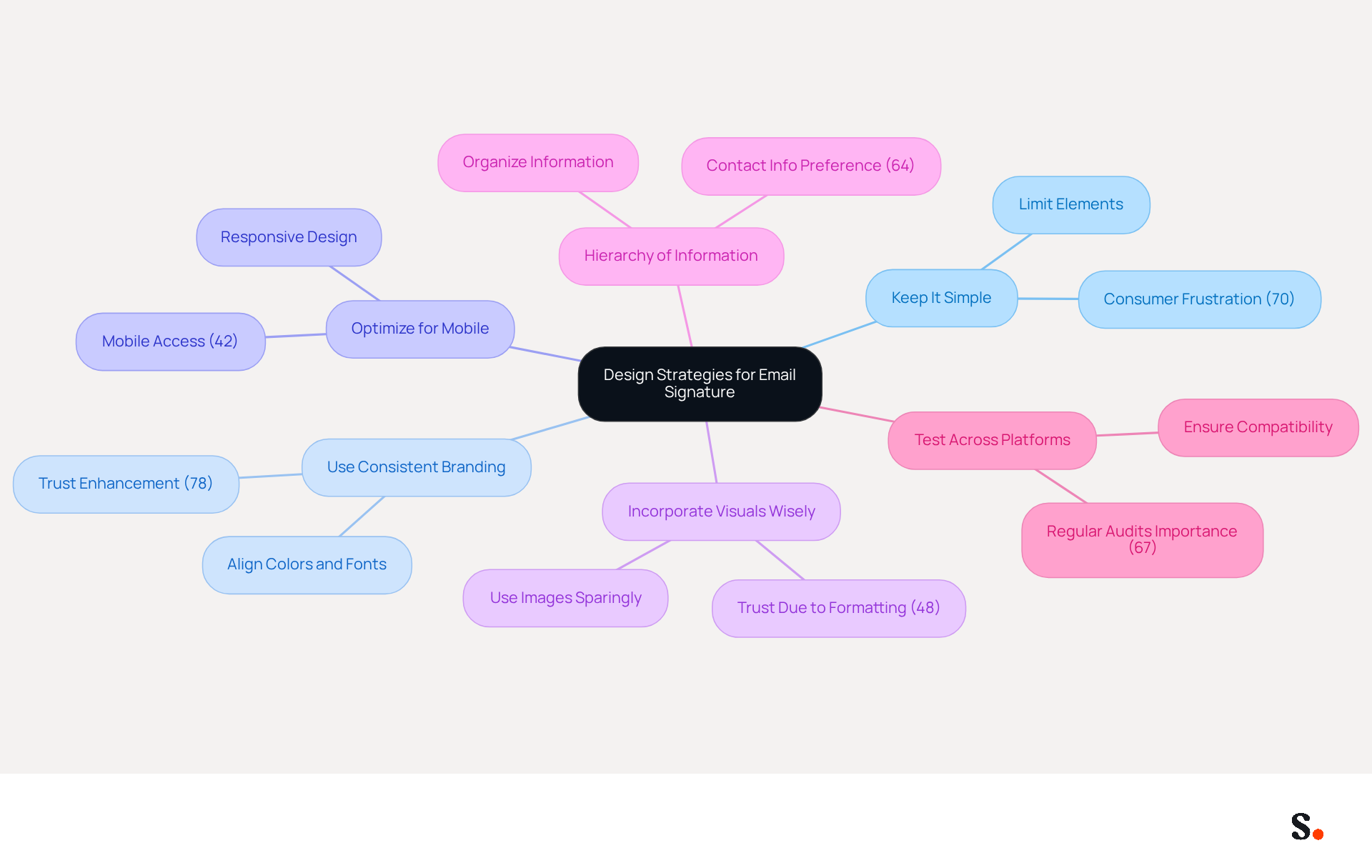
Creating a gmail professional email signature is crucial for effective communication and brand representation. To achieve this, consider the following design strategies:
- Keep It Simple: Limit the number of elements to avoid clutter. An uncluttered design is visually appealing and easier to read, which is essential as 70% of consumers express irritation when companies fail to include identification in their communications.
- Use Consistent Branding: Align colors, fonts, and logos with your company’s branding guidelines. Consistent branding is vital, as 78% of marketers believe it enhances trust and engagement. With Scribe, every modification made in your Aircall setup will automatically reflect in your communication identifiers, ensuring brand consistency across all interactions.
- Optimize for Mobile: Create designs that are responsive and visually appealing on mobile devices. Given that 42% of messages are accessed on mobile, this ensures that users who frequently check messages on their phones can easily access your information.
- Incorporate Visuals Wisely: Use images sparingly; a small logo or professional photo can enhance the closing without overwhelming it. Proper formatting is crucial, as 48% of consumers trust a message from a company due to good formatting.
- Hierarchy of Information: Organize information to guide the reader’s eye, placing the most important details at the top. This method aligns with consumer preferences, as 64% seek contact information in message footers.
- Test Across Platforms: Ensure the identifier displays correctly in various messaging clients (Gmail, Outlook, etc.) to avoid rendering issues. Regular audits are essential to maintain accurate job titles, phone numbers, and links, as 67% of marketers consider digital communication engagement a key digital advertising channel.
By prioritizing these strategies, you not only enhance your brand's professionalism through a gmail professional email signature but also foster stronger connections with your audience.
Leverage Automation for Consistent Signature Management
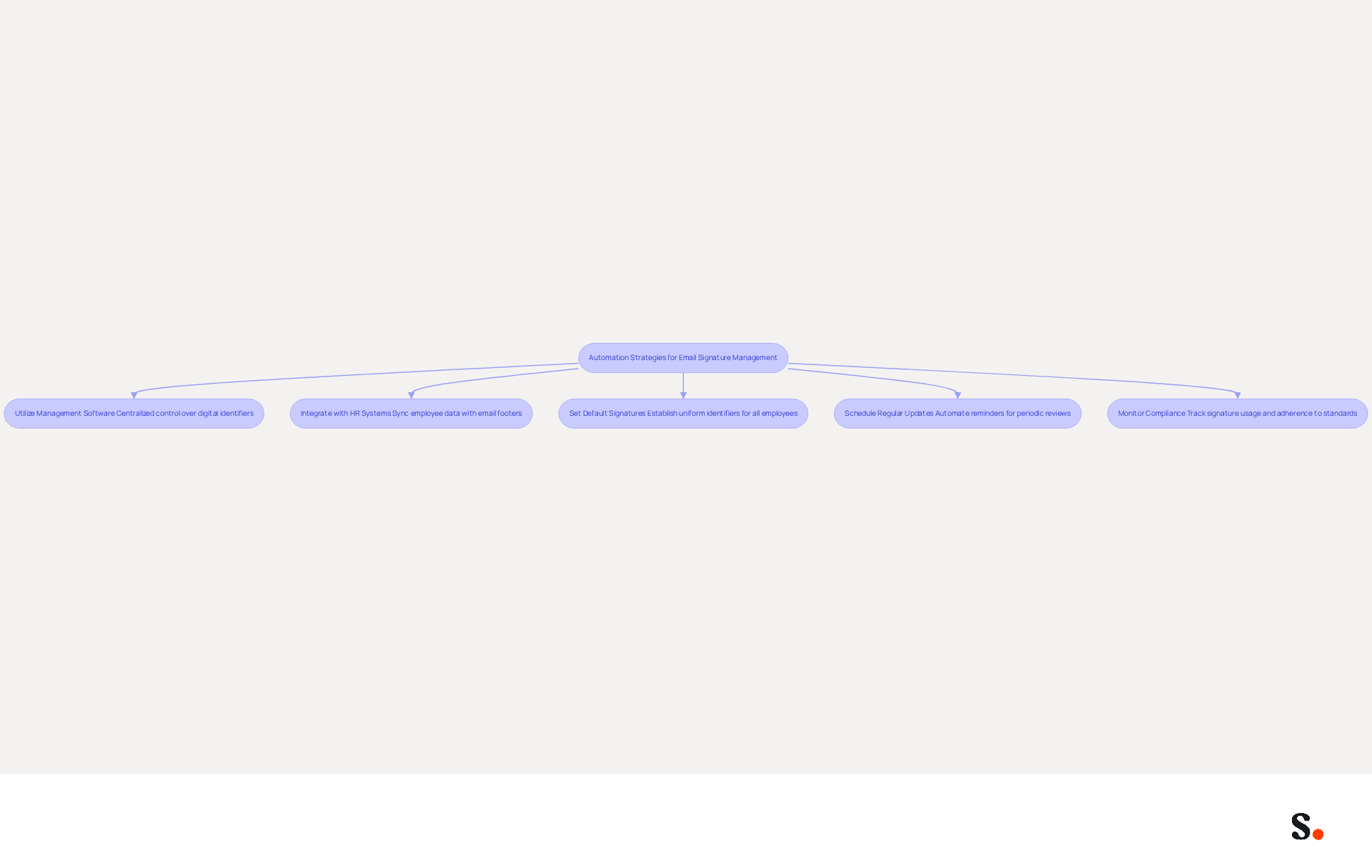
Effective management of a gmail professional email signature is crucial for maintaining a professional image and ensuring compliance across an organization. To achieve this, consider implementing the following automation strategies:
- Utilize Management Software: Leverage tools like Scribe for centralized control over digital identifiers. This strategy has been shown to increase response rates by 22% and boost click-through rates by 15%, highlighting the power of professional branding.
- Integrate with HR Systems: Automate the synchronization of employee data with email footers to guarantee that information remains current and accurate. This integration assists in optimizing onboarding and offboarding procedures, ensuring new hires obtain the appropriate approvals instantly while deactivating those of departing employees.
- Set Default Signatures: Establish default identifiers for all employees to maintain uniformity and compliance with branding guidelines. Consistent branding is essential, particularly in regulated sectors, where a gmail professional email signature must adhere to specific legal standards to mitigate compliance risks.
- Schedule Regular Updates: Automate reminders for periodic reviews of email identifiers to ensure they stay relevant and effective. Regular updates can prevent the common issue of outdated credentials, which many professionals neglect to change, leading to misrepresentation.
- Monitor Compliance: Utilize analytics to track signature usage and compliance across the organization, ensuring that all employees adhere to branding standards. Failure to monitor compliance can result in reputational damage and legal repercussions for the organization.
By prioritizing automation in email signature management, organizations can significantly enhance their brand integrity and communication effectiveness.
Evaluate and Optimize Signature Performance Regularly
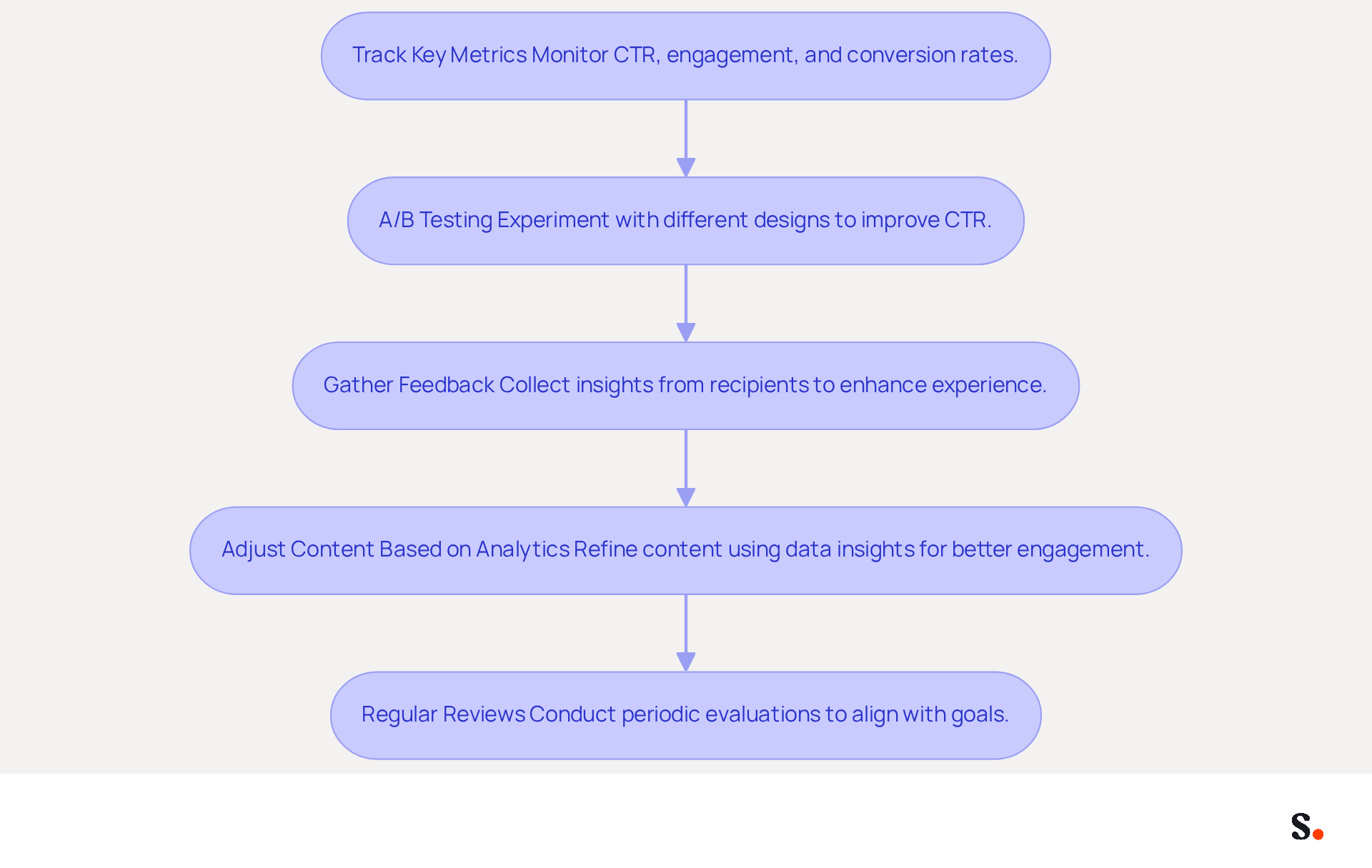
To maximize the impact of your email signatures, a strategic evaluation of their performance is essential:
- Track Key Metrics: Monitor essential metrics such as click-through rates (CTR), engagement levels, and conversion rates. A CTR of 12% on branded banners indicates effective content engagement. If your CTR falls below 12%, it may signal that your current strategies are not resonating with your audience. Understanding these metrics helps evaluate how well your identifiers perform. With Scribe's automated synchronization with Aircall, any changes in your Aircall settings are instantly reflected in your identifiers, which enhances brand consistency.
- A/B Testing: Experiment with different design styles and elements. This highlights the importance of A/B testing, as dynamic digital identifiers can achieve a CTR of 12%, compared to just 2.5% for standard marketing communications. Testing variations can help identify which versions yield the best results.
- Gather Feedback: Why not ask your recipients what they think about your email branding? Their insights can help you identify areas for improvement and enhance user experience.
- Adjust Content Based on Analytics: Use data insights to refine the content of your identifiers. For instance, updating calls to action or adjusting visual elements can significantly impact engagement and conversion rates. The seamless integration of tools like Calendly with Scribe enables automatic updates, ensuring your marks remain up-to-date and effective.
- Regular Reviews: Schedule periodic evaluations of performance to ensure alignment with current marketing goals and branding strategies. Regular audits are necessary to maintain accurate and relevant information, which can impact professional image and communication. Furthermore, Scribe's adherence to SOC 2 Type II, GDPR, and CCPA guarantees that your management of electronic signatures meets the highest standards of security and privacy.
Ultimately, a well-optimized email signature can transform your communication into a powerful marketing asset.
Conclusion
A professional email signature is not just a formality; it is a critical component of effective communication and brand representation. By incorporating key elements such as your full name, job title, company logo, and contact information, professionals can enhance their credibility and make a lasting impression. Using strategic design principles makes the signature visually appealing and functional on all devices.
It’s crucial to keep designs simple, maintain consistent branding, and utilize tools like Scribe for managing signatures efficiently. By leveraging these strategies, organizations can uphold brand integrity and compliance while optimizing their email signatures for maximum impact. Regular evaluation of signature performance through metrics and A/B testing empowers teams to refine their approach and enhance engagement.
In a world where digital communication is paramount, investing in a professional email signature is more than just a formality; it is a strategic move that can significantly influence brand perception and engagement. Ultimately, the right email signature can be a game-changer in how brands are perceived and how effectively they engage with their audience.
Frequently Asked Questions
What are the essential elements of a professional email signature?
A professional email signature should include the following essential elements: Full Name, Job Title, Company Name and Logo, Contact Information, Website Link, Social Media Links, and a Call to Action.
Why is it important to include your full name in an email signature?
Including your full name ensures recipients know who they are communicating with, fostering a personal connection.
How does a job title in an email signature contribute to communication?
Including your job title establishes credibility and provides context for your role within the organization.
What role does the company name and logo play in an email signature?
The company name and logo reinforce identity, making it easier for recipients to recognize your organization and enhancing brand recognition.
Why should contact information be included in an email signature?
Providing contact information, such as a phone number and email address, facilitates easy follow-up and enhances communication efficiency.
How can a website link in an email signature benefit recipients?
A website link directs recipients to your company’s website, allowing for further exploration of your services or products.
What is the advantage of including social media links in an email signature?
Including links to professional social media profiles enhances connectivity and engagement, making it easier for recipients to interact with your organization.
What is a call to action in an email signature, and why is it important?
A call to action is a brief, compelling prompt that encourages recipients to engage further, such as visiting a website or signing up for a newsletter.
How does Scribe enhance the management of email signatures?
Scribe automates the synchronization of identifiers with Aircall, ensuring that any modifications made in Aircall settings are automatically reflected in Scribe identifiers, keeping team information current.
What compliance does Scribe adhere to for data management?
Scribe is SOC 2 Type II compliant, ensuring that your data is managed securely and transforming it into a strategic asset for marketing initiatives.
List of Sources
- Define Essential Elements of a Professional Email Signature
- The benefits of a branded email signature (https://bybrand.io/blog/branded-email-signature)
- Email signature branding: importance, tips & best practices (https://exclaimer.com/email-signature-handbook/email-signature-branding-importance)
- The impact of email signatures on your branding (https://signitic.com/en/resources/the-impact-of-email-signatures-on-your-branding)
- Research Recap: Branded Email Signatures Increase Company Recognition, Trust - Demand Gen Report (https://demandgenreport.com/industry-news/research-recap-branded-email-signatures-increase-company-recognition-trust/47252)
- Implement Design Strategies for Maximum Impact
- Email signature statistics: Why every business should optimize their email signatures — Stripo.email (https://stripo.email/blog/email-signature-statistics-why-every-business-should-optimize-their-email-signatures)
- Research Recap: Branded Email Signatures Increase Company Recognition, Trust - Demand Gen Report (https://demandgenreport.com/industry-news/research-recap-branded-email-signatures-increase-company-recognition-trust/47252)
- 40+ Email Signature Statistics for 2026 (Data + Insights) (https://wavecnct.com/blogs/email-signature-statistics)
- Exclaimer Research: 67% of Marketers Expect Email Signatures to Support With Lead Gen In 2023 (https://businesswire.com/news/home/20230612141095/en/Exclaimer-Research-67-of-Marketers-Expect-Email-Signatures-to-Support-With-Lead-Gen-In-2023)
- Leverage Automation for Consistent Signature Management
- 40+ Email Signature Statistics for 2026 (Data + Insights) (https://wavecnct.com/blogs/email-signature-statistics)
- Automating Email Signatures: How IT Teams Streamline Processes & Reduce Risk (https://exclaimer.com/blog/streamlining-it-processes-automated-email-signatures)
- Maximizing Efficiency with Automated Email Signatures for Internal and External Communications | Crossware365 (https://crossware365.com/blog/maximizing-efficiency-with-automated-email-signatures-for-internal-and-external-communications)
- How to combine automation and email signatures (https://signitic.com/en/resources/how-to-combine-automation-and-email-signatures)
- Evaluate and Optimize Signature Performance Regularly
- The 5 key metrics to analyze your email signatures (https://signitic.com/en/resources/the-5-key-metrics-to-analyze-your-email-signatures)
- How to measure the performance of your email signatures? (https://letsignit.com/blog/email-signatures-measure-performance-2)
- Email signature statistics: Why every business should optimize their email signatures — Stripo.email (https://stripo.email/blog/email-signature-statistics-why-every-business-should-optimize-their-email-signatures)
- Signature marketing: Triple your conversions with your signatures (https://mailbutler.io/blog/email/signature-marketing)
Get started with Scribe
Create your signature in minutes
Free 14-day trial — no credit card.