Best Practices for Creating a Signature for Outlook That Engages
Creating an email signature that conveys professionalism while engaging recipients presents a significant challenge in modern communication.
Sophie Grant
Email Signature Specialist, Scribe
Introduction
Creating an email signature that conveys professionalism while engaging recipients presents a significant challenge in modern communication.
With the right strategies, organizations can transform their email footers into powerful marketing tools that enhance brand consistency and foster trust.
Many professionals find it challenging to create email signatures that effectively engage recipients.
Identifying effective practices for crafting email signatures in Outlook is essential for maximizing engagement.
This article delves into essential tips and techniques to optimize email signatures, ensuring they reflect a cohesive brand identity while maximizing engagement.
Establish Brand Consistency in Your Email Signature
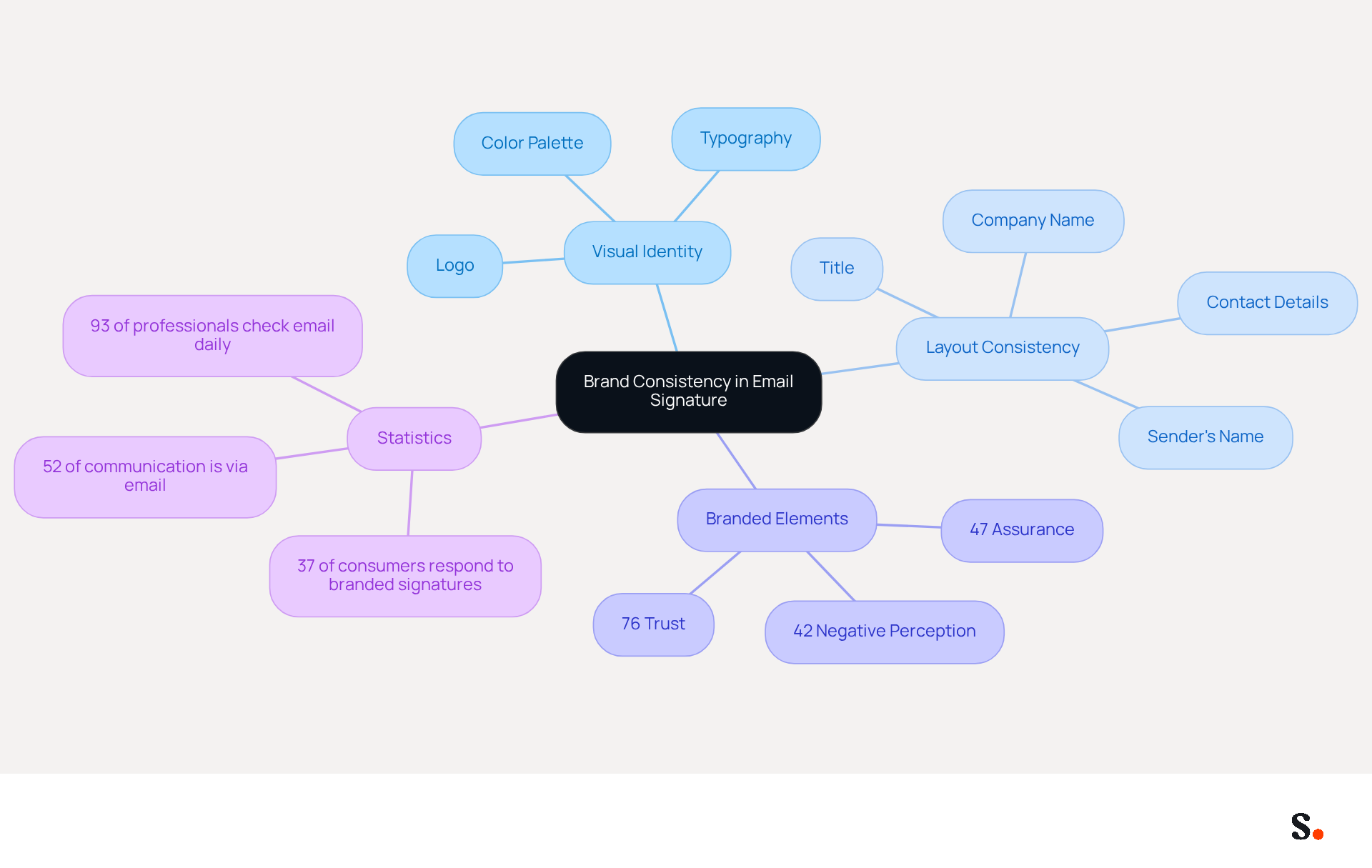
To create an emblem that captivates, it is essential to align your email footer with your visual identity. This includes using the correct logo, color palette, and typography that reflect your style guide. For example, Scribe's emblem should include its logo and color scheme to ensure a unified appearance across all communications.
Additionally, keep the layout consistent. A well-organized closing typically includes the sender's name, title, company name, and contact details, all arranged in a manner that is easy to read. Avoid using multiple fonts or colors that could divert attention from the message.
With just one click, you can synchronize changes, saving time and ensuring your branding remains secure, thanks to Scribe's SOC 2 Type II certification.
Studies show that:
- 76% of recipients are more likely to trust messages that incorporate branded elements.
- 47% of consumers feel more assured with communications that feature professionally branded components.
- Conversely, 42% of consumers have a negative perception of businesses that lack a branded identity.
Therefore, dedicating time to develop a standardized template for correspondence can greatly improve brand awareness and professionalism in every message sent. Investing in a cohesive email signature for Outlook not only enhances your brand's professionalism but also fosters trust among your audience.
Incorporate Engaging Design Elements
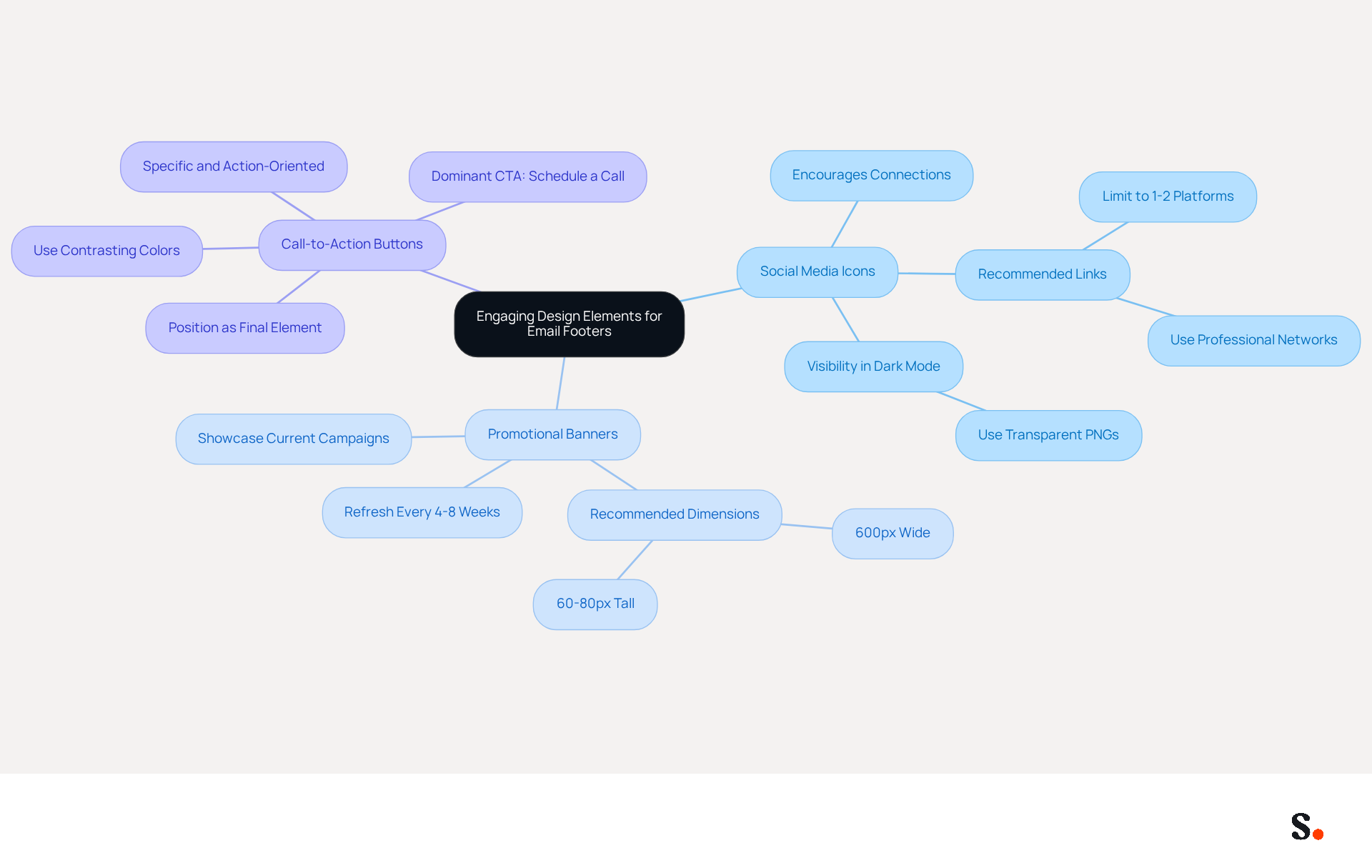
To maximize the effectiveness of your email footer, integrating design elements is crucial. Consider adding features like:
- Social media icons
- Promotional banners
- Call-to-action (CTA) buttons
For example, adding icons that link to your social media profiles encourages recipients to connect with you on different platforms, expanding your online presence.
Promotional banners can effectively showcase current campaigns or offers, transforming the closing from a mere sign-off into a dynamic marketing tool. These elements must be visually appealing and aligned with your brand identity to uphold professionalism.
Plus, Scribe automatically syncs your signatures with Aircall, so any changes you make in Aircall will instantly update in your Scribe signatures. This feature not only enhances brand consistency but also ensures that your marketing messages are always up-to-date, providing a seamless experience for both you and your recipients.
For optimal display across various clients and devices, adhere to recommended dimensions of:
- 300-600 pixels wide
- 150-200 pixels high
This sizing ensures that your mark maintains its integrity and visual appeal, regardless of the platform used by the recipient. By neglecting these strategies, you may miss out on valuable engagement opportunities with your audience.
Utilize Automation for Efficient Signature Management
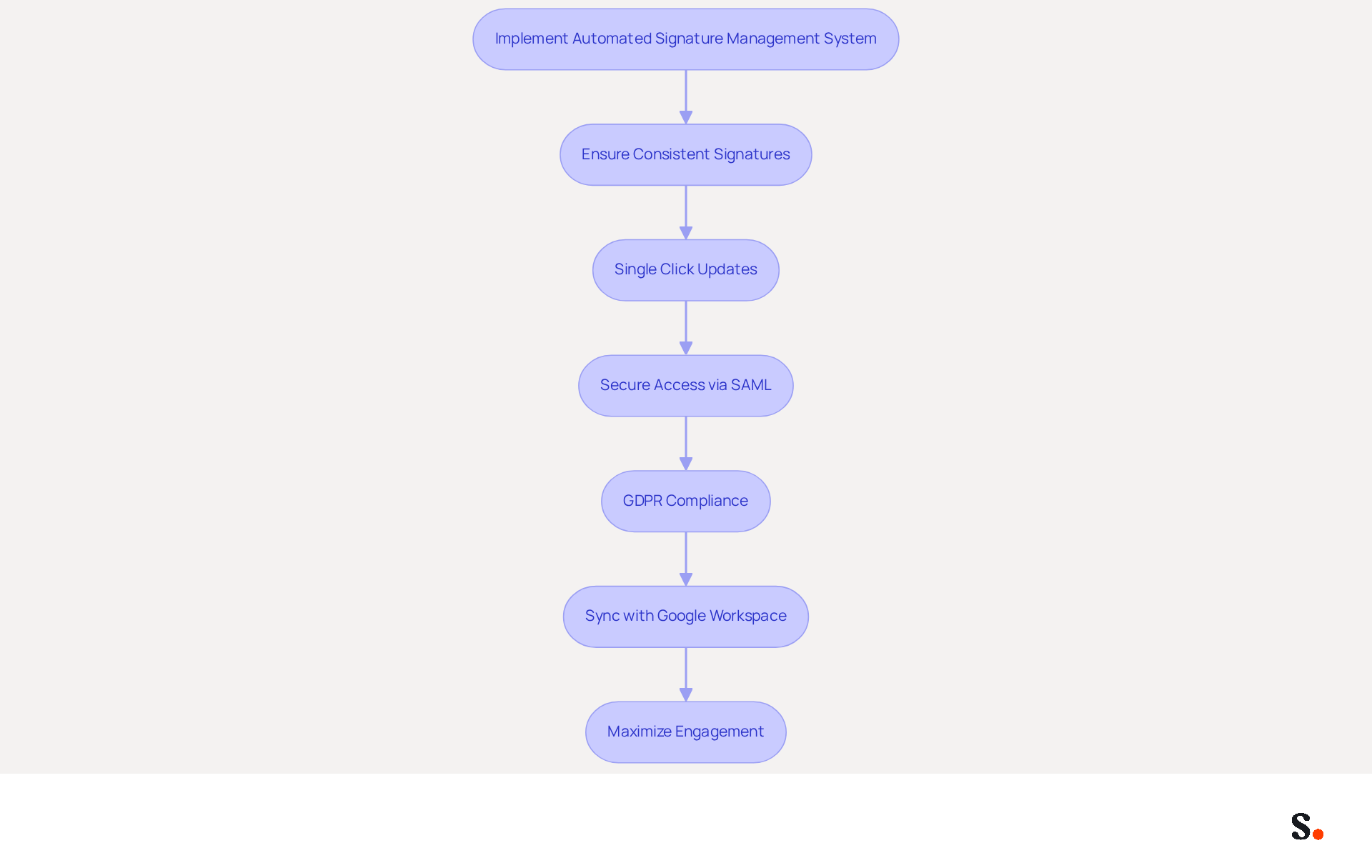
Implementing an automated management system for electronic correspondence identifiers can transform how organizations handle their communications. This ensures that every employee's signature for Outlook remains consistent and up-to-date without manual effort. For instance, the platform enables businesses to implement updates with a single click, ensuring that any modifications in branding or compliance are immediately reflected across all staff communications. This not only saves time but also minimizes the risk of outdated or incorrect information being disseminated.
Furthermore, Scribe's SAML single sign-on integration enables employees to access the platform securely via their identity provider, improving the overall security of your management system. Additionally, Scribe is compliant with GDPR, ensuring that your organization adheres to legal standards while managing digital identifiers.
By syncing Google Workspace with Scribe, you save time as your teammates' data is automatically updated, allowing for seamless integration of marketing campaigns directly into messages. This dynamic content can adapt based on specific promotions or events, maximizing engagement. According to recent studies, businesses leveraging digital identifiers as marketing tools have experienced a 40% increase in engagement rates, highlighting the effectiveness of digital markers as small advertising spaces. Moreover, organizations that implement consistent branding report a 22% rise in response rates, illustrating how effective management of digital identifiers can lead to improved engagement and conversion rates.
In 2026, 48% of marketers are anticipated to utilize tools for managing their signature for Outlook to drive traffic to their websites, emphasizing the increasing significance of this strategy. By utilizing Scribe's features, including automated synchronization with Google Workspace, businesses can convert each message into a powerful marketing touchpoint, significantly enhancing customer engagement and driving traffic to their websites. This approach not only reinforces brand consistency but also strengthens compliance with legal standards, ensuring that every communication reflects a professional image. Furthermore, automation allows IT to delegate specific controls to departments like Marketing or Compliance, balancing flexibility and control for efficient scaling. Transitioning to automated messaging typically requires under an hour with Scribe, making it a swift and effective solution for organizations aiming to enhance their communication efficiency while leveraging every interaction as a strategic marketing opportunity.
Measure Engagement and Optimize Performance
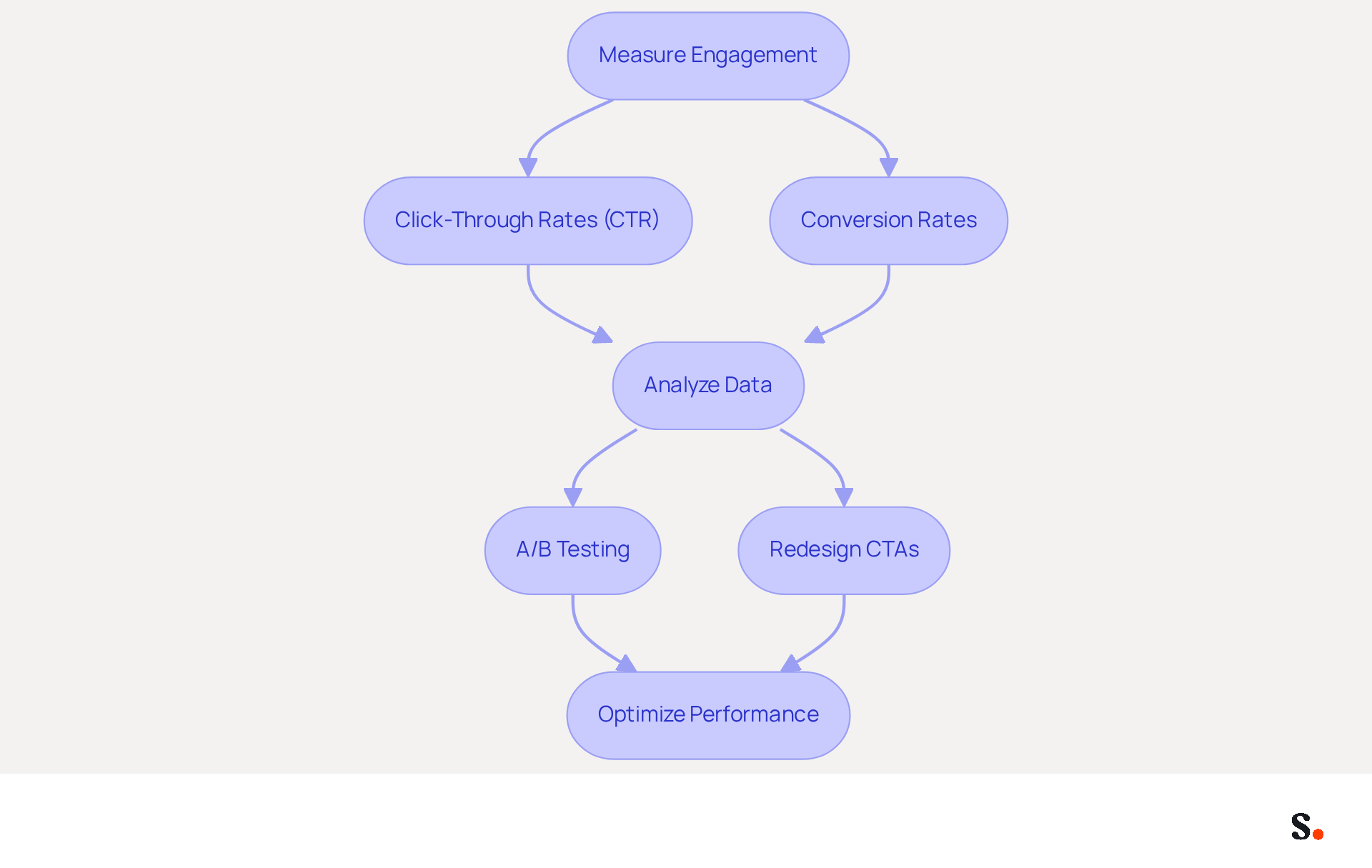
To maximize the effectiveness of your email identifiers, it is essential to measure engagement through key metrics such as click-through rates (CTR) and conversion rates. Tools like Scribe sync data from your Aircall configuration, providing detailed analytics that track how recipients interact with links in your emails, such as social media icons and calls to action (CTAs). This synchronization helps maintain brand consistency across all communications.
Regularly reviewing these metrics is crucial; without regular reviews, businesses may struggle to pinpoint which branding elements are effective. For example, if a particular CTA is underperforming, consider redesigning it or changing its position within the email to enhance visibility.
A/B testing different design variations can also yield valuable insights into what resonates best with your audience. This leads to more effective messaging strategies that resonate with the audience, ultimately boosting engagement and conversion rates.
Did you know that effective electronic identifiers can boost your brand visibility and lead generation? For instance, a click-through rate of 12% on banner displays shows that your content really resonates with recipients. Additionally, a conversion rate of 4% indicates that out of every 100 clicks, four lead to desired actions, as demonstrated by a recruitment campaign where 200 clicks on a 'Join our team' link resulted in 8 applications. By honing in on these metrics, businesses can significantly enhance their signature for Outlook strategies and drive better results.
Conclusion
An effective email signature is more than just a visual element; it is a strategic asset that can significantly impact brand perception. By aligning your signature with your brand's visual identity and using impactful design elements, organizations can transform a simple sign-off into a powerful marketing tool. The integration of automation tools like Scribe further streamlines this process, ensuring that every employee's signature remains consistent and up-to-date with minimal effort.
Key insights from this article highlight the importance of:
- Maintaining a cohesive brand image through standardized templates
- Incorporating engaging design elements such as social media icons and promotional banners
- Leveraging automation in managing email signatures
Additionally, measuring engagement through metrics like click-through rates and conversion rates allows businesses to optimize their email signatures for better performance, ultimately driving higher engagement and response rates.
In today's communication landscape, using tools like Scribe can truly elevate the impact of your email signatures. By adopting these best practices, organizations not only reinforce their brand identity but also create opportunities for increased engagement and conversion. Investing in a cohesive email signature strategy can redefine how your brand is perceived in every interaction.
Frequently Asked Questions
Why is brand consistency important in an email signature?
Brand consistency in an email signature is important because it helps align your email footer with your visual identity, using the correct logo, color palette, and typography to reflect your style guide. This creates a unified appearance across all communications.
What elements should be included in a well-organized email signature?
A well-organized email signature should include the sender's name, title, company name, and contact details, all arranged in a manner that is easy to read.
How can I ensure my email signature maintains brand consistency?
To ensure brand consistency, use Scribe's logo and color scheme, keep the layout consistent, and avoid using multiple fonts or colors that could distract from the message.
What are the benefits of using a standardized email signature template?
Using a standardized email signature template can greatly improve brand awareness and professionalism in every message sent, fostering trust among your audience.
What statistics support the importance of branded email communications?
Studies show that 76% of recipients are more likely to trust messages that incorporate branded elements, and 47% of consumers feel more assured with communications that feature professionally branded components. Conversely, 42% of consumers have a negative perception of businesses that lack a branded identity.
How does Scribe help in maintaining email signature consistency?
Scribe allows you to synchronize changes with just one click, saving time and ensuring your branding remains secure, supported by Scribe's SOC 2 Type II certification.
List of Sources
- Establish Brand Consistency in Your Email Signature
- Email Signature Consistency Test | Rocketseed (https://rocketseed.com/blog/email-signature-consistency-test)
- Exclaimer Research: 67% of Marketers Expect Email Signatures to Support With Lead Gen In 2023 (https://businesswire.com/news/home/20230612141095/en/Exclaimer-Research-67-of-Marketers-Expect-Email-Signatures-to-Support-With-Lead-Gen-In-2023)
- 40+ Email Signature Statistics for 2026 (Data + Insights) (https://wavecnct.com/blogs/email-signature-statistics)
- Research Recap: Branded Email Signatures Increase Company Recognition, Trust - Demand Gen Report (https://demandgenreport.com/industry-news/research-recap-branded-email-signatures-increase-company-recognition-trust/47252)
- Master Corporate Email Signature Management for Brand Consistency (https://scribe-mail.com/en-US/blog/master-corporate-email-signature-management-for-brand-consistency)
- Incorporate Engaging Design Elements
- Email Signature Best Practices for 2026 (+ 15 Pro Examples) (https://wavecnct.com/blogs/email-signature-best-practices-2026)
- Email Signature Statistics: A Closer Look at Email Signatures in 2026 (https://mysignature.io/blog/email-signature-statistics)
- Email Signature Trends 2026: What Designers Are Actually Using (https://markaplugin.com/blog/email-signature-trends-2026)
- 4 Best Practices for Your Outlook Signature Line in Marketing (https://scribe-mail.com/en-US/blog/4-best-practices-for-your-outlook-signature-line-in-marketing)
- "Email Signature Trends for 2026: What's In, What's Out" | Crossware posted on the topic | LinkedIn (https://linkedin.com/posts/crossware-ltd_new-year-new-trends-even-for-your-email-activity-7394554686046908416-vD_O)
- Utilize Automation for Efficient Signature Management
- Automating Email Signatures: How IT Teams Streamline Processes & Reduce Risk (https://exclaimer.com/blog/streamlining-it-processes-automated-email-signatures)
- How to combine automation and email signatures (https://signitic.com/en/resources/how-to-combine-automation-and-email-signatures)
- Why Email Signature Management Software is Essential for Marketing Success (https://scribe-mail.com/en-US/blog/why-email-signature-management-software-is-essential-for-marketing-success)
- Why Email Signatures Will Matter More in an AI-Driven Workplace | Crossware365 (https://crossware365.com/blog/why-email-signatures-will-matter-more-in-an-ai-driven-workplace)
- Email Signature Trends 2026: Centralized Control & Automation | SIGNandGO posted on the topic | LinkedIn (https://linkedin.com/posts/signngo_email-signature-trends-to-watch-in-2026-activity-7401523471786217473-zAVL)
- Measure Engagement and Optimize Performance
- Research Recap: Branded Email Signatures Increase Company Recognition, Trust - Demand Gen Report (https://demandgenreport.com/industry-news/research-recap-branded-email-signatures-increase-company-recognition-trust/47252)
- Email signature statistics: Why every business should optimize their email signatures — Stripo.email (https://stripo.email/blog/email-signature-statistics-why-every-business-should-optimize-their-email-signatures)
- The 5 key metrics to analyze your email signatures (https://signitic.com/en/resources/the-5-key-metrics-to-analyze-your-email-signatures)
- Email Signature Analytics: Unlocking Potential for Business Growth (https://wisestamp.com/blog/email-signature-analytics)
- Maximize Marketing Impact with Your Email Signature and Degree (https://scribe-mail.com/en-US/blog/maximize-marketing-impact-with-your-email-signature-and-degree)
Get started with Scribe
Create your signature in minutes
Free 14-day trial — no credit card.