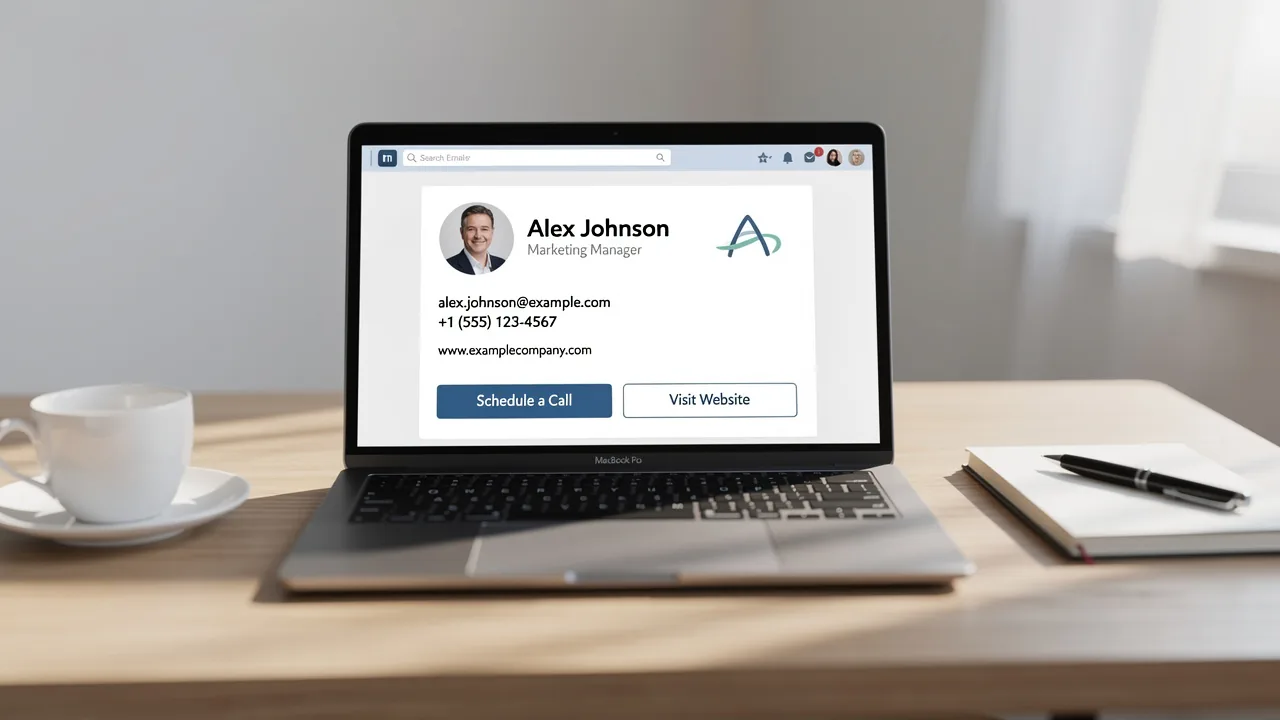
Best Practices for Your Corporate Email Signature Template
Crafting a corporate email signature template is crucial for establishing professionalism and trust in communications, yet many organizations overlook its
Sophie Grant
Email Signature Specialist, Scribe

Introduction
Crafting a corporate email signature template is crucial for establishing professionalism and trust in communications, yet many organizations overlook its significance. In incorporating key components and visual elements, organizations can enhance their brand identity while ensuring they meet legal standards. Despite the importance of email signatures, many organizations find it challenging to create a cohesive and effective representation of their brand. This inconsistency can lead to missed opportunities for engagement and brand reinforcement.
How can companies leverage best practices to create impactful signatures that not only convey information but also drive engagement and reinforce brand loyalty?
Define Essential Components of Corporate Email Signatures
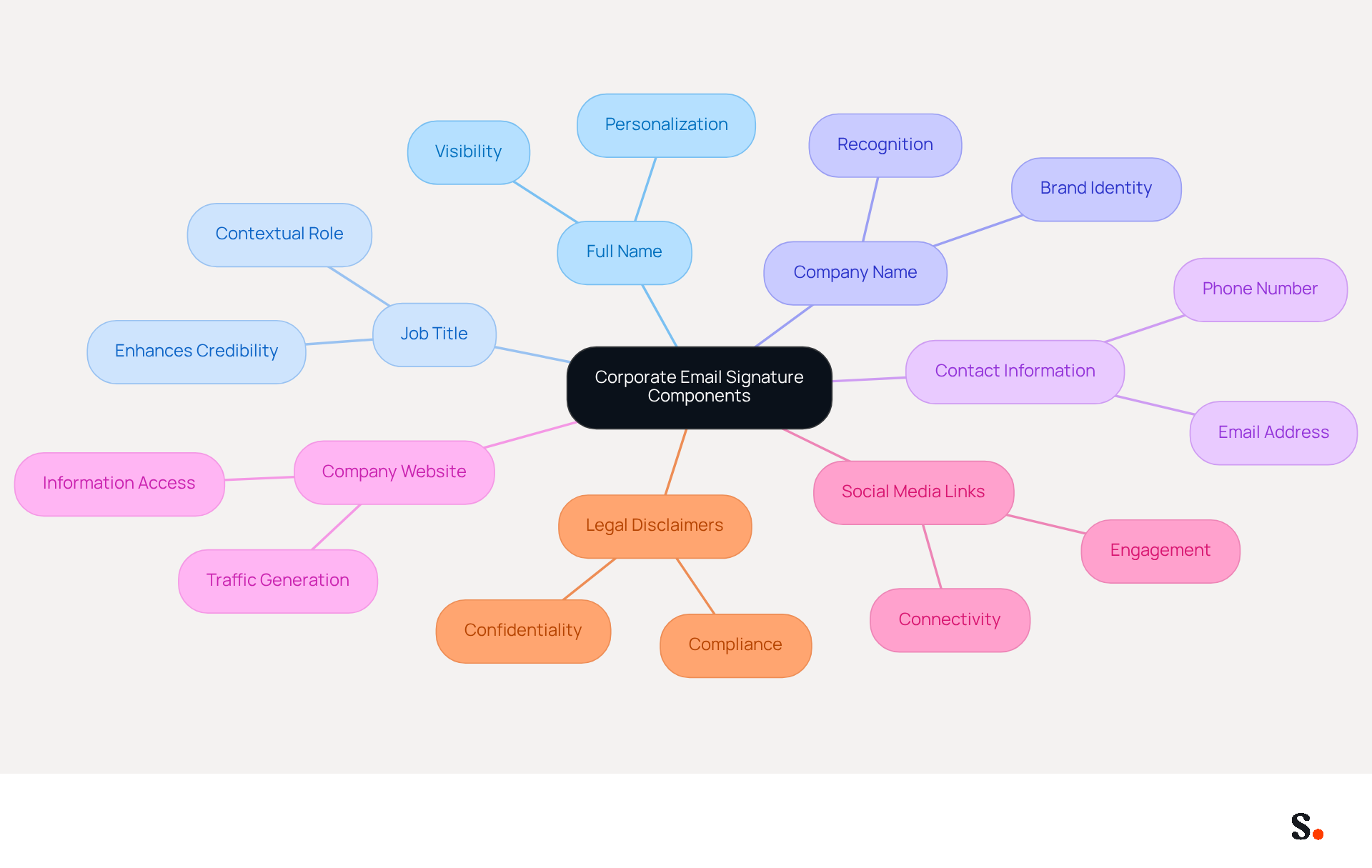
A well-crafted corporate email signature template is essential for establishing professionalism and trust in digital communication. It should include the following essential components:
- Full Name: Clearly state the sender's name to personalize the communication, as this is often the first line in a message signature.
- Job Title: Including the sender's position provides context about their role within the organization, enhancing credibility.
- Company Name: This not only strengthens brand identity but also helps recipients easily recognize the organization, fostering trust.
- Contact Information: Provide a phone number and contact address for easy follow-up, ensuring recipients can reach out without hassle.
- Company Website: A link to the company website allows recipients to learn more about the organization, driving traffic and engagement.
- Social Media Links: Including links to professional social media profiles enhances connectivity and engagement, as 76% of consumers trust branded identities.
- Legal Disclaimers: If necessary, add disclaimers to comply with legal requirements, particularly in regulated industries.
Incorporating these elements not only ensures that digital identifiers are informative and professional but also fosters trust and credibility with recipients. Furthermore, utilizing automated synchronization with Aircall guarantees that contact information is always current, improving brand consistency across communications. Scribe's SOC 2 Type II compliance ensures that your data is protected, addressing any security issues related to managing digital identifiers. Statistics indicate that branded footers can enhance response rates by 22%, making them an essential element of effective communication. Moreover, organizations utilizing centralized management report 85% improved consistency in their image across teams, emphasizing the significance of sustaining a unified visual identity. Ultimately, a well-designed corporate email signature template not only enhances communication but also strengthens brand identity and trust with recipients.
Incorporate Brand Identity and Visual Elements
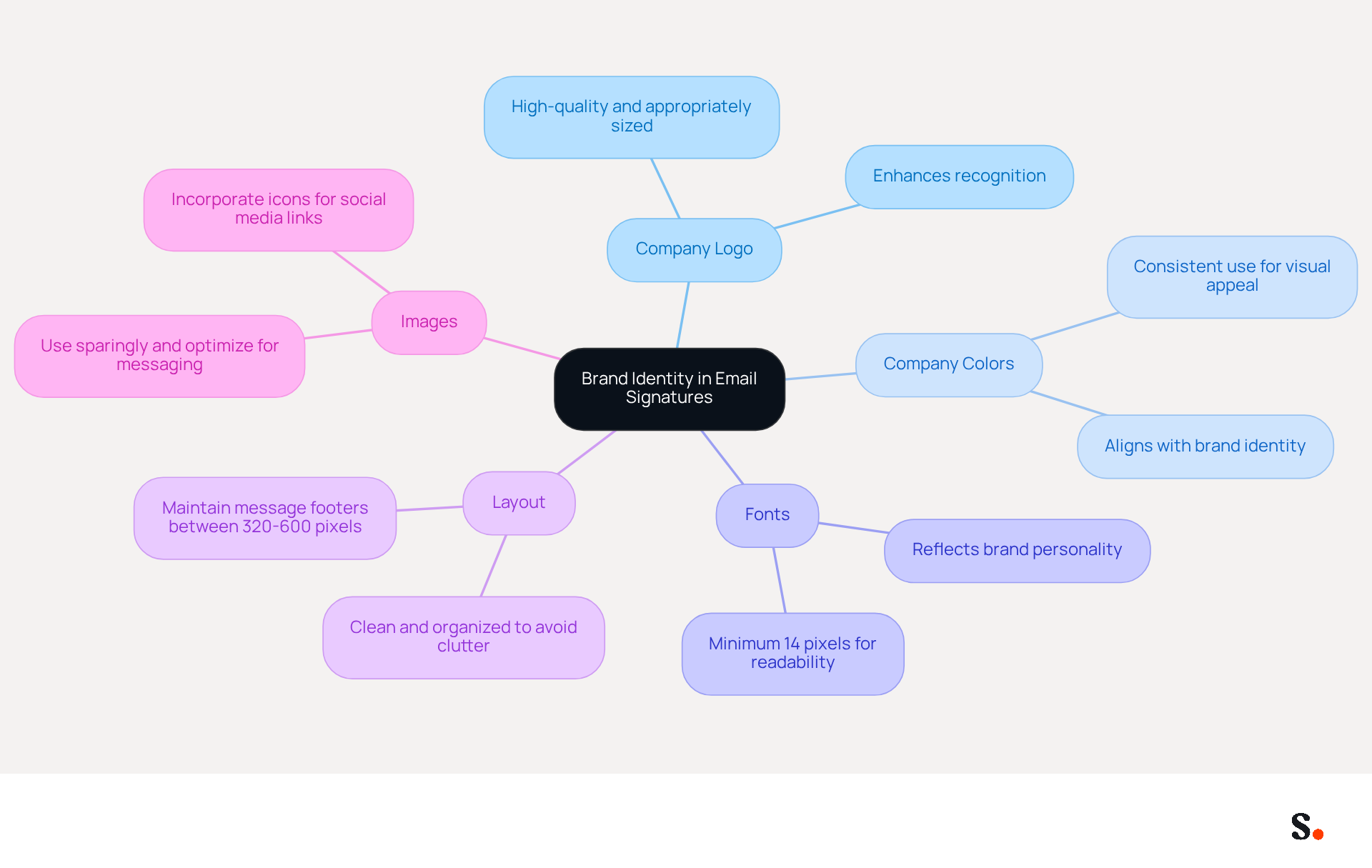
Many businesses struggle to maintain a consistent brand identity across digital communications, especially when using a corporate email signature template. To effectively incorporate brand identity into email signatures, consider the following visual elements:
- A high-quality company logo is crucial for making your organization recognizable. Ensure it is appropriately sized to maintain clarity.
- Consistent use of company colors creates a visually appealing representation that aligns with Scribe's identity, enhancing recall.
- Select fonts that reflect the brand's personality while ensuring readability across various devices. Legible font sizes should be a minimum of 14 pixels to maintain professionalism.
- A clean and organized layout is crucial to avoid clutter, making it easy for recipients to find key information quickly. Maintaining message footers between 320-600 pixels in width is advised for optimal display.
- Be sure to use images sparingly and optimize them for messaging to avoid any loading delays. Incorporating icons for social media links can enhance visual appeal and engagement, as 52.6% of users include a call-to-action in their email.
By incorporating these visual components, businesses can create digital identifiers that not only communicate vital information but also greatly enhance their brand identity. Ultimately, a well-crafted corporate email signature template can serve as a powerful tool for enhancing brand recognition and driving engagement.
Utilize Call-to-Action Buttons for Enhanced Engagement
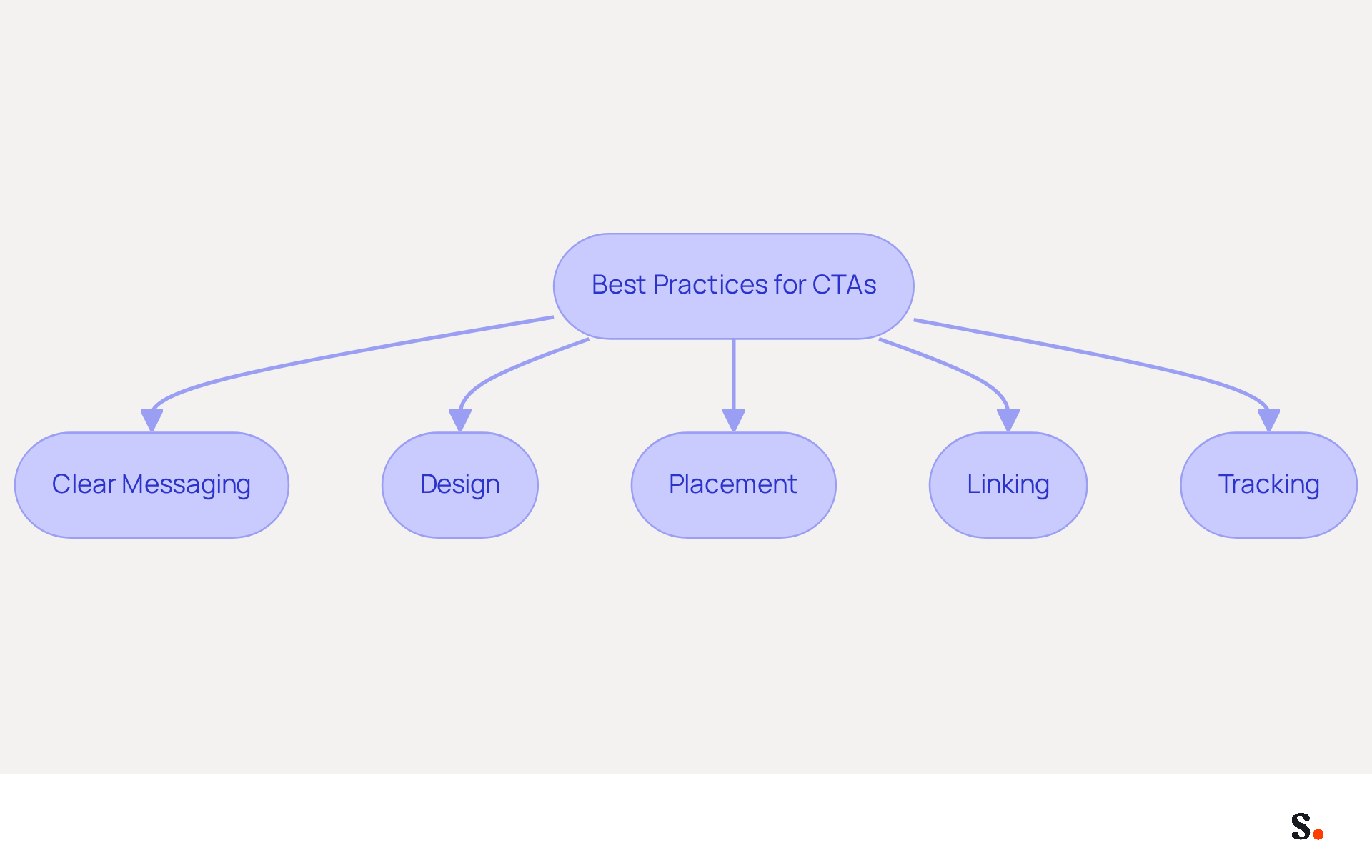
Incorporating call-to-action (CTA) buttons in message footers is a strategic move that can significantly enhance engagement and drive conversions. Here are best practices for effective CTAs:
- Clear Messaging: Use concise and compelling language that clearly states the action you want the recipient to take, such as 'Schedule a Meeting' or 'Download Our Brochure.' CTAs should be concise, ideally 2-4 words, to ensure clarity and impact. Avoid generic phrases like 'click here' or 'sign up' to increase click rates.
- Design: Make the CTA button visually distinct by using contrasting colors and a larger size to draw attention. A well-designed button can increase conversion rates by as much as 28%, as highlighted by Campaign Monitor's research, making visual appeal crucial for success.
- Placement: Position the CTA strategically, ideally below the contact information, to ensure it is easily visible without overwhelming the signature. This keeps the design clean while making the CTA stand out.
- Linking: Ensure that the CTA links directly to a relevant landing page or resource to facilitate immediate action. This direct linking is essential for converting interest into action, as demonstrated by case studies showing that effective CTAs can lead to significant increases in engagement rates. For example, messages with a CTA boosted clicks by 371% and sales by 1617%.
- Tracking: Utilize tracking parameters in the links to measure the effectiveness of the CTAs and adjust strategies accordingly. Analytics can provide insights into click-through rates (CTR), which are a key performance indicator for marketing, with 29% of marketing professionals citing CTR as the top KPI.
By leveraging CTAs effectively, businesses can not only enhance their marketing efforts but also achieve measurable growth in engagement and sales.
Leverage Automation for Consistent Signature Management
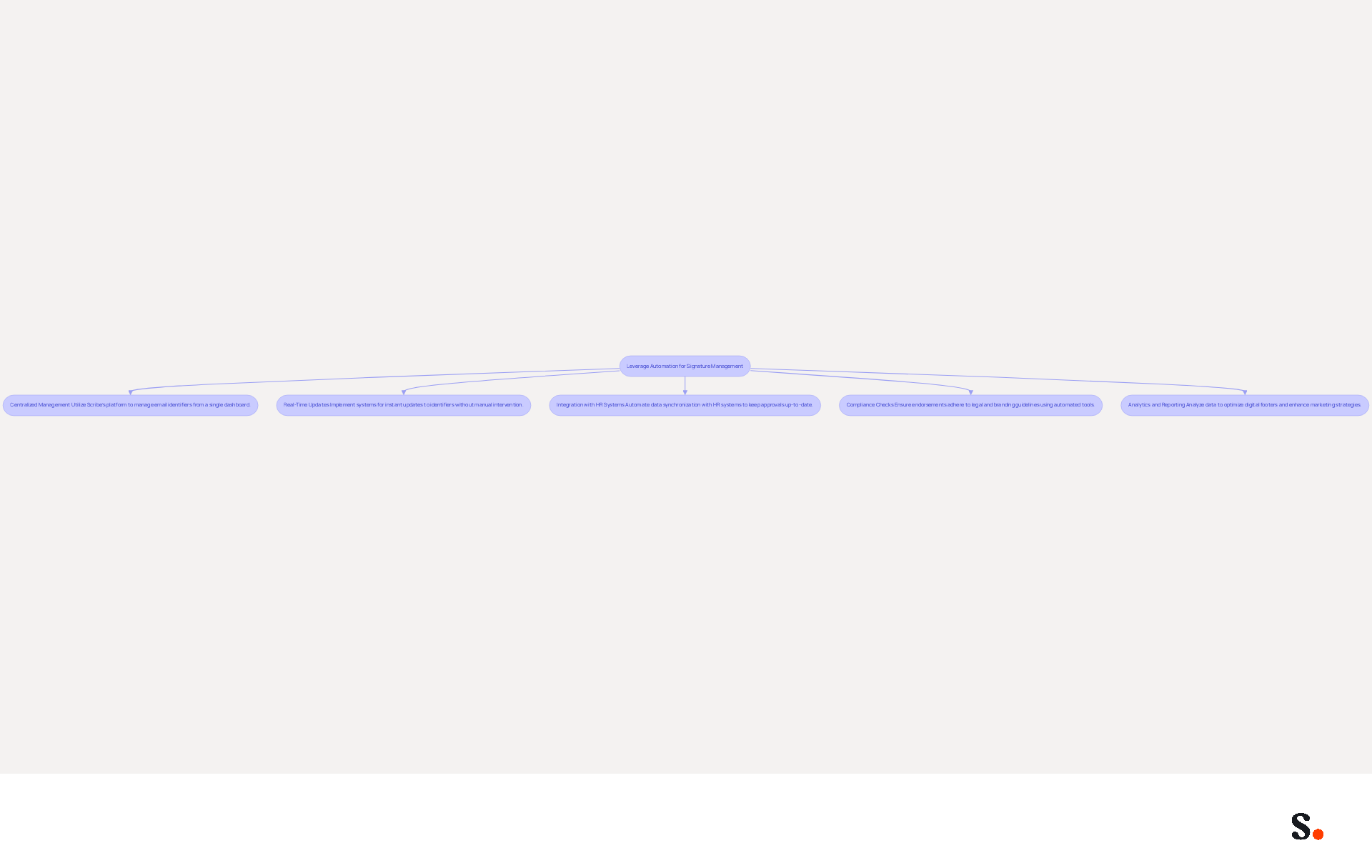
To enhance productivity and consistency in managing digital identifiers, businesses should leverage automation tools like Scribe. Here are key practices:
- Centralized Management: Utilize Scribe's automated platform to manage all email identifiers and corporate email signature template from a single dashboard, ensuring uniformity across the organization. This approach simplifies management and enhances brand integrity, enabling marketing teams to manage their identifiers independently after the initial IT setup.
- Real-Time Updates: Implement systems that allow for instant updates to identifiers, reflecting any changes in branding or employee information without manual intervention. The one-click synchronization feature ensures that all changes made in your email provider directory are automatically synced, which is crucial for maintaining a professional image and ensuring compliance with legal standards.
- Integration with HR Systems: Automate data synchronization with HR and identity management systems, such as Microsoft Entra ID, to ensure that approvals are always up-to-date with employee details. This reduces the administrative burden on IT departments and minimizes the risk of outdated information, saving valuable time.
- Compliance Checks: Utilize Scribe's automated tools to ensure that all endorsements adhere to legal and branding guidelines, which helps ensure compliance and minimizes the chance of costly mistakes. Scribe is SOC 2 Type II compliant, ensuring the safety of your data, which is particularly important in regulated industries where non-compliance can lead to substantial penalties, such as fines for GDPR violations.
- Analytics and Reporting: By analyzing data, you can see how well your digital footers are performing, facilitating data-driven choices for future enhancements. For example, personalized sign-offs can boost click-through rates by 14% and conversions by 10% when customized by recipient status, illustrating the potential effect of effective sign-off management.
By implementing automation with Scribe, businesses can improve their email management processes, ensuring uniformity in their corporate email signature template while saving valuable time. Additionally, marketing managers can explore Scribe's affiliate program, which offers a $30 credit for referrals and a 50% commission on subscriptions, seamlessly integrating this opportunity into their marketing strategies. Case studies, such as the On Deck Fund's implementation of centralized signature management, illustrate how organizations have saved significant hours annually, allowing teams to focus on higher-value tasks while maintaining a cohesive brand image. Ultimately, embracing Scribe's solutions not only streamlines processes but also empowers teams to focus on strategic initiatives that drive growth.
Conclusion
A corporate email signature template serves as a crucial element in establishing professionalism and brand identity in communications. Incorporating key elements like the sender's name, job title, and contact details helps organizations build trust and credibility with their audience. Furthermore, integrating visual elements that reflect the brand's identity enhances recognition and engagement, making email signatures a powerful marketing asset.
Key insights from this article highlight the importance of clear messaging and strategic placement of call-to-action buttons, which can significantly boost engagement and conversion rates. Leveraging automation tools like Scribe ensures that email signatures remain consistent and compliant, allowing marketing teams to manage them independently after initial IT setup. This not only saves time but also enhances brand integrity across all communications.
This shift towards best practices can transform how organizations communicate with their audience. By implementing these strategies, organizations can significantly enhance their communication effectiveness and brand perception.
Frequently Asked Questions
What are the essential components of a corporate email signature?
The essential components of a corporate email signature include the full name of the sender, job title, company name, contact information, company website, social media links, and legal disclaimers if necessary.
Why is including a full name important in an email signature?
Including a full name personalizes the communication and is often the first line in a message signature, helping to establish a connection with the recipient.
How does a job title in an email signature enhance credibility?
A job title provides context about the sender's role within the organization, which enhances their credibility in the communication.
What role does the company name play in an email signature?
The company name strengthens brand identity and helps recipients easily recognize the organization, fostering trust.
Why is it important to include contact information in an email signature?
Providing a phone number and contact address allows for easy follow-up, ensuring recipients can reach out without hassle.
How does linking to a company website in an email signature benefit the organization?
A link to the company website allows recipients to learn more about the organization, driving traffic and engagement.
What is the significance of including social media links in an email signature?
Including links to professional social media profiles enhances connectivity and engagement, as 76% of consumers trust branded identities.
When should legal disclaimers be added to an email signature?
Legal disclaimers should be added if necessary to comply with legal requirements, particularly in regulated industries.
How does automated synchronization with Aircall improve email signatures?
Automated synchronization with Aircall ensures that contact information is always current, improving brand consistency across communications.
What security measures does Scribe implement for managing digital identifiers?
Scribe's SOC 2 Type II compliance ensures that your data is protected, addressing any security issues related to managing digital identifiers.
What impact do branded footers have on response rates?
Statistics indicate that branded footers can enhance response rates by 22%, making them an essential element of effective communication.
How does centralized management affect brand consistency in email signatures?
Organizations utilizing centralized management report 85% improved consistency in their image across teams, emphasizing the significance of sustaining a unified visual identity.
List of Sources
- Define Essential Components of Corporate Email Signatures
- Email Signature Design Trends in 2026: What Works and What to Drop (https://bulksignature.com/blog/email-signature-design-trends)
- Email Signature Best Practices Guide With Examples - MailerLite (https://mailerlite.com/blog/email-signature-best-practices)
- 40+ Email Signature Statistics for 2026 (Data + Insights) (https://wavecnct.com/blogs/email-signature-statistics)
- Email Signature Best Practices (https://uschamber.com/co/grow/thrive/email-signature-best-practices)
- Best practices for business email signatures in 2026 (https://bybrand.io/blog/best-practices)
- Incorporate Brand Identity and Visual Elements
- 40+ Email Signature Statistics for 2026 (Data + Insights) (https://wavecnct.com/blogs/email-signature-statistics)
- Research Recap: Branded Email Signatures Increase Company Recognition, Trust - Demand Gen Report (https://demandgenreport.com/industry-news/research-recap-branded-email-signatures-increase-company-recognition-trust/47252)
- Why Team Email Signatures Matter More Than You Think: The Hidden Impact on Brand Trust and Customer Experience (https://getmailbird.com/why-team-email-signatures-matter-brand-trust)
- The impact of email signatures on your branding (https://signitic.com/en/resources/the-impact-of-email-signatures-on-your-branding)
- "Email Signature Trends for 2026: What's In, What's Out" | Crossware posted on the topic | LinkedIn (https://linkedin.com/posts/crossware-ltd_new-year-new-trends-even-for-your-email-activity-7394554686046908416-vD_O)
- Utilize Call-to-Action Buttons for Enhanced Engagement
- The Ultimate Guide to Email Signature Call-to-Action - NEWOLDSTAMP (https://newoldstamp.com/blog/the-ultimate-guide-to-email-signature-call-to-action)
- CTAs lead the way in email engagement tactics (https://emarketer.com/content/ctas-lead-way-email-engagement-tactics)
- Why and how to add an effective CTA to your email signature? (https://signitic.com/en/resources/why-and-how-to-add-an-effective-cta-to-your-email-signature)
- Boost Engagement with Effective Marketing Email Signature Practices (https://scribe-mail.com/en-US/blog/boost-engagement-with-effective-marketing-email-signature-practices)
- Email signature statistics: Why every business should optimize their email signatures — Stripo.email (https://stripo.email/blog/email-signature-statistics-why-every-business-should-optimize-their-email-signatures)
- Leverage Automation for Consistent Signature Management
- Why you should be using an email signature manager (https://blinq.me/blog/why-you-should-be-using-an-email-signature-manager)
- Central and automatic email signatures for Office 365 (https://codetwo.com/email-signatures/central-and-automatic)
- How to combine automation and email signatures (https://signitic.com/en/resources/how-to-combine-automation-and-email-signatures)
- Automating Email Signatures: How IT Teams Streamline Processes & Reduce Risk (https://exclaimer.com/blog/streamlining-it-processes-automated-email-signatures)
- MSP Guide to Choosing the Right Email Signature Management Solution (https://channelpronetwork.com/2025/09/21/email-signature-management-msp-guide)
Get started with Scribe
Build a professional email signature
Free 14-day trial — no credit card.