Best Practices for Your Outlook Signature Template Management
Establishing a strong brand presence in every communication is crucial for organizations aiming for consistency and professionalism. Managing Outlook signature
Sophie Grant
Email Signature Specialist, Scribe
Introduction
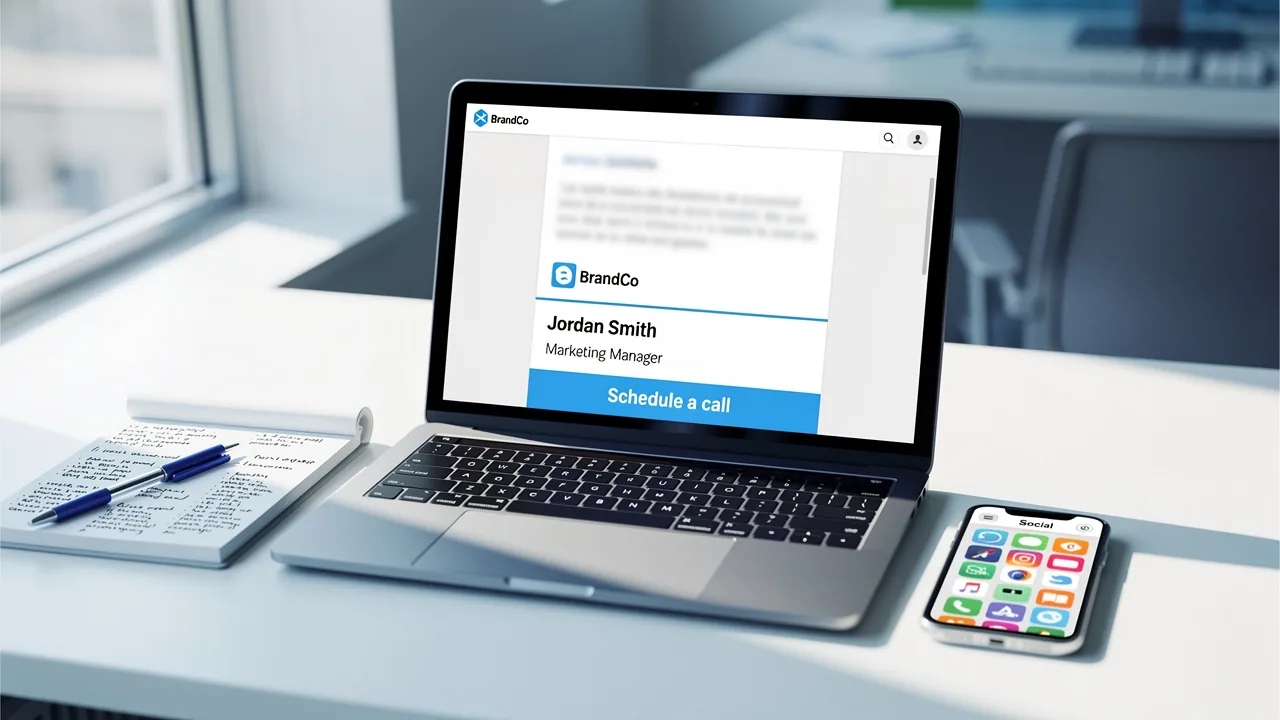
Establishing a strong brand presence in every communication is crucial for organizations aiming for consistency and professionalism. Managing Outlook signature templates effectively not only strengthens brand identity but also acts as a strong marketing tool that engages customers and boosts conversions. Many organizations find it challenging to create consistent and effective email signatures.
What strategies can organizations implement to ensure their Outlook signatures effectively represent their brand and enhance engagement? Addressing these challenges is vital for organizations to enhance their brand image and improve customer engagement.
Establish Brand Consistency in Signature Design
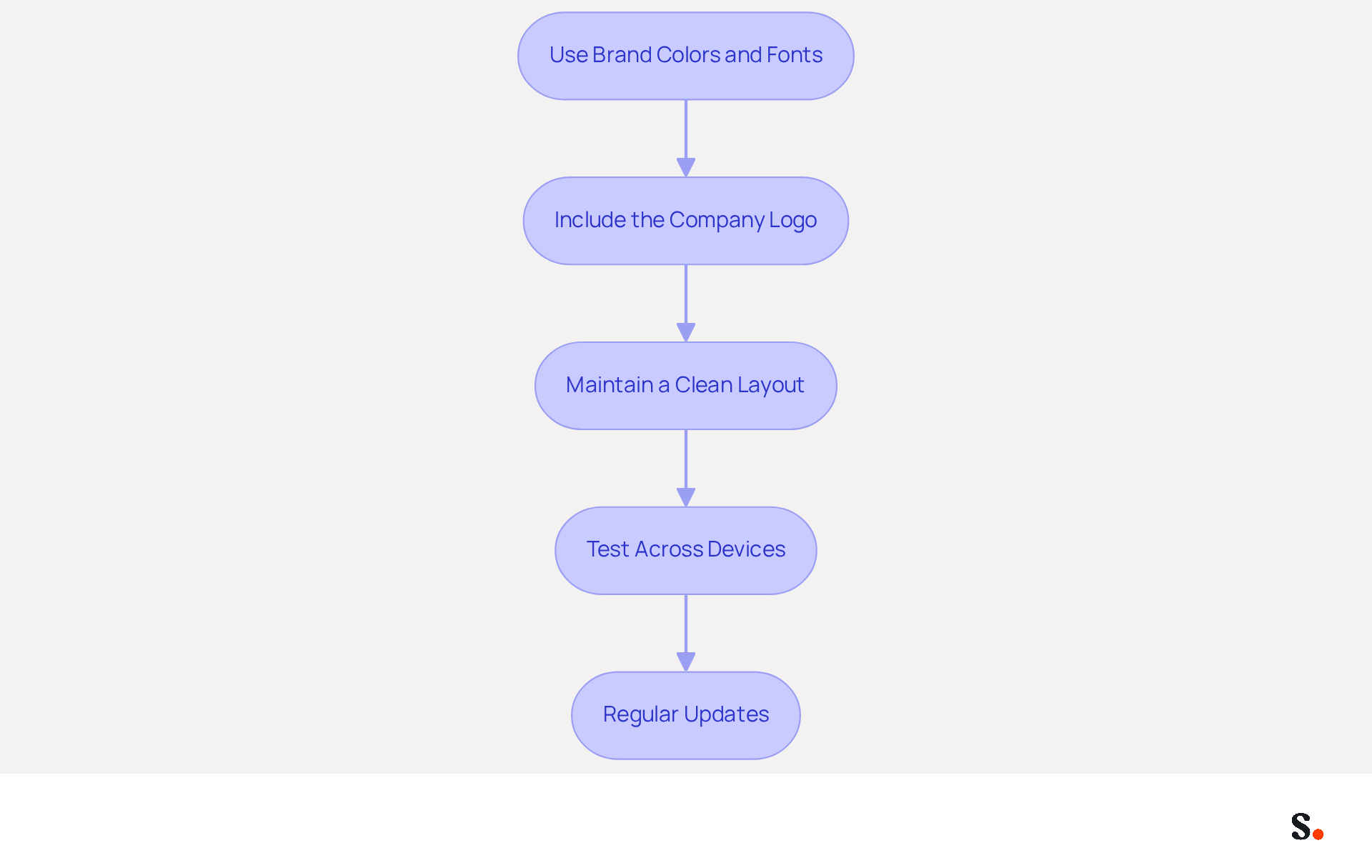
To ensure your Outlook signature reflects your brand effectively, consider these essential practices:
- Use Brand Colors and Fonts: Ensure that your email footer incorporates the same colors and fonts used in your company’s branding. This ensures your signature looks consistent with your other marketing materials.
- Include the Company Logo: Place your logo where it stands out within the email footer. This reinforces brand identity and enhances professionalism. Ensure the logo is of high quality and appropriately sized to avoid distortion.
- Maintain a Clean Layout: Avoid clutter by keeping the design simple and organized. Many email signatures fail to make an impact due to cluttered designs. Use clear hierarchies for information, such as name, title, and contact details, to direct the reader’s attention. A compact design is more visually appealing and easier to read.
- Test Across Devices: Ensure that your mark appears well on various devices and email clients. Test it in Outlook, Gmail, and mobile platforms to confirm that it renders correctly and maintains its design integrity. Additionally, with Scribe's automated synchronization with Aircall, any changes made in your Aircall configuration will automatically reflect in your Scribe profiles, ensuring consistency across all platforms.
- Regular Updates: Periodically review and update your branding to reflect any changes in identity or personnel. This ensures that all communications remain current and relevant.
By adhering to these guidelines, your template Outlook signature will act as a powerful tool for brand recognition and professionalism.
Implement Effective Signature Templates in Outlook
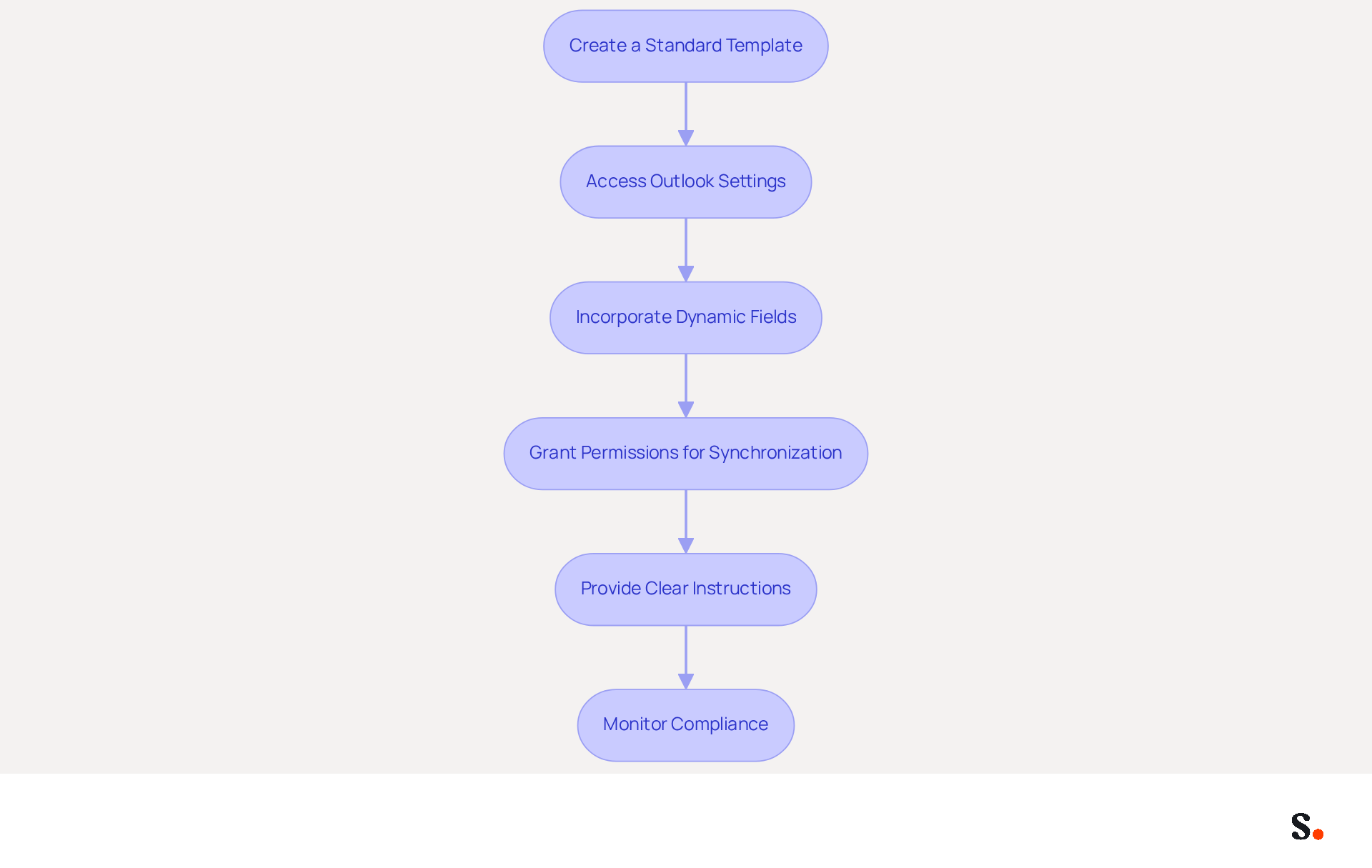
Implementing an effective template outlook signature is crucial for maintaining a professional image in communications. Consider the following steps:
- Create a Standard Template: Design a template that includes essential elements such as your name, title, company logo, contact information, and any necessary legal disclaimers. A clean layout enhances readability and professionalism.
- Access Outlook’s settings to create and save your template outlook signature. Navigate to File > Options > Mail > Signatures, and create a new entry. This allows you to set a default signature for new emails and replies, maintaining consistency.
- Incorporate Dynamic Fields: Where possible, use dynamic fields that automatically pull information from your company’s directory, such as names and titles. This feature personalizes each signature without the need for manual updates, streamlining the process. By syncing your Microsoft Entra ID or Google Workspace with the platform, you can automate these updates, conserving time and ensuring precision.
- Grant Permissions for Synchronization: To enable one-click synchronization, ensure that you are a Super Admin of your service provider. Grant Scribe permission to connect with your email provider, and select which teammates you want to sync with Scribe. You don’t have to sync all your Google Workspace.
- Provide Clear Instructions: Distribute comprehensive guidelines to employees on how to set up their identifiers using the template. Including screenshots or a video tutorial can simplify the process and encourage adherence to the standard.
- Monitor Compliance: Regularly verify that all employees are using the correct signing template. This can be accomplished through regular audits or by utilizing management tools that enforce compliance. With Scribe, any modifications in your Google Workspace, such as relocating teammates or updating their details, will be automatically reflected in their identifiers, ensuring consistency and adherence to security standards like SOC 2 Type II.
Following these steps with Scribe's tools helps ensure all employees maintain a professional communication format that reflects your brand.
Leverage Signatures for Marketing and Engagement
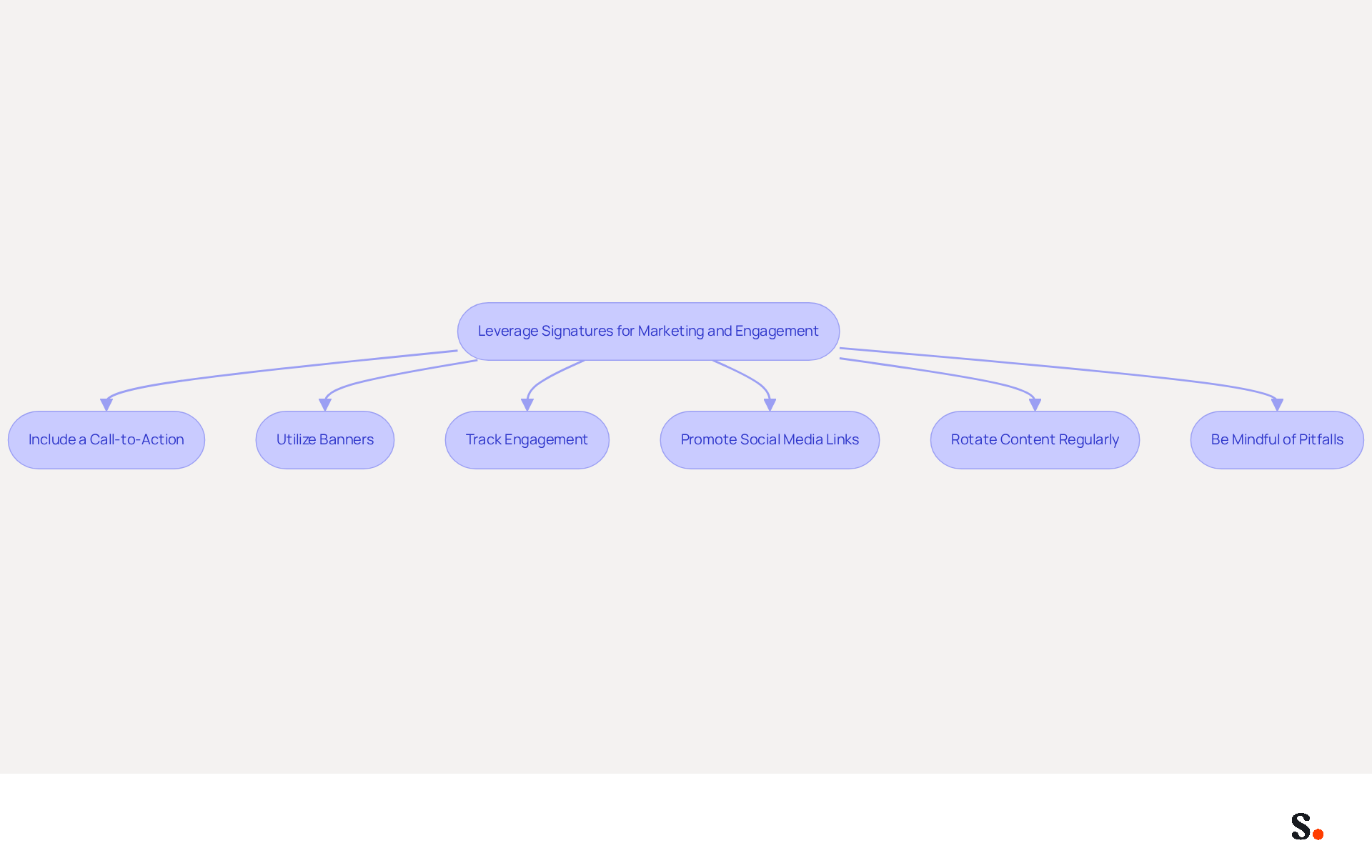
To maximize the effectiveness of your email signatures in marketing, implementing strategic best practices is essential:
- Include a Call-to-Action (CTA): Integrate a clear and concise CTA in your email footer, directing recipients to upcoming events, product launches, or special promotions. Studies indicate that including a CTA can significantly boost click rates, improving both visibility and conversions. In fact, branded email footers can lead to a 22% increase in response rates, highlighting the importance of CTAs in your email strategy.
- Utilize Banners: Incorporate promotional banners in your email footer that effectively showcase current offers and important announcements. These visually appealing elements can capture attention and convey key messages effectively, driving engagement. Businesses that utilize dynamic banners in their email footers have reported a 25% increase in traffic to specific landing pages.
- Track Engagement: Employ tracking links in your CTAs to measure engagement levels. This data allows you to analyze recipient interactions, such as clicks on links, enabling you to refine your marketing strategies based on real-time insights. Analytics can track impressions and clicks, demonstrating the ROI of your email campaigns.
- Promote Social Media Links: Include icons linking to your company’s social media profiles. This not only encourages recipients to connect with your brand across multiple platforms but also enhances overall engagement and brand visibility. According to a study, 76% of marketers indicate that branded identifiers enhance trust in the sender, which can be strengthened by social media connections.
- Rotate Content Regularly: Keep your brand dynamic by frequently updating promotional content. This could involve seasonal promotions or new product announcements, ensuring that your brand remains relevant and engaging to recipients. Aligning your email footer updates with your marketing calendar can maximize their impact and effectiveness.
- Be Mindful of Pitfalls: Avoid overloading your email footer with too many links or large images, as this can trigger spam filters and reduce deliverability. A well-structured sign-off should balance promotional content with essential identification elements.
Ultimately, a well-crafted template outlook signature can significantly enhance your marketing efforts and help foster stronger connections with your audience.
Automate Signature Management for Efficiency
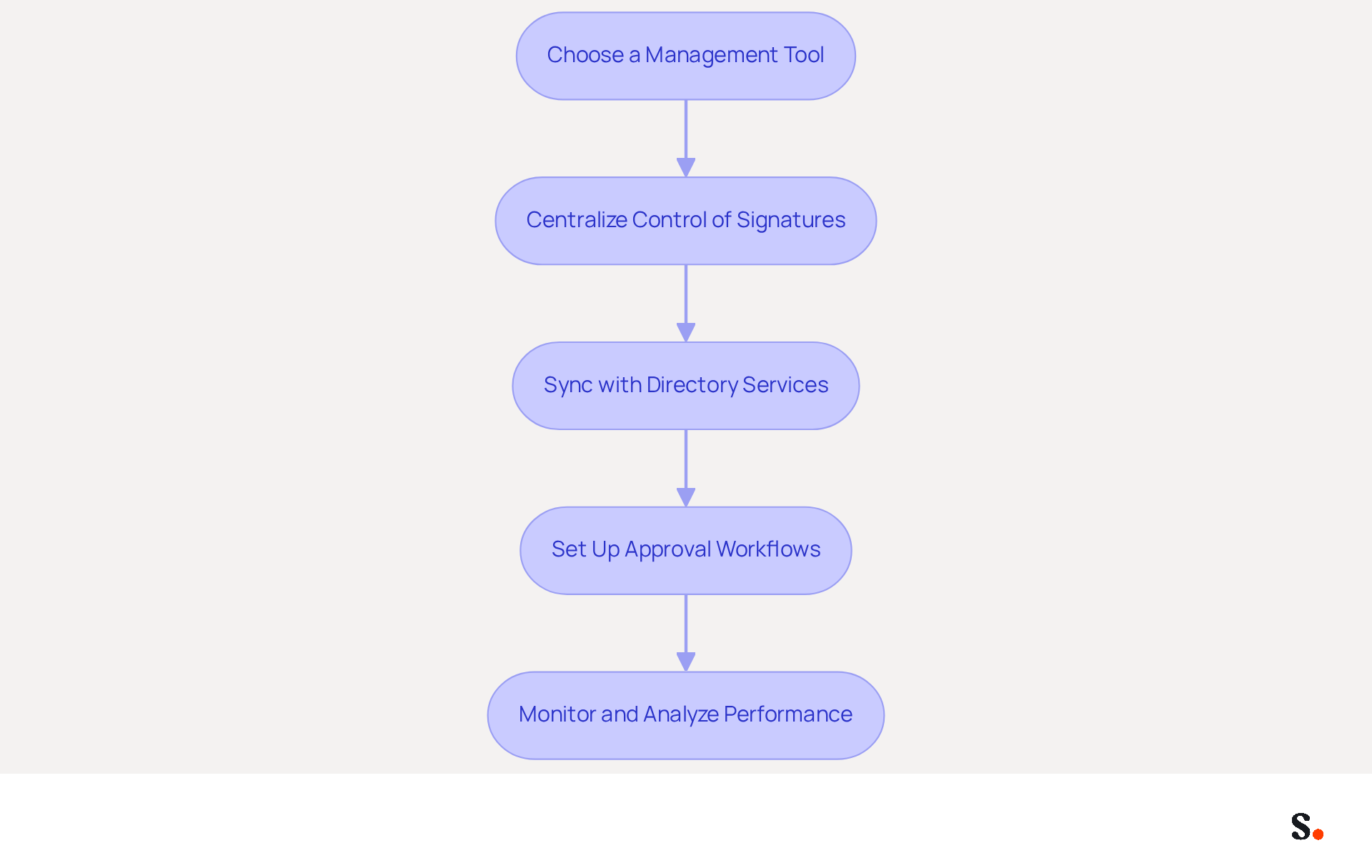
To enhance operational efficiency and brand consistency, organizations must adopt best practices for email signature management:
- Choose a Management Tool for Email Signatures: Invest in a dependable tool for managing signatures that integrates seamlessly with Outlook. The tool automates the creation and updating of identifiers across your organization, ensuring that every email sent is an opportunity to reinforce your identity while adhering to SOC 2 Type II and GDPR/CCPA compliance.
- Centralize Control of Signatures: Utilize a tool to create a unified template applicable to all employees. This method ensures that any modifications to the template are automatically shown in everyone’s identification, preserving a unified image across all communications.
- Sync with Directory Services: Integrate Scribe with your HR or directory services to automatically update employee details when information changes. Manual updates can lead to errors and inconsistencies, creating challenges in maintaining brand standards. Every modification made in your Aircall setup will automatically be reflected in your Scribe identifiers, enhancing uniformity across the organization.
- Set Up Approval Workflows: Implement approval workflows for any modifications to template designs. This way, every update gets a thorough review, keeping your brand's integrity intact and meeting legal standards.
- Monitor and Analyze Performance: Leverage Scribe's analytics to gain insights into how effective your emails are. Insights into engagement rates can help refine your marketing strategies, as personalization by recipient status can increase click-through rates by 14% and conversions by 10%.
By automating management with Scribe, organizations can save up to 2 hours per employee each year, which amounts to 200 hours for a team of 100, minimizing mistakes and ensuring that all communications are consistent and professional. This time savings translates into significant operational efficiency and improved brand consistency. Ultimately, embracing automated signature management not only streamlines processes but also elevates the overall professionalism of organizational communications.
Conclusion
Effective management of Outlook signature templates is essential for organizations striving to maintain brand consistency and professionalism in their communications. Implementing best practices like using brand colors, creating standard templates, and utilizing automation tools such as Scribe helps businesses ensure their email signatures reflect their identity and act as effective marketing tools.
Key strategies discussed include:
- The importance of a clean layout
- Regular updates
- The integration of dynamic fields to personalize signatures
- Utilizing calls-to-action and promotional banners to increase audience interaction and website visits
- Automating signature management through tools like Scribe to save time and ensure compliance with security standards such as SOC 2 Type II, GDPR, and CCPA, reinforcing the integrity of organizational communications
In conclusion, organizations should prioritize the implementation of these best practices to maximize the effectiveness of their email signatures. This approach fosters stronger audience connections, boosts brand visibility, and drives measurable marketing success. A strategic approach to email signature management is crucial for achieving cohesive branding and measurable marketing success.
Frequently Asked Questions
How can I ensure my Outlook signature reflects my brand effectively?
To ensure your Outlook signature reflects your brand effectively, use brand colors and fonts, include the company logo, maintain a clean layout, test across devices, and perform regular updates.
Why is it important to use brand colors and fonts in my email signature?
Using brand colors and fonts ensures that your email footer is consistent with your company’s branding, making it look cohesive with other marketing materials.
Where should I place my company logo in the email signature?
Place your logo where it stands out within the email footer to reinforce brand identity and enhance professionalism. Ensure the logo is high quality and appropriately sized to avoid distortion.
What should I consider when designing the layout of my email signature?
Maintain a clean layout by avoiding clutter and organizing information clearly, such as name, title, and contact details. A compact design is more visually appealing and easier to read.
How can I ensure my email signature looks good on different devices?
Test your email signature across various devices and email clients, such as Outlook, Gmail, and mobile platforms, to confirm that it renders correctly and maintains its design integrity.
What is the benefit of Scribe's automated synchronization with Aircall for my email signature?
Scribe's automated synchronization with Aircall ensures that any changes made in your Aircall configuration will automatically reflect in your Scribe profiles, maintaining consistency across all platforms.
How often should I update my email signature?
Periodically review and update your branding to reflect any changes in identity or personnel, ensuring that all communications remain current and relevant.
List of Sources
- Establish Brand Consistency in Signature Design
- Email Signatures and Brand Consistency: A Guide for Small Businesses (https://designhill.com/design-blog/email-signature-brand-consistency-guide)
- Best Practices for a Correct Email Signature That Boosts Branding (https://scribe-mail.com/en-US/blog/best-practices-for-a-correct-email-signature-that-boosts-branding)
- Top 10+ best practices for email signatures design in 2026 (https://mysignature.io/blog/email-signature-best-practices)
- Email signature branding: importance, tips & best practices (https://exclaimer.com/email-signature-handbook/email-signature-branding-importance)
- Why Email Signatures Must Be In Your 2026 Marketing Plan | Rocketseed (https://rocketseed.com/blog/what-are-the-biggest-email-trends-for-2026)
- Implement Effective Signature Templates in Outlook
- Email Signature Statistics: A Closer Look at Email Signatures in 2026 (https://mysignature.io/blog/email-signature-statistics)
- Email signature statistics: Why every business should optimize their email signatures — Stripo.email (https://stripo.email/blog/email-signature-statistics-why-every-business-should-optimize-their-email-signatures)
- 40+ Email Signature Statistics for 2026 (Data + Insights) (https://wavecnct.com/blogs/email-signature-statistics)
- Best Practices for a Professional Email Signature Template in Outlook (https://scribe-mail.com/en-US/blog/best-practices-for-a-professional-email-signature-template-in-outlook)
- Leverage Signatures for Marketing and Engagement
- 40+ Email Signature Statistics for 2026 (Data + Insights) (https://wavecnct.com/blogs/email-signature-statistics)
- Why Email Signatures Must Be In Your 2026 Marketing Plan | Rocketseed (https://rocketseed.com/blog/2026-marketing-plan-email-signatures)
- 2026 Marketing Trends: Email Signatures as a Marketing Tool (https://bluechiptt.com/blog/5-marketing-trends-for-2026-and-how-your-email-signature-fits-in)
- The Ultimate Guide to Email Signature Call-to-Action - NEWOLDSTAMP (https://newoldstamp.com/blog/the-ultimate-guide-to-email-signature-call-to-action)
- Why and how to add an effective CTA to your email signature? (https://signitic.com/en/resources/why-and-how-to-add-an-effective-cta-to-your-email-signature)
- Automate Signature Management for Efficiency
- Email Signature Automation: How It Works and How to Set It Up (https://scribe-mail.com/en-US/blog/4-best-practices-for-effective-email-signature-automation)
- Automating Email Signatures: How IT Teams Streamline Processes & Reduce Risk (https://exclaimer.com/blog/streamlining-it-processes-automated-email-signatures)
- How to combine automation and email signatures (https://signitic.com/en/resources/how-to-combine-automation-and-email-signatures)
- Email signature statistics: Why every business should optimize their email signatures — Stripo.email (https://stripo.email/blog/email-signature-statistics-why-every-business-should-optimize-their-email-signatures)
- Company-Wide Email Signature Management | CloudM (https://cloudm.io/blog/optimize-your-process-with-company-wide-email-signature-management)
Get started with Scribe
Build a professional email signature
Free 14-day trial — no credit card.