Best Practices for Your Signature Block in Gmail to Boost Engagement
An effective email signature in Gmail is crucial for enhancing communication and driving engagement. By implementing best practices, professionals can
Sophie Grant
Email Signature Specialist, Scribe

Introduction
An effective email signature in Gmail is crucial for enhancing communication and driving engagement. By implementing best practices, professionals can transform their signature blocks into effective marketing assets that reflect brand identity and encourage interaction. Many professionals find it challenging to create an email signature that effectively represents their brand. This article provides essential tips and techniques for creating a Gmail signature that enhances brand identity and encourages interaction.
Design an Engaging Gmail Signature Block
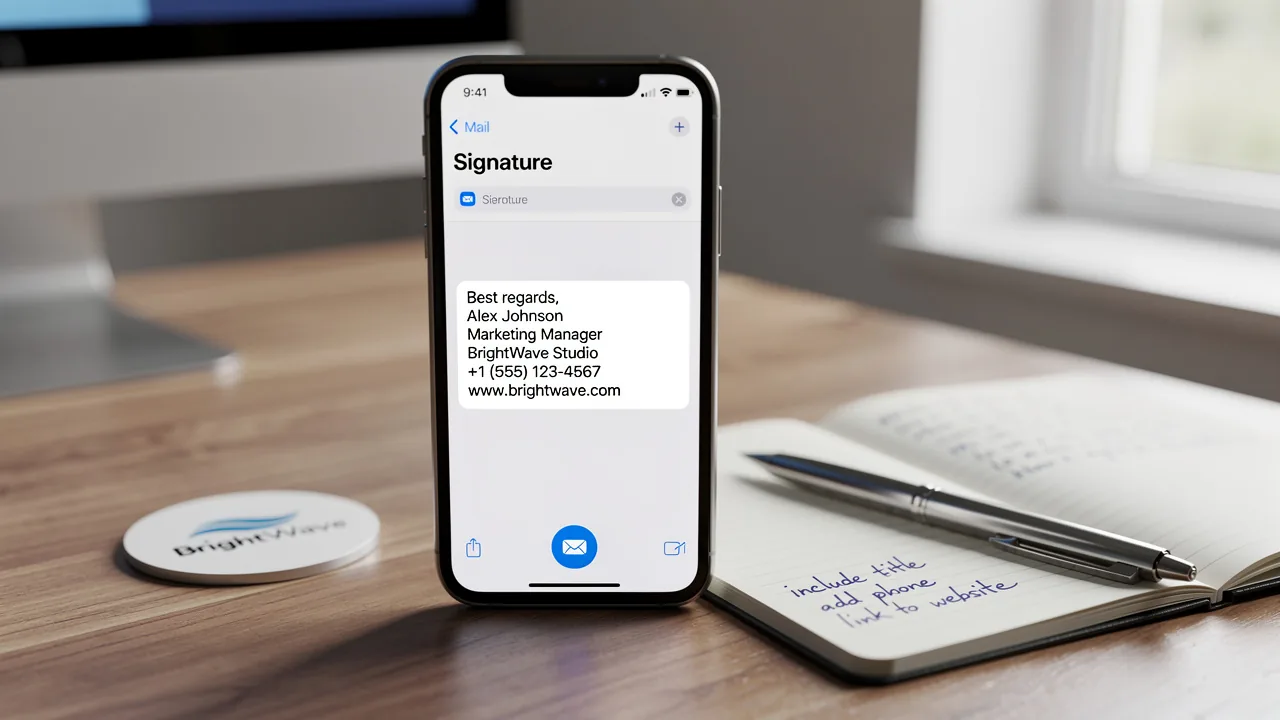
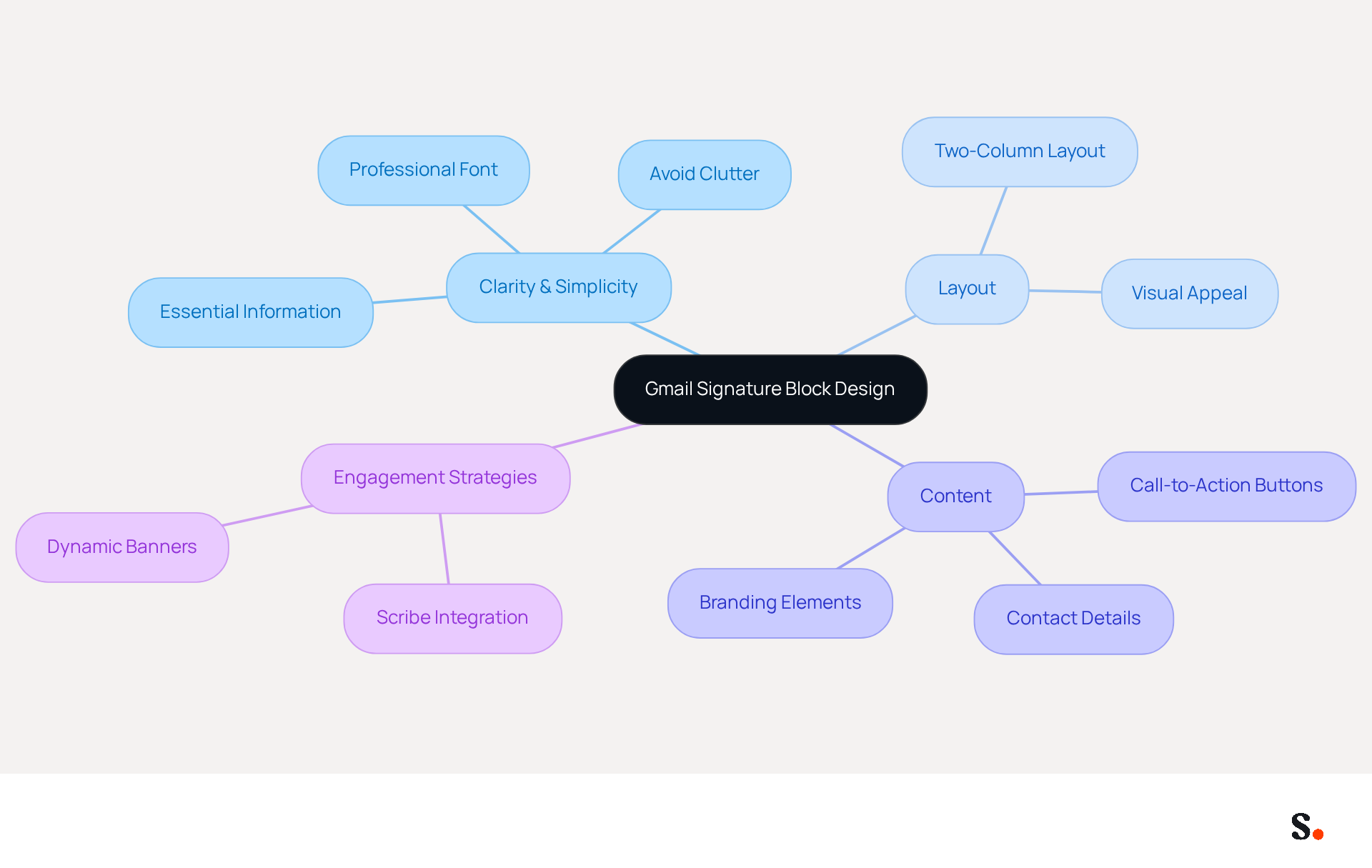
To create an effective signature block in Gmail, clarity and simplicity must be prioritized. A clean layout should include essential information such as your name, job title, and contact details, all presented in a professional font that remains legible on both desktop and mobile devices. Avoid clutter by limiting the number of images and links; a well-organized closing should ideally not exceed six lines to maintain readability.
Using a two-column layout effectively separates your contact information from branding elements, such as your logo. This approach enhances visual appeal and facilitates quick access to your information for recipients. For example, your name could be displayed on the left, complemented by your logo and social media links on the right, creating a balanced and professional appearance.
This consistency can lead to a notable 22% increase in email response rates, underscoring the importance of thoughtful design. Furthermore, adding call-to-action buttons can further boost engagement, with 32.3% of users including these elements in their profiles. Significantly, dynamic banners can boost click rates by 12%, making them a valuable enhancement to your email.
When you use Scribe, any changes you make in your Aircall settings will seamlessly update your email identifiers, ensuring synchronization and improved consistency. Scribe's SOC 2 Type II compliance guarantees secure data handling, making it an ideal choice for organizations focused on both marketing effectiveness and data security. By following these optimal methods and considering centralized management for consistency and security, you can significantly enhance your email communication's impact and professionalism.
Incorporate Brand Elements for Consistency
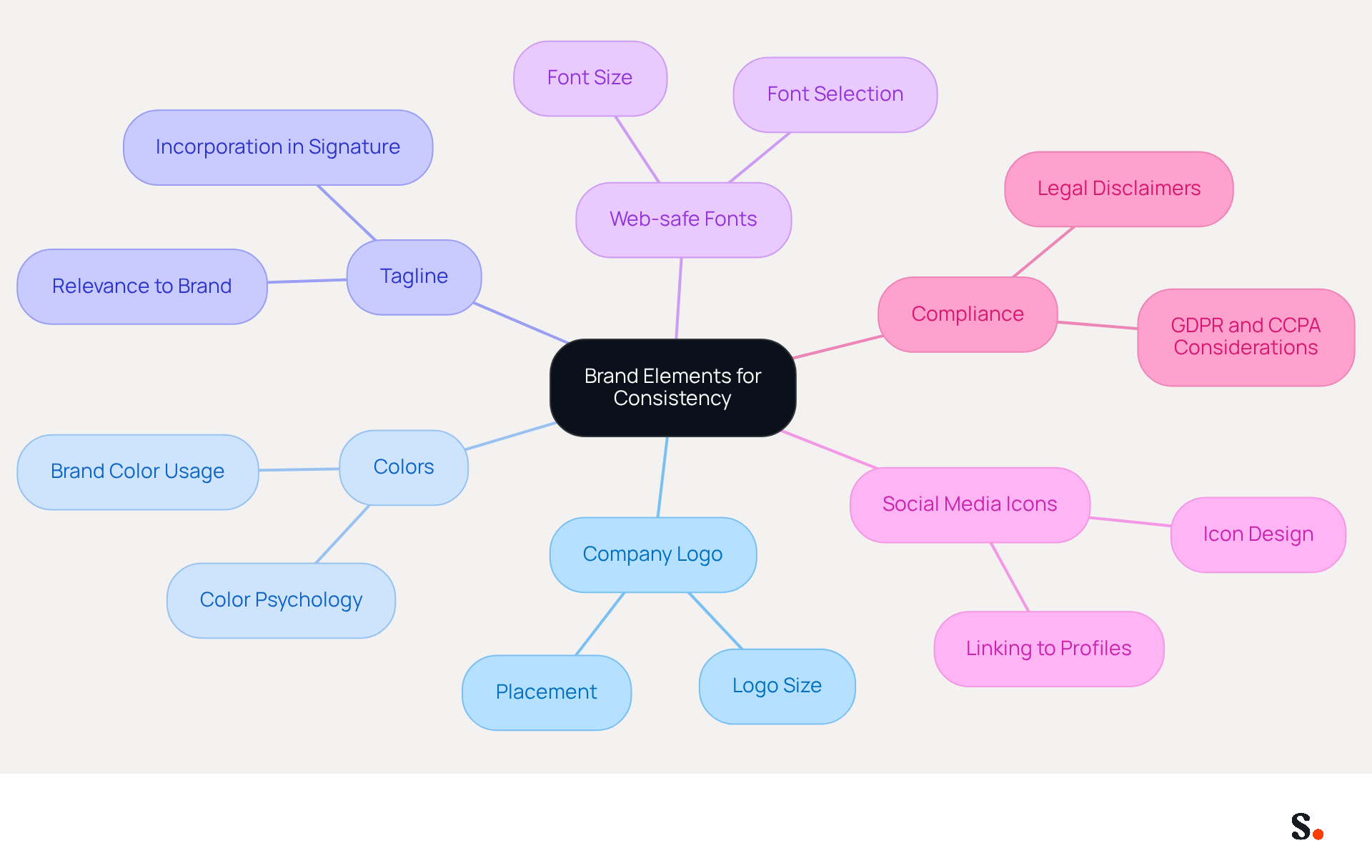
To maintain a professional image in your signature block Gmail, it is crucial to ensure consistency in branding elements. Incorporating key elements such as your company logo, colors, and tagline is essential. Using web-safe fonts that align with your organization's typography helps uphold a polished appearance. The logo should be appropriately sized to avoid overshadowing the text; for example, if your company color is blue, consider using it for your name or links to create a cohesive look.
Additionally, including social media icons that link to your company’s profiles not only promotes your identity but also encourages recipients to engage with your content across various platforms. Research indicates that consistent branding in digital communication can enhance brand recognition by up to 80%, underscoring its vital role in your marketing strategy.
Moreover, as LZC Marketing cautions, inconsistent branding can damage your reputation, leading to lost trust among clients, making it crucial to standardize your email identifiers. Considering that 52% of organizational communication still occurs through digital messaging, investing in consistent branding is essential.
By ensuring your signature block Gmail is consistent, you not only enhance your brand's credibility but also mitigate compliance risks. Scribe automates your email identifier management, keeping everything up-to-date and compliant with SOC 2 Type II standards. This means any changes made in your Aircall configuration will automatically reflect in your Scribe branding, providing seamless integration and enhanced brand consistency across all communications.
Implement and Manage Multiple Signatures Effectively
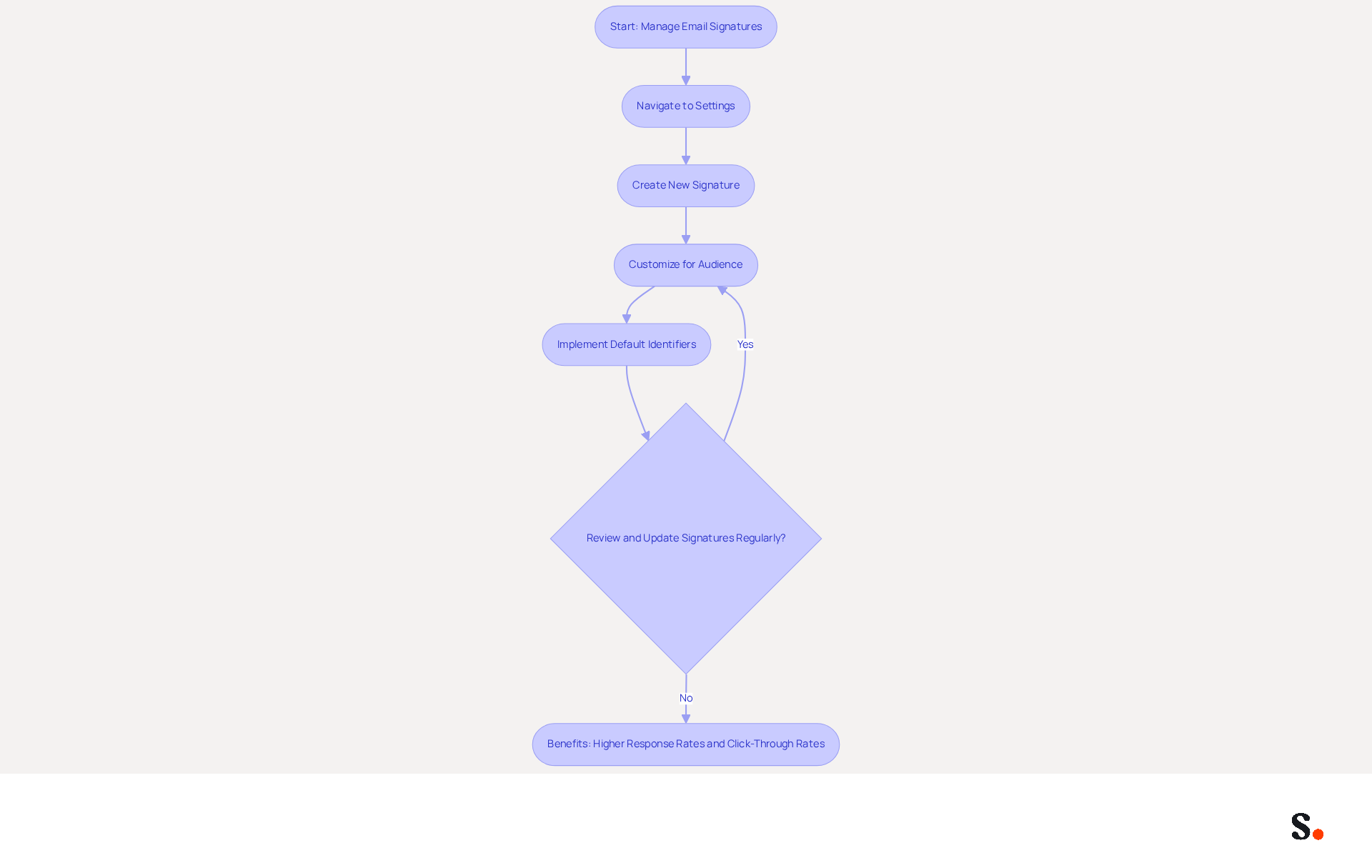
Effectively managing email signatures is crucial for maintaining professionalism in various communication contexts. The email service allows users to create and manage multiple sign-offs, which is invaluable for formal communications, marketing outreach, and personal messages. To set this up, navigate to Settings > General > Signature block Gmail and click 'Create New' to add distinct sign-offs tailored for specific purposes. For instance, a sign-off for client communications might include comprehensive contact details, while an internal message sign-off could adopt a more casual tone. This flexibility enhances engagement by allowing customization according to the audience.
Implementing default identifiers for specific message types streamlines workflow and ensures consistency in communication. Regularly reviewing and updating your email identifiers is crucial; 44.4% of professionals refresh their email identifiers two to four times a year, while 31.6% do so only once every few years. Keeping your sign-offs up to date reflects any changes in your role or company branding.
The effect of utilizing multiple endorsements is considerable. Messages featuring branded identifiers achieve a 22% higher response rate compared to those without, and organizations that implement branded message identifiers experience a 15% increase in website click-through rates. By leveraging these insights, businesses can effectively utilize email branding as a marketing channel that operates without additional budget, reinforcing brand identity and supporting lead generation.
Add Call-to-Action Elements to Drive Engagement
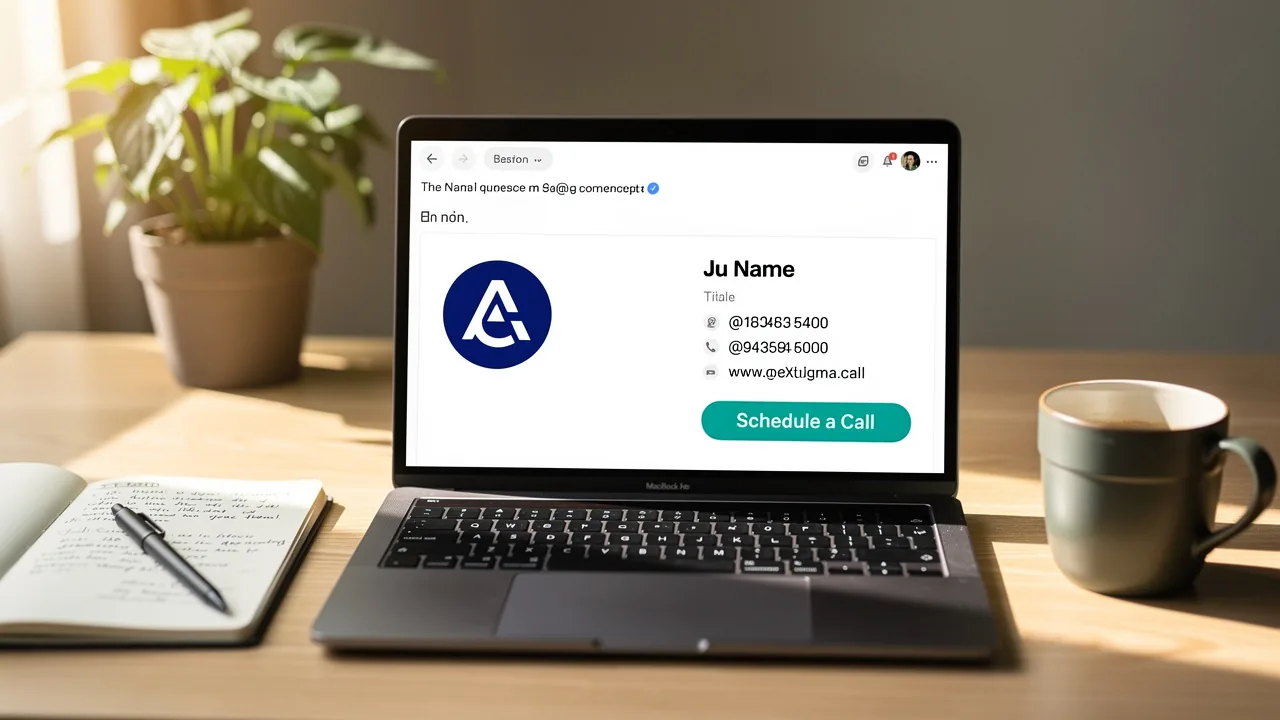
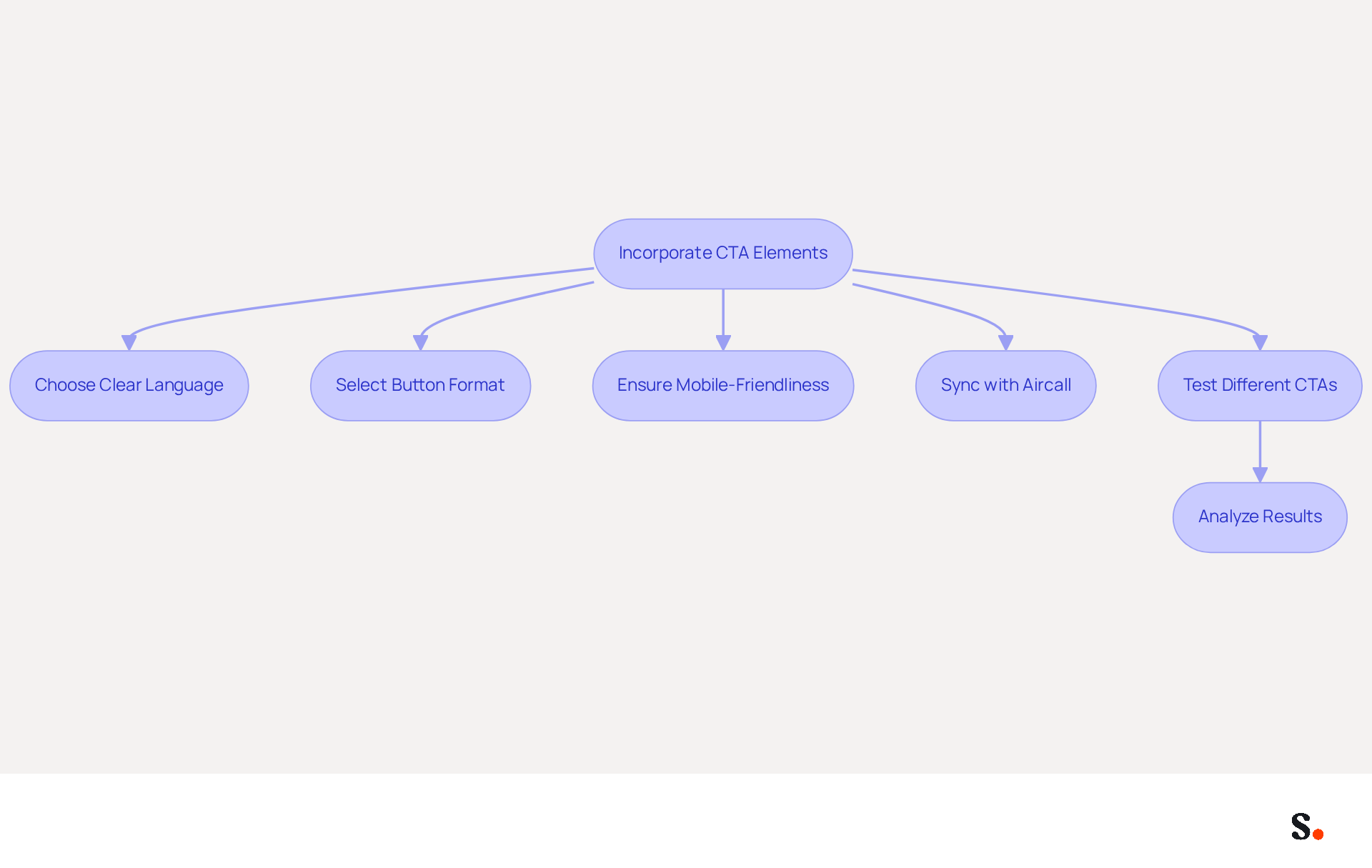
Incorporating call-to-action (CTA) elements in your Gmail footer is essential for maximizing engagement and driving recipient actions. A strategically placed CTA encourages recipients to take action, whether it's visiting your website, signing up for a newsletter, or scheduling a meeting. Use clear and concise language for your CTA, such as 'Schedule a Call' or 'Visit Our Website.'
Choosing a button format can make your CTA visually prominent; a brightly colored button that contrasts with the rest of your email can effectively draw attention. Ensure that the CTA links directly to the intended destination and is mobile-friendly, as over 90% of users check their inbox daily.
By syncing your signatures with Aircall, you ensure that your CTAs are always current, reinforcing brand consistency across all communications. Testing different CTAs is crucial; A/B testing can help identify which variations resonate best with your audience, allowing you to refine your approach for maximum impact.
According to WordStream, emails featuring a well-placed CTA can boost clicks by 371% and sales by an impressive 1617%. This highlights just how crucial effective CTAs are in your email marketing strategy.
Conclusion
A well-crafted Gmail signature block is more than just a visual element; it is a strategic asset that enhances communication effectiveness. By focusing on clarity, adding brand elements, and including call-to-action features, organizations can ensure their email signatures serve as powerful marketing tools that reflect professionalism and brand consistency.
Key insights from this article highlight the importance of a well-structured signature that includes essential information while maintaining a clean design. The use of brand elements, such as logos and colors, reinforces identity and fosters recognition, while the implementation of multiple signatures allows for tailored communication across different contexts. Additionally, integrating effective CTAs can drive engagement and lead generation, showcasing the potential of email signatures as a valuable marketing asset.
Many organizations fail to recognize that a poorly designed email signature can undermine their communication efforts. Investing in a cohesive email signature strategy can redefine how your brand engages with its audience, making every interaction count. By leveraging tools like Scribe, organizations can achieve 100% brand consistency and measurable marketing ROI, all while ensuring compliance with security standards. Embrace these best practices to transform your email signatures into a dynamic component of your marketing strategy, ultimately driving engagement and enhancing your brand's presence in every interaction.
Frequently Asked Questions
What are the key elements to include in a Gmail signature block?
A Gmail signature block should include your name, job title, and contact details, all presented in a professional font. It should prioritize clarity and simplicity while avoiding clutter.
How should the layout of a Gmail signature block be organized?
A two-column layout is effective, separating contact information from branding elements like your logo. This enhances visual appeal and facilitates quick access to information.
What is the recommended length for a Gmail signature block?
A well-organized closing should ideally not exceed six lines to maintain readability.
How can the design of a Gmail signature block impact email response rates?
Thoughtful design can lead to a notable 22% increase in email response rates.
What additional elements can enhance engagement in a Gmail signature?
Adding call-to-action buttons can boost engagement, with 32.3% of users including these elements in their profiles. Dynamic banners can also increase click rates by 12%.
How does Scribe enhance the management of email signatures?
When using Scribe, any changes made in your Aircall settings will seamlessly update your email identifiers, ensuring synchronization and improved consistency.
What security measures does Scribe provide for email communication?
Scribe's SOC 2 Type II compliance guarantees secure data handling, making it a suitable choice for organizations focused on marketing effectiveness and data security.
List of Sources
- Design an Engaging Gmail Signature Block
- Email Signature Statistics: A Closer Look at Email Signatures in 2026 (https://mysignature.io/blog/email-signature-statistics)
- The impact of email signatures on your branding (https://signitic.com/en/resources/the-impact-of-email-signatures-on-your-branding)
- Email Signature Trends in Numbers: Infographic [2026] (https://mailtrap.io/blog/email-signature-trends)
- Email signature statistics: Why every business should optimize their email signatures — Stripo.email (https://stripo.email/blog/email-signature-statistics-why-every-business-should-optimize-their-email-signatures)
- Incorporate Brand Elements for Consistency
- Exclaimer Research: 67% of Marketers Expect Email Signatures to Support With Lead Gen In 2023 (https://businesswire.com/news/home/20230612141095/en/Exclaimer-Research-67-of-Marketers-Expect-Email-Signatures-to-Support-With-Lead-Gen-In-2023)
- Why Team Email Signatures Matter More Than You Think: The Hidden Impact on Brand Trust and Customer Experience (https://getmailbird.com/why-team-email-signatures-matter-brand-trust)
- The Importance Of Email Signatures | Email Marketing Blog | Mail Blaze (https://mailblaze.com/thinking/email-signatures-in-email-marketing)
- Email Signature Branding: Consistency and Impact | Crossware365 (https://crossware365.com/blog/mastering-email-signature-branding-market-presence)
- Research Recap: Branded Email Signatures Increase Company Recognition, Trust - Demand Gen Report (https://demandgenreport.com/industry-news/research-recap-branded-email-signatures-increase-company-recognition-trust/47252)
- Implement and Manage Multiple Signatures Effectively
- Email signature statistics: Why every business should optimize their email signatures — Stripo.email (https://stripo.email/blog/email-signature-statistics-why-every-business-should-optimize-their-email-signatures)
- Google Workspace Updates: Create and use multiple signatures in Gmail (https://workspaceupdates.googleblog.com/2020/03/multiple-signatures-gmail.html)
- How to Create and Use Multiple Signatures in Gmail - NEWOLDSTAMP (https://newoldstamp.com/blog/more-than-one-signature-in-gmail)
- Multiple Email Signatures (https://groups.google.com/g/google-apps-manager/c/LZ4YiCvSZb8)
- How do I manage multiple signatures with Gmail? (https://signitic.com/en/guides/how-do-i-manage-multiple-signatures-with-gmail)
- Add Call-to-Action Elements to Drive Engagement
- The Ultimate Guide to Email Signature Call-to-Action - NEWOLDSTAMP (https://newoldstamp.com/blog/the-ultimate-guide-to-email-signature-call-to-action)
- Email signature marketing: Triple your conversions with signature marketing (https://mailbutler.io/blog/email/signature-marketing)
- Why Are Sales Email Calls to Action So Important? (https://salesfuel.com/why-sales-email-calls-to-action-gets-results)
- Using Email Signatures as a Marketing Tool: Ideas for Generating Leads and Promoting Business (https://blog.ringostat.com/en/using-email-signatures-as-a-marketing-tool-ideas-for-generating-leads-and-promoting-business)
- 7 Powerful Email Signature Marketing Best Practices to Boost Engagement | MySignature (https://mysignature.io/blog/email-signature-marketing-best-practices)
Get started with Scribe
Build a professional email signature
Free 14-day trial — no credit card.