Boost Engagement with Effective Signature Outlook Templates
While often underestimated, email signatures serve as vital tools for enhancing brand visibility and engagement in professional communications. By implementing
Sophie Grant
Email Signature Specialist, Scribe
Introduction
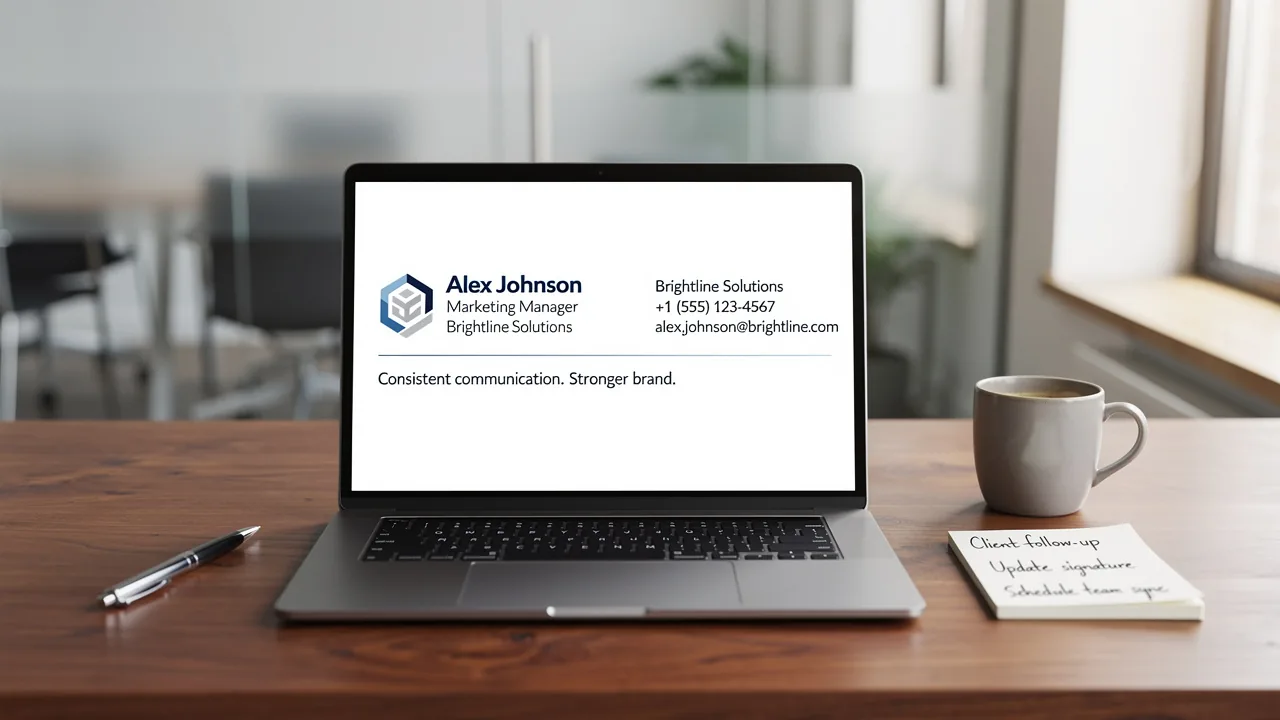
While often underestimated, email signatures serve as vital tools for enhancing brand visibility and engagement in professional communications. By implementing effective signature templates in Outlook, organizations can ensure brand consistency and leverage these digital footers as strategic marketing assets.
Many organizations find it challenging to maintain consistent branding across their email communications. How can companies transform their email signatures from mere contact information into compelling marketing opportunities that drive engagement and reinforce brand identity?
Transforming email signatures into strategic marketing assets can significantly enhance brand identity and drive engagement, a realization that many organizations have yet to embrace.
Establish Brand Consistency in Signature Design
To ensure a professional image in email communications, consistency in email footers is crucial. Incorporating key elements such as your company logo, colors, and fonts is essential. Here are some best practices:
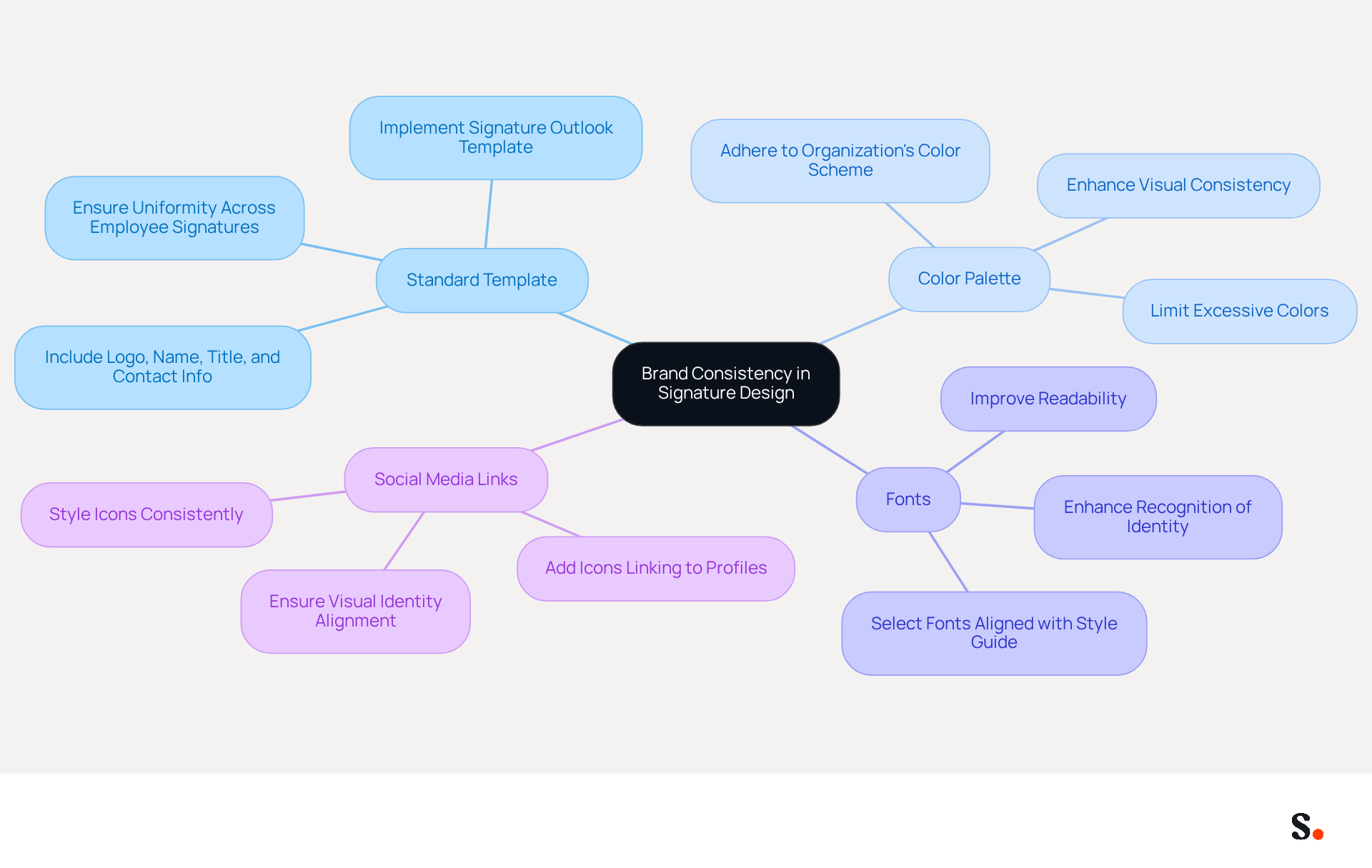
- Use a Standard Template: Develop a signature template that includes your logo, name, title, and contact information. This ensures uniformity across all employee signatures by implementing a signature outlook template, reinforcing corporate identity.
- Limit Color Palette: Adhere to your organization's color scheme to maintain visual consistency. Avoid using excessive colors that may distract from the core message.
- Choose Appropriate Fonts: Select fonts that align with your style guide. This not only improves readability but also enhances recognition of the identity.
- Include Social Media Links: If applicable, add icons linking to your company's social media profiles. Ensure these icons are styled consistently with your visual identity.
By following these guidelines, you help ensure your emails look professional and reinforce your brand identity. Consistent branding can enhance customer trust by up to 76%, and businesses that implement uniform digital identifiers experience a 22% rise in response rates. Furthermore, the average professionalism score of businesses utilizing branded logos increases from 6.2/10 to 8.5/10. Regular updates are necessary to keep your branding consistent and ensure your communications reflect your identity. With Scribe, automating the synchronization of your contact details with your business phone system ensures accuracy and consistency. This seamless integration not only saves time but also guarantees that your brand remains consistent across all communications. Moreover, Scribe's SOC 2 Type II compliance guarantees that your data is protected, fulfilling employee data management requirements for secure automation of digital identifiers. Inconsistent branding can lead to diminished trust and recognition, ultimately affecting your business's success.
Implement Effective Signature Templates in Outlook
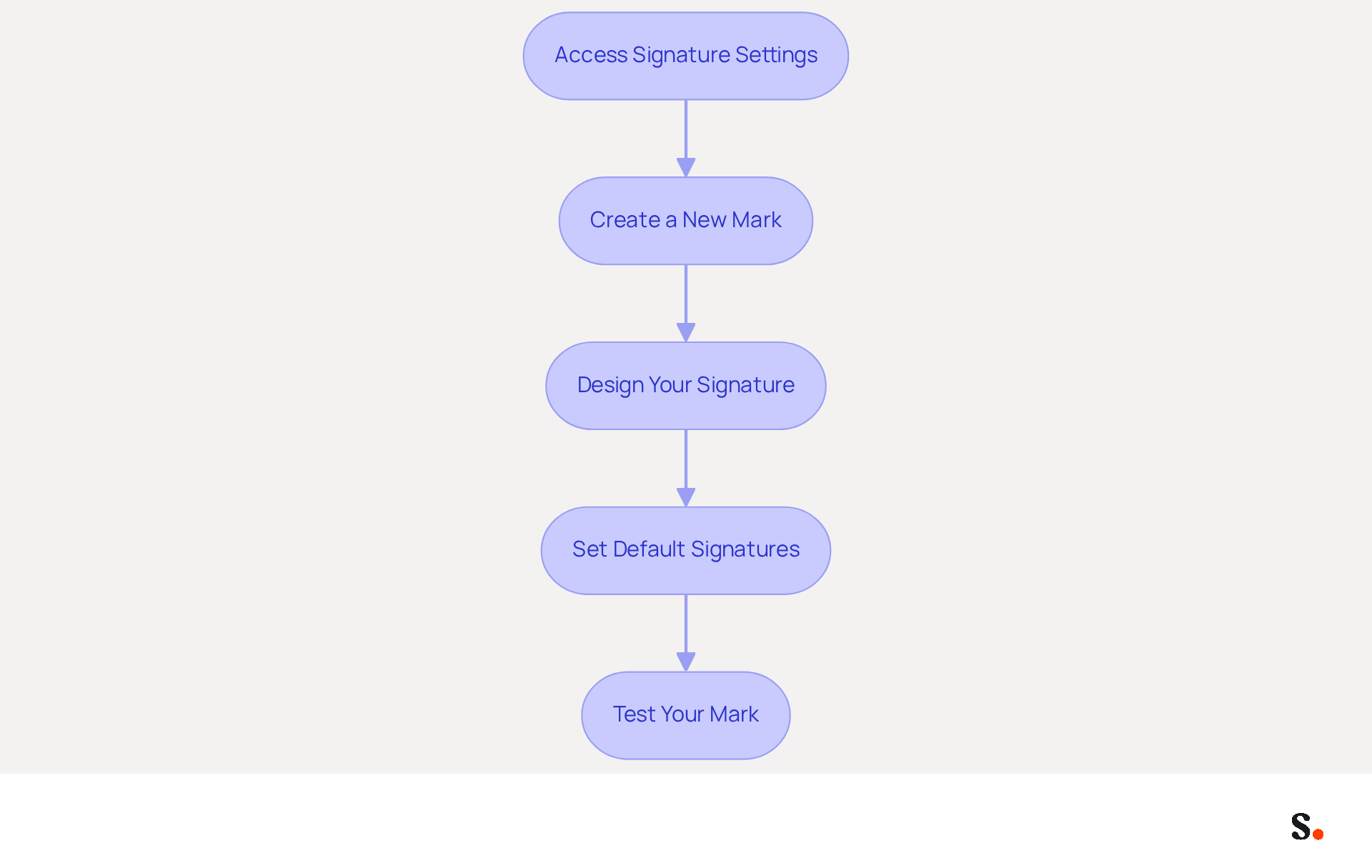
Implementing effective signature outlook templates is crucial for maintaining a professional image in electronic communications. To implement effective signature templates in Outlook, follow these steps:
- Access Signature Settings: Open Outlook and navigate to 'File' > 'Options' > 'Mail' > 'Signatures'. This is where you can create and manage your email identifiers.
- Create a New Mark: Click on 'New' to create a new mark. Name it appropriately (e.g., 'Company Signature').
- Design Your Signature: Use the formatting tools to add your logo, contact information, and any other relevant details. Ensure that the design aligns with your brand guidelines, utilizing brand colors and fonts to maintain consistency.
- Set Default Signatures: Select default identifiers for new messages and replies/forwards to ensure consistency across all communications. This can be accomplished in the same settings menu.
- Test Your Mark: Send a test message to yourself to see how the mark appears. Make adjustments as needed to ensure it displays correctly across various devices and messaging clients.
Following these steps ensures that all employees access a professional and consistent email format through the signature outlook template that reflects your brand. Centralized management of digital branding can enhance brand consistency by up to 85% and increase campaign engagement significantly. To enable one-click synchronization with Scribe, ensure you grant the necessary permissions as a Super Admin of your service provider. Regular evaluations of digital identifiers help maintain compliance and relevance, ensuring that your online markers remain effective marketing tools. Maintaining effective email branding can be challenging due to potential pitfalls like information overload and poor mobile display. Scribe's SOC 2 Type II compliance guarantees that your data is secure while you manage these documents efficiently. Regularly reviewing and updating your email signatures can significantly enhance your brand's professional image and communication effectiveness.
Leverage Signatures for Marketing and Engagement
Email identifiers serve as underutilized marketing assets that can significantly enhance engagement when applied strategically. Here are effective ways to enhance engagement through email signatures:
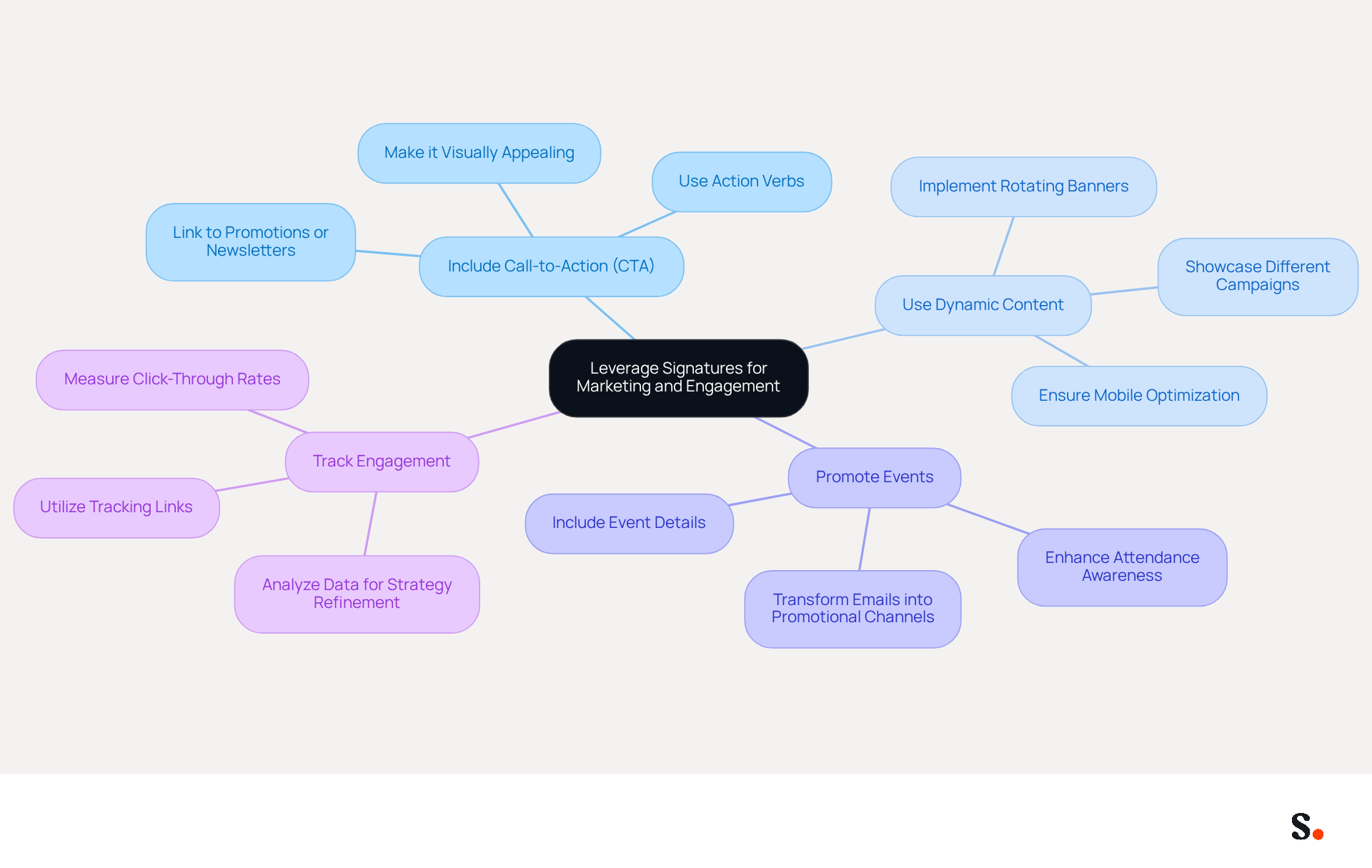
- Include Call-to-Action (CTA): Incorporate a clear CTA in your signature, such as a link to a current promotion, newsletter signup, or recent blog post. This encourages recipients to take action, significantly increasing engagement rates. Ensure that your CTA is visually appealing and consistent with the overall aesthetic of your email footer to maximize its effectiveness.
- Use Dynamic Content: Implement rotating banners or images that showcase different campaigns or offers. This method ensures your marketing remains dynamic, engaging recipients with diverse content.
- Promote Events: If your company is hosting an event, include relevant details in your email footer. This can enhance attendance and increase awareness about your initiatives, transforming your communications into effective promotional channels.
- Track Engagement: Utilize tracking links in your CTAs to measure click-through rates and overall engagement. Many organizations overlook the importance of tracking communication performance, which can hinder their marketing effectiveness. Analyzing this data is crucial for refining your marketing strategies and understanding what resonates with your audience.
By incorporating these components into your correspondence, you can transform each message into a valuable marketing opportunity, enhancing engagement and driving conversions. Furthermore, aligning your email strategies with your marketing calendar not only enhances execution but also amplifies your overall impact.
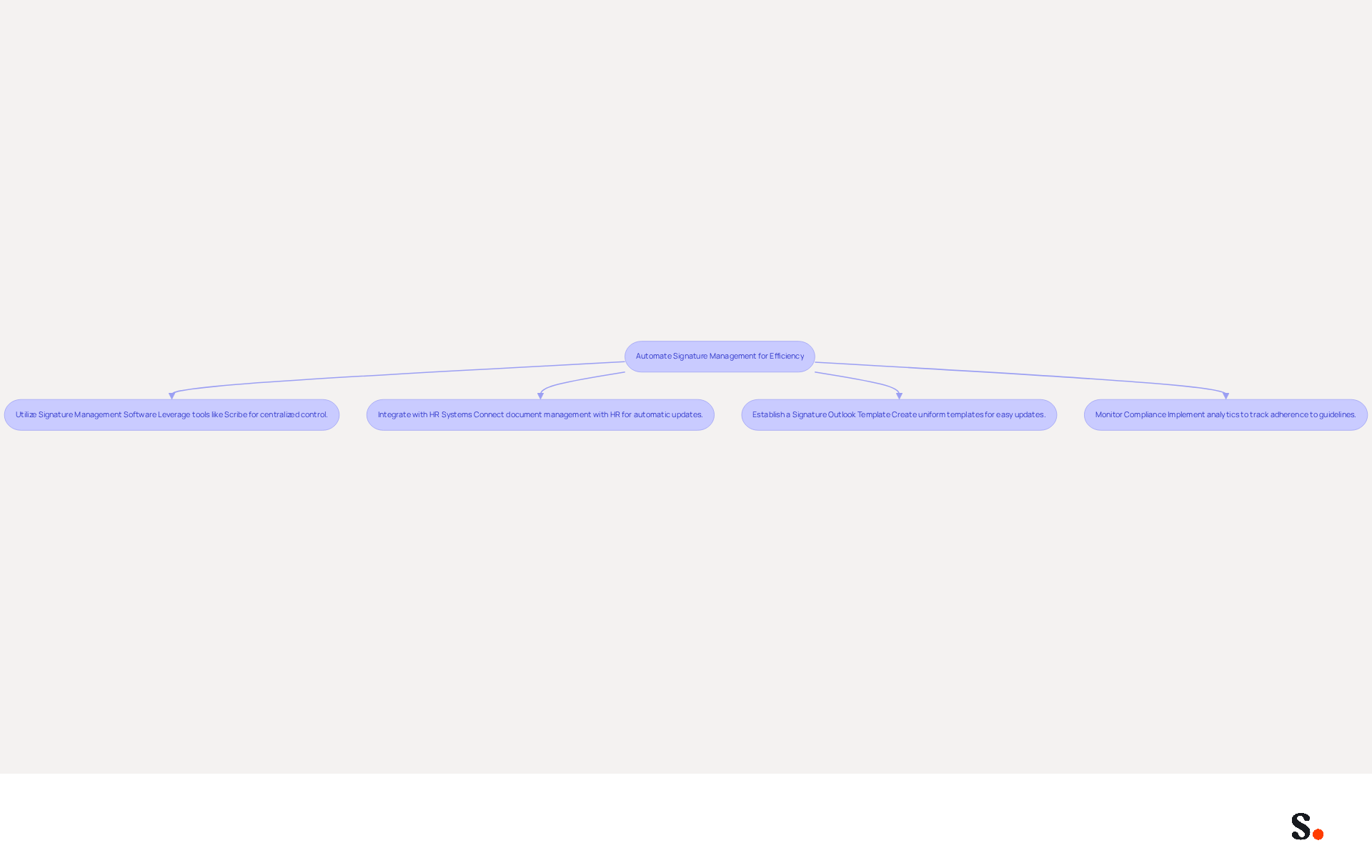
Automate Signature Management for Efficiency
To enhance the effectiveness of email signature management, organizations must adopt strategic automation practices:
- Utilize Signature Management Software: Leverage tools like Scribe to establish centralized control over email signatures. This method ensures that all identifiers remain consistent and current without needing manual updates, significantly enhancing operational efficiency, as evidenced by increased productivity metrics. Participating in the Affiliate Program allows organizations to earn a 50% commission while enhancing brand consistency.
- Integrate with HR Systems: Connect your document management platform with HR systems to facilitate automatic updates of electronic signatures whenever employee information changes. Outdated information can lead to miscommunication and damage to professional relationships, but this integration ensures accuracy in communications. Scribe's capability to synchronize data from top HRIS platforms guarantees that your team’s essential information is always up to date, enhancing the professionalism of your communications.
- Establish a signature outlook template: Create uniform templates that can be easily updated and deployed throughout the organization. This practice decreases the time spent on individual updates, allowing for a more streamlined process. With Scribe, you can auto-fill teammates' identification details, saving time and ensuring consistency.
- Monitor Compliance: Implement analytics to track adherence to signing guidelines. This monitoring ensures that all employees use the correct markings and helps identify areas for improvement. Scribe's SOC 2 Type II compliance, along with adherence to GDPR and CCPA, ensures that your data is secure while you concentrate on preserving your reputation.
Organizations that embrace these strategies are not just improving efficiency; they are also positioning themselves as leaders in brand consistency and communication effectiveness.
Conclusion
Effective email signature templates are crucial for maintaining brand consistency and enhancing engagement in communications. Standardized email designs that reflect corporate identity ensure every message reinforces brand image. This approach fosters professionalism and builds trust with recipients, ultimately leading to improved response rates and engagement.
Key strategies discussed include:
- The importance of using a standard template
- Maintaining a cohesive color palette
- Incorporating social media links
Additionally, leveraging email signatures as marketing tools through clear calls-to-action and dynamic content can significantly boost engagement. Automating signature management with tools like Scribe further streamlines the process, ensuring that all signatures remain up-to-date and compliant with security standards such as SOC 2 Type II, GDPR, and CCPA.
These best practices enhance email effectiveness and help organizations tap into their marketing potential. By viewing email signatures as valuable assets rather than mere footers, businesses can transform every message into an opportunity for engagement and brand reinforcement. Recognizing email signatures as strategic assets can redefine how organizations engage with their audience.
Frequently Asked Questions
Why is brand consistency important in email signature design?
Brand consistency in email signature design is crucial for maintaining a professional image in communications. It helps reinforce corporate identity and enhances customer trust, which can increase by up to 76%.
What are the key elements to include in an email signature?
Key elements to include in an email signature are your company logo, name, title, contact information, and, if applicable, social media links.
How can I ensure uniformity across employee email signatures?
To ensure uniformity, develop a standard signature template that includes essential elements like the logo, name, title, and contact information. Implementing a signature outlook template can help achieve this.
What should I consider when choosing colors for my email signature?
When choosing colors, adhere to your organization's color scheme to maintain visual consistency. Avoid using excessive colors that may distract from the core message.
How do font choices impact email signature design?
Selecting appropriate fonts that align with your style guide improves readability and enhances recognition of your brand identity.
Should I include social media links in my email signature?
Yes, if applicable, you should include icons linking to your company's social media profiles, ensuring these icons are styled consistently with your visual identity.
What benefits can consistent branding bring to a business?
Consistent branding can lead to a 22% rise in response rates and increase the average professionalism score of businesses from 6.2/10 to 8.5/10.
How can Scribe help with maintaining brand consistency?
Scribe automates the synchronization of your contact details with your business phone system, ensuring accuracy and consistency across all communications.
What compliance does Scribe offer to protect data?
Scribe's SOC 2 Type II compliance guarantees that your data is protected, fulfilling employee data management requirements for secure automation of digital identifiers.
What are the consequences of inconsistent branding?
Inconsistent branding can lead to diminished trust and recognition, ultimately affecting your business's success.
List of Sources
- Establish Brand Consistency in Signature Design
- Research Recap: Branded Email Signatures Increase Company Recognition, Trust - B2BMX INSIGHTS (https://demandgenreport.com/industry-news/research-recap-branded-email-signatures-increase-company-recognition-trust/47252)
- Why Consistent Email Signatures Matter More Than You Think - Signite (https://signite.io/blog/consistent-email-signatures-matter-more-than-you-think)
- The impact of email signatures on your branding (https://signitic.com/en/resources/the-impact-of-email-signatures-on-your-branding)
- Master Corporate Email Signature Management for Brand Consistency (https://scribe-mail.com/en-US/blog/master-corporate-email-signature-management-for-brand-consistency)
- Why Email Signatures Must Be In Your 2026 Marketing Plan | Rocketseed (https://rocketseed.com/blog/what-are-the-biggest-email-trends-for-2026)
- Implement Effective Signature Templates in Outlook
- Email Signature Best Practices for 2026 (+ 15 Pro Examples) (https://wavecnct.com/blogs/email-signature-best-practices-2026)
- Best Practices for Creating Organization-wide Signatures in Outlook with Active Directory Integration - Microsoft Q&A (https://learn.microsoft.com/en-gb/answers/questions/1362992/best-practices-for-creating-organization-wide-sign)
- Email Signature Best Practices - NEWOLDSTAMP (https://newoldstamp.com/blog/email-signature-best-practices)
- 4 Best Practices for Your Outlook Signature Line in Marketing (https://scribe-mail.com/en-US/blog/4-best-practices-for-your-outlook-signature-line-in-marketing)
- The Complete Email Signature Guide 2026: Best Practices and Policy (https://opensense.com/complete-email-signature-guide)
- Leverage Signatures for Marketing and Engagement
- Why Email Signatures Must Be In Your 2026 Marketing Plan | Rocketseed (https://rocketseed.com/blog/2026-marketing-plan-email-signatures)
- Why and how to add an effective CTA to your email signature? (https://signitic.com/en/resources/why-and-how-to-add-an-effective-cta-to-your-email-signature)
- 2026 Marketing Trends: Email Signatures as a Marketing Tool (https://bluechiptt.com/blog/5-marketing-trends-for-2026-and-how-your-email-signature-fits-in)
- 40+ Email Signature Statistics for 2026 (Data + Insights) (https://wavecnct.com/blogs/email-signature-statistics)
- Email signature statistics: Why every business should optimize their email signatures — Stripo.email (https://stripo.email/blog/email-signature-statistics-why-every-business-should-optimize-their-email-signatures)
- Automate Signature Management for Efficiency
- Email Signature Trends 2026: Centralized Control & Automation | SIGNandGO posted on the topic | LinkedIn (https://linkedin.com/posts/signngo_email-signature-trends-to-watch-in-2026-activity-7401523471786217473-zAVL)
- Company-Wide Email Signature Management | CloudM (https://cloudm.io/blog/optimize-your-process-with-company-wide-email-signature-management)
- Company Email Signatures: Policy, Templates and Company-Wide Management (https://scribe-mail.com/en-US/blog/best-practices-for-company-wide-email-signature-management)
- Automating Email Signatures: How IT Teams Streamline Processes & Reduce Risk (https://exclaimer.com/blog/streamlining-it-processes-automated-email-signatures)
- 40+ Email Signature Statistics for 2026 (Data + Insights) (https://wavecnct.com/blogs/email-signature-statistics)
Get started with Scribe
Build a professional email signature
Free 14-day trial — no credit card.