Change Your Outlook Email Signature: A Step-by-Step Guide
Email signatures in Outlook are not just digital sign-offs; they are vital branding tools that enhance professionalism and trust in communication. While
Sophie Grant
Email Signature Specialist, Scribe
Introduction
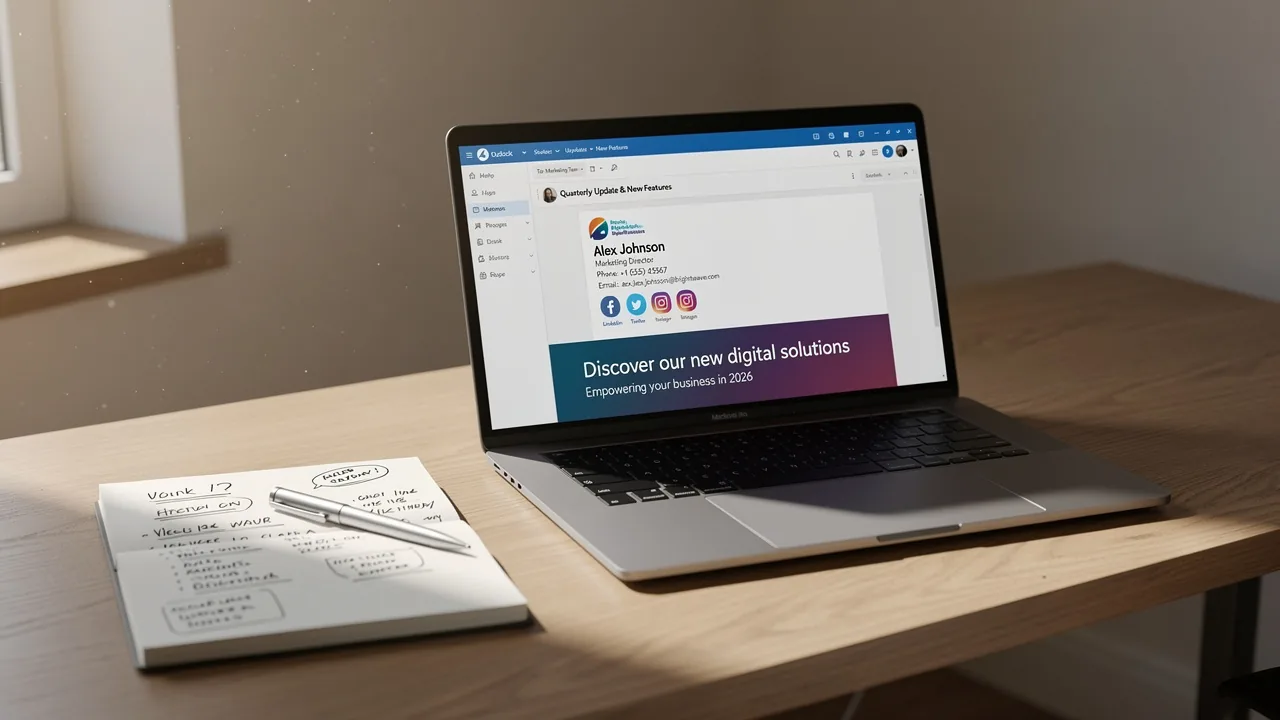
Email signatures in Outlook are not just digital sign-offs; they are vital branding tools that enhance professionalism and trust in communication. While organizations are starting to see just how important these identifiers are, many users struggle with the technical aspects of updating their signatures. This can result in a disjointed brand image that fails to convey professionalism.
How can professionals ensure their Outlook email signatures accurately reflect their brand and function seamlessly across various platforms? This guide will help you navigate the complexities of email signature management in Outlook, empowering users to elevate their communication strategy.
Understand Email Signatures in Outlook
Email identifiers in Outlook are more than just contact details; they are essential tools for professional branding. These identifiers are vital for maintaining professionalism and ensuring consistent branding in all communications. A well-designed sign-off can include:
- Logos
- Social media links
- Promotional banners
Transforming every email into a strategic marketing touchpoint. Research shows that:
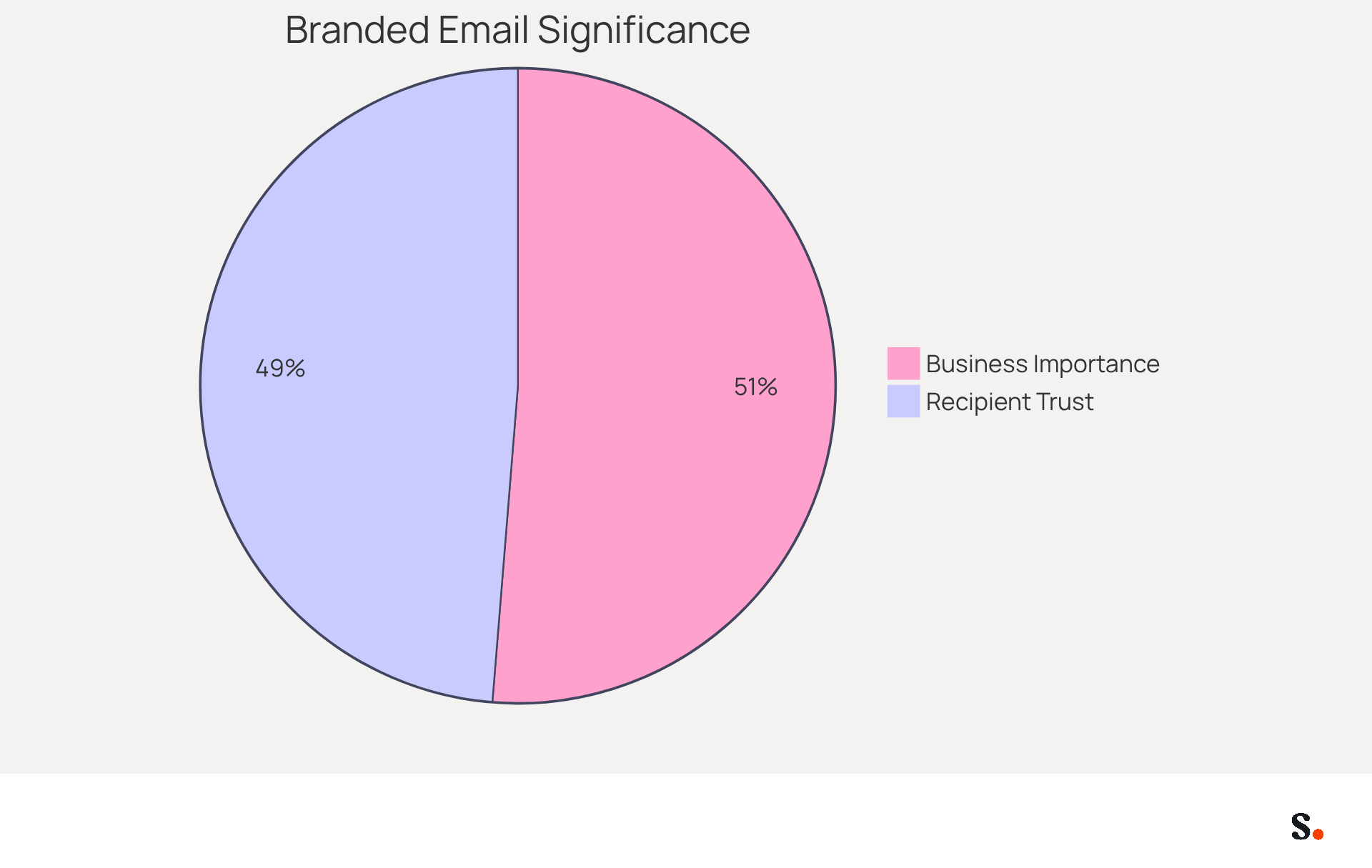
- 80% of businesses consider branded electronic identifiers crucial for their brand identity
- 76% of recipients believe that such markers increase trust in the sender
Many organizations overlook the potential of email identifiers, missing out on key branding opportunities. Effective management of these identifiers can significantly enhance communication and strengthen brand image. With the tool, organizations can automate the management of email identifiers, ensuring real-time synchronization with business phone systems like Aircall. Any modifications made in the Aircall configuration will automatically reflect in the branding, enhancing brand consistency without requiring additional action from team members. Furthermore, the platform is SOC 2 Type II compliant, ensuring that your data is secure. Interestingly, Scribe achieves an average click-through rate of 12% on its banners, providing a significant marketing performance metric. As digital communication evolves, leveraging email identifiers will be vital for organizations aiming to enhance their market presence.
Create or Change Your Email Signature in Outlook
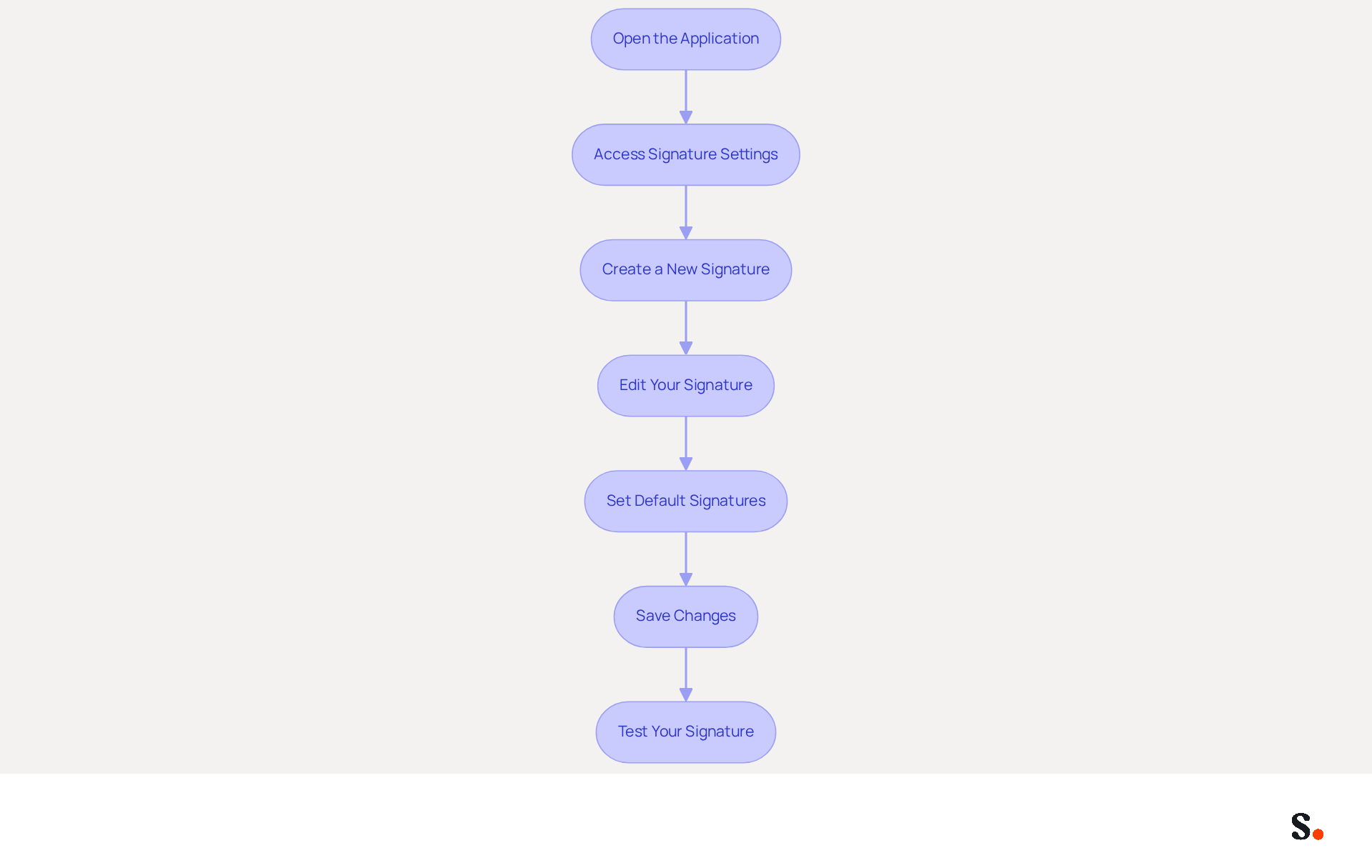
Creating or modifying your Outlook email signature change is essential for maintaining a professional image. Follow these steps to ensure your signature is effective:
- Open the application: Launch the email program on your computer.
- Access Signature Settings: Click on 'File' in the top left corner, then select 'Options'. In the Outlook Options window, choose 'Mail' from the left sidebar, and click on 'Signatures'.
- Create a New Signature: In the Signatures and Stationery window, click 'New'. Enter a name for your signature and click 'OK'.
- Edit Your Signature: In the 'Edit signature' box, type your desired signature. You can format the text, add images, and include links as needed. It’s best to keep your sign-off simple, including only essential contact information and a company logo that’s under 50KB for the best display. Additionally, use PNG format with transparent backgrounds and maintain a maximum dimension of 150x50 pixels for images.
- Set Default Signatures: Choose your new signature as the default for new messages and replies/forwards if desired. Outlook enables you to establish various signatures for each account, improving organization across multiple roles.
- Save Changes: Click 'OK' to save your settings and exit the options menu.
- Test Your Signature: Create a new message to observe your signature in action. Testing is essential; send messages to various providers to ensure compatibility and appearance. Adjust as necessary by repeating the steps above. Remember, "Create signatures using simple formatting and include essential information in text format to ensure readability regardless of recipient's email platform."
When you make changes in Google Workspace, they’ll automatically sync with your Outlook email footers, making it easier to keep everything consistent. This automated synchronization ensures that updates to your teammates' information, such as job positions or group changes, will be reflected in the application without any manual input. Furthermore, Scribe's integration with Aircall improves this process, guaranteeing that your correspondence signatures are consistently current. Scribe is also compliant with SOC 2 Type II and GDPR/CCPA, addressing important data security concerns. This is evident as many users actively utilize message identifiers, with imports totaling 8,598,550 in September 2026. By following these steps, you can ensure that the Outlook email signature change is not only functional but also effectively reflects your brand. This consistency not only enhances your brand's image but also builds trust with your clients.
Troubleshoot Common Email Signature Issues
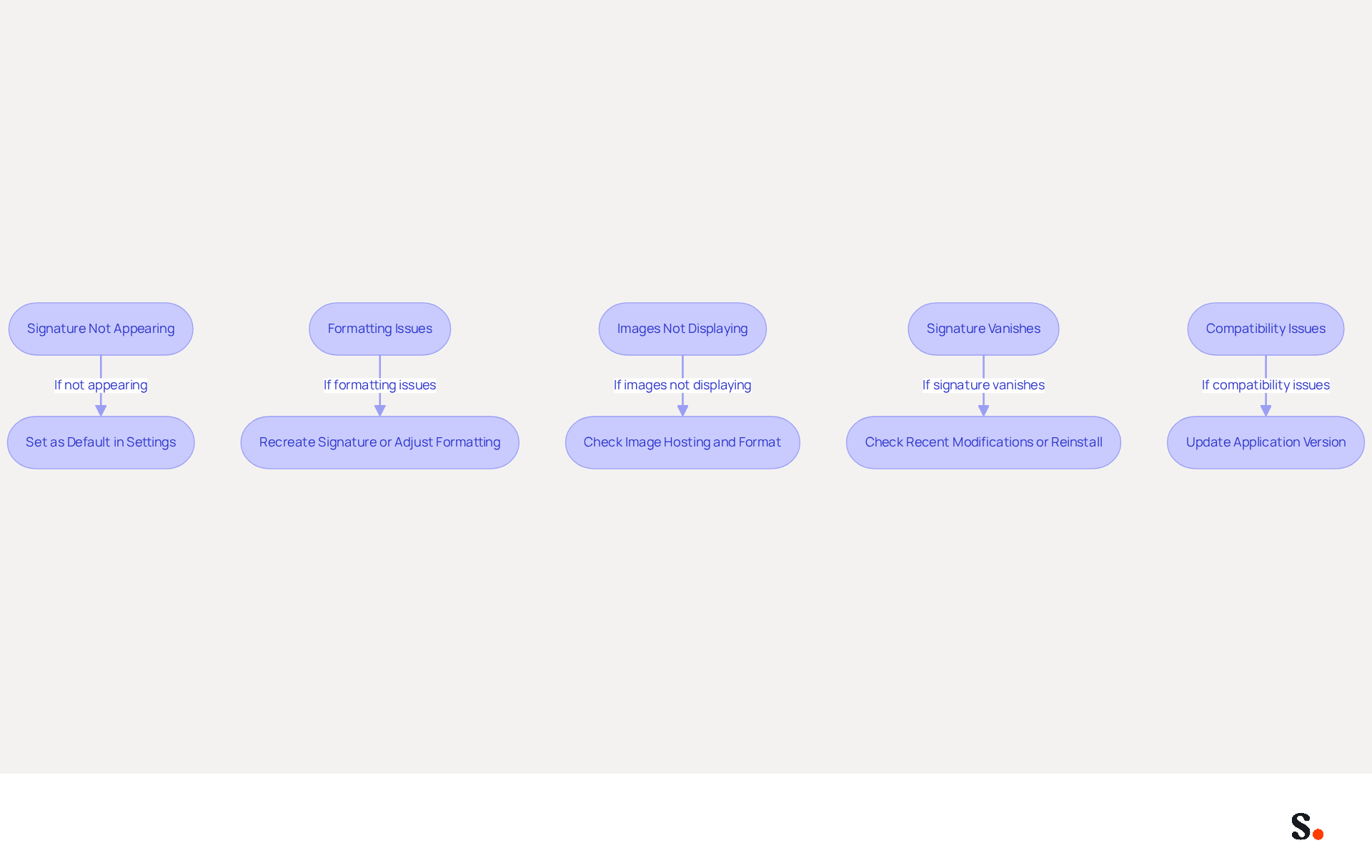
Experiencing issues with your Outlook email signature change can undermine your professional image. Consider the following troubleshooting steps:
- Signature Not Appearing: Ensure that your mark is set as the default for new messages and replies/forwards in the settings. Default assignment for new messages and replies accounts for many reports of marks not appearing. By syncing Google Workspace with Scribe, you can save time. This integration automatically updates your teammates' contact details, ensuring consistency across your organization.
- Formatting Issues: If your mark appears incorrectly, formatting issues can lead to misrepresentation of your brand, affecting professionalism. To resolve this, recreate your signature using plain text or adjust the formatting options in the editor. For instance, many users find that configuration mismatches are the root cause of formatting issues, not system faults, so verifying your settings is crucial for a professional appearance.
- Images Not Displaying: Check that images are hosted online or embedded correctly. Keep in mind that email clients often block automatic image downloads for security reasons, which can affect how your signature appears. If they are not showing, consider using a different image format or re-uploading the image.
- Signature Vanishes: If your mark vanishes after an update, check for any recent modifications in email settings or reinstall the application if needed. Corrupt profiles often lead to missing or inconsistent marks, so creating a new profile can be a dependable solution.
- Compatibility Issues: Ensure that you are using the most recent version of the application, as older versions may have compatibility challenges with certain feature aspects. Email behavior varies significantly between Classic version for Windows, New version for Windows, and version for Mac, which can lead to confusion if not managed properly.
By addressing these issues, you not only enhance your Outlook email signature change but also reinforce your brand's credibility. Utilizing Scribe's integration with Google Workspace not only simplifies this process but also improves your team's productivity by keeping signing details current automatically. Furthermore, Scribe's SOC 2 Type II certification and adherence to GDPR and CCPA guarantee that your management process is secure and reliable.
Explore Tools for Enhanced Email Signature Management
In 2026, businesses are increasingly recognizing the importance of effective email signature management tools to enhance their branding and communication strategies.
This innovative platform automates email signature management, enabling effortless updates and ensuring consistent branding across all communications. Its integration capabilities with various tools streamline the process significantly, utilizing your business phone system as a data source for real-time synchronization. Scribe stands out for its commitment to customer support, allowing you to speak with a real person who can quickly resolve your issues. Additionally, 1% of its revenue is directed to support emerging carbon removal technologies, which reflects a growing trend among consumers who prioritize sustainability in their purchasing decisions. With 76-80% of marketers believing that branded signatures enhance trust in the sender, this tool is a valuable asset for building credibility. Furthermore, Scribe is SOC 2 Type II compliant and GDPR compliant, ensuring that your data is safe and secure.
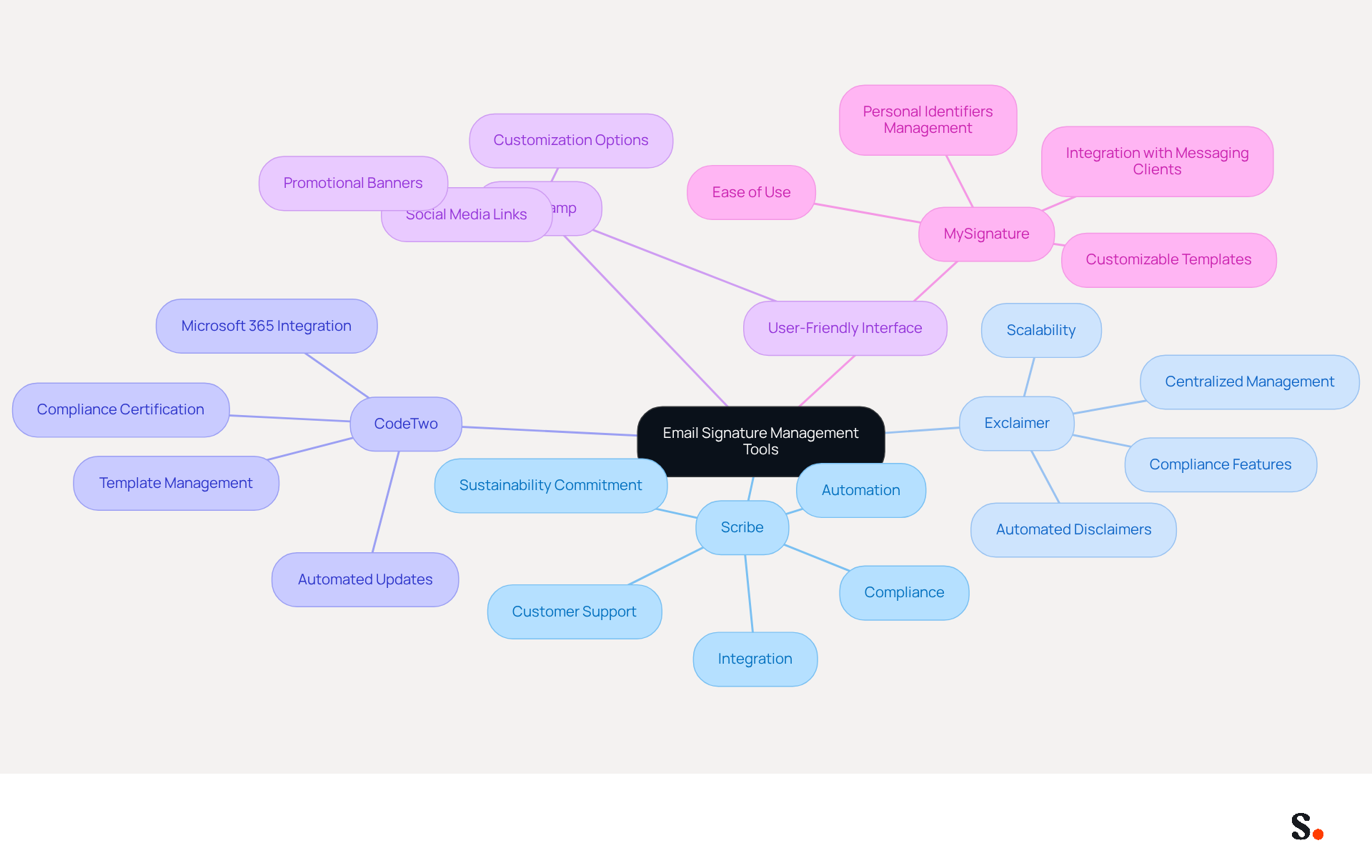
- Exclaimer: Known for its centralized management features, Exclaimer ensures compliance and brand consistency across all users, making it a reliable choice for larger organizations. Compliance features, such as automated disclaimers, are crucial for preventing legal issues in communication.
- CodeTwo: This tool focuses on creating and managing electronic identifiers within Microsoft 365, providing templates and automated updates that streamline the management process.
- WiseStamp: A user-friendly choice, WiseStamp enables users to create professional footers that incorporate social media links and promotional banners, enhancing engagement.
- MySignature: This platform offers customizable templates and smooth integration with various messaging clients, making it easy to manage personal identifiers effectively.
These tools make it easier to create and maintain your digital identifiers, ensuring your brand shines through in every message and boosts your marketing efforts. As email remains a primary channel for brand communication, leveraging these tools can significantly influence customer perceptions and drive engagement.
Conclusion
Crafting an effective Outlook email signature is essential for establishing a strong professional presence. Following these steps allows users to design a signature that effectively communicates their contact details while reinforcing brand consistency. This process is crucial for organizations aiming to leverage every email as a strategic marketing opportunity.
Throughout the guide, key insights were shared on the importance of email signatures, including their role in building trust and professionalism. The integration of tools like Scribe simplifies the management of these signatures, ensuring that updates are automatically synchronized and compliant with security standards such as SOC 2 Type II, GDPR, and CCPA. Additionally, the troubleshooting tips provided can help users address common issues, ensuring that their signatures display correctly and consistently.
Taking the time to create and manage a strong email signature can truly shape how your brand is perceived. Organizations are encouraged to utilize tools like Scribe to streamline this process, ensuring that their email communications reflect their brand's values and professionalism. Embracing this practice can transform how clients and partners perceive your organization, ultimately influencing their engagement.
Frequently Asked Questions
What are email signatures in Outlook?
Email signatures in Outlook are more than just contact details; they serve as essential tools for professional branding and maintaining consistency in communications.
What elements can be included in a well-designed email signature?
A well-designed email signature can include logos, social media links, and promotional banners.
Why are branded electronic identifiers important for businesses?
Research shows that 80% of businesses consider branded electronic identifiers crucial for their brand identity, and 76% of recipients believe these markers increase trust in the sender.
What are the consequences of overlooking email identifiers?
Organizations that overlook the potential of email identifiers miss out on key branding opportunities and may weaken their brand image.
How can organizations manage email identifiers effectively?
Organizations can automate the management of email identifiers, ensuring real-time synchronization with business phone systems like Aircall, which allows any modifications to reflect automatically in branding.
What compliance standard does the platform mentioned in the article meet?
The platform is SOC 2 Type II compliant, ensuring that user data is secure.
What is the average click-through rate for banners used by Scribe?
Scribe achieves an average click-through rate of 12% on its banners, indicating significant marketing performance.
How can leveraging email identifiers benefit organizations?
Leveraging email identifiers can enhance an organization's market presence as digital communication evolves.
List of Sources
- Understand Email Signatures in Outlook
- Why Email Signatures Must Be In Your 2026 Marketing Plan | Rocketseed (https://rocketseed.com/blog/2026-marketing-plan-email-signatures)
- Best Practices for Company Wide Email Signature Management (https://scribe-mail.com/en-US/blog/best-practices-for-company-wide-email-signature-management)
- Research Recap: Branded Email Signatures Increase Company Recognition, Trust - B2BMX INSIGHTS (https://demandgenreport.com/industry-news/research-recap-branded-email-signatures-increase-company-recognition-trust/47252)
- The impact of email signatures on your branding (https://signitic.com/en/resources/the-impact-of-email-signatures-on-your-branding)
- 2026 Marketing Trends: Email Signatures as a Marketing Tool (https://bluechiptt.com/blog/5-marketing-trends-for-2026-and-how-your-email-signature-fits-in)
- Create or Change Your Email Signature in Outlook
- Create, insert, or change a signature in Outlook for Mac | Microsoft Support (https://support.microsoft.com/en-us/outlook/create-insert-or-change-a-signature-in-outlook-for-mac)
- How To Add An Email Signature in Outlook (2026) (https://hubspot.com/email-signature-generator/add-signature-outlook)
- How to Update Your Outlook Signature (2026) (https://getinboxzero.com/blog/post/how-to-update-signature-in-outlook)
- How to add and change an email signature in Outlook | Microsoft Support (https://support.microsoft.com/en-us/outlook/mail/how-to-add-and-change-an-email-signature-in-outlook)
- Office 365 Email Signature: Setup Guide, in Detail (https://dev.comewander.ca/comewander-news/office-365-email-signature-setup-guide-1767647699)
- Troubleshoot Common Email Signature Issues
- Why Did My Outlook Signature Disappear? Common Causes Explained (https://scribe-mail.com/en-US/blog/why-did-my-outlook-signature-disappear-common-causes-explained)
- Email Signature Troubleshooting - Problems & Solutions - Gimmio (https://blog.gimm.io/email-signature-troubleshooting)
- How to solve problems with email signatures in Microsoft 365? (https://mail-signatures.com/articles/problems-email-signatures-office-365)
- Outlook Signature Not Working in Office 365: Causes & Fixes (https://exclaimer.com/email-signature-handbook/outlook-signature-not-working-in-office-365)
- Microsoft’s Cloud Email Signatures Solve a Problem for Outlook | Microsoft Community Hub (https://techcommunity.microsoft.com/discussions/exchange_general/microsoft’s-cloud-email-signatures-solve-a-problem-for-outlook/3684035)
- Explore Tools for Enhanced Email Signature Management
- 40+ Email Signature Statistics for 2026 (Data + Insights) (https://wavecnct.com/blogs/email-signature-statistics)
- 10 Best Email Signature Software Reviewed In 2026 (https://thecmo.com/tools/best-email-signature-software)
- Best Email Signature Management Software: Top 12 Tools (2026)
- NEWOLDSTAMP (https://newoldstamp.com/blog/email-signature-software)
- Automating Email Signatures: How IT Teams Streamline Processes & Reduce Risk (https://exclaimer.com/blog/streamlining-it-processes-automated-email-signatures)
- Maximize Your Email Signature Program with These 4 Best Practices (https://scribe-mail.com/en-US/blog/maximize-your-email-signature-program-with-these-4-best-practices)
Get started with Scribe
Create your signature in minutes
Free 14-day trial — no credit card.