Comment Changer la Signature sur Outlook : 5 Étapes Simples
In digital communication, a poorly crafted email signature can undermine your professional image and limit your marketing potential. It serves not only as a
Sophie Grant
Email Signature Specialist, Scribe
Introduction
In digital communication, a poorly crafted email signature can undermine your professional image and limit your marketing potential. It serves not only as a professional identifier but also as a powerful marketing tool that can enhance brand visibility and foster trust among recipients. This guide delves into the straightforward process of changing your email signature in Outlook, offering five essential steps that empower users to create a consistent and engaging digital presence.
- A poorly designed email signature can undermine your credibility and hinder effective communication.
- Mastering signature management can significantly enhance your professional image and engagement with clients.
Understand the Importance of Email Signatures in Outlook
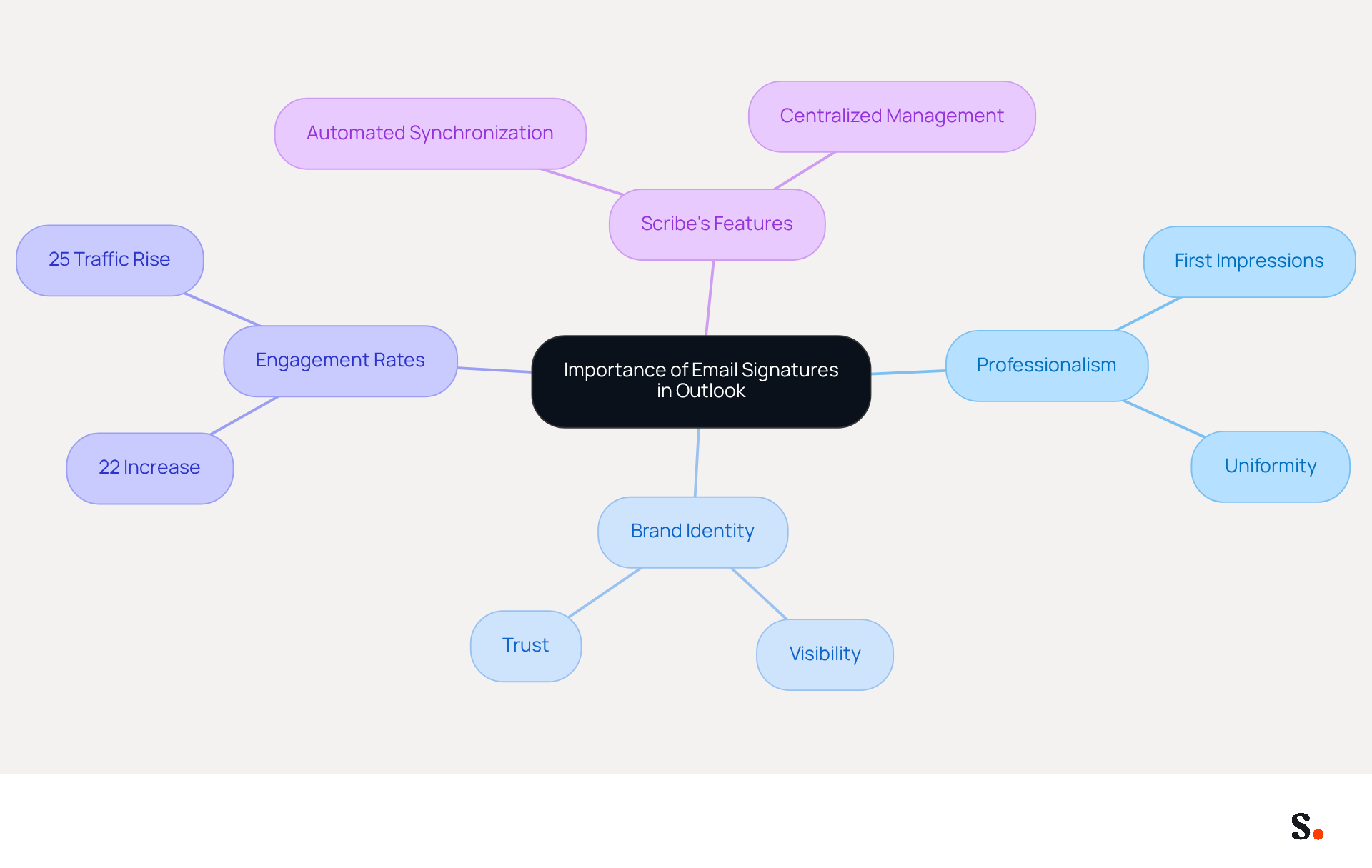
In a digital landscape where first impressions matter, email identifiers play a crucial role in establishing professionalism and brand identity. A well-designed email signature boosts your brand's visibility while ensuring essential contact information is readily available. In Outlook, you can find out how to comment changer la signature sur outlook to customize email footers, aligning them with your company's branding and ensuring uniformity across all communications. This consistency not only fosters a professional image but also significantly boosts engagement rates among recipients.
Research shows that consistent digital identifiers can increase response rates by 22%, underscoring their critical role in online marketing. Additionally, with Scribe's automated synchronization feature, any modifications made in your Aircall configuration will be automatically reflected in your correspondence identifiers, improving consistency and saving time.
For instance, companies that effectively brand their digital communications have seen notable improvements in brand visibility and customer trust. For example, a multinational corporation noted a 25% rise in traffic to particular landing pages after standardizing its communication formats globally.
By acknowledging the significance of electronic correspondences and leveraging Scribe's capabilities, you can convert them into powerful assets within your digital marketing framework. Embracing Scribe's solutions not only enhances your email communication but also positions your brand for greater success in the digital marketplace.
Access Signature Settings in Outlook
To improve your professional communication, it's important to know comment changer la signature sur outlook, as it is a straightforward process.
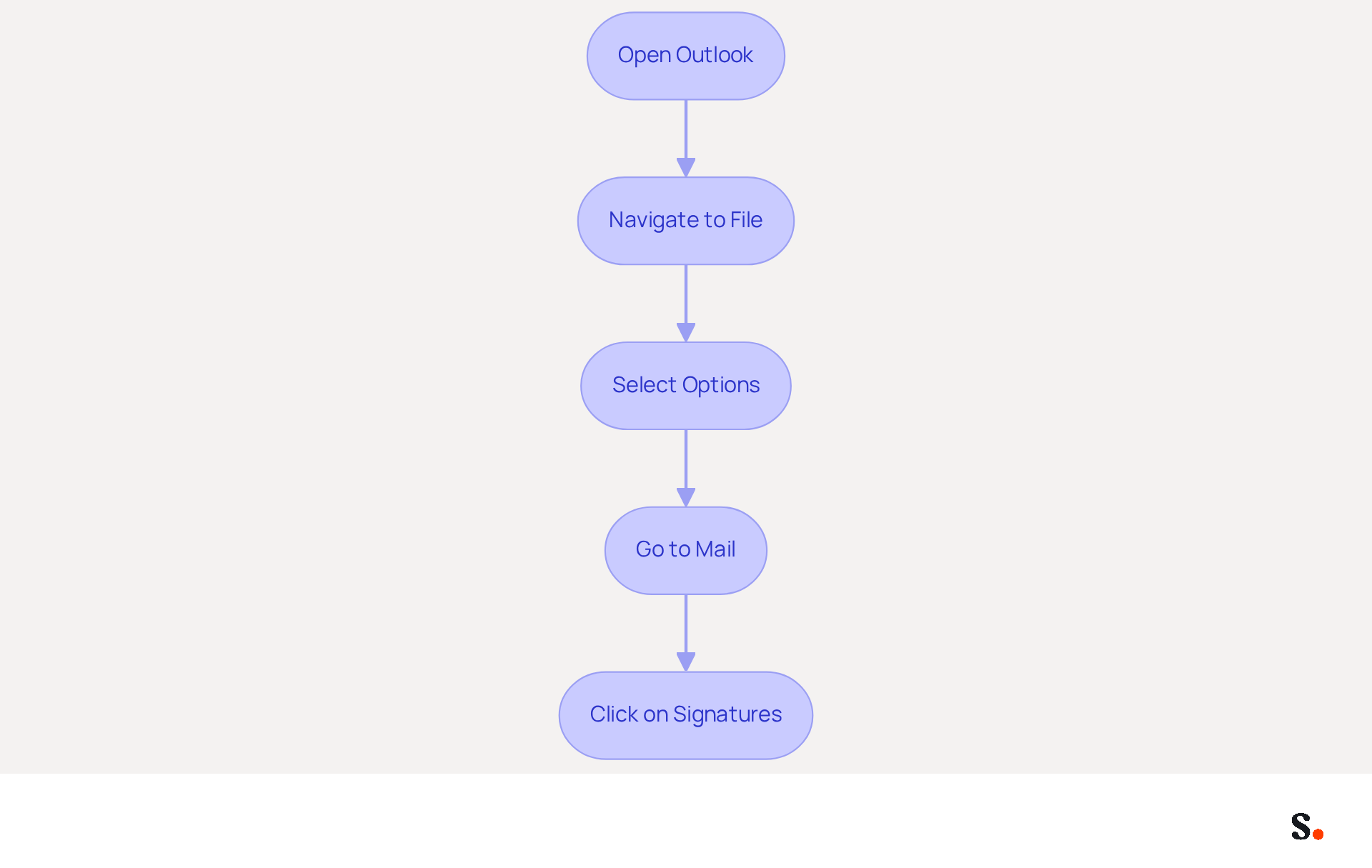
- Open Outlook: Launch the Outlook application on your computer.
- Navigate to File: Click on the 'File' tab located in the top left corner of the window.
- Select Options: In the sidebar, choose 'Options' to open the Outlook Options window.
- Go to Mail: In the Options window, click on 'Mail' from the list on the left.
- Click on Signatures: Under the 'Compose messages' section, click on the 'Signatures...' button. This opens the Signatures and Stationery window, providing a simple way to understand comment changer la signature sur outlook.
Statistics indicate that 64-70% of users believe a professional branded email footer increases trust and credibility, making it essential for effective communication. Organizations with consistent branded digital communication headers report over a 22% increase in response rates. Syncing your Google Workspace with Scribe saves time. Your teammates' information updates automatically, simplifying signature management. Managing email signatures manually can be time-consuming and prone to errors. Any changes in your Google Workspace, such as moving teammates from one group to another or updating their information, will be reflected in Scribe without any input on your part. Additionally, Scribe is SOC 2 Type II compliant and adheres to GDPR and CCPA regulations, ensuring secure data handling. This approach not only saves time but also boosts your brand's credibility and communication effectiveness. By implementing these steps, you not only maintain a consistent brand image but also leverage the full potential of your email communications.
Create or Edit Your Email Signature
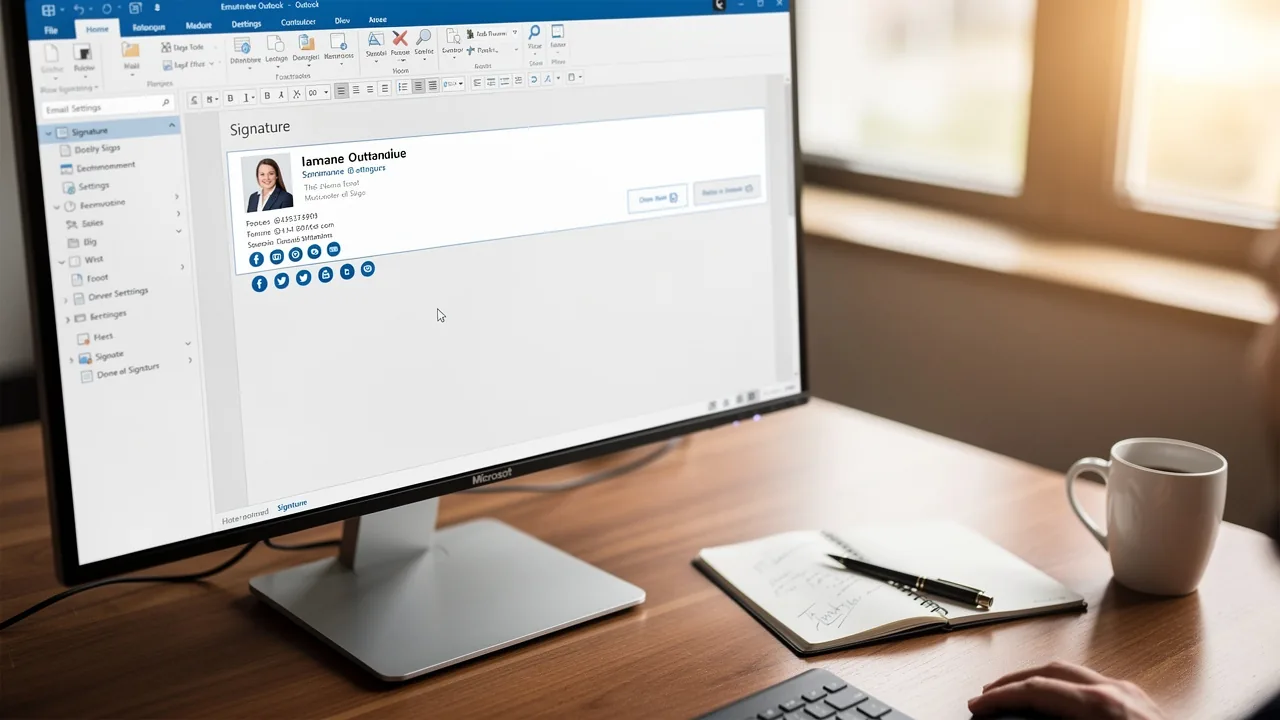
The process of creating or editing your email signature in Outlook, or comment changer la signature sur outlook, is straightforward and enhances your professional communication.
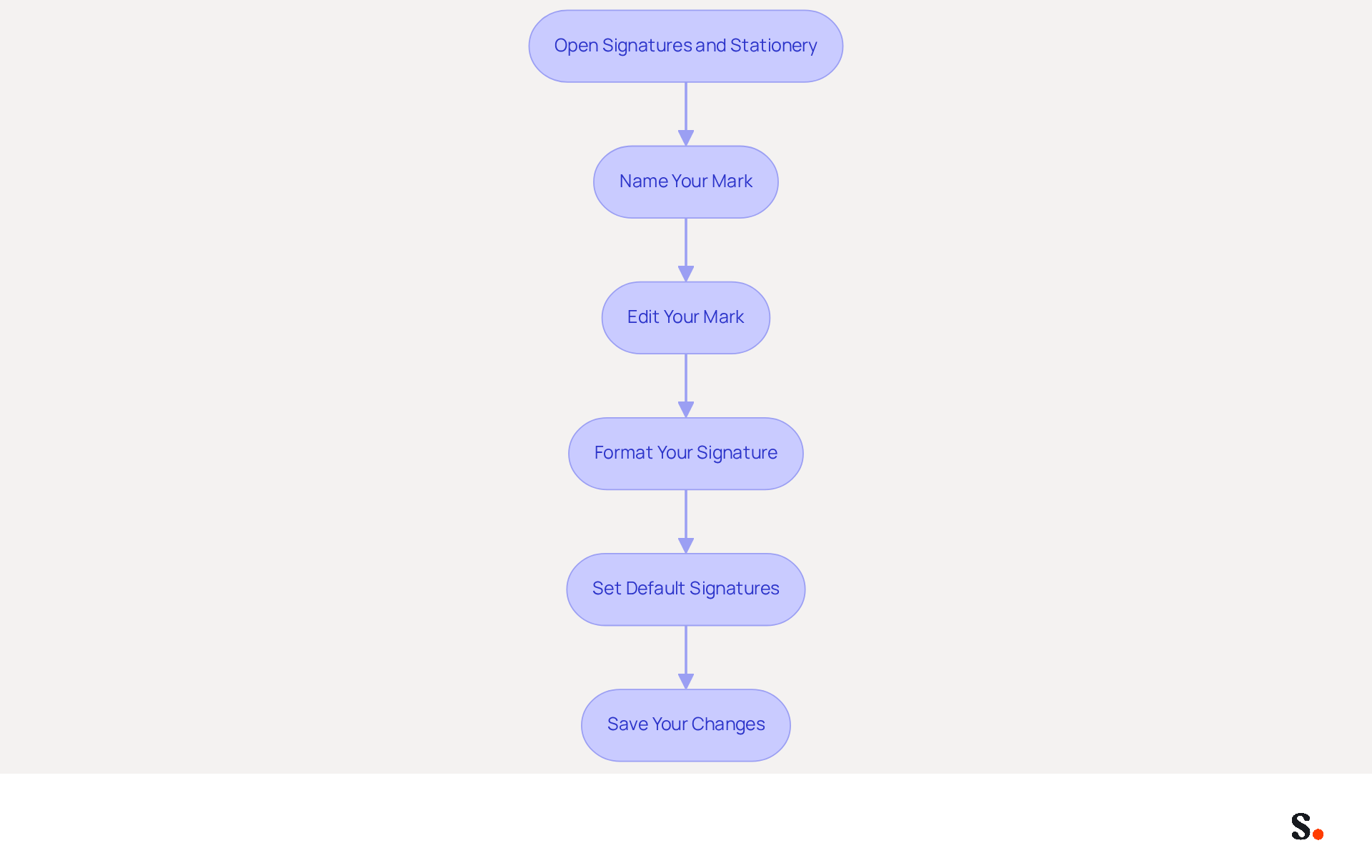
- Open the Signatures and Stationery window: Click on 'New' to create a new entry or select an existing one to edit.
- Name Your Mark: If creating a new mark, enter a name for it and click 'OK'. This assists in recognizing the mark later, particularly if you handle multiple marks.
- Edit Your Mark: In the editing box, type your desired mark. Include essential elements such as your name, title, company name, and contact information. Research indicates that 80% of respondents consider a branded email footer essential for reinforcing a company's brand identity.
- Format Your Signature: Use the formatting options to adjust the font, size, color, and style to align with your branding. A well-crafted mark can enhance professionalism and trust, with 76% of consumers reporting increased confidence from branded marks.
- Set Default Signatures: If desired, set this mark as the default for new messages and replies/forwards by selecting it from the dropdown menus at the bottom of the window. This ensures consistency across your communications.
- Save Your Changes: Click 'OK' to preserve your new or modified entry. Regular updates are crucial; 44.4% of users refresh their contact details 2-4 times a year, while 31.6% do so only once every few years. Failure to update contact details can lead to miscommunication and lost opportunities.
By following these steps, you can learn comment changer la signature sur outlook to create effective digital identifiers that not only reflect your brand but also serve as powerful marketing tools. Incorporating call-to-action buttons can further enhance engagement, as 52.6% of professionals include CTAs in their email footers, driving desired customer actions. By ensuring your email signature is current and engaging, you reinforce your brand's credibility and foster stronger connections with your audience.
Customize Your Signature with Images and Links
To enhance engagement in your email footer, integrating visuals and hyperlinks is crucial. Here’s how to do it effectively:
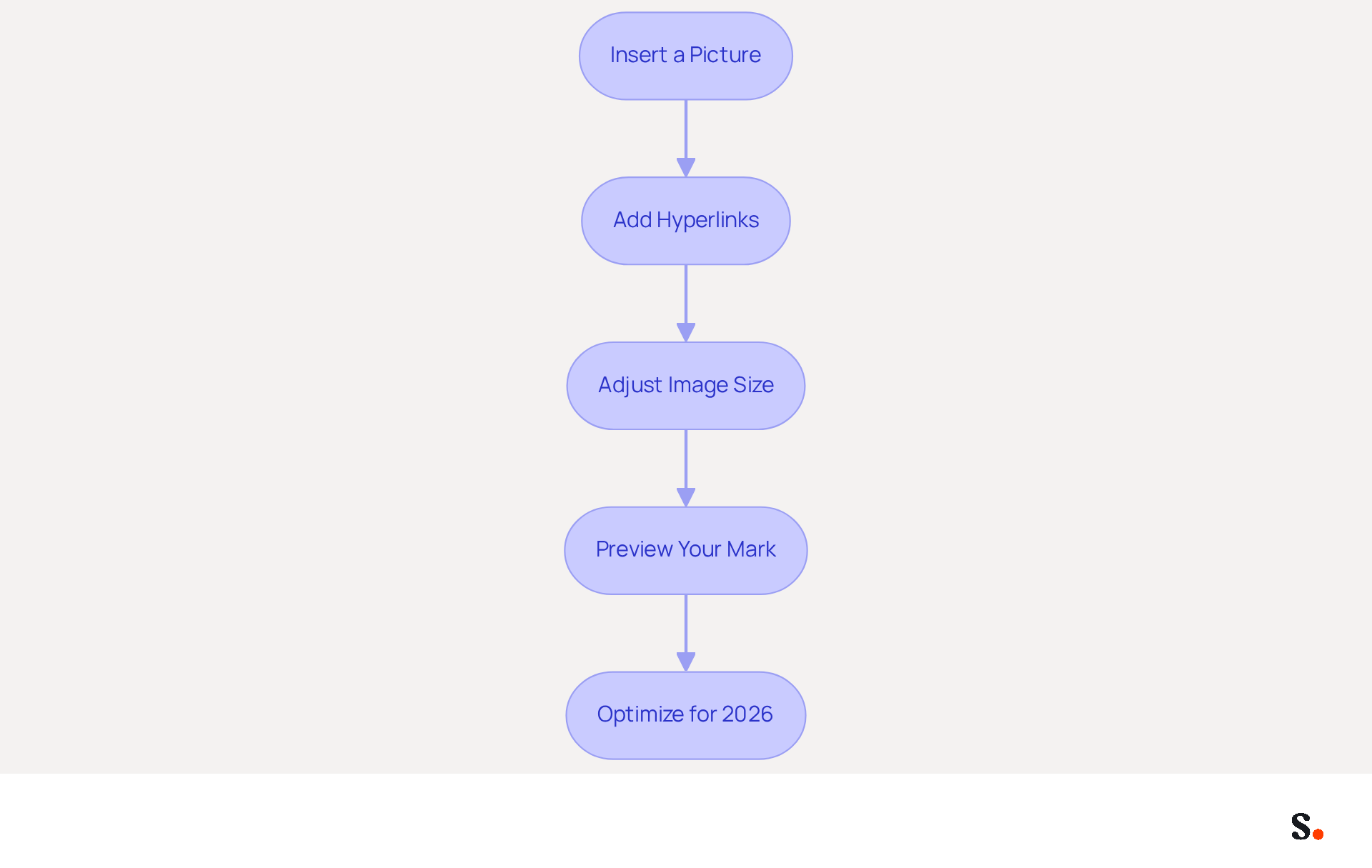
- Insert a Picture: In the editing box for your sign-off, click on the icon for the picture, usually depicted by a graphic symbol. Browse your files to select a picture, such as your company logo, and click 'Insert'. A well-placed logo significantly boosts brand visibility, with companies reporting over a 22% increase in response rates when using consistent branding.
- Add Hyperlinks: Highlight the text or graphic you wish to hyperlink, then click on the hyperlink icon, often depicted as a chain link. Enter the desired URL, which could link to your website, social media profiles, or a specific landing page. Incorporating social media links is common, with 75.8% of marketers including them in their email footers to drive engagement.
- Adjust Image Size: Click on the image to resize it by dragging the corners, ensuring it fits well within the design layout. Without a tidy and professional look, you risk losing user trust and credibility, as 64-70% of users believe a branded message enhances trust.
- Preview Your Mark: Before saving, utilize the preview option to see how your mark will appear in messages. Make any necessary adjustments to ensure clarity and professionalism. Statistical evidence shows that well-designed messages are statistically more likely to be opened by recipients.
- Optimize for 2026: As you customize your personal mark, consider incorporating dynamic elements like rotating banners or links to digital business cards. These features can enhance interactivity and engagement, aligning with the trend of personalization that is expected to rise significantly in 2024. This trend underscores that personalized communication is essential for achieving effective engagement, yielding 6 times greater transaction rates.
By following these steps, you can create a digital identifier that not only reflects your brand identity but also serves as an effective marketing tool. Ultimately, a well-designed email footer can significantly impact your engagement metrics and brand perception.
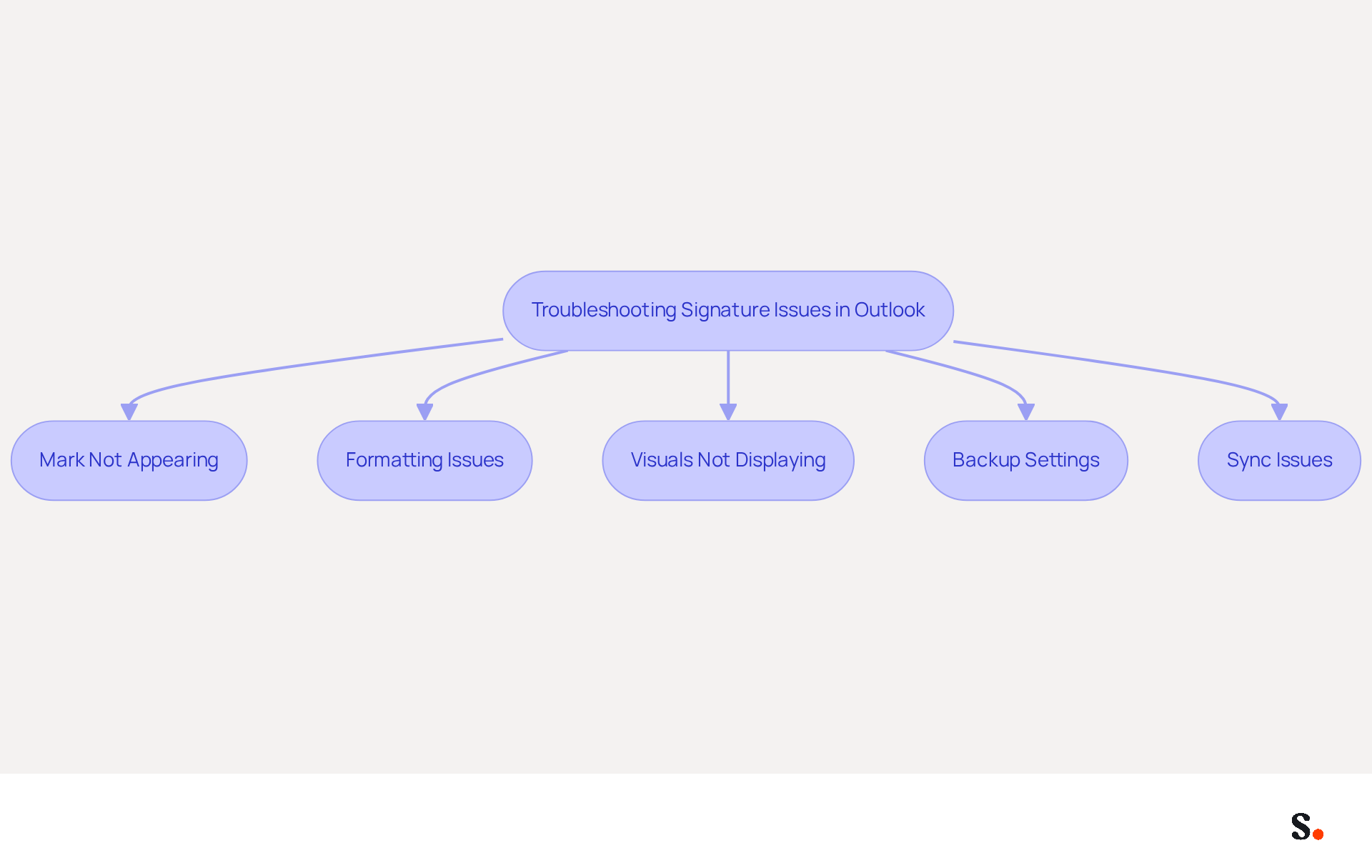
Troubleshoot Common Signature Issues
Experiencing issues with comment changer la signature sur outlook can disrupt your professional communication. Consider the following troubleshooting tips:
- Mark Not Appearing: Ensure that the correct mark is set as default for new messages and replies/forwards in the Marks and Stationery window. This setting is essential, as overlooking it can lead to significant confusion. Syncing your Google Workspace with Scribe ensures that any changes to your teammates' information are automatically reflected, reducing the chances of missing approvals.
- Formatting Issues: If your mark looks off, take a moment to check the formatting settings in the editor. Copying and pasting from other sources can introduce unwanted formatting. To avoid this, use Google Chrome when copying your email footer to ensure all HTML tables are copied correctly, maintaining consistency across devices.
- Visuals Not Displaying: If visuals in your signature are not appearing, ensure they are hosted online or embedded correctly. Verify the file format and size, as large files can cause display issues, particularly in mobile clients. Proper image hosting and formatting are essential for a professional appearance.
- Users often find themselves needing to know comment changer la signature sur Outlook after updates, which can be frustrating. Always back up your settings if possible, as research indicates that users frequently lose their personal marks after updates, highlighting the importance of backing up settings. By ensuring synchronization with Scribe, users can avoid the hassle of signature loss while learning comment changer la signature sur outlook.
- Sync Issues: If using multiple devices, ensure that your identifiers are synced across all platforms. Check your account settings to confirm synchronization is enabled, as sync delays can lead to inconsistencies in appearance. Syncing with Google Workspace not only saves time but also ensures that any updates to your teammates' information are automatically reflected in Scribe, streamlining your email signature management. Ensuring proper synchronization and formatting can save you from unnecessary complications in your email correspondence.
Conclusion
An email signature is more than a mere digital footnote; it plays a crucial role in shaping professional communication and brand perception. By learning to effectively change and customize their signatures, organizations can maintain consistency across all communications, which boosts engagement and response rates. This guide has provided key insights into the importance of email signatures, detailing the straightforward process of accessing signature settings, creating or editing signatures, and troubleshooting common issues. The integration of visuals and hyperlinks further enhances engagement, making email signatures not only informative but also interactive. Additionally, leveraging Scribe's capabilities ensures that any updates are automatically synchronized, saving time and maintaining brand consistency.
In a world where digital communication is paramount, the role of a professional email signature in establishing trust and credibility is essential. Organizations are encouraged to embrace these practices, utilizing tools like Scribe to streamline the management of email signatures. By adopting Scribe, organizations can transform their email signature management into a streamlined process that enhances their marketing efforts. Taking the time to refine email signatures is an investment in professionalism that cultivates lasting relationships with clients and partners.
Frequently Asked Questions
Why are email signatures important in Outlook?
Email signatures are crucial for establishing professionalism and brand identity. A well-designed signature boosts brand visibility and ensures essential contact information is readily available, fostering a professional image and increasing engagement rates among recipients.
How can I customize my email signature in Outlook?
To customize your email signature in Outlook, open the application, click on the 'File' tab, select 'Options', go to 'Mail', and then click on the 'Signatures...' button under the 'Compose messages' section. This will open the Signatures and Stationery window for easy customization.
What impact do consistent email signatures have on response rates?
Research indicates that consistent digital identifiers, such as email signatures, can increase response rates by 22%, highlighting their importance in online marketing and effective communication.
How does Scribe enhance email signature management?
Scribe offers automated synchronization, meaning any modifications made in your Aircall configuration will automatically reflect in your email signatures. This improves consistency and saves time by eliminating the need for manual updates.
What are the benefits of using Scribe for email signatures?
Using Scribe for email signatures enhances communication effectiveness, boosts brand credibility, and ensures compliance with regulations like GDPR and CCPA. It also simplifies signature management by automatically updating teammates' information from Google Workspace.
What statistics support the use of professional email signatures?
Statistics show that 64-70% of users believe a professional branded email footer increases trust and credibility. Additionally, organizations with consistent branded digital communication headers report over a 22% increase in response rates.
List of Sources
- Understand the Importance of Email Signatures in Outlook
- The Complete Email Signature Guide 2026: Best Practices and Policy (https://opensense.com/complete-email-signature-guide)
- The impact of email signatures on your branding (https://signitic.com/en/resources/the-impact-of-email-signatures-on-your-branding)
- Why Are Email Signatures Key to Brand Awareness? | QuickMail (https://quickmail.com/role-of-email-signatures-in-brand-awareness)
- Why Email Signatures Must Be In Your 2026 Marketing Plan | Rocketseed (https://rocketseed.com/blog/2026-marketing-plan-email-signatures)
- Email Signature Statistics: A Closer Look at Email Signatures in 2026 (https://mysignature.io/blog/email-signature-statistics)
- Access Signature Settings in Outlook
- Email Signature Statistics: A Closer Look at Email Signatures in 2026 (https://mysignature.io/blog/email-signature-statistics)
- 40+ Email Signature Statistics for 2026 (Data + Insights) (https://wavecnct.com/blogs/email-signature-statistics)
- 14 Key Email Signature Statistics to Know in 2026 (https://mailmodo.com/guides/email-signature-statistics)
- How to Add a Quote to Your Email Signature - MySignature (https://mysignature.io/quote-email-signature)
- 45+ Clever and Professional Email Signature Quotes (https://bulksignature.com/blog/45-clever-and-professional-email-signature-quotes)
- Create or Edit Your Email Signature
- How To Change An Email Signature In Outlook (https://forbes.com/sites/darreonnadavis/2023/07/15/how-to-change-an-email-signature-in-outlook)
- 40+ Email Signature Statistics for 2026 (Data + Insights) (https://wavecnct.com/blogs/email-signature-statistics)
- How to add and change an email signature in Outlook | Microsoft Support (https://support.microsoft.com/en-us/outlook/mail/how-to-add-and-change-an-email-signature-in-outlook)
- Email signature statistics: Why every business should optimize their email signatures — Stripo.email (https://stripo.email/blog/email-signature-statistics-why-every-business-should-optimize-their-email-signatures)
- How to Update Your Outlook Signature (2026) (https://getinboxzero.com/blog/post/how-to-update-signature-in-outlook)
- Customize Your Signature with Images and Links
- 40+ Email Signature Statistics for 2026 (Data + Insights) (https://wavecnct.com/blogs/email-signature-statistics)
- Email Signature Trends 2026: What Designers Are Actually Using (https://markaplugin.com/blog/email-signature-trends-2026)
- Email Signature Best Practices - NEWOLDSTAMP (https://newoldstamp.com/blog/email-signature-best-practices)
- Email signature statistics and trends in 2024 (https://wisestamp.com/blog/email-signature-statistics)
- "Email Signature Trends for 2026: What's In, What's Out" | Crossware posted on the topic | LinkedIn (https://linkedin.com/posts/crossware-ltd_new-year-new-trends-even-for-your-email-activity-7394554686046908416-vD_O)
- Troubleshoot Common Signature Issues
- Email Signature Troubleshooting - Problems & Solutions - Gimmio (https://blog.gimm.io/email-signature-troubleshooting)
- How to solve problems with email signatures in Microsoft 365? (https://mail-signatures.com/articles/problems-email-signatures-office-365)
- Microsoft Outlook Classic Email Signatures Picture Display Issues - Microsoft Q&A (https://learn.microsoft.com/en-us/answers/questions/5982071/microsoft-outlook-classic-email-signatures-picture)
- Outlook Signature Not Working in Office 365: Causes & Fixes (https://exclaimer.com/email-signature-handbook/outlook-signature-not-working-in-office-365)
Get started with Scribe
Create your signature in minutes
Free 14-day trial — no credit card.