Comment changer sa signature sur Outlook avec Scribe en 4 étapes
Email signatures are often overlooked, yet they play a crucial role in shaping professional communication and brand perception. With the right tools, such as
Sophie Grant
Email Signature Specialist, Scribe
Introduction
Email signatures are often overlooked, yet they play a crucial role in shaping professional communication and brand perception. With the right tools, such as Scribe, organizations can create and manage email signatures that reflect their brand identity and enhance engagement through promotional elements. This struggle often leads to inconsistent branding and missed marketing opportunities. Consequently, organizations risk undermining their professional image and marketing efforts.
Understand the Importance of Email Signatures in Outlook
Email signatures play a pivotal role in shaping your professional identity and enhancing communication effectiveness. They serve multiple crucial functions:
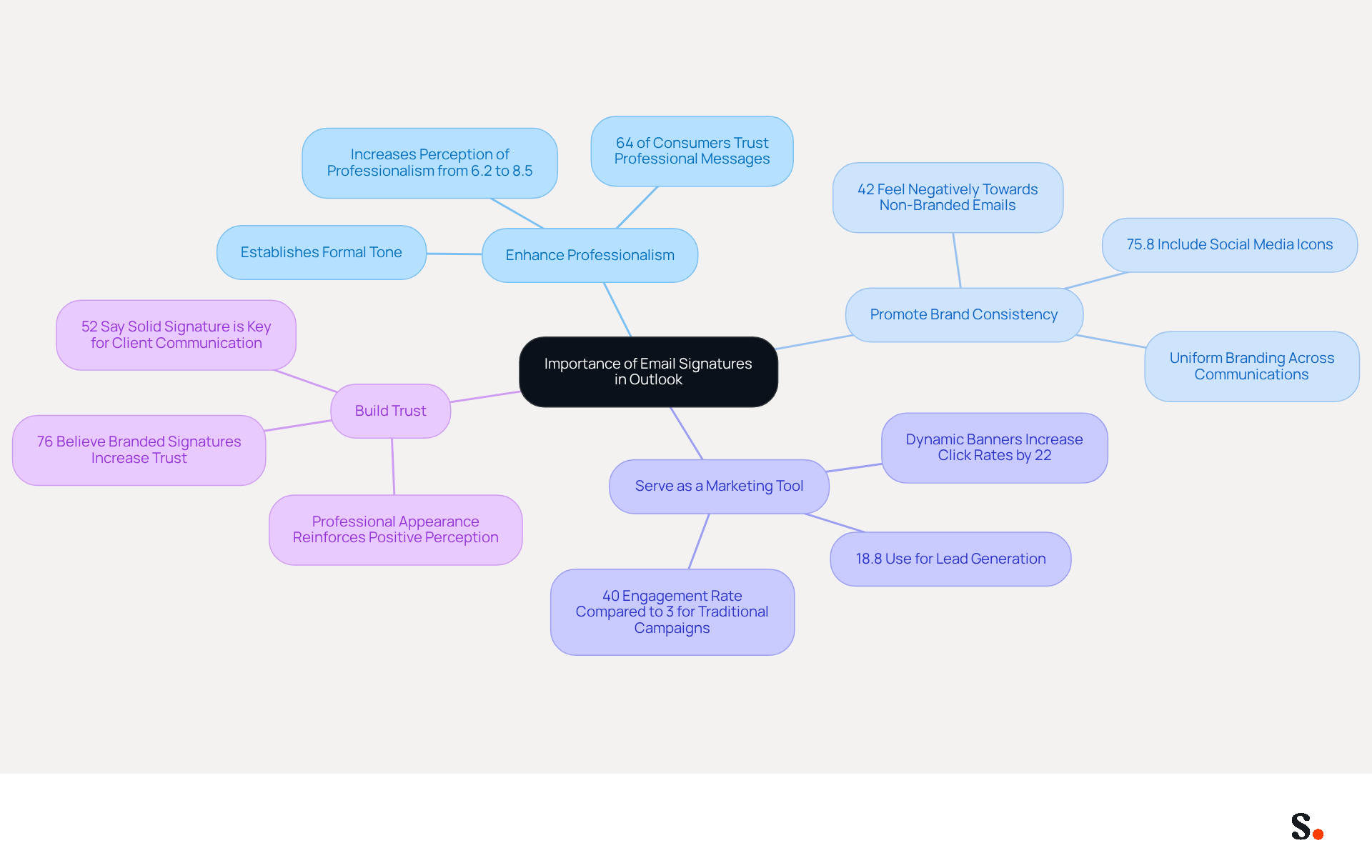
- Enhance Professionalism: A well-crafted email signature not only provides your contact information but also establishes a formal tone in communications, reflecting attention to detail and professionalism. Research shows that 64% of consumers believe that a professional branded message enhances their trust in the sender, emphasizing its significance in building credibility.
- Promote Brand Consistency: Utilizing a standardized mark ensures that your branding remains uniform across all communications, reinforcing your company's image. Failure to maintain consistent branding can lead to a loss of customer trust and a tarnished reputation. As mentioned in the 'Consumer Trust and Email Engagement' research, consistent branding through message footers enhances the trustworthiness of your business. With Scribe, modifications made in your Aircall configuration are automatically reflected in your correspondence identifiers, ensuring real-time synchronization and brand consistency without requiring action from your teammates.
- Serve as a Marketing Tool: By adding promotional banners or calls-to-action (CTAs), you can turn each message into a valuable marketing opportunity. Research shows that message footers can achieve an impressive engagement rate of 40%, significantly surpassing traditional marketing campaigns. Dynamic banners in email footers can increase click rates by 22%, enhancing overall engagement. As Jason Holicky points out, your digital correspondence identifier serves as more than just a virtual business card; it functions as a powerful marketing tool that operates seamlessly in the background.
- Build Trust: A professional mark enhances credibility, making recipients more likely to engage with your content. Studies indicate that 76% of marketers believe branded electronic identifiers positively influence engagement, while 52% of users view a strong digital identifier as essential for effective communication with clients. Scribe's SOC 2 Type II compliance guarantees that your data is protected, further building trust in your communications.
Incorporating elements such as social media icons and CTAs into your communication footer can significantly impact how your messages are perceived, ultimately fostering stronger relationships and enhancing your brand's reputation. Ultimately, a well-designed email signature is not just a detail; it is a strategic asset that can significantly influence your professional interactions.
Access Your Email Signature Settings in Outlook
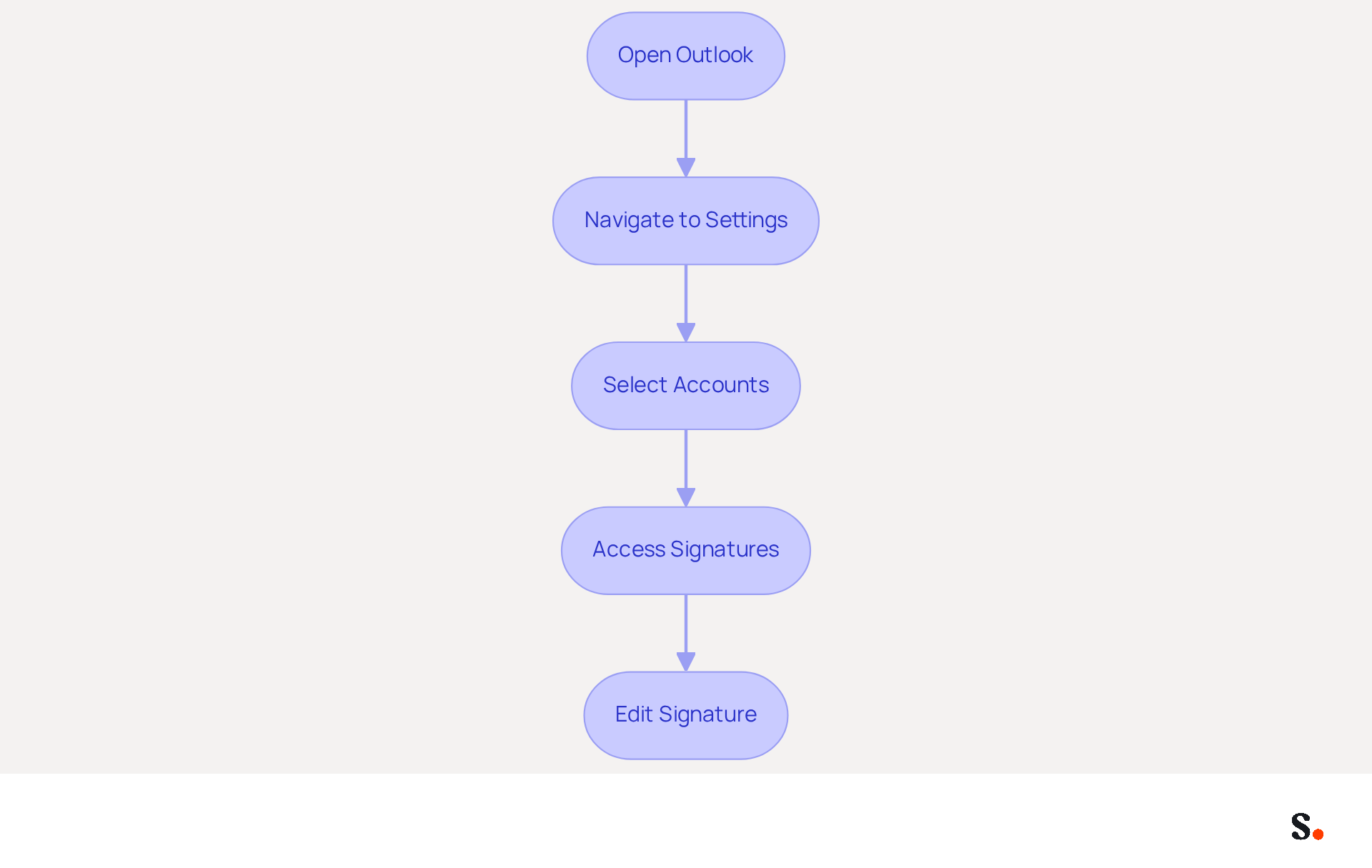
It is essential to know comment changer sa signature sur Outlook for maintaining brand consistency. To change your email signature in Outlook and ensure it aligns with your brand's standards using Scribe, follow these steps:
- Open Outlook: Launch the Outlook application on your computer.
- Navigate to Settings: Click on the gear icon (⚙️) located in the top-right corner of the window.
- Select Accounts: From the dropdown menu, choose 'Accounts'.
- Access Signatures: Click on 'Signatures' to open the signing settings. If you have multiple accounts, choose the account for which you want to modify the sign-off.
- Edit Signature: Here, you can create a new mark or modify an existing one. Click 'New' to create a new entry, or select an existing one to modify it.
Following these steps will help you understand comment changer sa signature sur outlook and customize your Scribe mark. This efficient management ensures your email branding is consistent and aligns with Scribe's commitment to secure data handling. Furthermore, syncing your Google Workspace with Scribe saves time by automatically updating your teammates' details, reflecting any changes without manual input. Neglecting to manage your email signature effectively can lead to inconsistent branding and communication issues.
Create or Edit Your Email Signature Using Scribe
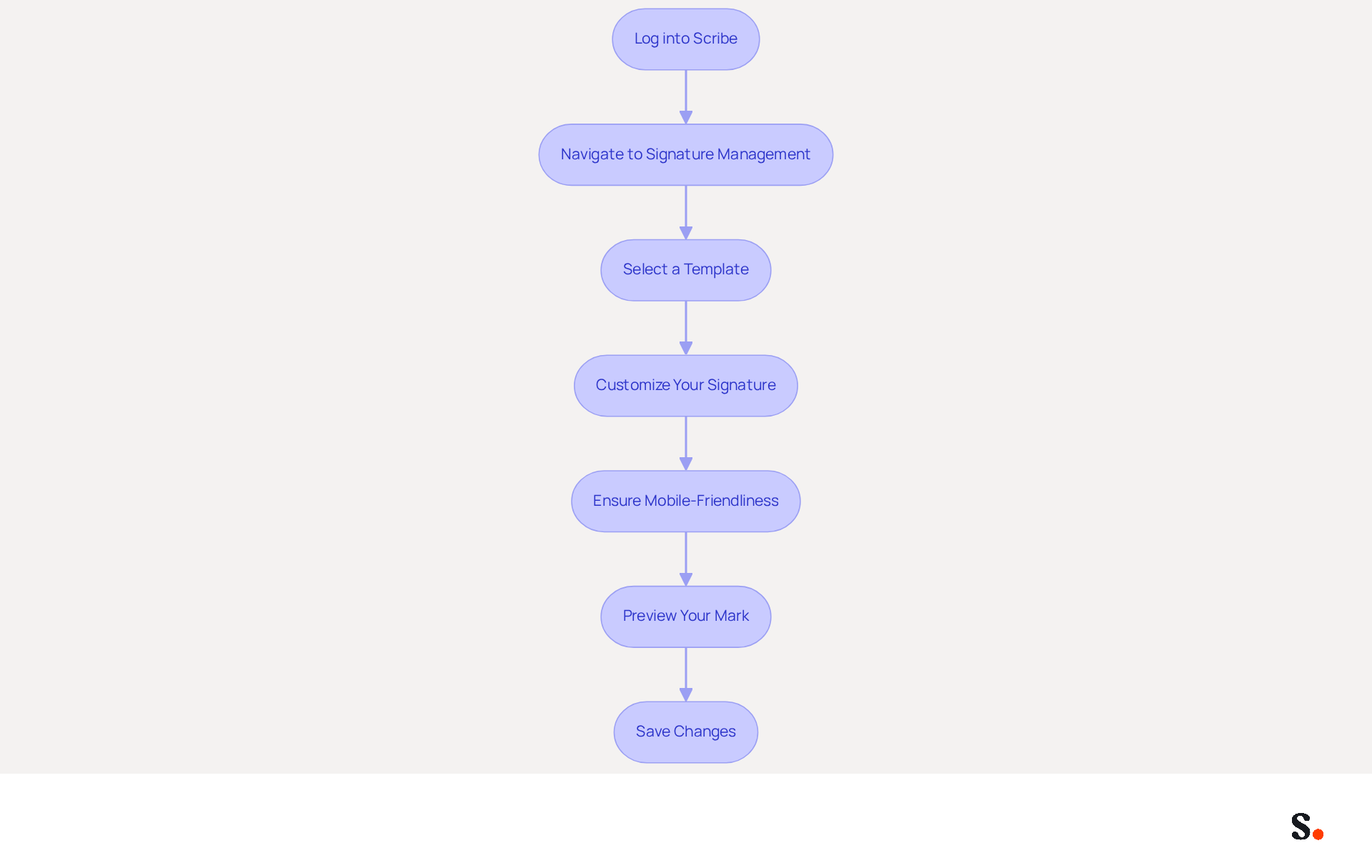
Creating or editing your email signature with Scribe is a straightforward process that enhances your professional communication.
- Log into Scribe: Access your Scribe account using your credentials.
- Navigate to Signature Management: Once logged in, go to the 'Signature Management' section of the dashboard.
- Select a Template: Choose from the available on-brand design templates that reflect your company's visual identity. This choice promotes consistency; research shows that 69% of consumers consider a professional communication format essential for businesses.
- Customize Your Signature: Enter your personal information, including your name, job title, and contact details. You can also add images, logos, and promotional banners to enhance your email footer. Incorporating these elements can lead to a 12% average click-through rate, substantially above average marketing performance. Additionally, Scribe enables automated filling of signatory details using data from your business phone system, ensuring that your information is always current without needing action from your teammates.
- Ensure Mobile-Friendliness: Make sure your design is suitable for mobile devices, as over 50% of messages are accessed on mobile devices. This will enhance user experience and engagement.
- Preview Your Mark: Utilize the preview feature to see how your mark will look in messages. Make any necessary adjustments to ensure it looks professional. Maintaining compliance with branding and legal standards can be challenging without regular evaluations of your email signatures. The one-click synchronization feature allows for instant updates, ensuring your mark remains up-to-date and effective. Note that to enable synchronization, you must grant Scribe permission to connect with your provider, and you need to be a Super Admin of your provider to provide these permissions.
- Save Changes: Once satisfied with your mark, click 'Save' to apply the changes. This efficient process enables rapid updates, ensuring that your contact information remains up-to-date and effective.
With Scribe, you can ensure your email signature not only reflects your brand but also meets compliance standards effortlessly.
Save and Test Your New Email Signature
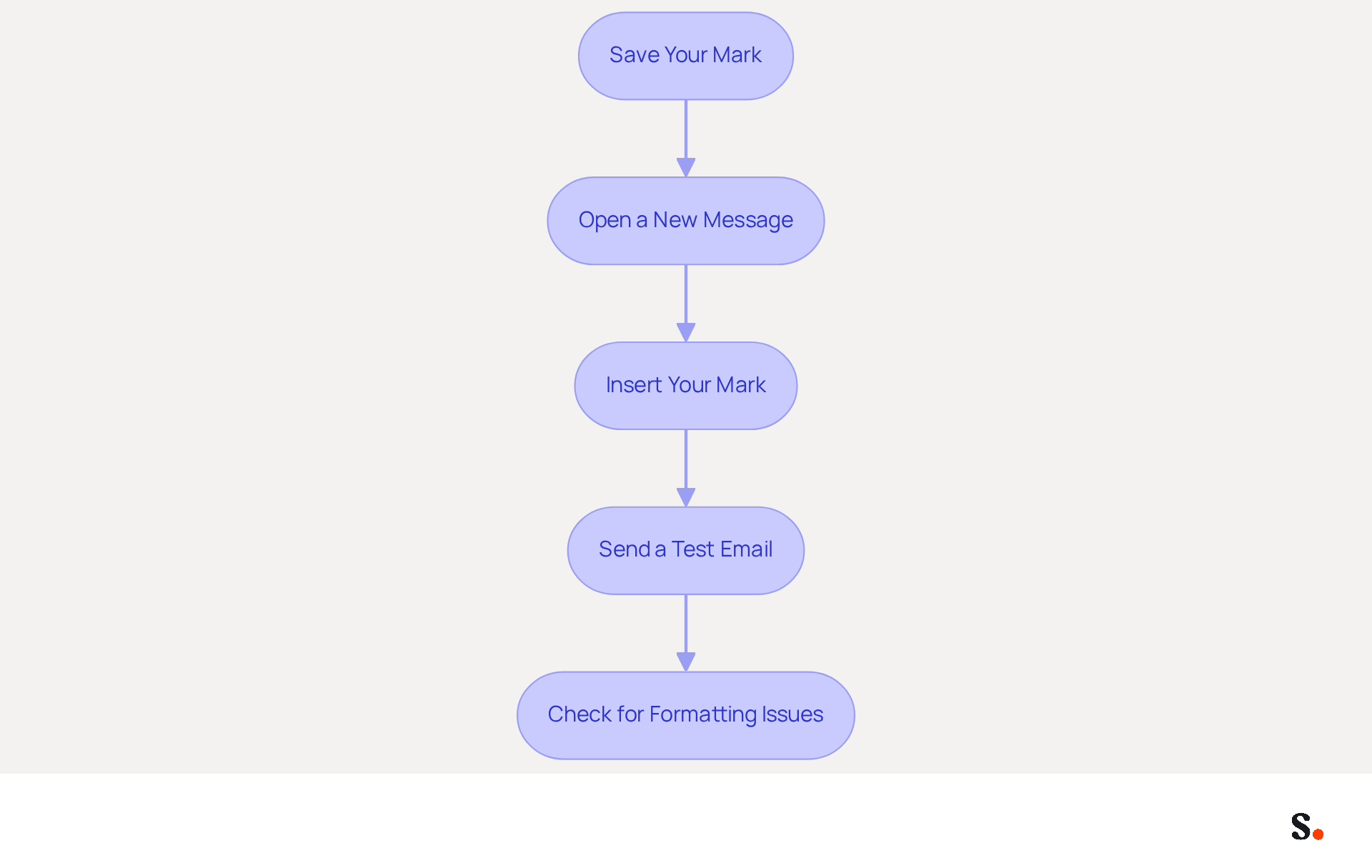
To ensure your email signature is effective, it is vital to save and test it after any modifications. Follow these steps:
- Save Your Mark: In the Scribe interface, click 'Save' after making any changes to your mark.
- Open a New Message: Return to Outlook and create a new message.
- Insert Your Mark: Click on 'Mark' in the message toolbar, then select your newly created mark from the dropdown list.
- Send a Test Email: Send a test email to yourself or a colleague to see how the closing appears in the recipient's inbox.
- Check for Formatting Issues: Ensure that all components of your email footer, including images and links, are displaying correctly. If there are any issues, return to Scribe to make adjustments.
Testing your message format is essential; research indicates that polished formats garner 58% more viewing time and attract attention 47% faster. Furthermore, 76% of recipients feel greater trust in the sender because of branded communication identifiers. By adhering to these steps, you will effectively implement your new email signature across all communications, enhancing your professional image and marketing efforts.
Conclusion
Email signatures play a crucial role in shaping professional communication and influencing perceptions. With Scribe, organizations can ensure their email signatures reflect their brand identity. They can also maintain compliance with important security standards like SOC 2 Type II, GDPR, and CCPA. This empowers marketing teams to manage their signatures independently, fostering brand consistency and enhancing overall communication effectiveness.
This guide has walked you through the essential steps to change your email signature in Outlook with Scribe. From understanding the importance of email signatures to accessing settings, creating or editing signatures, and testing them for effectiveness, each step is designed to streamline the process. The integration of promotional elements and the ability to maintain real-time updates through Scribe's features further enhance the impact of email signatures as a marketing tool.
Neglecting email signatures can result in lost branding opportunities and diminished professional image. By leveraging Scribe's capabilities, organizations can transform their email communications into effective marketing channels, ensuring that every message sent contributes to their overall branding and marketing goals. Transforming your email signatures can redefine your professional image and enhance engagement with every interaction.
Frequently Asked Questions
What is the importance of email signatures in Outlook?
Email signatures are crucial for shaping professional identity and enhancing communication effectiveness. They enhance professionalism, promote brand consistency, serve as marketing tools, and build trust.
How do email signatures enhance professionalism?
A well-crafted email signature provides contact information and establishes a formal tone, reflecting attention to detail and professionalism. Research indicates that 64% of consumers trust senders with professional branded messages.
Why is brand consistency important in email signatures?
Standardized email signatures ensure uniform branding across communications, reinforcing the company's image. Inconsistent branding can lead to a loss of customer trust and a tarnished reputation.
How does Scribe help maintain brand consistency in email signatures?
Scribe automatically reflects modifications made in your Aircall configuration in your correspondence identifiers, ensuring real-time synchronization and brand consistency without requiring action from teammates.
Can email signatures serve as marketing tools?
Yes, by adding promotional banners or calls-to-action (CTAs), email signatures can turn messages into marketing opportunities. Research shows that message footers can achieve an engagement rate of 40%, significantly higher than traditional marketing campaigns.
What impact do dynamic banners in email footers have?
Dynamic banners can increase click rates by 22%, enhancing overall engagement and making email signatures a powerful marketing tool.
How do email signatures build trust?
A professional email signature enhances credibility, making recipients more likely to engage with the content. Studies show that 76% of marketers believe branded identifiers positively influence engagement.
What compliance does Scribe offer to build trust in communications?
Scribe's SOC 2 Type II compliance guarantees that your data is protected, further building trust in your communications.
What elements can be incorporated into email signatures to enhance perception?
Incorporating elements such as social media icons and CTAs can significantly impact how messages are perceived, fostering stronger relationships and enhancing the brand's reputation.
List of Sources
- Understand the Importance of Email Signatures in Outlook
- Email Signature Statistics: A Closer Look at Email Signatures in 2026 (https://mysignature.io/blog/email-signature-statistics)
- The impact of email signatures on your branding (https://signitic.com/en/resources/the-impact-of-email-signatures-on-your-branding)
- Elevate Your Brand with Professional Email Signatures (https://holickycorporation.com/blog/elevate-your-brand-with-professional-email-signatures)
- Exclaimer Research: 67% of Marketers Expect Email Signatures to Support With Lead Gen In 2023 (https://businesswire.com/news/home/20230612141095/en/Exclaimer-Research-67-of-Marketers-Expect-Email-Signatures-to-Support-With-Lead-Gen-In-2023)
- 40+ Email Signature Statistics for 2026 (Data + Insights) (https://wavecnct.com/blogs/email-signature-statistics)
- Access Your Email Signature Settings in Outlook
- 40+ Email Signature Statistics for 2026 (Data + Insights) (https://wavecnct.com/blogs/email-signature-statistics)
- The New Outlook for Windows: An IT Guide to Email Signatures (https://exclaimer.com/email-signature-handbook/new-outlook-windows-email-signatures)
- How To Change An Email Signature In Outlook (https://forbes.com/sites/darreonnadavis/2023/07/15/how-to-change-an-email-signature-in-outlook)
- Email signature statistics: Why every business should optimize their email signatures — Stripo.email (https://stripo.email/blog/email-signature-statistics-why-every-business-should-optimize-their-email-signatures)
- How To Change Email Signature in Outlook – Extensive Guide | Crossware365 (https://crossware365.com/blog/how-to-change-email-signature-in-outlook-extensive-guide)
- Create or Edit Your Email Signature Using Scribe
- Top 10 Email Signature Management Tools in 2026 (Compared) (https://mailbutler.io/blog/email/email-signature-management-tools)
- 4 Best Practices for Using an HTML Email Signature Code Generator (https://scribe-mail.com/en-US/blog/4-best-practices-for-using-an-html-email-signature-code-generator)
- How to Standardize Email Signature in Office 365 with Scribe (https://scribe-mail.com/en-US/blog/how-to-standardize-email-signature-in-office-365-with-scribe)
- 4 Best Practices for Using a Custom Email Signature Creator (https://scribe-mail.com/en-US/blog/4-best-practices-for-using-a-custom-email-signature-creator)
- Email signature management for teams & AI agents (https://scribe-mail.com/en-US)
- Save and Test Your New Email Signature
- How to add and change an email signature in Outlook | Microsoft Support (https://support.microsoft.com/en-us/outlook/mail/how-to-add-and-change-an-email-signature-in-outlook)
- Outlook: Adding Email Signatures (https://td.usnh.edu/TDClient/60/Portal/KB/Article/4666/Outlook-Adding-Email-Signatures)
- The Best Way to Manage Email Signatures in Microsoft 365 | Rocketseed (https://rocketseed.com/blog/best-way-to-manage-email-signatures-in-microsoft-365)
- Seeing Is Believing: Eye-Tracking Test Shows What Works In Email Signatures (https://mediapost.com/publications/article/416520/seeing-is-believing-eye-tracking-test-shows-what.html?edition=143253)
- 40+ Email Signature Statistics for 2026 (Data + Insights) (https://wavecnct.com/blogs/email-signature-statistics)
Get started with Scribe
Create your signature in minutes
Free 14-day trial — no credit card.