Comment mettre une signature sur Gmail : 4 étapes simples
Many professionals fail to recognize the impact a well-crafted Gmail signature can have on their branding efforts. A professional email signature does more
Sophie Grant
Email Signature Specialist, Scribe
Introduction
Many professionals fail to recognize the impact a well-crafted Gmail signature can have on their branding efforts. A professional email signature does more than just enhance brand consistency; it acts as a digital business card that can really elevate your communication and marketing efforts. To ensure your signature stands out and effectively represents your brand, follow these essential steps. This guide will outline essential steps to create, customize, and test a Gmail signature, ensuring you unlock its potential for enhancing your professional image and engagement in every email you send.
Understand the Importance of Gmail Signatures
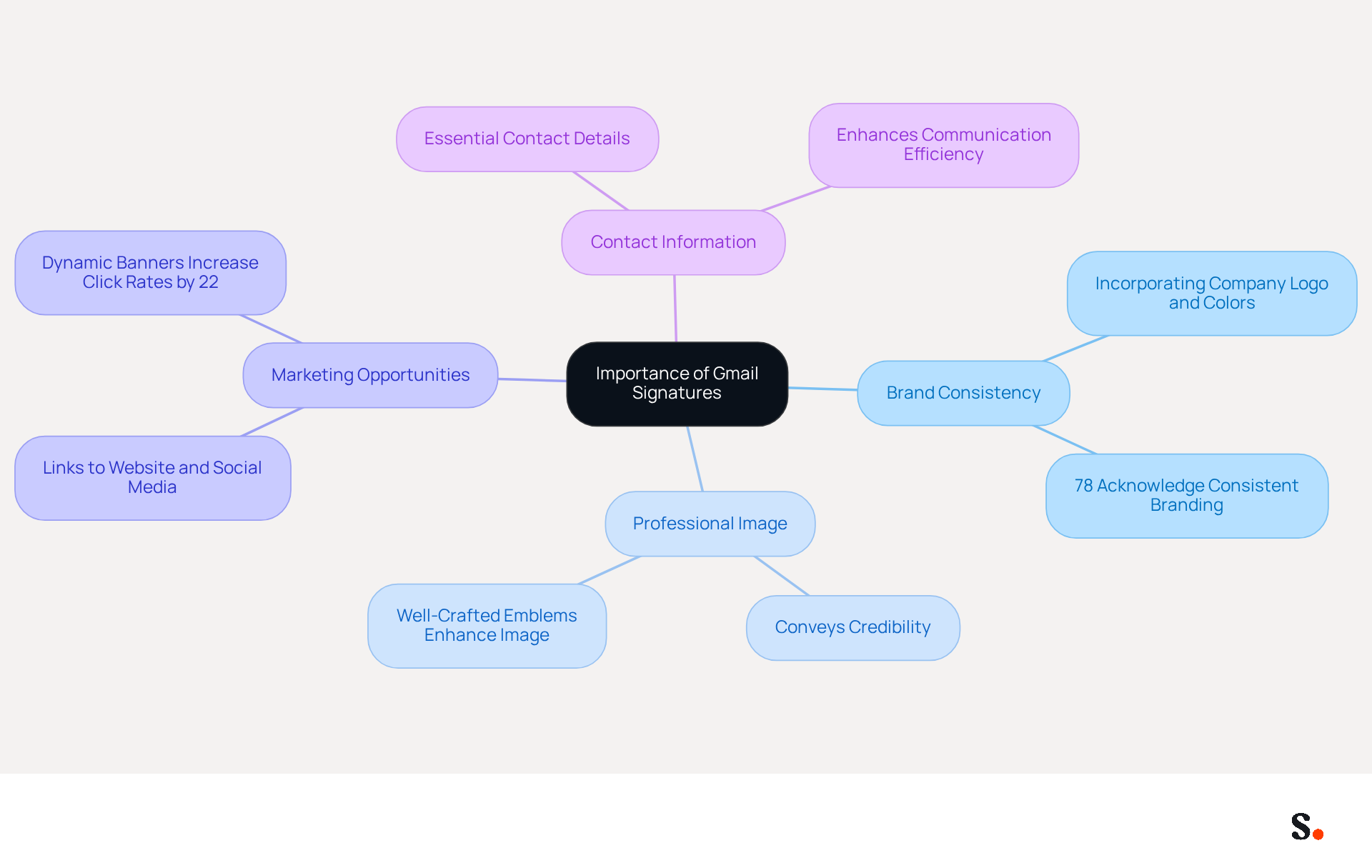
Many professionals overlook the critical role of a Gmail sign-off in their communication strategy. A Gmail sign-off is more than just a closing; it acts as a digital business card that improves every message you send. Consider these key benefits of prioritizing a professional email signature:
- Brand Consistency: Incorporating your company logo, colors, and fonts into your signature ensures uniformity across all communications, reinforcing your brand identity. In fact, 78% of respondents acknowledge consistent branding as a crucial aspect of email identities.
- Professional Image: A carefully crafted emblem conveys professionalism and credibility, leaving a positive impression on recipients. Poorly designed marks can detract from your brand's image, while well-crafted ones enhance it.
- Marketing Opportunities: Email footers can include links to your website, social media profiles, and promotional campaigns, transforming each email into a marketing opportunity. This strategic application of endorsements can significantly enhance engagement, with dynamic banners increasing click rates by 22%.
- Contact Information: Including essential contact details ensures that recipients can easily reach you, enhancing communication efficiency. A good sign-off should include your name, position, company name, and at least one alternative contact method.
Recognizing these benefits highlights why taking the time to learn comment mettre une signature sur gmail is essential, particularly as professional HTML footers become increasingly important in 2026.
Access Gmail Settings to Add Your Signature
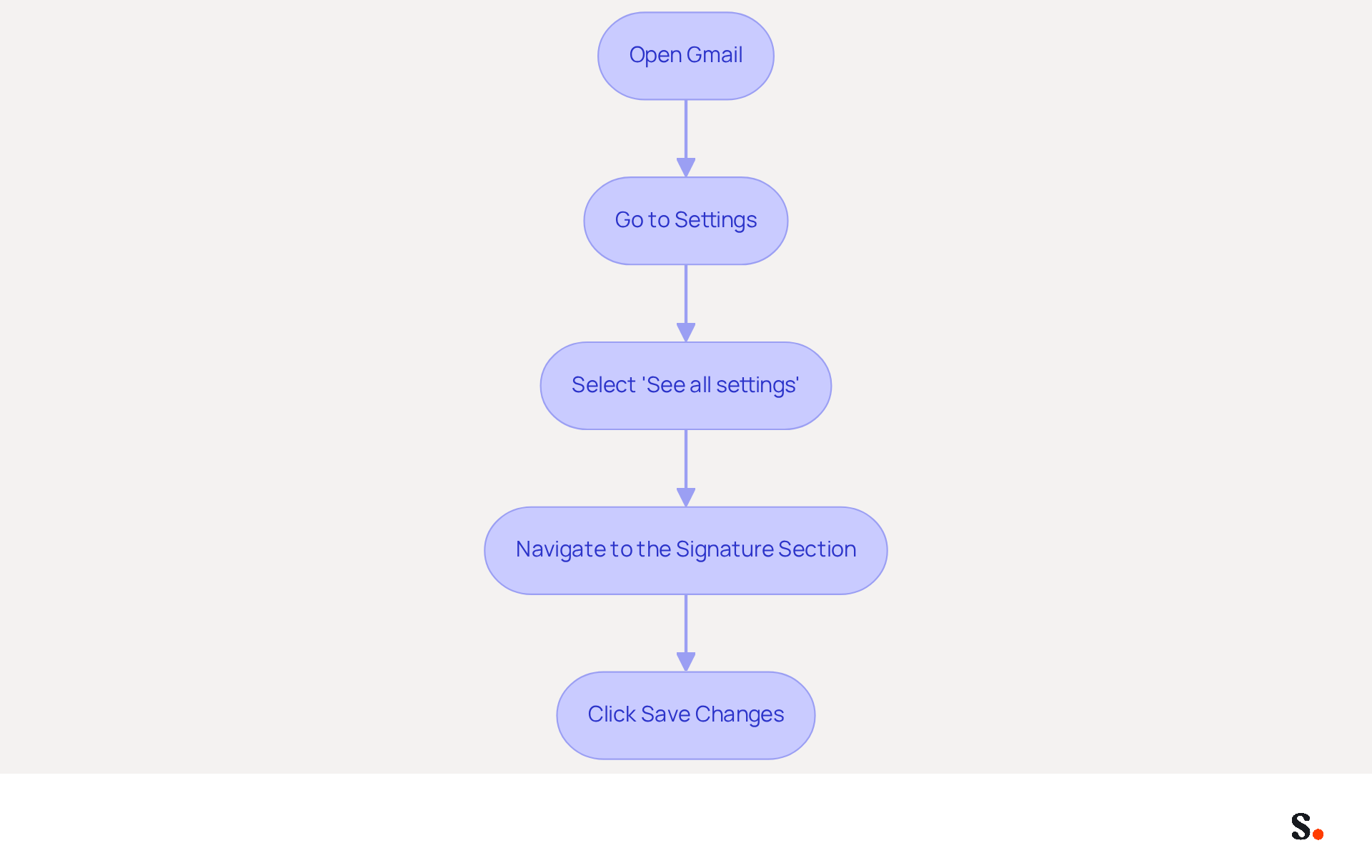
It is essential for effective communication and branding to know comment mettre une signature sur gmail. To add your signature in Gmail, follow these steps:
- Open Gmail: Log into your Gmail account on your computer.
- Go to Settings: Click on the gear icon located in the top right corner of the Gmail interface.
- Select 'See all settings': From the dropdown menu, click on 'See all settings' to access the full settings menu.
- Navigate to the Signature Section: In the 'General' tab, scroll down until you find the 'Signature' section. Here, you will be able to create and manage your email identifiers.
- Click Save Changes: After editing or creating your personal mark, ensure you click 'Save Changes' to finalize your updates.
By following these steps, you will understand comment mettre une signature sur gmail and customize a professional email signature. A well-crafted email signature not only enhances branding but also fosters trust; studies show that 52% of professionals consider it crucial for effective communication. Furthermore, businesses utilizing branded electronic identifiers experience a 22% higher response rate, making it crucial to ensure your mark is both professional and consistent.
For organizations utilizing Scribe, syncing your Google Workspace with Scribe enables automated updates to your teammates' email footers, saving time and ensuring that any modifications in your HRIS are reflected without manual input. Scribe's SOC 2 Type II compliance ensures that your data is managed securely, offering peace of mind as you handle your identifiers. It is advisable to test your email signature by sending messages to yourself to ensure proper formatting across devices.
Create and Customize Your Email Signature
Creating a customized email signature is essential for establishing a professional identity, which is why it's important to know comment mettre une signature sur gmail. Now that you have accessed the signature settings, it's time to create and customize your email signature:
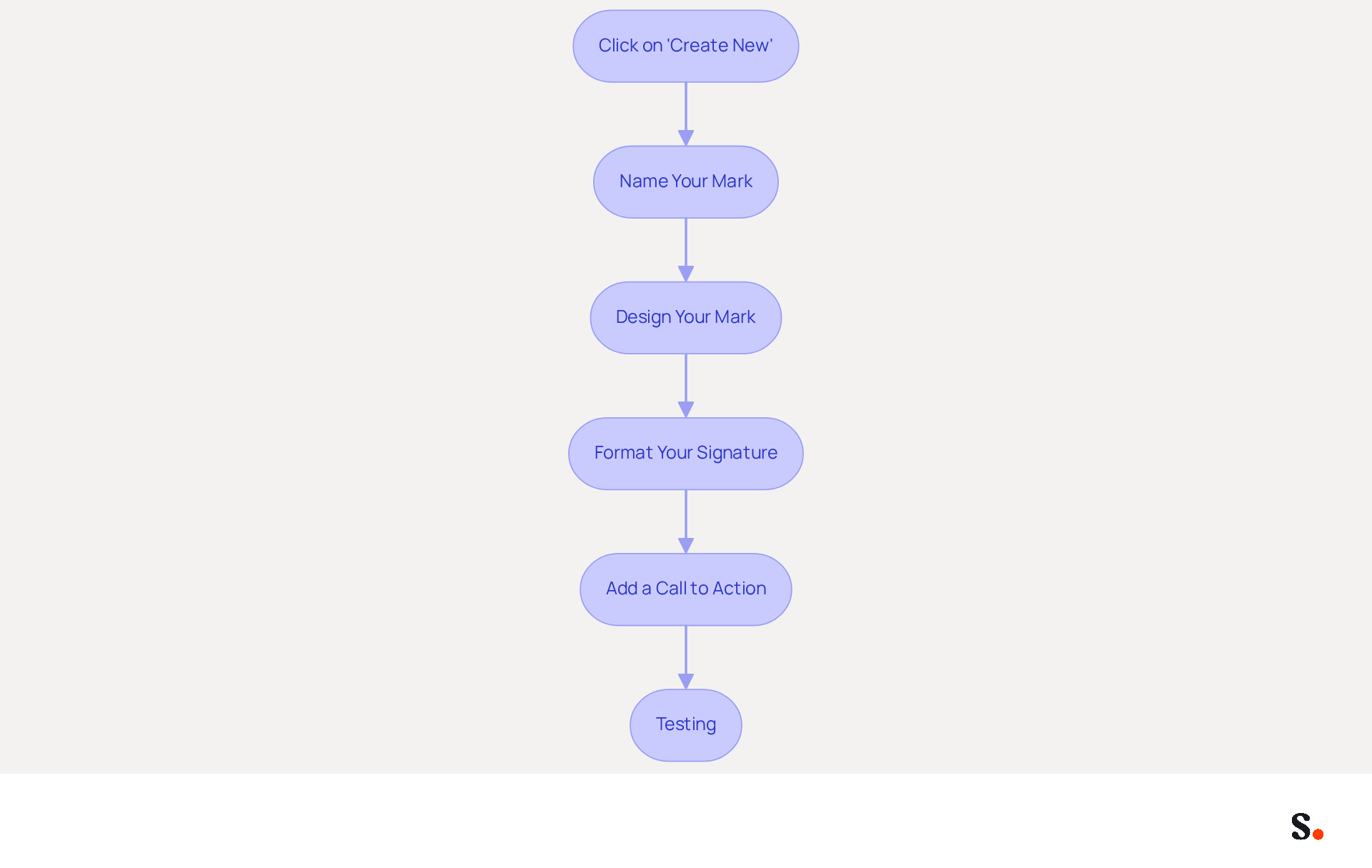
- Click on 'Create New': In the section for creating, click on the '+ Create New' button to start a new entry.
- Name Your Mark: Give your mark a title that assists you in recognizing it later, particularly if you intend to create multiple marks.
- Design Your Mark: You should include:
- Your name
- Job title
- Company name
- Contact information (phone number, email, etc.)
- Links to social media profiles or your website
- Format Your Signature: Use the formatting options available (font style, size, color) to make your signature visually appealing. Choose web-safe fonts such as Arial or Calibri to guarantee consistency across email clients. You can also insert images, such as your company logo, by clicking on the 'Insert Image' icon. Remember, images should be hosted online to avoid spam issues and ensure they load quickly. Avoid using image-only identifiers, as they may not be searchable and could be blocked by spam filters.
- Add a Call to Action: If applicable, include a clear call to action, such as a link to a current promotion or your latest blog post. This can enhance engagement, as effective CTAs can drive reader interaction and increase the likelihood of follow-up actions.
To learn how to add a personal touch to your emails, you can find out comment mettre une signature sur gmail. Regular updates are crucial, and knowing comment mettre une signature sur gmail can help prevent outdated information and missed opportunities. It's crucial for maintaining professionalism and compliance with any industry-specific disclaimers or confidentiality notes. With Scribe, every modification made in your Aircall setup will automatically be shown in your correspondence identifiers, ensuring consistency in branding and seamless updates. - Testing: Before finalizing your mark, evaluate it across different messaging clients and devices to confirm proper display and functionality.
By ensuring your email signature is current, you enhance your professional image and foster trust with your audience.
Save and Test Your Email Signature
After creating your signature, it's crucial to save and test it:
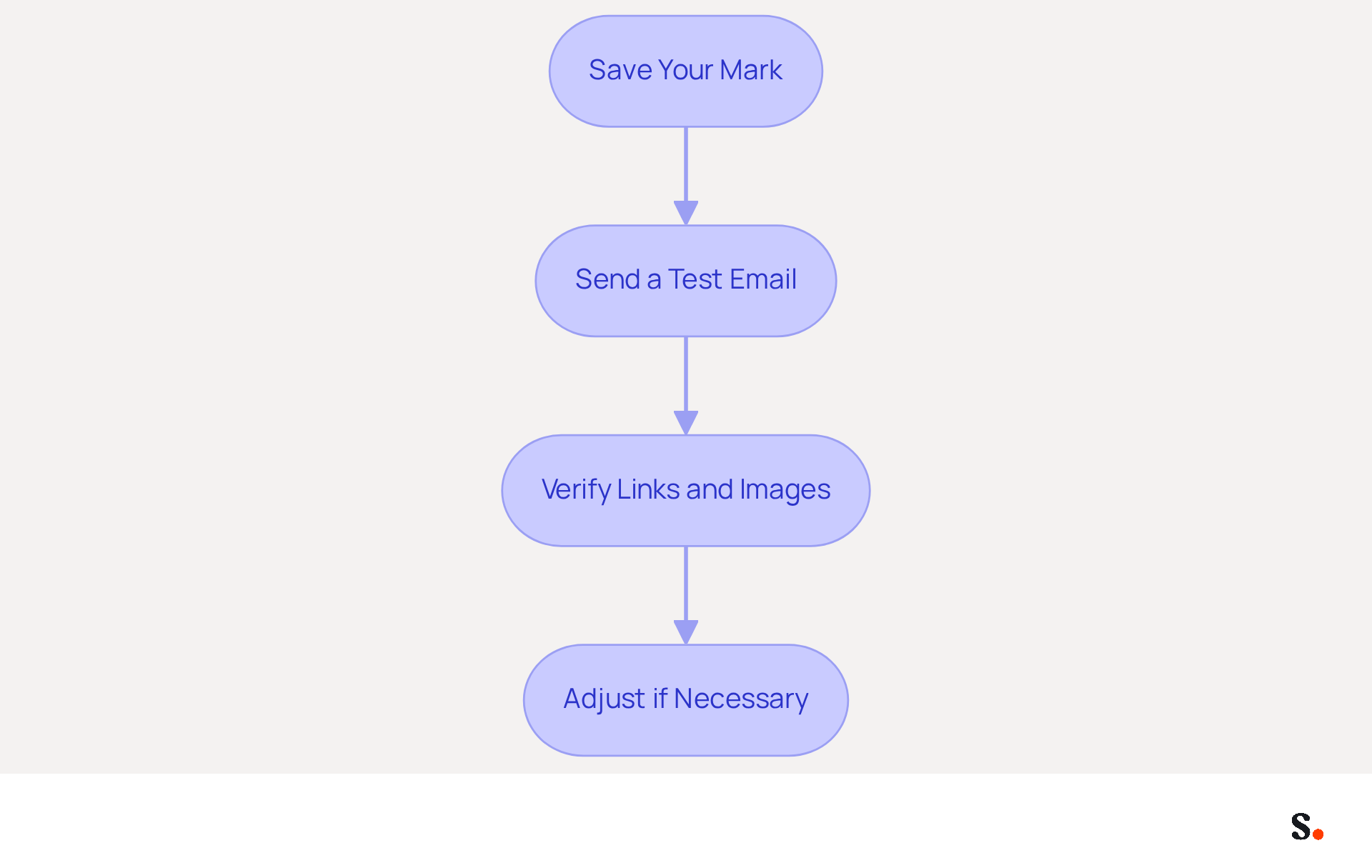
- Save Your Mark: Once you are satisfied with your design, scroll to the bottom of the settings page and click on the 'Save Changes' button to apply your new mark. With Scribe's integration with Google Workspace, updates to your teammates' information will automatically reflect in your branding, maintaining consistency effortlessly.
- Send a Test Email: To check that your signature looks right, send a test email to yourself or a colleague. Verify how it appears on both desktop and mobile devices.
- Verify Links and Images: Ensure that any links included in your email work correctly and that images display as intended.
- Adjust if Necessary: You may encounter issues that require adjustments to your signature. If you notice any problems, return to the settings to make modifications. You can modify the signatory at any time using the same steps.
Testing your signature is crucial for ensuring it enhances your email communications and accurately represents your brand, while also benefiting from the time-saving automation that Scribe provides.
Conclusion
Many professionals overlook the significance of a well-crafted email signature, yet it plays a crucial role in effective communication and branding. By understanding how to add and customize a signature, professionals can enhance their digital presence, ensuring that every email sent reflects their brand identity and fosters trust with recipients.
Throughout this guide, key steps have been outlined to help users navigate the process of creating a Gmail signature. From accessing the settings to designing a visually appealing signature that includes essential contact information and branding elements, each step is crucial for maximizing the impact of email communications. Additionally, the importance of testing the signature to ensure it displays correctly across devices is essential, as it directly influences the recipient's perception of professionalism.
Taking the time to create a thoughtful email signature can lead to real benefits, including improved brand consistency and increased engagement. For organizations looking to streamline this process, Scribe offers a unique solution that allows marketing teams to manage email signatures independently, ensuring that updates are made effortlessly and securely. By prioritizing email signature design, organizations can significantly enhance their professional image and foster stronger connections with their audience.
Frequently Asked Questions
What is the importance of a Gmail signature?
A Gmail signature acts as a digital business card that enhances communication by providing brand consistency, projecting a professional image, offering marketing opportunities, and ensuring easy access to contact information.
How does a Gmail signature contribute to brand consistency?
By incorporating your company logo, colors, and fonts into your signature, you ensure uniformity across all communications, which reinforces your brand identity. Consistent branding is recognized by 78% of respondents as a crucial aspect of email identities.
What impact does a professional Gmail signature have on image perception?
A well-crafted Gmail signature conveys professionalism and credibility, leaving a positive impression on recipients. Conversely, a poorly designed signature can detract from your brand's image.
How can a Gmail signature serve as a marketing opportunity?
Email footers can include links to your website, social media profiles, and promotional campaigns, turning each email into a marketing opportunity. Dynamic banners in signatures can increase click rates by 22%.
What essential information should be included in a Gmail signature?
A good Gmail signature should include your name, position, company name, and at least one alternative contact method to enhance communication efficiency.
Why is it important to learn how to set up a Gmail signature?
Understanding how to create a Gmail signature is essential as professional HTML footers are becoming increasingly important in 2026, highlighting the need for effective email communication strategies.
List of Sources
- Understand the Importance of Gmail Signatures
- The impact of email signatures on your branding (https://signitic.com/en/resources/the-impact-of-email-signatures-on-your-branding)
- Top 10 Benefits Of Email Signatures | Rocketseed (https://rocketseed.com/blog/benefits-of-using-email-signatures)
- Best practices for business email signatures in 2026 (https://bybrand.io/blog/best-practices)
- Why Email Signatures Must Be In Your 2026 Marketing Plan | Rocketseed (https://rocketseed.com/blog/2026-marketing-plan-email-signatures)
- 20 best email signature design examples for 2026 — Stripo.email (https://stripo.email/blog/10-best-email-signature-design-examples)
- Access Gmail Settings to Add Your Signature
- Email signature statistics: Why every business should optimize their email signatures — Stripo.email (https://stripo.email/blog/email-signature-statistics-why-every-business-should-optimize-their-email-signatures)
- How to create custom Gmail signature (https://foxnews.com/tech/how-to-create-custom-gmail-signature)
- How to Change Your Email Signature in Gmail: 2026 Guide (https://tryellie.com/blog/how-to-change-your-email-signature-in-gmail)
- 40+ Email Signature Statistics for 2026 (Data + Insights) (https://wavecnct.com/blogs/email-signature-statistics)
- Create and Customize Your Email Signature
- Email Signature Best Practices - NEWOLDSTAMP (https://newoldstamp.com/blog/email-signature-best-practices)
- Email Signature Design Trends in 2026: What Works and What to Drop (https://bulksignature.com/blog/email-signature-design-trends)
- Top 10+ best practices for email signatures design in 2026 (https://mysignature.io/blog/email-signature-best-practices)
- The Complete Email Signature Guide 2026: Best Practices and Policy (https://opensense.com/complete-email-signature-guide)
- 20 best email signature design examples for 2026 — Stripo.email (https://stripo.email/blog/10-best-email-signature-design-examples)
- Save and Test Your Email Signature
- Exclaimer Research: 67% of Marketers Expect Email Signatures to Support With Lead Gen In 2023 (https://businesswire.com/news/home/20230612141095/en/Exclaimer-Research-67-of-Marketers-Expect-Email-Signatures-to-Support-With-Lead-Gen-In-2023)
- 40+ Email Signature Statistics for 2026 (Data + Insights) (https://wavecnct.com/blogs/email-signature-statistics)
- Email Signature Statistics: A Closer Look at Email Signatures in 2026 (https://mysignature.io/blog/email-signature-statistics)
- The impact of email signatures on your branding (https://signitic.com/en/resources/the-impact-of-email-signatures-on-your-branding)
- Gmail Signature Mastery: The Ultimate Guide To Professional Email Branding (https://blog.fbasd.org/mastery-ultimate-guide-professional-email-2v0o.html)
Get started with Scribe
Create your signature in minutes
Free 14-day trial — no credit card.