Comment modifier sa signature sur Outlook : 5 étapes simples
In the realm of digital communication, effective email signatures serve as critical components for professionalism and brand identity. As organizations
Sophie Grant
Email Signature Specialist, Scribe
Introduction
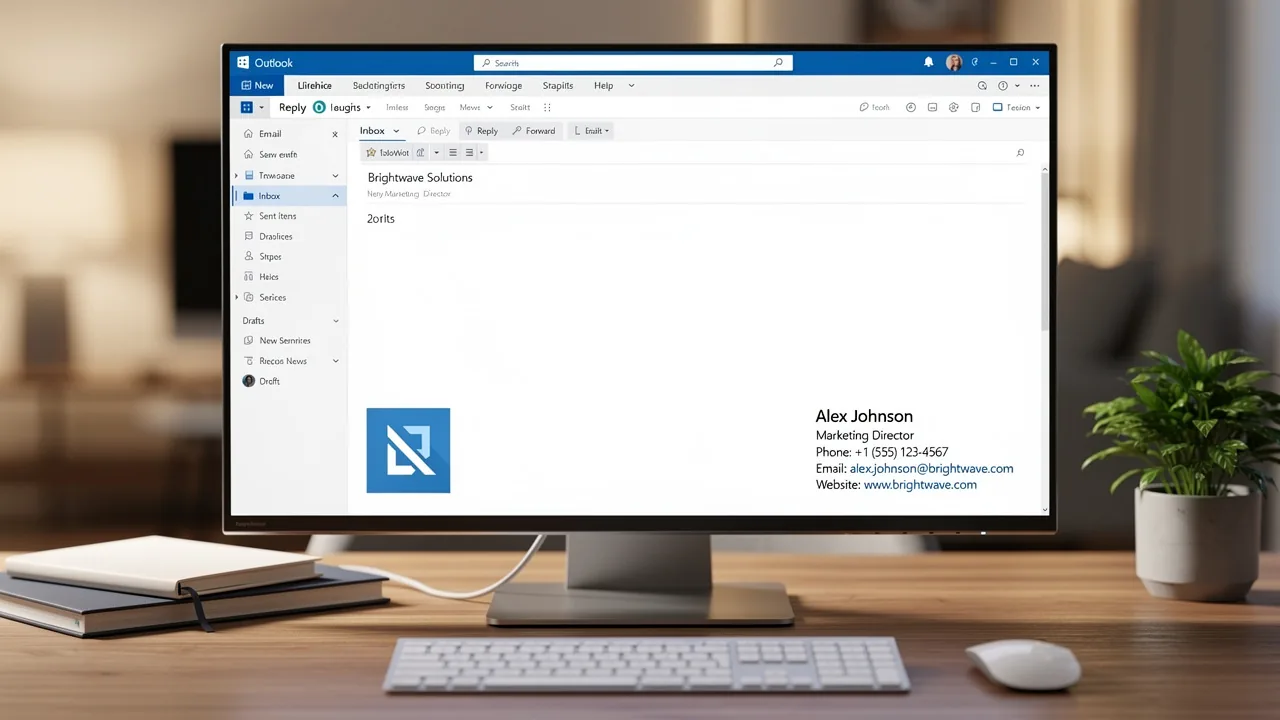
In the realm of digital communication, effective email signatures serve as critical components for professionalism and brand identity. As organizations increasingly rely on email as a primary communication channel, understanding how to customize signatures in Outlook becomes crucial for maintaining a consistent and polished image.
This guide will explore the straightforward steps to modify email signatures across various Outlook platforms, ensuring that every message sent reflects the brand's values and professionalism.
Outdated signatures can create confusion and diminish the perceived professionalism of your brand. This oversight can result in lost business opportunities and a tarnished brand image.
Learn how to sidestep these issues and turn your email signatures into effective marketing tools.
Understand Email Signatures in Outlook
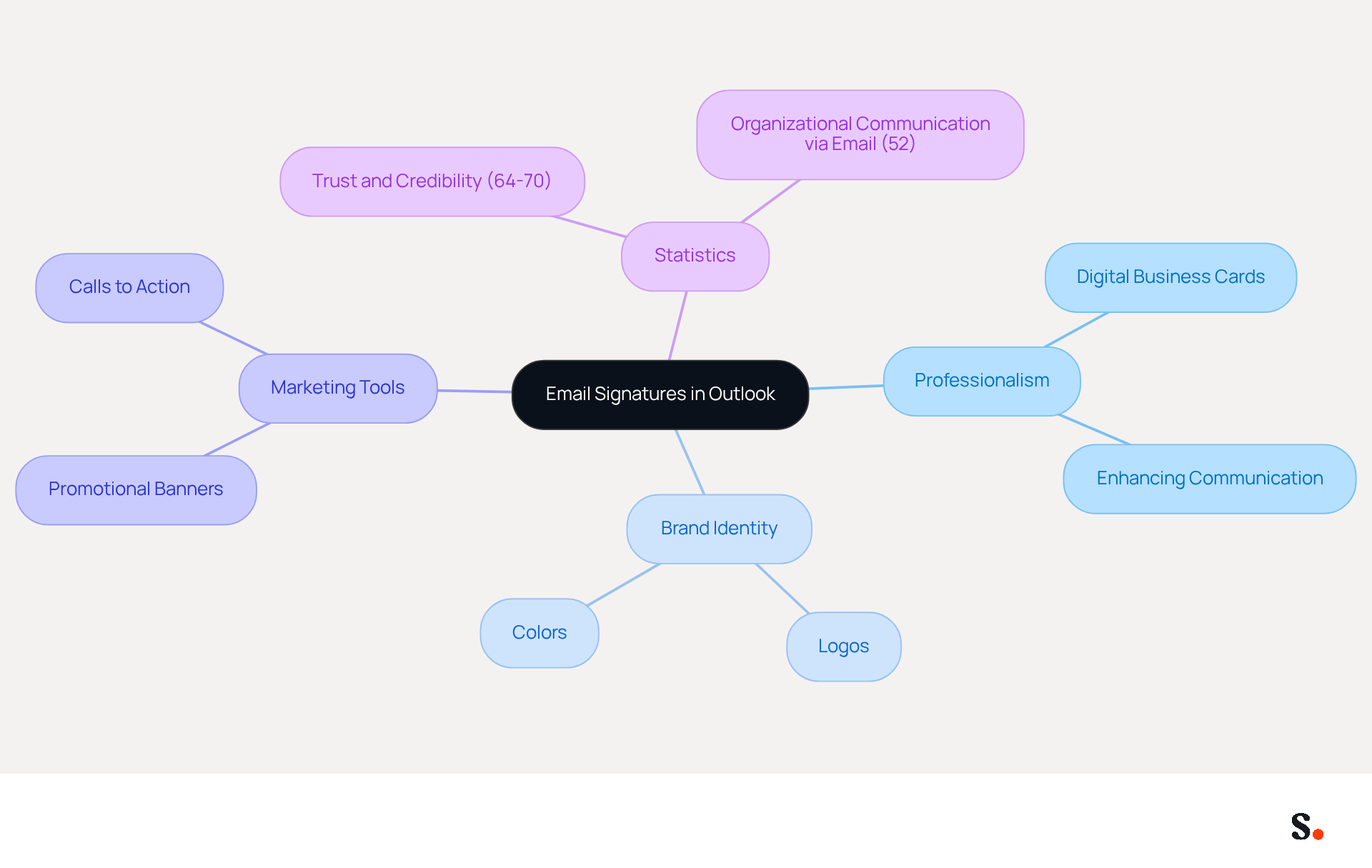
Effective email identifiers are essential for establishing professionalism and enhancing brand identity in digital communications. Email identifiers in Outlook serve as digital business cards, offering crucial information about the sender, such as their name, title, company, and contact details. They convey professionalism and reinforce brand identity through consistent use of logos and colors. A well-designed sign-off enhances communication by providing recipients with all necessary contact information, making follow-ups and inquiries easier.
Moreover, these identifiers can be converted into powerful marketing instruments by adding promotional banners or calls to action, turning every message into an opportunity for meaningful engagement. Statistics indicate that 64-70% of participants believe a professional branded sign-off enhances trust and credibility, highlighting the significance of maintaining a consistent and polished appearance in all communications.
Furthermore, with 52% of organizational communication in the UK carried out through electronic mail, optimizing electronic correspondences is crucial for businesses seeking to improve their identity and marketing initiatives. This tool enhances this process by automating the management of electronic signatures, ensuring real-time synchronization with business phone systems such as Aircall. This means that any modifications made in your Aircall configuration will automatically be reflected in your branding, allowing for seamless updates and maintaining brand consistency across all communications.
With Scribe, you save time while ensuring your data remains secure, thanks to SOC 2 Type II compliance, offering peace of mind as you manage your email identifiers. Furthermore, Scribe's average click-through rate on banners is 12%, emphasizing its effectiveness as a marketing tool.
Modify Your Signature in the Outlook Desktop App
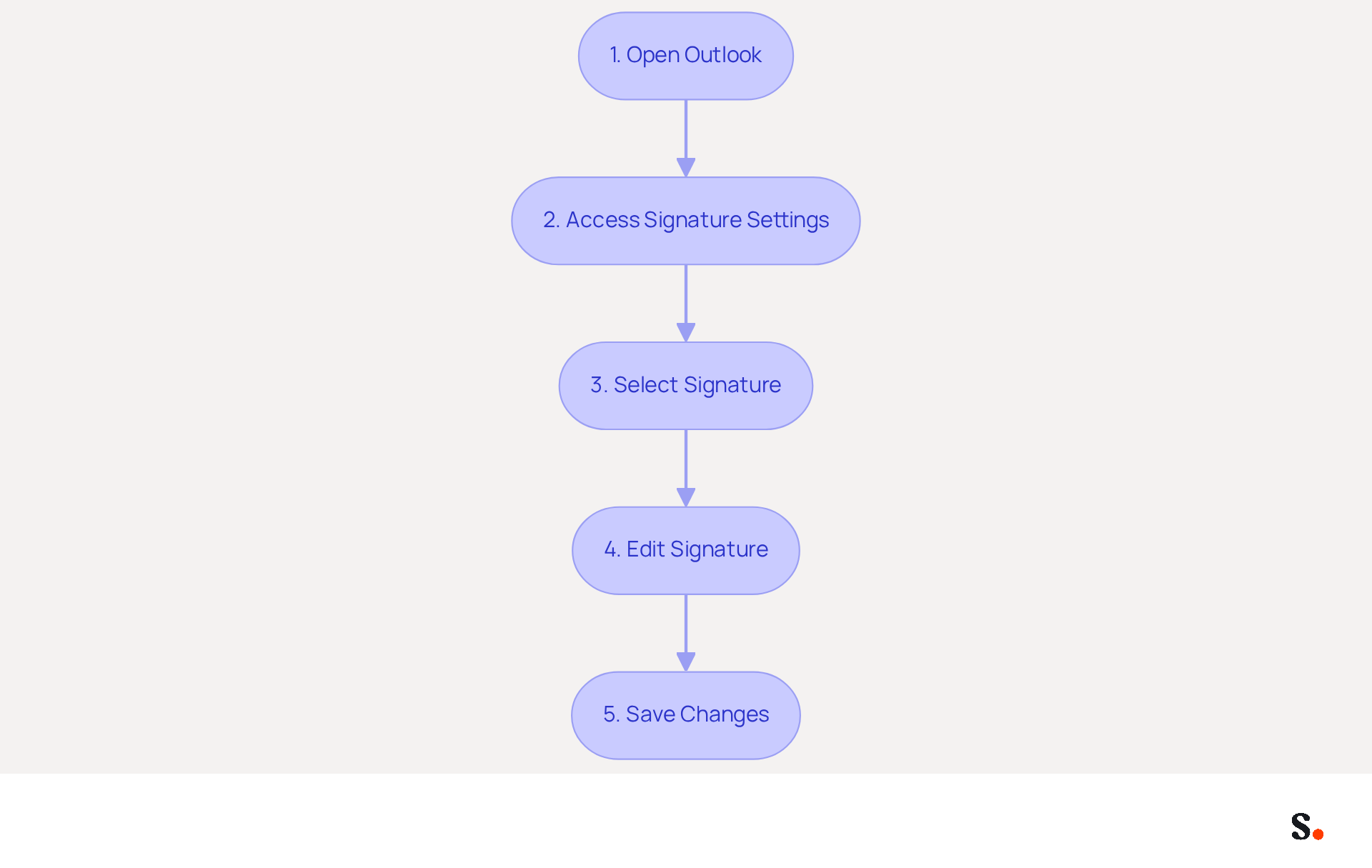
To effectively manage your email signature in the Outlook desktop app, follow these essential steps:
- Open Outlook: Launch the Outlook application on your computer.
- Access Signature Settings: Click on 'File' in the top left corner, then select 'Options'. In the Options window, choose 'Mail' from the left sidebar to learn comment modifier sa signature sur outlook, and click on 'Signatures'.
- Select Signature: In the Signatures and Stationery window, choose the mark you wish to modify from the list.
- Edit Signature: Click on the 'Edit' button. Here, you can change the text, format, and add images or links as needed. A clean and professional signature significantly enhances your brand's image and fosters trust among recipients. Research indicates that 76% of consumers respond positively to businesses that employ branded signatures, underscoring the importance of maintaining a professional appearance. To ensure your teammates' initials are always current, you must grant Scribe permission to connect with your provider. You need to be a Super Admin of your service provider to grant these permissions. After syncing, any modifications made to your teammates' information-such as job positions or group assignments-will automatically appear in their contact details without manual input. This approach mitigates the risk of confusion caused by outdated signatures, ensuring that your branding remains consistent across all communications.
To learn how to change your email signature, you can find instructions on comment modifier sa signature sur outlook. To learn comment modifier sa signature sur Outlook, once you are satisfied with your modifications, click 'OK' to save your changes, and then 'OK' again to exit the Options window. Your updated mark will now be utilized in your outgoing messages.
With around 93% of professionals reviewing their messages daily, ensuring your contact information is current is vital for maintaining a consistent brand presence. Regular updates can also help prevent the common issue where branding elements revert due to organization-wide settings applied by IT teams, which can impact the visibility of your branding. Scribe's SOC 2 Type II compliance guarantees that your data stays secure while you manage your email branding independently after the initial IT setup. Consistently updated email signatures prevent miscommunication and missed opportunities, reinforcing your professional image.
Change Your Signature in Outlook on the Web
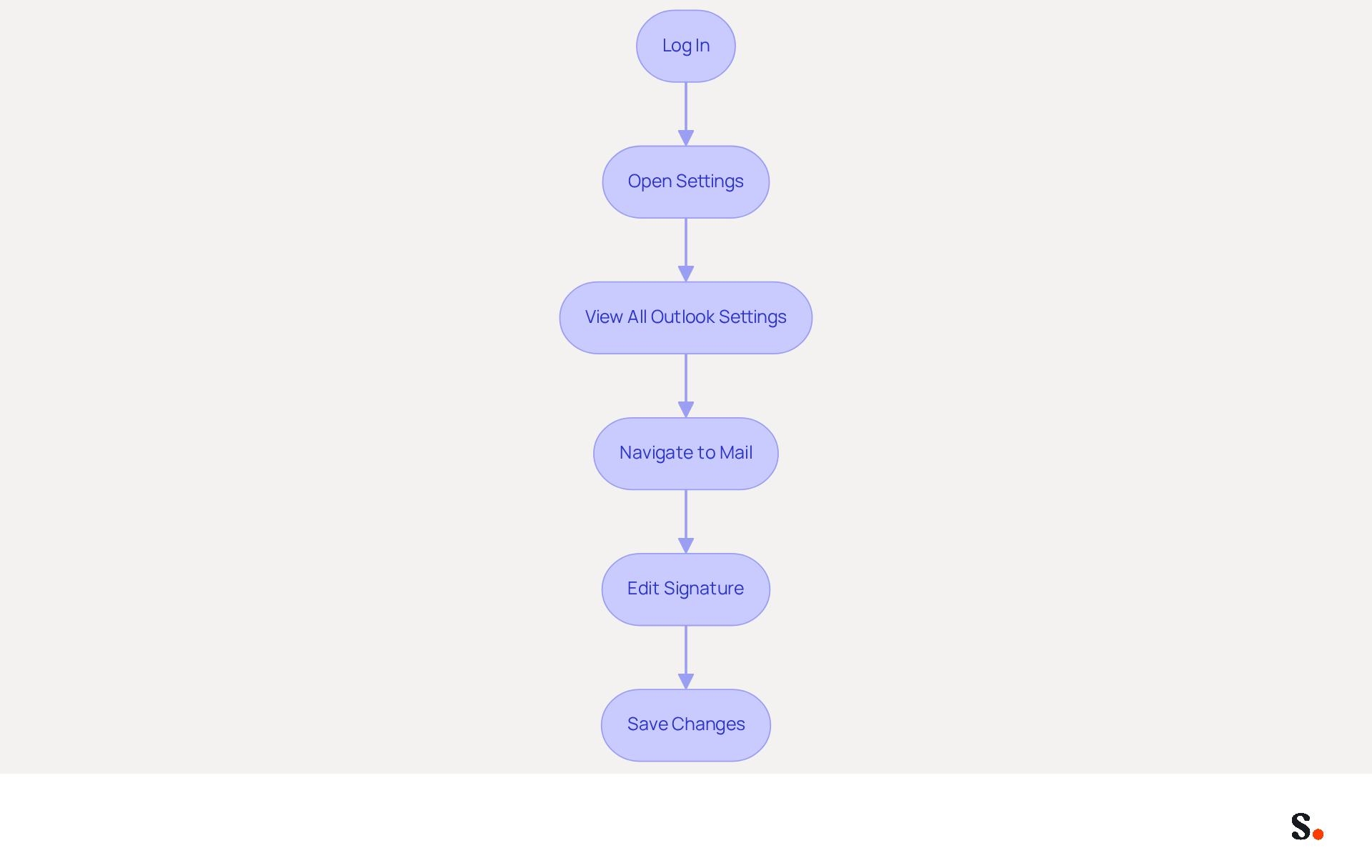
The process of comment modifier sa signature sur Outlook on the web is straightforward and can significantly impact your brand's identity. To change your signature, follow these steps:
- Log In: Open your web browser and log into your Outlook account.
- Open Settings: Click on the gear icon (⚙️) in the top right corner to access the Settings menu.
- View All Outlook Settings: Scroll down and select 'View all Outlook settings'.
- Navigate to Mail: In the settings menu, click on 'Mail', then select 'Compose and reply'.
- Edit Signature: In the Email identification section, you can create a new identification or modify an existing one. Make your changes in the text box provided.
- Save Changes: After editing, ensure you click 'Save' at the bottom of the settings window to apply your changes.
Understanding the significance of digital signatures is essential, as 80% of participants believe a branded digital signature is a key component of a company's identity. Organizations employing consistent branded digital communication identifiers report over a 22% increase in response rates. Regularly updating your contact information enhances visibility and supports lead generation without straining your budget. With 52% of users viewing this method as their primary means for communicating with brands, it is essential to know comment modifier sa signature sur Outlook to keep it current and aligned with your brand for effective communication.
To enable one-click synchronization with the application, you must grant permission for it to connect with your mail provider. This requires you to be a Super Admin of your service provider. By utilizing Scribe's efficient synchronization, all modifications made in your email identifier will be automatically updated throughout your organization. This leads to improved efficiency and a unified brand presence across all communications, enhancing brand consistency and security compliance, as Scribe is SOC 2 Type II compliant, ensuring the safety of your data.
Update Your Signature in the Outlook Mobile App
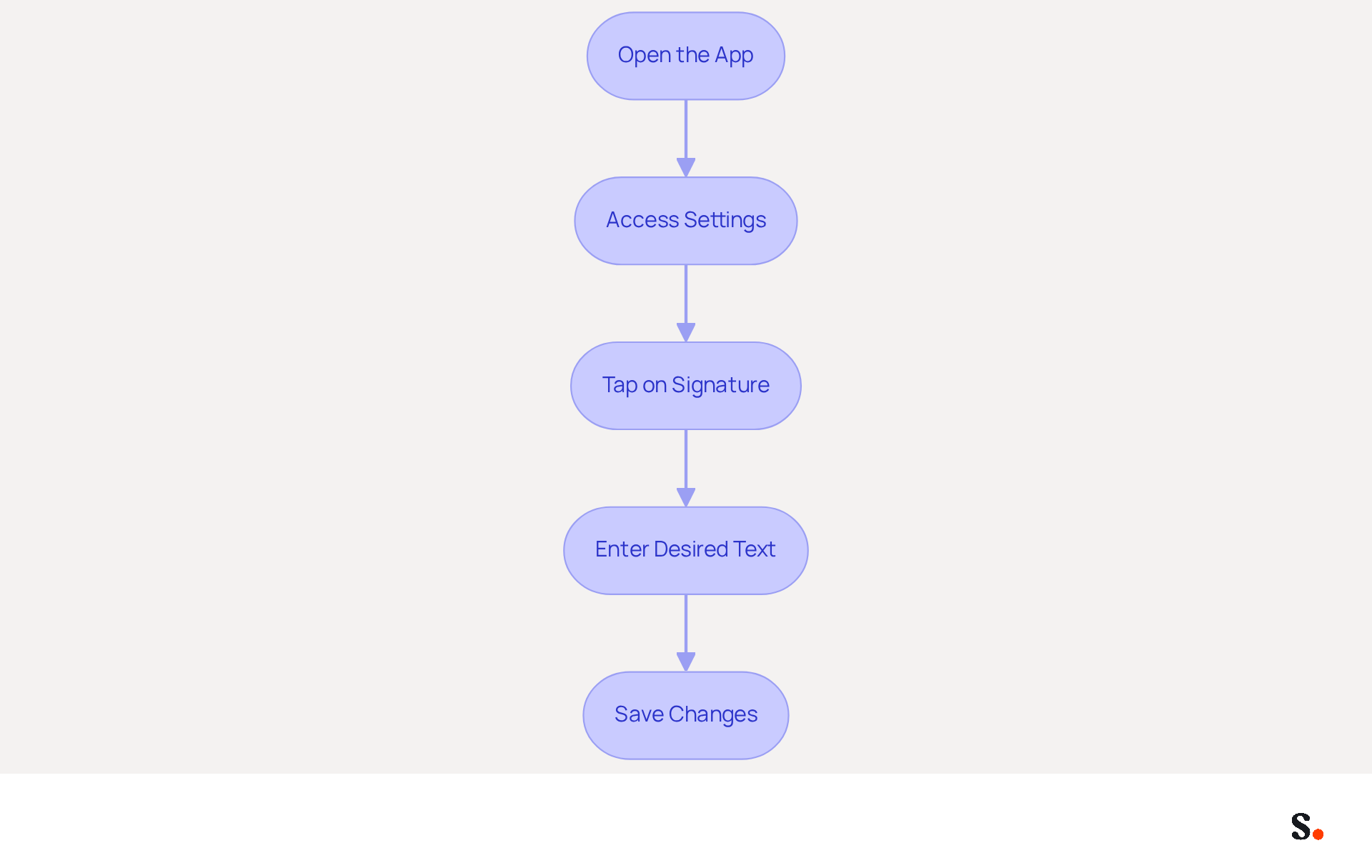
To improve your professional image, it's important to know comment modifier sa signature sur outlook, as updating your email signature in the Outlook mobile app is a straightforward process. Follow these steps to ensure your signature is effective:
- Open the App: Launch the Outlook app on your mobile device.
- Access Settings: Tap the menu icon (three horizontal lines) in the upper left corner, then tap the gear icon (⚙️) at the bottom left to open Settings.
- To learn comment modifier sa signature sur outlook, scroll down and tap on 'Signature' under the Mail section.
- To comment modifier sa signature sur outlook, you need to enter your desired text in the provided field. Although the mobile app offers fewer formatting options than the desktop version, it is crucial to maintain a clear and professional signature. With Scribe, any modifications made in your Aircall settings will automatically sync to your communications, ensuring brand consistency across all messages. Research indicates that 70% of recipients perceive a professional email footer as a marker of trust and credibility. Additionally, Scribe adheres to SOC 2 Type II compliance and GDPR/CCPA regulations, ensuring secure data handling.
- Save Changes: Once you are satisfied with your mark, simply exit the settings. Your changes will be saved automatically.
Expert Tips:
- Keep your signature concise, including essential details like your name, job title, and contact information. A well-crafted emblem reflects your company's professionalism and attention to detail.
- Think about adding a call-to-action (CTA) in your email footer; over half of professionals find it boosts engagement and directs traffic to their sites.
Statistics on Mobile Email Usage:
- With approximately 76 billion emails sent daily, ensuring your email signature is effective can significantly impact your brand visibility. The typical office employee sends 0 business messages daily, making a strong closing a valuable asset in your communication strategy. Ultimately, a polished email signature can serve as a powerful tool in establishing your brand's credibility and fostering meaningful connections with your audience.
Add Branding Elements to Your Signature
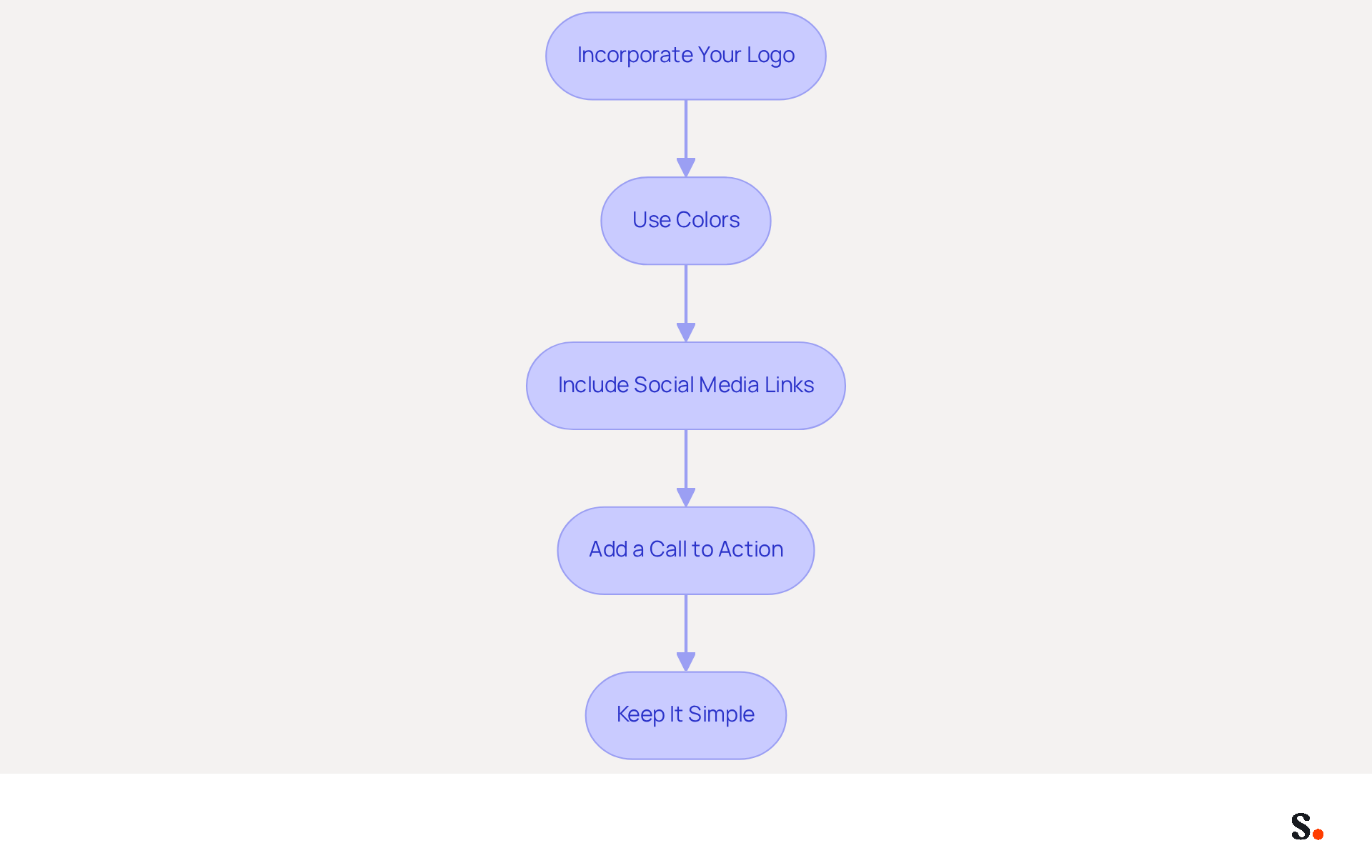
To ensure your email signature effectively represents your brand, it's essential to implement key branding elements. Follow these steps, keeping in mind that each change made in your Aircall configuration will automatically be reflected in your Scribe signatures, ensuring brand consistency:
- Incorporate Your Logo: Including your company logo significantly enhances recognition. Ensure the logo is high-quality and appropriately sized to maintain professionalism.
- Use Colors: Apply your organization's color palette in the text and graphical elements. This consistency reinforces your brand identity across all communications.
- Include Social Media Links: Adding icons that link to your company’s social media profiles encourages engagement and provides additional contact avenues, enhancing your online presence.
- Add a Call to Action: Incorporate a call to action (CTA) such as 'Schedule a Meeting' or 'Visit Our Website.' This can drive traffic and boost engagement, with email footers often achieving engagement rates significantly higher than traditional campaigns.
- Keep It Simple: Striking a balance between branding and professionalism can be challenging. Ensure that your mark remains clean and professional. Avoid cluttering it with excessive information or images, as a well-designed digital identity acts as a virtual business card, enhancing visibility and professionalism.
These elements not only improve your brand image but also help build customer trust. For example, a survey shows that 64-70% of participants believe a professional branded electronic communication footer enhances trust and credibility. Ultimately, a thoughtfully designed email signature can serve as a vital touchpoint in building lasting customer relationships.
Conclusion
Effective email signatures in Outlook serve as critical tools for establishing professionalism and enhancing brand identity. By following the outlined steps to modify your signature, users can ensure that their digital communications reflect their brand accurately and consistently. This process improves communication and helps create a unified brand presence across the organization.
The article detailed the straightforward steps for updating signatures in the Outlook desktop app, web app, and mobile app, emphasizing the importance of maintaining current and professional contact information. Key insights included the benefits of incorporating branding elements such as logos, colors, and calls to action, which directly boosts engagement and builds trust with recipients. With Scribe's capabilities, organizations can manage these signatures independently, ensuring compliance with security standards like SOC 2 Type II while achieving a 12% average click-through rate on signature banners.
Ultimately, optimizing email signatures is crucial for effective communication today. Using tools like Scribe helps organizations keep their brand consistent and turns every email into a chance for engagement. Embracing these best practices will enhance professional image and drive measurable marketing ROI, making it imperative for businesses to prioritize their email signature management.
Frequently Asked Questions
What is the purpose of email signatures in Outlook?
Email signatures in Outlook serve as digital business cards, providing essential information about the sender, such as their name, title, company, and contact details. They convey professionalism and reinforce brand identity through consistent use of logos and colors.
How can email signatures enhance communication?
A well-designed email signature provides recipients with all necessary contact information, making follow-ups and inquiries easier. It can also be used as a marketing tool by adding promotional banners or calls to action.
What statistics highlight the importance of professional email signatures?
Statistics indicate that 64-70% of participants believe a professional branded sign-off enhances trust and credibility. Additionally, 76% of consumers respond positively to businesses that employ branded signatures.
How does Scribe help with managing email signatures?
Scribe automates the management of electronic signatures, ensuring real-time synchronization with business phone systems like Aircall. This allows for seamless updates and maintains brand consistency across all communications.
What compliance does Scribe offer for data security?
Scribe is SOC 2 Type II compliant, ensuring that your data remains secure while managing your email identifiers.
What steps are involved in modifying your email signature in the Outlook desktop app?
To modify your email signature, open Outlook, access Signature Settings by clicking 'File' and then 'Options', select 'Mail', and click on 'Signatures'. Choose the signature to modify, click 'Edit', make your changes, and then save by clicking 'OK'.
Why is it important to keep email signatures updated?
Keeping email signatures updated is vital for maintaining a consistent brand presence and preventing miscommunication. Regular updates ensure that contact information is current and that branding elements do not revert due to organization-wide settings.
What is the average click-through rate on banners using Scribe?
Scribe's average click-through rate on banners is 12%, highlighting its effectiveness as a marketing tool.
List of Sources
- Understand Email Signatures in Outlook
- Exclaimer Research: 67% of Marketers Expect Email Signatures to Support With Lead Gen In 2023 (https://businesswire.com/news/home/20230612141095/en/Exclaimer-Research-67-of-Marketers-Expect-Email-Signatures-to-Support-With-Lead-Gen-In-2023)
- 40+ Email Signature Statistics for 2026 (Data + Insights) (https://wavecnct.com/blogs/email-signature-statistics)
- Email signature statistics and trends in 2024 (https://wisestamp.com/blog/email-signature-statistics)
- The impact of email signatures on your branding (https://signitic.com/en/resources/the-impact-of-email-signatures-on-your-branding)
- Modify Your Signature in the Outlook Desktop App
- How to Update Your Outlook Signature (2026) (https://getinboxzero.com/blog/post/how-to-update-signature-in-outlook)
- 40+ Email Signature Statistics for 2026 (Data + Insights) (https://wavecnct.com/blogs/email-signature-statistics)
- How To Change An Email Signature In Outlook (https://forbes.com/sites/darreonnadavis/2023/07/15/how-to-change-an-email-signature-in-outlook)
- Email signature statistics: Why every business should optimize their email signatures — Stripo.email (https://stripo.email/blog/email-signature-statistics-why-every-business-should-optimize-their-email-signatures)
- The New Outlook for Windows: An IT Guide to Email Signatures (https://exclaimer.com/email-signature-handbook/new-outlook-windows-email-signatures)
- Change Your Signature in Outlook on the Web
- Email Signatures vanishing - New Outlook | Microsoft Community Hub (https://techcommunity.microsoft.com/discussions/outlookgeneral/email-signatures-vanishing---new-outlook/4418809)
- Email Signature Statistics: A Closer Look at Email Signatures in 2026 (https://mysignature.io/blog/email-signature-statistics)
- Email signature statistics: Why every business should optimize their email signatures — Stripo.email (https://stripo.email/blog/email-signature-statistics-why-every-business-should-optimize-their-email-signatures)
- 40+ Email Signature Statistics for 2026 (Data + Insights) (https://wavecnct.com/blogs/email-signature-statistics)
- What's new in new Outlook for Windows | Microsoft Support (https://support.microsoft.com/en-us/outlook/getstarted/what-s-new-in-new-outlook-for-windows)
- Update Your Signature in the Outlook Mobile App
- 40+ Email Signature Statistics for 2026 (Data + Insights) (https://wavecnct.com/blogs/email-signature-statistics)
- Managing Outlook Signatures Across Microsoft 365 Devices | Microsoft Community Hub (https://techcommunity.microsoft.com/discussions/outlookgeneral/managing-outlook-signatures-across-microsoft-365-devices/4521215)
- How to Add an Email Signature in Outlook Mobile - NEWOLDSTAMP - NEWOLDSTAMP (https://newoldstamp.com/blog/outlook-mobile-signature)
- Add a Professional Outlook Mobile Signature (2 Min) (https://wisestamp.com/guides/how-to-add-outlook-mobile-signature)
- Release notes for Outlook Mobile - Office release notes (https://learn.microsoft.com/en-us/officeupdates/release-notes-outlook-mobile)
- Add Branding Elements to Your Signature
- The impact of email signatures on your branding (https://signitic.com/en/resources/the-impact-of-email-signatures-on-your-branding)
- 40+ Email Signature Statistics for 2026 (Data + Insights) (https://wavecnct.com/blogs/email-signature-statistics)
- Email signature branding: importance, tips & best practices (https://exclaimer.com/email-signature-handbook/email-signature-branding-importance)
Get started with Scribe
Create your signature in minutes
Free 14-day trial — no credit card.