Craft a Merry Christmas and Happy New Year Email Signature That Engages
Crafting a festive email signature presents a unique challenge for businesses: how to convey holiday cheer without compromising professionalism. It’s an
Sophie Grant
Email Signature Specialist, Scribe
Introduction
Crafting a festive email signature presents a unique challenge for businesses: how to convey holiday cheer without compromising professionalism. It’s an opportunity to engage with clients and reinforce brand identity. By incorporating essential elements like personalized messages, eye-catching designs, and effective calls-to-action, businesses can create memorable interactions that resonate with their audience.
Many organizations find it challenging to maintain professionalism while embracing the festive spirit. So, how can businesses blend holiday spirit with professionalism while making their messages pop in busy inboxes?
This article explores best practices for designing a merry Christmas and Happy New Year email signature that captivates recipients and drives engagement. By mastering this balance, organizations can enhance their communication and strengthen client relationships during the holiday season.
Get started with Scribe
See why teams switch to Scribe
Free 14-day trial — no credit card.
Define Essential Elements of Holiday Email Signatures
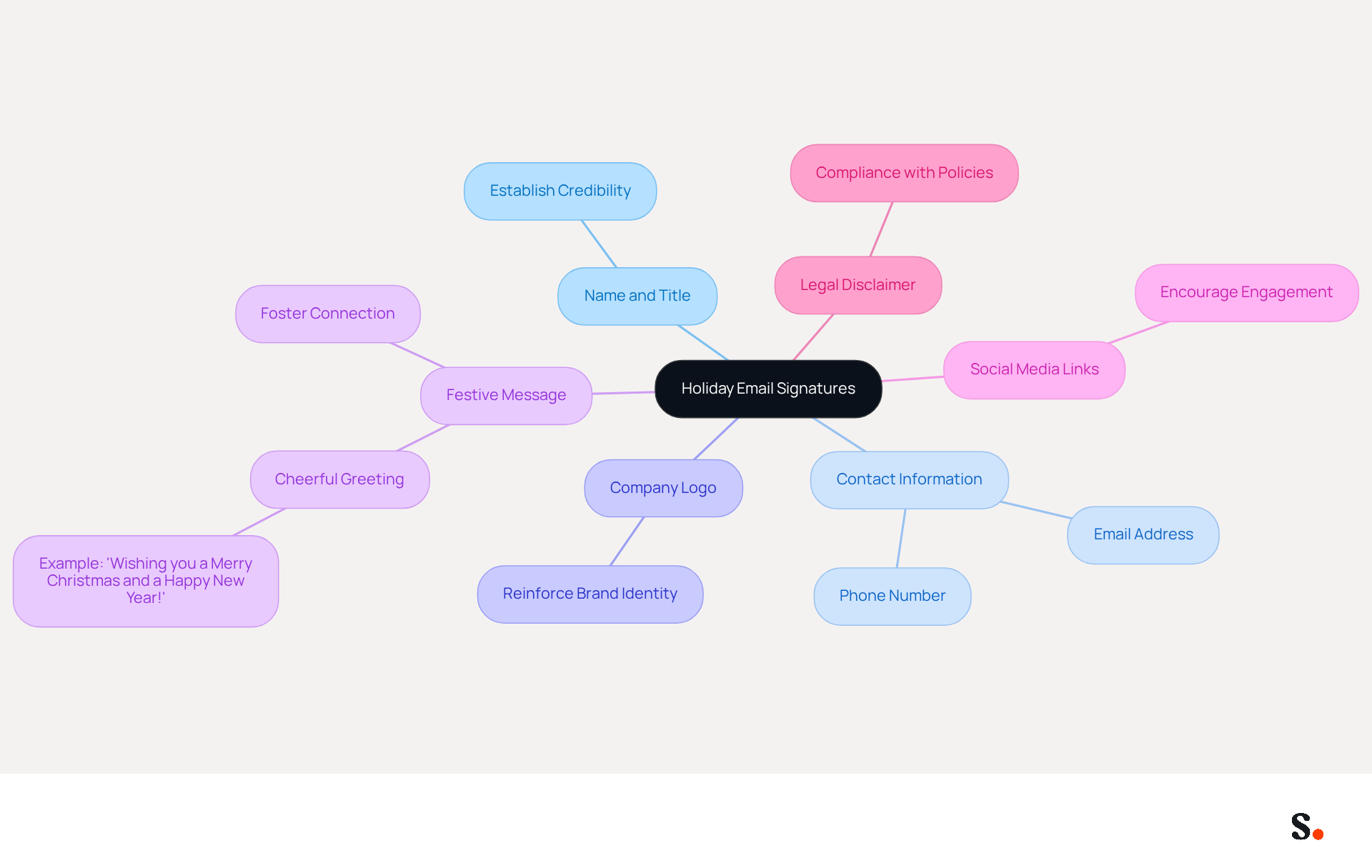
To effectively engage your audience during the holiday season, it is essential to use a merry christmas and happy new year email signature. Include the following key elements:
- Name and Title: Clearly state your name and job title to establish credibility.
- Contact Information: Provide your phone number and email address for easy communication.
- Company Logo: Incorporate your company logo to reinforce brand identity.
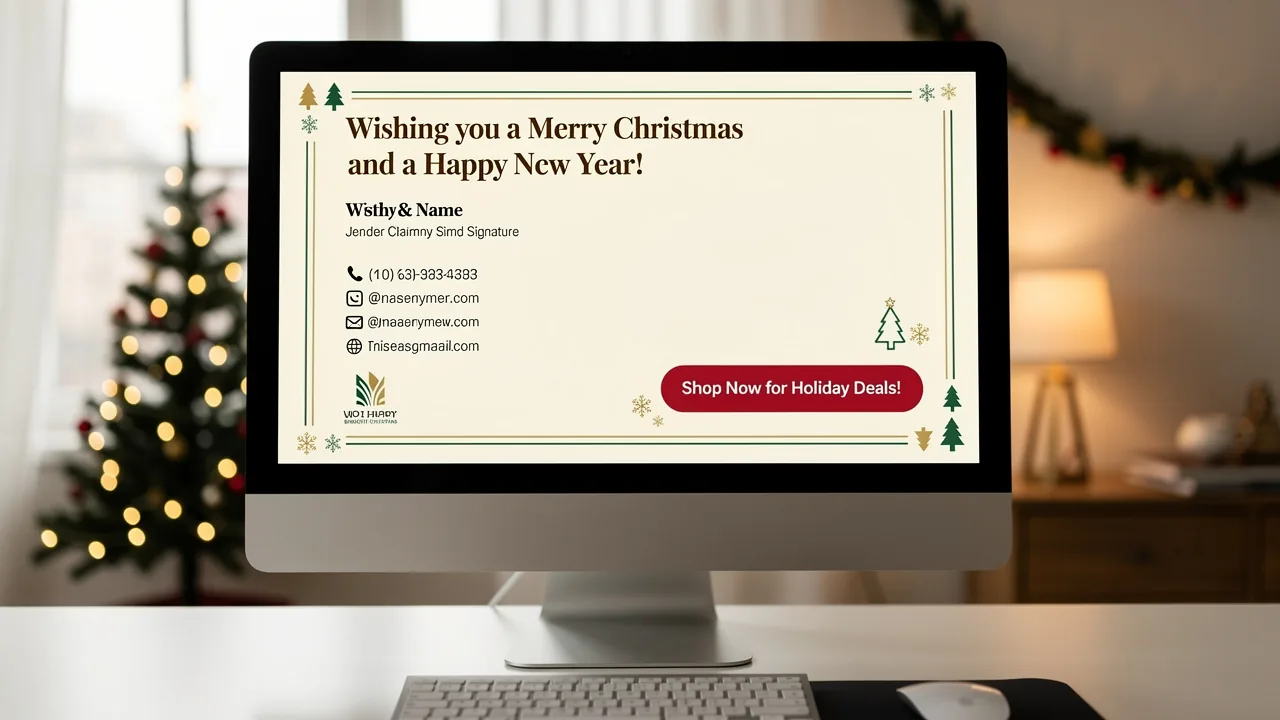
- Festive Message: Add a short, cheerful greeting for the season, such as 'Wishing you a Merry Christmas and a Happy New Year!' This personal touch fosters a deeper connection with your audience.
- Social Media Links: Include icons linking to your company’s social media profiles to encourage further engagement.
- Legal Disclaimer: If necessary, add a legal disclaimer to comply with company policies.
However, achieving a balance between festive cheer and professional integrity can be challenging. Studies indicate that incorporating seasonal messaging can boost engagement rates by as much as 5%. For instance, businesses that employed festive banners and messages reported enhanced visibility for their promotions, with click rates increasing by 12% due to strategically placed elements specifically designed for seasonal campaigns. Furthermore, case studies indicate that organizations effectively conveying seasonal hours and promotions through their communication foster stronger relationships with clients, ultimately enhancing brand loyalty. Sophie Grant, an Email Signature Specialist, emphasizes that creating a cheerful seasonal footer that balances professionalism with festive spirit is crucial for effective communication during this time. By utilizing these approaches, businesses can ensure their festive communication resonates with audiences while reinforcing their brand identity. Ultimately, a thoughtfully designed merry christmas and happy new year email signature can significantly impact your brand's visibility and client relationships.
Incorporate Personalization for Enhanced Engagement
In a crowded inbox, generic holiday greetings often go unnoticed, while personalized messages stand out and foster connections. To personalize your holiday email signatures effectively:
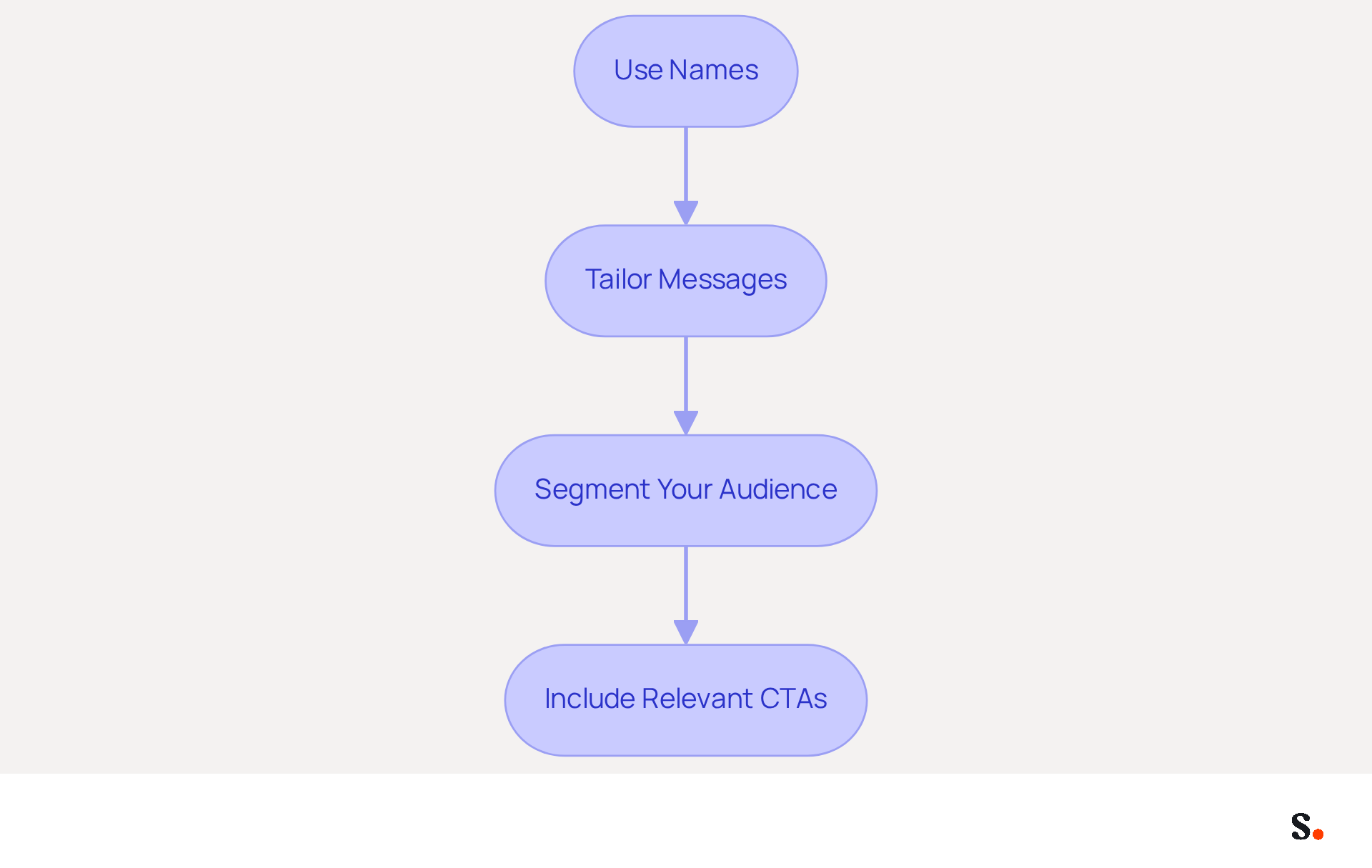
- Use Names: Whenever possible, address individuals by their first name in the greeting. For example, "Happy Holidays, [Recipient's Name]!" Just a little personal touch can really boost engagement.
- Tailor Messages: Customize your holiday message based on the individual's relationship with your company. For instance, long-term clients might appreciate a more heartfelt message, while new contacts may prefer a simple greeting.
- Segment Your Audience: Utilize data to categorize your contact list and customize identifiers for various groups. For example, a special offer can be included for loyal customers, while new leads might receive a warm welcome message.
- Include Relevant CTAs: Personalize calls-to-action based on the recipient's previous interactions with your brand. For example, if they recently attended a webinar, invite them to check out related resources.
Ultimately, the effort you invest in personalizing your merry christmas and happy new year email signature can transform a simple greeting into a meaningful interaction that strengthens relationships.
Utilize Effective Design Principles for Visual Appeal
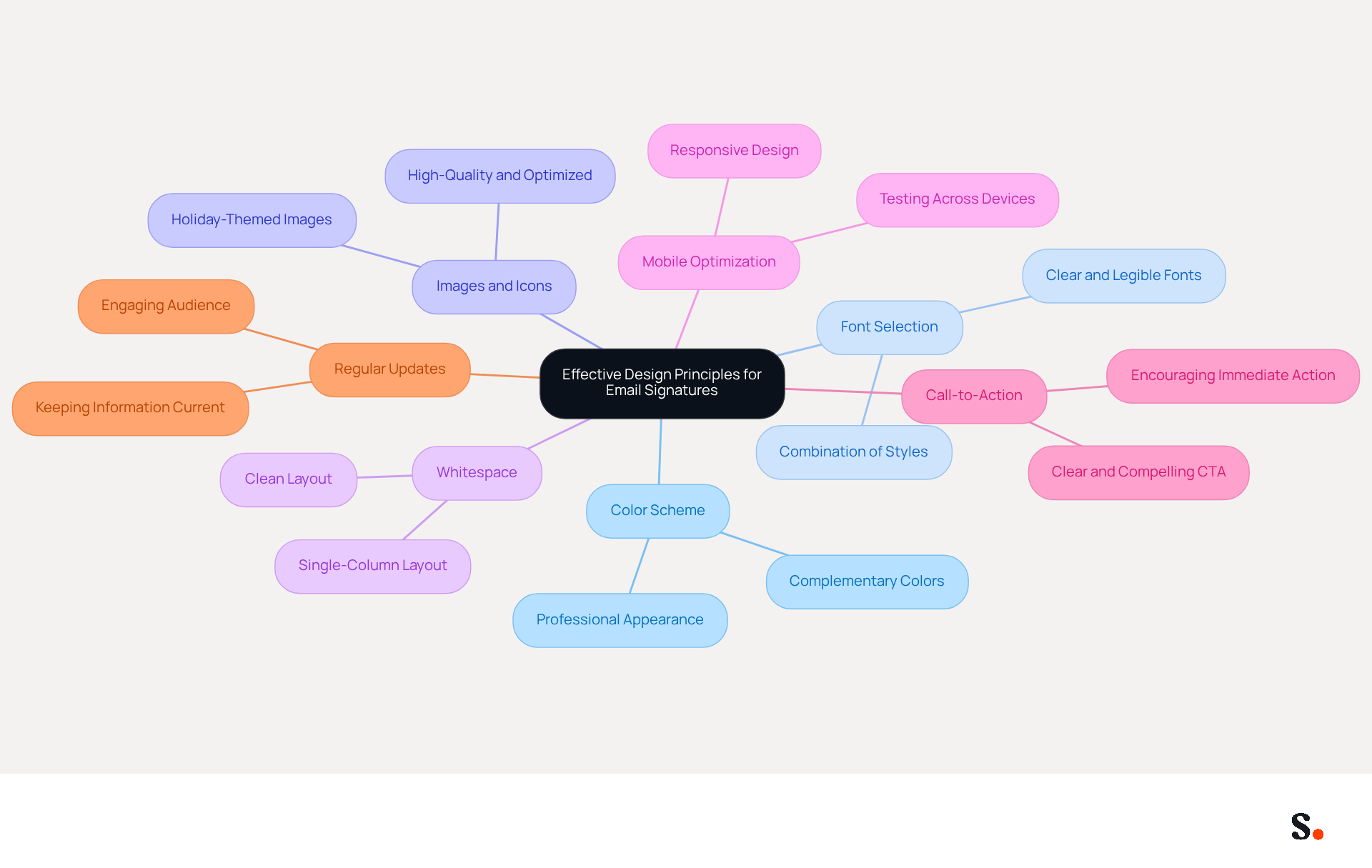
Creating a merry christmas and happy new year email signature involves a careful balance of festive elements and professional presentation.
- Color Scheme: Choose colors that complement each other without being overwhelming. This enhances visual appeal while maintaining professionalism.
- Font Selection: Opt for clear, legible fonts. Avoid overly decorative styles that may hinder readability. A combination of a festive font for greetings and a professional font for contact details strikes the right balance.
- Images and Icons: Incorporate one or two holiday-themed images or icons, like snowflakes or Christmas trees, to add a festive touch. Ensure these images are high-quality and optimized for email to prevent slow loading times. Be cautious of using heavy images, as they can affect deliverability and user experience.
- Whitespace: Effectively use whitespace to create a clean layout. This separation of elements improves readability and allows the mark to appear organized and professional. A single-column layout is preferred for better readability, especially on mobile devices.
- Mobile Optimization: Confirm that your email footer displays well on mobile devices. Testing the design across various screen sizes ensures all elements are correctly rendered, catering to the increasing number of users accessing emails on mobile.
- Call-to-Action: Include a clear and compelling call-to-action (CTA) in your email footer, such as 'Shop Now for Holiday Deals!' or 'Join Our Holiday Webinar!'. This encourages recipients to take immediate action and enhances engagement.
- Regular Updates: Keeping your information up to date keeps your audience engaged and ensures they have the correct details.
By following these design principles, your festive footer will not only radiate a celebratory atmosphere but also feature a merry christmas and happy new year email signature that maintains a professional look corresponding with your brand identity. Implementing these design principles can transform your email signature into a powerful tool for engagement and conversion.
Integrate Calls-to-Action to Drive Recipient Engagement
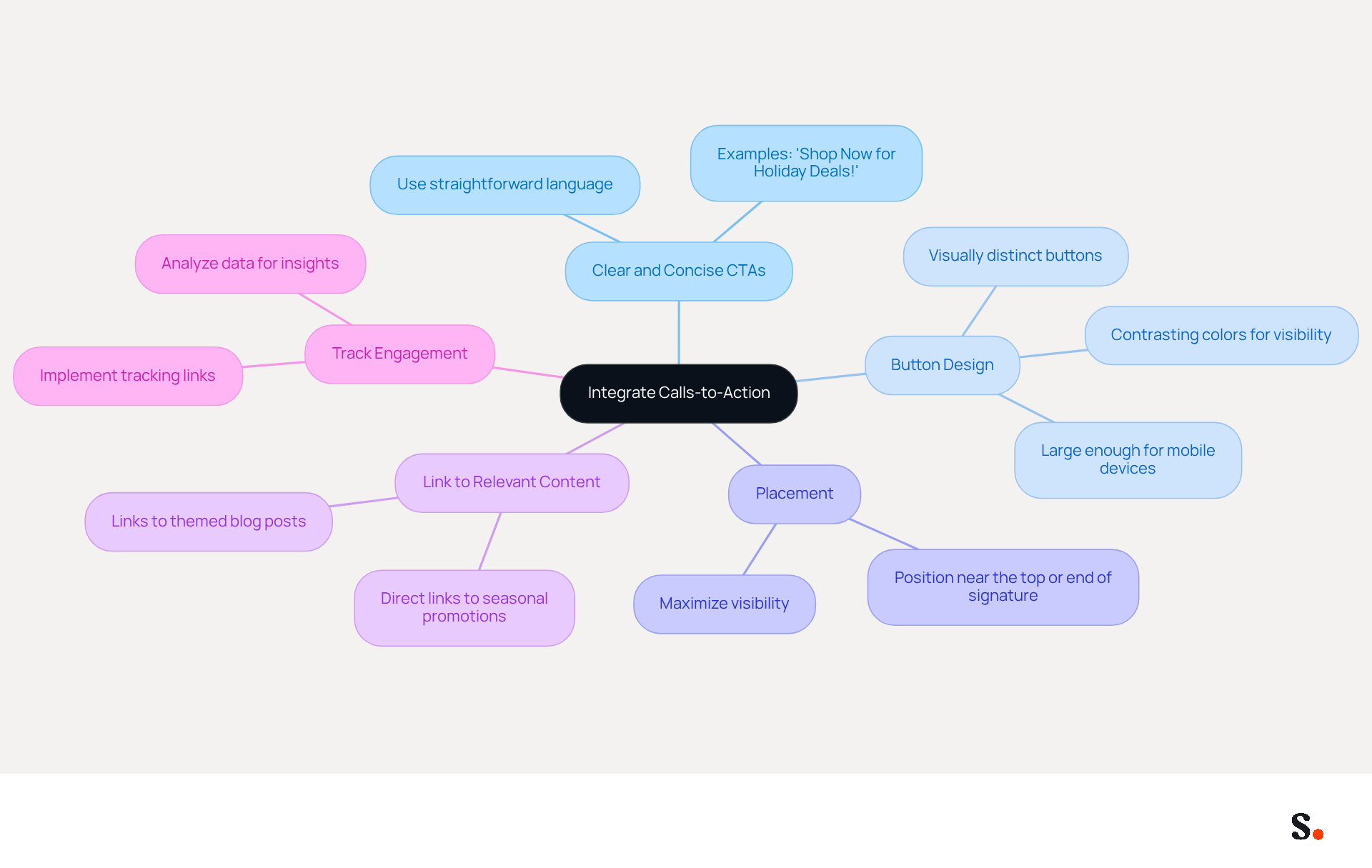
To maximize the impact of your holiday email signatures, integrating effective calls-to-action is essential:
- Clear and Concise CTAs: Use straightforward language that clearly communicates the desired action. Phrases like "Shop Now for Holiday Deals!" or "Book Your Holiday Appointment Today!" effectively prompt immediate responses.
- Button Design: Create visually distinct buttons for your CTAs. Utilizing contrasting colors enhances visibility, and ensuring they are large enough for easy clicking on mobile devices is crucial for user engagement.
- Placement: Position your CTAs strategically within the email footer. Ideally, they should be placed near the top or at the end of the signature to maximize visibility and attract the attention of the addressee.
- Link to Relevant Content: Ensure that your CTAs link to pertinent landing pages or resources that align with the festive theme. For example, directing recipients to a seasonal promotion page or a themed blog post can enhance relevance and engagement.
- Track Engagement: Implement tracking links to monitor the performance of your CTAs. Analyzing this data can provide insights into what resonates with your audience, allowing for refinement of future campaigns.
Integrating these CTAs into your holiday emails, including a merry christmas and happy new year email signature, can significantly enhance engagement and capitalize on the festive season to promote your business. Furthermore, by syncing your Google Workspace with Scribe, you save time as your teammates' data is automatically updated, ensuring that any changes-such as job positions or group assignments-are reflected in your signatures without manual input. Scribe's compliance with SOC 2 Type II, GDPR, and CCPA ensures that your data is handled securely. Studies show that using personalized CTAs can increase response rates by 26%, highlighting their importance in your email marketing strategy. By neglecting to implement personalized CTAs, you risk losing potential engagement and insights that could enhance your marketing efforts.
Conclusion
As the holiday season approaches, many organizations overlook a powerful tool for engagement: the email signature. Creating a festive email signature for Christmas and New Year offers a strategic chance to engage your audience and strengthen your brand identity. Incorporating elements like a cheerful message, clear contact information, and links to social media can enhance your signature's effectiveness during this time.
Personalizing your email signature can significantly boost engagement, as tailored messages resonate more with recipients. Additionally, adhering to effective design principles ensures that your email signature remains visually appealing and professional. Strategically placed calls-to-action can drive immediate responses from your audience, leading to increased interaction and a stronger connection with clients.
Using tools like Scribe simplifies management and ensures compliance with security standards, helping maintain brand consistency. Failing to capitalize on this opportunity could mean losing valuable connections during a critical time for engagement.
Frequently Asked Questions
What are the essential elements to include in a holiday email signature?
The essential elements to include in a holiday email signature are your name and title, contact information, company logo, a festive message, social media links, and a legal disclaimer if necessary.
Why is it important to have a festive message in your email signature?
A festive message, such as "Wishing you a Merry Christmas and a Happy New Year!", adds a personal touch that fosters a deeper connection with your audience.
How can including a company logo in the email signature benefit a business?
Incorporating a company logo reinforces brand identity, making it easier for recipients to recognize and remember the brand.
What impact can seasonal messaging have on engagement rates?
Studies indicate that incorporating seasonal messaging can boost engagement rates by as much as 5%, with businesses reporting enhanced visibility and increased click rates for promotions.
What role do social media links play in a holiday email signature?
Social media links encourage further engagement by providing recipients with easy access to the company’s social media profiles.
How can a holiday email signature affect client relationships?
A thoughtfully designed holiday email signature can enhance brand visibility and foster stronger relationships with clients, ultimately improving brand loyalty.
What is the challenge in creating a holiday email signature?
The challenge lies in achieving a balance between festive cheer and professional integrity while ensuring effective communication during the holiday season.
List of Sources
- Define Essential Elements of Holiday Email Signatures
- Professional Christmas and Holiday Email Signatures for Business – cloudHQ (https://blog.cloudhq.net/professional-christmas-and-holiday-email-signatures-for-business)
- The Best Holiday Email Signatures and Sign-Offs for 2025: Templates, Banners, and Professional Examples - HiHello (https://hihello.com/blog/the-best-holiday-email-signatures)
- Craft a Happy Holiday Email Signature: 4 Best Practices for Impact (https://scribe-mail.com/en-US/blog/craft-a-happy-holiday-email-signature-4-best-practices-for-impact)
- Best Practices for Crafting Effective Email Signatures for Holidays (https://scribe-mail.com/en-US/blog/best-practices-for-crafting-effective-email-signatures-for-holidays)
- Incorporate Personalization for Enhanced Engagement
- Dynamic Content Strategies for This Year’s Holiday Email Marketing (https://litmus.com/blog/holiday-email-personalization-with-dynamic-content)
- Prepare Your Email Strategy for the Holiday Season (https://tritondigital.com/blog/prepare-your-email-strategy-for-the-holiday-season)
- 4 Best Practices for Happy Holidays Email Signatures (https://scribe-mail.com/en-US/blog/4-best-practices-for-happy-holidays-email-signatures)
- 5 Holiday Email Marketing Tips to Power Your Seasonal Campaigns | PGM Solutions (https://porchgroupmedia.com/blog/holiday-email-marketing-tips)
- The future of email signature marketing: Swap mass messaging for personalization (https://exclaimer.com/blog/the-future-of-email-signature-marketing-swap-mass-messaging-for-personalization)
- Utilize Effective Design Principles for Visual Appeal
- Email Signature Trends 2026: What Designers Are Actually Using (https://markaplugin.com/blog/email-signature-trends-2026)
- Email Signature Design Trends in 2026: What Works and What to Drop (https://bulksignature.com/blog/email-signature-design-trends)
- Craft a Happy Holiday Email Signature: 4 Best Practices for Impact (https://scribe-mail.com/en-US/blog/craft-a-happy-holiday-email-signature-4-best-practices-for-impact)
- Best Practices for Crafting Effective Email Signatures for Holidays (https://scribe-mail.com/en-US/blog/best-practices-for-crafting-effective-email-signatures-for-holidays)
- "Email Signature Trends for 2026: What's In, What's Out" | Crossware posted on the topic | LinkedIn (https://linkedin.com/posts/crossware-ltd_new-year-new-trends-even-for-your-email-activity-7394554686046908416-vD_O)
- Integrate Calls-to-Action to Drive Recipient Engagement
- Best Practices for Crafting Effective Email Signatures for Holidays (https://scribe-mail.com/en-US/blog/best-practices-for-crafting-effective-email-signatures-for-holidays)
- 7 tips for an effective CTA in your email signature (https://letsignit.com/blog/efficient-call-to-action-signature)
- Why and how to add an effective CTA to your email signature? (https://signitic.com/en/resources/why-and-how-to-add-an-effective-cta-to-your-email-signature)
- 4 Best Practices for Your Christmas Email Signature Strategy (https://scribe-mail.com/en-US/blog/4-best-practices-for-your-christmas-email-signature-strategy)
- The Ultimate Guide to Email Signature Call-to-Action - NEWOLDSTAMP (https://newoldstamp.com/blog/the-ultimate-guide-to-email-signature-call-to-action)
Get started with Scribe
See why teams switch to Scribe
Free 14-day trial — no credit card.