Craft an Impactful Email Signature for Unemployed Job Seekers
In a saturated job market, crafting an impactful email signature is essential for job seekers aiming to stand out. Creating an impactful email signature is
Sophie Grant
Email Signature Specialist, Scribe
Introduction
In a saturated job market, crafting an impactful email signature is essential for job seekers aiming to stand out. Creating an impactful email signature is crucial for job seekers looking to make a memorable impression in a competitive market. This article explores the essential components and best practices for transforming a simple sign-off into a powerful marketing tool. By doing so, it enhances personal branding and professionalism. Job seekers must ensure their email signatures effectively convey their qualifications and resonate with potential employers to enhance their chances of securing interviews.
Get started with Scribe
Manage signatures across your whole team
Free 14-day trial — no credit card.
Define Essential Components for Your Email Signature
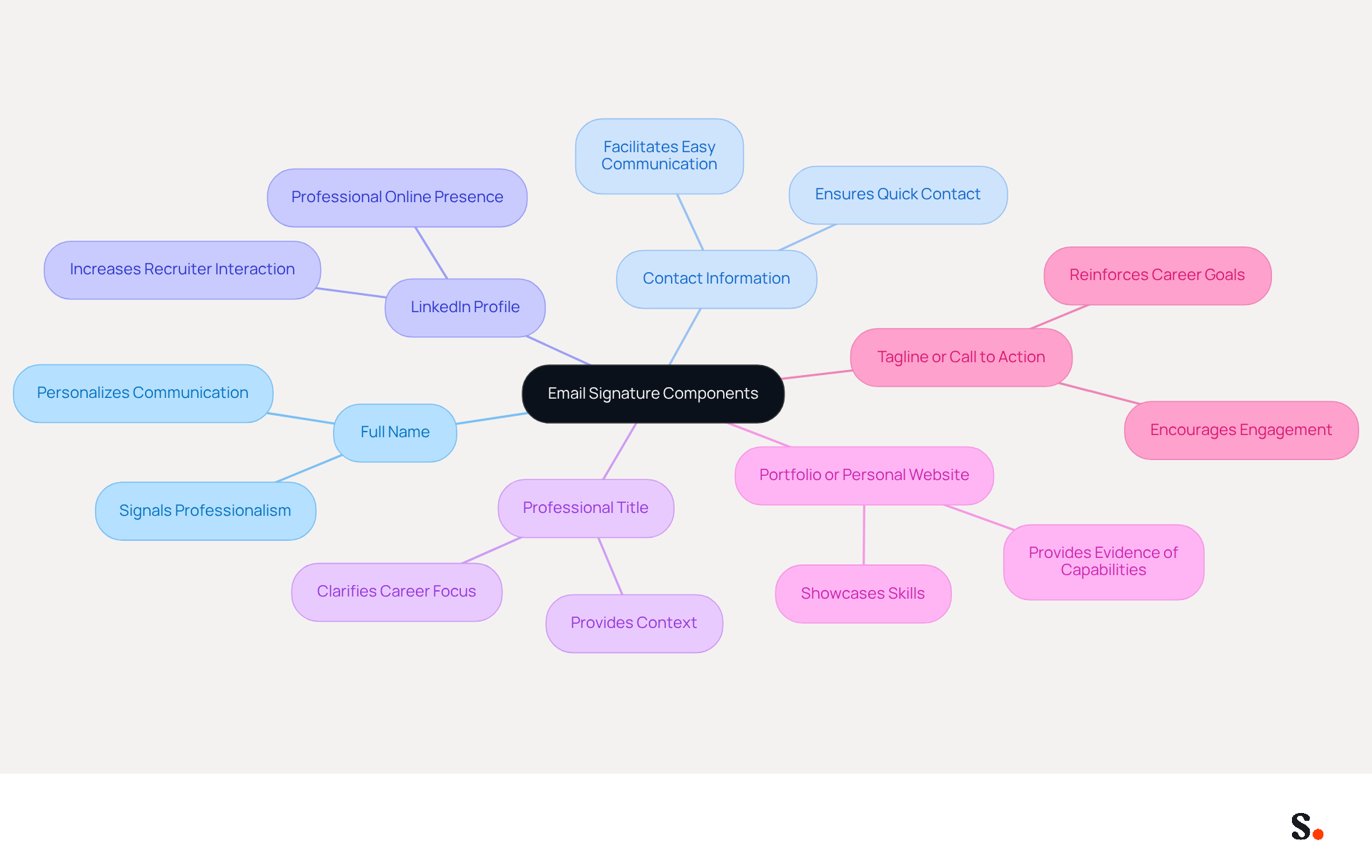
An effective email signature for unemployed job seekers is crucial for making a strong impression. It should include the following essential components:
- Full Name: Clearly state your full name to personalize your communication, signaling professionalism and organization.
- Contact Information: Include your phone number and email address to facilitate easy communication with potential employers. Clear contact details ensure recruiters can reach you quickly, increasing the likelihood of engagement.
- LinkedIn Profile: Add a hyperlink to your LinkedIn profile to provide a professional online presence. This allows recruiters to quickly view your qualifications, increasing the likelihood of engagement, as candidates who share their LinkedIn profiles often see more recruiter interaction.
- Professional Title: If applicable, state your current or desired job title to provide context to your job search. This helps recruiters understand your career focus and aspirations.
- Portfolio or Personal Website: Many candidates struggle to effectively showcase their skills; including a link to your portfolio or personal website can help. This showcases your skills and provides tangible evidence of your capabilities, making your application more compelling.
- Tagline or Call to Action: Incorporate a brief tagline that summarizes your professional identity or a call to action, such as "Looking for opportunities in [specific field]." This can help reinforce your career goals and prompt further engagement from potential employers.
Additionally, ensure that you use a professional personal address, such as Firstname.lastname@gmail.com, and avoid using your current work account for job searching, as it may be visible to your employer. Keeping your message footer concise is also important; aim for a clean layout that does not overwhelm recipients. Ultimately, a thoughtfully constructed email signature for unemployed individuals can be a decisive factor in your job search success.
Customize Your Signature for Unique Job-Seeking Circumstances
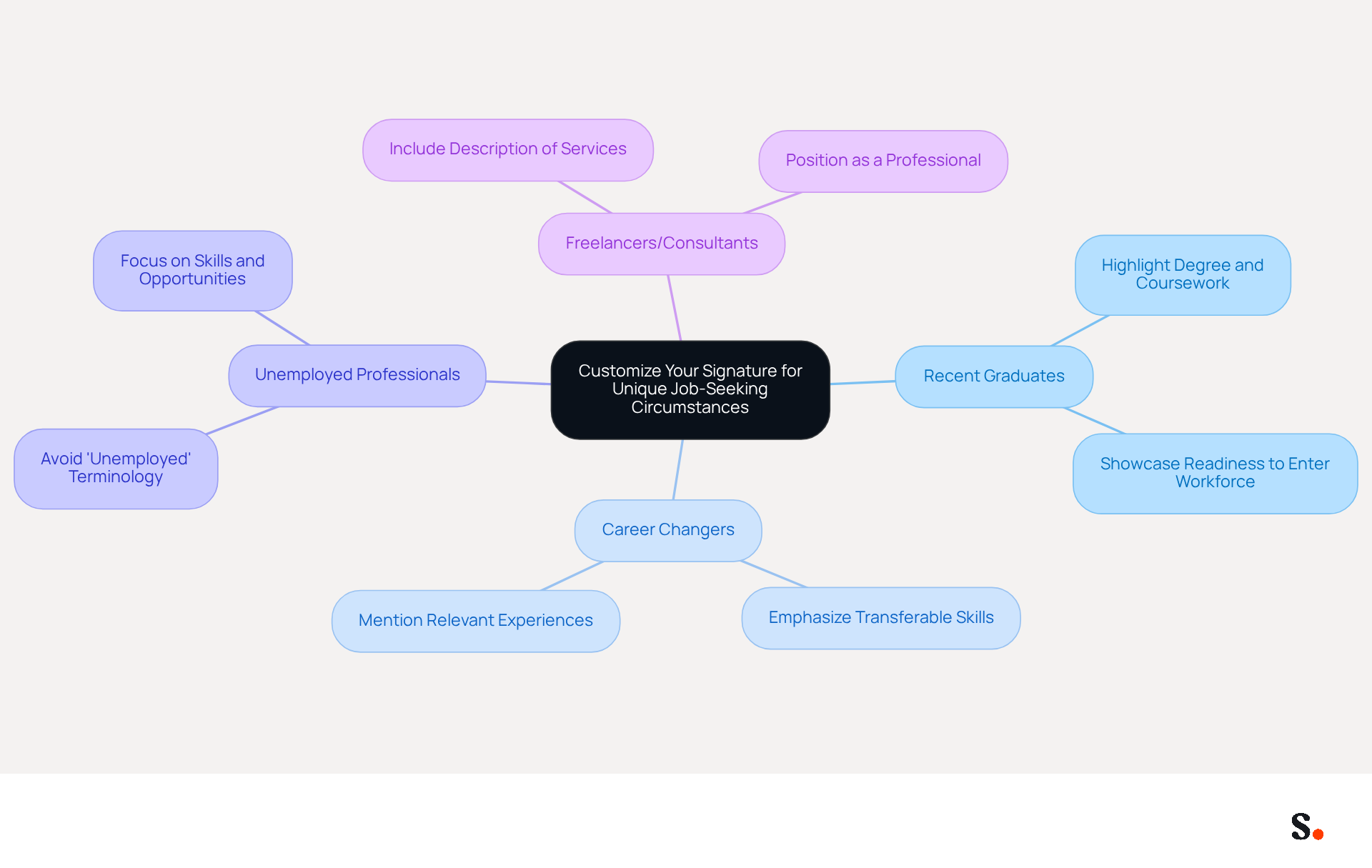
Customizing your email signature for unemployed job seekers to reflect your unique circumstances can greatly enhance your outreach efforts. Here are some effective strategies:
- For Recent Graduates: Highlight your degree and relevant coursework or projects. For instance, you might include a line like "Recent Graduate in Marketing from XYZ University," which showcases your educational background and readiness to enter the workforce.
- For Career Changers: Emphasize transferable skills and relevant experiences from your previous roles. A note such as "Experienced in project management and client relations, seeking opportunities in [new field]" shows your adaptability and readiness for a new career path.
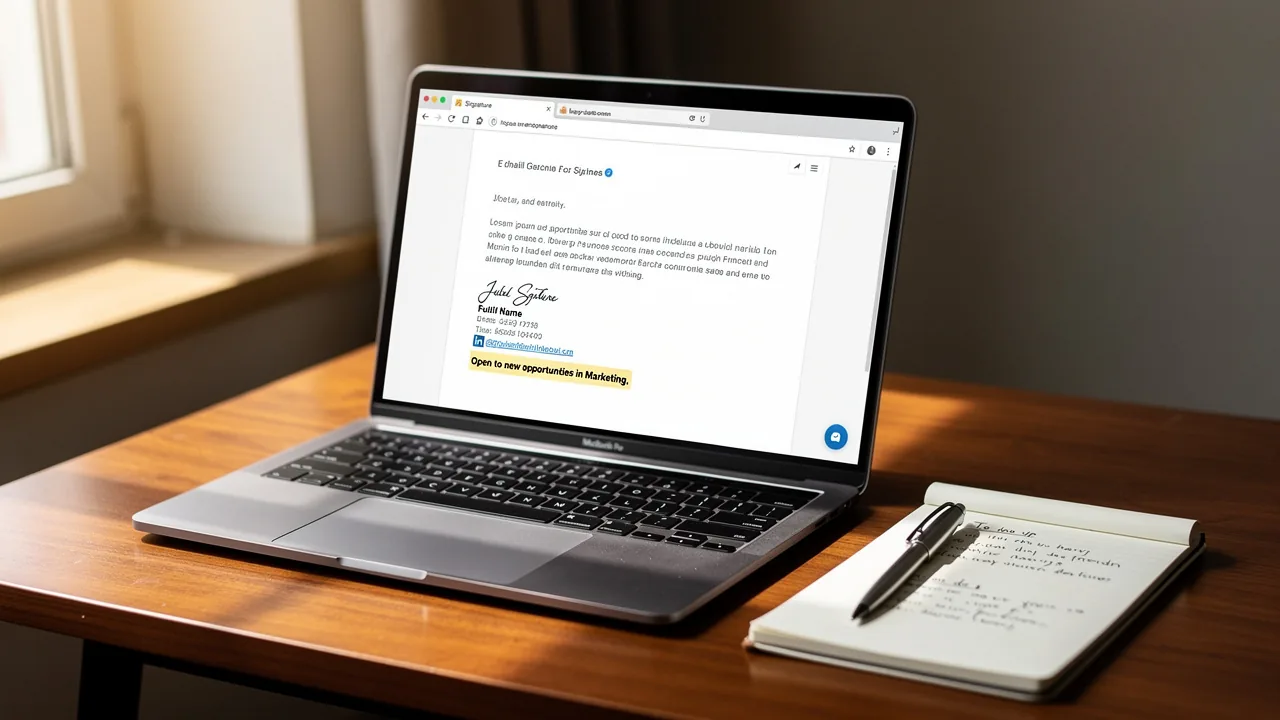
- For unemployed professionals, it's best to avoid using terms like 'unemployed' in your email signature. Instead, focus on your skills and what you can showcase in your email signature to attract potential employers. A simple statement like "[Open to new opportunities in industry" conveys a proactive approach without negative connotations. Recognizing that 42% of consumers view businesses without branded identifiers negatively underscores the need for a professional appearance in all communications.
- For Freelancers or Consultants: Include a brief description of your services or specialties, such as "Freelance Graphic Designer specializing in branding and digital marketing." This not only informs recipients of your expertise but also positions you as a professional in your field.
By personalizing your sign-off, you help connect with your audience and position yourself as a strong candidate for the roles you're pursuing. Furthermore, incorporating a call-to-action in your closing can motivate employers to interact with your content, as over half of users (52.6%) include a CTA in their correspondence, suggesting that this approach is both effective and widely embraced. Branded digital identifiers can lead to a 22% increase in response rates and a 15% rise in click-through rates to company websites, further boosting your job-seeking efforts.
Ensure Professionalism and Brand Consistency in Your Signature
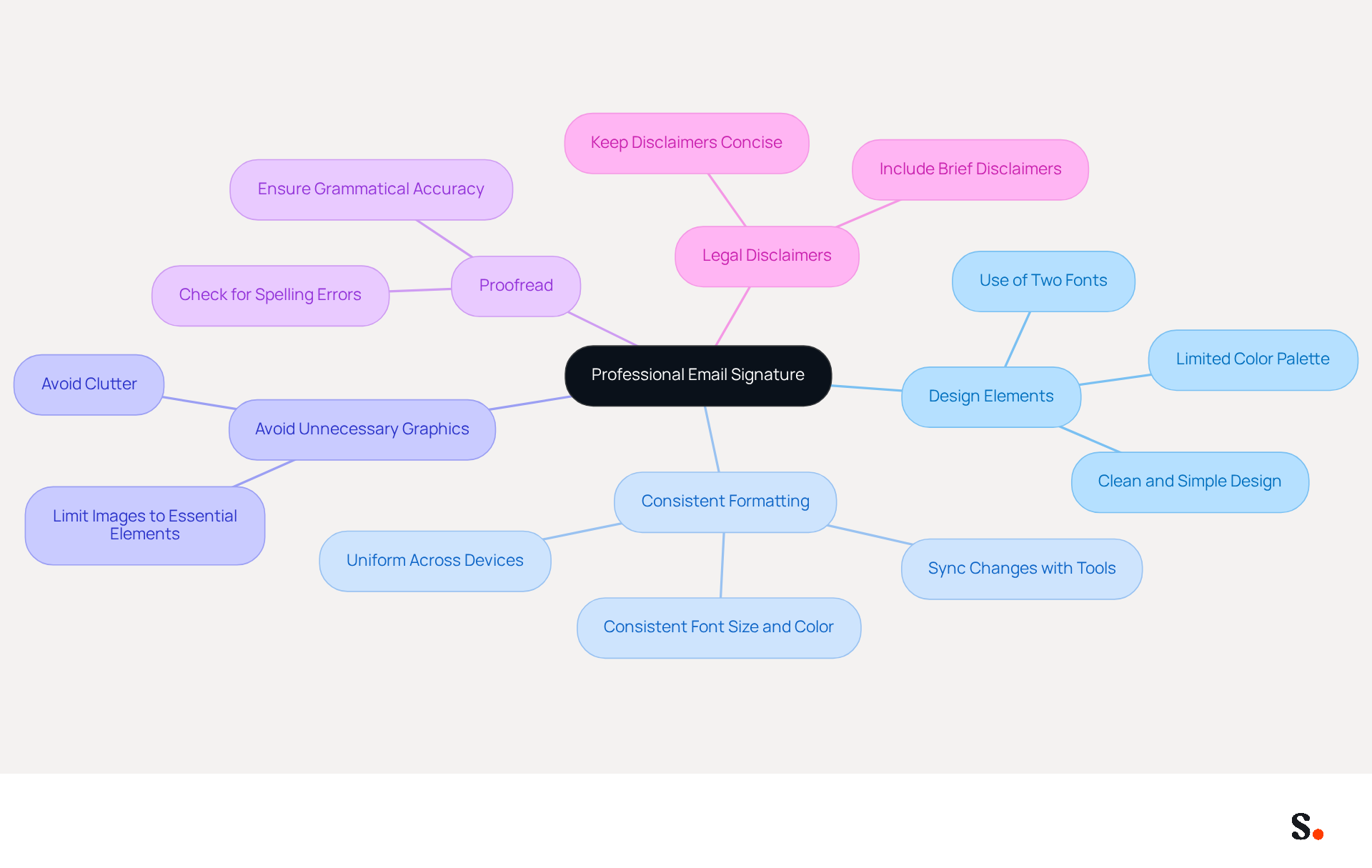
Creating an email signature for unemployed individuals is crucial for establishing brand consistency and enhancing your personal image. To achieve this, consider the following best practices:
- Design Elements: Use a clean and simple design with no more than two fonts and a limited color palette. This helps maintain a professional appearance.
- Consistent Formatting: Ensure that your format is uniform across all devices and messaging platforms. This includes font size, color, and layout. Scribe makes it easy to keep your email branding consistent by syncing any changes made in your Aircall configuration.
- Avoid Unnecessary Graphics: While a logo can enhance your email footer, avoid cluttering it with excessive images or graphics that may distract from the essential information. Cluttered email signatures can detract from your message and undermine professionalism.
- Proofread: Double-check for spelling and grammatical errors. A polished mark reflects attention to detail and professionalism.
- Legal Disclaimers: If applicable, include a brief legal disclaimer at the bottom of your sign-off, but keep it concise to avoid overwhelming the recipient.
By following these guidelines, you can ensure your contact details reflect professionalism and enhance your personal brand. Ultimately, an effective email signature for unemployed individuals can be a powerful tool in shaping how you are perceived in professional communications.
Optimize Your Email Signature for Mobile Devices
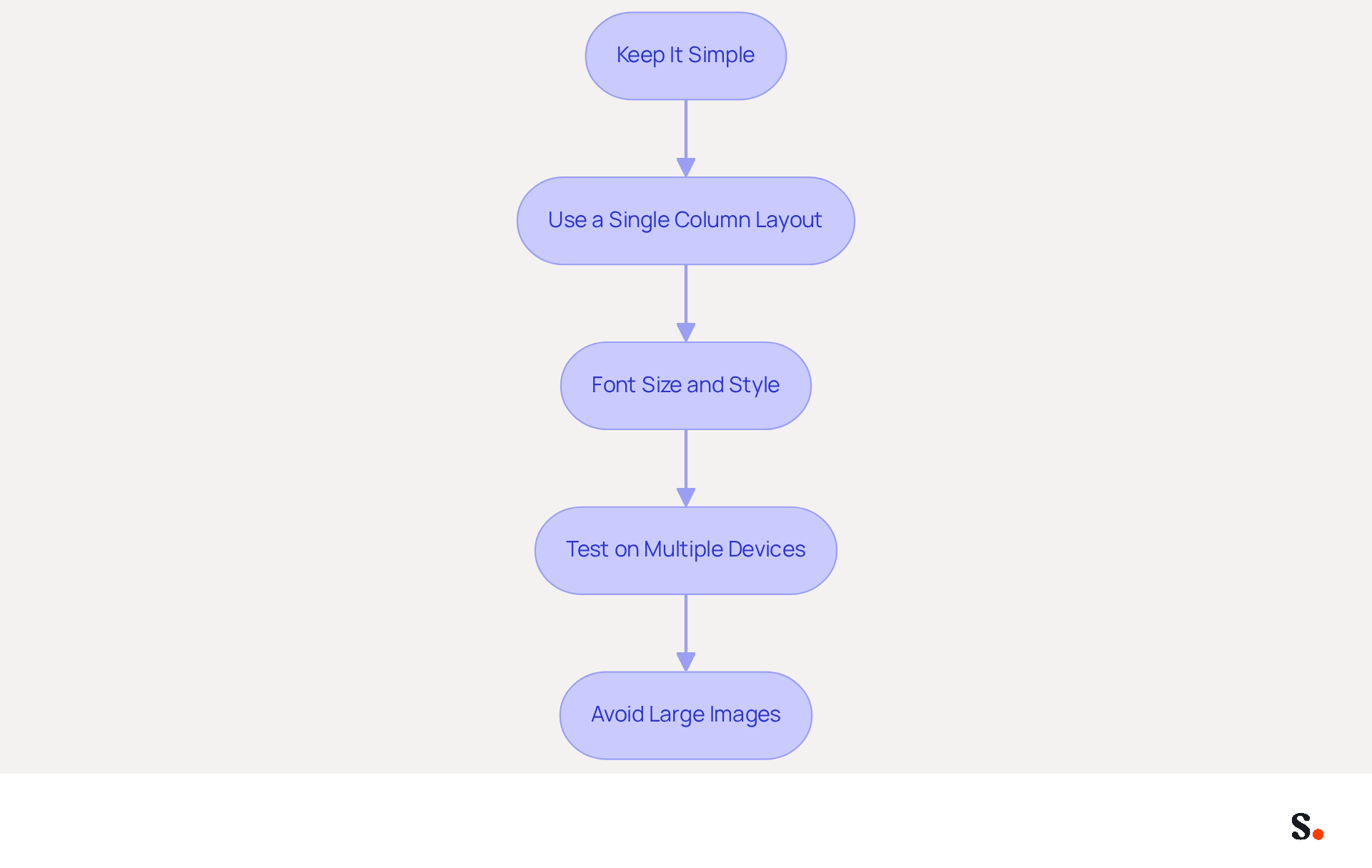
To maximize the effectiveness of your email signature on mobile devices, consider these essential optimization strategies:
- Keep It Simple: Limit the number of elements in your sign-off to avoid clutter. A simple signature is easier to read on smaller screens, improving the user experience.
- Use a Single Column Layout: A single-column layout is more mobile-friendly, ensuring that all information is easily accessible without excessive scrolling. This is particularly important, as studies show that a significant percentage of professionals rely on smartphones for work tasks.
- Font Size and Style: Use a legible font size between 11 to 18 pixels and a web-safe font style to ensure readability across different devices. This range is particularly important for visually impaired recipients.
- Test on Multiple Devices: Before finalizing your mark, test it on various mobile devices and messaging applications to ensure it displays correctly. Without regular testing, your email signature may not appear as intended, leading to potential miscommunication.
- Avoid Large Images: If you include images, ensure they are optimized for mobile viewing. Images should possess at least three times the resolution of the displayed size to avoid blurriness, and the overall width of the watermark should be maintained under 400 pixels for optimal mobile compatibility. Furthermore, avoid excessive formatting that could adversely affect the appearance of your mark.
By optimizing your email signature for unemployed individuals for mobile devices, you enhance the chances of making a positive impression on potential employers, regardless of how they access your emails. Ultimately, a well-optimized email signature can significantly impact how your professionalism is perceived, regardless of the device used.
Conclusion
In a competitive job market, making a memorable impression through effective communication is crucial for unemployed job seekers. A well-crafted signature can showcase professionalism while also helping job seekers connect with potential employers more effectively. By incorporating key elements such as contact information, a LinkedIn profile, and a clear professional title, job seekers can effectively showcase their qualifications and aspirations.
Throughout the article, various strategies have been discussed to tailor email signatures to specific job-seeking circumstances. From highlighting educational achievements for recent graduates to emphasizing transferable skills for career changers, personalizing the signature can significantly enhance outreach efforts. Additionally, maintaining professionalism and brand consistency through design elements and formatting ensures that the signature reflects the job seeker's commitment to quality and attention to detail.
Ultimately, optimizing an email signature for mobile devices further enhances its effectiveness, ensuring that it is accessible and visually appealing across all platforms. By embracing these strategies, job seekers can transform their email signatures into impactful tools that elevate their professional presence and open doors to new opportunities.
Frequently Asked Questions
Why is an email signature important for unemployed job seekers?
An effective email signature is crucial for making a strong impression and can significantly impact job search success by facilitating communication with potential employers.
What essential components should be included in an email signature for job seekers?
The essential components include your full name, contact information (phone number and email address), a hyperlink to your LinkedIn profile, your professional title, a link to your portfolio or personal website, and a tagline or call to action.
How should I format my full name in the email signature?
Clearly state your full name to personalize your communication, signaling professionalism and organization.
What contact information should I include in my email signature?
Include your phone number and email address to facilitate easy communication with potential employers.
Why is it beneficial to add a LinkedIn profile link in my email signature?
Adding a hyperlink to your LinkedIn profile provides a professional online presence, allowing recruiters to quickly view your qualifications and increasing the likelihood of engagement.
Should I include my current or desired job title in my email signature?
Yes, stating your current or desired job title provides context to your job search and helps recruiters understand your career focus and aspirations.
How can a portfolio or personal website link enhance my email signature?
Including a link to your portfolio or personal website showcases your skills and provides tangible evidence of your capabilities, making your application more compelling.
What is a tagline or call to action, and why should I include it?
A tagline summarizes your professional identity or a call to action prompts further engagement, such as stating 'Looking for opportunities in [specific field].' This reinforces your career goals.
What type of email address should I use in my signature?
Use a professional personal address, such as Firstname.lastname@gmail.com, and avoid using your current work account for job searching.
How should I structure my email signature for clarity?
Keep your message footer concise with a clean layout that does not overwhelm recipients, ensuring it is easy to read and professional.
List of Sources
- Define Essential Components for Your Email Signature
- Email Signature for Job Seekers | SyncSignature (https://syncsignature.com/job-seeker-email-signature)
- Email Signature for Job Seekers - Stand Out in Applications (https://siggen.dev/blog/email-signature-job-seekers)
- Do’s and Don’ts: Creating an Email Signature for a Job Search (https://medium.com/the-zealify-blog/dos-and-don-ts-creating-an-email-signature-for-a-job-search-ae87a033c08d)
- Email Signatures for Job Seekers - Gimmio (https://blog.gimm.io/email-signatures-for-job-seekers)
- How To Create An Email Signature When Searching For A Job (https://forbes.com/sites/carolinecenizalevine/2024/09/11/how-to-create-an-email-signature-as-a-job-searcher)
- Customize Your Signature for Unique Job-Seeking Circumstances
- 40+ Email Signature Statistics for 2026 (Data + Insights) (https://wavecnct.com/blogs/email-signature-statistics)
- Job Seeker Email Signature Examples - Usable Templates (https://wisestamp.com/examples/job-seeker-email-signature-examples)
- How To Create An Email Signature When Searching For A Job (https://forbes.com/sites/carolinecenizalevine/2024/09/11/how-to-create-an-email-signature-as-a-job-searcher)
- Email Signatures for Job Seekers - Gimmio (https://blog.gimm.io/email-signatures-for-job-seekers)
- Email Signature Trends in Numbers: Infographic [2026] (https://mailtrap.io/blog/email-signature-trends)
- Ensure Professionalism and Brand Consistency in Your Signature
- Research Recap: Branded Email Signatures Increase Company Recognition, Trust - B2BMX INSIGHTS (https://demandgenreport.com/industry-news/research-recap-branded-email-signatures-increase-company-recognition-trust/47252)
- Master Corporate Email Signature Management for Brand Consistency (https://scribe-mail.com/en-US/blog/master-corporate-email-signature-management-for-brand-consistency)
- Email Signature Branding: Consistency and Impact | Crossware365 (https://crossware365.com/blog/mastering-email-signature-branding-market-presence)
- Why Are Email Signatures Key to Brand Awareness? | QuickMail (https://quickmail.com/role-of-email-signatures-in-brand-awareness)
- Why Email Signatures Must Be In Your 2026 Marketing Plan | Rocketseed (https://rocketseed.com/blog/2026-marketing-plan-email-signatures)
- Optimize Your Email Signature for Mobile Devices
- Best Mobile Email Signatures: Key Practices for Marketing Managers (https://scribe-mail.com/en-US/blog/best-mobile-email-signatures-key-practices-for-marketing-managers)
- Optimizing Mobile Email Signatures: Best Practices for Seamless Communication | MySignature (https://mysignature.io/blog/optimizing-mobile-email-signatures)
- How to Optimize Your Email Signature for Mobile Devices - Gimmio (https://blog.gimm.io/how-to-optimize-your-email-signature-for-mobile-devices)
- Optimise Your Email Signature for Mobile Devices (https://globalbankingandfinance.com/why-optimising-brand-email-signatures-for-mobile-devices-is-essential-for-hybrid-working)
- How to Make Email Signature Mobile-Friendly in 2023 (https://pandadoc.com/ask/how-to-make-email-signature-mobile-friendly)
Get started with Scribe
Manage signatures across your whole team
Free 14-day trial — no credit card.