Create an Email Signature from a Template in 5 Easy Steps
In a world where first impressions matter, email signatures play a crucial role in shaping professional perceptions. They are not merely digital sign-offs
Sophie Grant
Email Signature Specialist, Scribe
Introduction
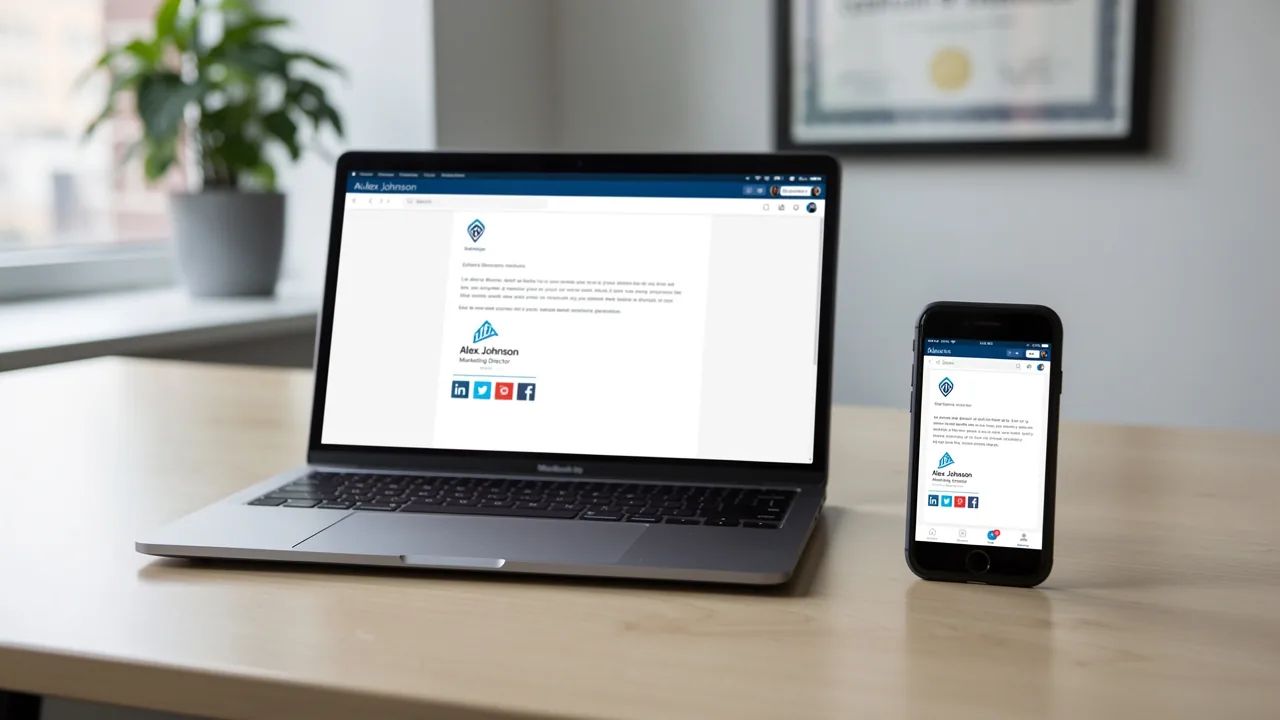
In a world where first impressions matter, email signatures play a crucial role in shaping professional perceptions. They are not merely digital sign-offs; they are vital components of professional communication that can significantly enhance brand visibility and credibility.
By creating a well-crafted email signature from a template, professionals can ensure consistency and professionalism in their correspondence, ultimately driving engagement and trust among recipients.
With numerous templates and customization options at your disposal, selecting the right signature that reflects your brand identity can be daunting.
This guide outlines key steps to craft an impactful email signature that not only serves as a marketing tool but also upholds a polished professional image.
Understand the Importance of Email Signatures
Email signatures play a pivotal role in shaping your professional identity and enhancing brand visibility. They serve multiple critical functions:
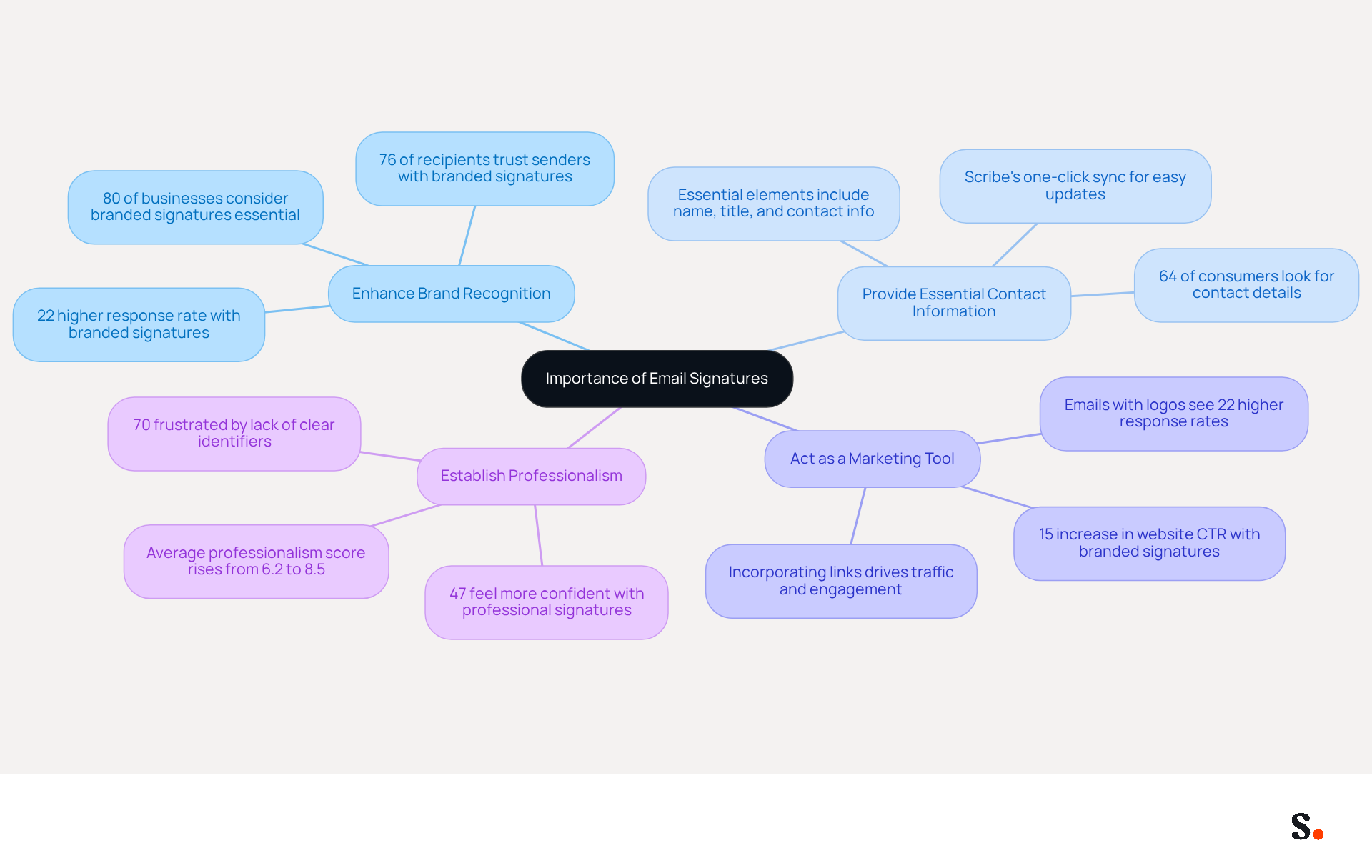
- Enhance Brand Recognition: Consistent branding across all communications reinforces your company’s identity, making it more memorable to recipients. In fact, 80% of businesses consider branded electronic identifiers essential for branding, with 76% of recipients indicating that such marks enhance their trust in the sender. Scribe keeps your digital identifiers up-to-date and consistent by automatically syncing with your business phone system.
- Provide Essential Contact Information: Including your name, title, and contact details ensures recipients can easily reach you. It’s crucial because many consumers look for contact details in emails. Scribe's one-click synchronization enables you to handle this information with ease, ensuring that any modifications are automatically reflected in your documents.
- Act as a Marketing Tool: Incorporating links to your website or social media can drive traffic and engagement. Emails with branded logos see a 22% higher response rate, and companies using branded email logos experience a 15% increase in website click-through rates, showing how they can effectively prompt recipients to engage. Scribe enhances this capability by allowing you to automatically populate sign-offs with marketing banners, increasing visibility and engagement.
- Establish Professionalism: A refined sign-off conveys credibility and attention to detail, making a positive impression on clients and partners. Studies indicate that messages with formal sign-offs enhance recipients' confidence by 47%. Additionally, 70% of consumers feel frustrated when they encounter messages lacking clear identifiers, which can lead to a negative perception of the brand. With Scribe's SOC 2 Type II compliance, you can be confident that your data is secure while upholding a reputable image.
Recognizing these benefits highlights the importance of investing time in crafting a digital signature that reflects your identity and enhances your brand’s visibility. Furthermore, coordinating your messaging campaigns with your marketing schedule for product launches or events can enhance their effectiveness as a low-cost, high-impact promotional tool.
Choose an Appropriate Email Signature Template
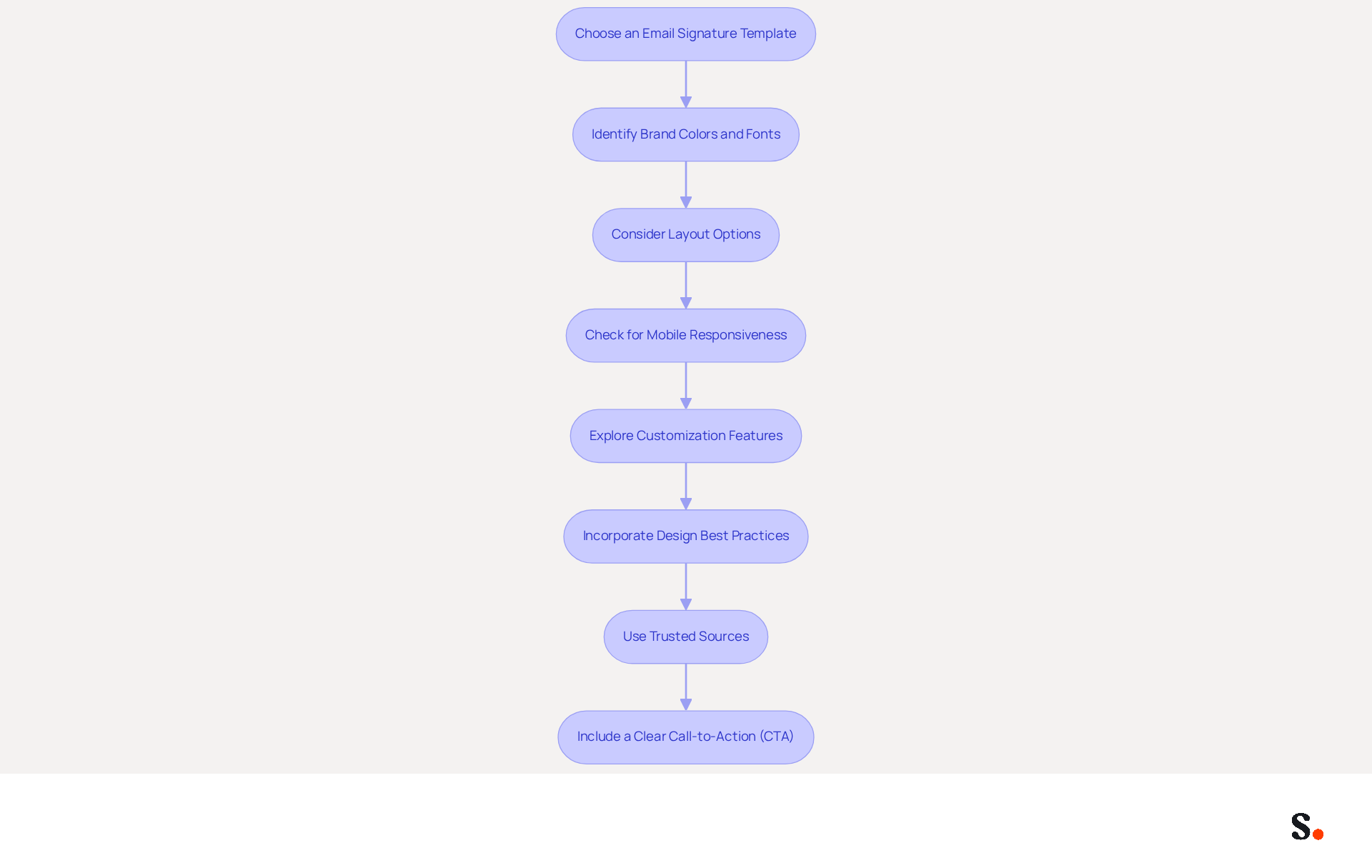
Selecting the right template is essential for creating a professional image that resonates with your audience. Here’s how to select the best one:
- Identify Your Brand Colors and Fonts: Make sure the template reflects your company’s branding guidelines. Consistency in colors and fonts enhances brand recognition, as studies show that 76% of recipients trust senders with branded signatures.
- Consider Layout Options: Look for templates that provide a clear hierarchy of information. Single-column layouts have been shown to yield 3x higher click-through rates compared to multi-column designs, making readability a priority.
- Check for Mobile Responsiveness: Choosing a template that looks good on all devices can be challenging, especially with the rise of mobile email usage. It’s crucial to select a template that maintains its integrity across both desktop and mobile platforms, ideally with a maximum width of 600 pixels.
- Explore Customization Features: Opt for templates that allow for personalization, such as adding your logo, social media links, and a business headshot. Including a headshot can increase response rates by 32%, making personalization a key factor in engagement.
- Incorporate Design Best Practices: Ensure that your design includes a line height of 1.5 for readability and 10-15px padding between elements to enhance visual appeal.
- Use Trusted Sources: Platforms like Scribe, Canva, or HubSpot offer a variety of professional templates that can be easily customized. These sources provide templates that not only appear appealing but also comply with best practices in design.
- Include a Clear Call-to-Action (CTA): A strategic CTA in your correspondence can significantly enhance engagement. Consider adding links for booking meetings or accessing resources to drive interaction.
Ultimately, you can create an email signature from a template to transform your email correspondence into a powerful tool for engagement and brand representation.
Customize Your Email Signature Template
It is crucial to create an email signature from a template to maintain professionalism in digital communication. Follow these steps to ensure your signature is effective and polished:
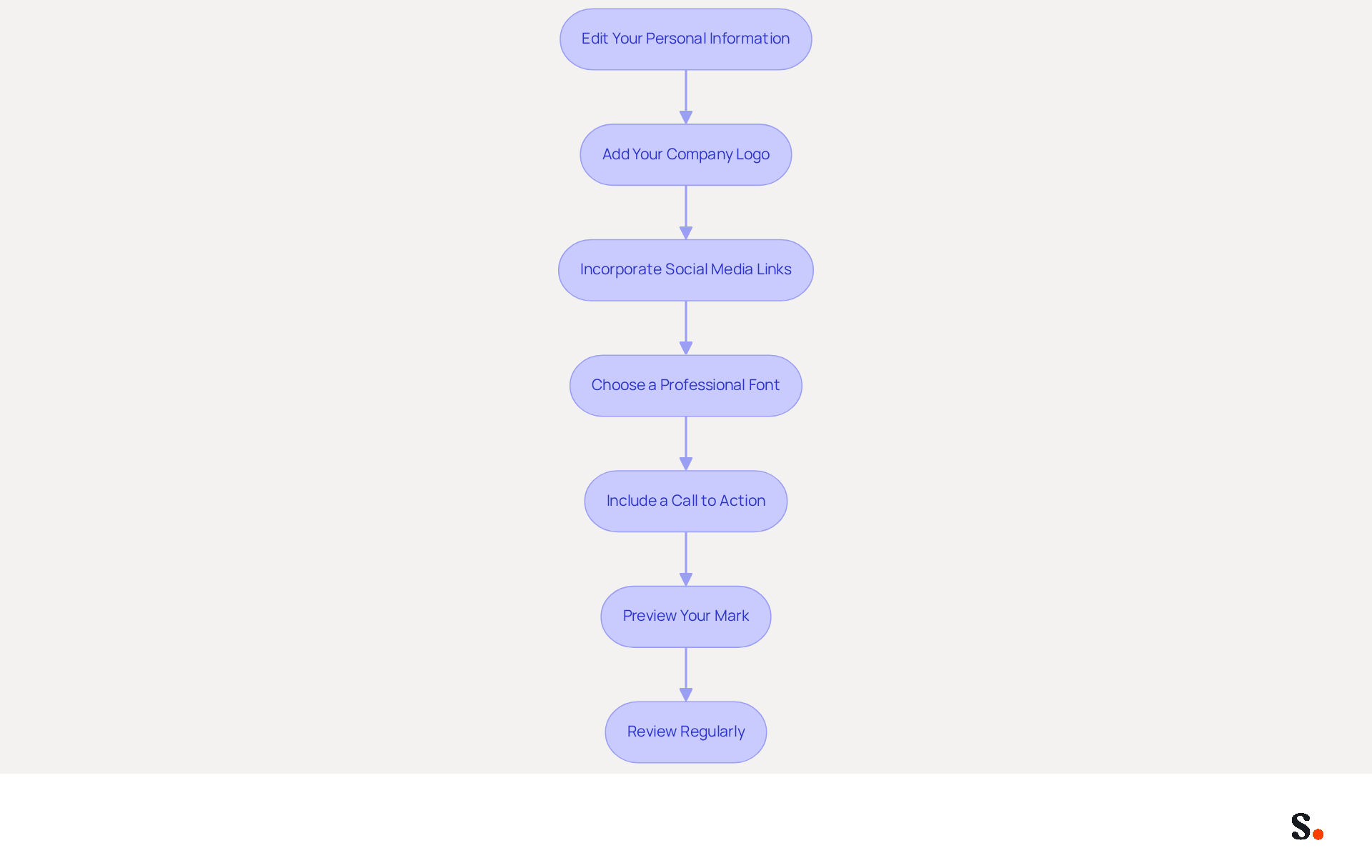
- Edit Your Personal Information: Include your full name, job title, and contact details. Precision is key, as 70% of consumers express annoyance when brands lack a formal correspondence format.
- Add Your Company Logo: Upload your logo to reinforce brand identity. Ensure it’s suitably sized and positioned; logos should be a maximum of 600px wide for optimal display across messaging clients.
- Incorporate Social Media Links: Add icons linking to your professional social media profiles. This promotes involvement and connection, with 43% of consumers preferring to see such links in digital formats.
- Choose a Professional Font: Stick to fonts that are easy to read and align with your brand’s style. Arial or Helvetica at 14-16px is recommended for consistent display and readability across platforms.
- Include a Call to Action: If applicable, add a call to action, such as a link to your latest blog post or a promotional offer. Marketing branding with resource downloads can produce five times more marketing qualified leads than generic calls to action.
- Preview Your Mark: Before finalizing, check how your mark appears in various messaging clients to ensure it displays correctly. Testing across platforms like Outlook, Gmail, and Apple Mail is essential to avoid display issues.
- Review Regularly: Make it a habit to review your email signature every few months. This way, you keep it accurate and professional, especially after job changes. Additionally, ensure that the total size of your message footer is under 100KB for compatibility across messaging clients.
By syncing your Google Workspace with Scribe, you save time. It ensures your teammates' information is automatically updated in your contacts. This automation not only saves time but also enhances professionalism in communication. By personalizing your sign-off thoughtfully and following these best practices, you can create an email signature from a template that serves as a powerful tool to enhance your professional image and align with effective marketing strategies for your correspondence.
Integrate Your Signature into Email Clients
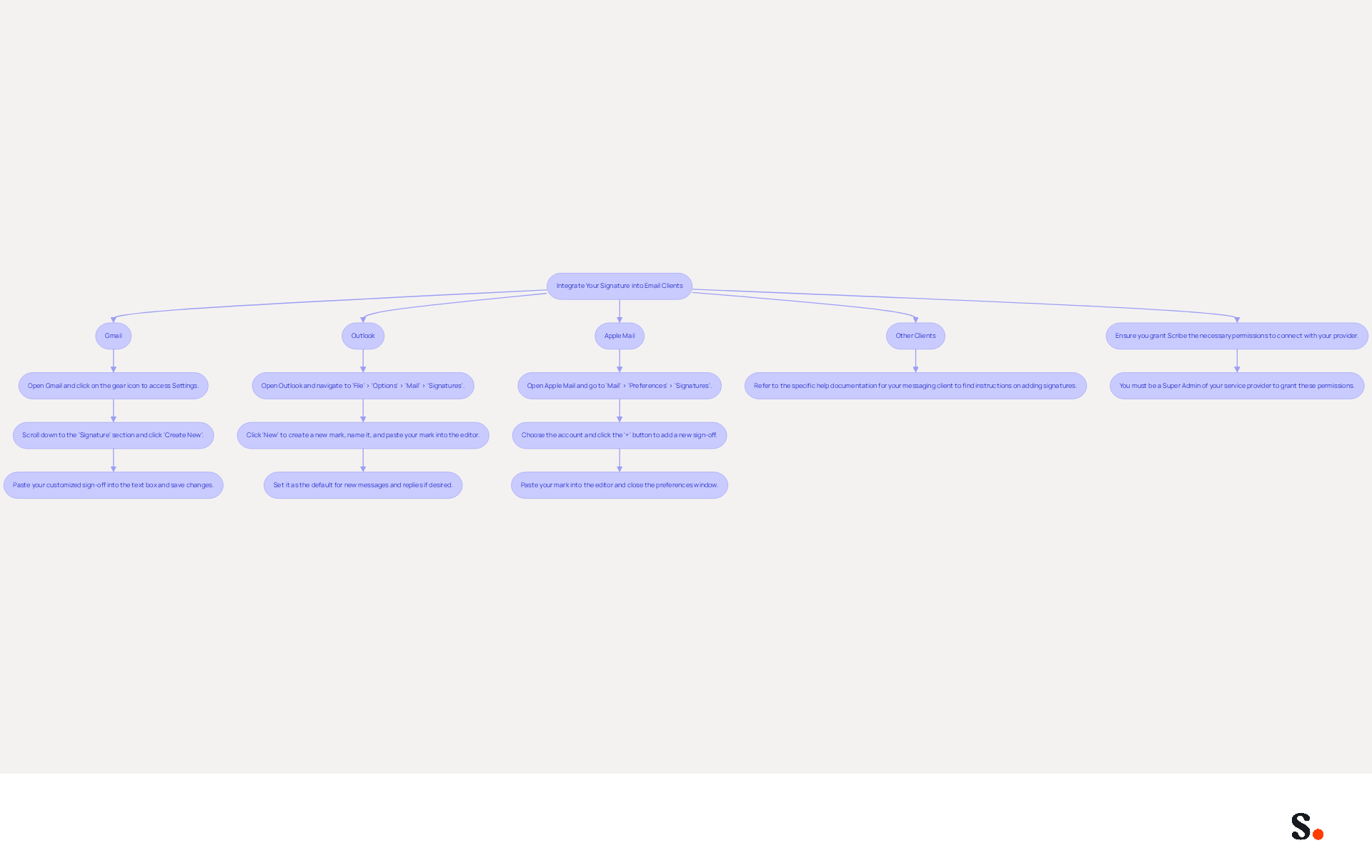
To maintain a professional image, it's crucial to create an email signature from a template that is consistently integrated across all communications. Follow these steps to integrate it into your preferred email client using Scribe's streamlined features:
-
For Gmail:
- Open Gmail and click on the gear icon to access Settings.
- Scroll down to the 'Signature' section and click 'Create New'.
- Paste your customized sign-off into the text box and save changes.
-
For Outlook:
- Open Outlook and navigate to 'File' > 'Options' > 'Mail' > 'Signatures'.
- Click 'New' to create a new mark, name it, and paste your mark into the editor.
- Set it as the default for new messages and replies if desired.
-
For Apple Mail:
- Open Apple Mail and go to 'Mail' > 'Preferences' > 'Signatures'.
- Choose the account and click the '+' button to add a new sign-off.
- Paste your mark into the editor and close the preferences window.
-
For Other Clients:
- Refer to the specific help documentation for your messaging client to find instructions on adding signatures.
Before diving in, ensure you grant Scribe the necessary permissions to connect with your provider. You must be a Super Admin of your service provider to grant these permissions. To ensure every email you send reflects your professional brand, you can create an email signature from a template and integrate it into your email client. This application offers one-click synchronization with Google Workspace, making it easier to keep your information up to date. Any changes in your Google Workspace, such as moving teammates from one group to another or updating their information, will be automatically reflected in Scribe without any manual input. Furthermore, you can utilize attributes to auto-fill information related to your name, saving time and ensuring consistency. Many professionals struggle with maintaining error-free communication, which can hinder engagement. By maintaining a consistent and professional email format, you enhance your brand's visibility and credibility. This consistency not only boosts your brand's image but also fosters trust with your audience. Remember to keep your autograph within a maximum width of 600px for mobile optimization and use high-quality images hosted on HTTPS URLs to ensure professionalism. Scribe's SOC 2 Type II compliance ensures the security of your data throughout this process. By prioritizing a polished email signature, you position your brand for greater recognition and trust among your audience.
Manage and Update Your Email Signatures Efficiently
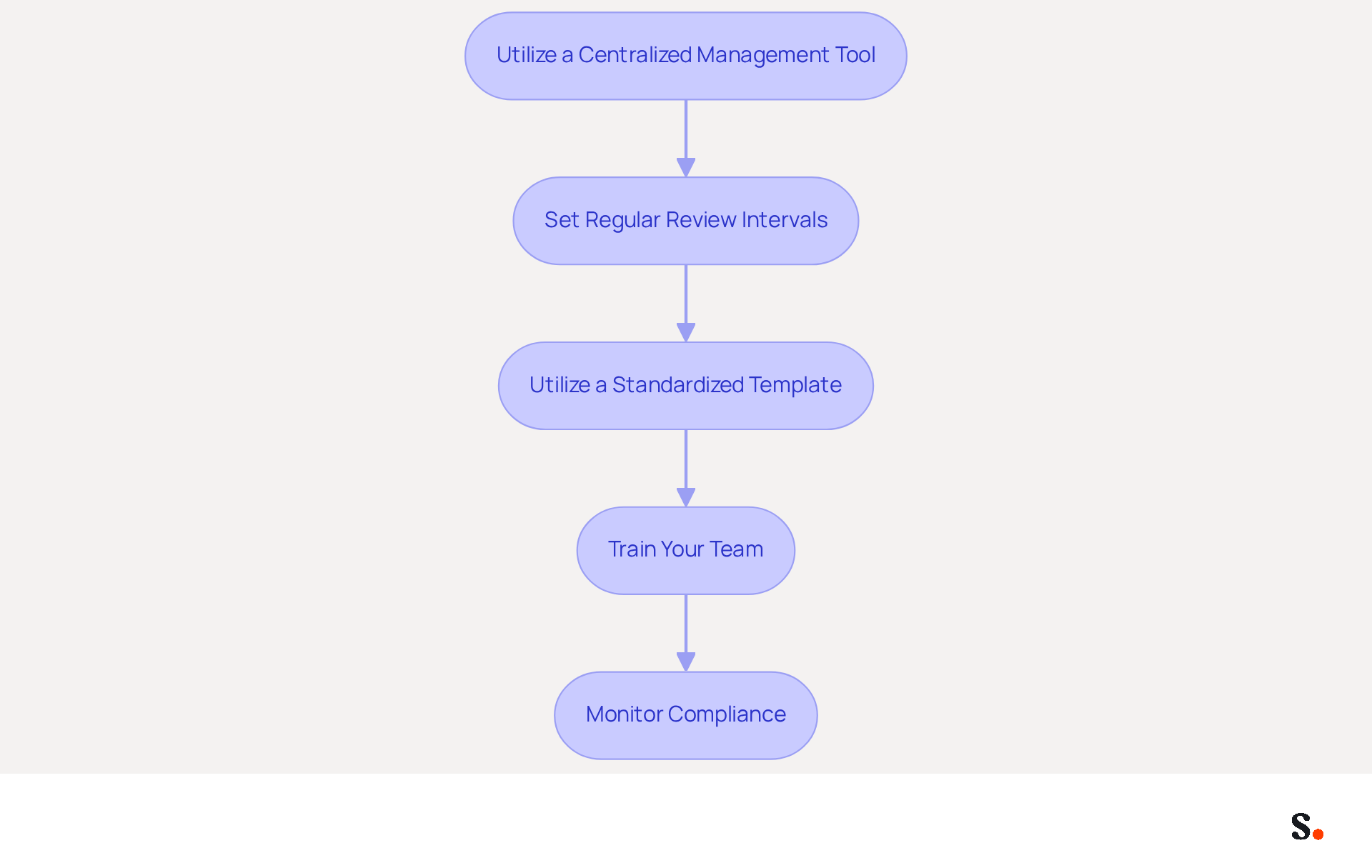
To ensure your email signatures reflect your brand accurately, implementing effective management strategies is essential:
- Utilize a Centralized Management Tool: Platforms like Scribe allow you to oversee digital identifiers for your entire team from one location, ensuring everyone has the most recent version. This centralized approach can increase clicks by 22% and leads by 15%, demonstrating the tangible benefits of effective management.
- Set Regular Review Intervals: Schedule periodic assessments of your email identifiers to ensure all information is current, especially after changes in roles or contact details. Without regular updates, outdated information can mislead clients and damage credibility.
- Utilize a standardized template to create an email signature from a template across your organization to maintain brand consistency and simplify updates. Organizations that adopted standardized templates reported a 30% increase in brand recognition among clients, demonstrating how consistent branding can significantly enhance client recognition.
- Train Your Team: Educate team members on the importance of using the correct sign-off and how to update it if necessary. This training ensures compliance and enhances professionalism in communications.
- Monitor Compliance: Regularly check that all employees are using the correct initials, especially after updates or changes. Centralized management allows for easy monitoring and ensures that necessary legal disclaimers are included, which is crucial for compliance in regulated industries.
Efficient management of email signatures not only enhances professionalism but also safeguards your brand's reputation.
Conclusion
Crafting an email signature that resonates with your brand is more than just a design choice; it’s a strategic imperative. By following the outlined steps, individuals and organizations can ensure their email signatures reflect their identity while serving as effective marketing tools. A well-crafted signature is vital for establishing credibility and fostering trust with recipients.
Throughout this guide, key insights have been shared on selecting the right template, customizing it to align with brand guidelines, and integrating it seamlessly into various email clients. The emphasis on using Scribe's features, such as one-click synchronization and centralized management, highlights how organizations can maintain brand consistency and professionalism across all communications. Additionally, the statistics provided reinforce the tangible benefits of effective email signature management, including increased engagement and brand recognition.
However, many struggle to create signatures that truly represent their brand. Ultimately, investing time in your email signatures is crucial if you want to boost your communication strategy. Neglecting this aspect of communication could mean losing out on valuable connections and opportunities. Embrace the power of a polished email signature to elevate your professional image and drive meaningful engagement with your audience.
Frequently Asked Questions
What is the importance of email signatures?
Email signatures are crucial for shaping professional identity and enhancing brand visibility. They enhance brand recognition, provide essential contact information, act as marketing tools, and establish professionalism.
How do email signatures enhance brand recognition?
Consistent branding across all communications reinforces a company’s identity, making it more memorable. Studies show that 80% of businesses consider branded electronic identifiers essential for branding, and 76% of recipients trust senders with branded signatures.
What essential information should be included in an email signature?
An email signature should include your name, title, and contact details to ensure recipients can easily reach you.
How can email signatures act as a marketing tool?
By incorporating links to your website or social media, email signatures can drive traffic and engagement. Emails with branded logos see a 22% higher response rate, and companies using branded logos experience a 15% increase in website click-through rates.
What role does professionalism play in email signatures?
A refined email signature conveys credibility and attention to detail, positively impacting clients and partners. Messages with formal sign-offs enhance recipients' confidence by 47%, while 70% of consumers feel frustrated by messages lacking clear identifiers.
What should I consider when choosing an email signature template?
When selecting a template, consider your brand colors and fonts, layout options, mobile responsiveness, customization features, design best practices, trusted sources for templates, and the inclusion of a clear call-to-action (CTA).
Why is mobile responsiveness important for email signature templates?
With the rise of mobile email usage, it’s essential to choose a template that maintains its integrity across both desktop and mobile platforms, ideally with a maximum width of 600 pixels.
How can personalization in email signatures increase engagement?
Including elements like a logo, social media links, and a business headshot can significantly increase response rates, with headshots alone increasing engagement by 32%.
Where can I find trusted sources for email signature templates?
Trusted sources for professional email signature templates include platforms like Scribe, Canva, and HubSpot, which offer customizable options that comply with design best practices.
List of Sources
- Understand the Importance of Email Signatures
- Why Email Signatures Must Be In Your 2026 Marketing Plan | Rocketseed (https://rocketseed.com/blog/2026-marketing-plan-email-signatures)
- demandgenreport.com (https://demandgenreport.com/industry-news/research-recap-branded-email-signatures-increase-company-recognition-trust/47252)
- How email signatures can drive brand awareness and organic traffic - NEWOLDSTAMP (https://newoldstamp.com/blog/email-signature-brand-awareness)
- The impact of email signatures on your branding (https://signitic.com/en/resources/the-impact-of-email-signatures-on-your-branding)
- Email signature statistics: Why every business should optimize their email signatures — Stripo.email (https://stripo.email/blog/email-signature-statistics-why-every-business-should-optimize-their-email-signatures)
- Choose an Appropriate Email Signature Template
- 40+ Email Signature Statistics for 2026 (Data + Insights) (https://wavecnct.com/blogs/email-signature-statistics)
- Email Signature Best Practices for 2026 (+ 15 Pro Examples) (https://wavecnct.com/blogs/email-signature-best-practices-2026)
- Email Signature Trends 2026: What Designers Are Actually Using (https://markaplugin.com/blog/email-signature-trends-2026)
- Email Signature Design Trends in 2026: What Works and What to Drop (https://bulksignature.com/blog/email-signature-design-trends)
- "Email Signature Trends for 2026: What's In, What's Out" | Crossware posted on the topic | LinkedIn (https://linkedin.com/posts/crossware-ltd_new-year-new-trends-even-for-your-email-activity-7394554686046908416-vD_O)
- Customize Your Email Signature Template
- demandgenreport.com (https://demandgenreport.com/industry-news/research-recap-branded-email-signatures-increase-company-recognition-trust/47252)
- Email Signature Best Practices for 2026 (+ 15 Pro Examples) (https://wavecnct.com/blogs/email-signature-best-practices-2026)
- Email Signature Trends 2026: What Designers Are Actually Using (https://markaplugin.com/blog/email-signature-trends-2026)
- Why Are Email Signatures Key to Brand Awareness? | QuickMail (https://quickmail.com/role-of-email-signatures-in-brand-awareness)
- Integrate Your Signature into Email Clients
- 4 Best Practices for Your Outlook Signature Line in Marketing (https://scribe-mail.com/en-US/blog/4-best-practices-for-your-outlook-signature-line-in-marketing)
- Email Signature Best Practices for 2026 (+ 15 Pro Examples) (https://wavecnct.com/blogs/email-signature-best-practices-2026)
- Set Email Signatures in Gmail, Outlook, Apple Mail & Mobile Apps (https://windowsforum.com/news/set-email-signatures-in-gmail-outlook-apple-mail-and-mobile-apps.438001)
- The ultimate guide to email signatures in 2026 (https://signitic.com/en/resources/email-signature)
- The Complete Email Signature Guide 2026: Best Practices and Policy (https://opensense.com/complete-email-signature-guide)
- Manage and Update Your Email Signatures Efficiently
- Best Email Signature Management Software: Top 12 Tools (2026)
- NEWOLDSTAMP (https://newoldstamp.com/blog/email-signature-software)
- Why Email Signature Management Matters for Your Business (https://vectorchoice.com/blog/why-email-signature-management-is-more-important-than-you-think)
- Email Signature Trends 2026: Centralized Control & Automation | SIGNandGO posted on the topic | LinkedIn (https://linkedin.com/posts/signngo_email-signature-trends-to-watch-in-2026-activity-7401523471786217473-zAVL)
- Master Central Email Signature Management for Marketing Success (https://scribe-mail.com/en-US/blog/master-central-email-signature-management-for-marketing-success)
- Email Signature Best Practices for 2026 (+ 15 Pro Examples) (https://wavecnct.com/blogs/email-signature-best-practices-2026)
Get started with Scribe
Build a professional email signature
Free 14-day trial — no credit card.