Create and Optimize Your Email Signature in Outlook 365
Despite the importance of a professional email signature, many find the process daunting. Creating a professional email signature in Outlook 365 is an
Sophie Grant
Email Signature Specialist, Scribe

Introduction
Despite the importance of a professional email signature, many find the process daunting. Creating a professional email signature in Outlook 365 is an essential component of effective communication and branding. With the right design and strategic elements, an email signature can serve as a powerful marketing tool, enhancing visibility and engagement with every message sent. Crafting a signature that looks good while aligning with brand identity can be challenging.
How can one ensure that their email signature stands out while maintaining professionalism and compliance? This guide outlines the steps and best practices for creating and optimizing an email signature in Outlook 365, enabling users to turn their digital identifiers into effective marketing tools.
Understand the Basics of Email Signatures in Outlook 365
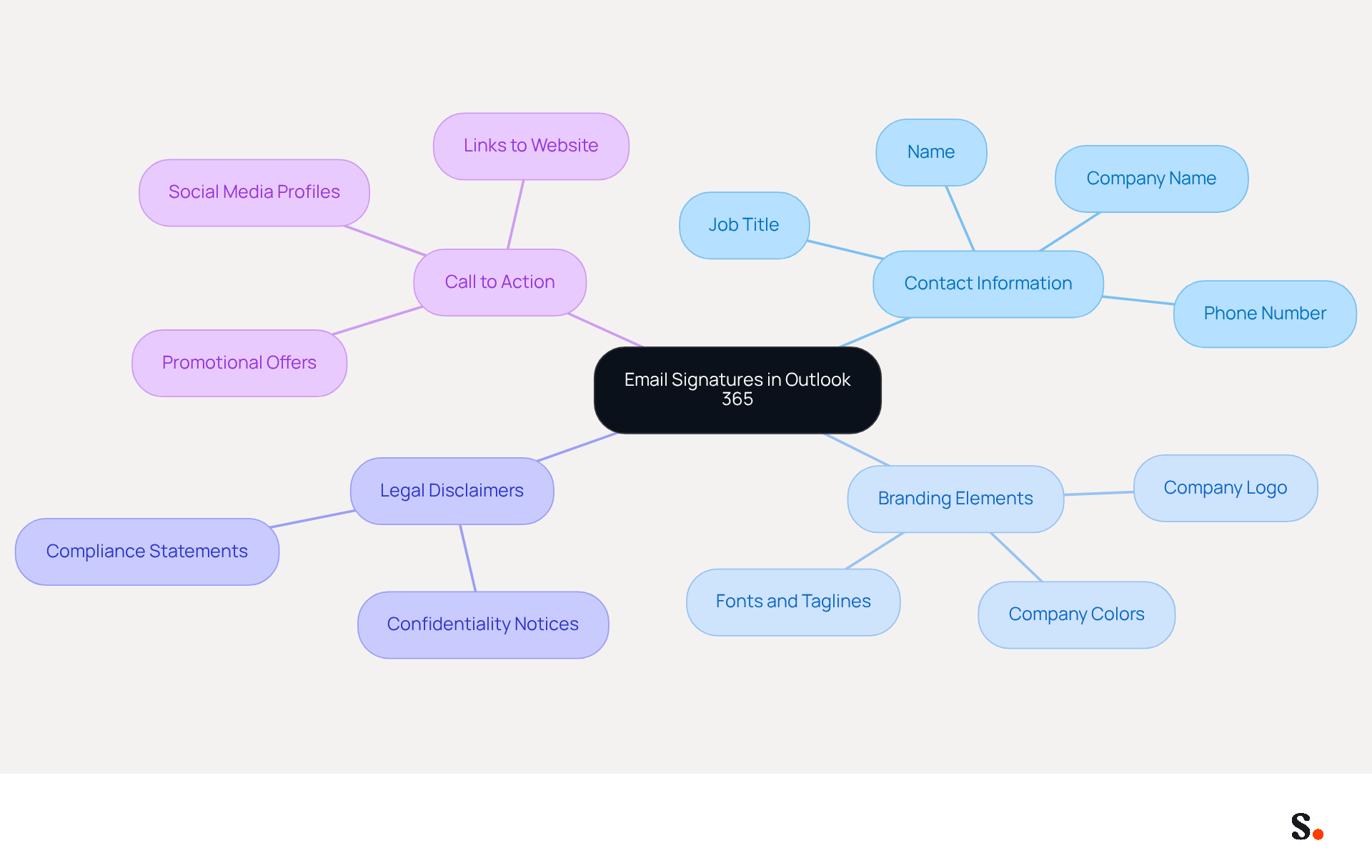
Navigating the intricacies of creating an email signature in Outlook 365 can be challenging for many professionals, yet mastering these elements is crucial for effective communication. Digital identifiers serve as virtual business cards, providing essential contact details while reinforcing your brand identity with every message sent. An effective email signature comprises several key components:
- Contact Information: Your name, job title, company name, and phone number should be clearly included.
- Branding Elements: Incorporate your company logo and utilize company colors to ensure consistency across communications.
- Legal Disclaimers: If applicable, include disclaimers to meet legal obligations.
- Call to Action: Adding links to your website or social media profiles can encourage further engagement.
Scribe ensures that any changes you make in your Aircall settings are instantly updated in your email signatures, providing a seamless experience. By understanding these fundamentals, you can create a personal mark that not only appears professional but also leverages your email signature Outlook 365 as a powerful marketing tool.
Create Your Email Signature in Outlook 365
Creating a professional email signature Outlook 365 is essential for effective communication and branding. To create your email signature, follow these steps:
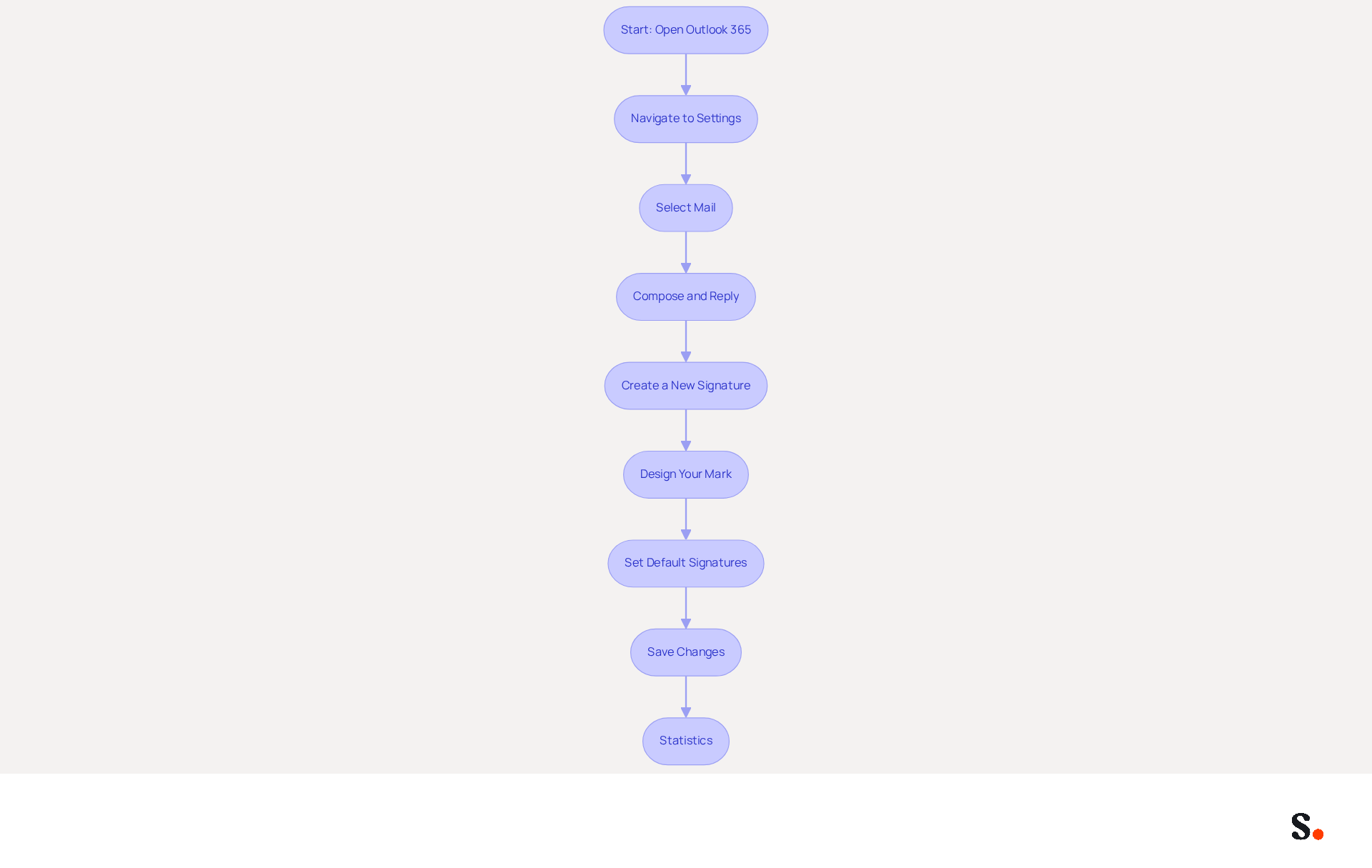
- Open Outlook 365: Launch the Outlook application or access it via your web browser.
- Navigate to Settings: Click on the gear icon (⚙️) in the upper right corner to open the settings menu.
- Select Mail: In the settings menu, choose 'Mail' from the list.
- Compose and Reply: Scroll down to find the 'Compose and reply' section.
- Create a New Signature: Click on '+ New Signature'. Enter a name for your mark (e.g., 'Business Mark').
- Design Your Mark: In the text box, type your desired content for your mark. Use the formatting options to adjust font, size, color, and add images or links as needed.
- Set Default Signatures: Choose whether to automatically include this identifier in new messages and replies/forwards by selecting it from the dropdown menus.
- Save Changes: Click 'Save' to apply your new mark.
By following these steps, you will create a professional email signature outlook 365 that enhances your correspondence. Notably, research indicates that 89.9% of professionals utilize a single digital identifier, underscoring the potential for enhanced branding and engagement through effective management of these elements. Moreover, branded digital identifiers can lead to a 22% increase in response rates, highlighting their significance in professional communication.
Utilizing Scribe allows for streamlined management of digital signatures, ensuring that updates are reflected across your team effortlessly. This automated synchronization not only enhances consistency but also ensures compliance with industry standards, ultimately fostering trust in your communications. However, some limitations exist, such as the inability to insert initials directly beneath the most recent response, which may affect clarity in ongoing discussions. Recognizing these limitations is vital for optimizing your email signature strategy and enhancing professional interactions.
Optimize Your Email Signature for Branding and Marketing
To effectively enhance your email signature for branding and marketing, implementing strategic approaches is crucial:
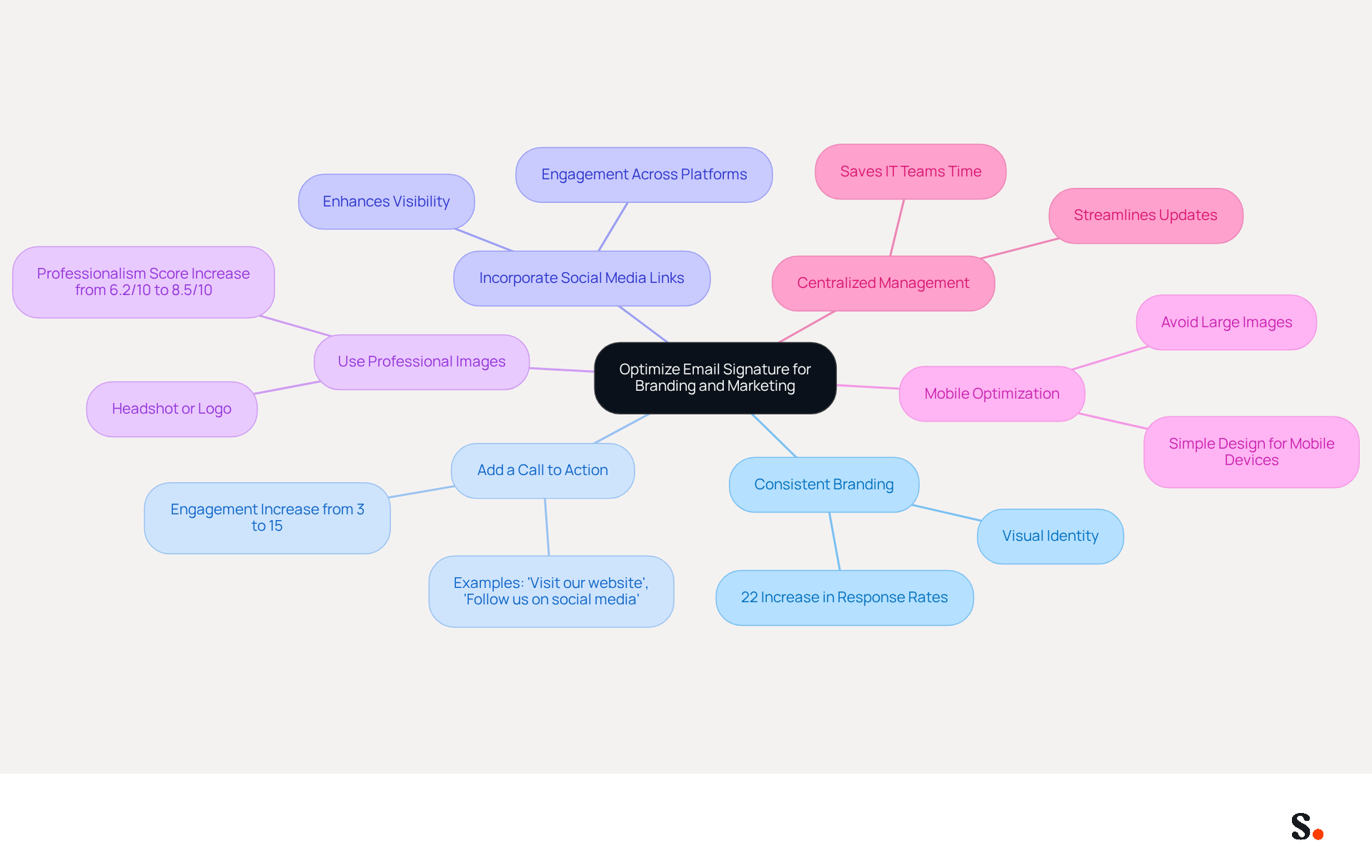
- Consistent Branding: Ensure your signature reflects your brand's visual identity by using the same colors, fonts, and logos as your other marketing materials. Consistency can enhance professionalism, with studies indicating that businesses with uniform email formats experience a 22% increase in email response rates. This strengthens brand identity and boosts promotional effectiveness.
- Add a Call to Action: Encourage recipients to take action by including a call to action (CTA) such as 'Visit our website' or 'Follow us on social media.' Effective CTAs can greatly enhance engagement, with click rates rising from 3% to 15% when branded elements are utilized. This highlights the importance of integrating email branding into your overall marketing strategy.
- Incorporate Social Media Links: Think about adding icons that link to your social media profiles; this can help you engage more effectively with your audience. This integration can reinforce your brand's presence across multiple platforms, enhancing visibility and interaction.
- Use Professional Images: Include a professional headshot or logo to personalize your email footer and enhance credibility. A well-crafted mark can enhance the average professionalism perception score from 6.2/10 to 8.5/10, which is essential for establishing trust with recipients.
- Mobile Optimization: With more emails being accessed on mobile devices, maintaining a professional appearance is increasingly challenging. Ensure your email footer looks good on mobile devices by keeping it simple and avoiding large images that may not render well.
- Centralized Management: Implementing a centralized management system for your digital identifiers can streamline updates and ensure compliance with branding guidelines. With Scribe, every modification made in your Aircall setup will automatically be reflected in your communication identifiers, ensuring consistency across all interactions. This streamlines the process for IT teams and guarantees consistent branding across all platforms. Moreover, Scribe's integration with Calendly enables automatic updates to your contact details, further improving brand consistency and lessening the workload for IT teams.
- Regular Updates and Performance Tracking: Periodically review and refresh your identifier to reflect any changes in your role, company branding, or promotional campaigns. Furthermore, monitoring the effectiveness of your digital campaigns is crucial for ongoing enhancement. Analyzing metrics such as click-through rates can help refine your strategies and enhance overall effectiveness.
By applying these optimization methods, your digital identifier can transform into a powerful asset for boosting your visibility and driving engagement, ultimately leading to a greater return on investment in your promotional efforts.
Explore Tools and Resources for Effective Email Signature Management
To effectively manage your email signatures and enhance your marketing strategy, consider utilizing the following tools and resources:
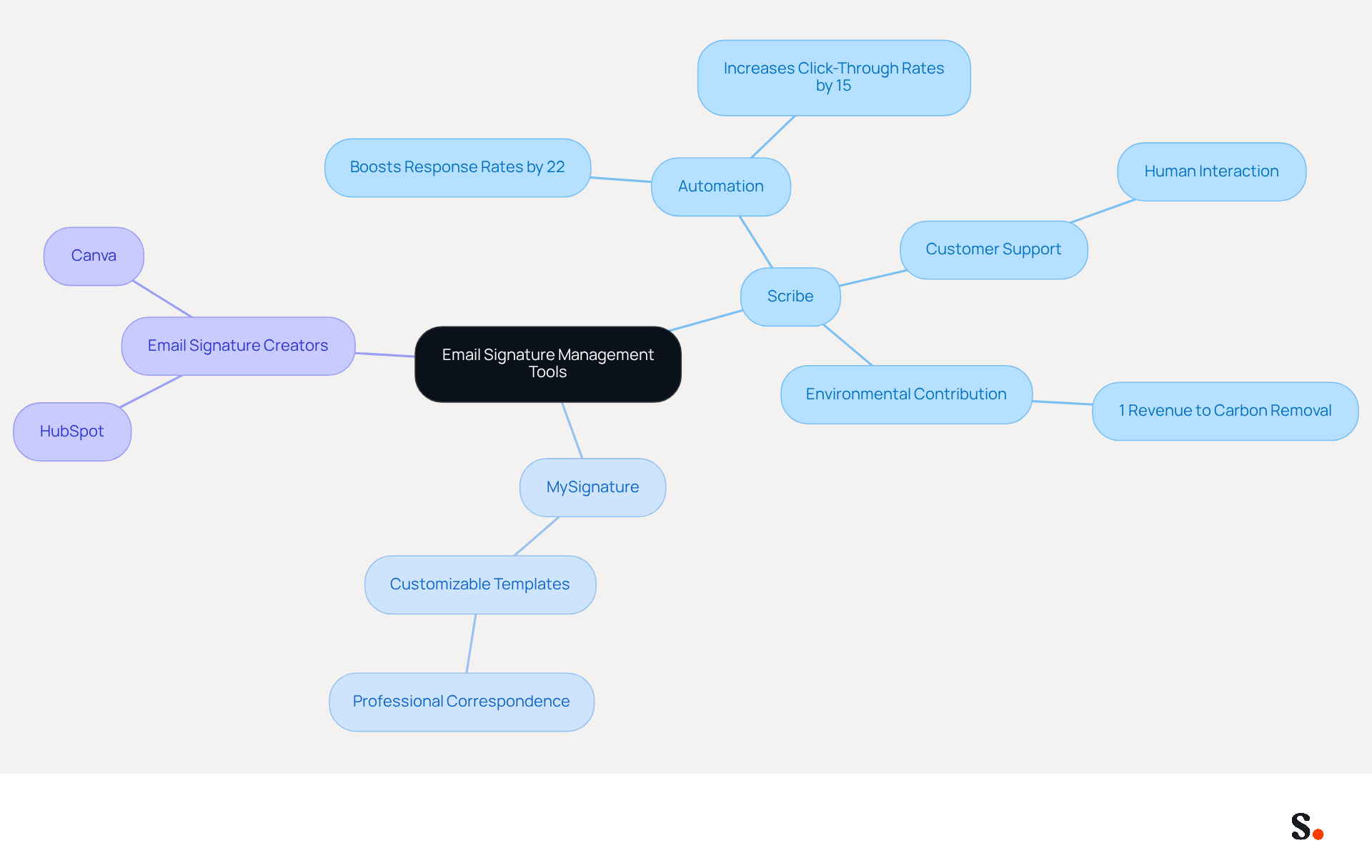
- Scribe: An innovative platform that automates the creation and management of email signatures, which helps maintain a cohesive brand image and opens up new marketing avenues. Scribe's automation can boost response rates by 22% and increase click-through rates to company websites by 15%, making it an essential tool for marketers. Additionally, Scribe's hands-on customer support allows you to talk to a human, not a robot, ensuring that any issues are resolved quickly and efficiently. Scribe also cares about the environment, contributing 1% of its revenue to support innovative carbon removal technologies through Stripe Climate.
- MySignature: A user-friendly tool that offers customizable templates for professional correspondence, enabling users to create polished identifiers swiftly. With 89.9% of professionals utilizing a single digital identifier, MySignature aids in maintaining consistency across communications.
- Email Signature Creators: Various online tools, such as HubSpot's Creator or Canva's templates, can assist you in crafting them quickly. These tools are especially beneficial for individuals who need to make adjustments frequently, as 44.4% of users modify their contact details 2-4 times per year.
By utilizing these tools, you can simplify the process of creating and managing your digital identifiers, ensuring they remain effective marketing assets. Ultimately, leveraging these tools can significantly elevate your brand's credibility and engagement in digital communications.
Conclusion
A well-crafted email signature is more than just a digital signature; it is a strategic asset that can significantly influence professional communication. By mastering the components of an effective email signature, professionals can ensure that every email sent serves as a powerful marketing tool, promoting engagement and fostering trust with recipients.
Throughout this guide, essential steps for crafting a professional email signature were outlined, including:
- The importance of consistent branding
- The inclusion of calls to action
- The necessity of mobile optimization
Additionally, leveraging tools like Scribe can streamline the management of email signatures, ensuring that updates are reflected across teams and maintaining compliance with branding guidelines. Research indicates that well-designed email signatures can increase response rates by up to 20%, demonstrating their effectiveness in enhancing engagement.
In a world where digital communication is paramount, the importance of a well-crafted email signature cannot be overstated. Organizations should prioritize the optimization of their email signatures as part of their broader marketing strategy. By prioritizing email signature optimization, organizations can transform every email into a strategic marketing opportunity that enhances their brand presence.
Frequently Asked Questions
What is the purpose of an email signature in Outlook 365?
An email signature serves as a virtual business card, providing essential contact details and reinforcing your brand identity with every message sent.
What key components should be included in an effective email signature?
An effective email signature should include contact information (name, job title, company name, and phone number), branding elements (company logo and colors), legal disclaimers (if applicable), and a call to action (links to your website or social media profiles).
How does Scribe enhance the email signature experience in Outlook 365?
Scribe ensures that any changes made in your Aircall settings are instantly updated in your email signatures, providing a seamless experience.
Why is it important to master email signatures in Outlook 365?
Mastering email signatures is crucial for effective communication, as they help present a professional image and can serve as a powerful marketing tool.
List of Sources
- Understand the Basics of Email Signatures in Outlook 365
- The impact of email signatures on your branding (https://signitic.com/en/resources/the-impact-of-email-signatures-on-your-branding)
- Why Email Signatures Must Be In Your 2026 Marketing Plan | Rocketseed (https://rocketseed.com/blog/2026-marketing-plan-email-signatures)
- Elevate Your Brand with Professional Email Signatures (https://holickycorporation.com/blog/elevate-your-brand-with-professional-email-signatures)
- Research Recap: Branded Email Signatures Increase Company Recognition, Trust - Demand Gen Report (https://demandgenreport.com/industry-news/research-recap-branded-email-signatures-increase-company-recognition-trust/47252)
- Best practices for business email signatures in 2026 (https://bybrand.io/blog/best-practices)
- Create Your Email Signature in Outlook 365
- 40+ Email Signature Statistics for 2026 (Data + Insights) (https://wavecnct.com/blogs/email-signature-statistics)
- Create Organization-wide Email Signatures and Disclaimers - Microsoft 365 admin (https://learn.microsoft.com/en-us/microsoft-365/admin/setup/create-signatures-and-disclaimers?view=o365-worldwide)
- Create an Email Signature in Microsoft 365 | Help - Illinois State (https://help.illinoisstate.edu/display/Technology/Create+an+Email+Signature+in+Microsoft+365)
- Email Signature Statistics: A Closer Look at Email Signatures in 2026 (https://mysignature.io/blog/email-signature-statistics)
- How to add and change an email signature in Outlook | Microsoft Support (https://support.microsoft.com/en-us/outlook/mail/how-to-add-and-change-an-email-signature-in-outlook)
- Optimize Your Email Signature for Branding and Marketing
- The impact of email signatures on your branding (https://signitic.com/en/resources/the-impact-of-email-signatures-on-your-branding)
- How to Run a Successful Email Signature Marketing Campaign - NEWOLDSTAMP - NEWOLDSTAMP (https://newoldstamp.com/blog/email-signature-marketing-guide)
- "Email Signature Trends for 2026: What's In, What's Out" | Crossware posted on the topic | LinkedIn (https://linkedin.com/posts/crossware-ltd_new-year-new-trends-even-for-your-email-activity-7394554686046908416-vD_O)
- 2026 Marketing Trends: Email Signatures as a Marketing Tool (https://bluechiptt.com/blog/5-marketing-trends-for-2026-and-how-your-email-signature-fits-in)
- Explore Tools and Resources for Effective Email Signature Management
- 40+ Email Signature Statistics for 2026 (Data + Insights) (https://wavecnct.com/blogs/email-signature-statistics)
- WiseStamp Launches the Industry's First AI-Powered Email Signature Platform, Eliminating the Gap Between Brand Design and Instant Deployment (https://prnewswire.com/news-releases/wisestamp-launches-the-industrys-first-ai-powered-email-signature-platform-eliminating-the-gap-between-brand-design-and-instant-deployment-302774232.html)
- Email Signature Trends in Numbers: Infographic [2026] (https://mailtrap.io/blog/email-signature-trends)
- WiseStamp Sets a New Standard for Email Signature Creation (https://finance.yahoo.com/news/wisestamp-sets-standard-email-signature-110000168.html)
Get started with Scribe
Create your signature in minutes
Free 14-day trial — no credit card.