Master Email Signature Management in Office 365: A Step-by-Step Guide
Inconsistent email signatures create barriers to establishing a strong professional image. This guide explores email signature management within Office 365
Sophie Grant
Email Signature Specialist, Scribe
Introduction
Inconsistent email signatures create barriers to establishing a strong professional image. This guide explores email signature management within Office 365, providing a step-by-step approach that enables marketing teams to maintain brand consistency and compliance. Organizations must navigate challenges like outdated information and integration to ensure their email signatures reflect their brand and foster engagement and trust. Without effective management, organizations may struggle to maintain brand integrity and trust.
Understand Email Signature Management in Office 365
Inconsistent email branding can undermine an organization's professional image and legal compliance. To maintain consistent branding across all outgoing communications, it is essential to manage email signatures in Office 365. By implementing a well-structured messaging strategy, organizations can ensure that every correspondence reflects their brand identity and complies with legal requirements. A well-managed email footer boosts brand visibility and reinforces professionalism, making it crucial for corporate communication.
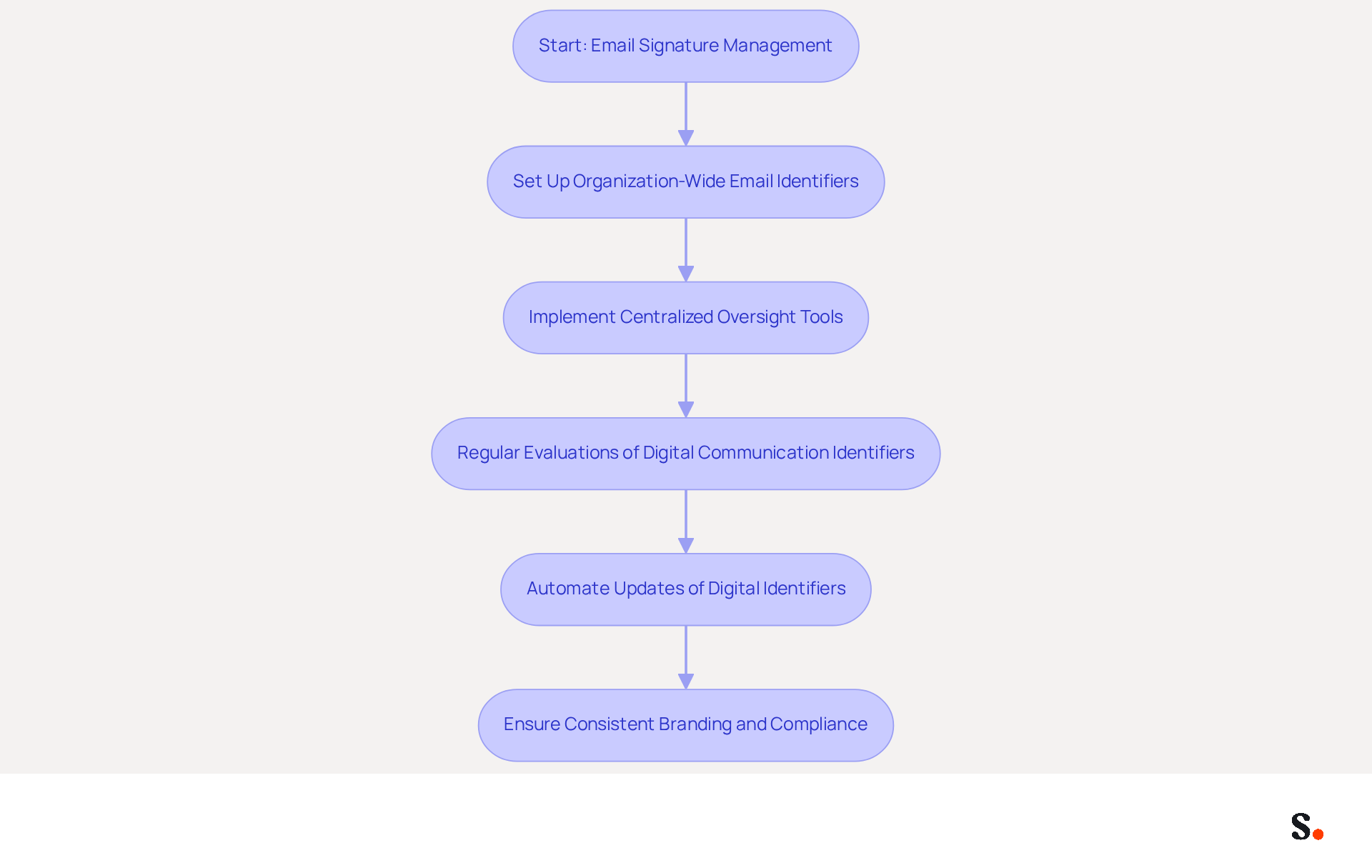
In Office 365, email identifiers can be set up organization-wide, promoting uniformity and compliance across all departments. Centralized oversight tools streamline the process, significantly reducing administrative overhead while enhancing brand consistency. Studies indicate that consistent branding can lead to a 22% increase in response rates, emphasizing the effectiveness of a unified messaging strategy.
When you use the Exchange Admin Center in Office 365, you can effectively manage email signatures, ensuring that message footers are updated consistently throughout the organization. This capability is particularly beneficial for large teams, where maintaining consistency can be challenging. However, many organizations struggle to keep their branding standards current due to outdated contact information. Regular evaluations of digital communication identifiers assist organizations in following branding standards and maintaining up-to-date contact information, tackling frequent problems such as obsolete details that can compromise professionalism.
Research examples illustrate the beneficial effect of efficient handling of electronic correspondence identifiers. For example, organizations that utilize centralized oversight report enhanced brand trust and recognition, with 80% of businesses viewing branded digital identifiers as vital for their branding initiatives. Moreover, automation in updating digital identifiers can save up to two hours per employee each year, resulting in considerable time savings for larger groups.
Ultimately, neglecting email management can lead to missed opportunities and diminished brand trust.
Set Up Email Signatures Using Office 365 Native Features
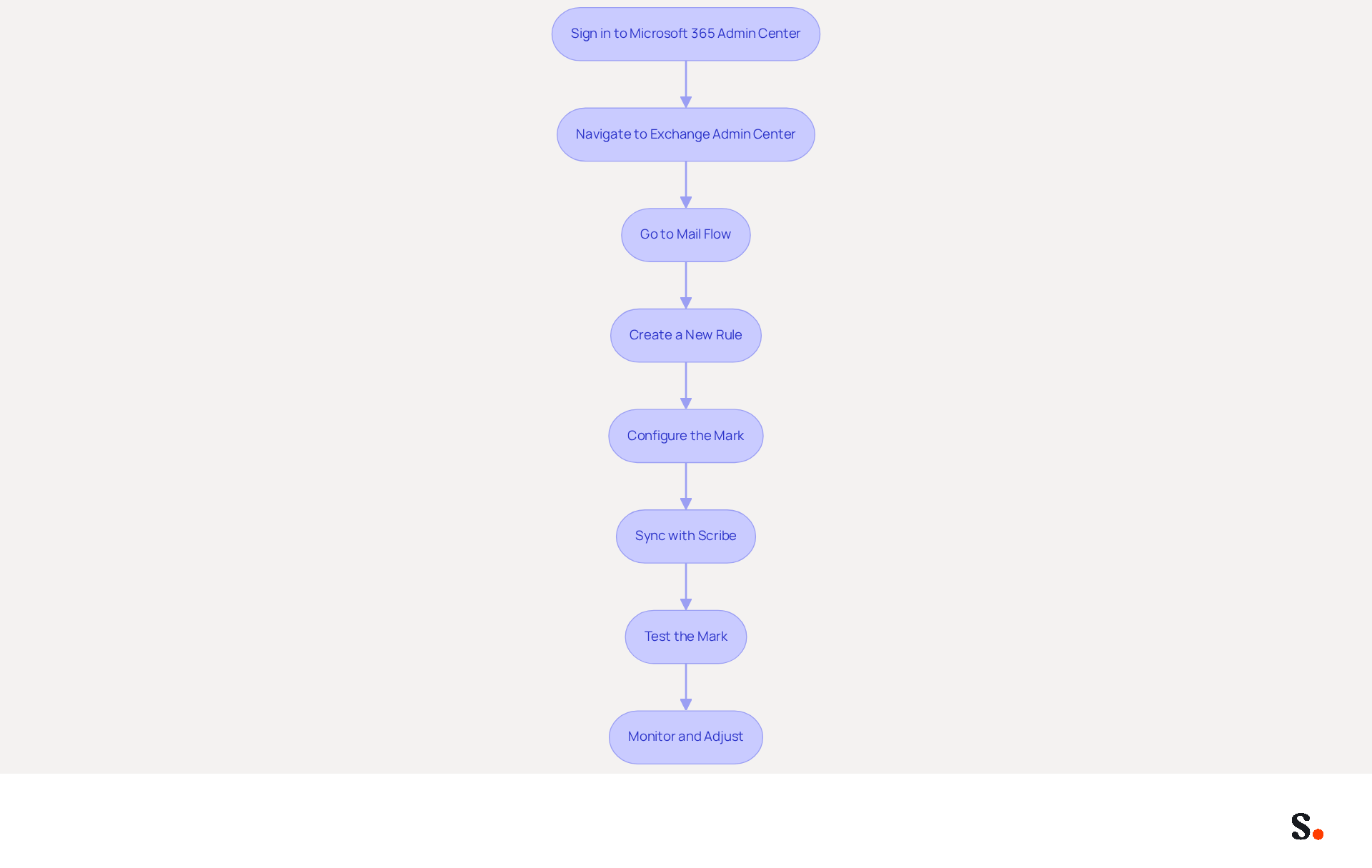
To effectively manage email signatures in Office 365, a systematic approach is essential:
- Sign in to the Microsoft 365 Admin Center: Begin by logging in with your admin credentials to access the dashboard.
- Navigate to the Exchange Admin Center: From the left-hand menu, select 'Admin centers' and then click on 'Exchange'.
- Go to Mail Flow: In the Exchange Admin Center, click on 'Mail flow' and then select 'Rules'.
- Create a New Rule: Click on the '+' icon to create a new rule. Select 'Apply disclaimers' to include a sign-off in your messages.
- Configure the Mark: In the rule settings, adjust the mark format to include text, images, and links that reflect your branding guidelines. Research shows that personalized messages can significantly increase transaction rates. This approach not only improves user interaction but also aligns with the growing trend of businesses leveraging advanced analytics to measure the effectiveness of their email signatures, with a prediction that by 2024, 40% of businesses will adopt such tools.
- Sync with Scribe: To streamline this process, consider syncing your Google Workspace with the application. This one-click synchronization enables you to automatically update teammate information, conserving time and ensuring that any modifications in your directory are reflected without manual input. This requirement may pose a challenge for some users, as not all administrators have Super Admin privileges. Scribe's SOC 2 Type II compliance guarantees the safety of your data during this process.
- Test the Mark: Send a test message to verify that the mark appears correctly in outgoing communications, ensuring consistency across all interactions.
- Monitor and Adjust: Regularly review the document's effectiveness, utilizing advanced analytics tools to track performance metrics. By doing so, you can ensure that your correspondence identifiers remain relevant and compliant with your marketing objectives.
Implementing these steps not only helps to manage email signatures in Office 365 but also positions your brand for greater recognition and engagement.
Explore Alternatives for Enhanced Email Signature Management
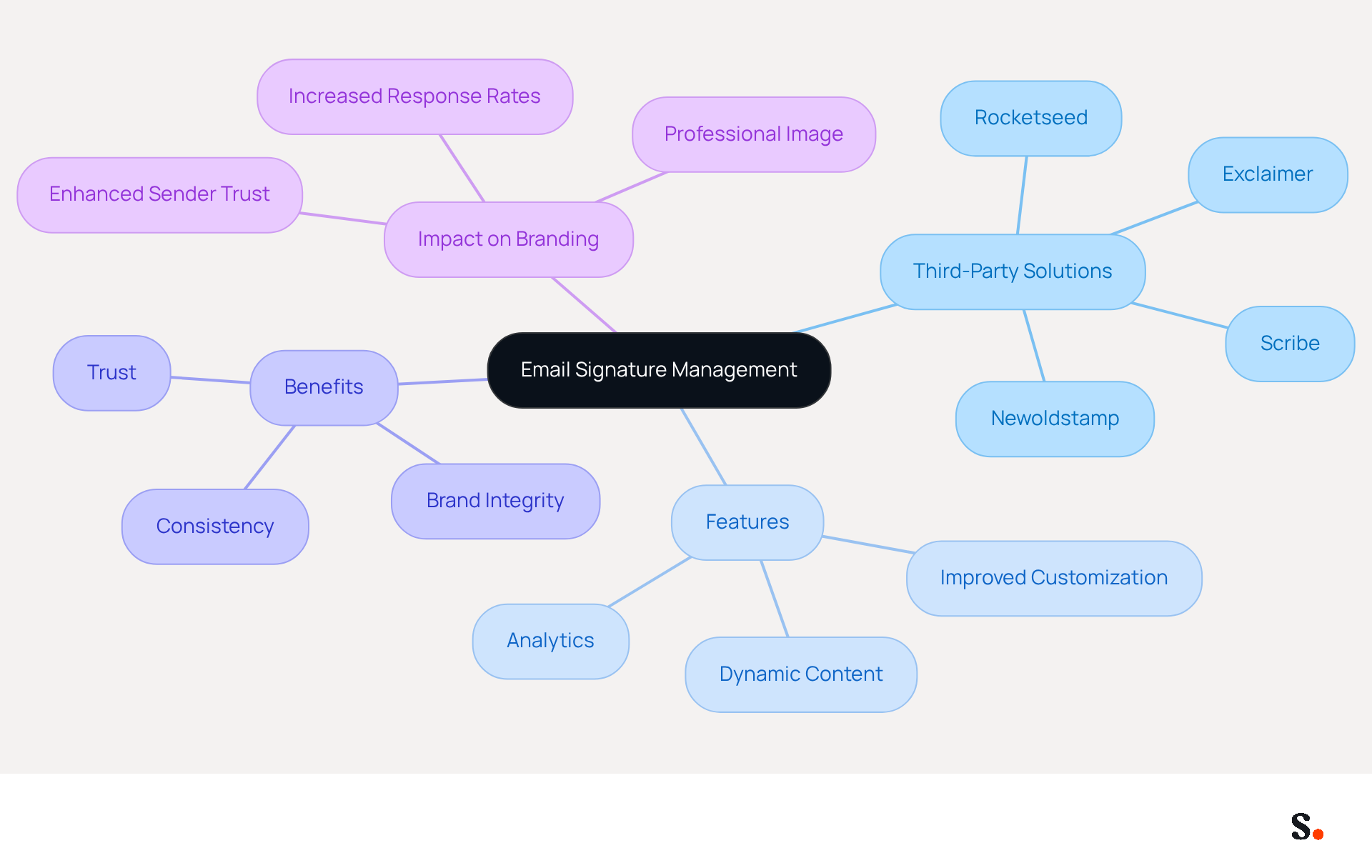
While Office 365 provides basic digital signature capabilities, many businesses struggle with consistency and branding without additional tools. Several third-party solutions, such as Scribe, can enhance functionality and simplify the process. This integration allows for centralized management of digital identifiers across devices, ensuring consistent branding. Scribe offers automated synchronization of messaging identifiers with Aircall, meaning any changes made in your Aircall settings are automatically reflected in your configurations. Furthermore, Scribe's SOC 2 Type II compliance ensures that your data is protected, fulfilling essential employee data management needs for secure automation of digital signatures.
Scribe simplifies the configuration of messaging formats and disclaimers, helping businesses maintain brand integrity across communications. Many of these tools integrate seamlessly with Office 365, providing straightforward methods to manage email signatures in Office 365 and ensure they are always current.
These options can offer additional features such as:
- Analytics
- Dynamic content
- Improved customization
Making them suitable for businesses aiming to enhance their handling of digital signatures further. Regular evaluations of electronic communications are crucial to maintain uniformity in branding and adherence to legal standards, which can differ by region and sector. Significantly, branded digital identifiers can lead to a 22% boost in response rates and a 15% rise in click-through rates, highlighting the importance of effective management in professional communications. Moreover, 76% of marketers believe that branded identifiers enhance sender trust, making tools like Scribe vital for upholding a professional image. Ultimately, leveraging tools like Scribe not only enhances how we manage email signatures in Office 365 but also strengthens brand integrity and trust in professional communications.
Implement Best Practices for Consistent Email Signatures
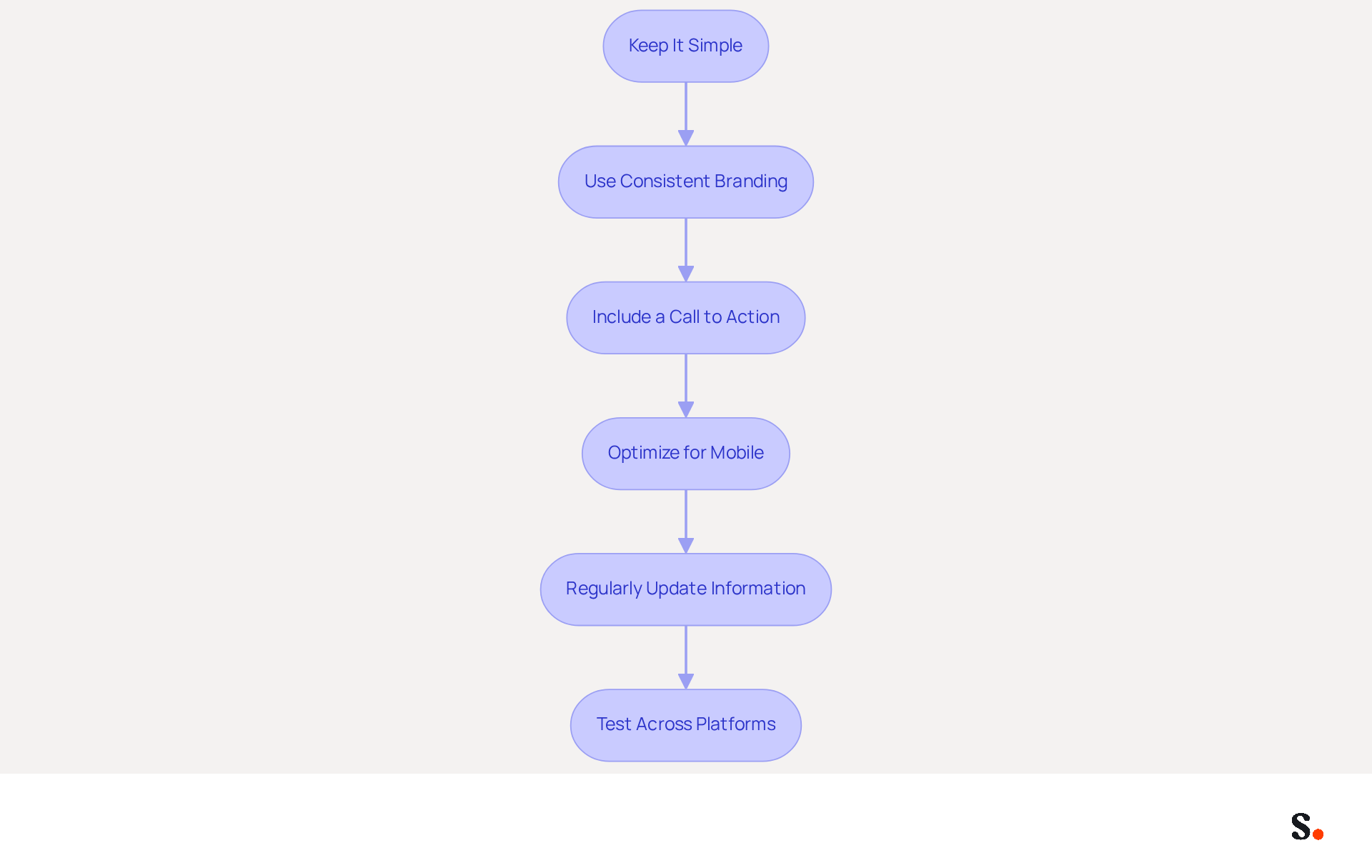
Effective email signatures are crucial for professional communication and brand representation. To ensure your email signatures are effective and consistent, consider the following best practices:
- Keep It Simple: Avoid cluttering the sign-off with excessive information. Include only essential details such as full name, job title, company name, and at least one direct contact method. This approach improves clarity and maintains professionalism.
- Use Consistent Branding: Ensure that the email footer reflects your brand's colors, fonts, and logo. Consistent branding strengthens brand identity and can boost trust, with 76% of marketers believing that branded communications enhance sender credibility.
- Include a Call to Action: Encourage engagement by adding a call to action, such as a link to your website or a promotional banner. Research shows that endorsements with CTAs can significantly enhance click-through rates, with effective CTAs driving engagement as high as 12%.
- Optimize for Mobile: Ensure that your email footer looks good on mobile devices, as 42% of all emails are opened on smartphones. Failing to optimize for mobile can lead to lost opportunities and disengaged recipients.
- Regularly Update Information: Keep your identifiers up to date by frequently reviewing and refreshing them to reflect any changes in contact details or branding. Research shows that many users update their contact details just a few times a year, emphasizing the necessity for proactive management.
- Test Across Platforms: Confirm that the identifier displays correctly across various messaging clients and devices to ensure a professional appearance. This testing is crucial, as inconsistencies can undermine the professionalism of your communications.
By implementing these best practices, you not only enhance your professional image but also leverage your email signatures as strategic marketing assets.
Conclusion
Effective email signature management is crucial for organizations aiming to uphold a professional image and ensure brand consistency in their communications. Organizations can streamline their email signature processes by utilizing the native features of Office 365 and integrating tools like Scribe. This approach enhances compliance and improves audience engagement.
The article outlines a systematic approach to setting up email signatures, emphasizing the importance of consistency and regular updates. Key practices such as:
- Keeping signatures simple
- Using consistent branding
- Optimizing for mobile devices
are crucial for maximizing the effectiveness of email communications. Additionally, the integration of advanced tools can provide valuable analytics and automation, further enhancing the management of digital identifiers.
Given that first impressions are critical, managing email signatures effectively offers organizations a strategic advantage. Organizations are encouraged to adopt these best practices and consider solutions like Scribe to ensure their email signatures reflect their brand identity while driving engagement. By prioritizing effective email signature management, organizations can significantly enhance their brand recognition and foster stronger relationships with clients and partners.
Frequently Asked Questions
Why is email signature management important in Office 365?
Email signature management is important because inconsistent email branding can undermine an organization's professional image and legal compliance. It ensures that every correspondence reflects the brand identity and complies with legal requirements.
How can organizations maintain consistent branding in their email communications?
Organizations can maintain consistent branding by implementing a well-structured messaging strategy and managing email signatures organization-wide in Office 365. This promotes uniformity and compliance across all departments.
What tools can help streamline email signature management in Office 365?
The Exchange Admin Center in Office 365 can help manage email signatures effectively, allowing for consistent updates throughout the organization. Centralized oversight tools also reduce administrative overhead and enhance brand consistency.
What are the benefits of consistent branding in email communications?
Consistent branding can lead to a 22% increase in response rates and enhances brand visibility and professionalism, making it crucial for corporate communication.
What challenges do organizations face in maintaining email branding standards?
Organizations often struggle to keep their branding standards current due to outdated contact information, which can compromise professionalism.
How can organizations ensure their contact information is up-to-date?
Regular evaluations of digital communication identifiers can assist organizations in following branding standards and maintaining up-to-date contact information.
What impact does efficient handling of email signatures have on brand trust?
Efficient handling of email signatures can enhance brand trust and recognition, with 80% of businesses viewing branded digital identifiers as vital for their branding initiatives.
How much time can automation in updating digital identifiers save for employees?
Automation in updating digital identifiers can save up to two hours per employee each year, resulting in considerable time savings for larger groups.
What are the consequences of neglecting email signature management?
Neglecting email signature management can lead to missed opportunities and diminished brand trust.
List of Sources
- Understand Email Signature Management in Office 365
- Why Email Signatures Must Be In Your 2026 Marketing Plan | Rocketseed (https://rocketseed.com/blog/2026-marketing-plan-email-signatures)
- Do companies using Office 365 emails need an email signature manager? - Rocketseed (https://bizcommunity.com/article/do-companies-using-office-365-emails-need-an-email-signature-manager-035345a)
- Master Corporate Email Signature Management for Brand Consistency (https://scribe-mail.com/en-US/blog/master-corporate-email-signature-management-for-brand-consistency)
- Top 10 Email Signature Management Tools in 2026 (Compared) (https://mailbutler.io/blog/email/email-signature-management-tools)
- The impact of email signatures on your branding (https://signitic.com/en/resources/the-impact-of-email-signatures-on-your-branding)
- Set Up Email Signatures Using Office 365 Native Features
- 100 Professional Email Signature Quotes: Best Ideas - NEWOLDSTAMP (https://newoldstamp.com/blog/email-signature-quotes)
- CodeTwo Email Signatures 365 - McLaren Case Study (https://codetwo.com/email-signatures/case-study/mclaren)
- Email signature statistics and trends in 2024 (https://wisestamp.com/blog/email-signature-statistics)
- How to standardize email signature for a company - Microsoft Q&A (https://learn.microsoft.com/en-us/answers/questions/1469436/how-to-standardize-email-signature-for-a-company)
- neowin.net (https://neowin.net/news/microsoft-is-making-it-easier-to-add-signatures-to-outlook-emails)
- Explore Alternatives for Enhanced Email Signature Management
- 40+ Email Signature Statistics for 2026 (Data + Insights) (https://wavecnct.com/blogs/email-signature-statistics)
- Email signature statistics: Why every business should optimize their email signatures — Stripo.email (https://stripo.email/blog/email-signature-statistics-why-every-business-should-optimize-their-email-signatures)
- Best Email Signature Management Software: Top 12 Tools (2026)
- NEWOLDSTAMP (https://newoldstamp.com/blog/email-signature-software)
- 12 best email signature software tools for 2026 - Guideflow Blog (https://guideflow.com/blog/best-email-signature-software)
- Top 10 Email Signature Management Tools in 2026 (Compared) (https://mailbutler.io/blog/email/email-signature-management-tools)
- Implement Best Practices for Consistent Email Signatures
- Why Email Signatures Must Be In Your 2026 Marketing Plan | Rocketseed (https://rocketseed.com/blog/what-are-the-biggest-email-trends-for-2026)
- 40+ Email Signature Statistics for 2026 (Data + Insights) (https://wavecnct.com/blogs/email-signature-statistics)
- 4 Best Practices for Your Work Email Signature Strategy (https://scribe-mail.com/en-US/blog/4-best-practices-for-your-work-email-signature-strategy)
- Email signature statistics: Why every business should optimize their email signatures — Stripo.email (https://stripo.email/blog/email-signature-statistics-why-every-business-should-optimize-their-email-signatures)
Get started with Scribe
Manage signatures across your whole team
Free 14-day trial — no credit card.