4 Best Practices for Effective Email Signature Automation
Establishing a consistent and professional email signature poses a significant challenge for many organizations, yet it is crucial for brand identity and
Sophie Grant
Email Signature Specialist, Scribe

Introduction
Establishing a consistent and professional email signature poses a significant challenge for many organizations, yet it is crucial for brand identity and communication strategy. With the rise of email signature automation tools, organizations can streamline their signature management processes, ensuring that every employee's digital footprint aligns with the company's branding. Yet, many businesses wonder how to effectively implement these tools to maximize engagement and uphold brand integrity. This article explores four best practices for effective email signature automation, offering insights into how organizations can leverage this often-overlooked marketing opportunity to enhance their visibility and drive measurable results.
Establish Centralized Management for Email Signatures
Inconsistent email signatures can undermine brand integrity and lead to communication errors, which can be addressed through email signature automation. To establish centralized oversight for electronic identifiers, organizations should implement a robust tool that facilitates the creation, deployment, and maintenance of identifiers from a single platform. This method helps ensure that every employee's email signature follows the same format, using logos, colors, and fonts that reflect the company's branding.
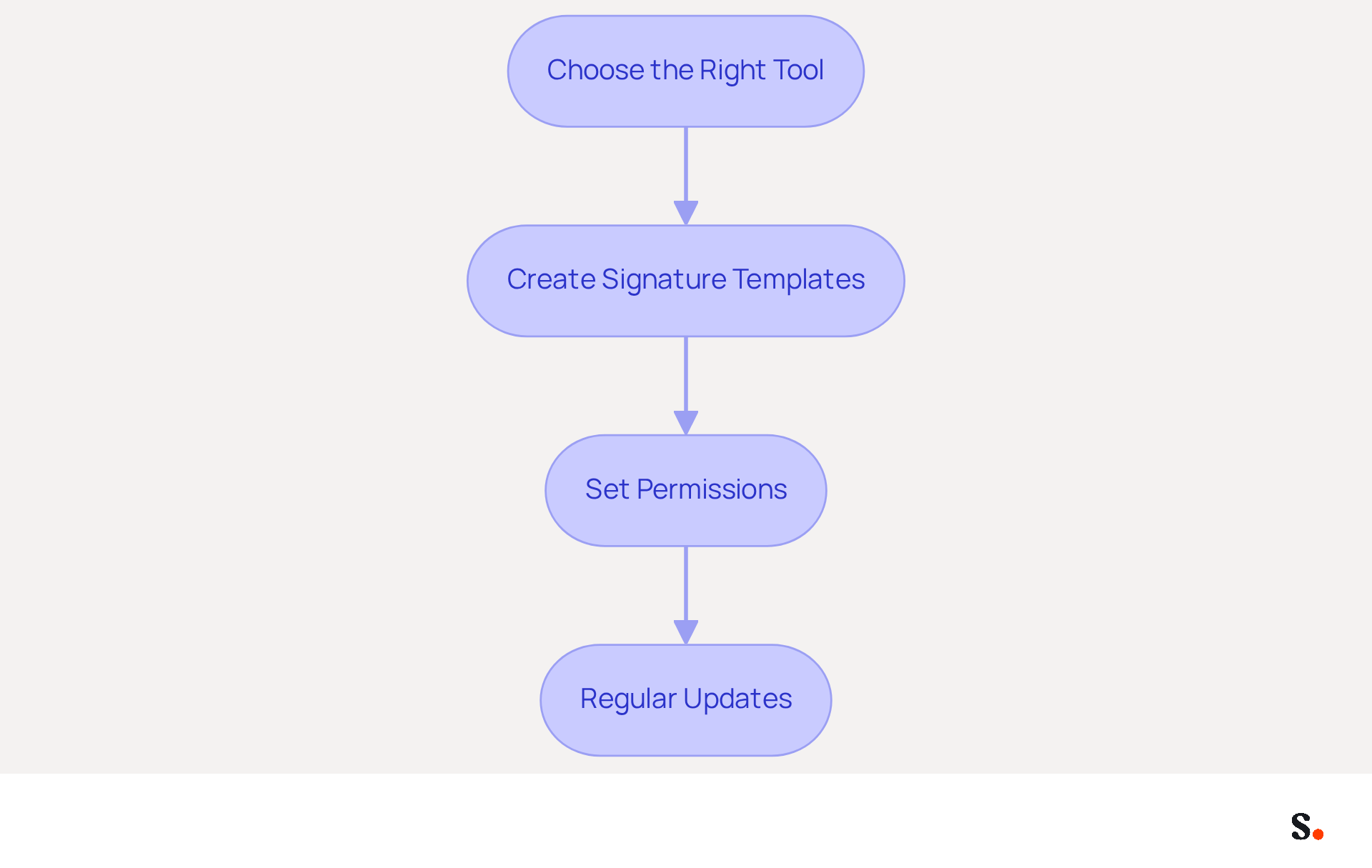
Steps to Implement Centralized Management:
- Choose the Right Tool: Select a solution for handling digital signatures that integrates seamlessly with your existing platforms, such as Scribe, which offers automation and ease of use. Centralized management tools can enhance brand consistency by up to 85% and increase campaign engagement threefold.
- Create Signature Templates: Design on-brand templates that can be easily customized for different departments or campaigns while maintaining a consistent look. Effective digital identifiers should be mobile-friendly, with a maximum width of 600px to ensure proper display on various devices.
- Set Permissions: Define user roles and permissions to control who can edit or update documents, ensuring that only authorized personnel can make changes. This lowers the chance of mistakes, as over 40% of electronic communications reviewed contain at least one significant error that can harm engagement.
- Regular Updates: Schedule regular reviews of key content to ensure that all information is current, including contact details and promotional banners. Regular updates can lead to significant increases in engagement, such as a 180% boost in webinar signups when registration links are included.
By implementing centralized management, organizations can significantly improve their brand consistency and engagement metrics. Ultimately, email signature automation can transform every message into a strategic marketing opportunity.
Integrate Automation with Existing Tools for Seamless Updates
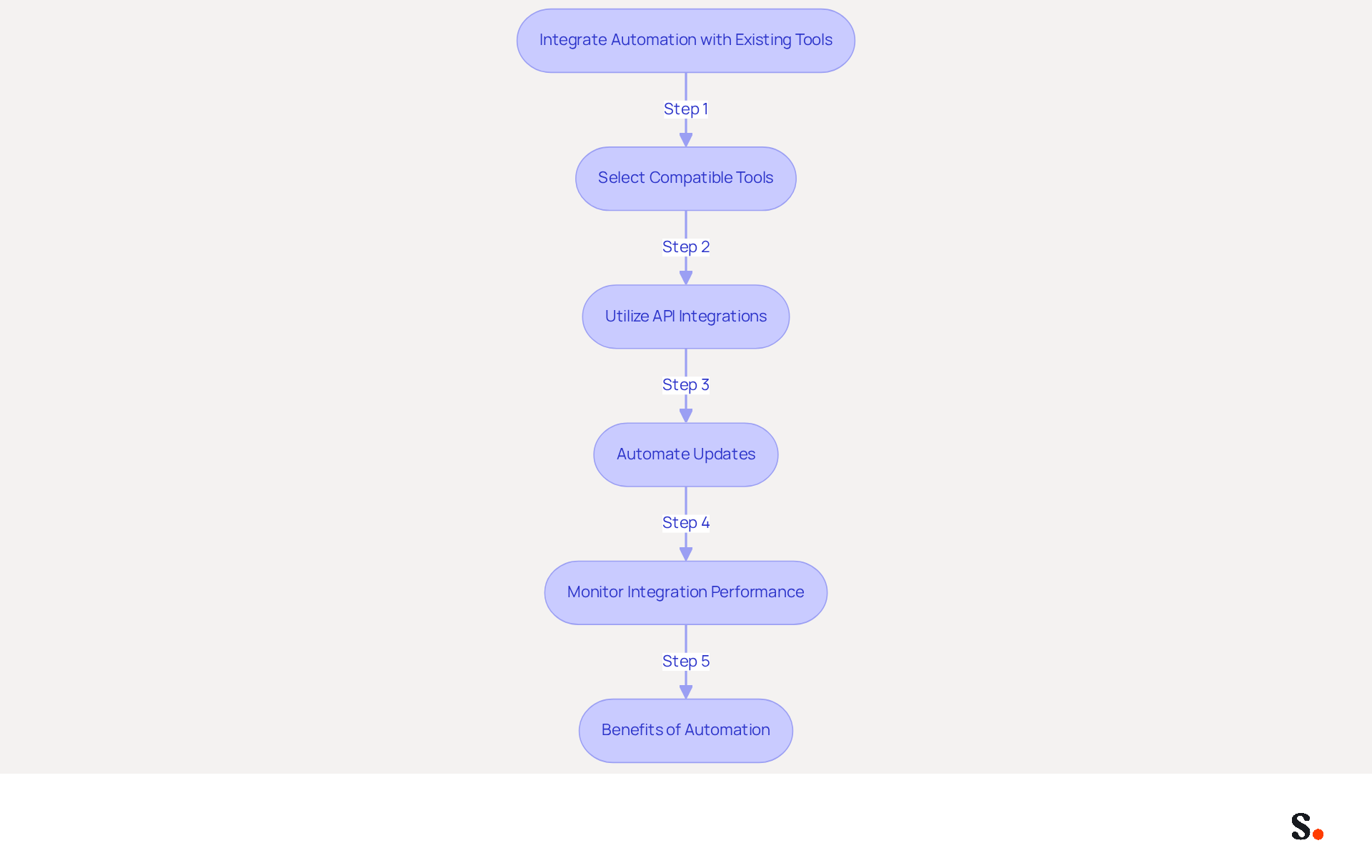
Integrating automation into your correspondence process is essential for enhancing efficiency and ensuring accuracy. Here’s how to effectively integrate automation with existing tools:
- Select Compatible Tools: Ensure that your email signature management software, like Scribe, is compatible with your existing email platforms (e.g., Google Workspace, Microsoft 365).
- Utilize API Integrations: Leverage APIs to connect your Scribe management tool with HR systems or CRM platforms. This enables automatic updates of employee information, ensuring that approvals reflect the latest data.
- Automate Updates: Establish automated workflows that initiate updates to digital identifiers whenever there are changes in employee roles, contact details, or branding elements. This approach can lead to a 15% increase in website click-through rates because branded elements catch the eye.
- Monitor Integration Performance: Regularly assess the effectiveness of the integration to identify any issues or areas for improvement, ensuring that the automation process runs smoothly. By automating their correspondence, organizations can save valuable time, allowing teams to focus on strategic initiatives.
By incorporating email signature automation with current systems, organizations can ensure that their communication identifiers are always up to date, thereby minimizing the risk of obsolete information being sent to clients and partners. This proactive approach not only safeguards brand integrity but also significantly boosts engagement metrics.
Leverage Email Signatures as Powerful Marketing Tools
Many organizations overlook the potential of email footers, missing out on valuable marketing opportunities. Email footers can be transformed into powerful marketing tools that enhance brand visibility and drive engagement. Here’s how to leverage them effectively:
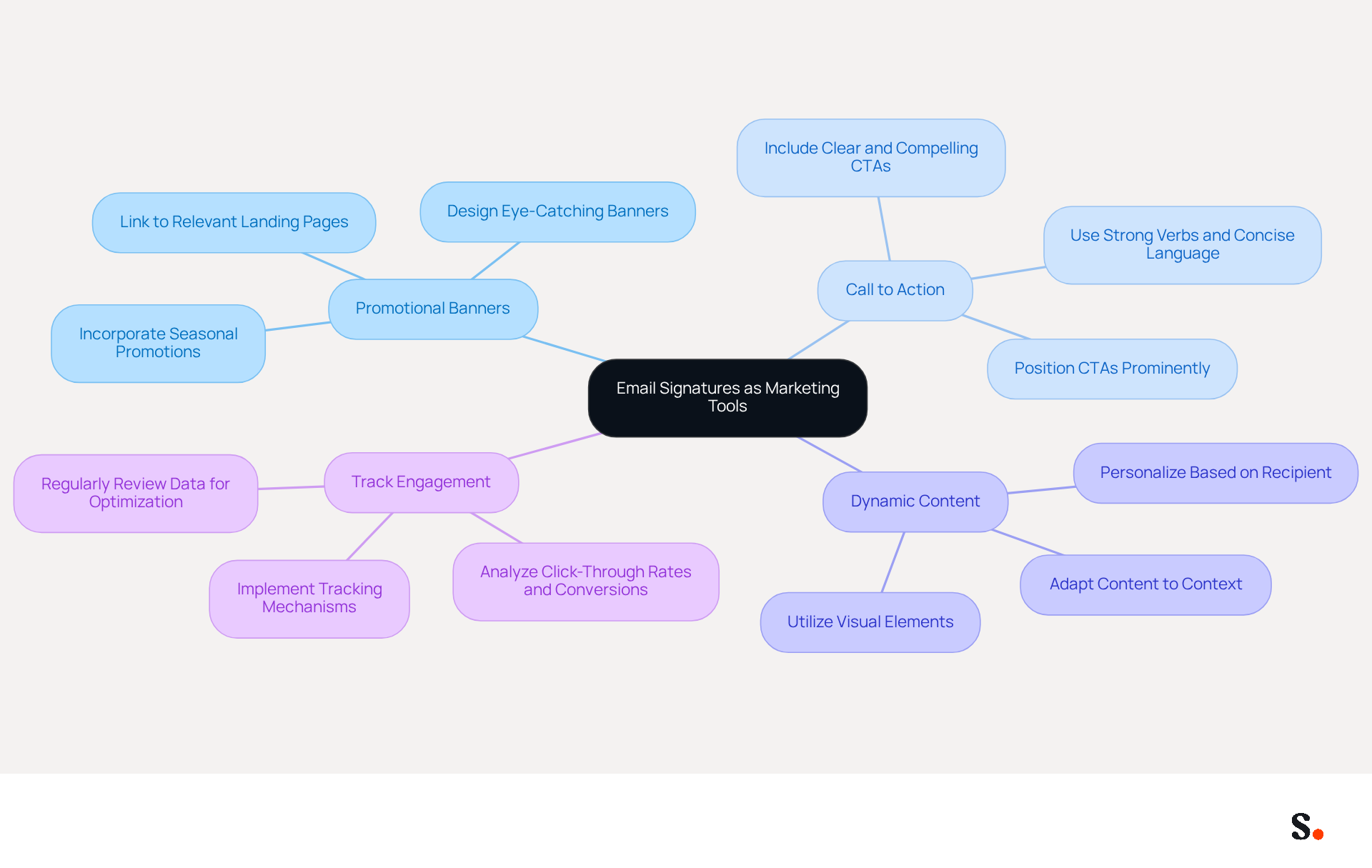
Strategies for Marketing with Email Signatures:
- Include Promotional Banners: Design eye-catching banners that highlight current promotions, events, or new products. Ensure these banners are linked to relevant landing pages for tracking.
- Add a Call to Action (CTA): Incorporate a clear and compelling CTA in your email footer, encouraging recipients to take specific actions, such as signing up for newsletters or exploring new offerings.
- Utilize Dynamic Content: Incorporate dynamic elements in sign-offs that can vary depending on the recipient or the context of the message, enhancing the relevance and engagement.
- Track Engagement: Implement tracking mechanisms to measure the effectiveness of your messaging campaigns. Analyze metrics such as click-through rates and conversions to refine your strategies.
Failing to leverage this opportunity can result in lost leads and diminished brand visibility. By utilizing email signature automation to transform email footers into strategic marketing tools, organizations can significantly enhance their engagement and lead generation efforts.
Measure and Optimize Email Signature Campaign Performance
To maximize the impact of your messaging campaigns, it is crucial to implement regular measurement and optimization strategies. Here’s how to effectively assess and enhance their performance:
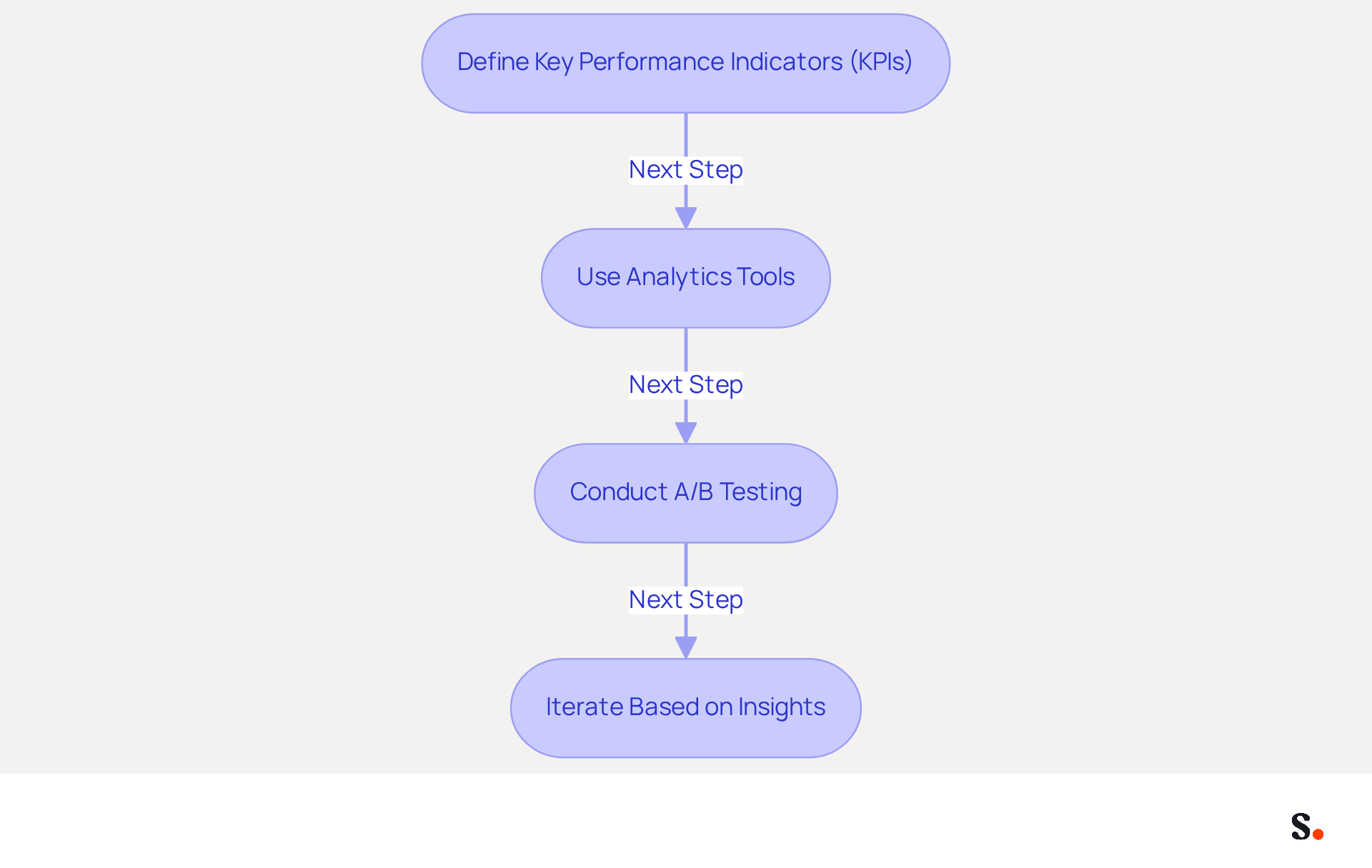
Steps for Measurement and Optimization:
- Define Key Performance Indicators (KPIs): Establish KPIs such as click-through rates (CTR), conversion rates, and engagement metrics to assess the effectiveness of your correspondence. Research indicates that branded digital identifiers can lead to a 22% rise in response rates, making these metrics essential for evaluating impact. Notably, Scribe's average click-through rate on banners is 12%, further underscoring the effectiveness of well-managed footers.
- Use Analytics Tools: Implement analytics tools that monitor the performance of links and banners within your email footers. Tools like Google Analytics provide insights into user behavior and engagement, enabling data-driven decisions.
- Conduct A/B Testing: Experiment with different design styles, CTAs, and promotional messages to determine which combinations yield the best results. A/B testing is crucial for refining your strategy based on empirical data, as 52.6% of users already incorporate a call-to-action in their messages, indicating the potential for increased engagement.
- Iterate Based on Insights: Utilize the data gathered to make informed choices regarding future campaigns for digital branding. Ongoing enhancement based on performance metrics ensures that your identifiers remain effective and aligned with marketing objectives.
Integrating Scribe with Google Workspace simplifies footer oversight, saving time and keeping your teammates' details up to date. This distinctive positioning enables Marketing to manage digital identifiers independently after the initial IT setup, enhancing efficiency. Any changes in your Google Workspace, such as updates to job positions or group assignments, will automatically reflect in Scribe without additional input. Notably, a company with 100 employees produces around 60,000-80,000 branded impressions each month, based on 30-40 outbound messages per worker per day over 20 working days, highlighting the necessity of effective management in this high-frequency branding channel. Additionally, Scribe's SOC 2 Type II compliance ensures that your data is secure, further enhancing your email signature automation efforts. This proactive approach not only enhances your branding efforts but also ensures that your marketing strategies remain effective in a competitive landscape.
Conclusion
Many organizations overlook the potential of email signatures, missing out on a key opportunity for brand consistency and marketing impact. By implementing centralized management and automation of email signatures, businesses can enhance brand visibility and engagement metrics.
Key practices discussed include:
- Selecting the right tools for centralized management
- Ensuring seamless integration with existing platforms
- Leveraging email signatures for marketing through promotional banners and clear calls to action
Additionally, measuring and optimizing campaign performance through defined KPIs and analytics tools is crucial for refining strategies and maximizing impact.
In a competitive landscape, organizations must recognize the potential of email signatures as a strategic branding channel. Without adopting these best practices, companies may find their brand message diluted and their marketing efforts less effective. Failing to embrace email signature automation could leave organizations struggling to maintain a cohesive brand narrative and effectively engage with their audience.
Frequently Asked Questions
Why is centralized management for email signatures important?
Centralized management for email signatures is important because inconsistent signatures can undermine brand integrity and lead to communication errors. It ensures that every employee's email signature follows the same format, reflecting the company's branding.
What are the steps to implement centralized management for email signatures?
The steps to implement centralized management include choosing the right tool, creating signature templates, setting permissions, and scheduling regular updates.
How do I choose the right tool for managing email signatures?
Choose a solution that integrates seamlessly with your existing platforms, such as Scribe, which offers automation and ease of use. A good tool can enhance brand consistency by up to 85% and increase campaign engagement threefold.
What should be considered when creating signature templates?
When creating signature templates, design on-brand templates that can be easily customized for different departments or campaigns while maintaining a consistent look. Ensure that the templates are mobile-friendly, with a maximum width of 600px.
How can I control who can edit or update email signatures?
You can control who can edit or update email signatures by defining user roles and permissions, ensuring that only authorized personnel can make changes. This helps lower the chance of mistakes in electronic communications.
Why are regular updates important for email signatures?
Regular updates are important to ensure that all information is current, including contact details and promotional banners. Regular updates can lead to significant increases in engagement, such as a 180% boost in webinar signups when registration links are included.
How can email signature automation benefit organizations?
Email signature automation can transform every message into a strategic marketing opportunity, significantly improving brand consistency and engagement metrics.
List of Sources
- Establish Centralized Management for Email Signatures
- Email Signature Best Practices for 2026 (+ 15 Pro Examples) (https://wavecnct.com/blogs/email-signature-best-practices-2026)
- 4 Best Practices for a Unique Email Signature That Drives Results (https://scribe-mail.com/en-US/blog/4-best-practices-for-a-unique-email-signature-that-drives-results)
- Centralized Email Signature Management for Branding (https://heydrop.app/blog/why-centralized-email-signature-management-is-essential-for-branding-success)
- Company-Wide Email Signature Management | CloudM (https://cloudm.io/resources/blog/optimize-your-process-with-company-wide-email-signature-management)
- Integrate Automation with Existing Tools for Seamless Updates
- Email signature statistics: Why every business should optimize their email signatures — Stripo.email (https://stripo.email/blog/email-signature-statistics-why-every-business-should-optimize-their-email-signatures)
- How to integrate an email signature API (https://signitic.com/en/resources/how-to-integrate-an-email-signature-api)
- 40+ Email Signature Statistics for 2026 (Data + Insights) (https://wavecnct.com/blogs/email-signature-statistics)
- Automating Email Signatures: How IT Teams Streamline Processes & Reduce Risk (https://exclaimer.com/blog/streamlining-it-processes-automated-email-signatures)
- Email Signature Trends 2026: Centralized Control & Automation | SIGNandGO posted on the topic | LinkedIn (https://linkedin.com/posts/signngo_email-signature-trends-to-watch-in-2026-activity-7401523471786217473-zAVL)
- Leverage Email Signatures as Powerful Marketing Tools
- Maximize Marketing Impact with Effective Email Signature Banners (https://scribe-mail.com/en-US/blog/maximize-marketing-impact-with-effective-email-signature-banners)
- Why Email Signatures Must Be In Your 2026 Marketing Plan | Rocketseed (https://rocketseed.com/blog/what-are-the-biggest-email-trends-for-2026)
- 6 Ways to Use Email Signature to Support Marketing Campaigns (https://clearout.io/blog/use-email-signature-to-support-marketing-campaigns)
- Email Signature Trends 2026: Centralized Control & Automation | SIGNandGO posted on the topic | LinkedIn (https://linkedin.com/posts/signngo_email-signature-trends-to-watch-in-2026-activity-7401523471786217473-zAVL)
- Measure and Optimize Email Signature Campaign Performance
- 40+ Email Signature Statistics for 2026 (Data + Insights) (https://wavecnct.com/blogs/email-signature-statistics)
- How to measure the performance of your email signatures? (https://letsignit.com/blog/email-signatures-measure-performance-2)
- How to Track Clicks & Impressions in Email Signature Marketing (https://linkedin.com/pulse/how-track-clicks-impressions-email-signature-marketing-mbhre)
- Why Email Signatures Must Be In Your 2026 Marketing Plan | Rocketseed (https://rocketseed.com/blog/what-are-the-biggest-email-trends-for-2026)
Get started with Scribe
Let AI build your signature — from a screenshot
Free 14-day trial — no credit card.