How to Change Your Email Signature on Outlook: A Step-by-Step Guide
While often overlooked, email signatures play a pivotal role in shaping professional branding and communication. By mastering the art of crafting and updating
Sophie Grant
Email Signature Specialist, Scribe

Introduction
While often overlooked, email signatures play a pivotal role in shaping professional branding and communication. By mastering the art of crafting and updating email signatures in Outlook, professionals can enhance brand recognition, provide essential contact information, and promote marketing initiatives - all while establishing credibility with recipients. Yet, many professionals find themselves puzzled by the signature settings in Outlook, leading to questions about how to ensure their signatures are both visually appealing and functional. This guide provides a clear, step-by-step approach to changing email signatures in Outlook, addressing common challenges and best practices for enhancing professional communication.
Understand the Importance of Email Signatures
Email identifiers serve as vital components of your professional identity, extending beyond mere sign-offs. A well-crafted email signature serves multiple purposes that enhance your professional image:
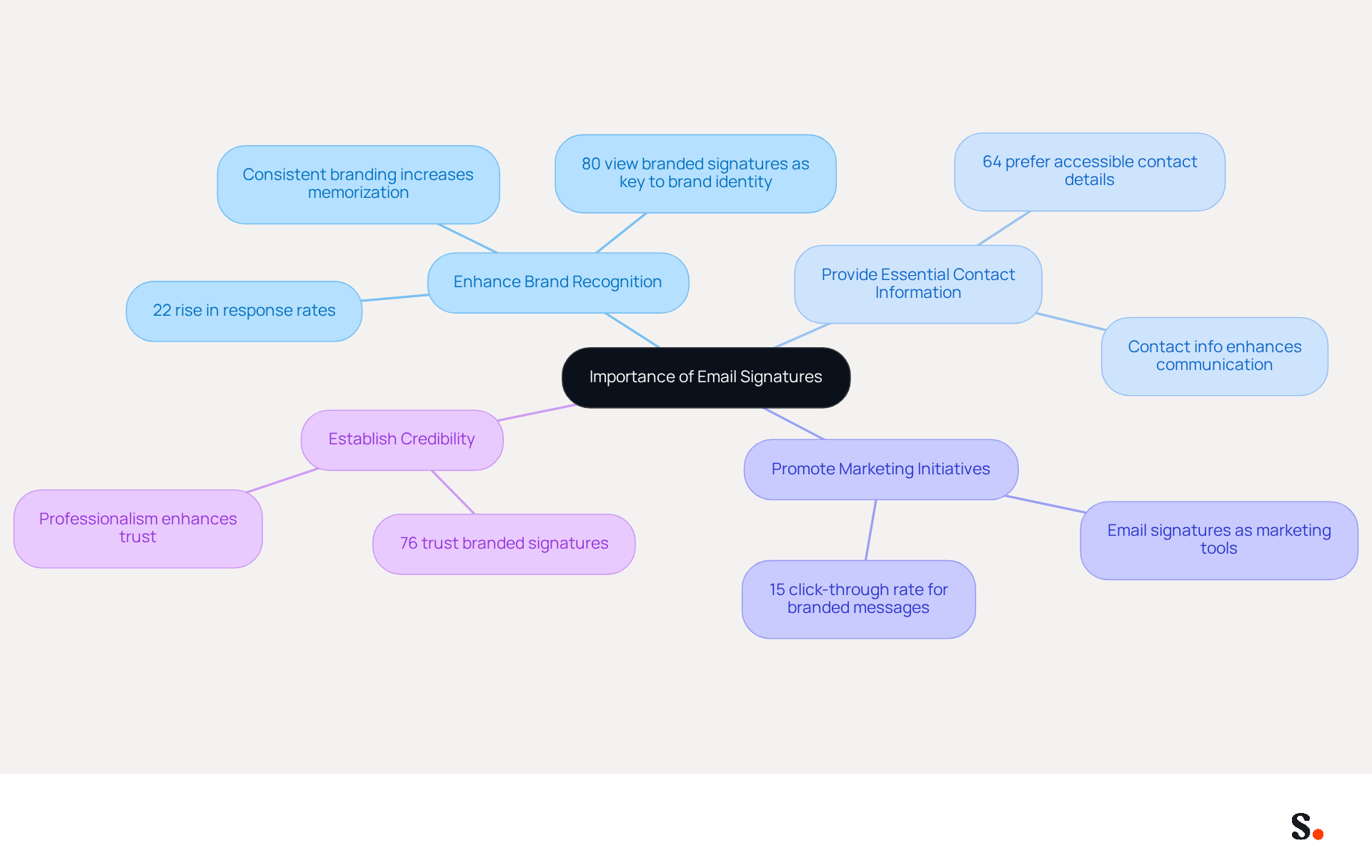
- Enhance Brand Recognition: Consistent branding across emails reinforces your company's image, making it easier for recipients to remember your brand. Research shows that businesses with consistent digital identifiers experience a 22% rise in response rates, demonstrating the effectiveness of consistent branding in improving engagement.
- Provide Essential Contact Information: Including your phone number and social media links ensures that recipients can easily reach you. Indeed, 64% of consumers prefer having contact information easily accessible in correspondence, emphasizing their significance in enhancing communication.
- Promote Marketing Initiatives: Signatures can incorporate promotional banners or calls to action, transforming every message into a marketing opportunity. Statistics indicate that messages with branded identifiers achieve a click-through rate of 15%, significantly enhancing traffic to websites and social media platforms.
- Establish Credibility: A professional mark conveys trustworthiness and attention to detail, positively influencing how recipients perceive you and your business. Significantly, 76% of recipients indicate that branded identifiers increase their trust in the sender, highlighting the significance of professionalism in digital communications.
By acknowledging these advantages, you can recognize the importance of maintaining an updated and professional digital identifier, which not only represents your brand but also improves your overall marketing strategy.
Access Email Signature Settings in Outlook
Knowing how to change your email signature on Outlook can make the process straightforward. To change your email signature in Outlook, follow these steps:
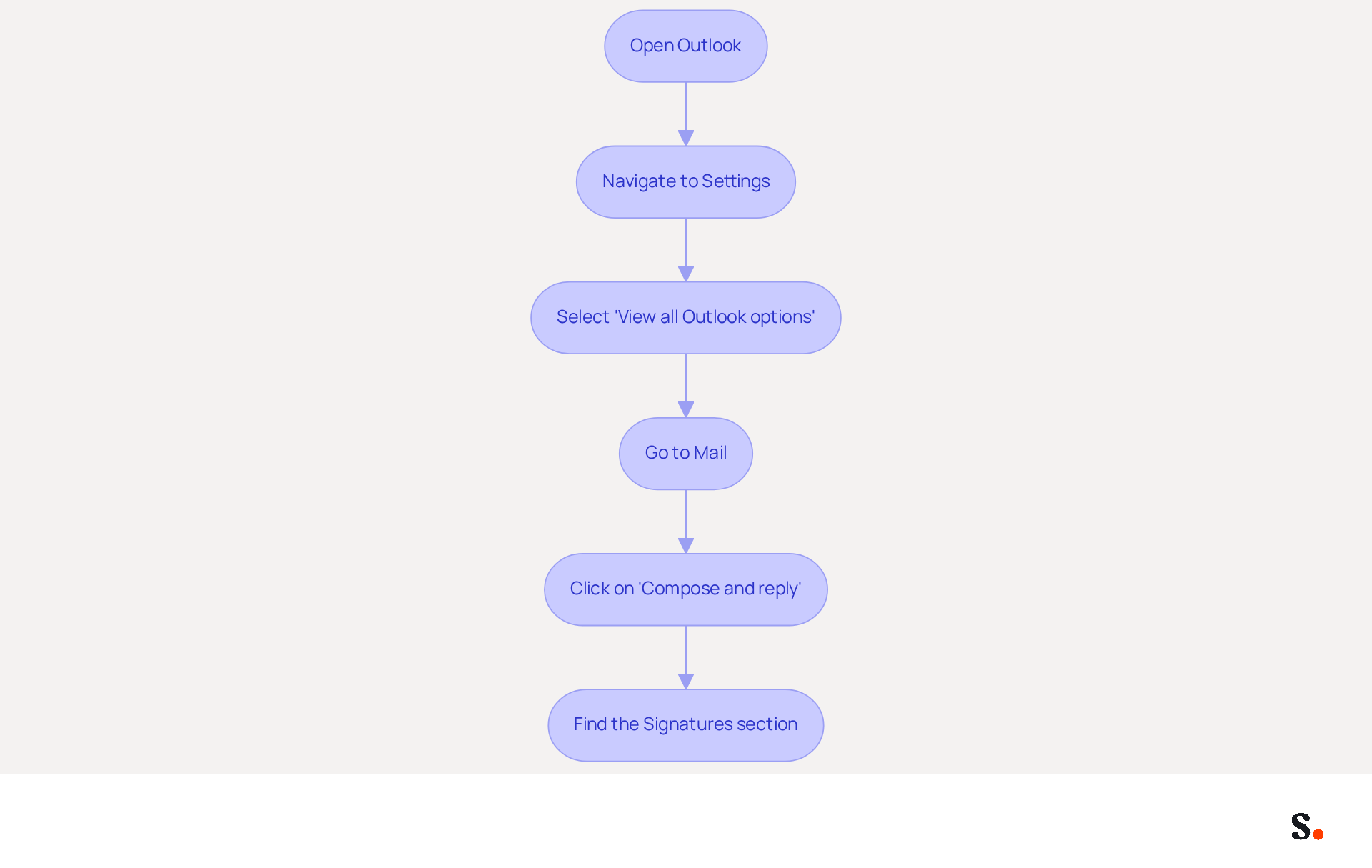
- Open Outlook: Launch the Outlook application on your computer.
- Navigate to Settings: Click on the gear icon (⚙️) located in the top-right corner of the window.
- Select 'View all Outlook options': Scroll down and click on this choice to access the complete configuration menu.
- Go to Mail: In the settings menu, select 'Mail' from the left sidebar.
- Click on 'Compose and reply': This will direct you to the area where you can manage your sign-offs.
- Find the Signatures section: Here, you will see options to create, edit, or remove your sign-offs. Click on 'Signatures' to proceed.
By following these steps, you will learn how to change your email signature on Outlook. With Scribe, this process becomes seamless, allowing for real-time updates. Any changes you make in Google Workspace will automatically update in Scribe, saving you time and ensuring brand consistency across your organization. Notably, Scribe users report an average click-through rate of 12% on banner ads, demonstrating the effectiveness of this feature. Plus, with Scribe's SOC 2 Type II compliance, you can trust that your data is handled securely. This not only saves time but also enhances your organization's professionalism and brand consistency.
Create or Edit Your Email Signature
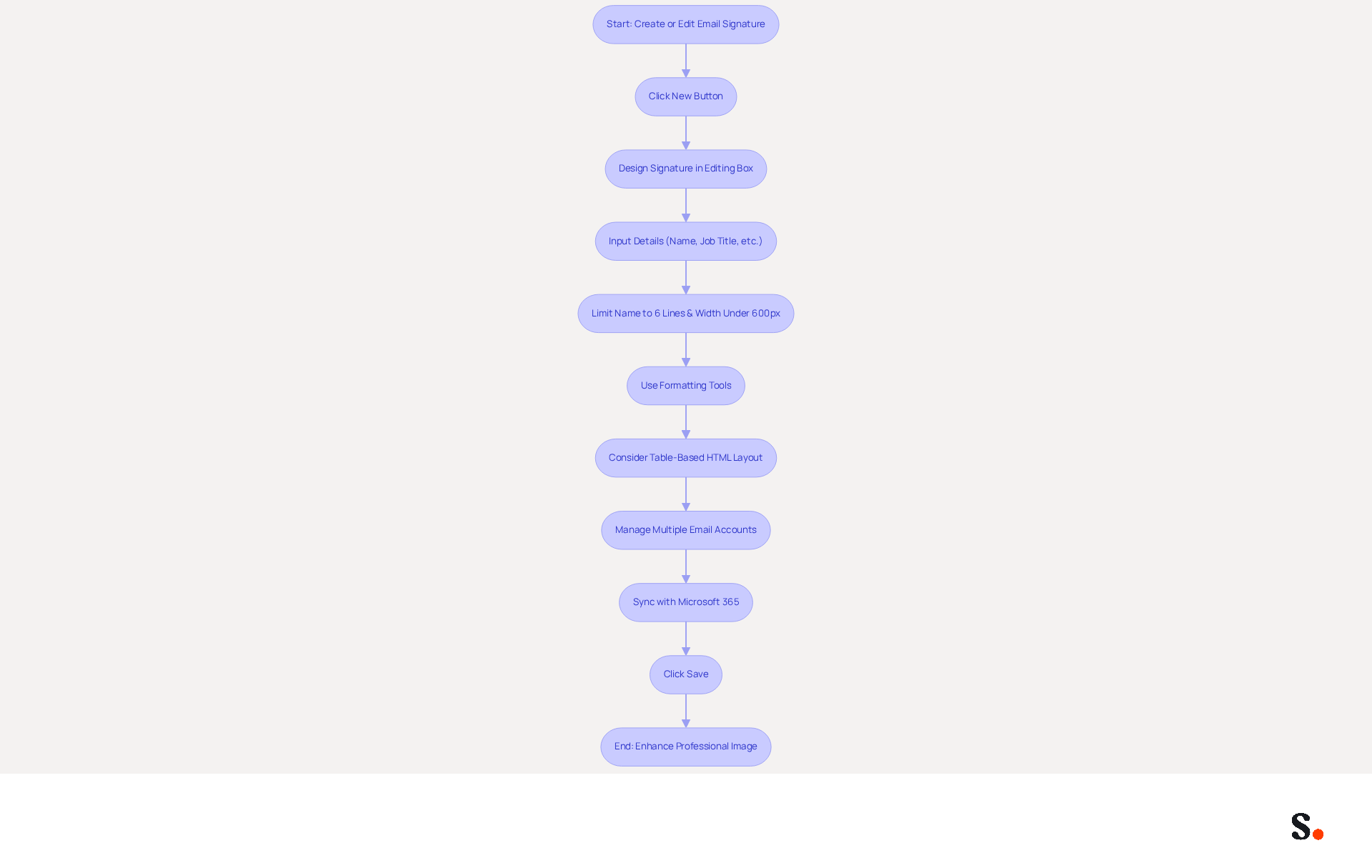
Understanding how to change your email signature on Outlook is essential for creating a professional email signature that ensures effective communication and brand consistency. To begin, click the 'New' button to initiate a new mark and assign a name for easy identification later.
Next, design your signature in the editing box by inputting your desired details, including your name, job title, company name, contact information (phone number, email, etc.), links to social media profiles or your company website, and a promotional banner or call-to-action, if applicable.
To ensure compatibility across devices, limit your name to six lines and keep the width under 600 pixels. Utilize the available formatting tools to customize the font, size, color, and layout, ensuring your mark is visually appealing and consistent with your brand's style. Additionally, consider using table-based HTML layouts for enhanced control over spacing and arrangement, which can improve rendering in various messaging clients.
If you manage multiple email accounts, managing them can be challenging, but Scribe simplifies this process. Choose which identifier to use for new messages and replies/forwards by adjusting the settings accordingly. Note that markings established by admins in Microsoft 365 sync automatically across clients, ensuring consistency throughout your organization. With Scribe, your teammates' identification information is always synced with your HRIS, and changes in your connected source will be automatically updated in Scribe, requiring no action from your teammates. This integration streamlines your workflow and significantly boosts data security, a critical factor in today’s digital landscape.
After creating or editing your mark, click 'Save' to understand how to change your email signature on Outlook. When you follow these steps, you’re not just creating a footer; you’re enhancing your professional image. A well-crafted email signature can significantly elevate your brand's visibility and professionalism in every message sent. Keep in mind that images should ideally be under 100KB for optimal loading, and the mobile text editor is limited to plain text only. With Scribe's SOC 2 Type II compliance, you can be confident that your data is managed securely, making it an ideal solution for organizations seeking 100% brand consistency and measurable marketing ROI from digital branding.
Troubleshoot Common Email Signature Issues
Despite successfully updating your contact information, several common issues may still arise that require troubleshooting:
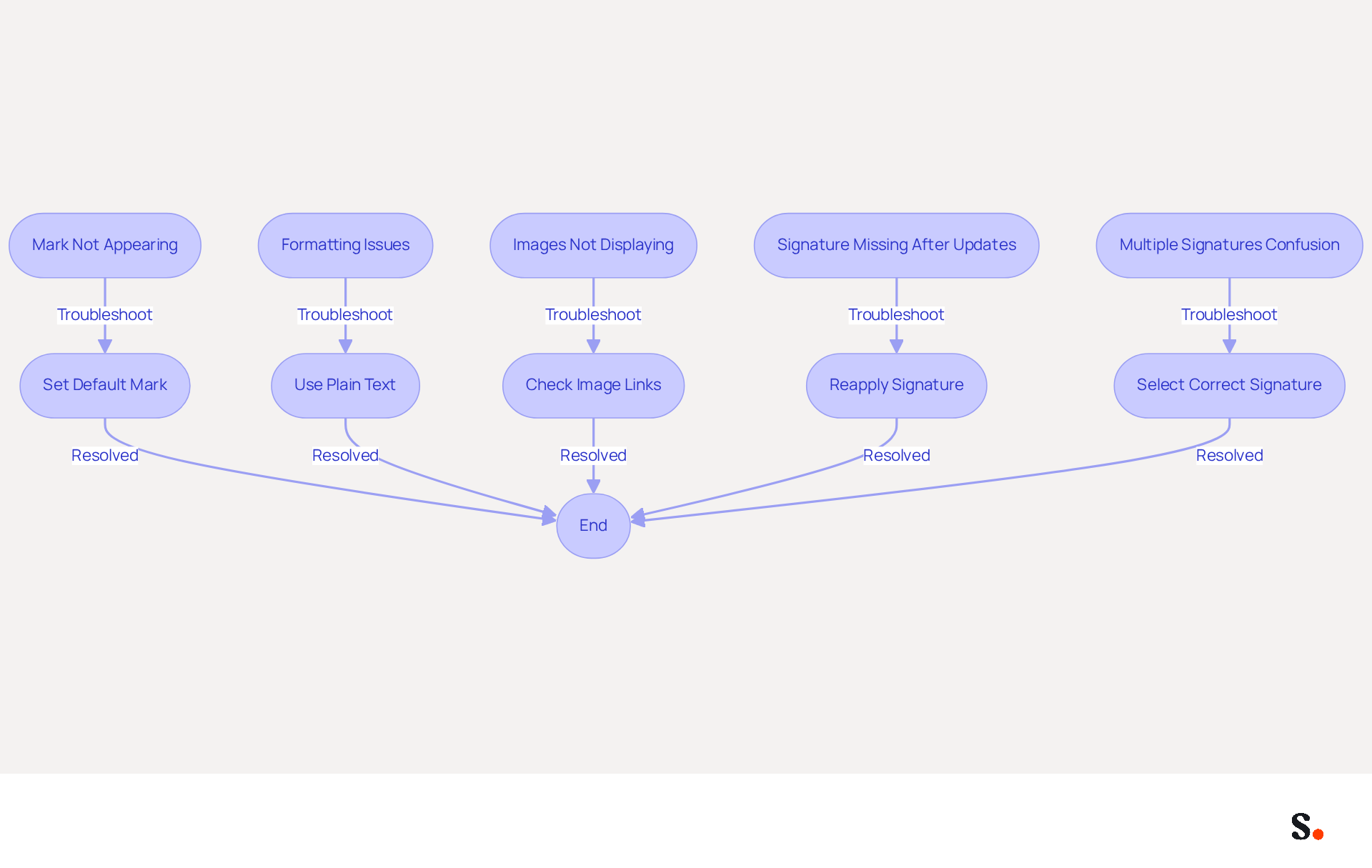
- Mark Not Appearing: Many users struggle with their marks not appearing in new emails, leading to confusion and miscommunication. Ensure that you have set it as the default mark for new messages in the settings. Default assignment for new messages and replies accounts for many reports of missing identifiers.
- Formatting Issues: If your mark looks different when sent, it may be due to HTML formatting. Research indicates that 35% of IT teams find email management to be one of their most time-consuming tasks, primarily due to formatting challenges. Try recreating the sign-off using plain text or adjusting the formatting options in Outlook to maintain consistency across platforms.
- Images Not Displaying: If images in your signature are not appearing, ensure they are hosted online or embedded correctly. Check the image links and ensure they are accessible. Many users experience issues with images appearing larger than intended due to incorrect DPI settings; ensure images are set to 72 DPI for most clients.
- Signature Missing After Updates: Occasionally, Outlook updates can revert configurations. If your mark vanishes, revisit the settings to reapply your mark. Regularly checking for software updates can help maintain consistent displays of messaging identifiers, as recent updates may introduce glitches affecting visibility.
- Multiple Signatures Confusion: If you have several signatures, make sure you are selecting the correct one for each email account. You can manage this in the settings for your email. Users handling multiple accounts frequently encounter confusion about which identifier is linked to each account, so ensuring the correct identifier is assigned can prevent issues.
Understanding these common issues and how to resolve them can significantly enhance your email signature's effectiveness, ensuring your email signature consistently reflects your professionalism.
Conclusion
A well-crafted email signature serves as a vital component of your professional communication strategy. It enhances brand recognition, provides essential contact information, promotes marketing initiatives, and establishes credibility. Many professionals struggle with ensuring their email signatures are consistent and professional across platforms. This guide has outlined the critical steps to access email signature settings, create or edit your signature, and troubleshoot common issues. Key insights include:
- The importance of maintaining a professional appearance
- The benefits of integrating promotional elements
- The necessity of ensuring that your signature is correctly displayed across various platforms
Utilizing tools like Scribe can streamline this process, allowing for real-time updates and ensuring compliance with security standards such as SOC 2 Type II.
Taking the time to craft a professional email signature can truly enhance how you communicate and how your brand is perceived. As organizations aim for consistent branding and clear marketing results, leveraging tools that simplify email signature management, like Scribe, becomes essential. Embrace the opportunity to enhance your professional image and make every email a chance to reinforce your brand identity.
Frequently Asked Questions
What is the importance of email signatures in professional communication?
Email signatures are vital components of professional identity, enhancing brand recognition, providing essential contact information, promoting marketing initiatives, and establishing credibility.
How do email signatures enhance brand recognition?
Consistent branding across emails reinforces a company's image, making it easier for recipients to remember the brand. Research shows that businesses with consistent digital identifiers experience a 22% rise in response rates.
Why is it important to include contact information in email signatures?
Including contact information, such as phone numbers and social media links, ensures recipients can easily reach you. 64% of consumers prefer having contact information readily accessible in correspondence.
How can email signatures promote marketing initiatives?
Signatures can incorporate promotional banners or calls to action, turning every message into a marketing opportunity. Messages with branded identifiers achieve a click-through rate of 15%, enhancing traffic to websites and social media platforms.
In what way do email signatures establish credibility?
A professional email signature conveys trustworthiness and attention to detail, positively influencing how recipients perceive you and your business. 76% of recipients indicate that branded identifiers increase their trust in the sender.
What should be considered when maintaining an email signature?
It is important to keep your email signature updated and professional, as it represents your brand and improves your overall marketing strategy.
List of Sources
- Understand the Importance of Email Signatures
- The impact of email signatures on your branding (https://signitic.com/en/resources/the-impact-of-email-signatures-on-your-branding)
- Why Are Email Signatures Key to Brand Awareness? | QuickMail (https://quickmail.com/role-of-email-signatures-in-brand-awareness)
- Research Recap: Branded Email Signatures Increase Company Recognition, Trust - Demand Gen Report (https://demandgenreport.com/industry-news/research-recap-branded-email-signatures-increase-company-recognition-trust/47252)
- Email signature statistics: Why every business should optimize their email signatures — Stripo.email (https://stripo.email/blog/email-signature-statistics-why-every-business-should-optimize-their-email-signatures)
- Why Email Signatures Must Be In Your 2026 Marketing Plan | Rocketseed (https://rocketseed.com/blog/2026-marketing-plan-email-signatures)
- Access Email Signature Settings in Outlook
- The New Outlook for Windows: An IT Guide to Email Signatures (https://exclaimer.com/email-signature-handbook/new-outlook-windows-email-signatures)
- How To Add An Email Signature in Outlook (2026) (https://hubspot.com/email-signature-generator/add-signature-outlook)
- How To Change Email Signature in Outlook – Extensive Guide | Crossware365 (https://crossware365.com/blog/how-to-change-email-signature-in-outlook-extensive-guide)
- How to add and change an email signature in Outlook | Microsoft Support (https://support.microsoft.com/en-us/outlook/mail/how-to-add-and-change-an-email-signature-in-outlook)
- Create, insert, or change a signature in Outlook for Mac | Microsoft Support (https://support.microsoft.com/en-us/outlook/create-insert-or-change-a-signature-in-outlook-for-mac)
- Create or Edit Your Email Signature
- How to Add Signature in Outlook (Desktop + Web + Mobile 2026) (https://itsourcecode.com/blogs/how-to-add-signature-in-outlook-2026)
- How to make professional email signature for Outlook with examples (https://ablebits.com/office-addins-blog/create-professional-signature-outlook)
- Outlook Email Signature: How to Set Up in 2026 | Signkit (https://beta.signkit.io/blog/outlook-email-signature)
- How to Add a Signature in Outlook (Every Platform, 2026) (https://usecarly.com/blog/how-to-add-signature-in-outlook)
- How to Create Outlook Email Signature (https://kevinstratvert.com/2026/02/04/how-to-create-outlook-email-signature)
- Troubleshoot Common Email Signature Issues
- Outlook Signature Not Working in Office 365: Causes & Fixes (https://exclaimer.com/email-signature-handbook/outlook-signature-not-working-in-office-365)
- 4 Steps to Fix Your Outlook Signature Not Showing Issues (https://scribe-mail.com/en-US/blog/4-steps-to-fix-your-outlook-signature-not-showing-issues)
- How to solve problems with email signatures in Microsoft 365? (https://mail-signatures.com/articles/problems-email-signatures-office-365)
- justanswer.com (https://justanswer.com/email/lyeqn-email-signatures-no-longer-loading-automatically.html)
- Email Signature Troubleshooting - Problems & Solutions - Gimmio (https://blog.gimm.io/email-signature-troubleshooting)
Get started with Scribe
Create your signature in minutes
Free 14-day trial — no credit card.