How to Edit Signature in Yahoo Mail: A Step-by-Step Guide
Many users struggle with the complexities of email settings, leading to frustration and confusion. Let’s walk through a clear, step-by-step approach to editing
Sophie Grant
Email Signature Specialist, Scribe
Introduction
Many users struggle with the complexities of email settings, leading to frustration and confusion. Let’s walk through a clear, step-by-step approach to editing your Yahoo Mail signature together, empowering you to enhance your email communication with personalized branding.
What should you do when your signature doesn’t display correctly, or when images and links fail to appear as intended? Delving into these common challenges reveals not only solutions but also underscores the importance of a well-crafted email signature in effectively representing your brand in the digital landscape.
Get started with Scribe
See why teams switch to Scribe
Free 14-day trial — no credit card.
Access Yahoo Mail Settings
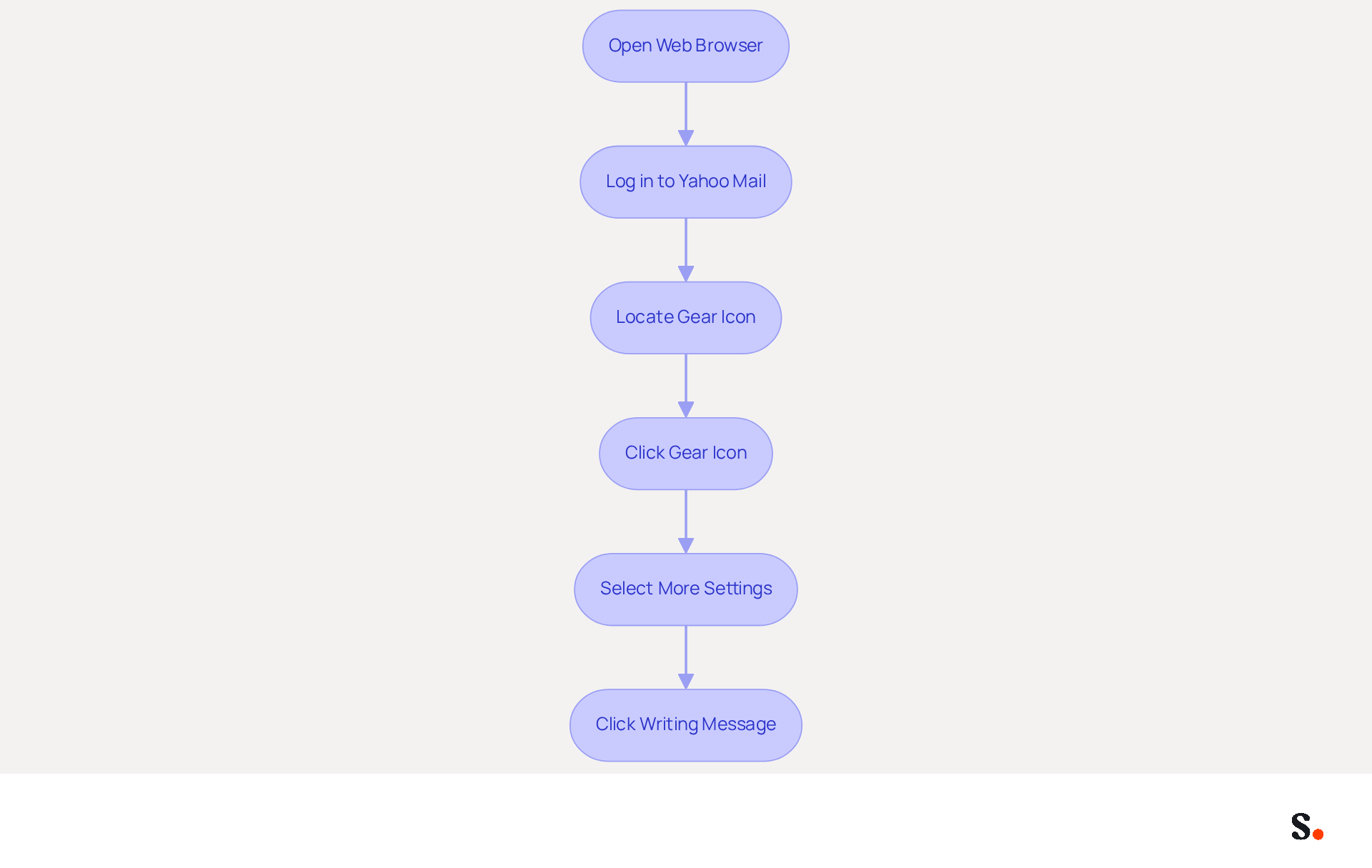
- Open your web browser and navigate to the Yahoo Mail website.
- Log in to your Yahoo Mail account using your credentials.
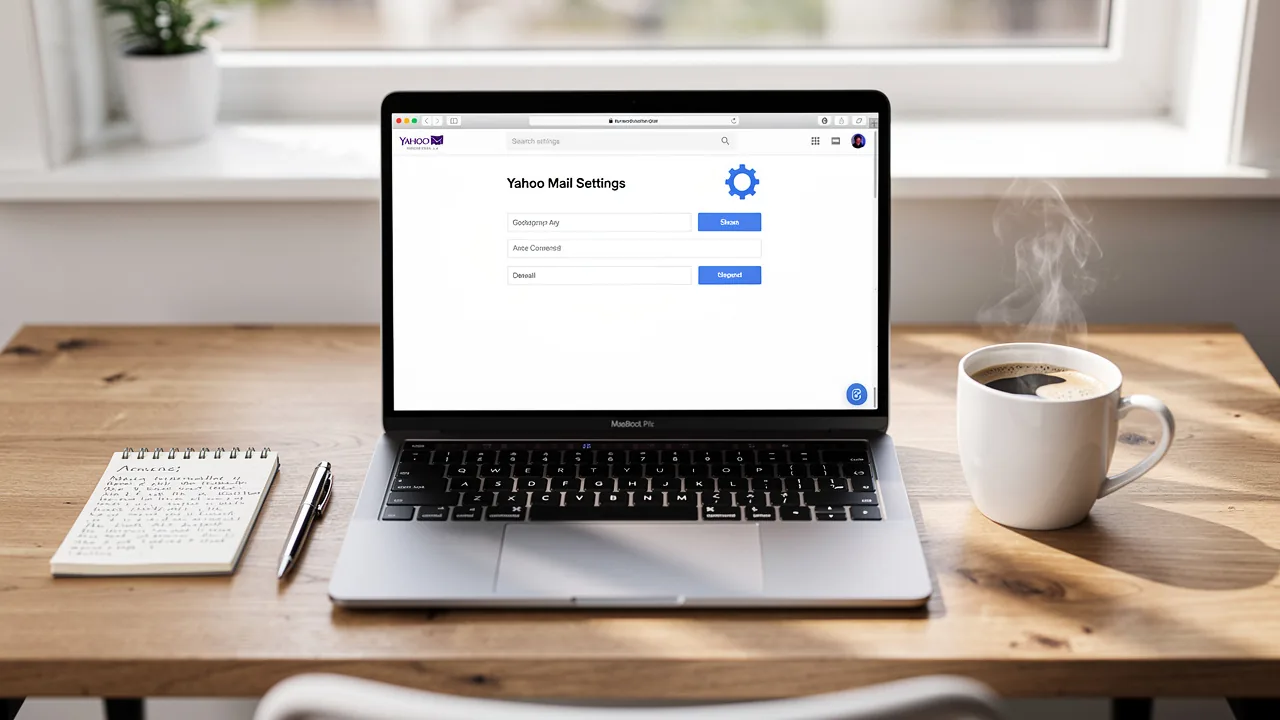
- Once logged in, locate the gear icon (⚙) in the upper right corner of the screen, which represents the settings menu.
- Click on the gear icon to reveal a dropdown menu.
- From the dropdown, select 'More Settings' to access the complete settings menu.
- In the left sidebar, click on 'Writing message' to discover how to edit signature in yahoo mail.
Navigating email settings can often be a cumbersome task, but with the right guidance, it becomes straightforward. With Scribe's SAML single sign-on integration, you can easily secure your digital identity management. Scribe is also GDPR compliant, providing peace of mind regarding data protection. Keeping your communication settings updated with Scribe helps maintain brand consistency and improves your marketing effectiveness.
Edit Your Signature in Yahoo Mail
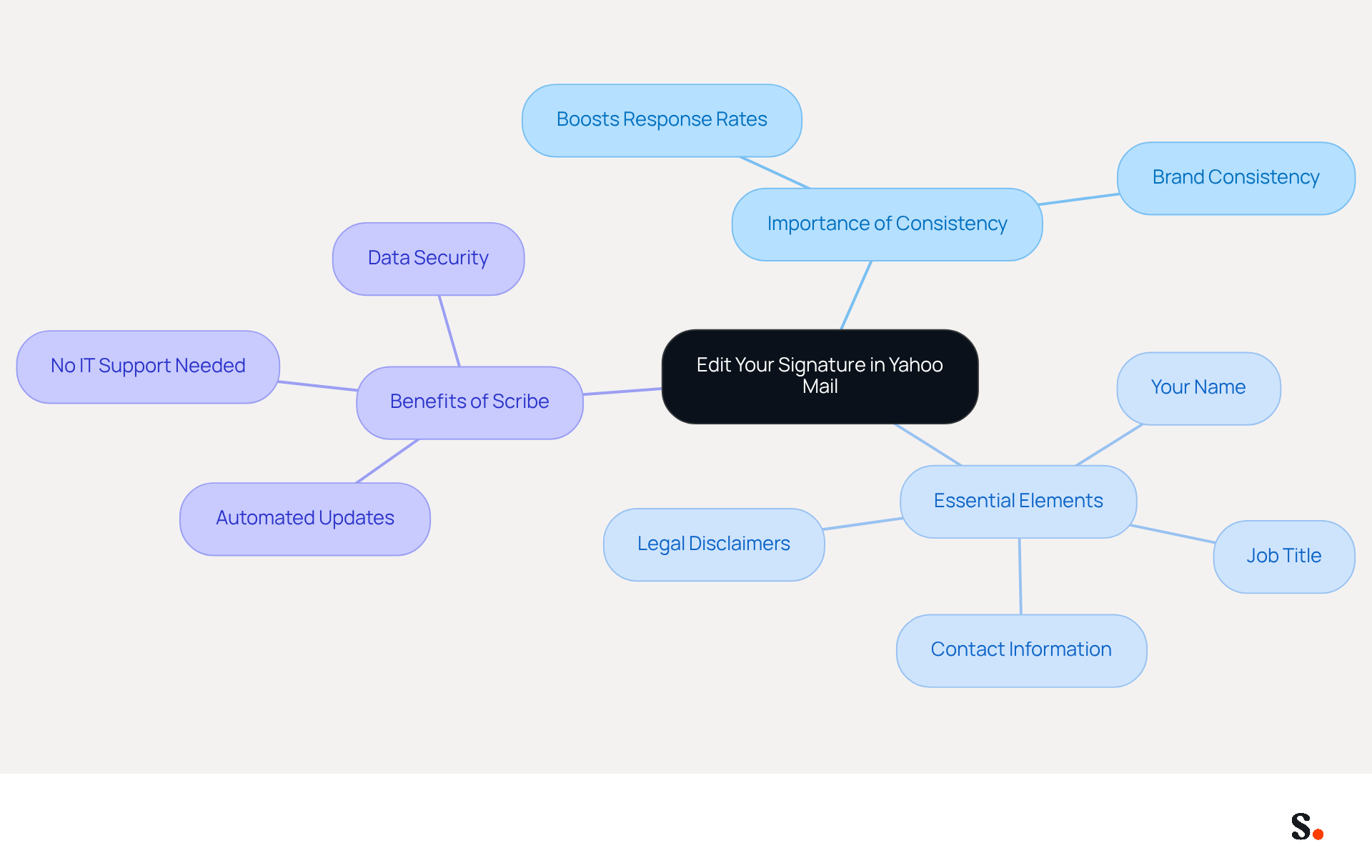
As we move into 2026, having a consistent email signature format is essential; studies show that uniform formats can boost response rates by 22%. Furthermore, 80% of businesses view branded communication footers as vital for their strategies. However, many businesses struggle to keep their digital identifiers updated, risking brand inconsistency. Regular audits and updates of digital identifiers help ensure brand consistency and enhance professional perception.
With Scribe, you can automate this process by syncing your teammates' initials directly from your business phone system, ensuring that any changes are updated in real-time without requiring action from your team. This capability allows Marketing teams to take charge of email branding without needing ongoing IT support.
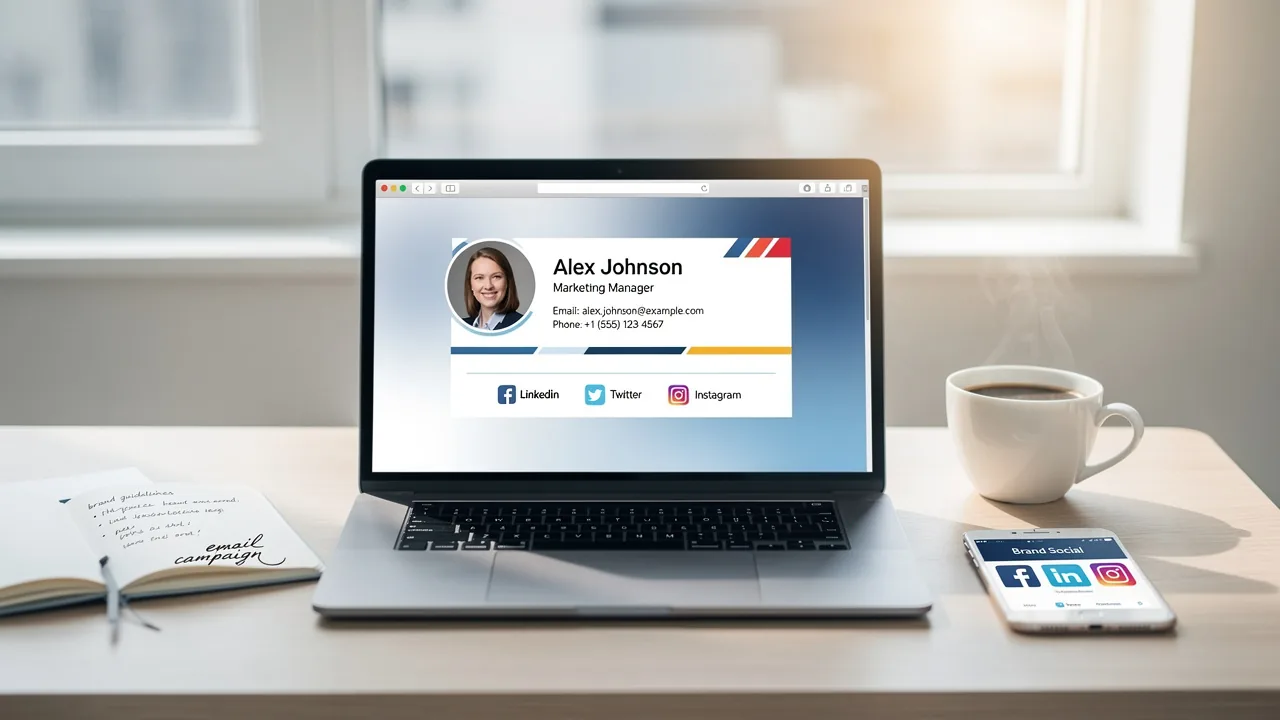
For expert advice, remember to include essential elements such as:
- Your name
- Job title
- Contact information
- Any legal disclaimers required by your industry
Plus, with Scribe's SOC 2 Type II compliance, you can be assured that your data is secure. Notably, Scribe's distinctive banners achieve an average click-through rate of 12%, enhancing your marketing performance metrics.
Enhance Your Signature with Images and Links
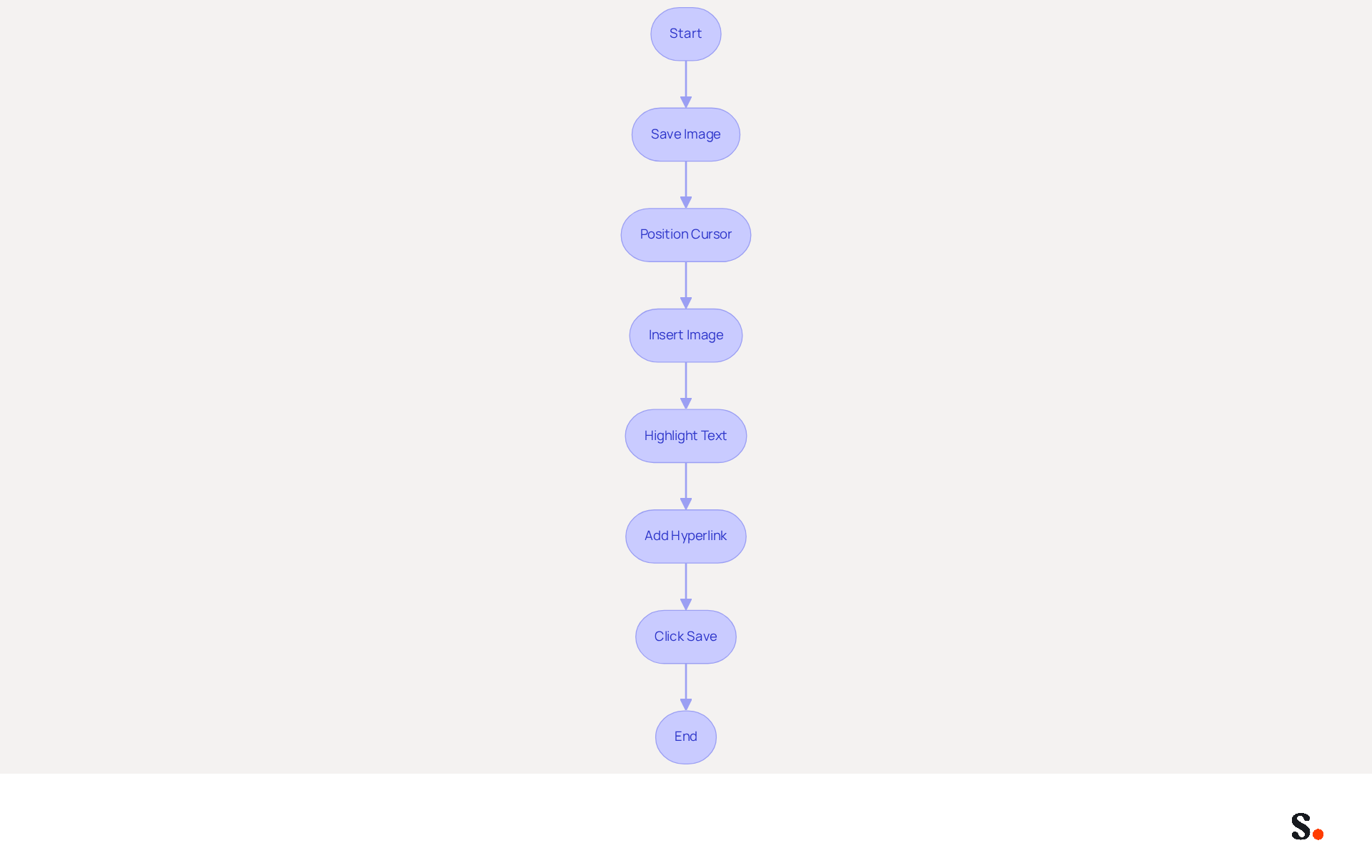
Incorporating visuals into your email signature is crucial for enhancing engagement and brand visibility. To begin, ensure you have the picture saved on your computer or accessible online. Next, position your cursor in the signature text box where you want the graphic to appear. Click on the icon for the picture, if available, or paste the picture directly into the text box. If pasting, ensure the image is copied from a reliable source.
To add a hyperlink, highlight the text you wish to connect, then click on the icon typically depicted by a chain symbol in the text editor. Enter the URL you wish to connect to and click 'OK' or 'Insert.' After incorporating visuals and URLs, click 'Save' to implement the modifications to your identifier.
In 2026, the integration of images and hyperlinks into signatures is essential. Statistics indicate that digital business card links average a 28% click rate, significantly increasing click-through rates. Furthermore, including a professional headshot can boost response rates by 32%, as demonstrated in case studies on personal branding.
Organizations that adopt a minimalist design approach, focusing on essential elements, see improved performance in their communications, aligning with the trend of single-column, content-minimal layouts. As you enhance your message footer, keep the layout compact and mobile-friendly, ideally fitting within 320 to 600 pixels. This ensures your mark remains effective across various devices, accommodating the growing trend of mobile-first design.
Moreover, with Scribe's automated synchronization with Aircall, any modifications made to your contact information will be reflected instantly, ensuring brand consistency. Scribe also adheres to SOC 2 Type II compliance, providing secure data handling for your organization.
Troubleshoot Common Signature Issues
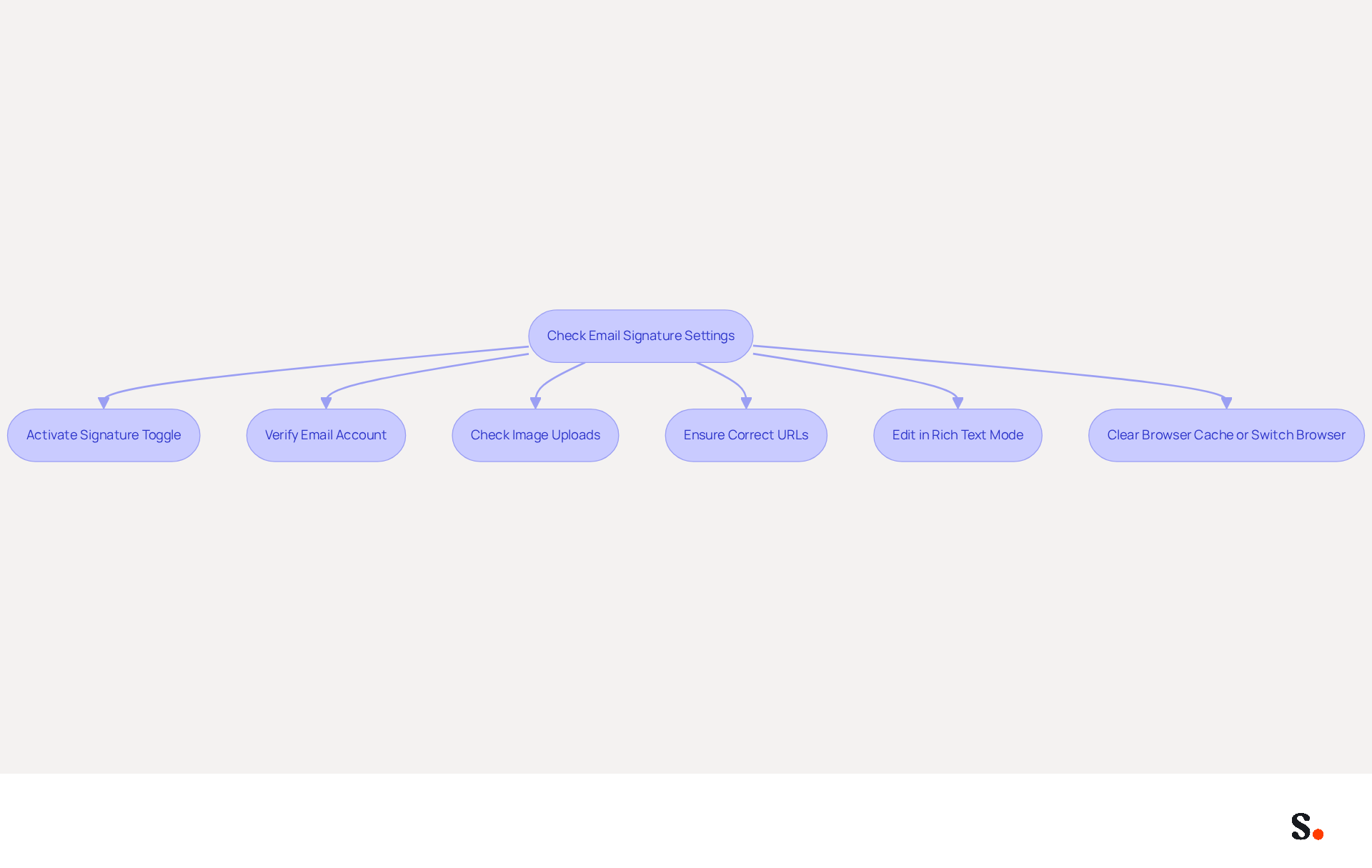
To ensure your email signature displays correctly, start by checking your settings. If your mark is not showing in messages, first ensure that the toggle for it is activated in the settings. A common oversight is not checking your settings, which can lead to your name not appearing. Next, verify that you are using the correct email account, especially if you have multiple accounts linked to Yahoo Mail. Misconfiguration can lead to signatures not being applied as expected, resulting in missed opportunities and miscommunication.
In situations where images are not appearing, verify that they are correctly uploaded and that the URLs are accurate. Broken links can result in missing visuals, which are crucial for maintaining a professional appearance. For formatting issues, ensure you are editing in rich text mode rather than plain text mode. This setting allows for better customization and ensures that your signature appears as intended.
If you run into errors, try clearing your browser's cache or switching to a different browser. Technical glitches can often be resolved through these simple troubleshooting steps. By following these steps, you can enhance your professional image and ensure effective communication.
Conclusion
A well-managed email signature in Yahoo Mail is essential for projecting a professional image. By following the outlined steps, users can ensure their signatures are visually appealing and consistent with their brand identity. Neglecting these details can lead to missed opportunities in today's competitive digital environment.
The article provided a comprehensive guide on:
- Accessing Yahoo Mail settings
- Editing signatures
- Enhancing them with images and links
- Troubleshooting common issues
Key insights included:
- The importance of maintaining brand consistency
- The benefits of incorporating visuals
- Practical tips for resolving signature display problems
Utilizing tools like Scribe can further streamline this process, allowing marketing teams to manage email branding effectively without ongoing IT support.
Think of your email signature as a marketing tool that can strengthen your brand and boost engagement. Organizations are encouraged to regularly update their signatures and leverage the capabilities of platforms like Scribe to ensure their digital communications remain professional and impactful. By prioritizing these elements, businesses can enhance their overall marketing effectiveness and foster stronger connections with their audience.
Frequently Asked Questions
How do I access Yahoo Mail settings?
To access Yahoo Mail settings, open your web browser and navigate to the Yahoo Mail website. Log in to your Yahoo Mail account, then click on the gear icon (⚙) in the upper right corner of the screen. From the dropdown menu, select 'More Settings' to access the complete settings menu.
Where can I find the option to edit my signature in Yahoo Mail?
After accessing the complete settings menu, click on 'Writing message' in the left sidebar to discover how to edit your signature in Yahoo Mail.
What is Scribe's role in digital identity management?
Scribe provides SAML single sign-on integration, which helps secure your digital identity management.
Is Scribe compliant with data protection regulations?
Yes, Scribe is GDPR compliant, ensuring peace of mind regarding data protection.
How does keeping communication settings updated with Scribe benefit users?
Keeping communication settings updated with Scribe helps maintain brand consistency and improves marketing effectiveness.
List of Sources
- Access Yahoo Mail Settings
- How Many People Use Yahoo? Statistics & Facts (2026) (https://kristian-larsen.com/info/how-many-people-use-yahoo)
- Yahoo Mail's Desktop Redesign: What Changed and How to Regain Control of Your Inbox (https://getmailbird.com/yahoo-mail-desktop-redesign-regain-control)
- Yahoo Mail Settings (2026): IMAP, SMTP, POP3 & Setup Guide - SkyMigrate (https://skymigrate.com/yahoo-mail-settings)
- Yahoo Mail down? Current status and problems - US (https://downdetector.com/status/yahoo-mail)
- Edit Your Signature in Yahoo Mail
- Email Signature Statistics: A Closer Look at Email Signatures in 2026 (https://mysignature.io/blog/email-signature-statistics)
- 40+ Email Signature Statistics for 2026 (Data + Insights) (https://wavecnct.com/blogs/email-signature-statistics)
- Email signature statistics: Why every business should optimize their email signatures — Stripo.email (https://stripo.email/blog/email-signature-statistics-why-every-business-should-optimize-their-email-signatures)
- The impact of email signatures on your branding (https://signitic.com/en/resources/the-impact-of-email-signatures-on-your-branding)
- How to change your signature in Yahoo Mail and update your contact information for recipients (https://businessinsider.com/reference/how-to-change-signature-in-yahoo-mail)
- Enhance Your Signature with Images and Links
- Email signature statistics and trends in 2024 (https://wisestamp.com/blog/email-signature-statistics)
- Email Signature Best Practices in 2026 | BrandaSign (https://brandasign.com/blog/email-signature-best-practices-2026)
- Email Signature Trends 2026: What Designers Are Actually Using (https://markaplugin.com/blog/email-signature-trends-2026)
- Email Signature Trends 2026: What's In and What's Out | Signkit (https://beta.signkit.io/blog/email-signature-trends-2026)
- Email Signature Design Trends in 2026: What Works and What to Drop (https://bulksignature.com/blog/email-signature-design-trends)
- Troubleshoot Common Signature Issues
- 40+ Email Signature Statistics for 2026 (Data + Insights) (https://wavecnct.com/blogs/email-signature-statistics)
- Email Signature Statistics: A Closer Look at Email Signatures in 2026 (https://mysignature.io/blog/email-signature-statistics)
- Yahoo Mail down? Current status and problems - US (https://downdetector.com/status/yahoo-mail)
Get started with Scribe
See why teams switch to Scribe
Free 14-day trial — no credit card.