How to Insert Image in Yahoo Mail Signature: A Step-by-Step Guide
Many professionals face challenges when trying to incorporate images into their email signatures, particularly in Yahoo Mail. This guide will walk you through
Sophie Grant
Email Signature Specialist, Scribe
Introduction
Many professionals face challenges when trying to incorporate images into their email signatures, particularly in Yahoo Mail. This guide will walk you through the steps to add images to your signatures, ensuring they meet Yahoo's standards while enhancing your brand identity.
But what should you do if your images don’t display correctly or appear distorted? Recognizing these common pitfalls and knowing how to troubleshoot them is vital for keeping your email presence professional and trustworthy.
Get started with Scribe
See why teams switch to Scribe
Free 14-day trial — no credit card.
Understand Image Requirements for Yahoo Mail Signature
Understanding the specific requirements for inserting images into your Yahoo Mail signature is crucial for maintaining a professional appearance:
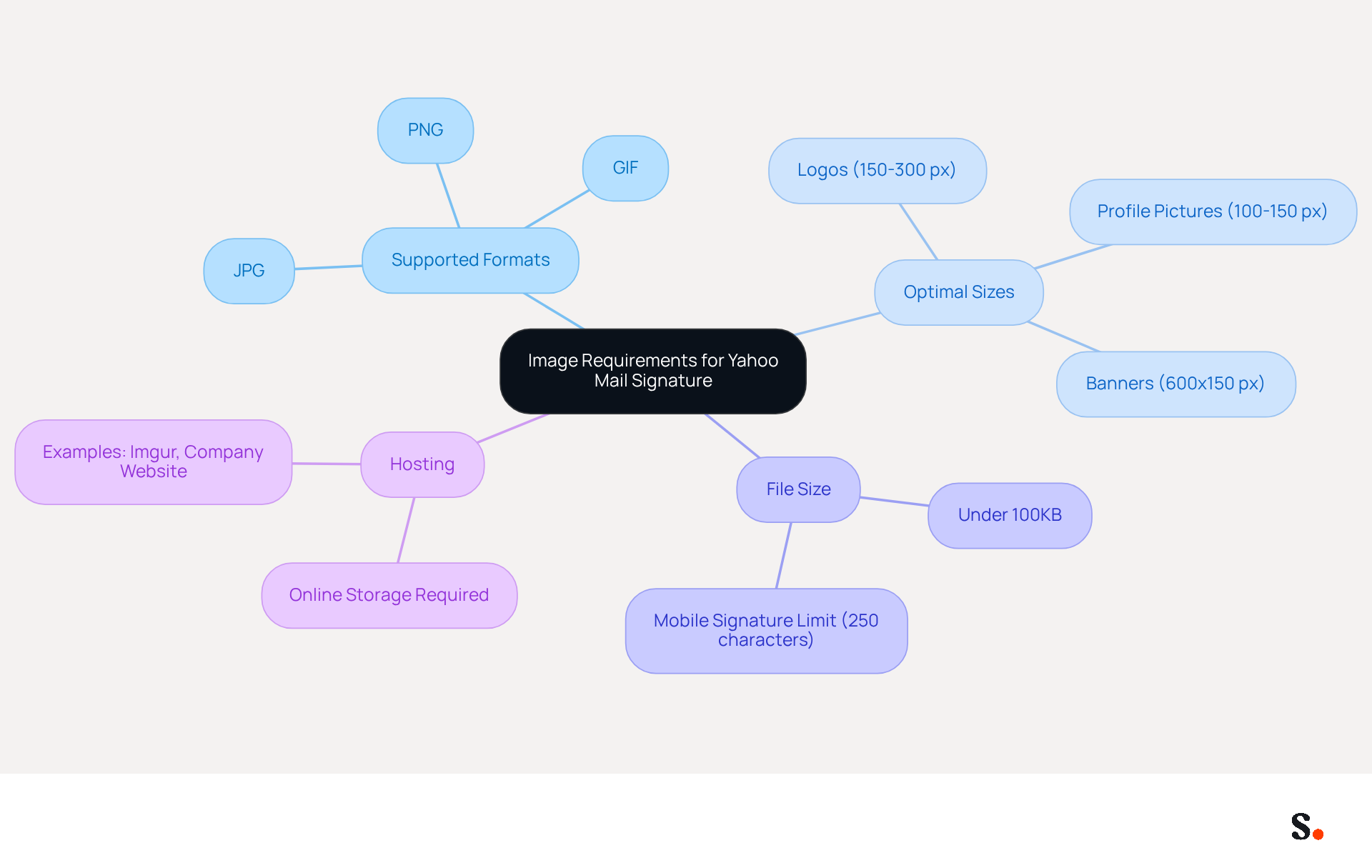
- Supported Formats: Yahoo Mail accepts JPG, PNG, and GIF formats. Choose the format that best suits your visual requirements.
- Optimal Sizes: For logos, a width of 150-300 pixels is recommended, while profile pictures should be around 100-150 pixels. Banners should ideally measure 600x150 pixels. Adhering to these dimensions helps maintain clarity and prevents distortion.
- File Size: Keep your file under 100KB to avoid slow loading times and ensure compatibility across various devices. Remember that mobile signatures in the email service have a 250-character limit, which may influence how your signature displays on mobile devices.
- Hosting: Since Yahoo Mail does not support direct uploads from local files, you must store your pictures online. Use platforms like Imgur or your company’s website to store your visuals and obtain a URL for insertion.
Users often find that their images disappear from their signatures after saving, leading to frustration and a lack of professionalism. To prevent this, ensure you paste visuals from an online source rather than uploading local files. Following these guidelines will help you understand how to insert image in yahoo mail signature so that your visuals display correctly in your email footer. This not only enhances your professional appearance but also reinforces your brand identity. As Summer Gould noted, the email footer is a critical element that shapes how recipients remember your message, making it essential to get it right.
Insert Image in Yahoo Mail Signature on Desktop
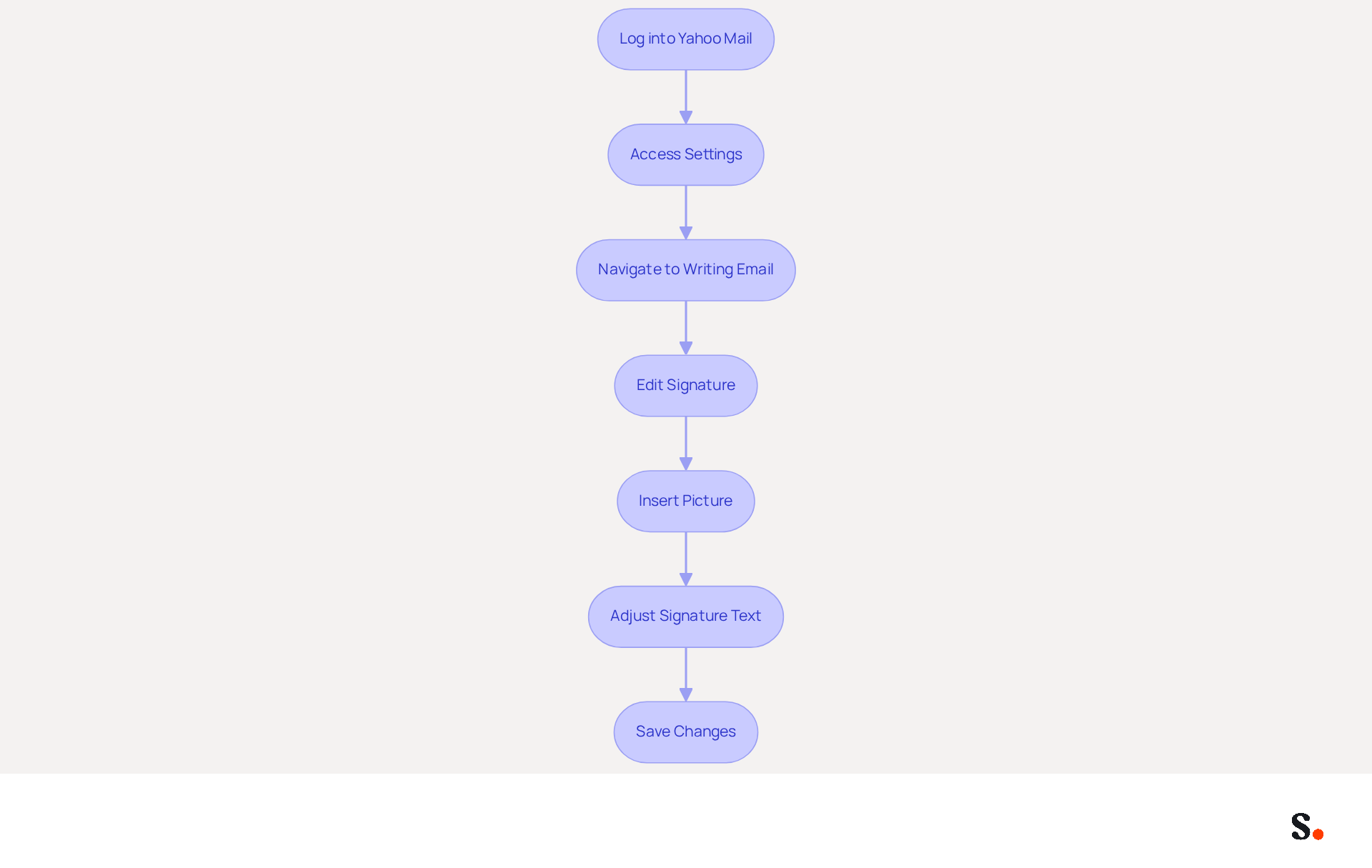
Incorporating an image into your Yahoo Mail signature can significantly enhance how to insert image in yahoo mail signature for professional communications. To do this on a desktop, follow these steps:
- Log into Yahoo Mail: Open your preferred web browser and sign in to your Yahoo Mail account.
- Access Settings: Click on the gear icon located in the top-right corner of the screen. From the dropdown menu, select 'More Settings'.
- Navigate to Writing Email: In the left sidebar, click on 'Writing email'.
- Edit Signature: Scroll down to the 'Signature' section. If the signing option is not enabled, toggle it on.
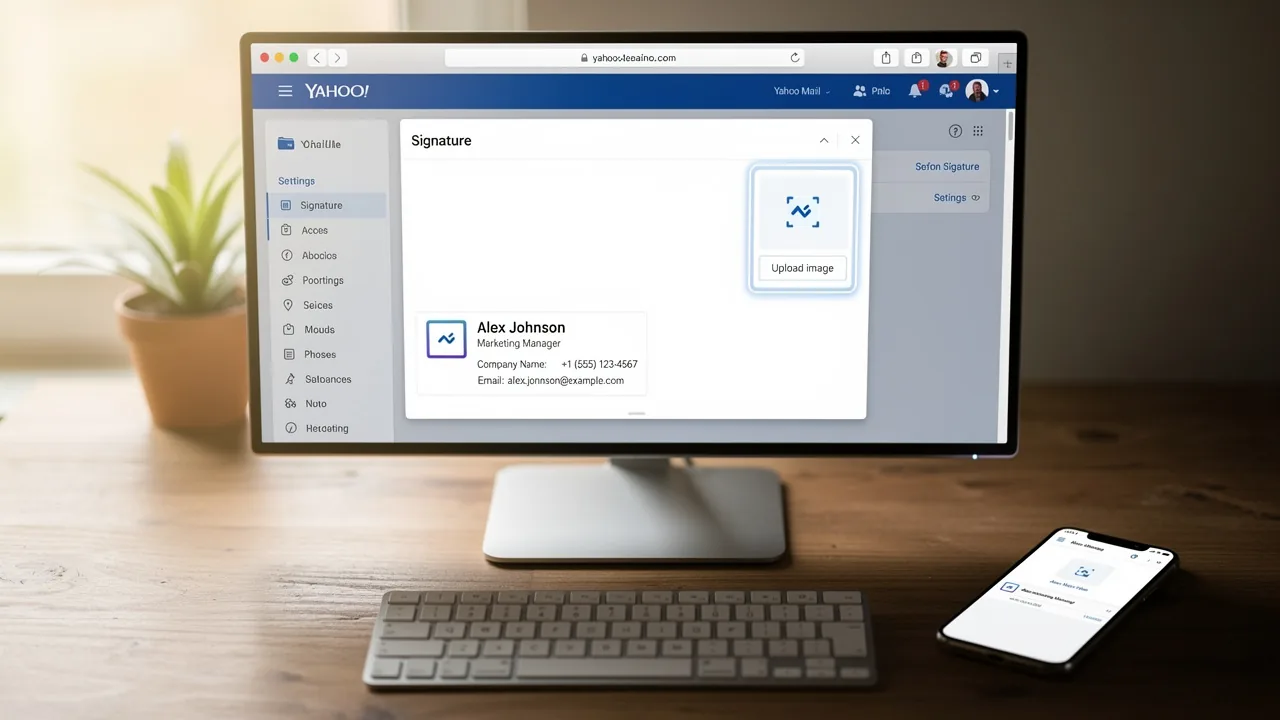
- Insert Picture: Click on the icon in the signature editor. Paste the URL of your hosted picture into the provided field. Ensure the visual appears in the preview.
- Adjust Signature Text: You can add text alongside your visual if desired. Format it to match your branding.
- Save Changes: Once you are satisfied with your mark, click 'Save' to apply the changes.
Now, your image is part of your email signature, and you can easily learn how to insert image in yahoo mail signature to elevate your communications. With Yahoo Mail being a significant platform for professional correspondence, having a well-designed closing is crucial for establishing trust and credibility. Research indicates that 76% of professionals view a branded email footer as a trust-enhancing element, and visuals can increase engagement rates by 22%. Thus, incorporating a visual element into your email not only customizes your communication but also strengthens your brand identity. Additionally, be cautious of oversized or overly promotional banners, as they may trigger spam filters, potentially affecting your email deliverability. Neglecting to optimize your email signature could undermine your professional image and hinder effective communication.
Add Image to Yahoo Mail Signature on Mobile
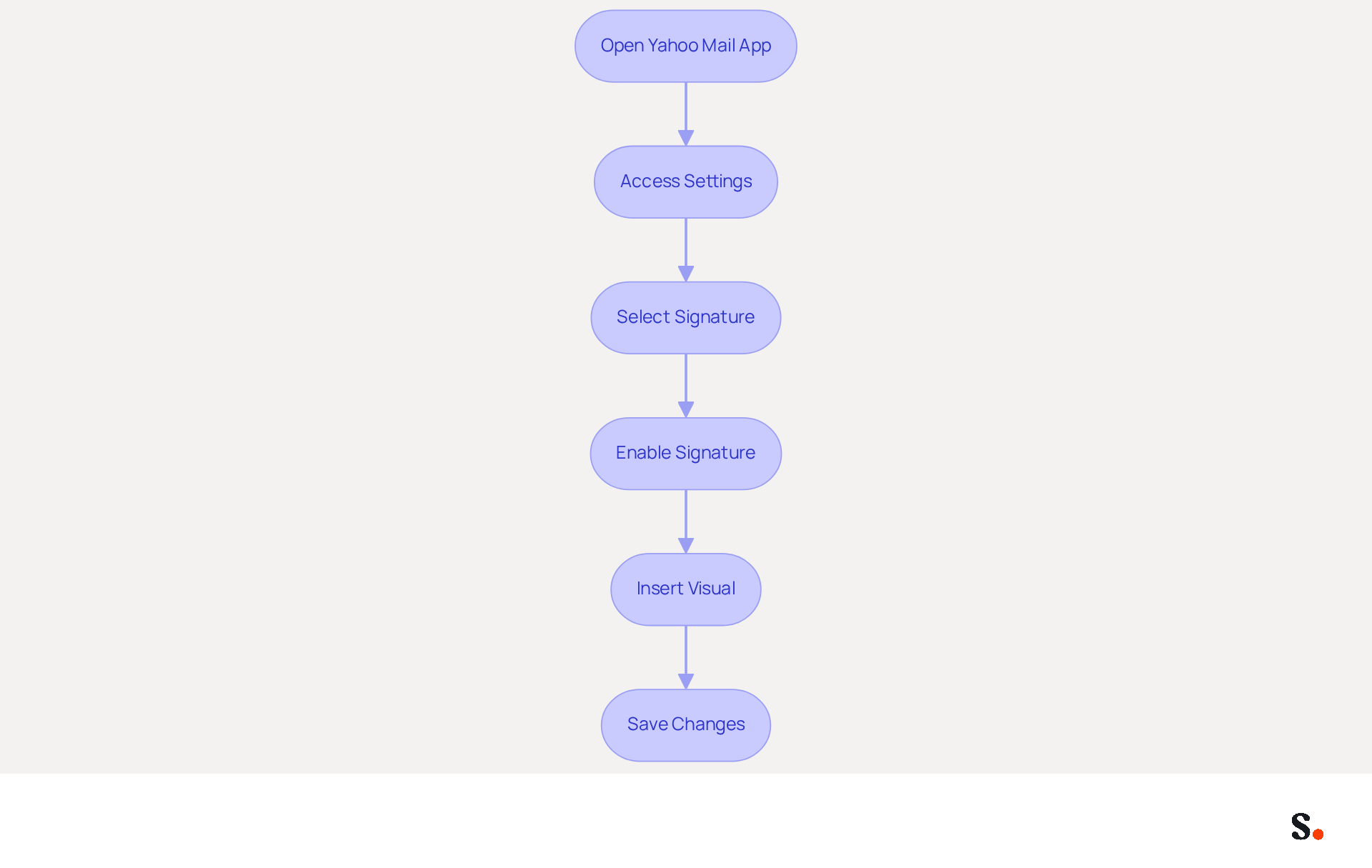
Adding an image to your Yahoo Mail signature on mobile requires a few specific steps due to app limitations:
- Open Yahoo Mail App: Launch the Yahoo Mail app on your mobile device and log in to your account.
- Access Settings: Tap on the profile icon or the menu icon (three horizontal lines) in the top-left corner. Select 'Settings' from the menu.
- Select Signature: Scroll down and tap on 'Signature'. If you don’t see this option, ensure your app is updated to the latest version.
- Enable Signature: Toggle the option to activate it if it’s not already turned on.
- Insert Visual: At this time, the app doesn't allow direct image uploads. Instead, to understand how to insert image in yahoo mail signature, create your unique mark with an image using a third-party email signature generator, then copy and paste the HTML code into the designated area.
- Save Changes: After pasting your mark, ensure to save your changes.
While the mobile process is slightly more complex due to limitations, following these steps will allow you to maintain a professional email footer on the go. This widespread use highlights the importance of a professional email footer. By optimizing your email footer, you can significantly enhance your branding and engagement, even when using mobile devices.
Troubleshoot Common Issues with Yahoo Mail Signature Images
Experiencing issues with how to insert image in Yahoo Mail signature can hinder your professional communication. Consider the following troubleshooting tips:
- Visual Not Displaying: Ensure that the URL is correct and that the visual is hosted on a reliable platform. Yahoo Mail requires external hosting for email signatures to ensure consistent appearance. If the visual is not publicly accessible, it will not display.
- Broken Links: Broken links can disrupt the visual integrity of your email signature, leading to a less professional appearance. Check the URL for typos or errors. Re-upload the picture to a hosting service if needed.
- Picture Size Issues: If your visual looks distorted or is too large, check the optimal size recommendations. Ensure your visual adheres to the supported formats (JPG, PNG, GIF) and optimal size recommendations - 150-300px width for logos, 100-150px square for photos, and 600x150px for banners. Resize your picture using an editing tool before re-uploading.
- Browser Cache: Sometimes, clearing your browser cache can resolve display issues. Try refreshing the page or logging out and back into your Yahoo Mail account.
- Email Client Compatibility: Be aware that some email clients may block visuals by default. Encourage recipients to enable visuals for a better viewing experience, as professional signatures can enhance trust - 47% of individuals believe professional signatures enhance trust.
- Mobile Limitations: Keep in mind that the application has restrictions concerning picture insertion. If you cannot add an image, consider using the desktop version instead, where support for images is more robust.
Addressing these issues not only enhances the appearance of your signature but also demonstrates how to insert image in Yahoo Mail signature, reinforcing your brand's professionalism in every email.

Conclusion
Enhancing your professional communication through your Yahoo Mail signature is crucial for making a strong impression. By following the outlined steps, users can effectively add visuals that not only represent their brand but also build trust and credibility with their recipients. A well-crafted email signature acts as a digital business card; however, many users struggle with ensuring their images display correctly and meet the necessary requirements.
Key insights from this guide include:
- Understanding the specific image formats and sizes that Yahoo Mail supports
- The importance of hosting images online to avoid display issues
- Step-by-step instructions for both desktop and mobile platforms provide clarity on how to navigate the process, ensuring that users can maintain a consistent and professional appearance across all devices
- Troubleshooting tips address common problems that may arise, empowering users to resolve issues swiftly and effectively
Ultimately, optimizing your Yahoo Mail signature with images goes beyond aesthetics; it’s a smart strategy for boosting your brand and engagement. By implementing these guidelines, professionals can significantly improve their email communications, leading to enhanced engagement and brand recognition. Embrace the opportunity to elevate your email signature and reinforce your brand identity with every message sent.
Frequently Asked Questions
What image formats are supported for Yahoo Mail signatures?
Yahoo Mail accepts JPG, PNG, and GIF formats for images in signatures.
What are the optimal image sizes for different types of images in Yahoo Mail signatures?
For logos, a width of 150-300 pixels is recommended; profile pictures should be around 100-150 pixels; and banners should ideally measure 600x150 pixels.
What is the maximum file size for images in Yahoo Mail signatures?
The file size for images should be kept under 100KB to avoid slow loading times and ensure compatibility across various devices.
How does the mobile signature character limit affect Yahoo Mail signatures?
Mobile signatures in Yahoo Mail have a 250-character limit, which may influence how your signature displays on mobile devices.
Where should images be hosted for use in Yahoo Mail signatures?
Since Yahoo Mail does not support direct uploads from local files, images must be stored online using platforms like Imgur or your company’s website to obtain a URL for insertion.
What common issue do users face when inserting images into their Yahoo Mail signatures?
Users often find that their images disappear from their signatures after saving, which can lead to frustration and a lack of professionalism.
How can users prevent images from disappearing in their Yahoo Mail signatures?
To prevent images from disappearing, ensure you paste visuals from an online source rather than uploading local files.
List of Sources
- Understand Image Requirements for Yahoo Mail Signature
- How to Add an Image to Yahoo Signature: A Simple Guide for Better Emails (https://linkedin.com/pulse/how-add-image-yahoo-signature-simple-guide-better-emails-t3fff)
- How To Add A Signature In Yahoo Mail (2026) (https://hubspot.com/email-signature-generator/add-signature-yahoo-mail)
- How to Add an Image to Yahoo Signature (Step-by-Step Guide for 2026) - NEWOLDSTAMP (https://newoldstamp.com/blog/yahoo-email-signature-image)
- How to add image in Yahoo mail signature - MySignature (https://mysignature.io/add-signature-with-picture-yahoo-mail)
- Insert Image in Yahoo Mail Signature on Desktop
- Email Signature Statistics: A Closer Look at Email Signatures in 2026 (https://mysignature.io/blog/email-signature-statistics)
- 40+ Email Signature Statistics for 2026 (Data + Insights) (https://wavecnct.com/blogs/email-signature-statistics)
- 100 Professional Email Signature Quotes: Best Ideas - NEWOLDSTAMP (https://newoldstamp.com/blog/email-signature-quotes)
- Email signature statistics: Why every business should optimize their email signatures — Stripo.email (https://stripo.email/blog/email-signature-statistics-why-every-business-should-optimize-their-email-signatures)
- Best Email Signature Quotes (2026) - HubSpot (https://hubspot.com/email-signature-generator/best-signature-quotes)
- Add Image to Yahoo Mail Signature on Mobile
-
How to add image in Yahoo mail signature - MySignature (https://mysignature.io/add-signature-with-picture-yahoo-mail)
-
Add, edit, or disable your email signature for Yahoo Mail on mobile devices |
Yahoo Help (https://help.yahoo.com/kb/add-edit-disable-email-signature-yahoo-mail-mobile-devices-sln28994.html) -
Yahoo Statistics for 2026: Email Usage, Facts, and Trends (https://clean.email/blog/email-providers/yahoo-statistics)
-
How to Add an Image to Yahoo Signature (Step-by-Step Guide for 2026) - NEWOLDSTAMP (https://newoldstamp.com/blog/yahoo-email-signature-image)
-
Add, edit, or disable your email signature in the Yahoo Mail app |
Yahoo Help (https://help.yahoo.com/kb/SLN35943.html)
-
- Troubleshoot Common Issues with Yahoo Mail Signature Images
-
How to Add an Image to Yahoo Signature (Step-by-Step Guide for 2026) - NEWOLDSTAMP (https://newoldstamp.com/blog/yahoo-email-signature-image)
-
Embedded images are not displayed in emails |
Yahoo Help (https://help.yahoo.com/kb/embedded-images-emails-dont-display-sln6132.html) -
My photo is missing from my yahoo signature. How do I get it back? Both. Mainly chrome or my phone is a pixel 2. I try (https://justanswer.com/email/cy3qy-photo-missing-yahoo-signature.html)
-
Users email signature images appearing very large (https://community.atlassian.com/forums/Jira-Service-Management/Users-email-signature-images-appearing-very-large/qaq-p/1486086)
-
How to Change Your Yahoo Mail Signature in 5 Simple Steps (https://scribe-mail.com/en-US/blog/how-to-change-your-yahoo-mail-signature-in-5-simple-steps)
-
Get started with Scribe
See why teams switch to Scribe
Free 14-day trial — no credit card.