How to Turn Off Signature in Outlook: Step-by-Step Guide
Managing email signatures in Outlook is crucial for projecting a professional image, yet many users encounter challenges when attempting to disable them. These
Sophie Grant
Email Signature Specialist, Scribe
Introduction
Managing email signatures in Outlook is crucial for projecting a professional image, yet many users encounter challenges when attempting to disable them. These signatures are essential branding tools that enhance professional communication. Many users find the process of disabling email signatures in Outlook to be challenging. This confusion can lead to inconsistent branding across communications.
What steps should be taken to effectively disable this feature, and how can organizations ensure their branding remains intact during the process?
Understand Email Signatures in Outlook
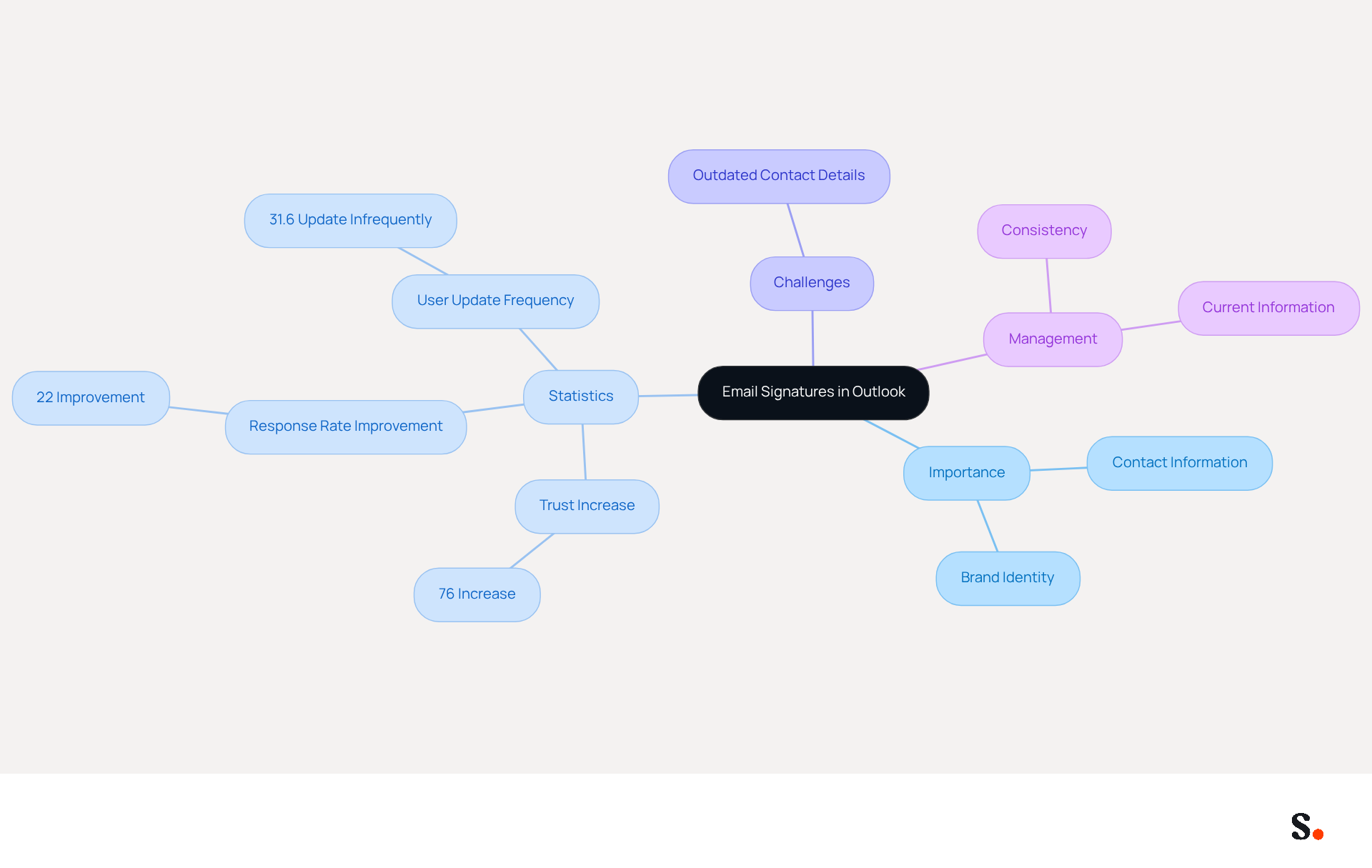
In today's digital communication landscape, knowing how to turn off signature in Outlook is more critical than ever. Outlook incorporates vital blocks of text and images that are automatically added to the end of your messages. Typically, they include your name, title, company name, contact information, and often a logo or legal disclaimer. These autographs play a vital role in professional communication, not only providing recipients with your contact information but also reinforcing your brand identity. Research indicates that branded digital identifiers can enhance trust significantly, boosting it by 76%. They can also improve response rates by 22%, underscoring the critical need to incorporate well-crafted digital identifiers into your communication strategy.
In a professional setting, a well-designed communication footer not only enhances your image but also ensures consistency across all interactions. Yet, managing identifiers can sometimes be challenging, especially when learning how to turn off signature in Outlook becomes necessary. For instance, 31.6% of users refresh their contact details only once every few years, which can result in inconsistencies in branding. Thus, understanding how to turn off signature in Outlook is crucial for effectively managing your electronic correspondence footer and upholding a professional image.
For instance, research shows how digital identifiers can really strengthen brand identity. Organizations that employ consistent branding elements in their communications report up to 85% improved brand consistency and three times greater campaign engagement. This effective management can significantly elevate your professional image. As you adjust your settings in Scribe, consider the effect of your sign-off on your professional image and the possible advantages of keeping it current. Ultimately, staying current with your digital identifiers can be a game-changer for your professional reputation.
Disable Email Signatures in Outlook: Step-by-Step Instructions
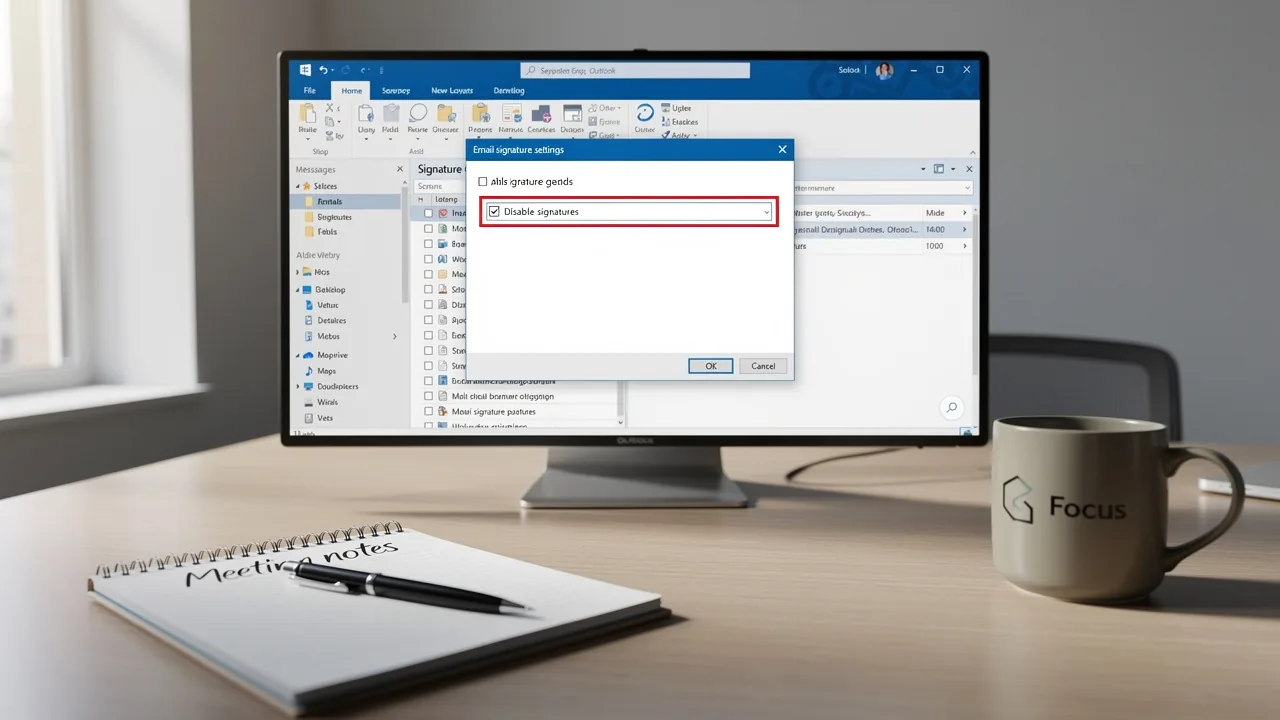
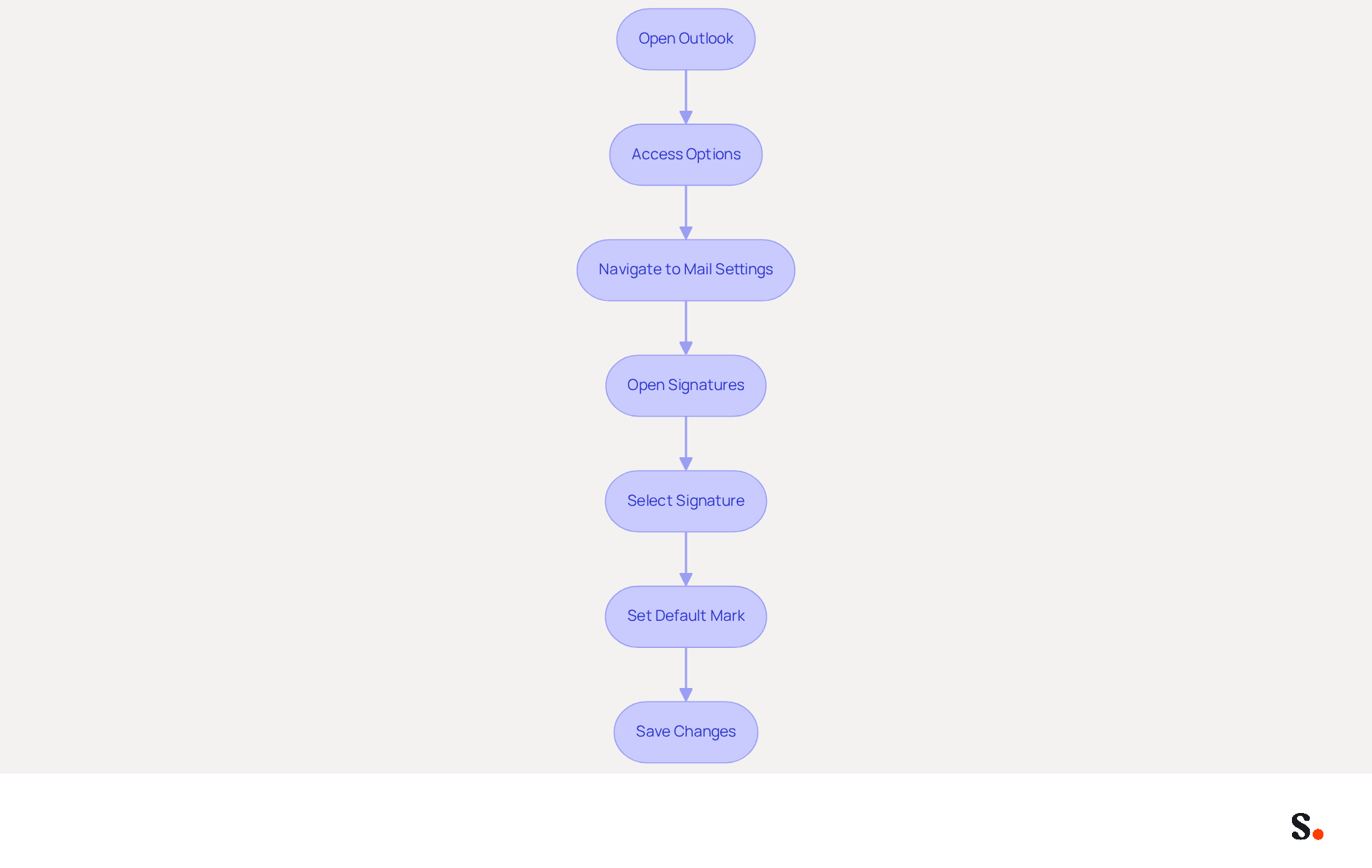
To disable email signatures in Outlook, follow these steps:
- Open Outlook: Launch the Outlook application on your computer.
- Access Options: Click on the 'File' tab located in the top left corner of the window.
- Navigate to Mail Settings: In the left sidebar, select 'Options' and then choose 'Mail' from the list.
- Open Signatures: Click on the 'Signatures...' button located in the 'Compose messages' section.
- Select Signature: In the Signatures and Stationery window, you will see a list of your existing sign-offs. Choose the mark you wish to disable.
- Set Default Mark: Under the 'Choose default mark' section, find the dropdown menus for 'New messages' and 'Replies/forwards'. Change both dropdowns to '(none)'.
- Save Changes: Click 'OK' to save your changes and close the window. Your message footer will now be disabled for new communications and responses, similar to how to turn off signature in Outlook.
Maintaining consistent branding is crucial, and disabling outdated email signatures is a key step in achieving this. This statistic highlights the need for organizations to implement standardized formats for email signatures. By integrating your Google Workspace with this tool, you can automate the synchronization of teammate data, ensuring that any changes - such as job position updates - are reflected in the application without manual input. Additionally, Scribe enables the automatic filling of sign-offs using attributes, further streamlining the process. Case studies indicate that businesses implementing strict controls, such as disabling identifiers through Group Policy or Microsoft Intune, have successfully maintained brand integrity and compliance. Moreover, Scribe's SOC 2 Type II compliance guarantees that your data stays protected while you manage digital identifiers efficiently. Implementing these steps will streamline your management of digital identifiers and align them with your communication strategy.
Troubleshoot Common Issues When Disabling Signatures
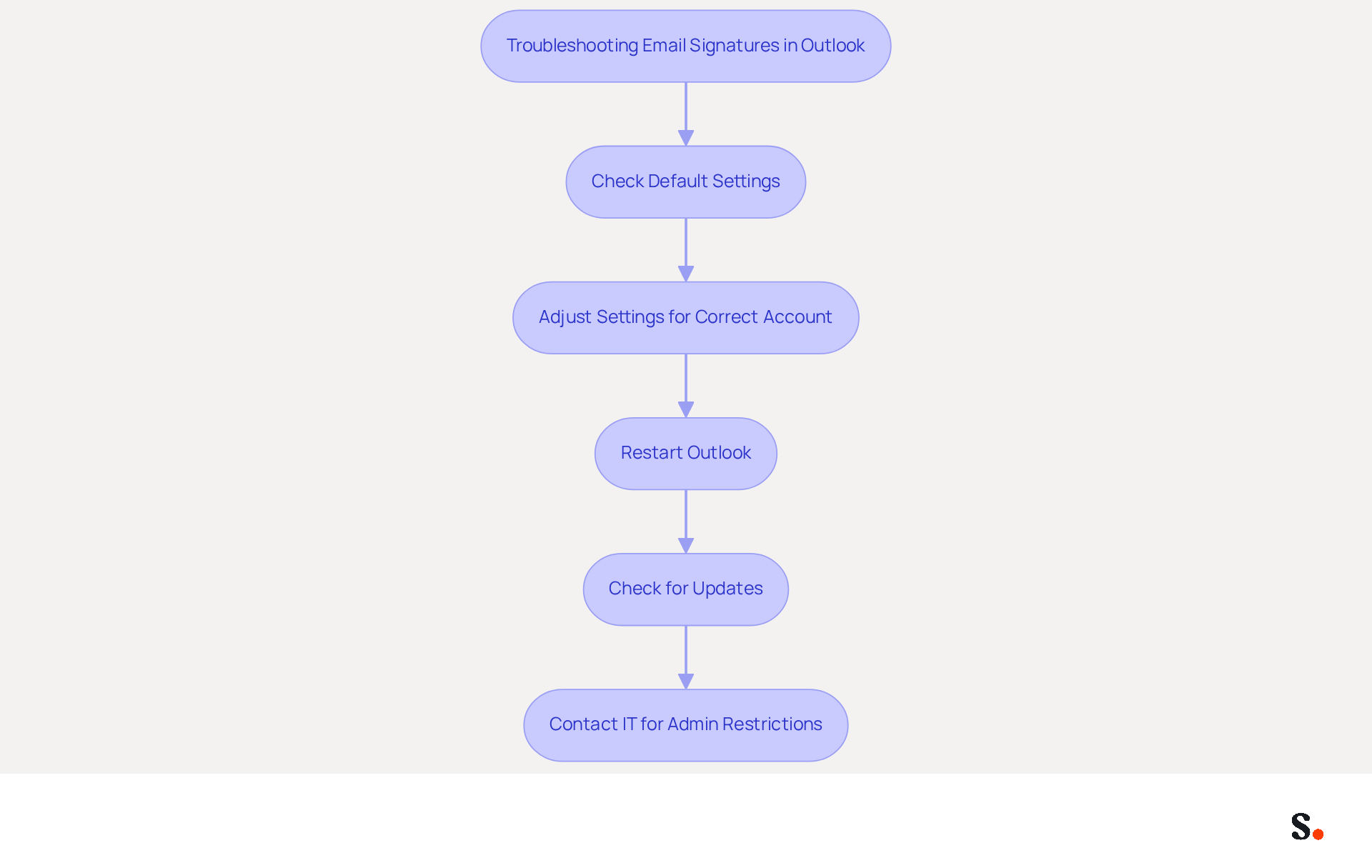
Managing email signatures in Outlook involves understanding how to turn off signature in Outlook, which can present challenges that require careful attention to detail. Here are some troubleshooting tips to help you effectively manage your email signatures:
- Users often find that their signatures persist despite attempts to understand how to turn off signature in Outlook, leading to confusion and frustration. Double-check that you have selected '(none)' for both 'New messages' and 'Replies/forwards' in the default mark settings to understand how to turn off signature in Outlook.
- Multiple Accounts: Ensure you are adjusting the settings for the correct email account, especially when learning how to turn off signature in Outlook, as each account can have its own configuration.
- To understand how to turn off signature in Outlook, note that changes may not take effect until you restart the program. Close the application entirely and reopen it to check if the authentication has been disabled.
- Check for Updates: Keeping your Outlook application current is essential, as bugs in older versions can lead to problems with managing email identities.
- Admin Restrictions: If you are using a work account, organizational policies may limit modifications to message identifiers. If you suspect this is the case, contact your IT department for assistance.
Following these troubleshooting steps will help you resolve common issues and manage your message identifiers effectively. Furthermore, integrating this tool with Google Workspace not only streamlines email management but also enhances brand consistency across communications. Syncing your Google Workspace with Scribe saves time by automatically updating your teammates' data, enabling seamless auto-filling of information. Any changes in your Google Workspace, such as moving teammates or updating their information, will be reflected in the application without any manual input, ensuring a consistent and professional brand presence in your communications. Scribe's distinctive positioning allows marketing teams to manage their digital branding independently after the initial IT configuration, making it an ideal solution for organizations aiming for 100% brand consistency and measurable marketing ROI from their digital branding.
Explore Tools for Efficient Email Signature Management
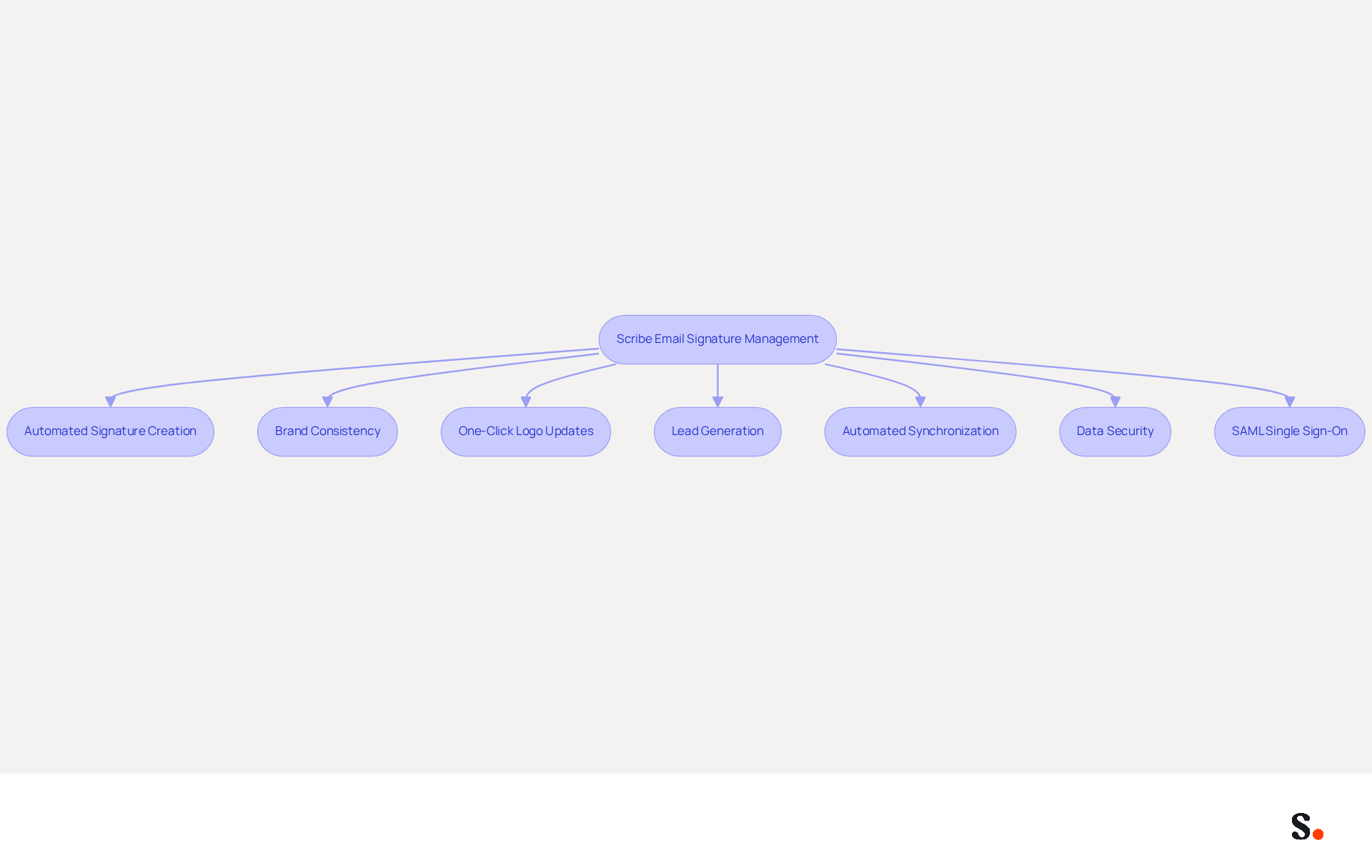
For businesses seeking to elevate their email correspondence management beyond basic Outlook functionalities, Scribe offers a comprehensive solution that automates signature creation and management. This innovative platform enables businesses to easily maintain brand consistency. With this tool, you can install and update team logos with a single click, ensuring all communications reflect your current branding. This automation saves time and boosts lead generation by turning email footers into effective marketing tools, potentially generating up to 14% more leads.
The automated synchronization feature ensures that your teammates' signature information is consistently current, retrieving data directly from your business phone system without necessitating any effort from your team. Additionally, the platform is SOC 2 Type II compliant and GDPR compliant, ensuring that your data is secure and managed according to the highest standards. The integration of SAML single sign-on further enhances security, allowing employees to access the platform through your identity provider seamlessly.
By exploring Scribe, users can discover a solution that best suits their requirements, enhancing their communication and branding efforts. Choosing the right email signature management tool can empower marketing teams to enhance brand visibility and track engagement effectively, ultimately driving business growth.
Conclusion
Effectively managing email signatures in Outlook is vital for maintaining a professional image. By understanding how to turn off signatures in Outlook, users can ensure their digital identifiers reflect the most current information, directly influencing professional communication. This skill is crucial for professionals aiming to enhance their reputation and refine their communication strategy.
The article provided a step-by-step guide to effectively disable email signatures, emphasizing the importance of correctly adjusting settings for each account. It also addressed common troubleshooting issues that users may encounter, offering practical solutions for a seamless experience. Furthermore, the discussion highlighted the advantages of using tools like Scribe, which streamline email signature management while enhancing brand consistency and compliance with security standards such as SOC 2 Type II, GDPR, and CCPA.
In conclusion, mastering email signature management is crucial for any organization aiming for effective communication and brand integrity. Using tools like Scribe helps marketing teams manage their digital branding effectively, ensuring that every email sent reflects their current identity and messaging. Prioritizing efficient email signature management can transform how businesses communicate and present their brand.
Frequently Asked Questions
What is the purpose of email signatures in Outlook?
Email signatures in Outlook serve to automatically add vital blocks of text and images to the end of your messages, including your name, title, company name, contact information, and often a logo or legal disclaimer. They play a crucial role in professional communication by providing recipients with your contact information and reinforcing your brand identity.
How do email signatures impact trust and response rates?
Research indicates that branded digital identifiers can enhance trust significantly, boosting it by 76%. They can also improve response rates by 22%, highlighting the importance of incorporating well-crafted digital identifiers into your communication strategy.
Why is it important to manage email signatures effectively?
Managing email signatures effectively is important because a well-designed communication footer enhances your professional image and ensures consistency across all interactions. Inconsistencies in branding can occur if contact details are not updated regularly, as 31.6% of users refresh their information only once every few years.
What are the benefits of consistent branding in email signatures?
Organizations that employ consistent branding elements in their communications report up to 85% improved brand consistency and three times greater campaign engagement. This effective management can significantly elevate your professional image.
How can I turn off the email signature in Outlook?
The article discusses the importance of understanding how to turn off the signature in Outlook, but it does not provide specific instructions on the process. For detailed steps, users may need to refer to Outlook's help resources or settings.
What should I consider when adjusting my email signature settings in Scribe?
When adjusting your email signature settings in Scribe, consider the effect of your sign-off on your professional image and the advantages of keeping it current to maintain a strong professional reputation.
List of Sources
- Understand Email Signatures in Outlook
- Email signature statistics: Why every business should optimize their email signatures — Stripo.email (https://stripo.email/blog/email-signature-statistics-why-every-business-should-optimize-their-email-signatures)
- 40+ Email Signature Statistics for 2026 (Data + Insights) (https://wavecnct.com/blogs/email-signature-statistics)
- Everything you need to know about email signatures: Importance and creation of a professional signature (https://signitic.com/en/guides/tout-savoir-sur-les-signatures-mails)
- The Importance of Email Signatures - Ocreative (https://ocreative.com/importance-email-signatures)
- 4 Best Practices for Your Outlook Signature Line in Marketing (https://scribe-mail.com/en-US/blog/4-best-practices-for-your-outlook-signature-line-in-marketing)
- Disable Email Signatures in Outlook: Step-by-Step Instructions
- Email Signature Statistics: A Closer Look at Email Signatures in 2026 (https://mysignature.io/blog/email-signature-statistics)
- Prevent Users Modify Outlook Signature to Ensure Consistency (https://blog.admindroid.com/how-to-prevent-users-from-modifying-outlook-signatures-in-microsoft-365)
- How to disable and remove email signatures from outlook 365 - Microsoft Q&A (https://learn.microsoft.com/en-nz/answers/questions/2086657/how-to-disable-and-remove-email-signatures-from-ou)
- How to disable signatures within Microsoft Outlook (Windows) (https://support.exclaimer.com/hc/en-gb/articles/6811332831133-How-to-disable-signatures-within-Microsoft-Outlook-Windows)
- Disable email signatures in outlook 365 for all users. - Microsoft Q&A (https://learn.microsoft.com/en-us/answers/questions/4636867/disable-email-signatures-in-outlook-365-for-all-us)
- Troubleshoot Common Issues When Disabling Signatures
- Why Did My Outlook Signature Disappear? Common Causes Explained (https://scribe-mail.com/en-US/blog/why-did-my-outlook-signature-disappear-common-causes-explained)
- How to solve problems with email signatures in Microsoft 365? (https://mail-signatures.com/articles/problems-email-signatures-office-365)
- Email Signatures vanishing - New Outlook | Microsoft Community Hub (https://techcommunity.microsoft.com/discussions/outlookgeneral/email-signatures-vanishing---new-outlook/4418809)
- Outlook Signature Not Working in Office 365: Causes & Fixes (https://exclaimer.com/email-signature-handbook/outlook-signature-not-working-in-office-365)
- Explore Tools for Efficient Email Signature Management
- Best Email Signature Management Software: Top 12 Tools (2026)
- NEWOLDSTAMP (https://newoldstamp.com/blog/email-signature-software)
- 10 Best Email Signature Software Reviewed In 2026 (https://thecmo.com/tools/best-email-signature-software)
- Email Signature Manager for Any Scale | WiseStamp (https://wisestamp.com)
- Microsoft 365 email signature software | CodeTwo (https://codetwo.com/email-signatures)
- WiseStamp Sets a New Standard for Email Signature Creation (https://prnewswire.com/news-releases/wisestamp-sets-a-new-standard-for-email-signature-creation-302689811.html)
Get started with Scribe
Create your signature in minutes
Free 14-day trial — no credit card.