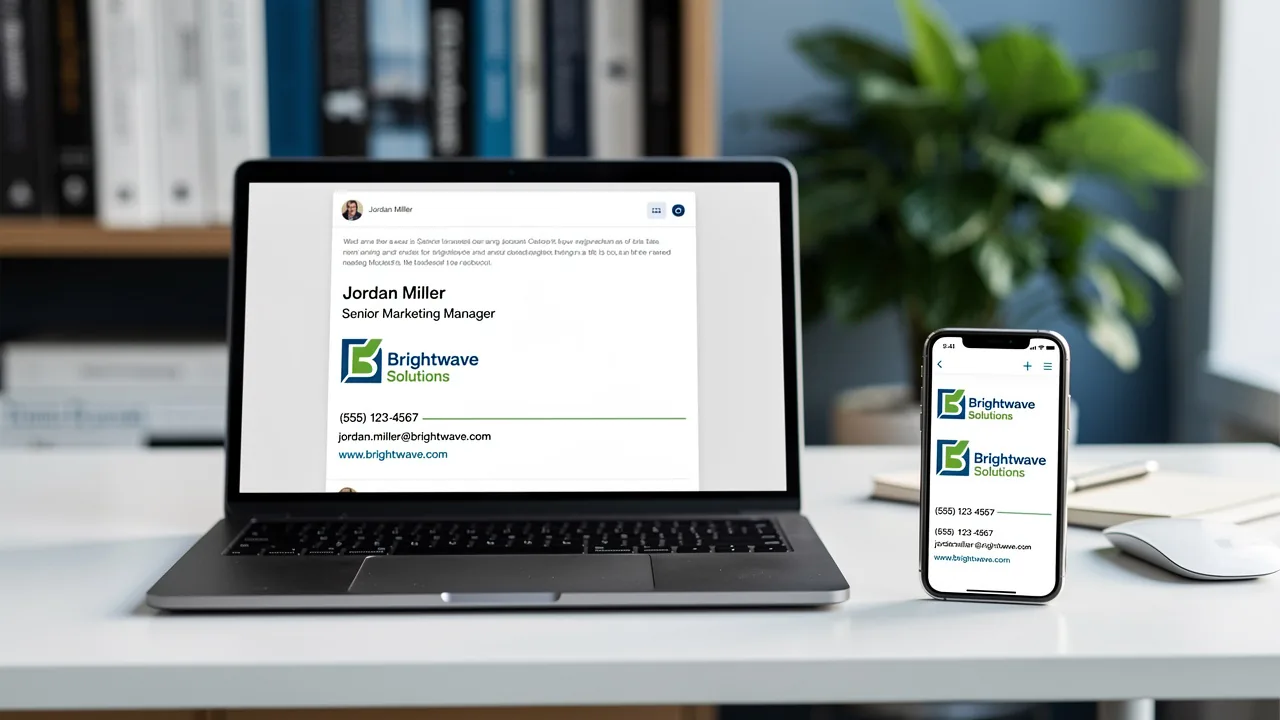
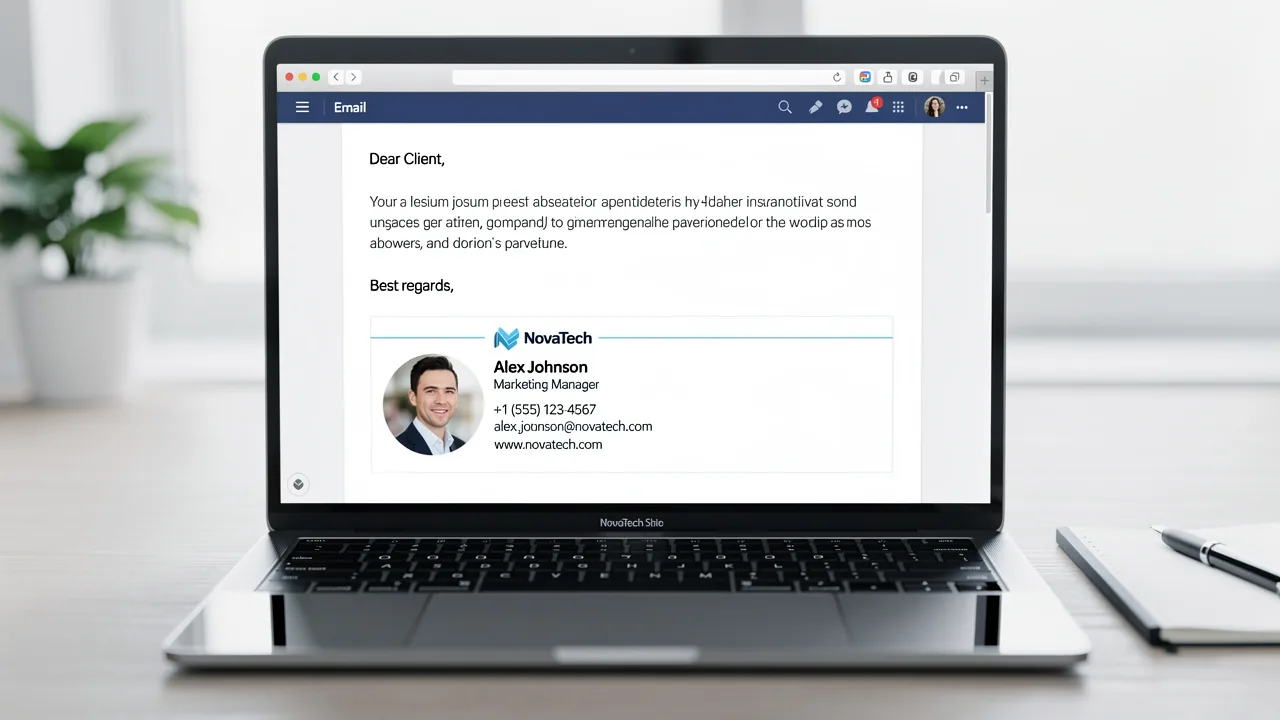
How to Write an Email Signature That Boosts Your Brand
Despite the critical role email signatures play in professional communication, many overlook their potential impact on brand identity. A well-designed
Sophie Grant
Email Signature Specialist, Scribe

Introduction
Despite the critical role email signatures play in professional communication, many overlook their potential impact on brand identity. A well-designed signature can serve as a powerful marketing tool, enhancing visibility and engagement while ensuring consistency across all correspondence. Yet, many professionals find themselves overwhelmed by the design process of creating a signature that genuinely reflects their brand. Identifying the key components and best practices can turn a simple sign-off into a strategic branding asset.
Get started with Scribe
Manage signatures across your whole team
Free 14-day trial — no credit card.
Identify Essential Components of Your Email Signature
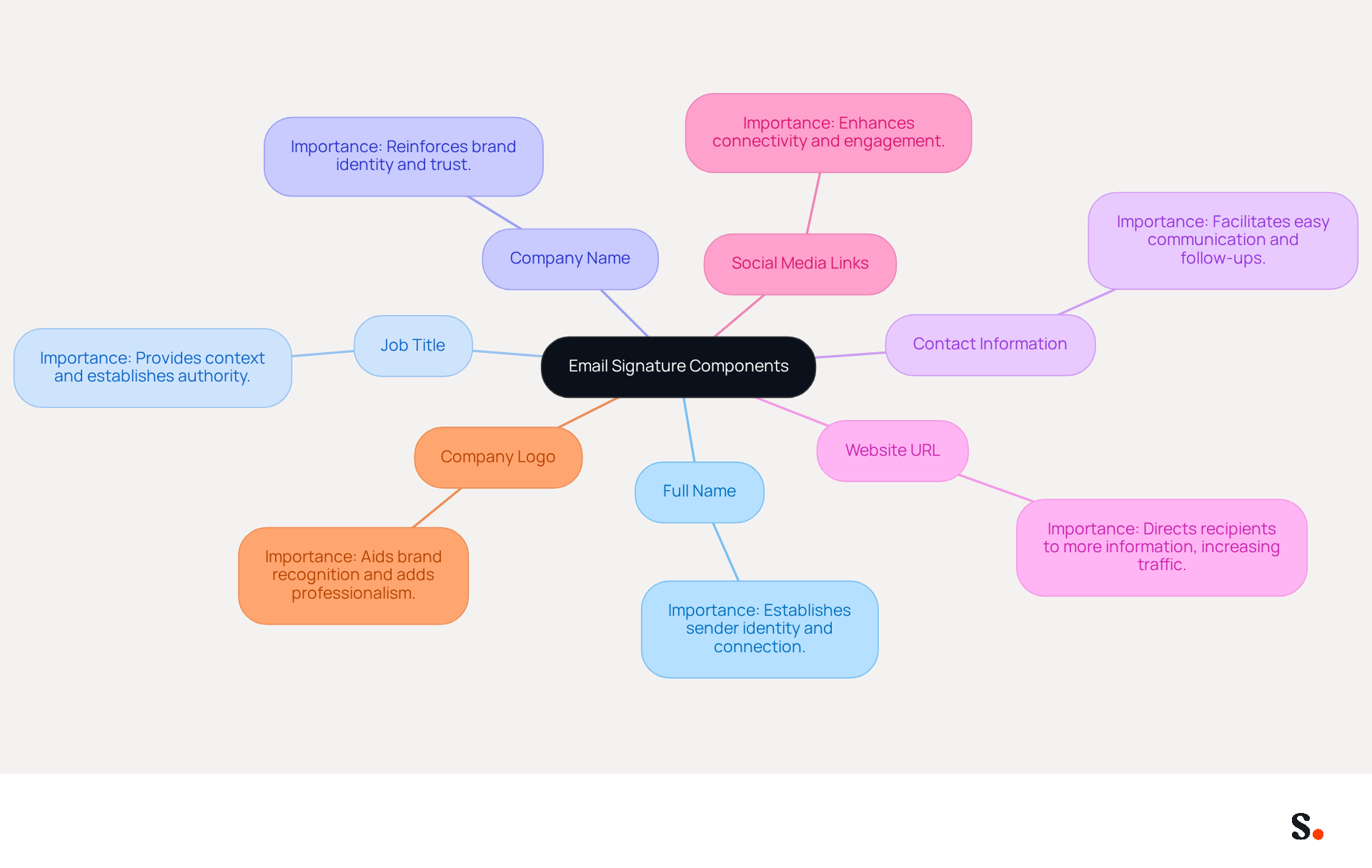
To create an effective email signature that enhances communication and professionalism, certain essential components must be included:
- Full Name: Clearly state your full name to ensure recipients know who the message is from. This clarity establishes a connection and reinforces your professional image.
- Job Title: Including your current position provides context about your role within the organization, establishing authority and relevance.
- Company Name: Mentioning your company reinforces identity, which is vital as research indicates that branded signatures can increase company recognition and trust by up to 76%.
- Contact Information: Provide a phone number and contact address for easy communication, facilitating follow-ups and inquiries.
- Website URL: Linking to your company’s website directs recipients to more information about your services, potentially increasing traffic by 25% when standardized branding is applied.
- Social Media Links: If applicable, include links to professional social media profiles to enhance connectivity and engagement, as studies show that professional social media profiles can increase engagement by up to 30%.
- Company Logo: Adding your logo aids in brand recognition and adds a professional touch, contributing to a 22% increase in response rates when used effectively.
Alongside these elements, ensure your correspondence footer is optimized for mobile devices, following best practices such as maintaining a maximum width of 600px, using a line height of 1.5 for readability, and including 10-15px padding between components. Regularly review and update your electronic identifiers to reflect current branding and information, ideally conducting quarterly assessments to check for broken links and refresh calls to action. Furthermore, include alt text for images and ensure sufficient color contrast for accessibility. By integrating the tool with Google Workspace and Calendly, you can simplify email signature management, enabling automatic updates and ensuring that any modifications in your team’s information are reflected in real-time without manual input. This not only saves time but also enhances brand consistency across all communications. Additionally, Scribe's SOC 2 Type II compliance ensures secure data handling, further establishing trust with your audience. By adhering to these guidelines, you not only enhance your professional image but also understand how to write an email signature that acts as a strategic marketing asset.
Design Your Signature to Reflect Brand Identity
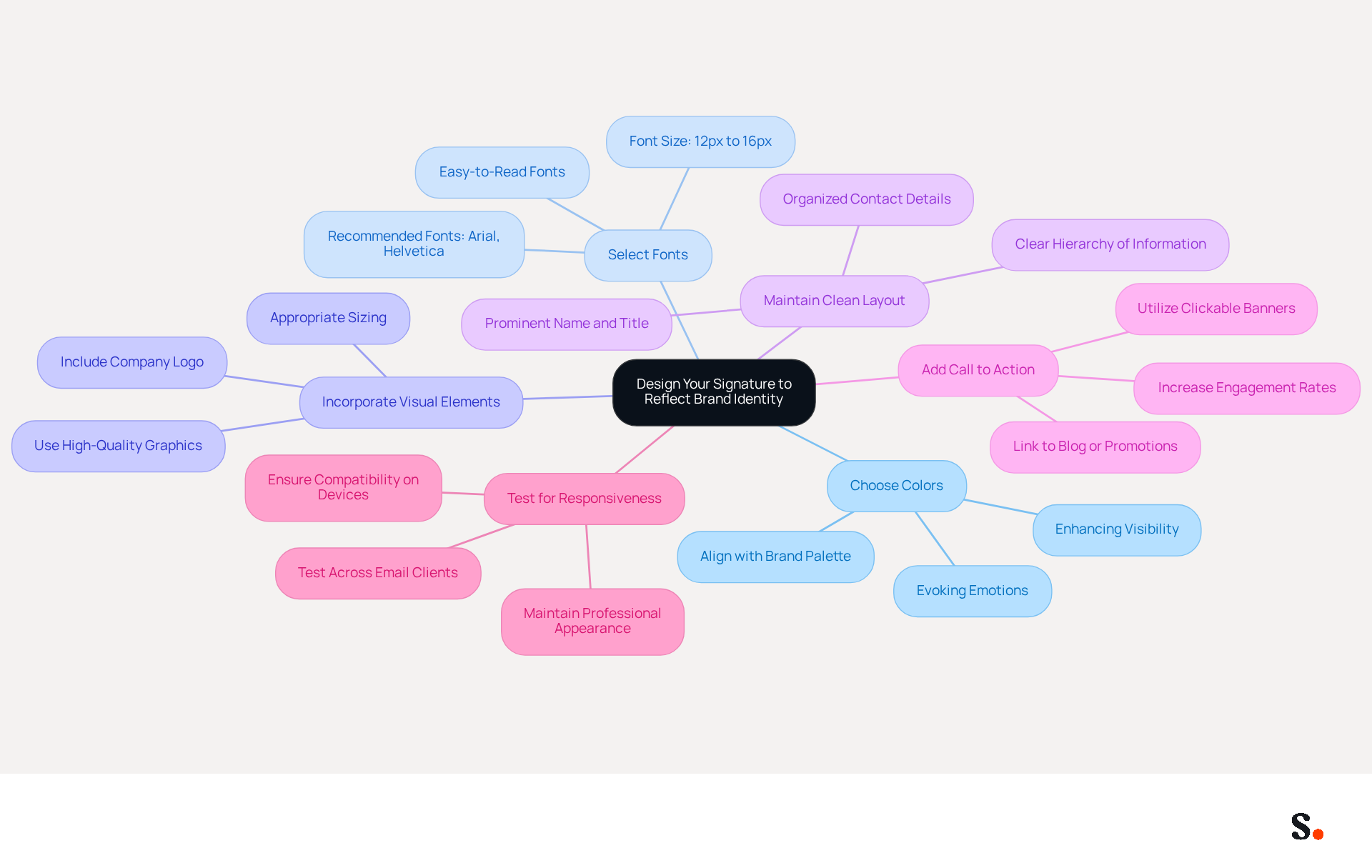
To effectively convey your brand identity through email signatures, it is crucial to follow a structured design approach:
- Choose Colors for Your Identity: Select hues that align with your palette to reinforce recognition. Thoughtful use of colors can evoke emotions and enhance visibility.
- Select Appropriate Fonts: Opt for easy-to-read fonts that align with your style. Simple fonts like Arial or Helvetica are recommended, as they maintain clarity and professionalism.
- Incorporate Visual Elements: Include your company logo and relevant graphics that represent your brand. Ensure these elements are high-quality and appropriately sized, as they contribute to a polished appearance.
- Maintain a Clean Layout: Organize information in a clear hierarchy. Your name and title should be prominent, followed by contact details and social media links. A straightforward layout helps recipients quickly understand who you are and how to engage with your organization.
- Add a Call to Action: Consider including a call to action, such as a link to your latest blog post or a promotional offer. This approach can significantly boost engagement; in fact, click rates to websites can increase from 3% to 15% when you use branded identifiers.
- Test for Responsiveness: Ensure your mark appears well on both desktop and mobile devices. Testing across various messaging clients is essential for ensuring consistency and professionalism.
Without a streamlined process, ensuring brand consistency across communications can be difficult and time-consuming. By implementing Scribe's solutions, you can effortlessly maintain brand consistency, saving time and enhancing professionalism. With Scribe's automated synchronization with Aircall, any changes you make in your Aircall settings will automatically update in your documents. Additionally, Scribe's SOC 2 Type II compliance ensures secure data handling, enabling effortless updates while preserving the integrity of your identity. Ultimately, understanding how to write an email signature that is well-designed not only communicates essential information but also strengthens your brand's presence in every interaction.
Integrate Your Signature into Email Clients
Integrating your email signature across popular email clients can be a complex task, but Scribe simplifies this process with its powerful features.
For Gmail:
- Open Gmail and click on the gear icon in the top right corner.
- Select 'See all settings'.
- Scroll down to the 'Signature' section.
- Click 'Create new' and enter a name for your mark.
- Paste your autograph content into the text box and format it as desired.
- Scroll down and click 'Save Changes'.
For Outlook:
- Open Outlook and click on 'File'.
- Select 'Options' and then 'Mail'.
- Click on 'Signatures'.
- In the 'Email Signature' tab, click 'New' and name your creation.
- Paste your signing content into the editing box and format it.
- Set your mark as default for new messages and replies if desired, then click 'OK'.
For Apple Mail:
- Open Apple Mail and go to 'Mail' > 'Preferences'.
- Click on the 'Signatures' tab.
- Choose the email account you wish to add the closing to.
- Click the '+' button to create a new sign.
- Paste your content and format it as needed.
- Close the preferences window to save changes.
By leveraging Scribe's capabilities, you not only enhance your brand's visibility but also ensure compliance with industry standards, making your email communications more effective. With the tool, you can streamline this process through one-click synchronization with Google Workspace, saving time and ensuring that any updates to your teammates' information are automatically reflected in the application. This automated management of digital identifiers not only improves branding consistency but also guarantees adherence to security standards, as Scribe is SOC 2 Type II certified. Remember, legal and compliance considerations for electronic communications differ by geography and industry, so ensure your format meets these requirements. As pointed out by Wave, your electronic correspondence identifier is the highest-ROI branding channel you're not measuring.

Maintain and Update Your Email Signature Regularly
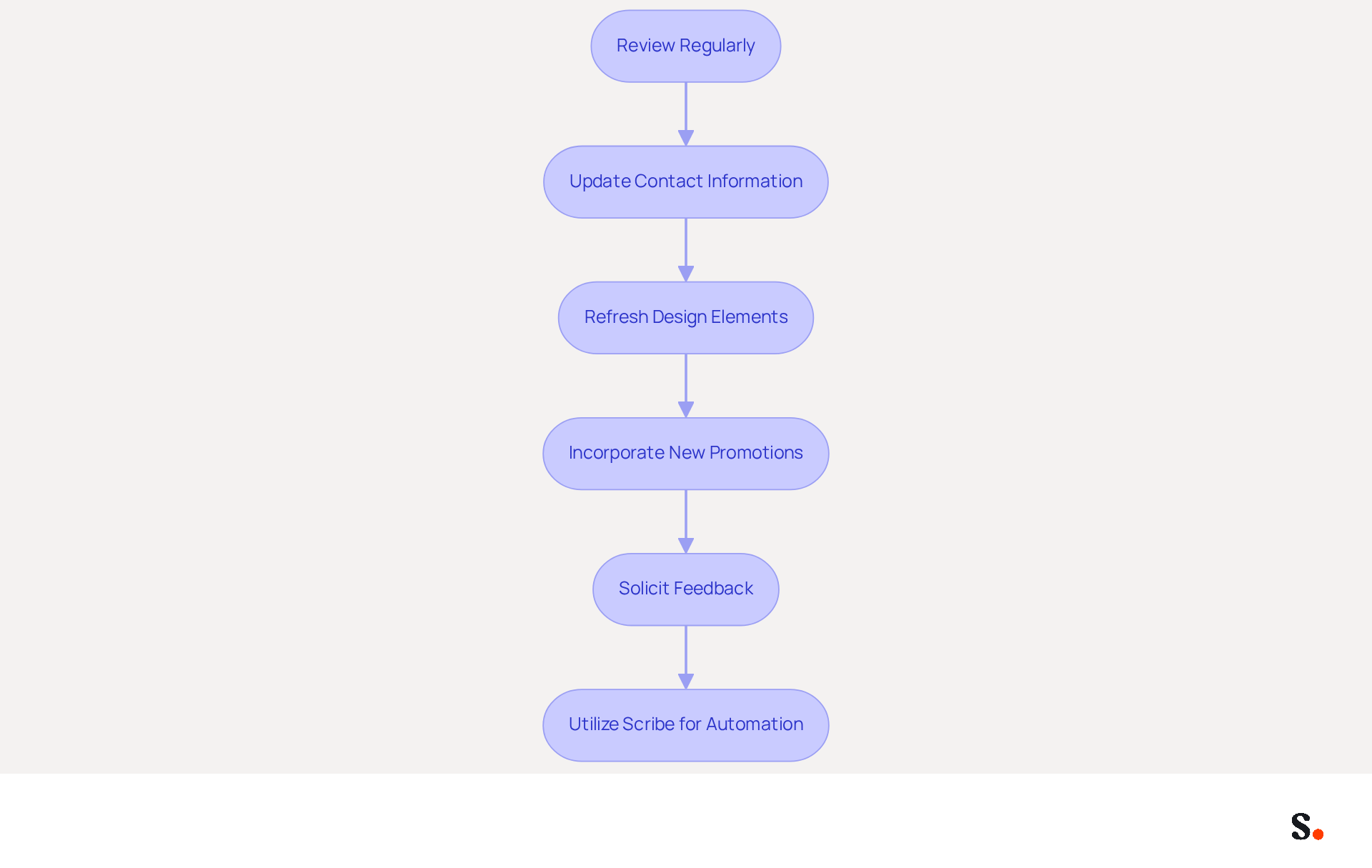
To maximize the effectiveness of your email signature, regular maintenance is essential:
- Review Regularly: Schedule a review of your email footer at least once every quarter. This practice helps catch any outdated information, ensuring your communications remain accurate and professional.
- Update Contact Information: Promptly revise your email signature if you change your phone number, job title, or any other contact details. Outdated information can lead to misunderstandings, eroding trust with your recipients.
- Refresh Design Elements: As your brand evolves, consider updating the design of your emblem to reflect any changes in branding or marketing strategies. A well-organized message footer improves clarity and structure, which is essential for engagement.
- Incorporate New Promotions: Update your email footer to include relevant calls to action or links for new products, services, or promotions. This can turn your email footer into an effective marketing asset, promoting the latest offers and increasing engagement rates.
- Solicit Feedback: Reach out to colleagues or clients for their thoughts on your email signature. Their insights can help improve its effectiveness and ensure it accurately represents your brand.
- Utilize Scribe for Automation: Consider using Scribe to automate the management of your correspondence identifiers. This guarantees that all team members have current and uniform identifiers without the necessity for manual intervention, greatly minimizing the risk of outdated or inconsistent branding.
Consistently maintaining and updating your contact information not only improves your brand image but also ensures it remains a powerful tool in your communications. Understanding how to write an email signature is essential, as effective email signature management not only enhances your brand image but also significantly boosts engagement with your audience. Statistics show that businesses that harmonize their email signatures can see a 25% increase in traffic to specific landing pages, underscoring the importance of effective email signature management.
Conclusion
A well-crafted email signature is more than just a digital sign-off; it is a strategic asset that can elevate your brand's visibility. By incorporating essential components such as your full name, job title, company name, and contact information, you create a clear and professional identity that resonates with recipients. Moreover, integrating visual elements like your company logo and maintaining a clean layout further solidifies your brand's presence in every email interaction.
The article highlights key strategies for designing an email signature that reflects your brand identity, including the thoughtful selection of colors, fonts, and visual elements. It emphasizes the importance of integrating your signature seamlessly into various email clients, ensuring consistency across platforms. Regular maintenance and updates are crucial to keep your signature relevant and effective, making it a vital tool for increasing engagement and driving traffic.
Many professionals underestimate the impact of a well-crafted email signature, often leading to missed opportunities for brand visibility. Ultimately, when you know how to craft an email signature that reflects your brand, you not only boost your professional image but also create a key marketing asset. By leveraging tools like Scribe, organizations can ensure brand consistency and compliance while simplifying the management of email signatures. By neglecting your email signature, you risk losing a valuable opportunity to enhance your brand's presence in every communication.
Frequently Asked Questions
What are the essential components of an effective email signature?
An effective email signature should include your full name, job title, company name, contact information, website URL, social media links, and company logo.
Why is it important to include your full name in an email signature?
Including your full name ensures recipients know who the message is from, establishing a connection and reinforcing your professional image.
How does mentioning your job title in an email signature benefit communication?
Including your job title provides context about your role within the organization, establishing authority and relevance.
What impact does including a company name in an email signature have?
Mentioning your company reinforces identity and can increase company recognition and trust by up to 76%.
Why should you provide contact information in your email signature?
Providing a phone number and contact address facilitates easy communication, making follow-ups and inquiries simpler for recipients.
How can linking to a website in your email signature be beneficial?
Linking to your company’s website can direct recipients to more information about your services, potentially increasing traffic by 25% when standardized branding is applied.
What is the advantage of including social media links in an email signature?
Including links to professional social media profiles can enhance connectivity and engagement, with studies showing an increase in engagement by up to 30%.
How does adding a company logo to an email signature help?
Adding your logo aids in brand recognition and can contribute to a 22% increase in response rates when used effectively.
What best practices should be followed for mobile optimization of an email signature?
Best practices include maintaining a maximum width of 600px, using a line height of 1.5 for readability, and including 10-15px padding between components.
How often should you review and update your email signature?
It is recommended to conduct quarterly assessments to check for broken links and refresh calls to action.
What accessibility considerations should be made for email signatures?
Include alt text for images and ensure sufficient color contrast to enhance accessibility.
How can integrating Scribe with Google Workspace and Calendly benefit email signature management?
Integration allows for automatic updates, ensuring that any modifications in your team’s information are reflected in real-time without manual input, saving time and enhancing brand consistency.
What compliance does Scribe have that ensures secure data handling?
Scribe is SOC 2 Type II compliant, which establishes trust with your audience through secure data handling practices.
List of Sources
- Identify Essential Components of Your Email Signature
- The impact of email signatures on your branding (https://signitic.com/en/resources/the-impact-of-email-signatures-on-your-branding)
- Email Signature Best Practices for 2026 (+ 15 Pro Examples) (https://wavecnct.com/blogs/email-signature-best-practices-2026)
- 20 best email signature design examples for 2026 — Stripo.email (https://stripo.email/blog/10-best-email-signature-design-examples)
- 4 Best Practices for a Modern Email Signature That Engages (https://scribe-mail.com/en-US/blog/4-best-practices-for-a-modern-email-signature-that-engages)
- What Should Be Included in an Email Signature for Marketing Success (https://scribe-mail.com/en-US/blog/what-should-be-included-in-an-email-signature-for-marketing-success)
- Design Your Signature to Reflect Brand Identity
- The impact of email signatures on your branding (https://signitic.com/en/resources/the-impact-of-email-signatures-on-your-branding)
- 20 best email signature design examples for 2026 — Stripo.email (https://stripo.email/blog/10-best-email-signature-design-examples)
- 20 Email Signature Design Ideas for Every Industry (https://bulksignature.com/blog/20-email-signature-design-ideas-for-every-industry)
- Build Brand Identity with eSignature Emails | BoldSign (https://boldsign.com/blogs/esignature-email-customization)
- Integrate Your Signature into Email Clients
- Email Signature Statistics: A Closer Look at Email Signatures in 2026 (https://mysignature.io/blog/email-signature-statistics)
- Email Signature Trends in Numbers: Infographic [2026] (https://mailtrap.io/blog/email-signature-trends/amp)
- 40+ Email Signature Statistics for 2026 (Data + Insights) (https://wavecnct.com/blogs/email-signature-statistics)
- How to add and change an email signature in Outlook | Microsoft Support (https://support.microsoft.com/en-us/outlook/mail/how-to-add-and-change-an-email-signature-in-outlook)
- Email signature statistics: Why every business should optimize their email signatures — Stripo.email (https://stripo.email/blog/email-signature-statistics-why-every-business-should-optimize-their-email-signatures)
- Maintain and Update Your Email Signature Regularly
- Why You Should Manage Your Business Email Signatures | PS Tech (https://pstechnology.co.uk/blogs/blog/why-you-should-manage-your-business-email-signatures?srsltid=AfmBOoqnHo256FQWk6wPZf4HCOA82uDbePs8jy_kMP701p4chyJ8Mtzm)
- The impact of email signatures on your branding (https://signitic.com/en/resources/the-impact-of-email-signatures-on-your-branding)
- Did You Know Your Email Signature Could be a Security Weak Point? - Oklahoma Society of CPAs (https://oscpa.com/news/990e5e16-6ad4-4ff4-91bb-236c7634b1f6:did-you-know-your-email-signature-could-be-a-security-weak-point)
- Email Signature Best Practices (https://uschamber.com/co/grow/thrive/email-signature-best-practices)
Get started with Scribe
Manage signatures across your whole team
Free 14-day trial — no credit card.