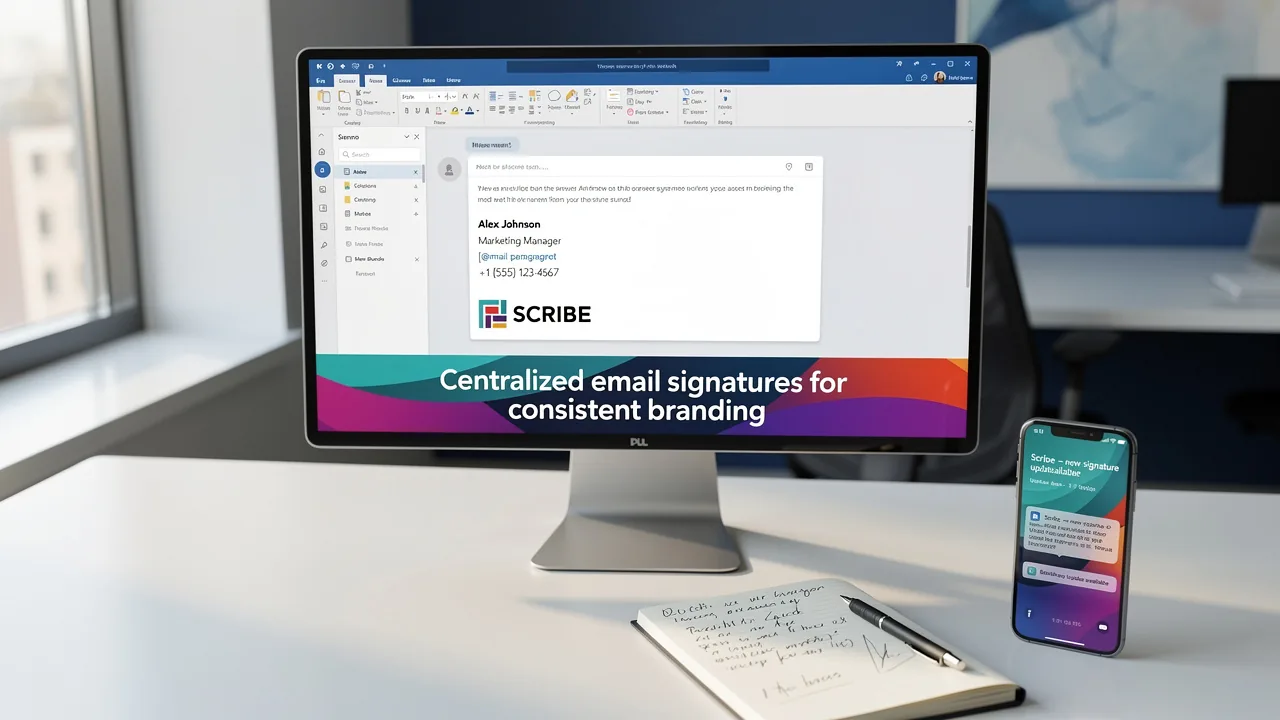
Master Adding HTML Signature to Outlook 365 in 4 Simple Steps
In an era where digital communication shapes business interactions, the way information is presented can significantly impact brand perception. An HTML email
Sophie Grant
Email Signature Specialist, Scribe
Introduction
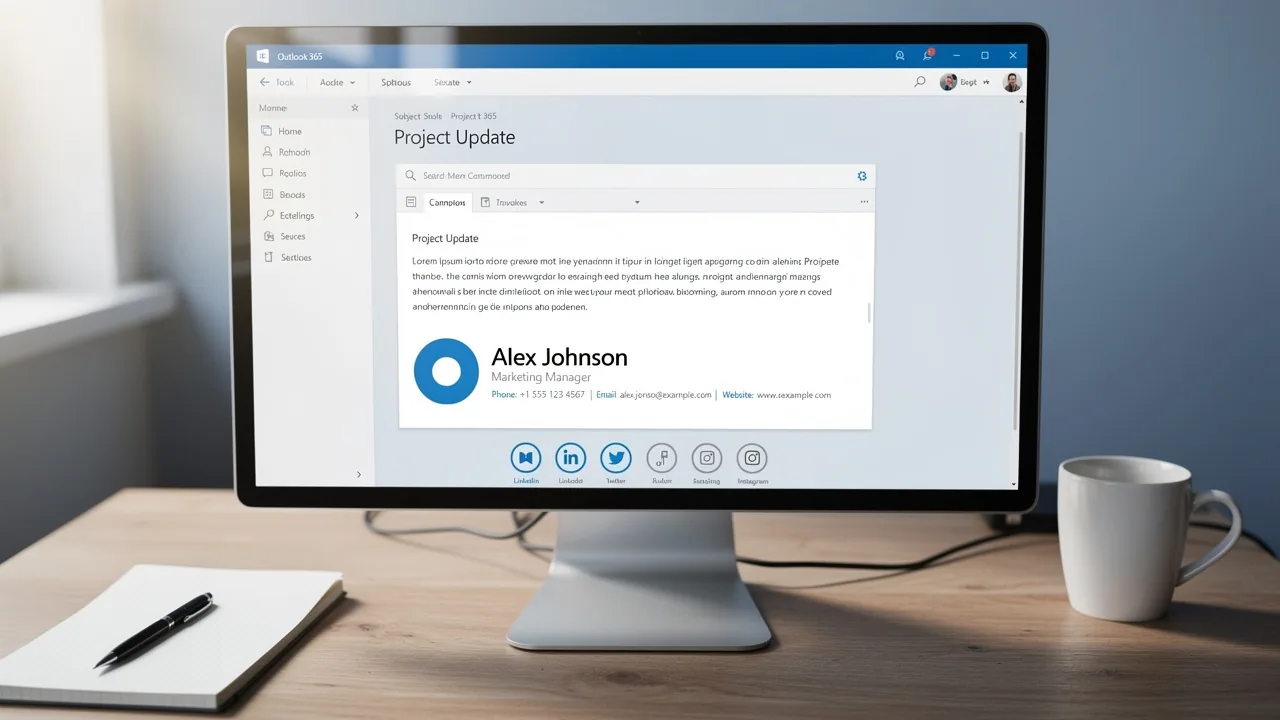
In an era where digital communication shapes business interactions, the way information is presented can significantly impact brand perception. An HTML email signature not only enhances professionalism but also serves as a powerful branding tool that can drive engagement and trust. This struggle often results in inconsistent branding and lost opportunities.
How can organizations ensure their email signatures reflect their brand identity while avoiding common pitfalls? To maintain brand integrity and foster trust, organizations must prioritize the effective management of their email signatures.
Understand HTML Signatures and Their Importance
Digital identifiers serve as essential branding tools that significantly enhance communication effectiveness. Unlike plain text formats, rich formatting allows for images, logos, and clickable links. This enhances the professionalism of your communications and opens new marketing opportunities. For example, including social media icons that link directly to your profiles or promotional banners can effectively drive traffic to your website. Implementing digital identifiers ensures that every message reflects your brand's identity and professionalism, ensuring uniformity throughout all communications.
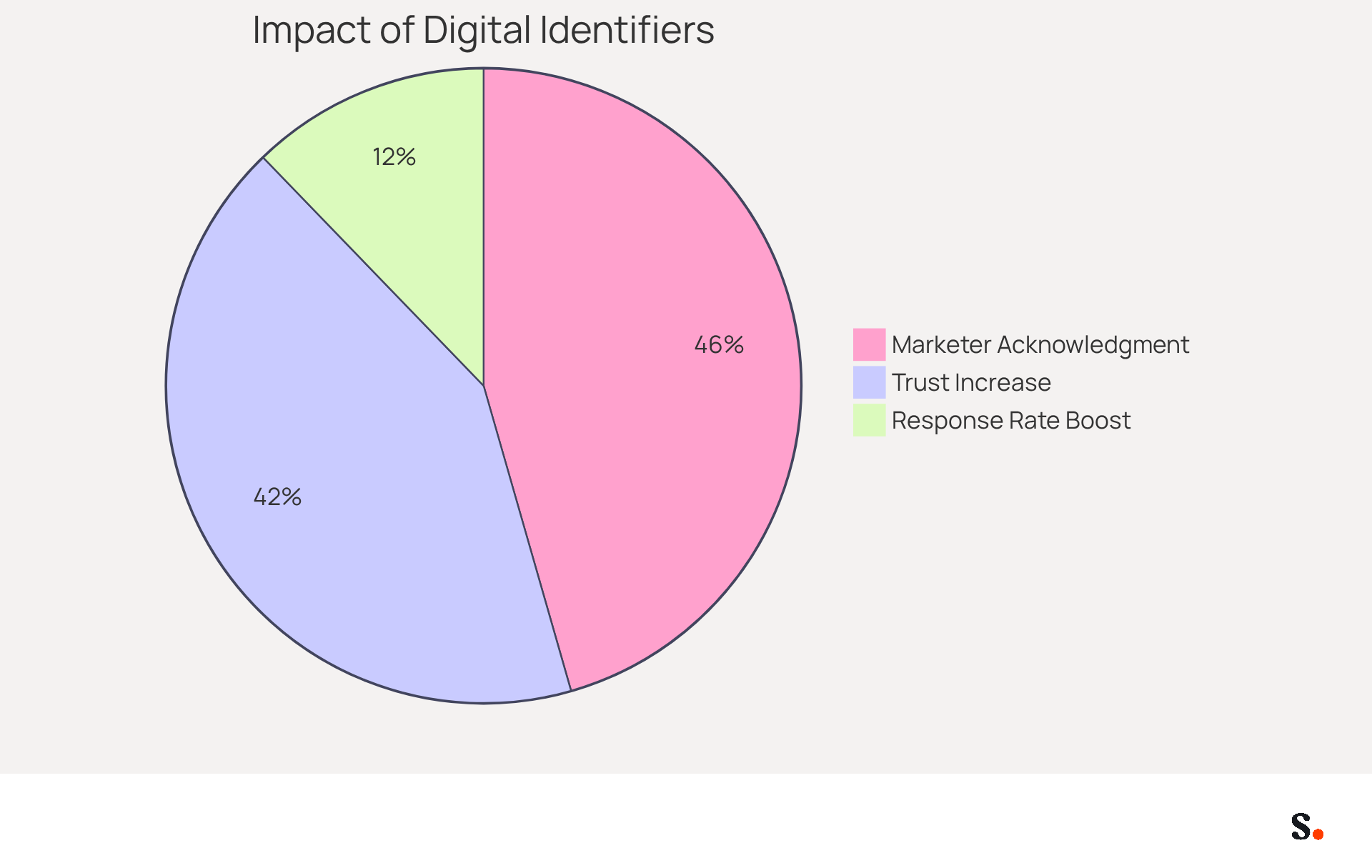
The significance of digital message identifiers in branding is highlighted by data showing that 76% of recipients view branded identifiers as increasing trust in the sender. In fact, businesses that use consistent branded headers see a remarkable 22% increase in response rates. This illustrates that web-based identifiers are not merely decorative additions; they are essential for creating a professional identity and building customer trust.
In 2026, the function of digital identifiers in marketing communications will be even more essential, as 82% of marketers acknowledge their ability to enhance brand visibility. The flexibility of digital identifiers enables organizations to tailor them for different campaigns, converting each message into a strategic communication opportunity. As a result, businesses can achieve higher engagement rates and generate leads without additional effort from their teams.
Neglecting to leverage email footers could mean missing out on vital branding opportunities that shape customer perceptions. They provide a high-ROI branding channel that can significantly impact how recipients perceive your organization, making them a vital component of any comprehensive marketing strategy.
Prepare Your HTML Signature for Outlook 365
To effectively manage your email communications, preparing your HTML signature for Outlook 365 is essential:
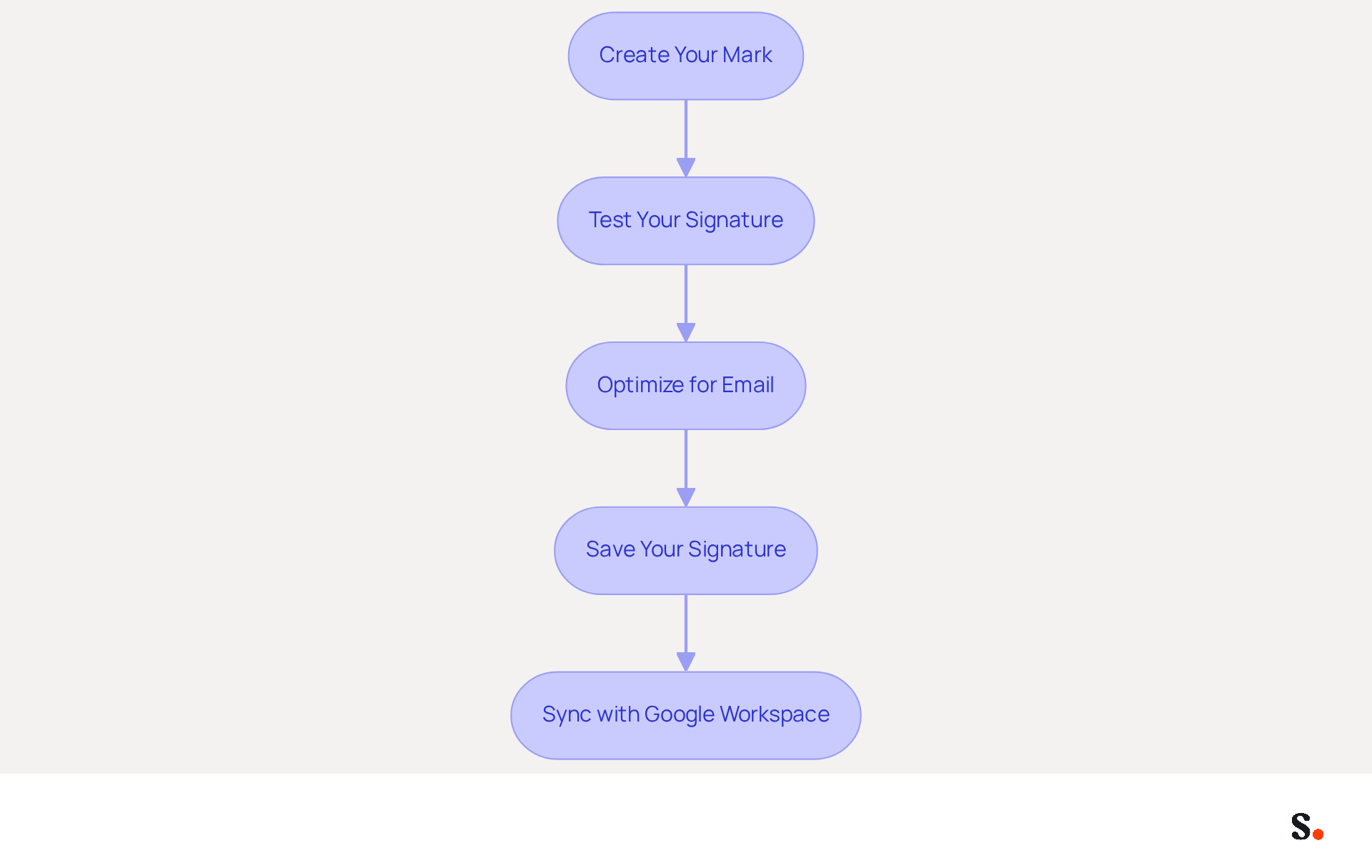
- Create Your Mark: Use a code editor or a signature generator to design your mark. Ensure it includes vital elements such as your name, title, company logo, and contact information. Adding social media links can enhance engagement; in fact, 75.8% of marketers do so in their emails.
- Test Your Signature: Before adding it to Outlook, open the web file in a browser to verify that it displays correctly. Make sure all links and images work properly to avoid any communication hiccups, as nearly 55% of employees are more likely to open a message with a well-designed signature.
- Optimize for Email: Ensure your HTML code is clean and straightforward. Avoid intricate designs that may not display properly in messaging clients. Utilize inline CSS for styling, as many mail clients do not support external stylesheets. This method is proven to improve email performance, as organizations utilizing AI-driven email solutions report a 20% increase in click-through rates.
- Save Your Signature: Once satisfied with the design, save the HTML file on your computer. This file will be utilized in the next step for adding html signature to outlook 365. Regular updates to your identifier can keep it pertinent, as 44.4% of users refresh their digital identifiers every six months or less, ensuring ongoing brand consistency and effectiveness.
Furthermore, by syncing your Google Workspace with Scribe, you can simplify the management of your correspondence identifiers. With this integration, any updates to your teammates' information in Google Workspace will automatically sync with Scribe, saving you time and effort. Moreover, Scribe's adherence to SOC 2 Type II and GDPR/CCPA standards addresses security concerns, making it a trustworthy option for managing email identities. By ensuring your email signature is consistently updated, you enhance your brand's professionalism and reliability in every correspondence.
Add Your HTML Signature to Outlook 365
To effectively manage your email signature in Outlook 365, follow these straightforward steps:
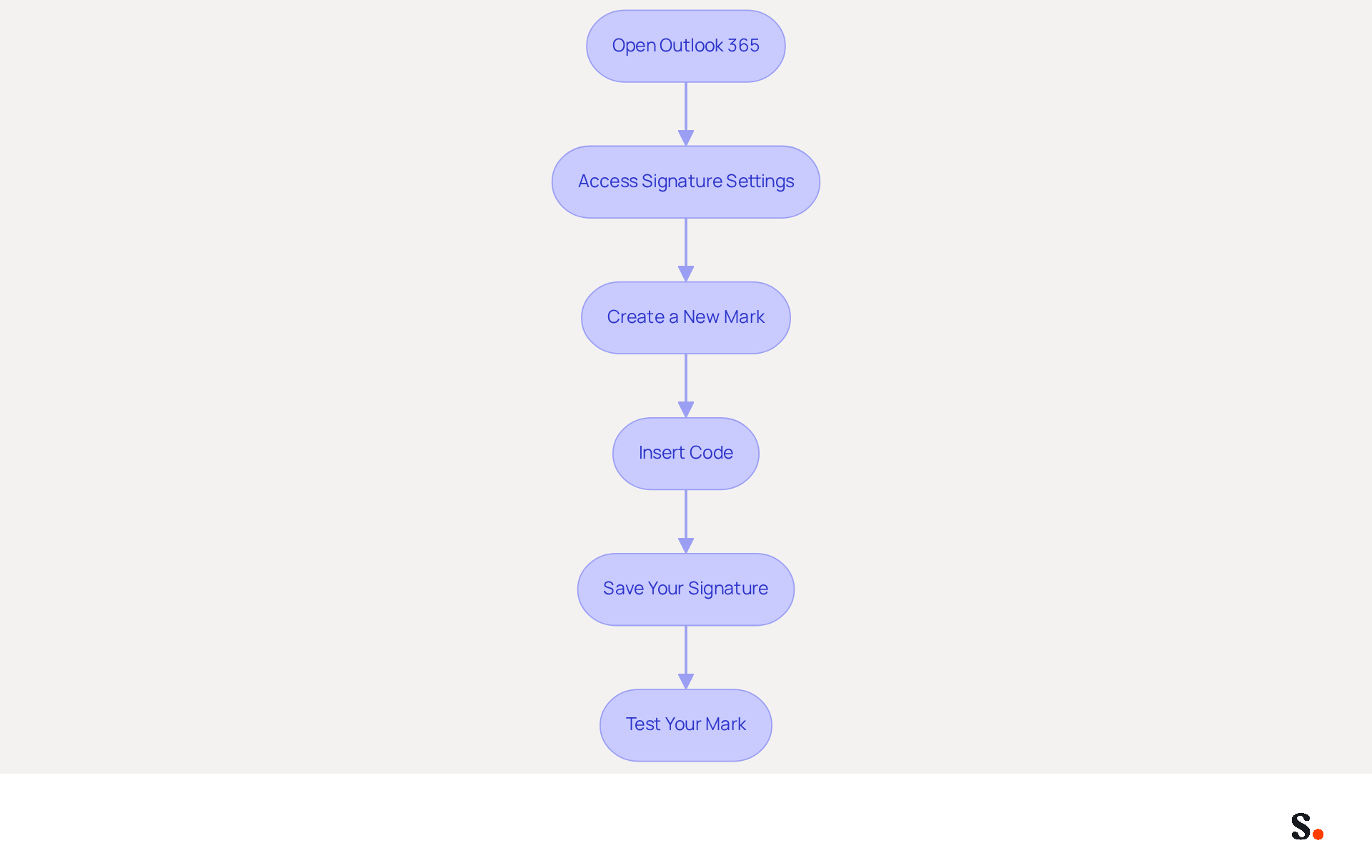
- Open Outlook 365: Launch the Outlook application or navigate to the Outlook web app.
- Access Signature Settings: Click on the gear icon (⚙️) in the upper right corner to open Settings. In the search bar, type 'email footer' and select 'Email footer' from the results.
- Create a New Mark: Click on 'New' to create a new mark. Give your autograph a memorable name.
- Insert Code: In the editing box for your sign-off, switch to the code view (if available) or paste your code directly into the box. Pasting in plain text view may lead to rendering issues.
- Save Your Signature: After pasting the HTML code, click 'Save' to apply the changes. You can also set this sign-off as your default for new messages and responses if preferred.
- Test Your Mark: Create a new message to verify that all links are active and images display as intended.
Integrating Scribe with Google Workspace simplifies this process, allowing for seamless updates to your team's information-ensuring that your communications remain professional and aligned with your brand identity. Statistics show that 52% of prospects and clients view electronic mail as their main communication method with brands, highlighting the importance of a well-designed digital identifier in improving interaction and engagement. Moreover, organizations that uphold consistent branded electronic identifiers report over a 22% rise in response rates, emphasizing the importance of utilizing Scribe for managing electronic identifiers. However, excessive links or large images can lead to emails being flagged as spam, which may hinder effective communication. By adopting these practices, you can significantly enhance your email communication's professionalism and effectiveness.
Troubleshoot Common Issues with HTML Signatures
Experiencing issues with adding HTML signature to Outlook 365 can hinder your professional communication. Consider the following troubleshooting tips:
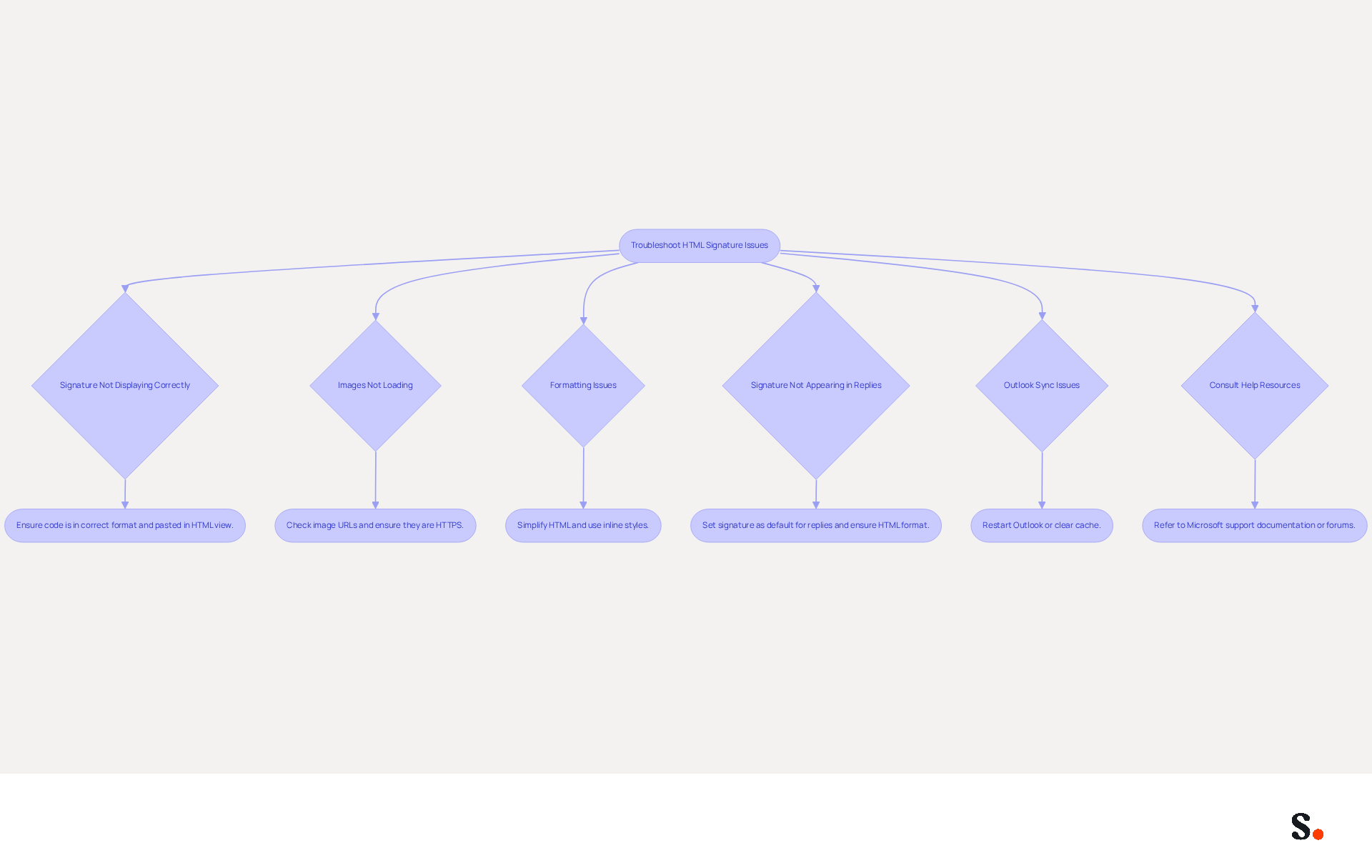
- Signature Not Displaying Correctly: Ensure that you have pasted the code in the correct format. If it appears as raw code, switch to the HTML view or try pasting it again.
- Images Not Loading: Check that the image URLs are correct and accessible. If you're using local images, make sure they're uploaded to a web server or consider a reliable image hosting service. Images linked via HTTP should be switched to HTTPS to prevent being blocked by email clients. Additionally, check your Trust Center settings in your email application to ensure images and external content are not blocked.
- Formatting Issues: If your mark appears different than anticipated, simplify the code. Avoid using complex CSS styles and ensure that all elements are inline. The application has limited support for CSS, which may influence how email footers are displayed. Using basic HTML and inline styles can help maintain formatting across platforms. It is also advisable to create the sign-off directly in the built-in editor of the email application to ensure proper formatting.
- Signature Not Appearing in Replies: Make sure you have set your signature as the default for replies and forwards in the signature settings. If messages are sent or received in plain text format, HTML formatting will be removed, so ensure your message format is set to HTML in the settings.
- Outlook Sync Issues: Users often face delays in seeing updates, which can disrupt workflow. If changes are not reflecting, try restarting Outlook or clearing the cache. Research shows that many users find that missing digital identifiers can lead to wasted time and frustration.
- Consult Help Resources: If problems persist, refer to Microsoft’s support documentation or community forums for additional guidance. Users have reported that consulting these resources can provide effective solutions to common problems, such as images not displaying correctly or text reverting to plain format.
Remember, maintaining a professional email footer is crucial, as 42% of consumers have a negative perception of a business when receiving an email lacking a branded identifier. By addressing these common issues, you can significantly enhance your email communication and brand image through adding an HTML signature to Outlook 365.
Conclusion
Creating an HTML signature in Outlook 365 is more than a technical requirement; it is a strategic initiative that can significantly elevate your brand's presence. By following these steps, you can craft a signature that not only looks great but also builds trust with your recipients. The article emphasized the importance of preparing an HTML signature correctly, from designing it with essential elements to troubleshooting common issues that may arise during the process. Key insights included the necessity of testing the signature for proper display and functionality, as well as the benefits of utilizing tools like Scribe, which have been shown to improve compliance and streamline email signature management. With statistics highlighting the positive impact of branded signatures on response rates and engagement, it is clear that investing time in this area can yield significant returns.
In summary, adopting a well-crafted HTML signature in Outlook 365 is a vital component of effective communication strategies. Organizations should prioritize this practice to ensure brand consistency and professionalism in their outreach efforts. Investing in a professional HTML signature can transform your email communications into powerful tools for building relationships and driving engagement.
Frequently Asked Questions
What are HTML signatures and why are they important?
HTML signatures are digital identifiers that enhance communication effectiveness by allowing rich formatting, including images, logos, and clickable links. They serve as essential branding tools that reflect a brand's identity and professionalism.
How do HTML signatures improve communication?
Unlike plain text formats, HTML signatures enhance professionalism and open new marketing opportunities, such as including social media icons that link to profiles or promotional banners that drive traffic to websites.
What impact do branded identifiers have on trust and response rates?
Data shows that 76% of recipients view branded identifiers as increasing trust in the sender, and businesses using consistent branded headers see a 22% increase in response rates.
What is the future significance of digital identifiers in marketing communications?
By 2026, 82% of marketers recognize that digital identifiers will be crucial for enhancing brand visibility, allowing organizations to tailor them for different campaigns and convert messages into strategic communication opportunities.
What are the consequences of neglecting email footers in branding?
Neglecting to leverage email footers can result in missed branding opportunities that shape customer perceptions, making them a vital component of any comprehensive marketing strategy.
List of Sources
- Understand HTML Signatures and Their Importance
- Best practices for business email signatures in 2026 (https://bybrand.io/blog/best-practices)
- Master Gmail Signature HTML: Best Practices for Marketing Success (https://scribe-mail.com/en-US/blog/master-gmail-signature-html-best-practices-for-marketing-success)
- 40+ Email Signature Statistics for 2026 (Data + Insights) (https://wavecnct.com/blogs/email-signature-statistics)
- Optimize Your Signature HTML Outlook for Effective Marketing (https://scribe-mail.com/en-US/blog/optimize-your-signature-html-outlook-for-effective-marketing)
- The impact of email signatures on your branding (https://signitic.com/en/resources/the-impact-of-email-signatures-on-your-branding)
- Prepare Your HTML Signature for Outlook 365
- Email signature statistics and trends in 2024 (https://wisestamp.com/blog/email-signature-statistics)
- Create an HTML Signature in Outlook: Step-by-Step Guide (https://scribe-mail.com/en-US/blog/create-an-html-signature-in-outlook-step-by-step-guide)
- How to Add HTML Signature in Outlook (https://blog.admindroid.com/how-to-add-html-signatures-in-outlook)
- Good practices for preparing an email signature (https://codetwo.com/kb/signature-editor-usage)
- 4 Best Practices for Your Outlook HTML Signature Template (https://scribe-mail.com/en-US/blog/4-best-practices-for-your-outlook-html-signature-template)
- Add Your HTML Signature to Outlook 365
- 40+ Email Signature Statistics for 2026 (Data + Insights) (https://wavecnct.com/blogs/email-signature-statistics)
- Setting Up Your Email Signature in Office 365 Outlook (https://services.stcloudstate.edu/TDClient/1919/Portal/KB/ArticleDet?ID=118239)
- How to Add an HTML Signature in Outlook (https://wisestamp.com/guides/how-to-add-outlook-html-signature)
- How to Add HTML Signature in Outlook (https://blog.admindroid.com/how-to-add-html-signatures-in-outlook)
- Troubleshoot Common Issues with HTML Signatures
- Email Signature Troubleshooting - Problems & Solutions - Gimmio (https://blog.gimm.io/email-signature-troubleshooting)
- 4 Steps to Fix Your Outlook Signature Not Showing Issues (https://scribe-mail.com/en-US/blog/4-steps-to-fix-your-outlook-signature-not-showing-issues)
- HTML Signature Not Displaying Correctly in Outlook via Exchange Admin Center - Microsoft Q&A (https://learn.microsoft.com/en-us/answers/questions/5343587/html-signature-not-displaying-correctly-in-outlook)
- Why HTML Email Signatures Break When People Reply | IT Support Essex | Trichromic LLP (https://trichromic.co.uk/news/why-html-email-signatures-break-when-people-reply)
- How to solve problems with email signatures in Microsoft 365? (https://mail-signatures.com/articles/problems-email-signatures-office-365)
Get started with Scribe
Create your signature in minutes
Free 14-day trial — no credit card.