Master Company Wide Email Signatures in Gmail for Brand Consistency
Inconsistent email signatures can undermine brand identity and professionalism, creating confusion in communications. By implementing best practices for email
Sophie Grant
Email Signature Specialist, Scribe
On this page
- Introduction
- Establish Brand Consistency Through Unified Email Signatures
- Design On-Brand Email Signature Templates for Maximum Impact
- Integrate Email Signatures with Google Workspace for Seamless Management
- Automate Signature Updates to Save Time and Enhance Efficiency
- Conclusion
- Frequently Asked Questions
- List of Sources
Introduction
Inconsistent email signatures can undermine brand identity and professionalism, creating confusion in communications. By implementing best practices for email signatures in Gmail, companies can ensure that every communication reflects their brand consistently, enhancing recognition and trust among clients and partners.
So, how can organizations streamline signature management to ensure clarity and compliance? Let’s explore effective strategies for mastering company-wide email signatures and see how tools like Scribe can help achieve seamless integration and efficiency.
Establish Brand Consistency Through Unified Email Signatures
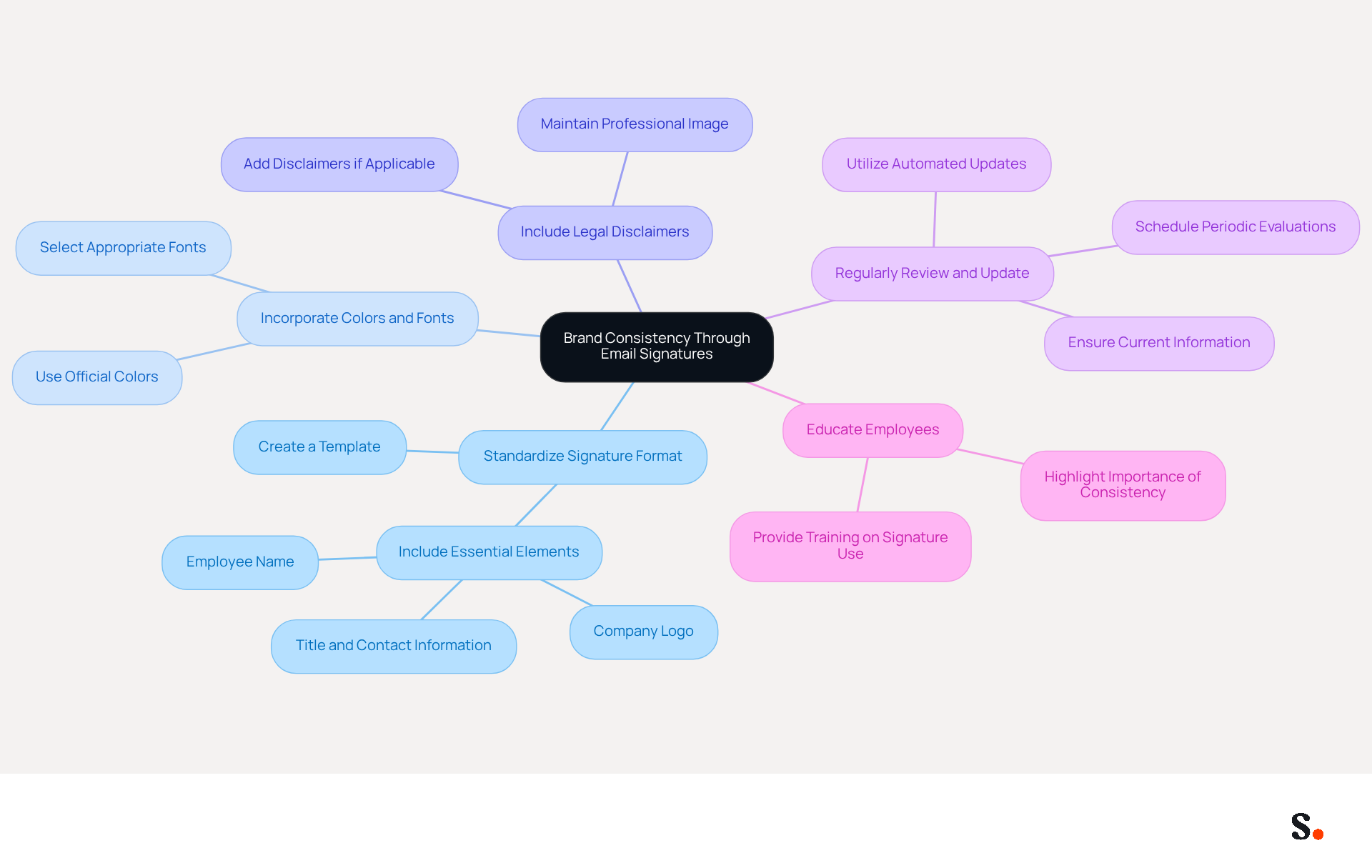
To achieve brand consistency through unified email signatures, organizations must implement strategic best practices:
- Standardize Signature Format: Create a template that includes essential elements such as the company logo, employee name, title, and contact information. This ensures that every email sent reflects the organization's identity.
- Incorporate the company's official colors and fonts into the design. This visual consistency helps reinforce brand recognition and creates a professional appearance.
- Include Legal Disclaimers: If applicable, add legal disclaimers to the closing. This not only protects the company but also maintains a professional image.
- Regularly Review and Update: Schedule periodic evaluations of email branding to ensure they remain current with any changes or updates in employee information. Outdated email signatures can lead to confusion and diminish brand credibility. With Scribe, any modifications in your Google Workspace, such as relocating teammates or updating their details, will be automatically reflected in their identifiers, saving time and ensuring accuracy.
- Educate Employees: Provide training or guidelines for employees on the importance of using the standardized mark. Consider offering workshops or materials that highlight why consistent branding matters. Scribe's automated management of digital identifiers enables marketing teams to handle them independently after the initial IT configuration, allowing them to uphold consistency in their identity effortlessly.
By implementing these strategies and utilizing Scribe's capabilities for streamlined synchronization and automated updates, companies can ensure that every message sent, including the company wide email signature gmail, contributes positively to their brand image, enhancing recognition and trust among clients and partners. Ultimately, neglecting these practices can undermine the brand's integrity and client trust.
Design On-Brand Email Signature Templates for Maximum Impact
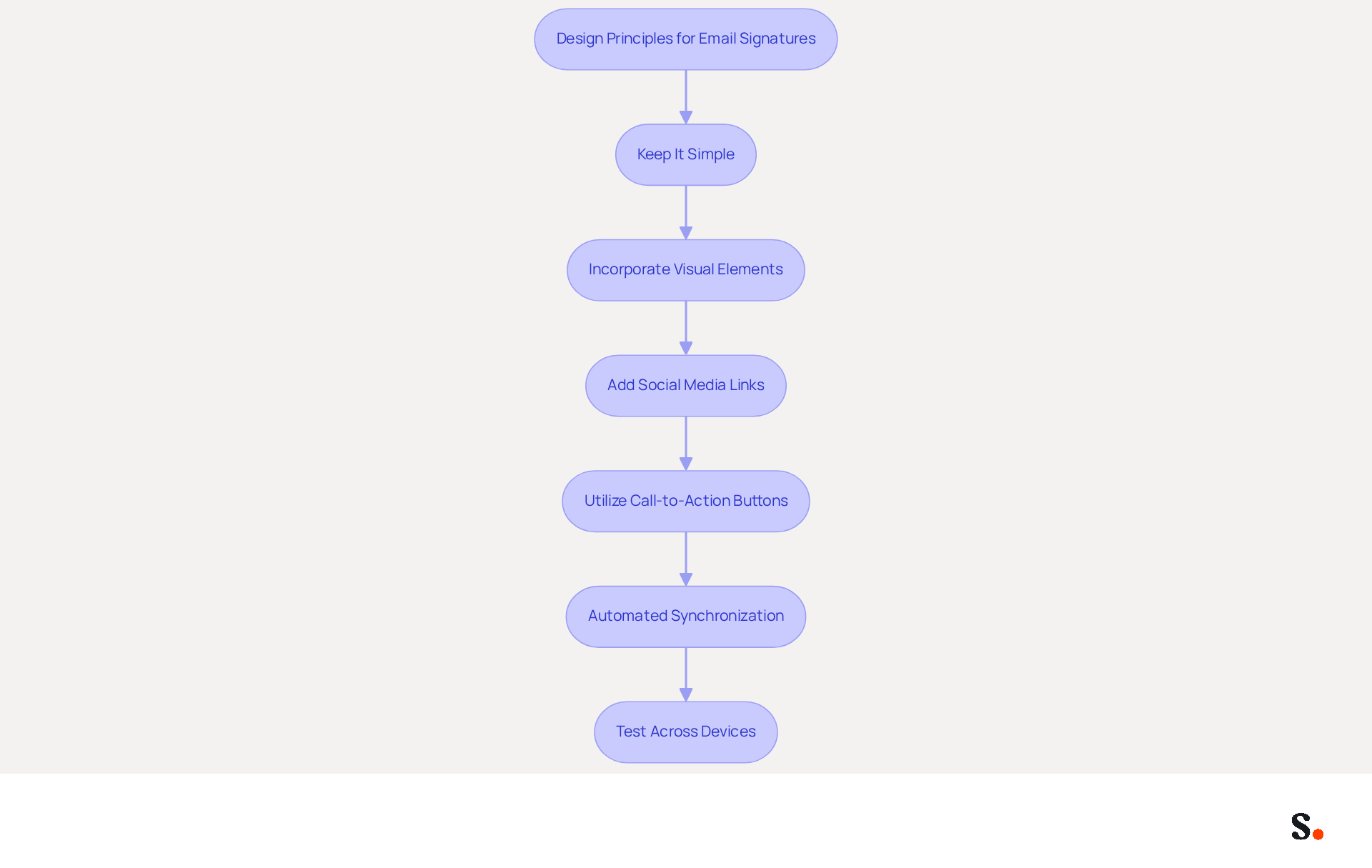
To create impactful email signature templates that align with your brand, it is essential to follow key design principles:
- Keep It Simple: Limit the information included in the sign-off to essential details such as full name, job title, and contact information, along with the company logo. Too much information can overwhelm recipients, leading to disengagement.
- Incorporate Visual Elements: Use high-quality images of the company logo and relevant graphics. Ensure these elements are appropriately sized to maintain a professional appearance without overwhelming the text. A well-designed logo boosts a company's recognition, and studies show that using a corporate logo enhances this effect.
- Add Social Media Links: Include icons linking to the company's social media profiles. This encourages engagement and allows recipients to connect with the brand across multiple platforms. Notably, 62% of businesses use digital identifiers to enhance their marketing efforts, making social media integration a strategic approach.
- Utilize Call-to-Action Buttons: Consider adding a call-to-action button, such as 'Schedule a Meeting' or 'Visit Our Website.' Strategic CTAs in communication footers can drive traffic and engagement directly from messages, with top-performing CTAs achieving click rates of 26% for calendar bookings and 28% for digital business card links. Furthermore, email footers have an average click rate of 4%, which is 60% more effective than traditional marketing emails, highlighting the impact of well-crafted footers.
- Automated Synchronization: Leverage Scribe's integration with Aircall and Calendly to ensure that any changes made in your Aircall configuration are automatically reflected in your Scribe profiles. This seamless synchronization enhances brand consistency and saves time, allowing marketing teams to focus on strategy rather than manual updates.
- Test Across Devices: Ensure that the mark displays correctly on various devices and messaging clients. Testing assists in identifying formatting problems that could undermine the document's professionalism. With 60% of business correspondence opened on mobile devices, a mobile-friendly design is essential for maximizing engagement. Moreover, maintaining a maximum width of 600px for messages is crucial for ensuring readability across devices.
Implementing these strategies can turn routine email interactions into powerful marketing tools that resonate with recipients.
Integrate Email Signatures with Google Workspace for Seamless Management
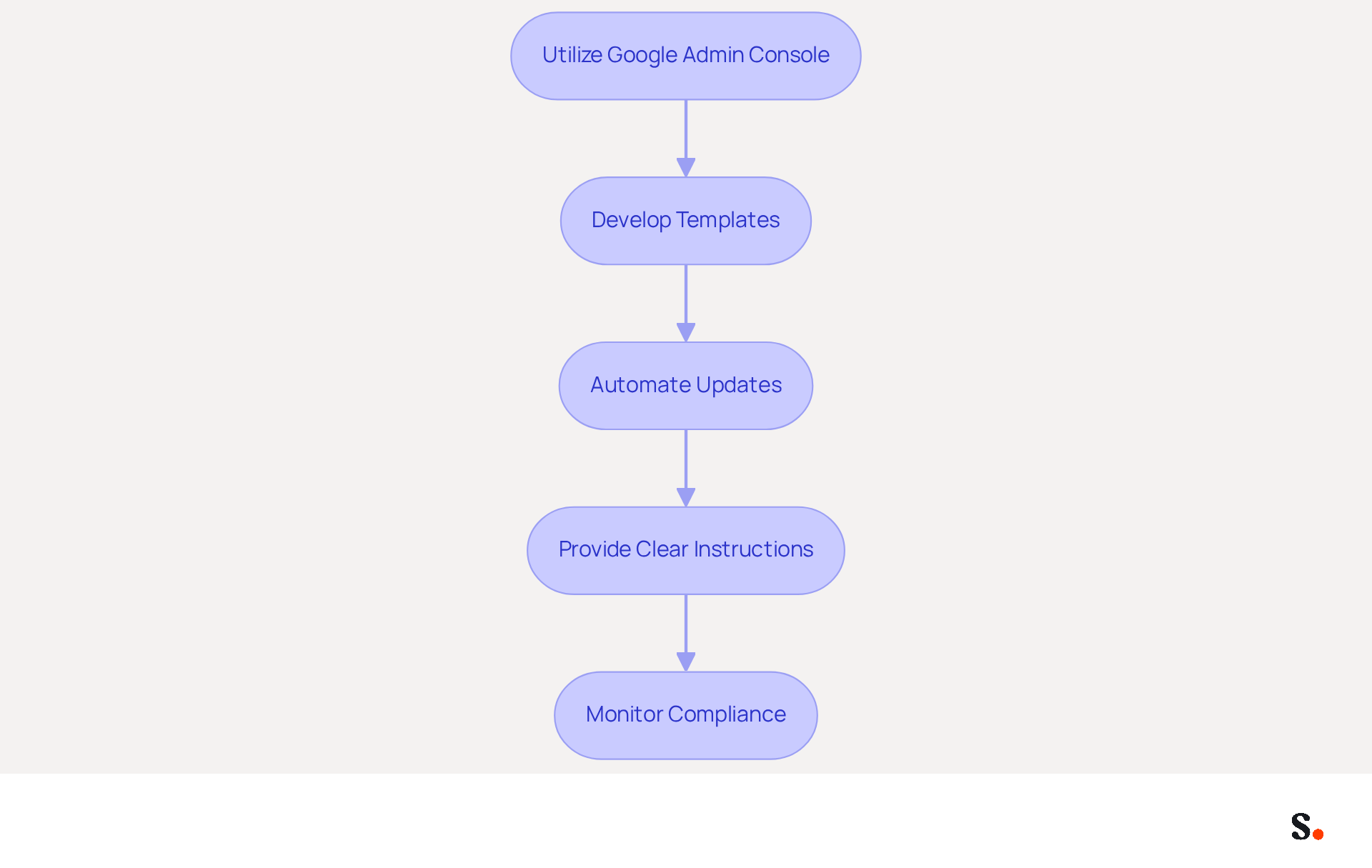
Inconsistent use of a company wide email signature gmail can undermine a company's professional image and brand identity. To effectively integrate email signatures with Google Workspace for seamless management, consider the following best practices:
- Utilize Google Admin Console: Leverage the Google Admin console to establish organization-wide email identifiers. This centralized method ensures that all employees adhere to a company wide email signature gmail format, enhancing brand consistency.
- Develop Templates: Create templates that can be uniformly applied across all users. Incorporate placeholders for employee-specific information, ensuring that each signature remains personalized while maintaining consistency.
- Automate Updates: Implement automation tools that synchronize staff data from HR systems to ensure approvals are updated automatically. This minimizes the risk of outdated information being used in communications, which is crucial for maintaining professionalism.
- Provide Clear Instructions: Offer comprehensive guidelines for staff on how to access and utilize the integrated signing feature. This could include step-by-step guides or video tutorials, making the process straightforward and user-friendly.
- Monitor Compliance: Regularly verify that all employees are utilizing the correct email signatures. This can be accomplished through periodic audits or by utilizing tools that monitor usage, ensuring adherence to branding guidelines.
Failing to implement these practices can lead to a fragmented brand image and lost marketing opportunities, especially in the context of a company wide email signature gmail. Organizations that neglect these practices may find themselves missing out on valuable marketing opportunities and risking their professional reputation.
Automate Signature Updates to Save Time and Enhance Efficiency
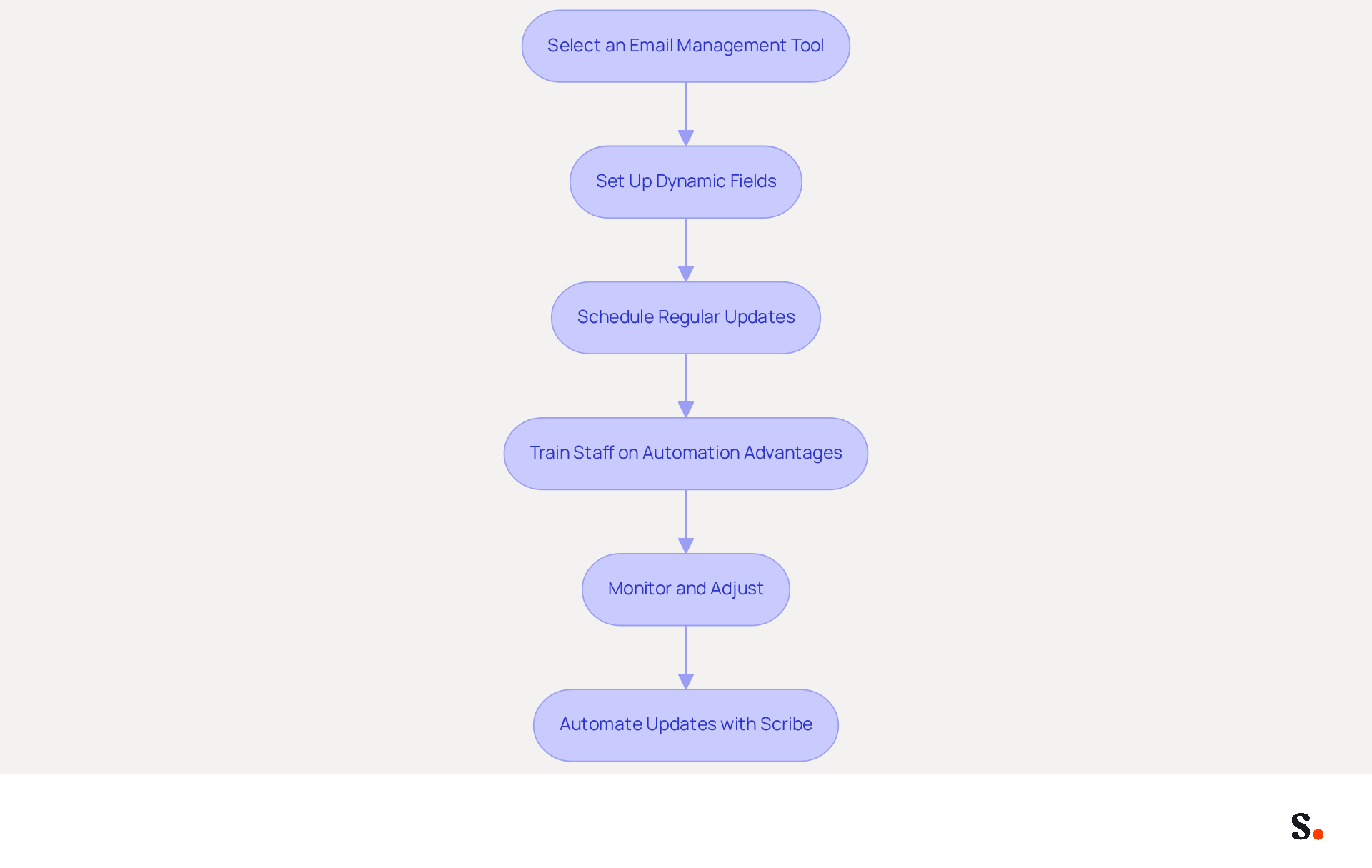
To enhance efficiency in email signature management, organizations must adopt best practices that streamline updates and ensure compliance:
- Select an Email Management Tool: Choose a reliable email management tool like Scribe that integrates seamlessly with Google Workspace. Scribe facilitates easy updates and management of approvals across the organization, ensuring consistency and compliance with SOC 2 Type II standards.
- Set Up Dynamic Fields: Utilize dynamic fields in the template that automatically pull information from employee profiles, such as name, title, and contact details. This ensures that approvals are accurate and up-to-date, reducing the risk of errors that could harm engagement. With Scribe, changes in your connected data sources, such as your business phone system or HR software, are automatically reflected in email footers, enhancing accuracy and efficiency.
- Schedule Regular Updates: Create a timetable for consistent updates to the templates, especially when there are modifications in branding or staff roles. Automation within Scribe can streamline this process, allowing for quick adjustments without manual intervention. Scribe's one-click synchronization feature ensures that updates are applied effortlessly across the organization.
- Train Staff on Automation Advantages: Educate staff on the benefits of utilizing automated markings, such as considerable time savings and fewer mistakes. Without proper training, staff may resist adopting the new automated system, leading to inefficiencies. A study by XYZ Research found that automating email footers can save IT teams up to 10 hours a week in manual work, enabling them to concentrate on higher-priority projects.
- Monitor and Adjust: It's important to keep an eye on how well the automated system is working and tweak it as needed. Gathering feedback from employees can help identify any issues or areas for improvement, ensuring the system remains efficient and user-friendly. Furthermore, it is essential to establish proper governance to prevent inconsistencies in application.
By automating updates with Scribe, organizations can significantly reduce the time spent on manual modifications while ensuring that all communications maintain a consistent and professional appearance. This not only saves time but also enhances the professionalism of all communications, leading to improved brand perception. A company with 100 employees produces around 60,000-80,000 branded impressions each month, emphasizing the effect of effective email management on visibility and engagement. As Sophie Grant, an Email Signature Specialist, states, "Email signature automation can transform every message into a strategic marketing opportunity, significantly improving brand consistency and engagement metrics.
Conclusion
Many organizations face challenges in ensuring that their email signatures consistently reflect their brand identity. Achieving brand consistency through unified email signatures is essential for enhancing professional image and fostering trust among clients and partners. Implementing best practices ensures that every email reflects the organization's identity, enhancing brand recognition and credibility.
Key strategies discussed include:
- Standardizing signature formats
- Incorporating official branding elements
- Utilizing automation tools like Scribe for seamless management
Regular updates and employee education are also crucial in maintaining consistency and professionalism. Scribe helps organizations automate updates and synchronize data, freeing marketing teams to concentrate on strategic initiatives instead of manual tasks.
In a landscape where every email interaction can serve as a marketing opportunity, the importance of unified email signatures cannot be overstated. Organizations are encouraged to adopt these best practices and leverage tools like Scribe to transform their email communications into powerful branding assets. Embracing these strategies not only strengthens brand visibility but also solidifies trust with clients and partners.
Frequently Asked Questions
What is the purpose of unified email signatures for organizations?
Unified email signatures help achieve brand consistency by ensuring that every email sent reflects the organization's identity.
What elements should be included in a standardized email signature format?
A standardized email signature format should include the company logo, employee name, title, and contact information.
How can companies reinforce brand recognition through email signatures?
Companies can reinforce brand recognition by incorporating their official colors and fonts into the email signature design.
Why is it important to include legal disclaimers in email signatures?
Including legal disclaimers protects the company and maintains a professional image.
How often should organizations review and update their email signatures?
Organizations should schedule periodic evaluations of email branding to ensure signatures remain current with any changes in employee information.
How does Scribe assist with updating email signatures?
Scribe automatically reflects any modifications in Google Workspace, such as relocating teammates or updating their details, saving time and ensuring accuracy.
What role does employee education play in maintaining brand consistency?
Educating employees on the importance of using standardized email signatures helps uphold brand consistency and can be facilitated through training or workshops.
How does Scribe support marketing teams in managing email signatures?
Scribe's automated management of digital identifiers allows marketing teams to handle email signatures independently after the initial IT configuration, ensuring consistency in their identity.
What are the potential consequences of neglecting email signature best practices?
Neglecting these practices can undermine the brand's integrity and diminish client trust.
List of Sources
- Establish Brand Consistency Through Unified Email Signatures
- Brand Consistency Statistics (2026): 52+ Data Points on Revenue, Trust, and AI Visibility (https://omnibound.ai/blog/brand-consistency-statistics)
- Why Email Signatures Must Be In Your 2026 Marketing Plan | Rocketseed (https://rocketseed.com/blog/what-are-the-biggest-email-trends-for-2026)
- Email Signature Branding: Consistency and Impact | Crossware365 (https://crossware365.com/blog/mastering-email-signature-branding-market-presence)
- Brand Consistency Statistics (2026) | Dasho (https://dasho.ai/brand-consistency-statistics)
- Why Team Email Signatures Matter More Than You Think: The Hidden Impact on Brand Trust and Customer Experience (https://getmailbird.com/why-team-email-signatures-matter-brand-trust)
- Design On-Brand Email Signature Templates for Maximum Impact
- Email Signature Best Practices - NEWOLDSTAMP (https://newoldstamp.com/blog/email-signature-best-practices)
- Email Signature Marketing: 7 Myths That Hurt Your Brand (and the Truth You Need) (https://exclaimer.com/blog/email-signature-marketing-expectations-vs-reality)
- Email Signature Best Practices for 2026 (+ 15 Pro Examples) (https://wavecnct.com/blogs/email-signature-best-practices-2026)
- 10 ideas for marketing campaigns in email signatures (https://signitic.com/en/resources/10-ideas-for-marketing-campaigns-in-email-signatures)
- Integrate Email Signatures with Google Workspace for Seamless Management
- 120+ Google Workspace Stats (https://thriveagency.com/news/120-google-workspace-stats)
- The Ultimate Guide for Integrating your Email Signature to Google Workspace - Signite (https://signite.io/blog/the-ultimate-guide-for-integrating-your-email-signature-to-google-workspace)
- What is new in Google Workspace - [Last Update September 2026] (https://devoteam.com/expert-view/what-is-new-in-google-workspace)
- Google Workspace Statistics 2026: 3 Billion Users, 13 Million Customers and the Numbers Behind Them (https://sqmagazine.co.uk/google-workspace-statistics)
- How to Manage Email Signatures Across Your Team in Google Workspace (https://syncsignature.com/blog/manage-email-signatures-team-google-workspace)
- Automate Signature Updates to Save Time and Enhance Efficiency
- Automating Email Signatures: How IT Teams Streamline Processes & Reduce Risk (https://exclaimer.com/blog/streamlining-it-processes-automated-email-signatures)
- Company Email Signature Management (2026) (https://hubspot.com/email-signature-generator/email-signature-management)
- How to Automate Email Signature Updates | Exclaimer (https://exclaimer.com/email-signature-handbook/automate-email-signature-updates)
- 4 Best Practices for Effective Email Signature Automation (https://scribe-mail.com/en-US/blog/4-best-practices-for-effective-email-signature-automation)
- 40+ Email Signature Statistics for 2026 (Data + Insights) (https://wavecnct.com/blogs/email-signature-statistics)
Get started with Scribe
Create your signature in minutes
Free 14-day trial — no credit card.