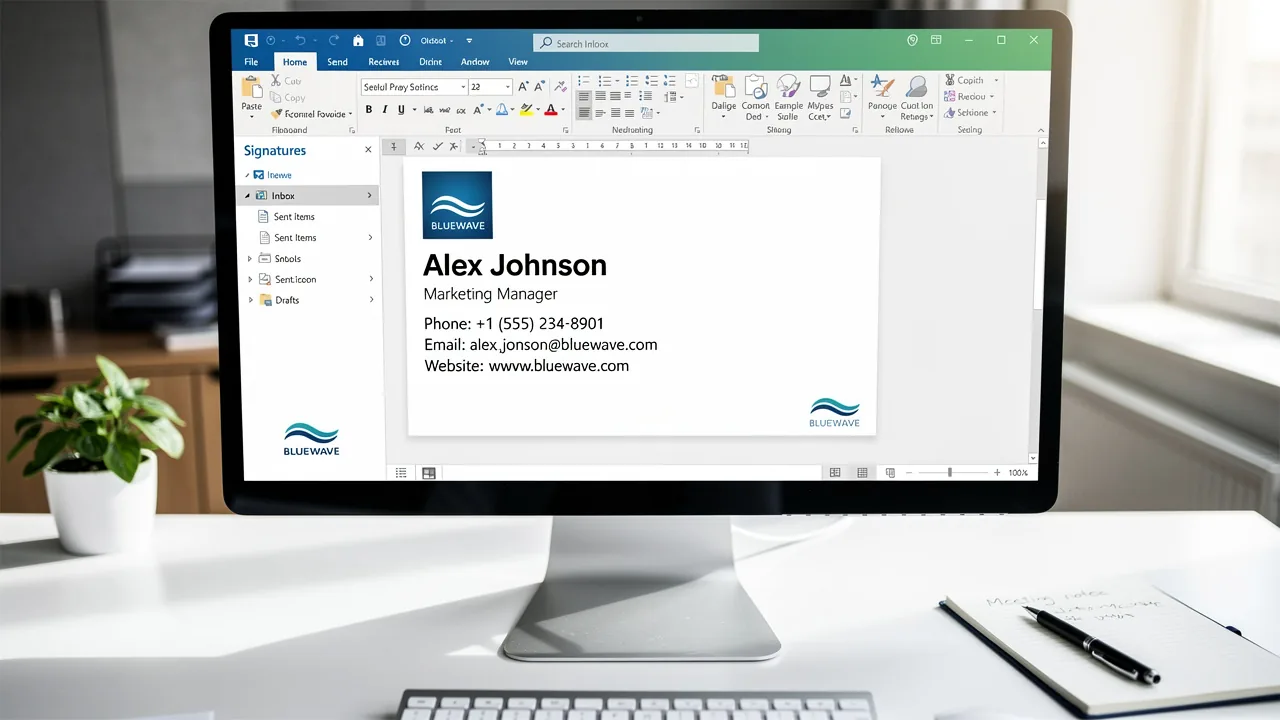
Master Email Signatures: A Step-by-Step Guide for Marketing Managers
Crafting an effective email signature presents a challenge that extends beyond mere formality; it is a crucial element in shaping brand perception in
Sophie Grant
Email Signature Specialist, Scribe
On this page
- Introduction
- Identify Essential Components of Your Email Signature
- Design Your Email Signature for Professional Impact
- Integrate Your Email Signature into Email Clients
- Test and Optimize Your Email Signature for All Devices
- Maintain and Update Your Email Signature Regularly
- Conclusion
- Frequently Asked Questions
- List of Sources
Introduction
Crafting an effective email signature presents a challenge that extends beyond mere formality; it is a crucial element in shaping brand perception in professional communication. Marketing managers have a unique opportunity to leverage this often-overlooked element as a powerful marketing tool, enhancing engagement and driving measurable results.
However, navigating the numerous design choices and technical integrations can be overwhelming for marketing managers. How can marketing managers ensure their email signatures stand out while also meeting brand consistency and compliance standards?
Ensuring that your email signature aligns with brand consistency and compliance standards is essential to maximizing its impact as a marketing tool.
Identify Essential Components of Your Email Signature
To create an effective email signature, it is crucial to include specific essential components that enhance communication and trust:
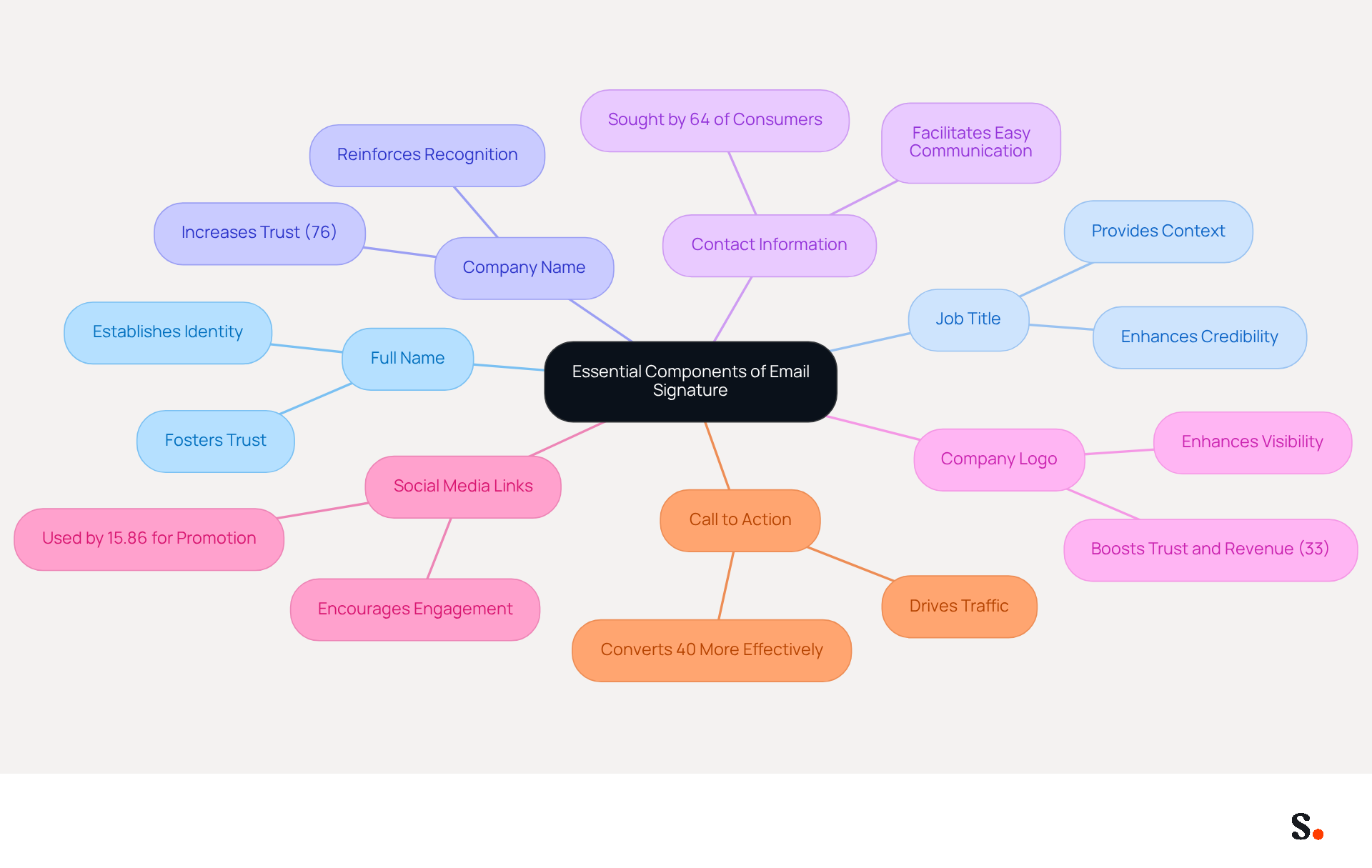
- Full Name: Clearly state your name to establish identity and foster trust.
- Job Title: Include your position to provide context about your role, enhancing credibility.
- Company Name: Mention your organization to reinforce recognition, as 76% of consumers trust the sender more when a company logo is included.
- Contact Information: Provide a phone number and a digital address for easy communication, as 64% of consumers seek contact details in correspondence.
- Company Logo: Incorporate your logo to enhance visibility and increase trust in the sender, which can increase trust in the sender and potentially boost revenue by 33%.
- Social Media Links: Add links to your professional social media profiles to encourage further engagement; 15.86% of users utilize digital identifiers for social media promotion.
- Call to Action: Consider including a link to your latest campaign or a relevant resource to drive traffic. Strategic CTAs in message footers convert 40% more effectively than generic 'contact me' links.
By ensuring these components are present, you create an informative identity that serves as a powerful marketing tool, driving engagement and enhancing perception. With Scribe, your email signatures sync automatically with your business phone system, like Aircall, ensuring your team's signature information stays up-to-date effortlessly. This seamless integration not only enhances brand consistency but also guarantees that your data is handled securely, as Scribe is SOC 2 Type II compliant.
Design Your Email Signature for Professional Impact
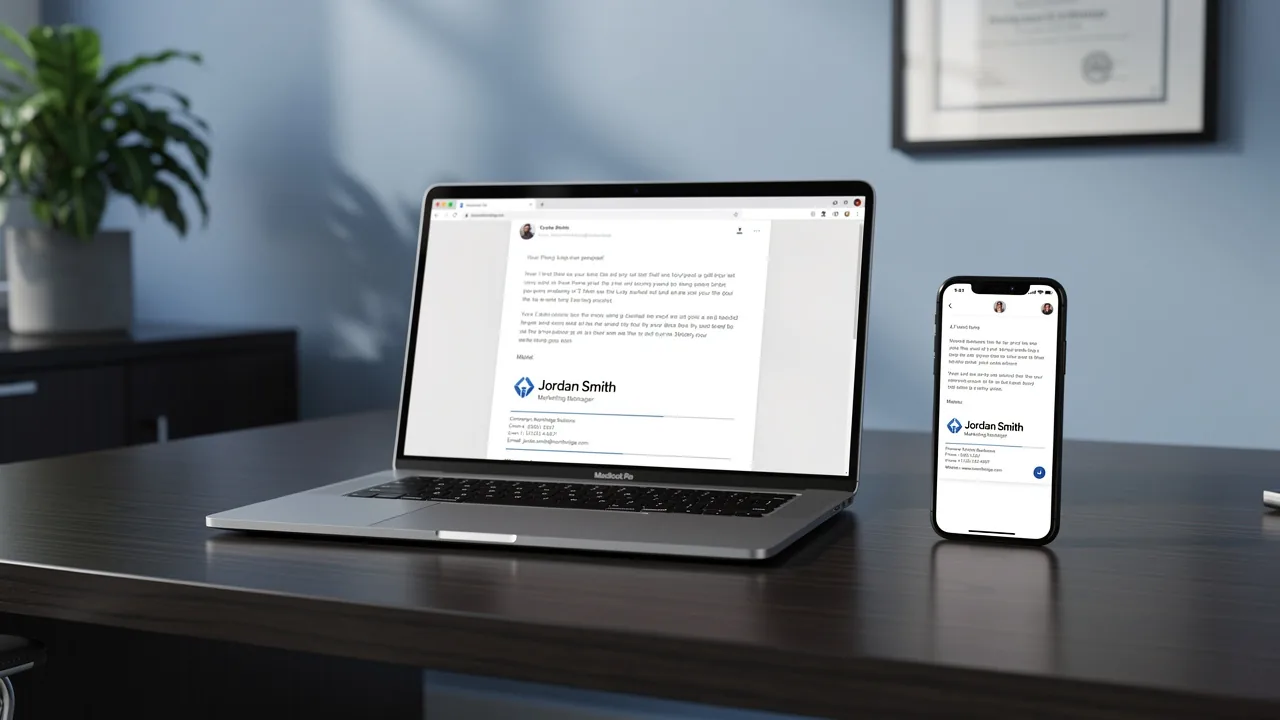
Creating a professional email signature is essential for a master's student to establish a strong brand identity.
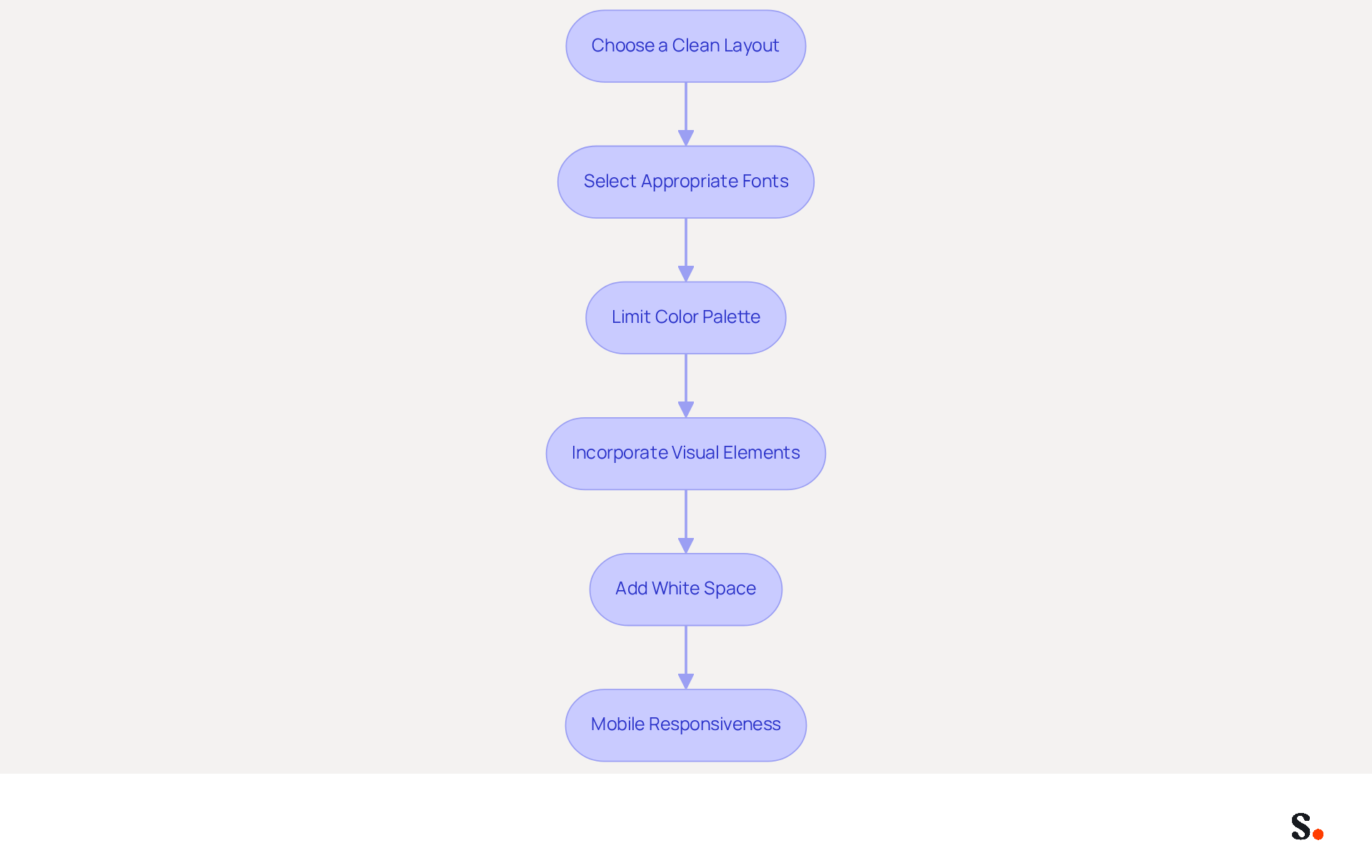
- Choose a Clean Layout: Opt for a simple, organized structure that enhances readability. Minimalist designs with a single-column layout are preferred for better mobile engagement.
- Select Appropriate Fonts: Use web-safe fonts like Arial or Helvetica at 14-16px for body text to ensure consistent rendering across email clients and maintain readability.
- Limit Color Palette: Stick to your identity colors to maintain consistency, but avoid overwhelming the recipient with too many colors. A muted color palette with a contrast ratio of at least 4.5:1 is recommended for accessibility.
- Incorporate Visual Elements: Include your logo and relevant images, ensuring they are optimized for quick loading and total image weight remains under 50 KB. This not only boosts your professional image but also helps recipients recognize your brand.
- Add White Space: Ensure sufficient space between elements to avoid clutter and improve readability. A line height of at least 1.5 is advisable for better text clarity.
- Mobile Responsiveness: Design your branding to appear attractive on both desktop and mobile devices, as over 60% of business communications are accessed on mobile at least part of the day. Keep the width under 600 pixels to ensure proper display.
By following these design principles, you can create a mark that not only appears professional but also strengthens your identity. Additionally, utilizing Scribe for automated email management ensures that your email identifiers are always current, by automatically updating with your business phone system and Aircall settings. Maintaining brand consistency and data security can be challenging without the right tools. Scribe provides a solution that addresses these challenges effectively. Furthermore, Scribe's auto-filling feature allows for effortless updates, ensuring that your teammates' identification information is always current without requiring any action from them. With Scribe, you can ensure that your email signature masters student reflects your brand accurately and consistently, leaving a lasting impression on your recipients.
Integrate Your Email Signature into Email Clients
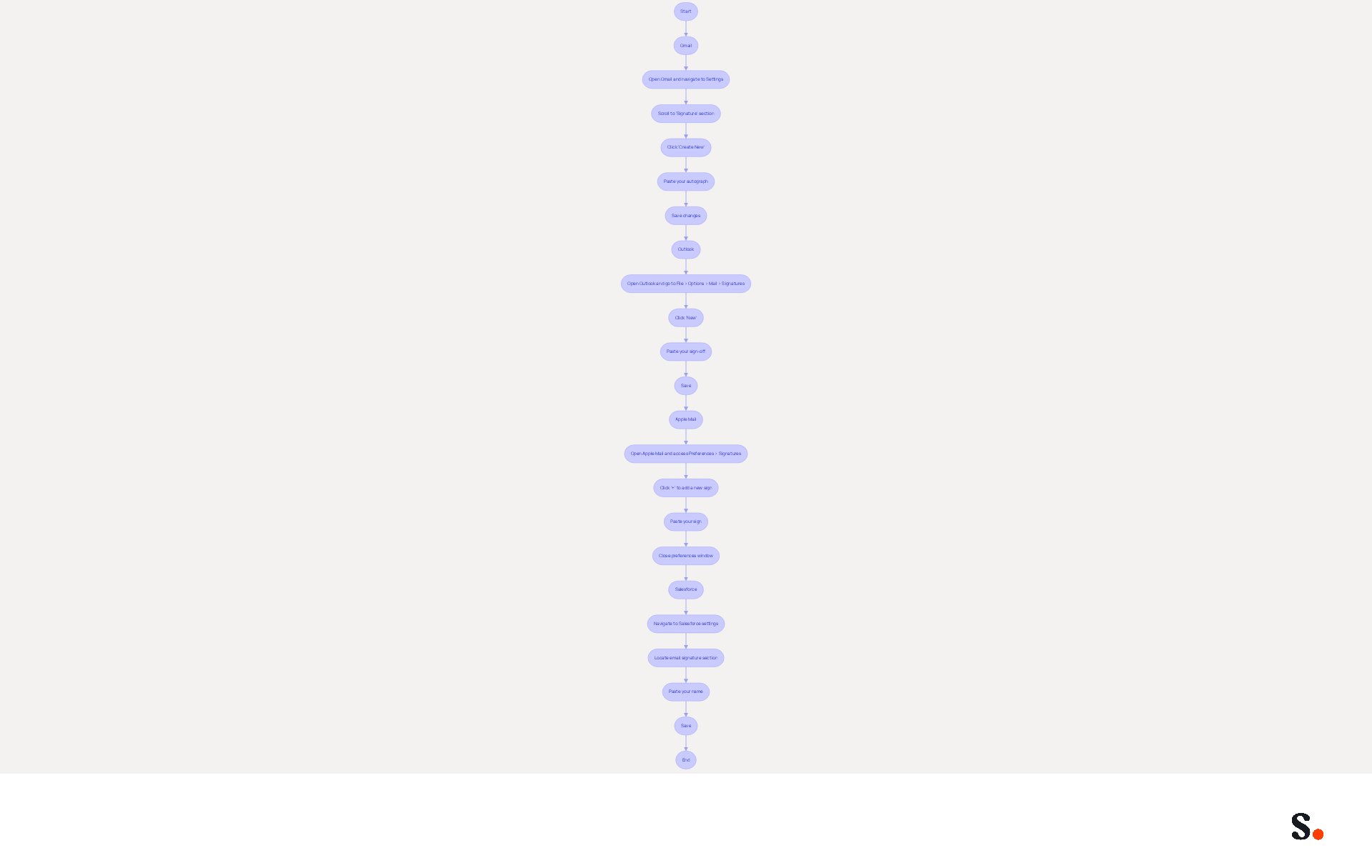
Integrating your email signature effectively into popular email clients can significantly enhance your professional image. Follow these streamlined steps:
-
Gmail:
- Open Gmail and navigate to Settings.
- Scroll to the 'Signature' section and click 'Create New'.
- Paste your autograph into the text box and save changes.
-
Outlook:
- Open Outlook and go to File > Options > Mail > Signatures.
- Click 'New' to create a new sign-off, paste your sign-off, and save.
-
Apple Mail:
- Open Apple Mail and access Preferences > Signatures.
- Click the '+' button to add a new sign, paste your sign, and close the preferences window.
-
Salesforce:
- Navigate to your Salesforce settings and locate the email signature section.
- Paste your name into the designated area and save.
Following these steps ensures your email signature displays consistently across all platforms, boosting your professional image. Considering that 72% of professionals favor electronic mail for formal business communications, maintaining a refined closing is essential for effective engagement. Furthermore, with 376 billion messages dispatched daily, a well-designed closing can greatly enhance your visibility and brand awareness. Significantly, Gmail is the most popular messaging client, utilized by 62.2% of users, and 89.9% of users have only one signature, emphasizing the significance of enhancing this frequently overlooked branding opportunity.
Moreover, to enable one-click synchronization with Scribe, you must grant permission to connect with your messaging provider. This requires you to be a Super Admin of your service provider. With this one-click sync, your teammates' information updates automatically, ensuring that any modifications made in your provider are reflected in the application without manual input. This not only saves time but also enhances your branding consistency and security compliance, as Scribe is SOC 2 Type II certified, ensuring the safety of your data. An email signature masters student knows that a well-crafted email signature not only reflects professionalism but also ensures you stand out in a crowded inbox.
Test and Optimize Your Email Signature for All Devices
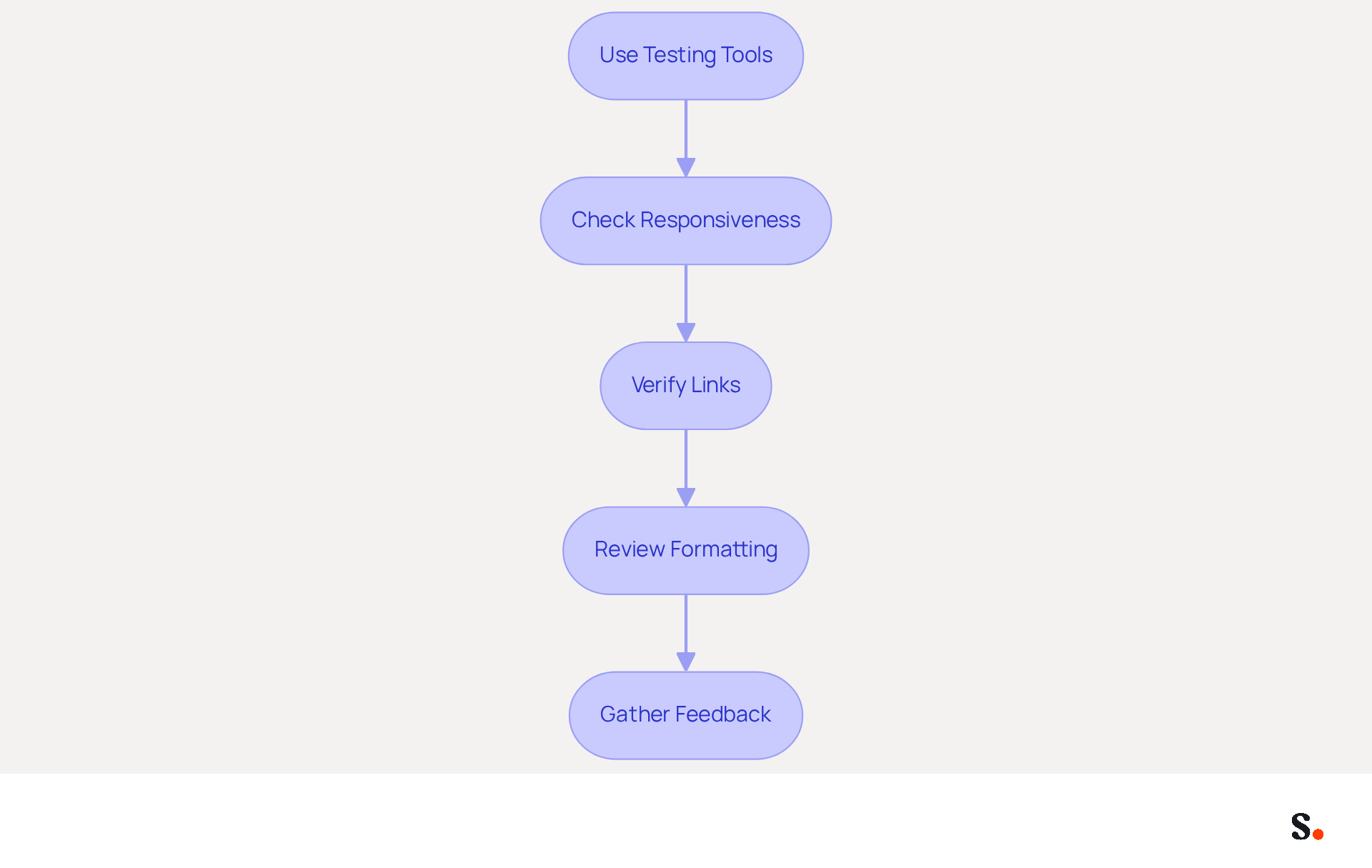
To maximize the impact of your email signature across all devices, a systematic approach to testing and optimization is essential:
- Use Testing Tools: Leverage tools like Litmus or Email on Acid to preview how your email footer appears across various devices and email clients. These platforms provide insights into how your mark will render, helping you identify potential issues before deployment.
- Check Responsiveness: Since about 42% of emails are opened on mobile devices, it's vital to ensure your design is mobile-friendly for effective communication. This ensures readability and visual appeal.
- Verify Links: Test all hyperlinks in your email to ensure they direct to the correct pages. Missed opportunities due to broken links can significantly undermine your branding efforts as a marketing tool.
- Review Formatting: Check for any formatting issues, such as misaligned text or images that do not display correctly. A well-organized sign-off enhances professionalism and company image.
- Gather Feedback: Working with colleagues can help you identify issues you might overlook, resulting in a more polished final product.
Thorough testing and optimization are essential to ensure your message accurately represents your brand and captures recipient engagement. Furthermore, keep in mind that branded identifiers attract double the overall fixations compared to unbranded ones, emphasizing the marketing potential of a well-crafted design. Case studies indicate that [messages with branded identifiers achieve a 22% higher response rate](https://64-70% of participants believe a professional branded sign enhances trust and credibility.), further highlighting the significance of testing and optimizing your message identifier. With Scribe, every modification made in your Aircall settings will automatically be reflected in your communication identifiers, ensuring seamless updates and improved consistency across all interactions. Moreover, Scribe's SOC 2 Type II certification and adherence to GDPR and CCPA guarantee secure data management, making it a trustworthy option for organizations aiming to uphold brand integrity while enhancing their management.
Maintain and Update Your Email Signature Regularly
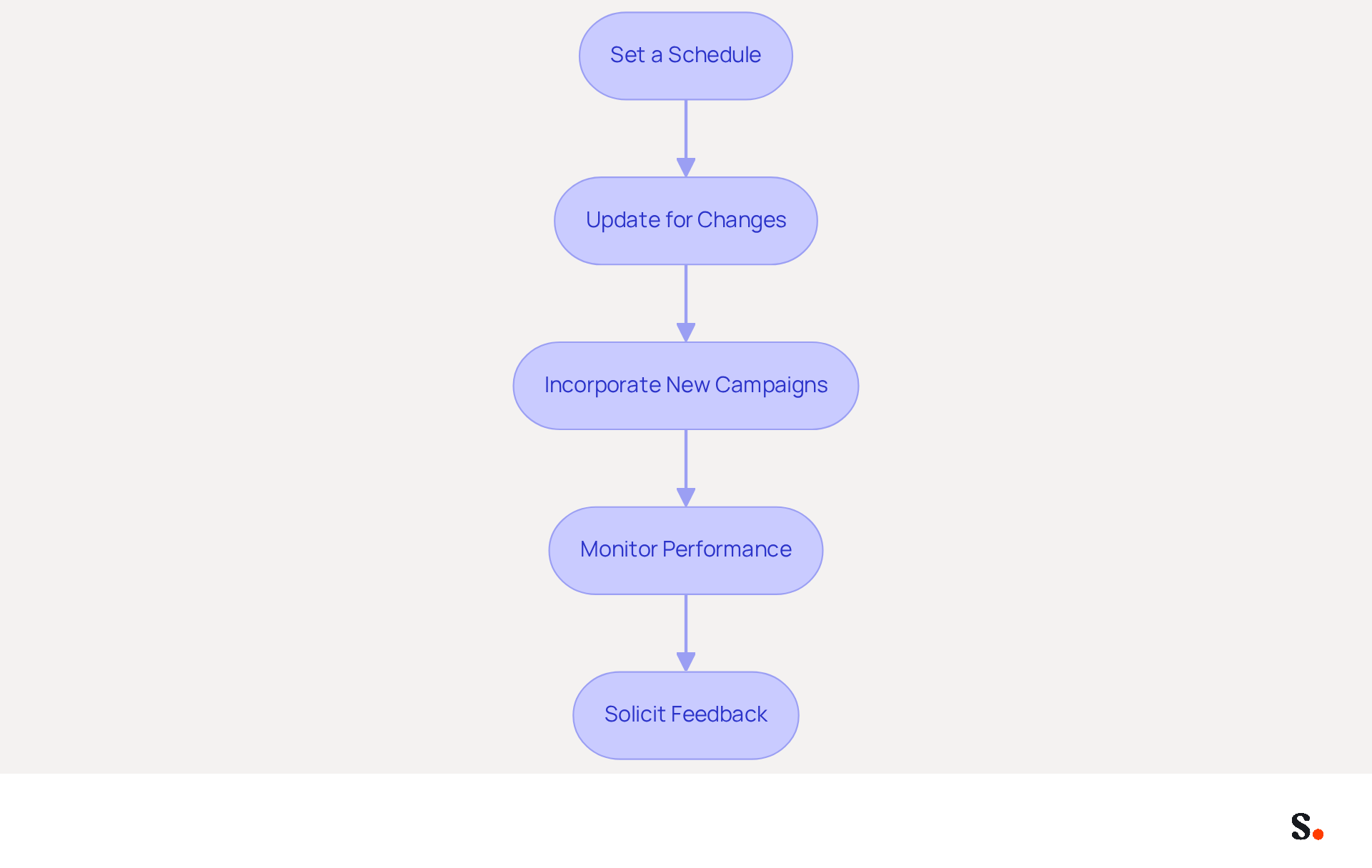
To maximize the effectiveness of your email signature, regular maintenance is essential:
- Set a Schedule: Plan to review your contact information at least once every quarter to ensure all details are current. Regular audits are essential; 44.4% of professionals update their email details just 2-4 times a year, and 31.6% do so infrequently.
- Update for Changes: Promptly revise your identification if there are modifications to your job title, contact information, or company branding. This helps maintain trust and professionalism, as a well-organized sign-off conveys legitimacy.
- Incorporate New Campaigns: Regularly add new promotional banners or calls to action that align with current marketing campaigns. Organizations utilizing branded digital identifiers experience a 15% rise in website click-through rates, making this a beneficial tactic.
- Monitor Performance: Use analytics to track engagement metrics related to your message footer, such as click-through rates and conversion rates. Dynamic digital identifiers have an average CTR of 4%, compared to 2.5% for standard marketing communications, highlighting the significance of monitoring performance.
- Solicit Feedback: Encourage team members to provide input on the document's effectiveness and suggest improvements. This collaborative approach can lead to enhancements that resonate with recipients.
By maintaining and updating your email signature as a master's student regularly, you ensure that your email signature masters student continues to serve as a powerful marketing tool and accurately reflects your brand. Neglecting to update your email signature can diminish its effectiveness as a marketing tool and misrepresent your brand.
Conclusion
A compelling email signature is more than just aesthetics; it serves as a strategic marketing tool that enhances professional communication. By incorporating essential components such as your name, job title, company logo, and contact information, the email signature becomes a powerful representation of your brand. Utilizing tools like Scribe helps organizations ensure their email signatures meet compliance standards and can lead to measurable marketing ROI, as evidenced by numerous case studies.
This guide has shared essential insights on how to design, integrate, and optimize email signatures across different platforms. From choosing the right layout and fonts to ensuring mobile responsiveness and testing for compatibility, each step is crucial for maximizing engagement. Regular maintenance and updates are equally important, as they keep your signature relevant and effective in driving marketing goals.
Yet, many professionals underestimate the impact of a well-crafted email signature. It serves as a direct reflection of professionalism and brand identity. Mastering your email signature can transform it into a vital marketing asset that enhances your professional image.
Frequently Asked Questions
What are the essential components to include in an email signature?
The essential components of an email signature include your full name, job title, company name, contact information, company logo, social media links, and a call to action.
Why is it important to include a company logo in an email signature?
Including a company logo in an email signature enhances visibility and increases trust in the sender, potentially boosting revenue by 33%.
How can social media links in an email signature benefit communication?
Adding links to professional social media profiles encourages further engagement, as 15.86% of users utilize digital identifiers for social media promotion.
What design principles should be followed for a professional email signature?
Key design principles include choosing a clean layout, selecting appropriate fonts, limiting the color palette, incorporating visual elements, adding white space, and ensuring mobile responsiveness.
What font styles and sizes are recommended for email signatures?
It is recommended to use web-safe fonts like Arial or Helvetica at a size of 14-16px for body text to ensure consistent rendering and readability.
How can I ensure my email signature is mobile-friendly?
To ensure mobile-friendliness, design your email signature to be attractive on both desktop and mobile devices, keeping the width under 600 pixels.
What role does Scribe play in managing email signatures?
Scribe automates email management by syncing signatures with your business phone system, ensuring that signature information is always up-to-date and maintaining brand consistency securely.
How does Scribe enhance data security for email signatures?
Scribe is SOC 2 Type II compliant, which guarantees that your data is handled securely while managing email signatures.
List of Sources
- Identify Essential Components of Your Email Signature
- Email Signature Best Practices for 2026 (+ 15 Pro Examples) (https://wavecnct.com/blogs/email-signature-best-practices-2026)
- 4 Best Practices for Your Company Email Signature Strategy (https://scribe-mail.com/en-US/blog/4-best-practices-for-your-company-email-signature-strategy)
- The ultimate guide to email signatures in 2026 (https://signitic.com/en/resources/email-signature)
- Email Signature Generator: Complete Guide and CTAs 2026 (https://zeliq.com/blog/email-signature-generator)
- Why Email Signatures Must Be In Your 2026 Marketing Plan | Rocketseed (https://rocketseed.com/blog/what-are-the-biggest-email-trends-for-2026)
- Design Your Email Signature for Professional Impact
- Email Signature Trends 2026: What Designers Are Actually Using (https://markaplugin.com/blog/email-signature-trends-2026)
- Top email signature trends for companies in 2026 (https://bybrand.io/blog/trends-email-signatures)
- Email Signature Design Trends in 2026: What Works and What to Drop (https://bulksignature.com/blog/email-signature-design-trends)
- Email Signature Best Practices for 2026 (+ 15 Pro Examples) (https://wavecnct.com/blogs/email-signature-best-practices-2026)
- Integrate Your Email Signature into Email Clients
- Email Signature Statistics: A Closer Look at Email Signatures in 2026 (https://mysignature.io/blog/email-signature-statistics)
- 50+ Email Statistics Every Professional Should Know in 2026 (https://mailover.ai/blog/email-statistics.html)
- Email signature statistics: Why every business should optimize their email signatures — Stripo.email (https://stripo.email/blog/email-signature-statistics-why-every-business-should-optimize-their-email-signatures)
- 40+ Email Signature Statistics for 2026 (Data + Insights) (https://wavecnct.com/blogs/email-signature-statistics)
- Test and Optimize Your Email Signature for All Devices
- Email signature statistics: Why every business should optimize their email signatures — Stripo.email (https://stripo.email/blog/email-signature-statistics-why-every-business-should-optimize-their-email-signatures)
- All you need to know about mobile email signatures (https://mail-signatures.com/articles/mobile-email-signatures)
- WiseStamp Sets a New Standard for Email Signature Creation (https://prnewswire.com/news-releases/wisestamp-sets-a-new-standard-for-email-signature-creation-302689811.html)
- Optimise Your Email Signatures: Strategic Tips & Tools | Crossware365 (https://crossware365.com/blog/optimise-your-email-signatures-strategic-tips-tools)
- The ultimate guide to email signatures in 2026 (https://signitic.com/en/resources/email-signature)
- Maintain and Update Your Email Signature Regularly
- Email signature statistics: Why every business should optimize their email signatures — Stripo.email (https://stripo.email/blog/email-signature-statistics-why-every-business-should-optimize-their-email-signatures)
- How to update all company email signatures at once | Rocketseed (https://rocketseed.com/blog/update-company-email-signatures)
- Why Email Signatures Must Be In Your 2026 Marketing Plan | Rocketseed (https://rocketseed.com/blog/what-are-the-biggest-email-trends-for-2026)
- 5 Reasons to Regularly Update Your Email Signature (https://gsignature.com/blog-post/5-reasons-why-you-should-update-your-email-signature-regularly)
- Why Your Email Signature Matters More Than You Think - NEWOLDSTAMP (https://newoldstamp.com/blog/why-email-signature-matters)
Get started with Scribe
Signatures for every role on your team
Free 14-day trial — no credit card.