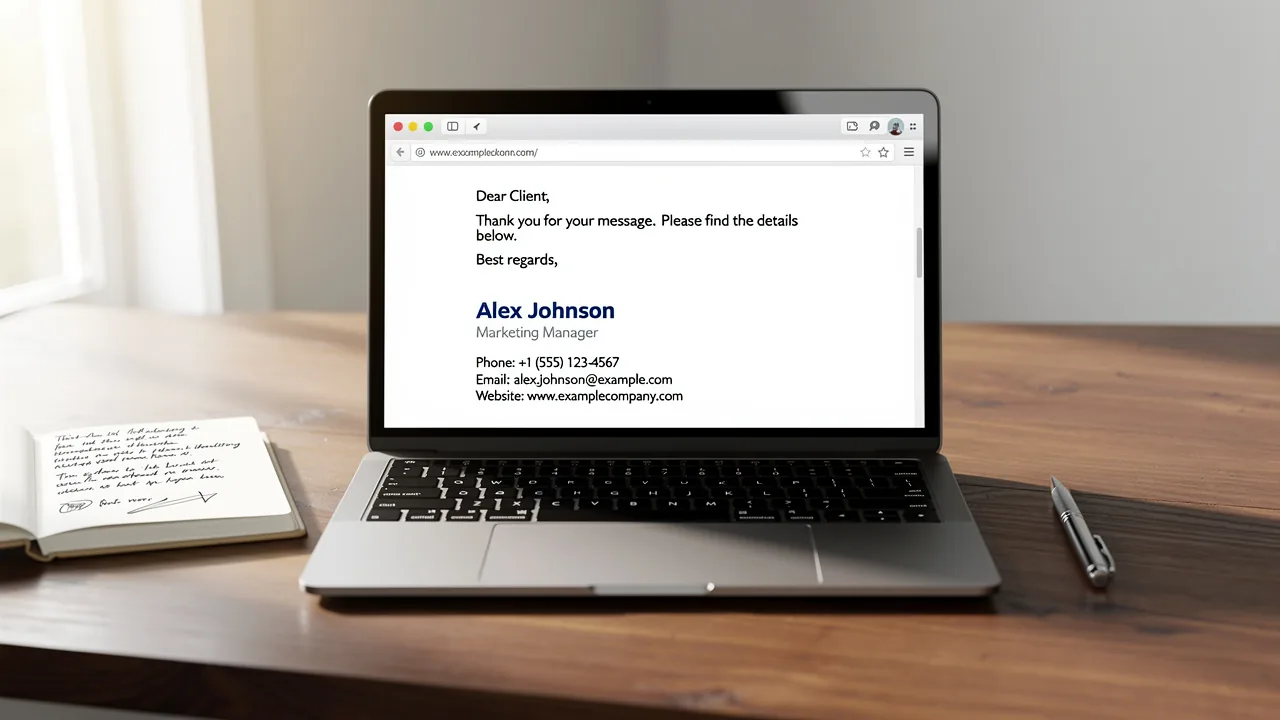
Master How to End Email: 5 Steps for Effective Closings
Many professionals underestimate the impact of their email sign-offs on communication effectiveness. Email sign-offs play a crucial role in shaping effective
Sophie Grant
Email Signature Specialist, Scribe
On this page
Introduction
Many professionals underestimate the impact of their email sign-offs on communication effectiveness. Email sign-offs play a crucial role in shaping effective communication and enhancing professional relationships. A well-crafted closing can greatly enhance response rates and engagement, making it essential for professionals to master this critical element of email communication.
What key elements can turn a simple sign-off into a powerful tool for connection and clarity? By mastering this skill, professionals can enhance their communication effectiveness.
Understand the Importance of Email Closings
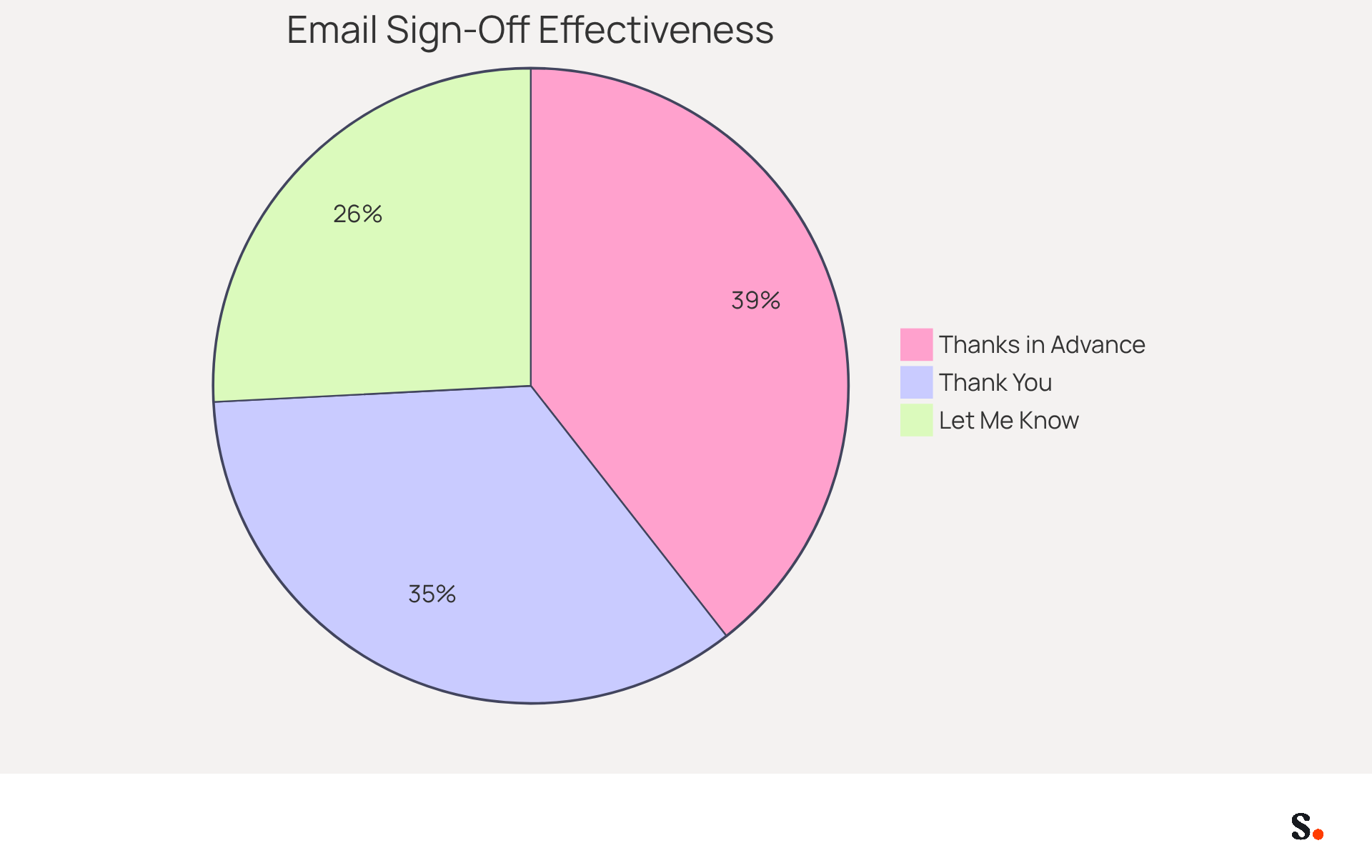
Email sign-offs are not just formalities; they are pivotal in shaping effective communication. A well-crafted email sign-off is essential for reinforcing your message and encouraging recipient engagement. For instance, research indicates that email messages ending with variations of 'thank you' achieve a response rate of 57.9%. In contrast, vague or casual endings, such as 'Let me know,' can lead to confusion and lower engagement, with studies indicating that such phrases often result in poor response rates.
However, many professionals overlook the impact of their email sign-offs, leading to missed opportunities for engagement. Understanding the impact of your email sign-offs can enhance your professional image and improve communication efficiency. Gratitude-oriented conclusions, such as 'Thanks in advance,' have shown even greater engagement, with an impressive 65.7% response rate, emphasizing the significance of considerate interaction in marketing strategies.
Identify Key Components of an Effective Closing
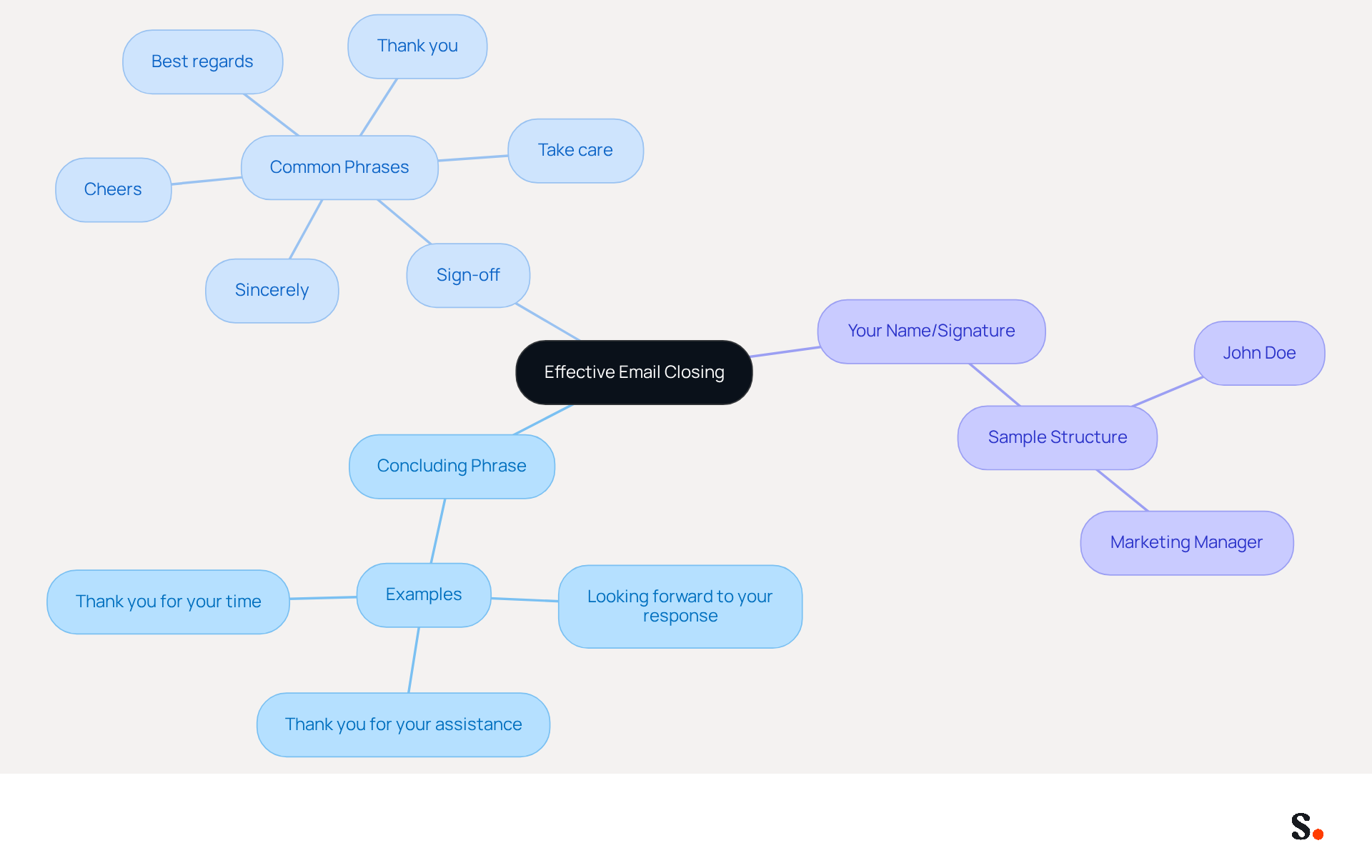
Understanding how to end email effectively is crucial for crafting a message conclusion that ensures clear communication and fosters positive relationships. An effective conclusion is important when considering how to end email, and it consists of three essential elements:
- A concluding phrase
- A sign-off
- Your name or signature
The closing phrase succinctly summarizes your message or expresses gratitude, illustrating how to end email while setting a positive tone for the interaction. Common sign-offs, including 'Best regards,' 'Sincerely,' and 'Thank you,' are examples of how to end email, with each serving to reinforce the email's overall tone. Adding a call-to-action in your sign-off can really boost engagement and prompt action from your subscribers.
Additionally, understanding how to end email with culturally appropriate sign-offs is crucial for effective communication. Understanding how to end email by personalizing your sign-off enhances relatability and engagement with the recipient. For instance, a well-structured conclusion might read:
Thank you for your assistance.
Best regards,
John Doe,
Marketing Manager.
This structured approach enhances clarity and aligns with established communication standards, providing guidance on how to end email effectively to ensure your message leaves a lasting impression.
Craft Your Email Closing: A Step-by-Step Process
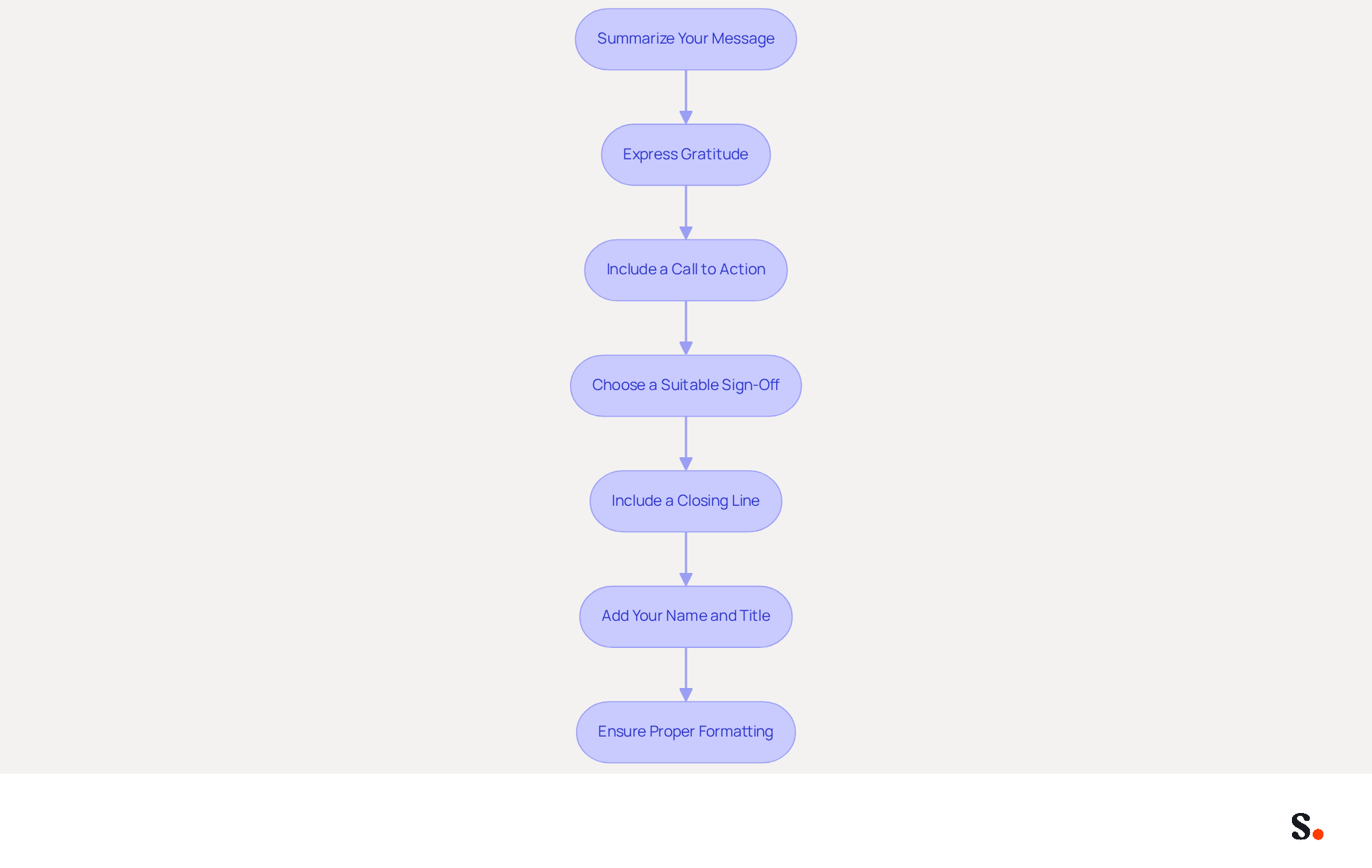
Understanding how to end email effectively is crucial for ensuring clear communication and fostering positive relationships. Follow these steps to enhance your message's impact:
- Summarize Your Message: Briefly restate the main point of your email to remind the reader of the context. For example, 'I appreciate your feedback on the project proposal.' This reinforces the purpose of your communication.
- Express Gratitude: Thank the individual for their time or assistance. A simple 'Thank you for your consideration' can significantly enhance goodwill and foster positive relationships.
- Include a Call to Action: If applicable, encourage the recipient to take the next step. For instance, 'I look forward to your response.' This encourages action and clarifies what is expected, serving as a gentle reminder.
- Choose a Suitable Sign-Off: Select a sign-off that aligns with the tone of your message. For formal emails, use 'Sincerely' or 'Best regards,' which are widely accepted and convey professionalism. In more casual communications, 'Cheers' or 'Thanks' may be suitable, with response rates of 54.4% and 63.0%, respectively. Additionally, 'Thank you' has a response rate of 57.9%, and 'Thanks in advance' is even higher at 65.7%, making them effective choices for prompting replies.
- Include a Closing Line: Before your sign-off, add a closing line that summarizes the next steps or reiterates your main point. This helps ensure the recipient understands what to expect.
- Add Your Name and Title: Conclude with your name and, if relevant, your title and company name. This reinforces your professional identity and provides the recipient with essential contact information.
- Ensure Proper Formatting: Make certain your message's conclusion is easy to read and aligns with the formatting of the rest of your correspondence. Consistency in formatting contributes to professionalism.
By implementing these strategies, you can enhance your email communication and understand how to end email to increase the likelihood of timely responses.
Avoid Common Mistakes in Email Closings
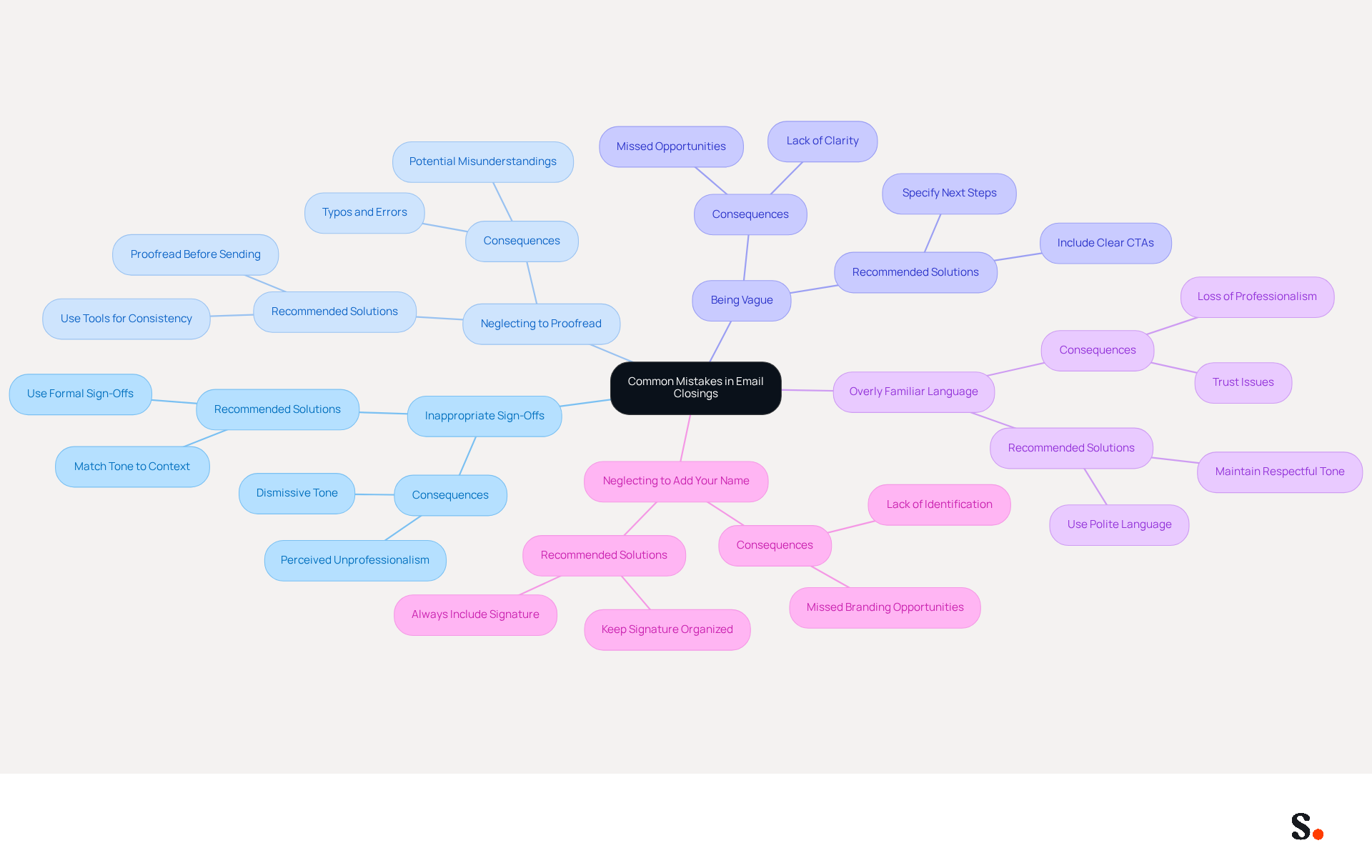
To enhance the effectiveness of your email closings, it is crucial to avoid common pitfalls that can undermine your professionalism:
- Using Inappropriate Sign-Offs: Casual sign-offs like 'Cheers' may not be suitable for formal correspondence. In B2B communication, using overly casual or unprofessional sign-offs can seem dismissive. Instead, opt for warm yet formal options such as 'Best regards' or 'Sincerely' to maintain professionalism. Syncing your Google Workspace with Scribe ensures your signature reflects the appropriate tone for your audience.
- Neglecting to Proofread: Typos or grammatical errors can undermine your professionalism. In fact, human error is responsible for 88% of data breaches, often due to poorly crafted emails. Make it a habit to proofread your emails before sending them; it’s a simple step that can save you from potential misunderstandings. Scribe helps by keeping your signature consistent and error-free, reducing the chances of mistakes.
- Being Vague: Avoid ambiguous phrases that do not convey a clear message. Instead of saying 'Talk soon,' specify what you expect next, such as 'I look forward to your feedback by Friday.' Emails with a single, well-designed call-to-action can boost sales by an astonishing 1,617% compared to those with multiple CTAs, highlighting the importance of clarity in your requests. Scribe allows you to include clear CTAs in your signature, making your intentions known.
- Overly Familiar Language: Using overly casual language can come off as unprofessional. Stick to polite and respectful language in business communications to foster trust and credibility. Knowing how to end email with a considerate closing statement can improve relationship-building in correspondence, making your message more memorable. With Scribe, you can customize your signature to reflect the appropriate level of formality.
- Neglecting to Add Your Name: Always add your name and title to ensure the person knows who the message is from, particularly in professional contexts. An organized signature not only boosts your professionalism but also acts as a powerful branding tool, making a lasting impression on recipients. By syncing your Google Workspace with Scribe, you can save time and ensure that your signature information is always up-to-date, reflecting any changes in your team automatically. Remember, 73% of individuals prefer electronic mail as their communication method, making it crucial to present yourself well.
By implementing these strategies, you can significantly improve the impact of your messages, ensuring they resonate well with recipients and elicit the desired responses.
Utilize Tools and Resources for Effective Email Closings
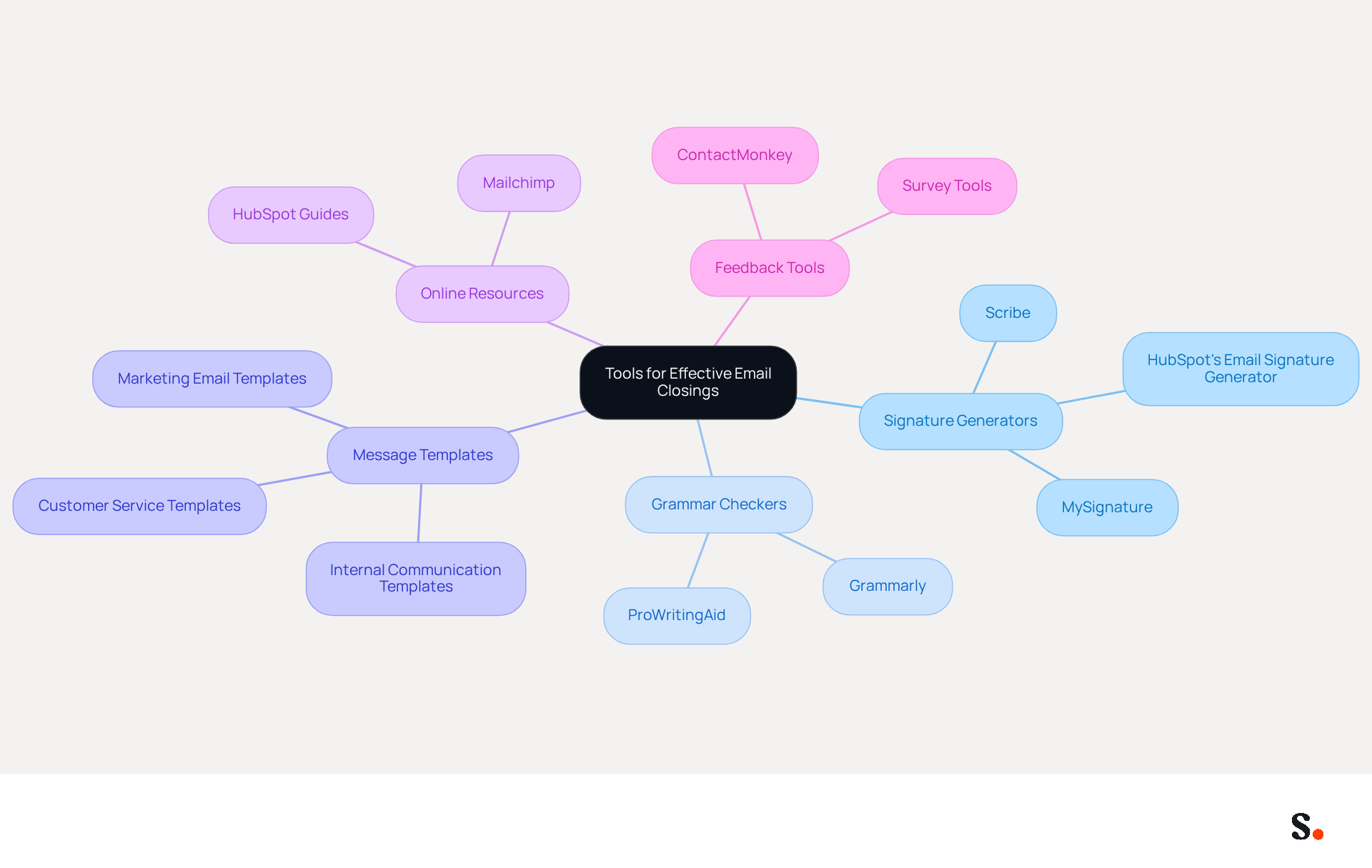
To elevate your email communication, consider integrating essential tools and resources that streamline your closing process:
- Signature Generators: Tools like Scribe facilitate the creation of professional signatures that incorporate your name, title, and contact information, ensuring brand consistency across all communications. It enhances your professional image and turns your signature into a tool that can engage your audience.
- Grammar and Spell Checkers: Utilize tools such as Grammarly to identify and correct mistakes in your messages before sending. Many professionals struggle to ensure their communications are error-free and polished. This practice helps maintain a high level of professionalism and clarity in your communications.
- Message Templates: Create message templates that include pre-written sign-offs. This method saves time and ensures that you always have a refined conclusion prepared, enhancing the overall quality of your correspondence.
- Online Resources: Platforms such as Mailchimp and HubSpot offer valuable guides and examples of effective message endings, offering concrete examples and proven strategies to refine your messaging.
- Feedback Tools: Utilize feedback tools to collect insights on the effectiveness of your messages. Comprehending recipient reactions can guide and enhance your final strategies, ensuring they connect effectively with your audience.
By leveraging these tools and resources, you can significantly enhance how to end email, ultimately contributing to a more professional and impactful communication strategy.
Conclusion
A well-crafted email closing is not just a formality; it is a strategic element that can determine the success of your communication. Mastering email sign-offs allows professionals to enhance their communication skills, ensuring messages are received and acted upon. Thoughtful email closings are crucial for shaping how recipients perceive and respond to your messages.
Throughout this guide, key components of an effective email closing have been outlined, including:
- The significance of summarizing your message
- Expressing gratitude
- Including a clear call to action
Additionally, common pitfalls such as:
- Using inappropriate sign-offs
- Neglecting to proofread
have been addressed, providing valuable insights into how to avoid these mistakes. Utilizing tools and resources can further streamline the process, ensuring that each email closing is polished and professional.
Ultimately, without effective email closings, professionals risk losing opportunities for engagement and connection. By implementing the strategies discussed, individuals can elevate their email interactions, fostering positive relationships and enhancing their professional image. Recognizing the power of a well-structured email closing can transform your communication approach, leading to more meaningful interactions.
Frequently Asked Questions
Why are email sign-offs important?
Email sign-offs are crucial as they shape effective communication, reinforce messages, and encourage recipient engagement. Research shows that well-crafted sign-offs can significantly improve response rates.
What impact do different email closings have on response rates?
Email messages that end with variations of 'thank you' achieve a response rate of 57.9%. In contrast, vague endings like 'Let me know' can lead to confusion and lower engagement, resulting in poor response rates.
What are the key components of an effective email closing?
An effective email closing consists of three essential elements: a concluding phrase, a sign-off, and your name or signature.
How should a concluding phrase be structured?
A concluding phrase should succinctly summarize your message or express gratitude, setting a positive tone for the interaction.
What are some common sign-offs used in emails?
Common sign-offs include 'Best regards,' 'Sincerely,' and 'Thank you,' each serving to reinforce the overall tone of the email.
How can a call-to-action enhance an email closing?
Adding a call-to-action in your sign-off can boost engagement and prompt action from the recipient.
Why is it important to use culturally appropriate sign-offs?
Using culturally appropriate sign-offs is crucial for effective communication, as it enhances relatability and engagement with the recipient.
Can you provide an example of a well-structured email closing?
A well-structured email closing might read: "Thank you for your assistance. Best regards, John Doe, Marketing Manager." This format enhances clarity and aligns with communication standards.
List of Sources
- Understand the Importance of Email Closings
- Forget “Best” or “Sincerely,” This Email Closing Gets the Most Replies – The Boomerang Blog (https://blog.boomerangapp.com/2017/01/how-to-end-an-email-email-sign-offs)
- 12 Email Sign-Offs That Get Responses [2026 Data] (https://lagrowthmachine.com/email-sign-offs-get-responses)
- Ending Your Emails With this One Word Vastly Improves the Response Rate | Team Referral Network (https://teamreferralnetwork.com/news/2017/03/ending-your-emails-with-this-one-word-vastly-improves-the-response-rate)
- Ending Your Emails With This 1 Word Vastly Improves the Response Rate (https://inc.com/betsy-mikel/ending-your-emails-with-this-1-word-vastly-improves-the-response-rate.html)
- Saying 'Thank You' Increases Email Response Rates (https://mediapost.com/publications/article/297116/saying-thank-you-increases-email-response-rates.html)
- Identify Key Components of an Effective Closing
- Email Sign Offs Professional: Best Practices for Business Emails (https://mailwarm.com/blog/professional-email-sign-offs-best-practices)
- 100 Email Sign-Off Ideas (+10 Golden Rules for Marketing Pros) - MailerLite (https://mailerlite.com/blog/email-sign-offs)
- How to end an email: 70+ professional sign-offs & examples (https://blog.superhuman.com/how-to-end-an-email)
- Email Sign Offs for Every Industry and Situation | Mailchimp (https://mailchimp.com/resources/email-sign-offs)
- 20 email closings that reinforce your brand + cheat sheet (https://siteground.com/academy/email-closings)
- Craft Your Email Closing: A Step-by-Step Process
- How to End an Email: A Step by Step Guide | Spike (https://spikenow.com/resources/how-to-end-an-email)
- How to End an Email Professionally (With Examples) (https://iconnect.isenberg.umass.edu/blog/2024/07/10/how-to-end-an-email-professionally-with-examples)
- How to End an Email: 15 Sign-Off Examples by Context (https://clearout.io/blog/how-to-end-an-email)
- How to Sign Off an Email: Best Professional and Polite Closings (https://fyxer.com/blog/how-to-sign-off-email)
- How to end an email: Best sign-offs for every business situation | Proton (https://proton.me/business/blog/how-to-end-an-email)
- Avoid Common Mistakes in Email Closings
- 10 Common Email Mistakes - Mindtools Membership (https://mindtools.com/at253lr/10-common-email-mistakes)
- 5 Common Email Closing Mistakes and How to Avoid Them (https://intentamplify.com/blog/5-common-email-closing-mistakes-and-how-to-avoid-them)
- 11 Common Email Mistakes Everyone Makes (https://linkedin.com/pulse/11-common-email-mistakes-everyone-makes-betty-liu)
- Four Email Mistakes That Make You Look Unprofessional (https://ppai.org/media-hub/four-email-mistakes-that-make-you-look-unprofessional)
- Email mistakes to avoid | LinkedIn (https://linkedin.com/news/story/email-mistakes-to-avoid-6450428)
- Utilize Tools and Resources for Effective Email Closings
- Internal Communication Email Software - ContactMonkey (https://contactmonkey.com/blog/internal-communication-templates)
- Free Email Signature Generator: Create Email Signatures | Canva (https://canva.com/create/email-signatures)
- 24 Useful Business Email Templates for Every Situation (https://pipedrive.com/en/blog/professional-business-email-marketing-templates)
- Free Email Signature Template Generator by HubSpot (2026) (https://hubspot.com/email-signature-generator)
- Free Email Signature Generator – MySignature (https://mysignature.io)
Get started with Scribe
See why teams switch to Scribe
Free 14-day trial — no credit card.