Master HTML Signatures in Gmail: Best Practices for Marketing Success
In today's digital landscape, rich visual formats in Gmail serve as essential tools for branding and communication. Organizations can turn their email footers
Sophie Grant
Email Signature Specialist, Scribe

Introduction
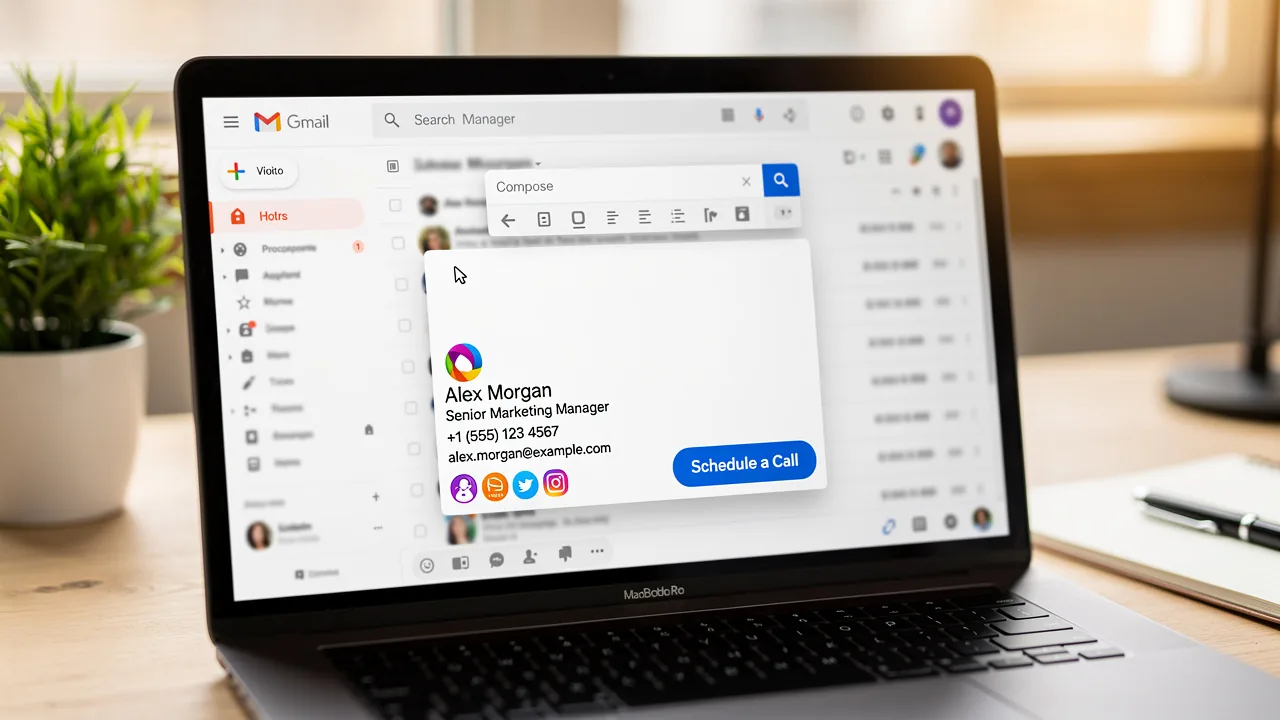
In today's digital landscape, rich visual formats in Gmail serve as essential tools for branding and communication. Organizations can turn their email footers into effective marketing assets by using HTML email signatures that convey essential information while enhancing brand visibility and engagement.
Many organizations struggle to effectively implement HTML signatures that are visually appealing and functionally effective. This can lead to missed opportunities in branding and customer engagement.
Businesses must optimize their email signatures to maximize marketing success and build trust with their audience.
Define HTML Email Signatures in Gmail
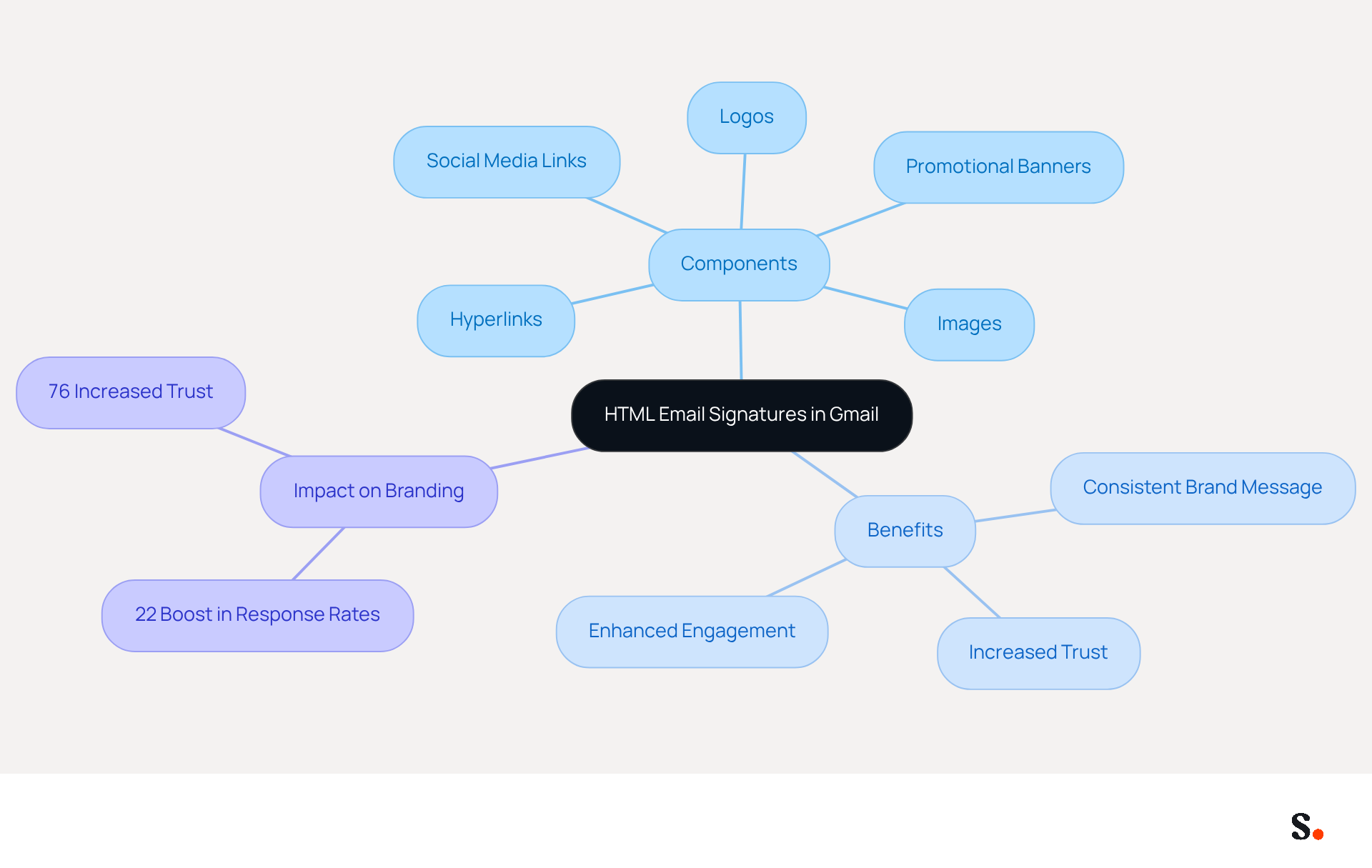
Rich visual formats in Gmail are not just enhancements; they are essential tools for effective branding in digital communication. These formats allow users to incorporate elements such as images, logos, hyperlinks, and a signature html gmail into their message footers. Unlike simple text formats, styled formats significantly enhance the visual appeal of messages and serve as powerful branding instruments. They can include various components, such as:
- Social media links
- Promotional banners
- Vital contact information
Transforming them into effective marketing assets. By utilizing markup language, businesses can implement a signature html gmail to ensure that every message sent conveys a consistent brand message, which is crucial for improving recognition and engagement with recipients. Studies indicate that using branded identifiers in electronic communication can boost response rates by 22% and increase website click rates from 3% to 15%. Furthermore, 76% of recipients report increased trust in senders with professional designs, underscoring the importance of a well-crafted digital format in fostering positive brand perception. As organizations increasingly recognize the strategic significance of email branding, this shift towards coded formats is essential for maximizing marketing potential and enhancing overall brand visibility.
Implement HTML Signatures in Gmail: A Step-by-Step Guide
Effectively managing signature html gmail is crucial for maintaining brand consistency and professionalism in communications.
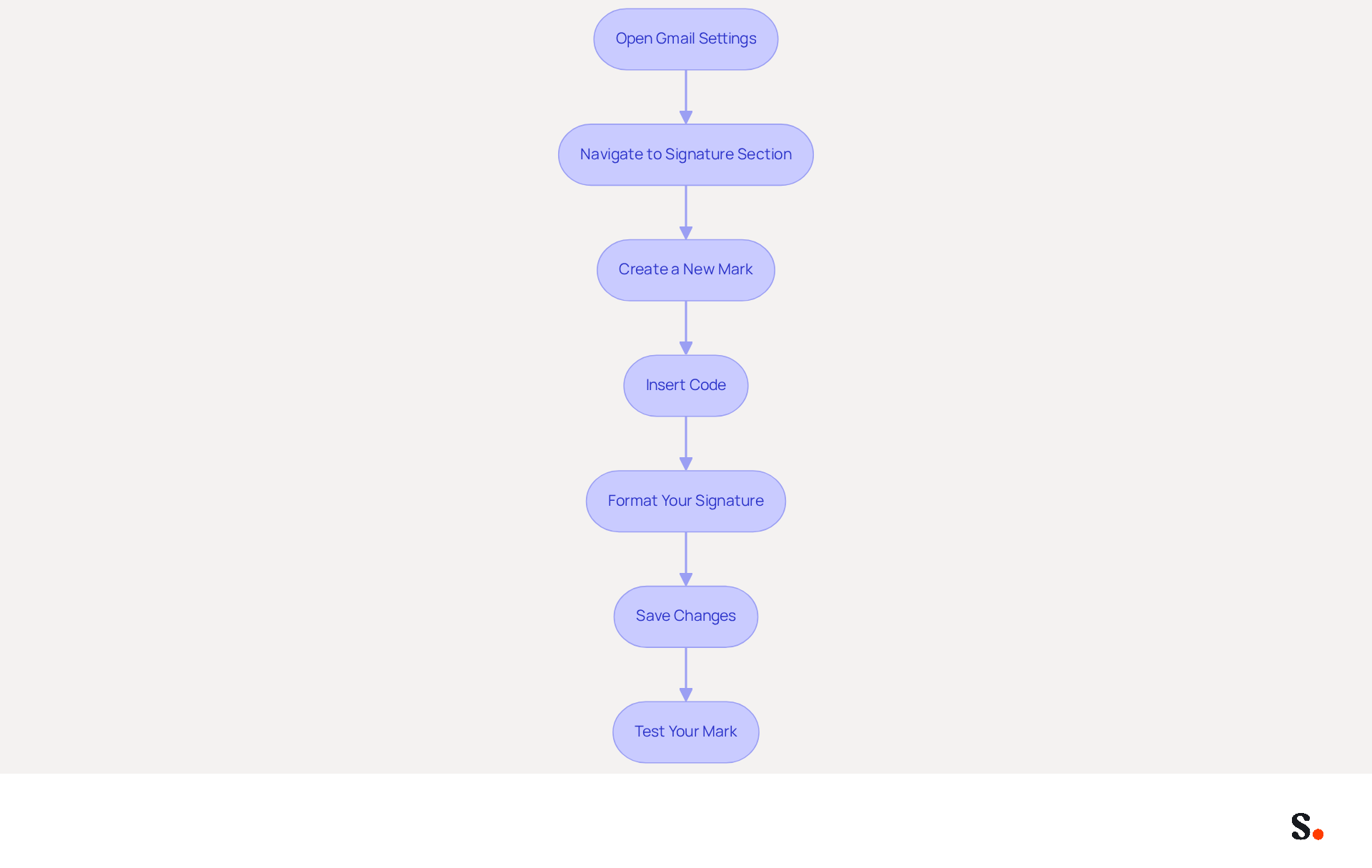
- Open Gmail Settings: Click the gear icon in the top right corner and select 'See all settings'.
- Navigate to Signature Section: Scroll down to the 'Signature' section within the 'General' tab.
- Create a New Mark: Click 'Create new' and assign a name to your mark.
- Insert Code: In the signature editor, switch to code view by selecting the 'Insert Code' option. Paste your HTML code here.
- Format Your Signature: Adjust the formatting to ensure it appears professional and aligns with your brand identity.
- Save Changes: Scroll down and click 'Save Changes' to apply your new mark.
- Test Your Mark: Send a test message to yourself to verify that the mark displays correctly across various devices and messaging clients.
Incorporating a signature HTML Gmail can significantly enhance your marketing efforts. This is supported by research indicating that branded digital identifiers lead to a 22% increase in response rates and a 15% rise in click-through rates to company websites. Additionally, a company with 100 employees can generate between 60,000 to 80,000 branded signature impressions monthly, maximizing visibility without incurring extra costs.
To enable one-click synchronization with Scribe, ensure you grant permission for Scribe to connect with your service provider. You must be a Super Admin of your service provider to provide these permissions. Syncing your Google Workspace with Scribe makes this whole process even smoother. Scribe enables one-click synchronization, ensuring that any updates to your teammates' information-such as job positions or group changes-are automatically reflected in their contact details without manual input. This not only saves time but also enhances brand consistency across all communications. Moreover, Scribe is SOC 2 Type II compliant, guaranteeing the security of your information while you manage your correspondence effectively. This approach not only enhances your brand's visibility but also fosters trust and engagement with your audience.
Design Effective HTML Signatures: Best Practices for Engagement
Having a professional signature html gmail is crucial for effective communication and branding.
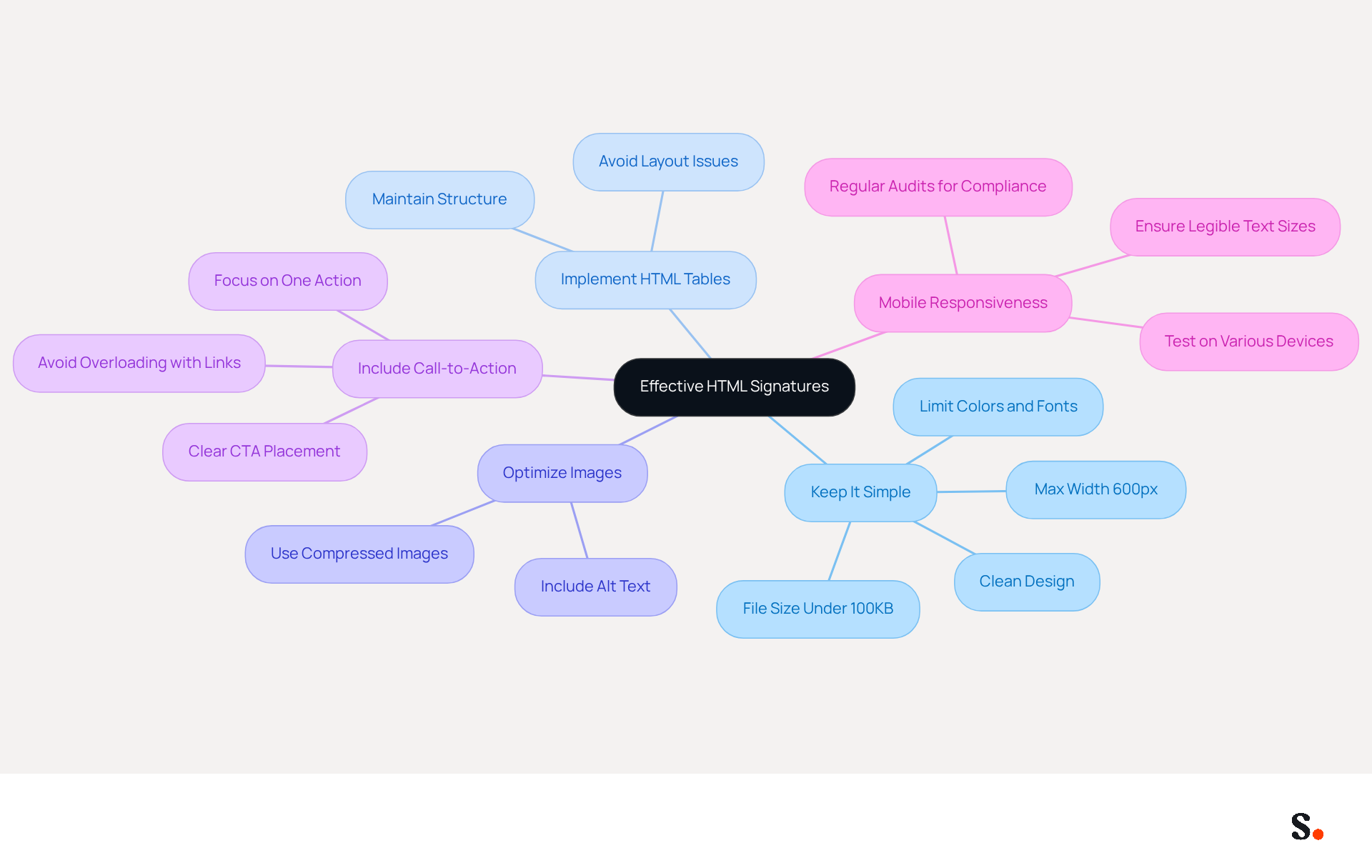
- Keep It Simple: A clean and uncluttered design is essential for readability. Limit the use of colors and fonts to maintain a professional appearance, as complex designs can confuse recipients and undermine professionalism. Also, keep your mark under 600px wide and under 100KB in size for better compatibility across messaging clients.
- Implementing HTML tables helps maintain structure across various messaging clients, ensuring that your signature html gmail displays correctly regardless of the platform. This approach is crucial for avoiding layout issues that can arise from different email client rendering.
- Optimize Images: Use compressed images to enhance loading times and ensure proper display. Always include alt text for accessibility, as this not only enhances user experience but also ensures that your branding remains functional even when images are blocked.
- Include Call-to-Action: Incorporate a clear call-to-action (CTA) in your email footer, such as a link to your latest promotion or a newsletter signup. A well-placed CTA can lead to increased interaction and conversion rates, with marketing identifiers featuring resource downloads generating five times more marketing-qualified leads than generic CTAs. However, be cautious not to overload your identifier with too many links, as this can lead to confusion and detract from the main message.
- Mobile Responsiveness: Ensure your identifier is mobile-friendly, as a significant number of users check messages on their phones. Testing your mark on various devices is essential to confirm its appearance and functionality, as mobile optimization can greatly enhance user experience and accessibility. It's wise to regularly audit your email identifiers, such as your signature html gmail, to keep them accurate and compliant, especially in regulated industries. Additionally, consider including necessary legal disclaimers to ensure compliance with industry regulations.
Troubleshoot and Optimize HTML Signatures in Gmail
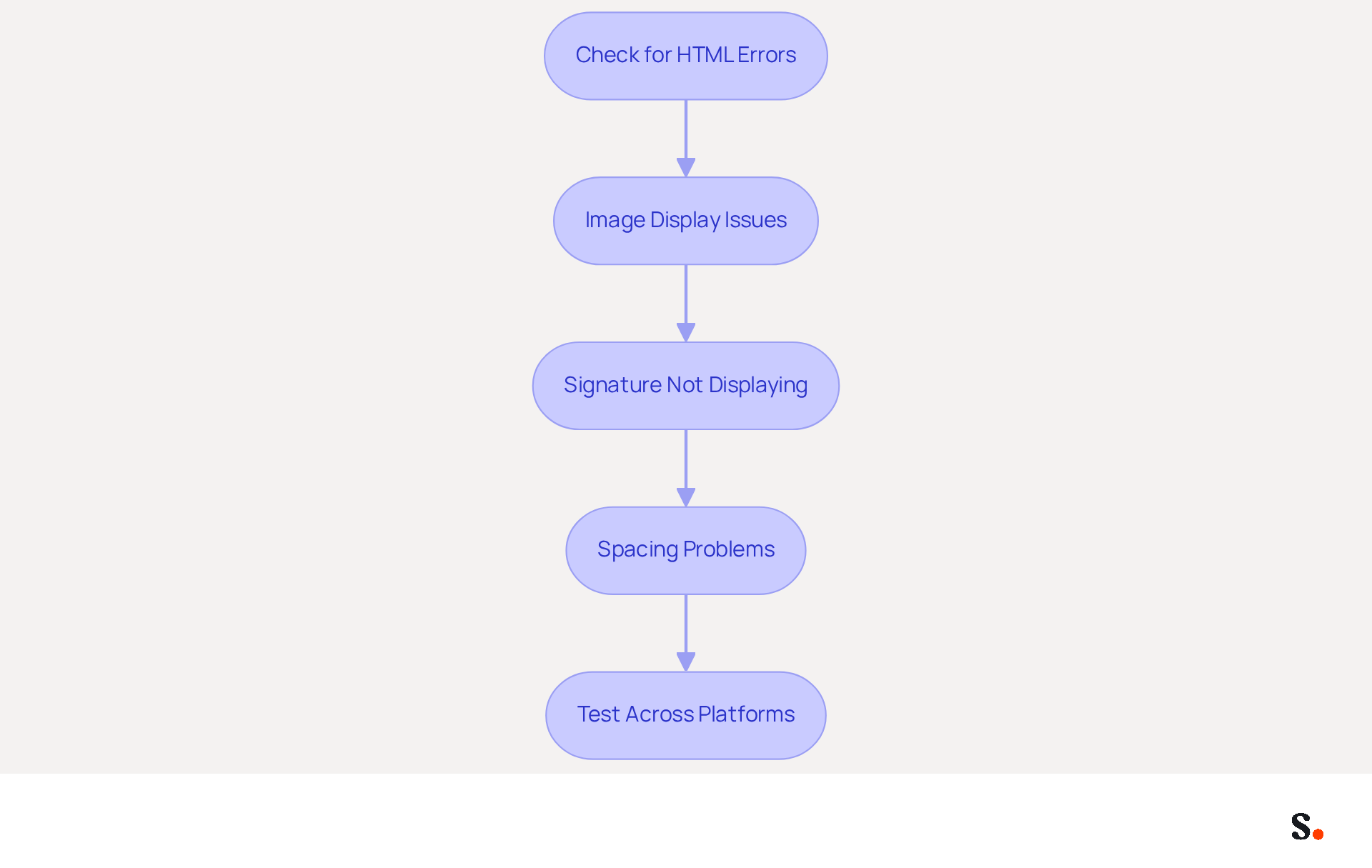
- Check for HTML Errors: Validate your HTML code using an HTML validator to identify and rectify any errors that may impact performance. Errors in HTML can disrupt email display, causing potential communication breakdowns.
- Image Display Issues: If images fail to display, verify that the image URLs are correct and accessible. Storing images on a dependable server can avoid broken links and guarantee consistent visibility in your email.
- Signature Not Displaying: Ensure your sign-off is selected in Gmail settings and confirm that you are not in plain text mode, as this can prevent the sign-off from appearing correctly. Additionally, syncing Google Workspace with Scribe saves time by automatically updating your teammates' details, so any changes are reflected without manual input.
- Spacing Problems: Utilize CSS to manage spacing effectively and avoid unwanted gaps. Using tables helps keep spacing consistent across different messaging clients, which can really enhance your branding. Furthermore, using Google Chrome when copying your contact information ensures that all HTML tables are copied accurately.
- Test Across Platforms: Conduct tests by sending messages to various clients, such as Outlook and Apple Mail, to verify that your identification displays as intended. Gather feedback from these tests to make necessary adjustments to your design. Remember, industry experts note that effective digital communication can significantly enhance engagement and conversion rates. By leveraging Scribe's integration with Google Workspace, you can streamline this process and enhance your email signature management.
Conclusion
Effective HTML signatures in Gmail are essential for enhancing brand visibility and engagement in digital communications. By implementing well-designed HTML signatures, organizations can ensure that every email sent serves as a powerful marketing tool, reinforcing brand identity and fostering trust with recipients.
Throughout this article, key practices for creating effective HTML signatures have been outlined. From the importance of simplicity and mobile responsiveness to the necessity of including clear calls-to-action, each element plays a crucial role in maximizing the impact of email communications. Additionally, troubleshooting tips and optimization strategies ensure that signatures function seamlessly across various platforms, further enhancing user experience.
The importance of well-crafted HTML signatures is clear in today's digital communication landscape. Organizations are encouraged to leverage tools like Scribe, which not only streamline the implementation process but also ensure compliance with security standards such as SOC 2 Type II, GDPR, and CCPA. Failing to adopt these best practices may hinder an organization's ability to engage effectively with their audience.
Frequently Asked Questions
What is the purpose of using HTML email signatures in Gmail?
HTML email signatures in Gmail enhance branding in digital communication by allowing users to incorporate images, logos, hyperlinks, and styled formats into their message footers.
What elements can be included in an HTML email signature?
An HTML email signature can include social media links, promotional banners, and vital contact information.
How do styled email formats benefit branding?
Styled email formats significantly enhance the visual appeal of messages and serve as powerful branding instruments, helping to convey a consistent brand message.
What impact do branded identifiers have on email communication?
Studies indicate that using branded identifiers can boost response rates by 22% and increase website click rates from 3% to 15%.
How does professional design affect recipient trust?
76% of recipients report increased trust in senders with professional designs, highlighting the importance of a well-crafted digital format for positive brand perception.
Why is there a shift towards coded formats in email branding?
Organizations recognize the strategic significance of email branding, making the shift towards coded formats essential for maximizing marketing potential and enhancing overall brand visibility.
List of Sources
- Define HTML Email Signatures in Gmail
- Why Every Business Needs a Professional HTML Email Signature in 2026 (https://nasirportfolio.github.io/email-marketing-articles/professional-html-email-signature.html)
- Why Email Signatures Must Be In Your 2026 Marketing Plan | Rocketseed (https://rocketseed.com/blog/what-are-the-biggest-email-trends-for-2026)
- The impact of email signatures on your branding (https://signitic.com/en/resources/the-impact-of-email-signatures-on-your-branding)
- 40+ Email Signature Statistics for 2026 (Data + Insights) (https://wavecnct.com/blogs/email-signature-statistics)
- Implement HTML Signatures in Gmail: A Step-by-Step Guide
- 40+ Email Signature Statistics for 2026 (Data + Insights) (https://wavecnct.com/blogs/email-signature-statistics)
- Email Signature Statistics: A Closer Look at Email Signatures in 2026 (https://mysignature.io/blog/email-signature-statistics)
- How to Install a Gmail Signature • Signature Hound (https://signaturehound.com/news/gmail-signature-install)
- 35 Email Deliverability Statistics: Critical Data Every GTM Team Needs in 2026 | Landbase (https://landbase.com/blog/email-deliverability-statistics)
- Design Effective HTML Signatures: Best Practices for Engagement
- Best practices for business email signatures in 2026 (https://bybrand.io/blog/best-practices)
- The Complete Email Signature Guide 2026: Best Practices and Policy (https://opensense.com/complete-email-signature-guide)
- Why Email Signatures Must Be In Your 2026 Marketing Plan | Rocketseed (https://rocketseed.com/blog/2026-marketing-plan-email-signatures)
- Email Signature Best Practices for 2026 (+ 15 Pro Examples) (https://wavecnct.com/blogs/email-signature-best-practices-2026)
- Top 10+ best practices for email signatures design in 2026 (https://mysignature.io/blog/email-signature-best-practices)
- Troubleshoot and Optimize HTML Signatures in Gmail
- Fixing Signature Issues in Gmail (https://teachers.tech/fixing-signature-issues-in-gmail)
- Email Signature Troubleshooting - Problems & Solutions - Gimmio (https://blog.gimm.io/email-signature-troubleshooting)
- Troubleshoot issues with Gmail signatures - Gmail Help (https://support.google.com/mail/answer/11468381?hl=en)
- 40+ Email Signature Statistics for 2026 (Data + Insights) (https://wavecnct.com/blogs/email-signature-statistics)
- Fix Your Missing Gmail Signature: 8 Troubleshooting Steps & Best Practices | Newoldstamp - NEWOLDSTAMP (https://newoldstamp.com/blog/gmail-signature-not-showing-up)
Get started with Scribe
Signatures for every role on your team
Free 14-day trial — no credit card.