Master Microsoft 365 Signatures: Best Practices for Marketing Success
Despite their significance, effective email signatures are frequently underestimated in professional communication. Mastering Microsoft 365 signatures allows
Sophie Grant
Email Signature Specialist, Scribe
On this page
- Introduction
- Define Essential Components of Effective Microsoft 365 Signatures
- Leverage Signatures for Brand Consistency and Marketing Engagement
- Implement Best Practices for Setting Up Microsoft 365 Signatures
- Troubleshoot Common Issues with Microsoft 365 Signatures
- Conclusion
- Frequently Asked Questions
- List of Sources
Introduction
Despite their significance, effective email signatures are frequently underestimated in professional communication. Mastering Microsoft 365 signatures allows organizations to turn these digital footers into effective marketing tools that enhance brand consistency and drive customer engagement. This complexity often results in ineffective communication strategies. Identifying the essential components and best practices can elevate Microsoft 365 signatures into strategic marketing assets. Understanding these components can transform email signatures into vital marketing tools that drive engagement and brand loyalty.
Define Essential Components of Effective Microsoft 365 Signatures
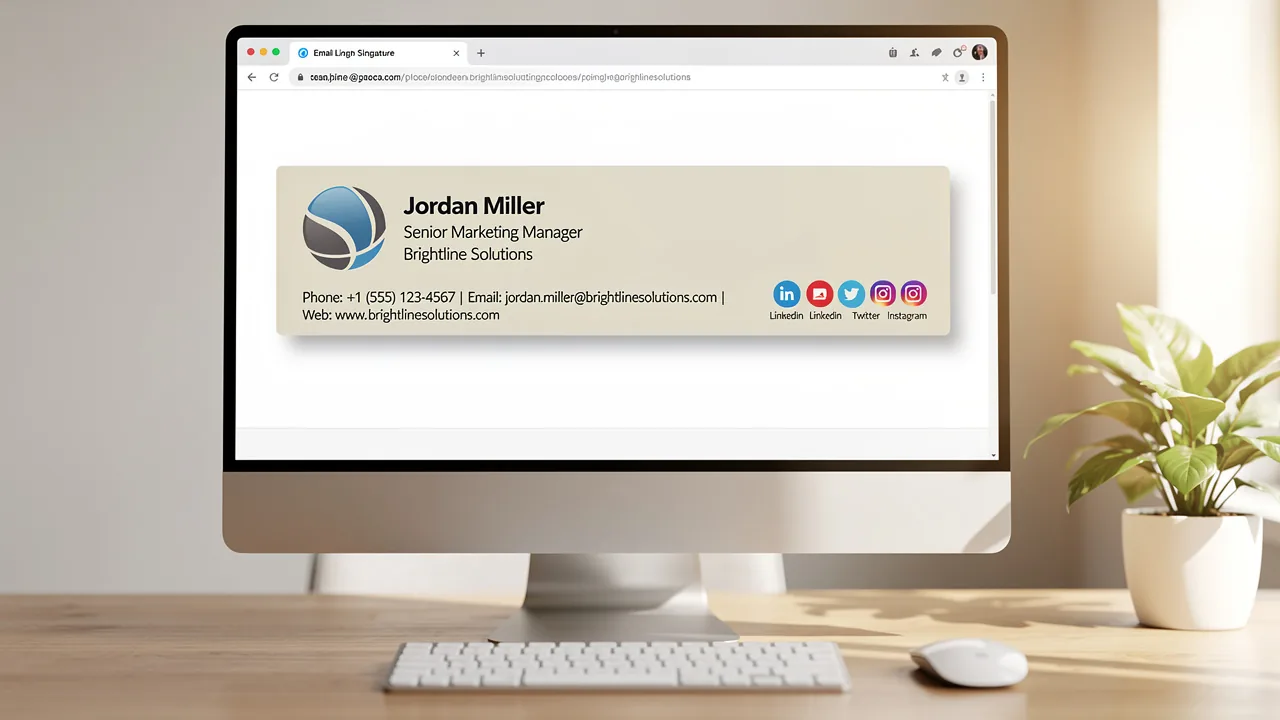
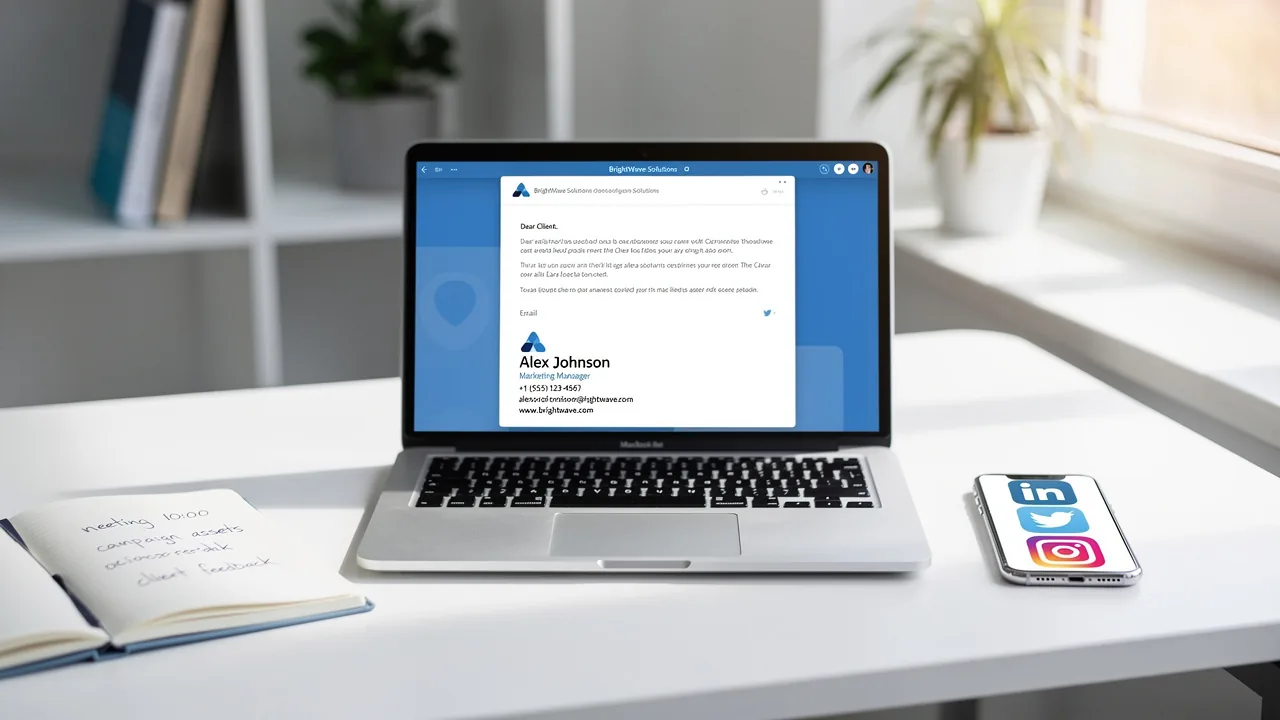
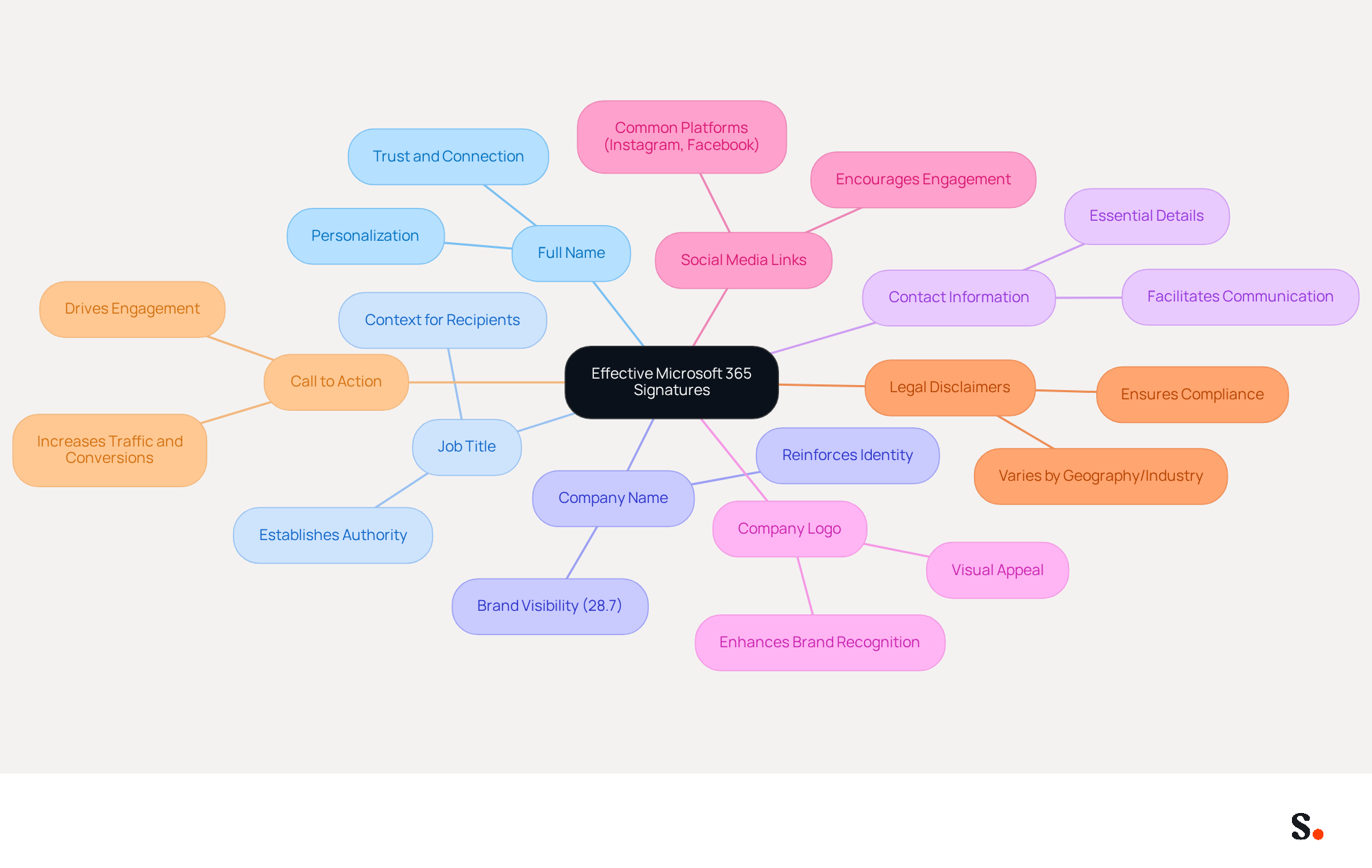
Effective Microsoft 365 signature usage is crucial for enhancing professional communication and brand visibility. To create effective signatures, it is essential to include the following components:
- Full Name: Clearly state the sender's full name to personalize the communication, enhancing trust and connection.
- Job Title: Including the sender's job title establishes authority and context, making it easier for recipients to understand the sender's role.
- Scribe: Clearly displaying the company name reinforces identity, which is crucial as 28.7% of companies utilize signatures primarily to enhance visibility and awareness.
- Contact Information: Providing essential contact details, such as phone number and email address, facilitates easy communication and ensures recipients can reach out without hassle.
- Company Logo: Incorporating the company logo enhances brand recognition and visual appeal, contributing to a professional image.
- Social Media Links: Adding links to relevant social media profiles encourages engagement and builds connections, with Instagram and Facebook being the most frequently included platforms in correspondence.
- Legal Disclaimers: Including necessary legal disclaimers ensures compliance with regulations, which can vary by geography or industry.
- Call to Action: Consider adding a call to action, such as a link to a current promotion or company event, to drive engagement. Effective CTAs can significantly enhance the impact of communications, as demonstrated by case studies showing that incorporating CTAs can lead to increased traffic and conversions.
Additionally, each change made in your Aircall configuration will automatically be reflected in your email signatures, ensuring that your teammates' signature information is always synced with your business phone system. This automated synchronization means no action is needed from your teammates, and changes in your connected source will be automatically updated in the application. Furthermore, Scribe is SOC 2 Type II compliant, ensuring that your data is handled securely. It is also crucial to ensure that the signatures are optimized for mobile devices, considering the rising use of smartphones for communication. Regular audits and updates are essential to maintain consistency and compliance, especially in fast-growing environments, ensuring that all information remains current and accurate. By prioritizing these elements, businesses can leverage their Microsoft 365 signature as a strategic asset in their marketing efforts.
Leverage Signatures for Brand Consistency and Marketing Engagement
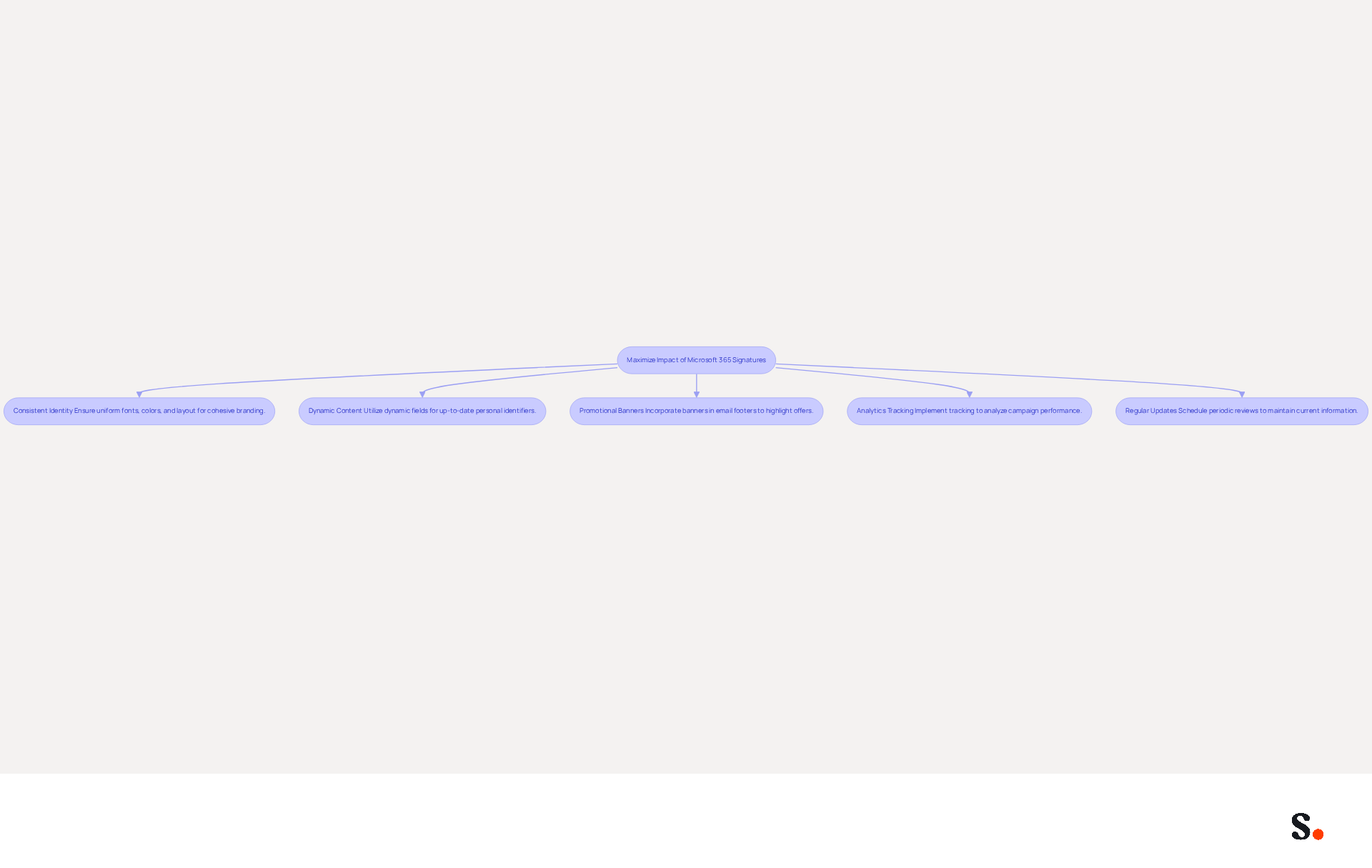
To maximize the impact of Microsoft 365 signatures on brand consistency and marketing engagement, organizations must adopt strategic approaches:
- Consistent Identity: Ensure that all identifiers across the organization utilize the same fonts, colors, and layout to maintain a cohesive image. Research indicates that organizations using centralized management solutions see an 85% improvement in brand consistency, highlighting the importance of uniform communication.
- Dynamic Content: Utilize dynamic fields to automatically update personal identifiers with the latest information, such as promotions or events. This ensures that every message reflects current marketing initiatives, enhancing engagement and relevance.
- Promotional Banners: Incorporate promotional banners within email footers to highlight special offers or upcoming events. This strategy allows organizations to leverage every email as a potential marketing opportunity, with dynamic banners shown to increase click rates by 22%.
- Analytics Tracking: Implement tracking mechanisms to analyze the performance of key campaigns. Detailed analytics can provide insights into click-through rates and conversion rates, allowing for data-driven adjustments that improve engagement.
- Regular Updates: Without regular updates, organizations risk losing consumer trust and appearing unprofessional. Schedule periodic reviews of key content to ensure that all information is current and relevant. Regular updates strengthen the organization's dedication to professionalism and assist in preserving consumer trust, as 76% of participants think that a work communication identifier boosts trust in the sender.
Ultimately, the right strategies can transform the Microsoft 365 signature from a mere identifier into an influential marketing asset.
Implement Best Practices for Setting Up Microsoft 365 Signatures
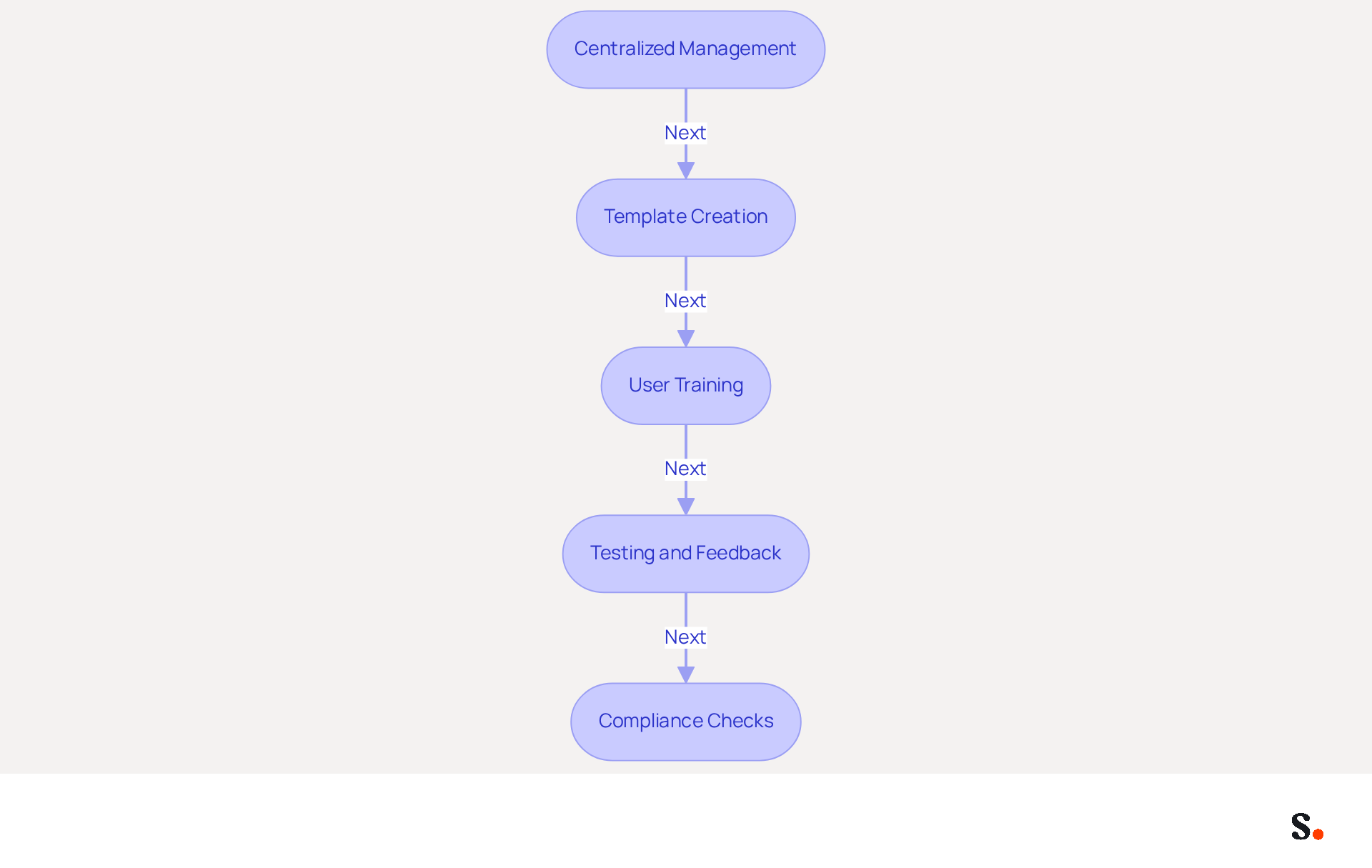
To effectively establish Microsoft 365 signatures, organizations must prioritize centralized management and standardized templates:
- Centralized Management: Utilize a centralized management tool such as Scribe to maintain consistency and facilitate easy updates across the organization. Without centralized management, organizations struggle to maintain consistent email signatures, leading to confusion and a fragmented brand image. To enable one-click synchronization, you must grant permission to Scribe to connect with your provider, requiring Super Admin access. This guarantees that any modifications made in your provider directory are automatically reflected in Scribe, conserving time and effort.
- Template Creation: Create standardized templates that encompass all essential components, allowing employees to generate compliant endorsements without requiring design expertise. This ensures that nearly 90% of professionals can effortlessly maintain their brand identity using a Microsoft 365 signature. Scribe's attribute feature allows for auto-filling identification information, further streamlining this process.
- User Training: Conduct training sessions for employees on effectively using the management tool and the significance of brand consistency. This is vital as 42% of consumers indicate feeling negatively toward businesses that lack a branded identity, and branded identities enhance trust by 76%. Training on Scribe's functionalities will empower your team to leverage its capabilities fully.
- Testing and Feedback: Before deploying new identifiers, conduct testing to ensure they display correctly across various email clients and devices. Collecting user feedback can assist in improving the designs, ensuring they align with organizational standards and enhance user experience. Scribe's daily synchronization feature guarantees that any updates are shown in real-time, enabling swift modifications based on feedback.
- Compliance Checks: Regularly audit approvals for adherence to legal and branding guidelines. This practice is essential, as over 50% of IT professionals believe current tools do not meet compliance requirements, highlighting the need for rigorous oversight. Scribe is SOC 2 Type II compliant, ensuring that your data is handled securely while maintaining compliance with industry standards.
By following these best practices, organizations can simplify the setup process, ensuring that all employees present a unified brand image in their communications. Ultimately, a cohesive email signature strategy not only enhances brand perception but also positions organizations as trustworthy and professional in their communications.
Troubleshoot Common Issues with Microsoft 365 Signatures
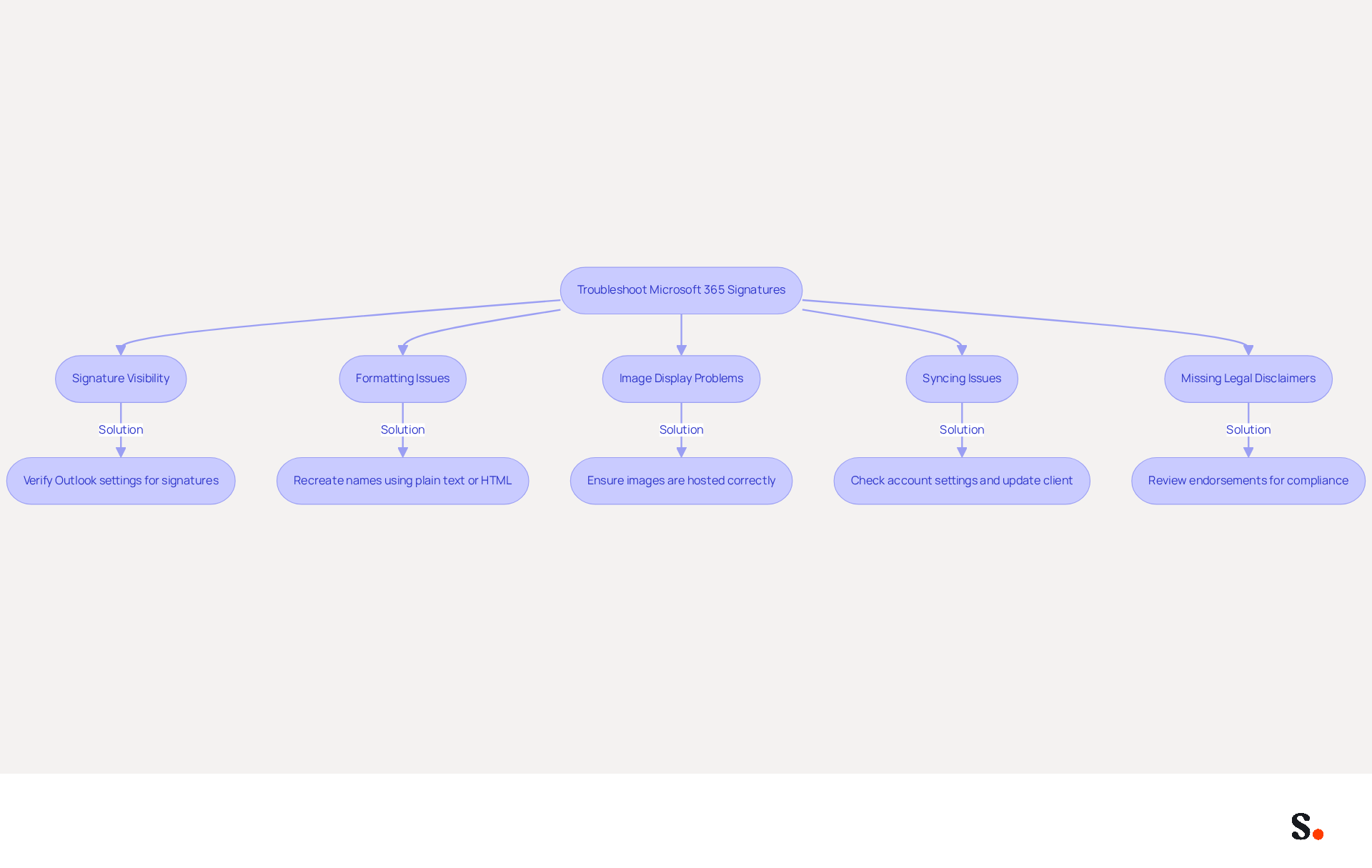
To troubleshoot common issues with Microsoft 365 signatures while leveraging Scribe's capabilities, consider the following solutions:
- Microsoft 365 signature issues: Many users encounter challenges with Microsoft 365 signatures, which can hinder effective communication. If signatures are not visible in messages, verify the settings in Outlook to ensure that the correct option is selected for new communications and replies. Additionally, grant permission to Scribe to connect with your service provider to enable one-click synchronization for seamless updates.
- Formatting Issues: If you notice that names are formatted incorrectly, try recreating them using plain text or HTML to avoid compatibility issues with various email clients. Scribe simplifies the management of images, ensuring they display correctly in all email clients.
- Image Display Problems: Ensure that images used in email footers are hosted on a reliable server and that the links are correct. Avoid using large images, as they may not display properly. Scribe simplifies the management of images, ensuring they display correctly in all email clients.
- Syncing Issues: If identifiers are not syncing across devices, check the account settings and ensure that the client application is updated to the latest version. With Scribe's one-click synchronization, any modifications made in your email provider will be automatically reflected in the application, saving you time and effort.
- Legal Disclaimers Missing: Regularly review endorsements to ensure that all necessary legal disclaimers are included and up-to-date, preventing compliance issues. Scribe's SOC 2 Type II compliance guarantees that your data remains secure while handling these documents.
Addressing these issues not only resolves immediate concerns but also strengthens your brand's professional image. By ensuring your email signatures are consistently effective, you reinforce your brand's professionalism and reliability.
Conclusion
Microsoft 365 signatures are crucial for enhancing brand visibility and ensuring professional communication. Implementing best practices allows organizations to turn their email signatures into effective marketing tools that convey key information and strengthen brand identity.
Key strategies discussed include:
- Maintaining a consistent identity across all signatures
- Utilizing dynamic content to keep information current
- Incorporating promotional elements to drive engagement
Additionally, centralized management through tools like Scribe ensures that all signatures remain uniform and compliant, ultimately fostering trust and professionalism in communications.
Every email is an opportunity to connect; optimizing Microsoft 365 signatures is a smart move for any organization. By adopting these best practices and leveraging Scribe's capabilities, organizations can achieve 100% brand consistency and measurable marketing ROI. This approach not only strengthens their professional image but also significantly boosts their marketing effectiveness.
Frequently Asked Questions
What are the essential components of effective Microsoft 365 signatures?
The essential components include Full Name, Job Title, Scribe (company name), Contact Information, Company Logo, Social Media Links, Legal Disclaimers, and a Call to Action.
Why is including a full name important in a Microsoft 365 signature?
Including a full name personalizes the communication, enhancing trust and connection with the recipient.
How does a job title contribute to the effectiveness of a signature?
A job title establishes authority and context, helping recipients understand the sender's role.
What role does the company name "Scribe" play in email signatures?
Displaying the company name reinforces identity and enhances visibility, which is crucial for brand awareness.
Why is contact information necessary in a signature?
Providing contact details, such as phone number and email address, facilitates easy communication and ensures recipients can reach out without hassle.
How does incorporating a company logo benefit email signatures?
A company logo enhances brand recognition and visual appeal, contributing to a professional image.
What is the significance of adding social media links to a signature?
Social media links encourage engagement and build connections, with platforms like Instagram and Facebook being commonly included.
Why should legal disclaimers be included in email signatures?
Legal disclaimers ensure compliance with regulations, which can vary by geography or industry.
What is a Call to Action (CTA) and why is it important in signatures?
A Call to Action encourages recipients to take specific actions, such as visiting a promotion or event link, which can significantly enhance engagement and conversions.
How does Scribe ensure that signature information is always up to date?
Changes made in the Aircall configuration are automatically reflected in email signatures, ensuring that teammates' information is synced without any action needed from them.
What compliance standard does Scribe adhere to regarding data security?
Scribe is SOC 2 Type II compliant, ensuring that data is handled securely.
Why is it important to optimize signatures for mobile devices?
Optimizing signatures for mobile devices is crucial due to the rising use of smartphones for communication.
How often should Microsoft 365 signatures be audited and updated?
Regular audits and updates are essential to maintain consistency and compliance, especially in fast-growing environments, ensuring that all information remains current and accurate.
List of Sources
- Define Essential Components of Effective Microsoft 365 Signatures
- Email signature statistics: Why every business should optimize their email signatures — Stripo.email (https://stripo.email/blog/email-signature-statistics-why-every-business-should-optimize-their-email-signatures)
- Email Signature Best Practices - NEWOLDSTAMP (https://newoldstamp.com/blog/email-signature-best-practices)
- The Best Way to Manage Email Signatures in Microsoft 365 | Rocketseed (https://rocketseed.com/blog/best-way-to-manage-email-signatures-in-microsoft-365)
- Microsoft 365 email signature guide (https://signitic.com/en/resources/microsoft-365-email-signature-guide)
- Sigsync (https://sigsync.com/kb/search/best-practices-for-creating-an-office-365-email-signature.html)
- Leverage Signatures for Brand Consistency and Marketing Engagement
- Research Recap: Branded Email Signatures Increase Company Recognition, Trust - Demand Gen Report (https://demandgenreport.com/industry-news/research-recap-branded-email-signatures-increase-company-recognition-trust/47252)
- Why Are Email Signatures Key to Brand Awareness? | QuickMail (https://quickmail.com/role-of-email-signatures-in-brand-awareness)
- 4 Best Practices for Your Work Email Signature Strategy (https://scribe-mail.com/en-US/blog/4-best-practices-for-your-work-email-signature-strategy)
- The impact of email signatures on your branding (https://signitic.com/en/resources/the-impact-of-email-signatures-on-your-branding)
- Using Email Signatures as a Marketing Tool: Ideas for Generating Leads and Promoting Business (https://blog.ringostat.com/en/using-email-signatures-as-a-marketing-tool-ideas-for-generating-leads-and-promoting-business)
- Implement Best Practices for Setting Up Microsoft 365 Signatures
- 40+ Email Signature Statistics for 2026 (Data + Insights) (https://wavecnct.com/blogs/email-signature-statistics)
- Email signature statistics: Why every business should optimize their email signatures — Stripo.email (https://stripo.email/blog/email-signature-statistics-why-every-business-should-optimize-their-email-signatures)
- Microsoft 365 email signature guide (https://signitic.com/en/resources/microsoft-365-email-signature-guide)
- Email Signature Best Practices - NEWOLDSTAMP (https://newoldstamp.com/blog/email-signature-best-practices)
- Troubleshoot Common Issues with Microsoft 365 Signatures
- Email Signature Troubleshooting - Problems & Solutions - Gimmio (https://blog.gimm.io/email-signature-troubleshooting)
- How to solve problems with email signatures in Microsoft 365? (https://mail-signatures.com/articles/problems-email-signatures-office-365)
- Email Signatures Not Syncing | Microsoft Community Hub (https://techcommunity.microsoft.com/discussions/microsoft-365/email-signatures-not-syncing/3214931)
- Outlook Signature Not Working in Office 365: Causes & Fixes (https://exclaimer.com/email-signature-handbook/outlook-signature-not-working-in-office-365)
Get started with Scribe
Signatures for every role on your team
Free 14-day trial — no credit card.