Master Outlook 365 Signature Set Up for Effective Marketing
Creating a professional email signature in Outlook 365 is essential for effective marketing communication. Mastering the setup and design of email signatures
Sophie Grant
Email Signature Specialist, Scribe
Introduction
Creating a professional email signature in Outlook 365 is essential for effective marketing communication. Mastering the setup and design of email signatures ensures brand consistency and enhances engagement with each message. This struggle often results in missed opportunities for brand engagement.
Businesses can utilize email signatures as a strategic marketing tool that enhances engagement and strengthens brand identity. This lack of integration can hinder overall marketing effectiveness. Without a strategic approach to email signatures, businesses risk losing valuable engagement opportunities.
Establish Signature Basics in Outlook 365
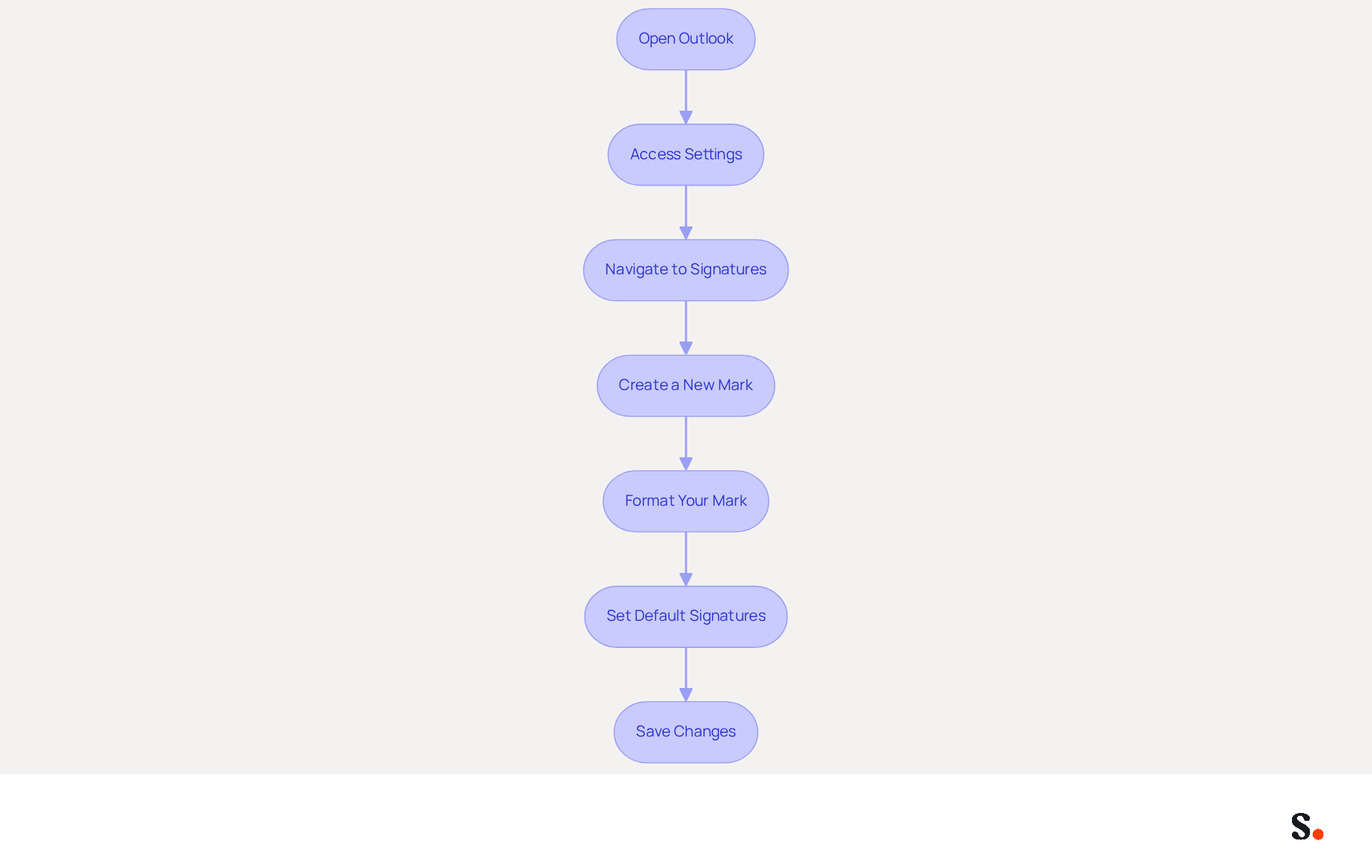
To establish a professional email signature in Outlook 365, follow these straightforward steps:
- Open Outlook: Launch the Outlook application on your device.
- Access Settings: Click on the gear icon in the upper right corner to open the settings menu.
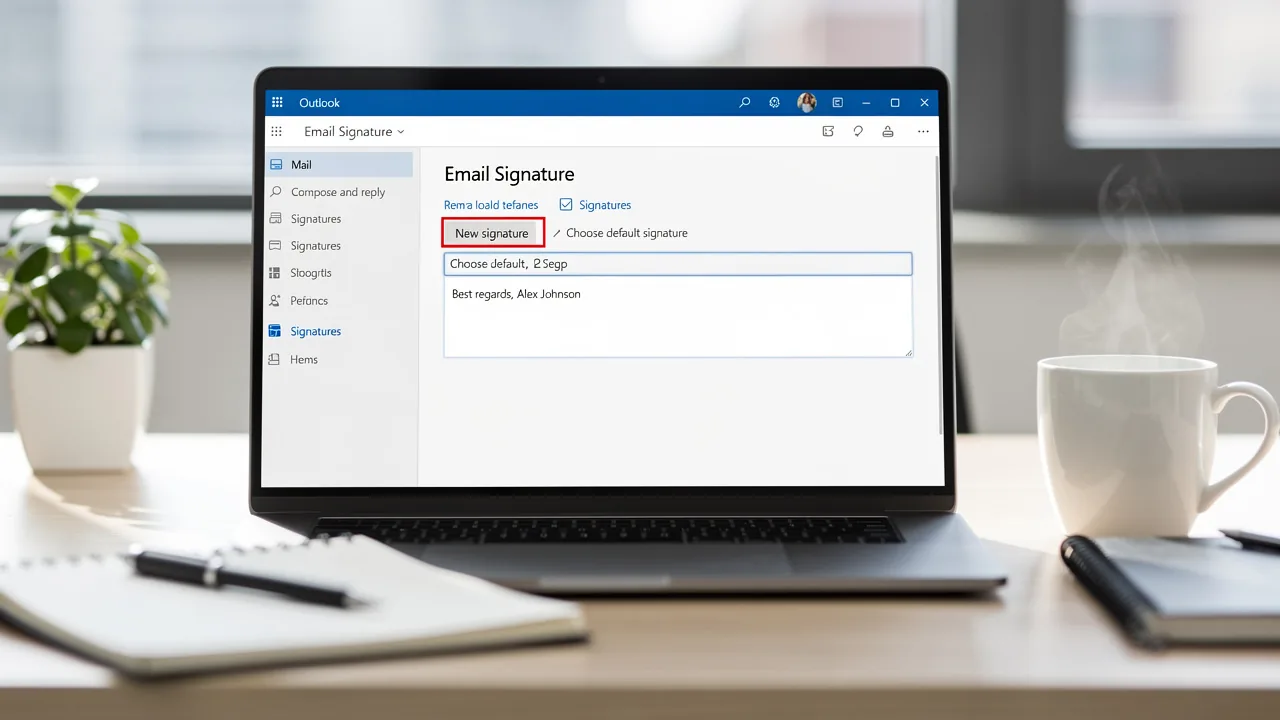
- Navigate to Signatures: Select 'View all Outlook settings', then go to 'Mail' > 'Compose and reply'.
- Create a New Mark: Click on 'New' to create a new mark. Name your personal mark and enter the desired text, including your full name, job title, company name, and one direct contact method.
- Format Your Mark: Use the formatting options to style your mark. You can add images, links, and social media icons to enhance its appearance. Notably, 69.3% of digital identifiers include Instagram links, highlighting the importance of social media in professional communication.
- Set Default Signatures: Choose whether to automatically include your sign-off in new messages and replies/forwards by selecting your sign-off from the dropdown menus.
- Save Changes: Click 'Save' to apply your new settings.
Following these steps helps you maintain a consistent and professional closing in every message you send, which is vital for your Outlook 365 signature setup and overall marketing effectiveness. Scribe ensures that any changes in your Aircall setup are instantly reflected in your email signatures, ensuring seamless synchronization and consistency across all interactions. Scribe's SOC 2 Type II compliance guarantees secure data handling, further enhancing trust in your communications. Research shows that messages with branded identifiers achieve a 22% higher response rate, underscoring the importance of maintaining a consistent identifier across all communications. Furthermore, outdated endorsements can undermine your professional image. Scribe empowers marketing teams to manage email branding independently after the initial IT setup, ensuring that your branding remains current and effective.
Ensure Brand Consistency and Design Quality
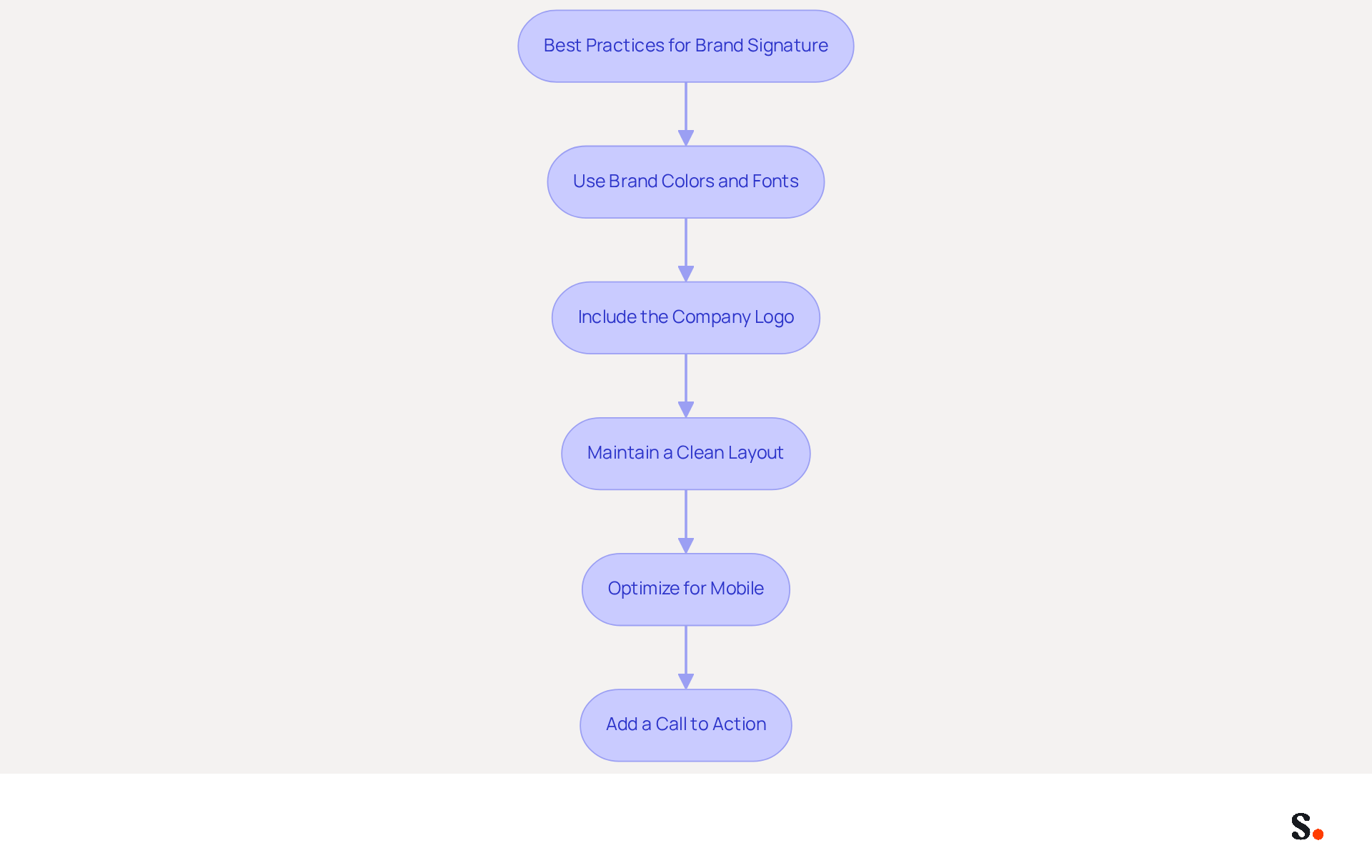
Creating a signature that embodies your brand's identity is crucial for effective communication. Consider the following best practices:
- Use Brand Colors and Fonts: This approach strengthens your brand identity and increases the likelihood of positive responses from recipients, as 76% of individuals believe that branded elements enhance trust in the sender.
- Include the Company Logo: Adding a high-quality logo is essential for identity recognition. Ensure the logo is suitably sized to maintain a professional appearance without overwhelming the layout. Consistent visual elements in digital correspondences assist recipients in swiftly identifying and recalling the brand, fostering a strong mental connection.
- Maintain a Clean Layout: Use a simple, organized layout that is easy to read. Cluttered signatures can confuse recipients and dilute your brand message. A clean design can lead to better engagement and response rates, with studies showing a 22% increase in response rates.
- Optimize for Mobile: Ensure that your sign-off is mobile-friendly. Testing how it appears on various devices ensures readability and visual appeal, given that a significant number of recipients read emails on their mobile devices.
- Add a Call to Action: Consider including a call to action (CTA) that encourages recipients to engage further, such as visiting your website or signing up for a newsletter. This can greatly improve engagement rates, as dynamic digital identifiers have an average click-through rate of 4%, in contrast to 2.5% for standard promotional messages.
When you apply these design principles, you can create a professional closing that not only appears polished but also effectively conveys your brand's message, ultimately aiding in brand loyalty and lead generation.
Integrate Signatures with Marketing Campaigns
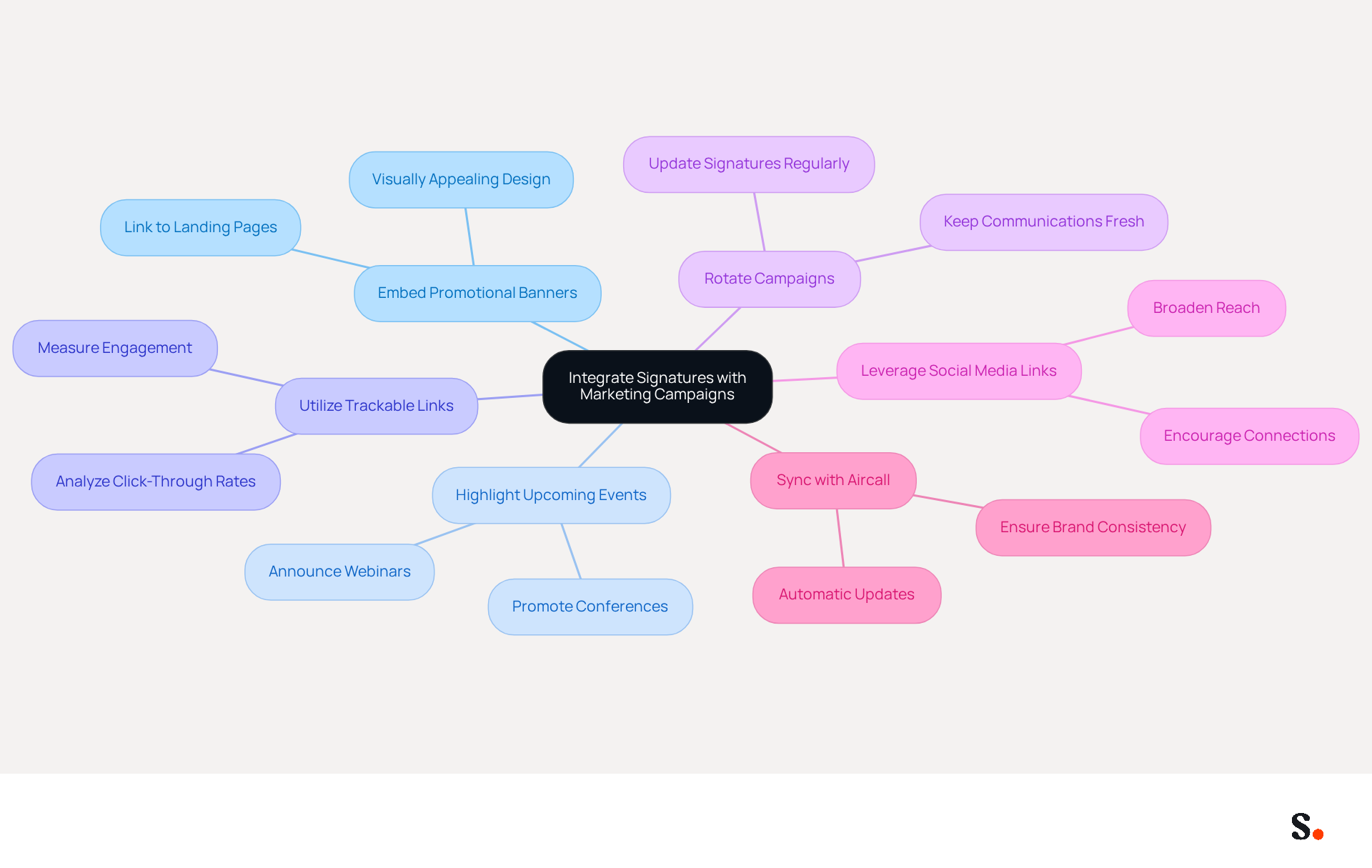
Integrating email signatures with marketing campaigns can significantly enhance engagement and drive results. Consider the following strategies:
- Embed Promotional Banners: Incorporate visually appealing banners in your email footer that promote current offers, events, or new products. Ensure these banners link directly to relevant landing pages, enhancing user engagement.
- Highlight Upcoming Events: Use your personal mark to announce webinars, conferences, or product launches. This helps keep your audience engaged and informed, which can boost attendance.
- Utilize Trackable Links: Consider using trackable links in your email footer to effectively measure engagement. This enables examination of the brand's effectiveness as a promotional tool, offering insights into click-through rates and conversions.
- Rotate Campaigns: Regularly update your signature to reflect different marketing campaigns. This keeps your communications fresh and relevant, encouraging recipients to take action and engage with your business.
- Leverage Social Media Links: Include links to your social media profiles to encourage recipients to connect with Scribe across multiple platforms. This can lead to increased engagement and a broader reach.
- Sync with Aircall: Remember that each change made in your Aircall configuration will automatically be reflected in your Scribe branding, ensuring brand consistency across all communications.
Implementing these techniques can turn your digital identifier into a key promotional asset that enhances your marketing efforts. Statistics indicate that marketing through personalized signatures can achieve a click rate of 12%, greatly surpassing conventional display advertisements. Moreover, organizations that effectively leverage digital identifiers report a 22% increase in clicks and a 15% rise in lead generation, illustrating the potential influence of these strategies.
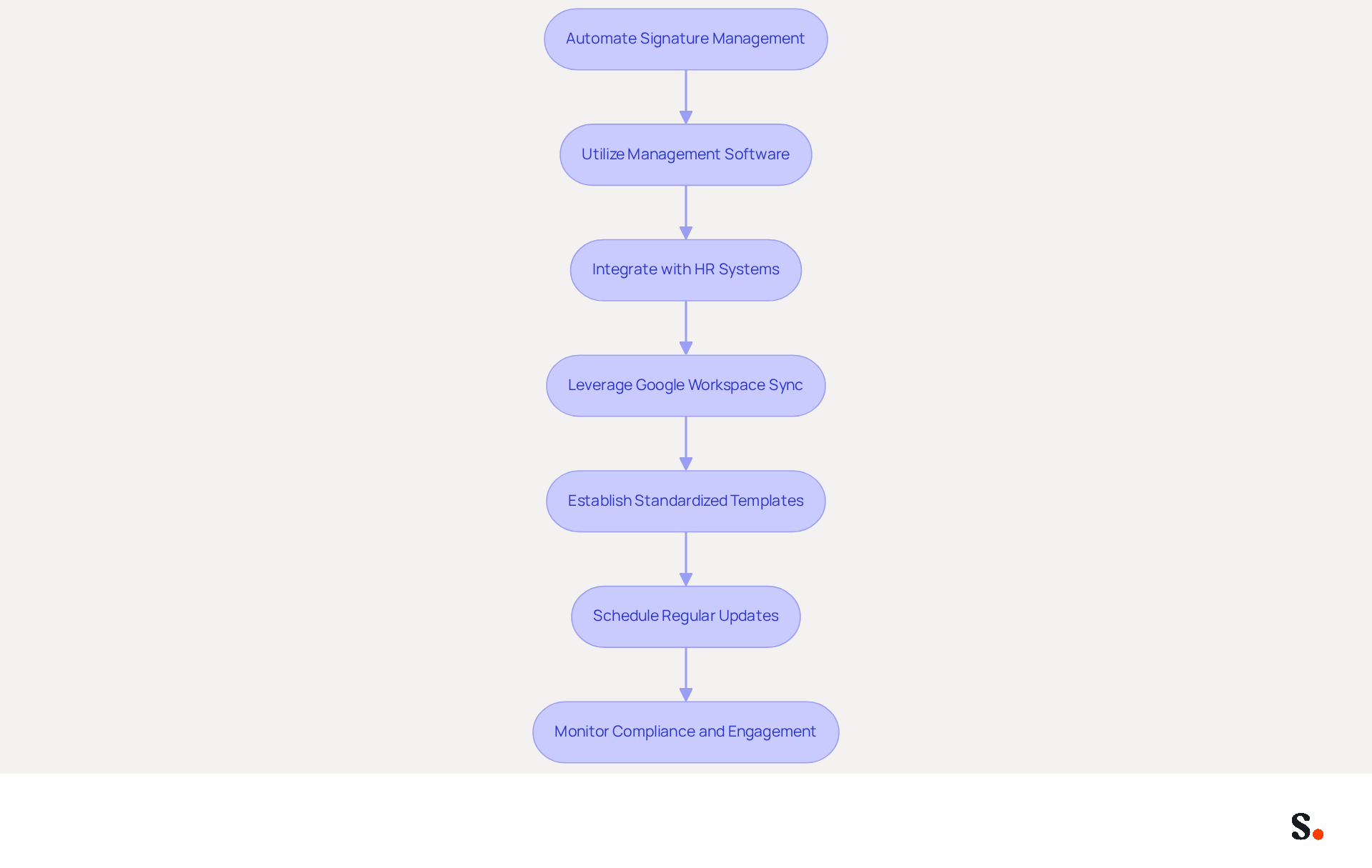
Automate Signature Management for Efficiency
To streamline your email signature management effectively, it is crucial to adopt strategic approaches that enhance consistency and professionalism:
- Utilize Management Software: Implement centralized tools like Scribe that ensure all identifiers are consistent and current without requiring manual updates. This method saves time and strengthens brand integrity in all communications. Businesses that implement consistent branding have reported a 22% increase in email response rates, which has been shown to increase email response rates significantly.
- Integrate with HR Systems: Connect your management solution with HR systems to automatically update when employee details change, such as job titles or contact information. Integrating with HR systems helps reduce errors and keeps branding accurate, allowing for a seamless onboarding experience for new employees.
- Leverage Google Workspace Sync: By syncing your Google Workspace with Scribe, you can auto-fill your teammates' identification information effortlessly using our attribute feature. This synchronization means that any changes in your Google Workspace, such as moving teammates from one group to another or updating their information, will be automatically reflected in Scribe without any input on your part. This not only saves time but also ensures that your email identifiers are always up-to-date and compliant. Scribe is also SOC 2 Type II certified and adheres to GDPR and CCPA regulations, ensuring your data is handled securely.
- Establish Standardized Templates: Create templates that can be easily customized for various departments or roles within your organization. This maintains brand consistency while allowing for necessary personalization, which can improve engagement rates. Research shows that businesses employing digital identifiers as promotional tools have seen engagement rates rise by 40%, highlighting the potential of well-managed labels.
- Schedule Regular Updates: Set a routine for reviewing and updating branding elements to align with current branding and marketing initiatives. Regular updates help maintain a polished image and ensure compliance with legal disclaimers and regional policies. Automated signatures can implement updates such as logo modifications instantly for all users, conserving considerable time for IT departments.
- Monitor Compliance and Engagement: Utilize analytics to track usage and adherence across the organization. This oversight ensures that all employees adhere to branding guidelines and allows for the measurement of engagement through click analytics and UTM tracking. By automating your message footer management, you can significantly lessen manual workload, enhance professional presentation, and transform every correspondence into a valuable promotional channel. Organizations that have adopted automated solutions report substantial time savings and improved compliance, making it a strategic investment for any marketing team. As Sophie Grant, an Email Signature Specialist, notes, "Effective email signature management contributes to customer loyalty by making every email a compliant, branded touchpoint that drives engagement and reinforces the brand's presence." Without these strategies, organizations risk damaging their brand integrity and losing potential engagement opportunities.
Conclusion
Creating a professional email signature in Outlook 365 is crucial for maximizing brand impact and marketing effectiveness. Organizations can create email signatures that reflect their brand identity and act as effective marketing tools by following these steps and best practices. With Scribe, marketing teams can easily take charge of their email branding, making sure every message aligns with the latest updates and guidelines.
Key insights from this article emphasize the importance of design quality, brand consistency, and integration with marketing campaigns. Statistics show that well-managed email signatures can lead to increased response rates and improved lead generation. Utilizing brand colors, logos, and mobile-friendly layouts can significantly improve engagement rates. Moreover, integrating promotional elements and automating signature management through tools like Scribe can streamline processes and enhance overall efficiency.
However, many businesses struggle to leverage email signatures effectively. Without proper management, email signatures may fail to engage customers effectively. Ultimately, the right email signature strategy can significantly influence customer perceptions and drive business success.
Frequently Asked Questions
How do I create a professional email signature in Outlook 365?
To create a professional email signature in Outlook 365, open the Outlook application, access settings by clicking the gear icon, navigate to 'View all Outlook settings', then go to 'Mail' > 'Compose and reply'. Click 'New' to create a new signature, name it, and enter your desired text. Format your signature using the available options, and set default signatures for new messages and replies/forwards before saving your changes.
What information should I include in my email signature?
Your email signature should include your full name, job title, company name, and at least one direct contact method. You can also enhance it with images, links, and social media icons.
Why is it important to have a consistent email signature?
A consistent email signature is vital for maintaining a professional image and effective marketing. Research shows that messages with branded identifiers achieve a 22% higher response rate, highlighting the importance of consistency in communications.
How does Scribe enhance email signature management?
Scribe ensures that any changes in your Aircall setup are instantly reflected in your email signatures, providing seamless synchronization and consistency across all interactions. Additionally, Scribe empowers marketing teams to manage email branding independently after the initial IT setup.
What compliance does Scribe adhere to for data handling?
Scribe is SOC 2 Type II compliant, which guarantees secure data handling and enhances trust in your communications.
What is the significance of including social media links in my signature?
Including social media links, such as Instagram, is important as 69.3% of digital identifiers feature these links, emphasizing their role in professional communication.
List of Sources
- Establish Signature Basics in Outlook 365
- 40+ Email Signature Statistics for 2026 (Data + Insights) (https://wavecnct.com/blogs/email-signature-statistics)
- Email signature statistics: Why every business should optimize their email signatures — Stripo.email (https://stripo.email/blog/email-signature-statistics-why-every-business-should-optimize-their-email-signatures)
- How to add and change an email signature in Outlook | Microsoft Support (https://support.microsoft.com/en-us/outlook/mail/how-to-add-and-change-an-email-signature-in-outlook)
- How to Add Signature in Office 365 Outlook: A Step-by-Step Guide (https://scribe-mail.com/en-US/blog/how-to-add-signature-in-office-365-outlook-a-step-by-step-guide)
- Ensure Brand Consistency and Design Quality
- Email signature statistics: Why every business should optimize their email signatures — Stripo.email (https://stripo.email/blog/email-signature-statistics-why-every-business-should-optimize-their-email-signatures)
- Brand Consistency in Email Signatures – Unified Branding at Scale | SIGNandGO (https://signandgo.io/use-cases/brand-consistency)
- Email Signature Branding: Consistency and Impact | Crossware365 (https://crossware365.com/blog/mastering-email-signature-branding-market-presence)
- Email signature branding: importance, tips & best practices (https://exclaimer.com/email-signature-handbook/email-signature-branding-importance)
- The impact of email signatures on your branding (https://signitic.com/en/resources/the-impact-of-email-signatures-on-your-branding)
- Integrate Signatures with Marketing Campaigns
- Email signature solution: why integrate them in the Marketing Stack? (https://letsignit.com/blog/tool-saas-email-signature)
- 10 ideas for marketing campaigns in email signatures (https://signitic.com/en/resources/10-ideas-for-marketing-campaigns-in-email-signatures)
- 6 Ways to Use Email Signature to Support Marketing Campaigns (https://clearout.io/blog/use-email-signature-to-support-marketing-campaigns)
- How to Leverage an Email Signature Marketing Campaign for CX (https://gorgias.com/blog/email-signature-marketing)
- Email Signature Marketing Examples That Drive ROI | CloudM (https://cloudm.io/resources/blog/email-signature-marketing-examples-that-drive-roi)
- Automate Signature Management for Efficiency
- AdSigner (https://adsigner.com/en/email-signatures/benefits)
- WiseStamp Launches the Industry's First AI-Powered Email Signature Platform, Eliminating the Gap Between Brand Design and Instant Deployment (https://prnewswire.com/news-releases/wisestamp-launches-the-industrys-first-ai-powered-email-signature-platform-eliminating-the-gap-between-brand-design-and-instant-deployment-302774232.html)
- How Automated Email Signatures in Outlook Can Help Businesses Spread Their Marketing Message - Target Integration (https://targetintegration.com/en_us/automated-email-signatures-outlook-can-help-marketing)
- Why Email Signature Management Software is Essential for Marketing Success (https://scribe-mail.com/en-US/blog/why-email-signature-management-software-is-essential-for-marketing-success)
- Automating Email Signatures: How IT Teams Streamline Processes & Reduce Risk (https://exclaimer.com/blog/streamlining-it-processes-automated-email-signatures)
Get started with Scribe
Create your signature in minutes
Free 14-day trial — no credit card.