Master Salesforce CRM Email Signature Integration in 5 Simple Steps
Integrating email signatures with Salesforce CRM presents both challenges and opportunities for enhancing brand visibility and marketing effectiveness. By
Sophie Grant
Email Signature Specialist, Scribe

On this page
- Introduction
- Understand the Importance of Salesforce CRM Email Signature Integration
- Prepare Your Salesforce CRM and Scribe Accounts for Integration
- Execute the Integration Process Between Salesforce CRM and Scribe
- Verify and Test Your Email Signature Integration
- Manage and Optimize Your Email Signatures After Integration
- Conclusion
- Frequently Asked Questions
- List of Sources
Introduction
Integrating email signatures with Salesforce CRM presents both challenges and opportunities for enhancing brand visibility and marketing effectiveness. By leveraging Scribe’s capabilities, organizations can transform their email communications into powerful marketing tools, ensuring brand consistency and maximizing engagement. Yet, many organizations find the integration process challenging.
What essential steps can ensure a seamless setup? This guide will clarify the process of integrating email signatures with Salesforce CRM, providing a clear roadmap to optimize communication and drive marketing success.
Get started with Scribe
Manage signatures across your whole team
Free 14-day trial — no credit card.
Understand the Importance of Salesforce CRM Email Signature Integration
Integrating messaging identifiers with Salesforce CRM is not merely a technical task; it represents a strategic initiative that significantly boosts your brand's visibility and marketing effectiveness. Here are the essential reasons why this integration is crucial:
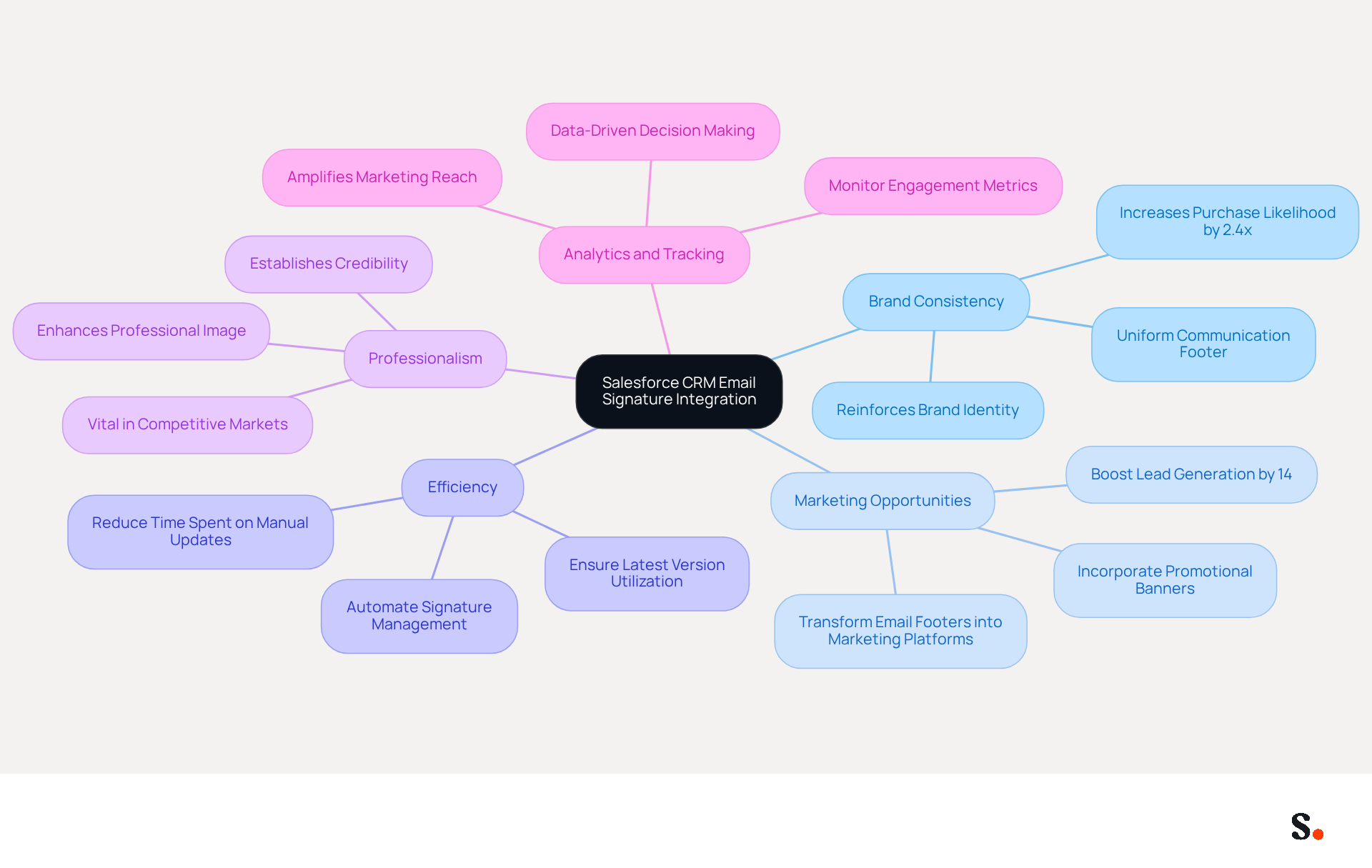
- Brand Consistency: Every message sent from your organization reinforces your brand identity, with studies showing that consistent branding can increase customer purchase likelihood by 2.4 times. A uniform communication footer ensures that your logo, colors, and messaging remain consistent across all interactions, enhancing brand authenticity.
- Marketing Opportunities: Email footers can be transformed into platforms for marketing campaigns. By incorporating promotional banners or calls-to-action, each message becomes a marketing opportunity, potentially boosting lead generation by as much as 14%.
- Efficiency: Automating management of electronic signatures through Scribe reduces the time spent on manual updates, ensuring that all team members utilize the latest version of the format without requiring technical expertise. Manual updates can lead to inconsistencies and wasted time, hindering effective communication.
- Professionalism: A well-crafted digital communication footer enhances your professional image, establishing credibility with clients and prospects, which is vital in competitive markets.
- Analytics and Tracking: Integration with a CRM system enables monitoring of engagement metrics related to your message identifiers, offering insights into their effectiveness as a marketing tool and allowing for data-driven decisions. This integration not only saves time but also amplifies your marketing reach.
Recognizing these benefits is essential for leveraging your email signatures as a powerful marketing tool.
Prepare Your Salesforce CRM and Scribe Accounts for Integration
Proper preparation is essential for a seamless Salesforce CRM email signature integration, as neglecting this step can lead to complications. To successfully achieve Salesforce CRM email signature integration with the platform, it's crucial to prepare both accounts properly. Follow these steps:
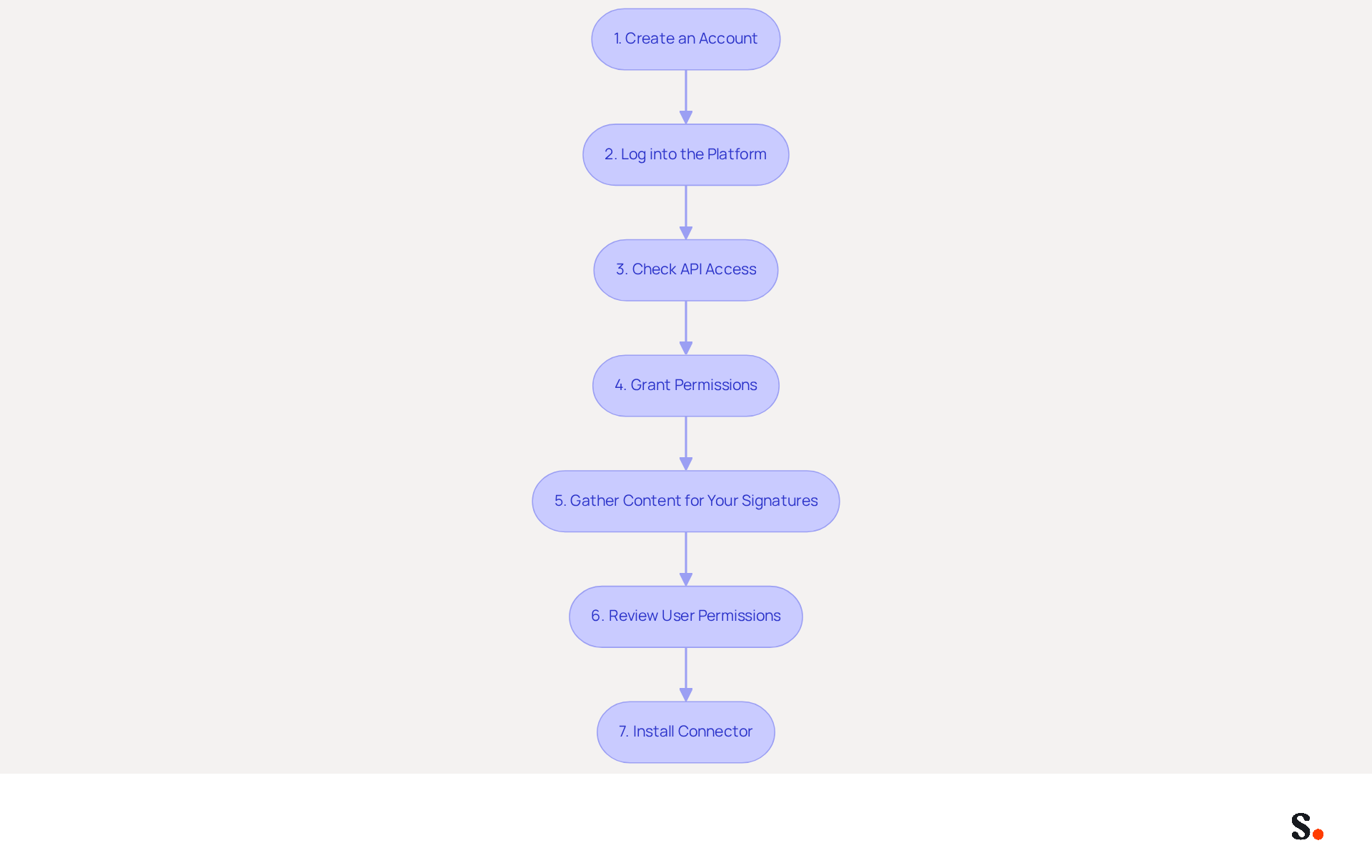
- Create an Account: Sign up for an account if you haven't done so already. Ensure you have administrative access, as this is necessary for integration.
- Log into the platform: Access your account with administrative privileges to enable integration features.
- Check API Access: Confirm that your Salesforce account has API access enabled, allowing the application to communicate effectively with Salesforce.
- Grant Permissions: As a Super Admin, allow Scribe permission to connect with your provider. This step is essential for the synchronization process.
- Gather Content for Your Signatures: Prepare the material for your identifiers, including your logo, contact details, and any promotional banners or calls-to-action.
- Review User Permissions: Verify that all users who will utilize the email signatures have the appropriate permissions set up in the platform to access and modify their email settings.
- Install Connector: Go to the integration section in the platform and install the connector to enable the connection between the two systems.
Completing these preparatory steps lays the groundwork for a smooth integration process. Research shows that the Salesforce CRM email signature integration can boost sales by an average of 29% after implementation. With the connector, Salesforce is no longer a blind spot. The correct endorsement and the appropriate campaign are applied automatically to every email sent, ensuring that your email communications maintain brand consistency and effectiveness. Additionally, syncing your Google Workspace with the application allows for streamlined one-click synchronization, automatically updating teammate information and signatures, which saves time and enhances security compliance with SOC 2 Type II standards. Ultimately, a well-executed Salesforce CRM email signature integration can transform your email communications into a powerful tool for achieving brand consistency and driving sales growth.
Execute the Integration Process Between Salesforce CRM and Scribe
To execute the integration process between Salesforce CRM and Scribe, follow these essential steps:
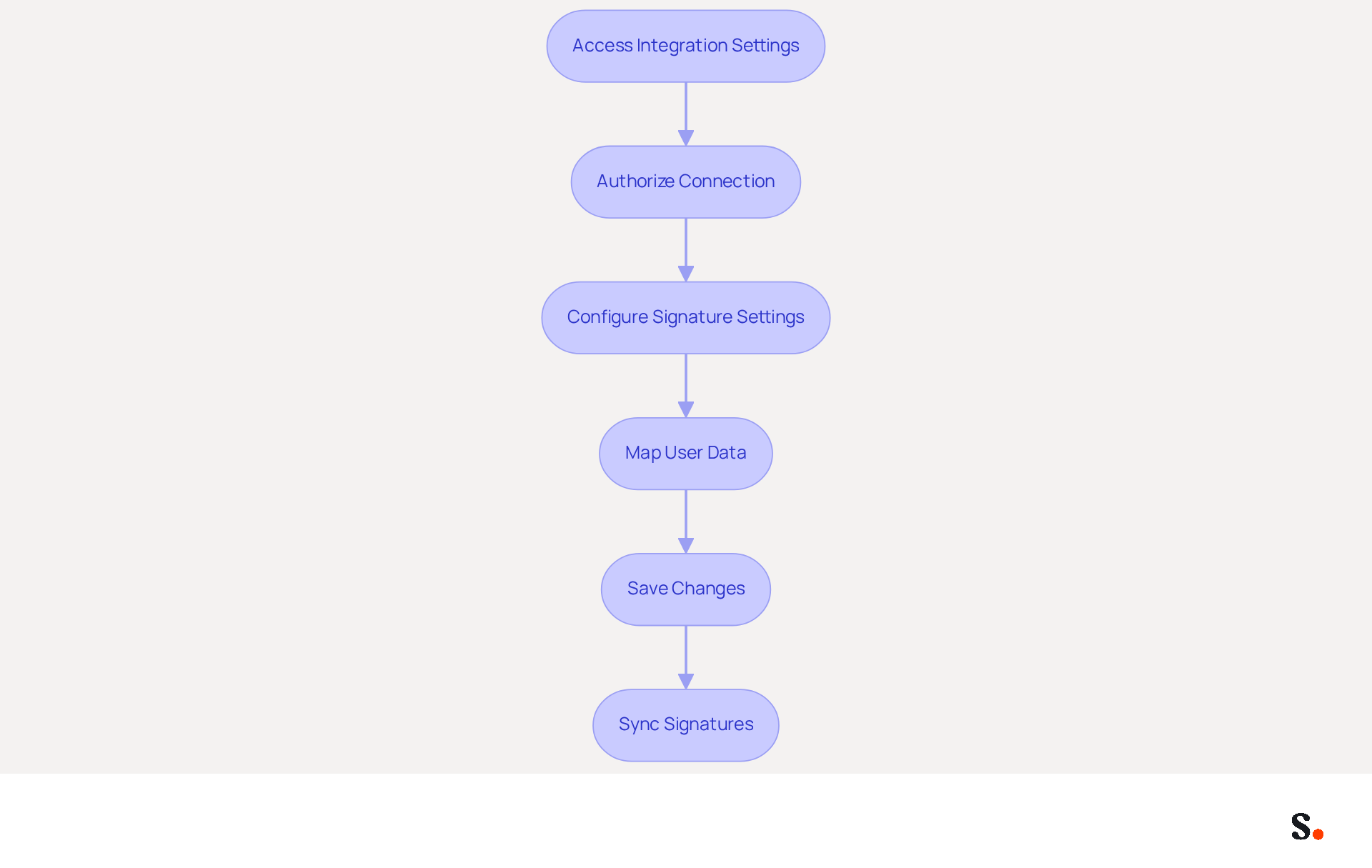
- Access the Integration Settings: Log into your account and navigate to the integration settings, typically located under the 'Apps' or 'Integrations' section.
- Authorize the Connection: Click to link the application with the platform. You will need to authorize the connection, ensuring that all necessary permissions are granted for Scribe to access your data.
- Configure Signature Settings: After establishing the connection, configure your email signature settings. This involves choosing the preferred templates and any dynamic fields that need to be filled with data from the platform.
- Map User Data: Confirm that user information from the CRM is accurately aligned with the relevant fields in the application. This step is essential for customizing each user’s identifier and ensuring its accuracy.
- Save Changes: Once you have configured the settings and mapped the user data, save your changes to finalize the integration process.
- Sync Signatures: Start a sync to transfer the identifiers from Scribe to the CRM, ensuring that all users have the most recent version of their identifiers applied to their communications.
By following these steps, you will successfully implement Salesforce CRM email signature integration with Scribe, enabling automated management of digital signatures that enhances brand consistency and maximizes marketing opportunities. Managing digital signatures manually can be time-consuming and prone to errors. As a result, teams can focus more on strategic initiatives rather than administrative tasks. This integration simplifies the management of digital signatures, reduces documentation time, and ensures that updates are automatically sent to all users, which has been shown to enhance user engagement by streamlining communication processes. Furthermore, Scribe's one-click synchronization and daily data updates guarantee that your digital identifiers stay up-to-date and adhere to security standards, including SOC 2 Type II and GDPR, offering reassurance for your organization. Ultimately, this integration empowers organizations to enhance their branding while ensuring compliance with industry standards.
Verify and Test Your Email Signature Integration
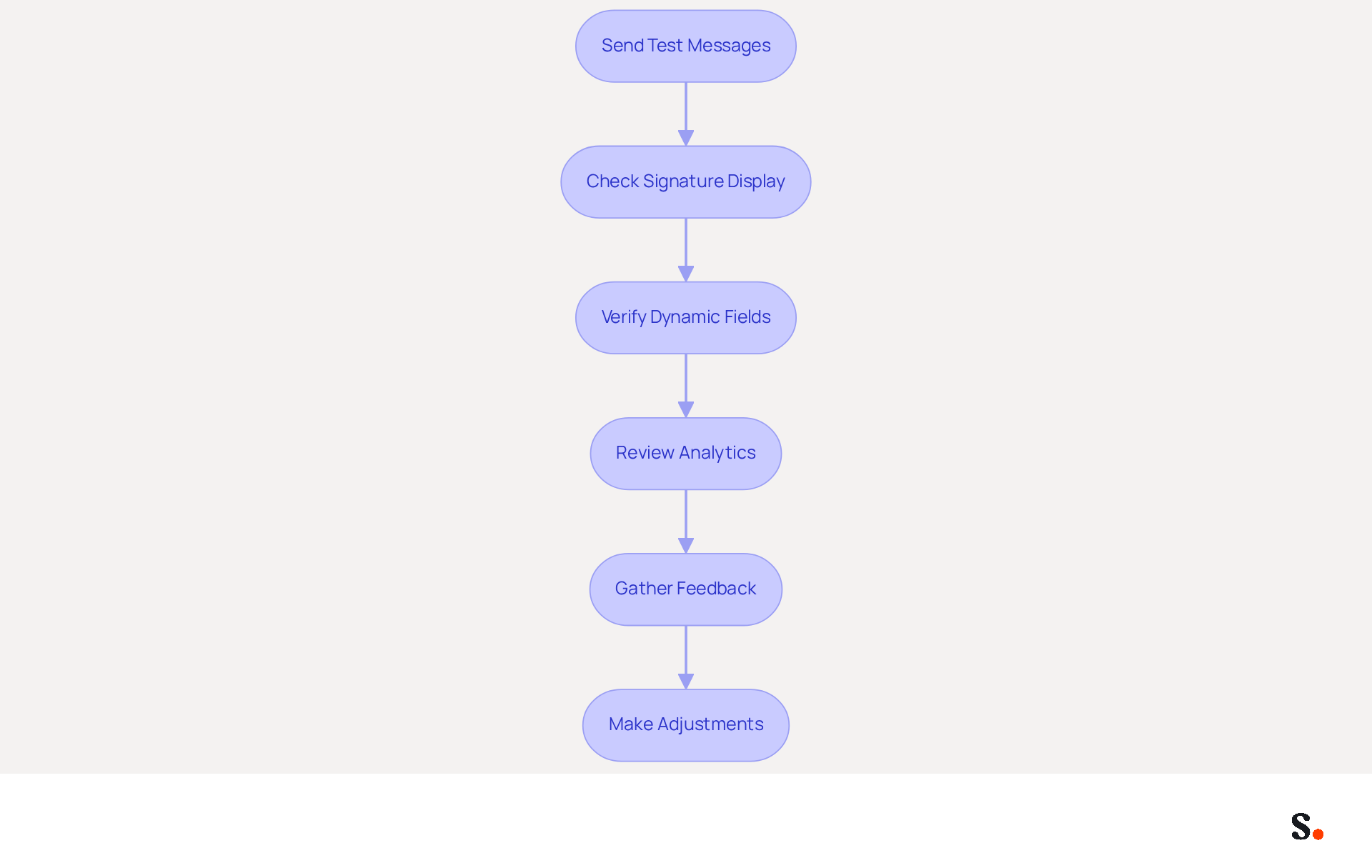
Ensuring the functionality of your Salesforce CRM email signature integration is crucial for effective communication. Follow these steps to verify and test its functionality:
- Send Test Messages: Start by sending test messages from various user accounts within Salesforce. This allows you to observe how the message footers display across different mail clients.
- Check Signature Display: Confirm that the message footer displays correctly, including all images, links, and formatting. Pay special attention to how it appears on both desktop and mobile devices.
- Verify Dynamic Fields: If your documents include dynamic fields, ensure they populate accurately with the corresponding user data from Salesforce.
- Review Analytics: If your integration supports tracking, analyze the engagement metrics to assess how recipients interact with the messages. Focus on essential metrics such as open rates and click-through rates for any links included in the email footer. Customers are 2.4 times more likely to buy from brands with consistent email formats, underscoring the importance of this step.
- Gather Feedback: Solicit input from team members regarding the appearance and functionality of the marks. Feedback helps identify issues that initial testing might overlook.
- Make Adjustments: Based on the feedback and testing outcomes, implement any necessary changes to the signature templates or integration settings.
To enable one-click synchronization, ensure you grant permission for Scribe to connect with your provider. You must be a Super Admin of your service provider to provide these permissions. You will have the choice to select which teammates you wish to sync with Scribe, and all modifications made in your provider directory will automatically reflect in your identifiers. Additionally, the application syncs teammate information from your provider daily at your local time. Thoroughly verifying and testing your Salesforce CRM email signature integration ensures a seamless rollout and enhances communication effectiveness. Scribe's SOC 2 Type II compliance guarantees the safety of your data, making your communications not only effective but also secure. Prioritizing thorough testing and feedback can significantly enhance your communication strategy and user engagement.
Manage and Optimize Your Email Signatures After Integration
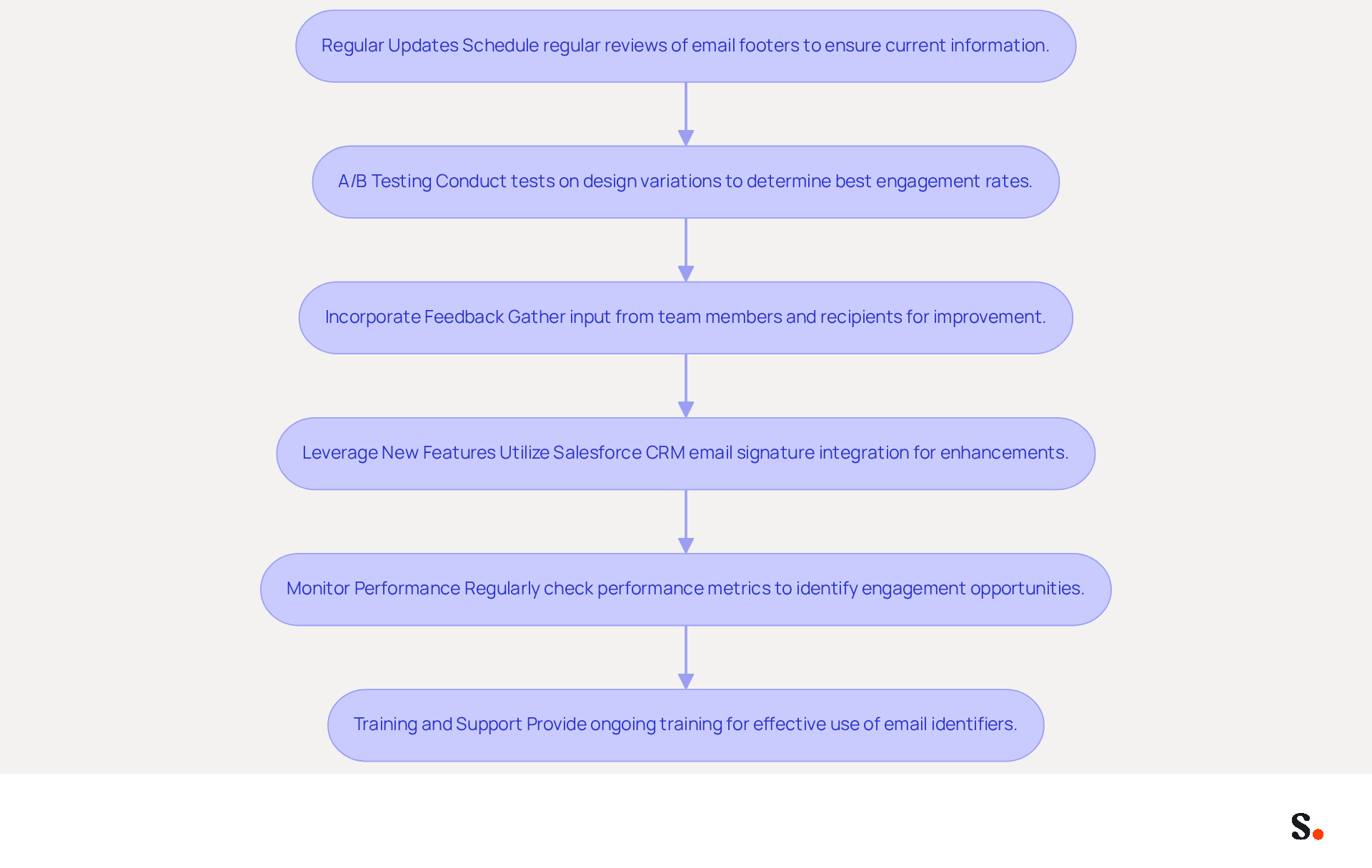
To maximize the effectiveness of your email signatures, incorporating Salesforce CRM email signature integration along with continuous management and enhancement is crucial. Here are some strategies to consider:
- Regular Updates: Schedule regular reviews of your email footers to ensure that all information is current. This includes updating contact details, promotional banners, and any seasonal messages. Scribe automatically updates your identifiers whenever you change your Aircall configuration, keeping your information current without needing your teammates to take action.
- A/B Testing: Conduct A/B tests on different design variations or calls-to-action to determine which versions yield the best engagement rates. Utilize the analytics from your campaigns to guide these decisions. Scribe helps maintain brand consistency across all signatures, making it easier to test different variations with Salesforce CRM email signature integration.
- Incorporate Feedback: Gathering feedback can be challenging, but it is essential for improvement. Continuously gather input from team members and recipients regarding the messaging identifiers. The user-friendly interface allows marketing teams to handle these updates autonomously after the initial IT setup.
- Leverage new features like Salesforce CRM email signature integration to stay informed about new functionalities provided by the platform that can improve your email branding capabilities. Implement these features to keep your marks fresh and effective. Scribe's SOC 2 Type II compliance guarantees that your data remains secure while you utilize these innovations.
- Monitor Performance: Regularly check the performance metrics associated with your correspondence identifiers. If you don’t monitor these metrics, you might miss valuable engagement opportunities. With Scribe, you can monitor engagement metrics associated with your messages, assisting you in understanding their effectiveness in driving marketing ROI.
- Training and Support: Provide ongoing training for your team on best practices for using email identifiers effectively. Ensure they comprehend how to utilize the autographs as a marketing tool. Scribe's rapid implementation and user-friendliness for non-technical individuals allow your team to swiftly adjust and leverage these tools to improve brand visibility.
By neglecting to optimize your email signatures, you risk losing a valuable opportunity to engage your audience.
Conclusion
Integrating email signatures with Salesforce CRM presents a unique opportunity for organizations to enhance their marketing strategies and brand presence. By ensuring consistent branding and automating signature management, organizations can transform their email communications into powerful marketing tools, as evidenced by case studies showing increased engagement rates. Scribe enables marketing teams to manage email signatures independently after the initial IT setup, streamlining the entire process.
This guide has outlined key steps to facilitate a seamless integration between Salesforce CRM and Scribe:
- Preparing accounts
- Executing the integration process
- Verifying functionality
- Optimizing signatures post-integration
Each phase is crucial for maximizing the benefits of this powerful tool. The emphasis on brand consistency, marketing opportunities, and data-driven insights underscores the importance of effective email signature management.
By prioritizing regular updates, A/B testing, and performance monitoring, teams can ensure their email signatures remain effective and engaging. By neglecting to integrate email signatures effectively, organizations may miss out on significant marketing advantages that could drive their success.
Frequently Asked Questions
Why is integrating Salesforce CRM with email signatures important?
Integrating Salesforce CRM with email signatures boosts brand visibility and marketing effectiveness by ensuring brand consistency, creating marketing opportunities, improving efficiency, enhancing professionalism, and enabling analytics and tracking.
How does brand consistency affect customer behavior?
Consistent branding can increase customer purchase likelihood by 2.4 times, as it reinforces brand identity across all communications.
What marketing opportunities can be created through email footers?
Email footers can be used for marketing campaigns by incorporating promotional banners or calls-to-action, potentially boosting lead generation by as much as 14%.
How does Scribe improve the efficiency of managing email signatures?
Scribe automates the management of electronic signatures, reducing the time spent on manual updates and ensuring all team members use the latest version without needing technical expertise.
What impact does a well-crafted digital communication footer have on professionalism?
A well-crafted footer enhances your professional image and establishes credibility with clients and prospects, which is vital in competitive markets.
What benefits does integrating email signatures with a CRM system provide in terms of analytics?
Integration allows for monitoring engagement metrics related to email signatures, offering insights into their effectiveness as a marketing tool and enabling data-driven decisions.
What steps should be taken to prepare for Salesforce CRM email signature integration?
Steps include creating an account, logging in with administrative privileges, checking API access, granting permissions to Scribe, gathering content for signatures, reviewing user permissions, and installing the connector.
What is the expected impact of Salesforce CRM email signature integration on sales?
Research shows that the integration can boost sales by an average of 29% after implementation.
How does syncing Google Workspace with Scribe enhance the integration process?
Syncing Google Workspace allows for streamlined one-click synchronization, automatically updating teammate information and signatures, which saves time and enhances security compliance with SOC 2 Type II standards.
List of Sources
- Understand the Importance of Salesforce CRM Email Signature Integration
- Salesforce Connector: Now Live! (https://letsignit.com/blog/salesforce-integration)
- Which Is the Best Email Signature Software with Salesforce Integration (https://rocketseed.com/blog/best-email-signature-software-salesforce-integration)
- Salesforce Email Signature (https://massmailer.io/glossary/salesforce-email-signature)
- Sync email signatures to Salesforce | Signitic Integrations (https://signitic.com/en/integration/central-signature-email-management-for-salesforce)
- Prepare Your Salesforce CRM and Scribe Accounts for Integration
- Salesforce Connector: Now Live! (https://letsignit.com/blog/salesforce-integration)
- Key CRM Statistics for 2026: Market Trends, Adoption, and Impact (https://sltcreative.com/crm-statistics)
- 15 CRM Statistics to Watch Out for 2026 | LinkPoint360 (https://linkpoint360.com/crm-statistics)
- Salesforce Integration Guide (https://webcasts.com/apis/salesforce-scribe.html)
- Salesforce Email Signature (https://massmailer.io/glossary/salesforce-email-signature)
- Execute the Integration Process Between Salesforce CRM and Scribe
- Salesforce Email Signature (https://massmailer.io/glossary/salesforce-email-signature)
- Using Scribe in a Salesforce implementation (https://scribe.com/library/scribe-in-a-salesforce-implementation)
- Salesforce email signature management (https://scribe-mail.com/en-US/integrations/salesforce)
- Salesforce Connector: Now Live! (https://letsignit.com/blog/salesforce-integration)
- 50+ CRM statistics that matter in 2026 | SuperOffice (https://superoffice.com/blog/50-crm-statistics)
- Verify and Test Your Email Signature Integration
- Salesforce Connector: Now Live! (https://letsignit.com/blog/salesforce-integration)
- Sync email signatures to Salesforce | Signitic Integrations (https://signitic.com/en/integration/central-signature-email-management-for-salesforce)
- Add Your Email Signature to Salesforce Email Templates (https://cirrusinsight.com/blog/how-to-put-your-email-signature-into-a-salesforce-email-template)
- Which Is the Best Email Signature Software with Salesforce Integration (https://rocketseed.com/blog/best-email-signature-software-salesforce-integration)
- Salesforce Email Signature (https://massmailer.io/glossary/salesforce-email-signature)
- Manage and Optimize Your Email Signatures After Integration
- The Hidden Power Behind Email Signature Management | Black Pearl Mail (https://blackpearlmail.com/blog/the-hidden-power-behind-email-signature-management)
- The Ultimate Guide to Email Signature Software in 2025 (https://signitic.com/en/resources/the-ultimate-guide-to-email-signature-software-in-2025)
- 7 ways email signatures boost brand image (https://signitic.com/en/resources/7-ways-email-signatures-boost-brand-image)
- The Complete Email Signature Guide 2026: Best Practices and Policy (https://opensense.com/complete-email-signature-guide)
- 4 Best Practices for Effective Email Signature Management (https://scribe-mail.com/en-US/blog/4-best-practices-for-effective-email-signature-management)
Get started with Scribe
Manage signatures across your whole team
Free 14-day trial — no credit card.