Maximize Marketing Impact with the Outlook Signature Editor
Many organizations struggle to fully utilize their email signatures as marketing tools, yet these subtle elements of communication can have a profound impact
Sophie Grant
Email Signature Specialist, Scribe
Introduction
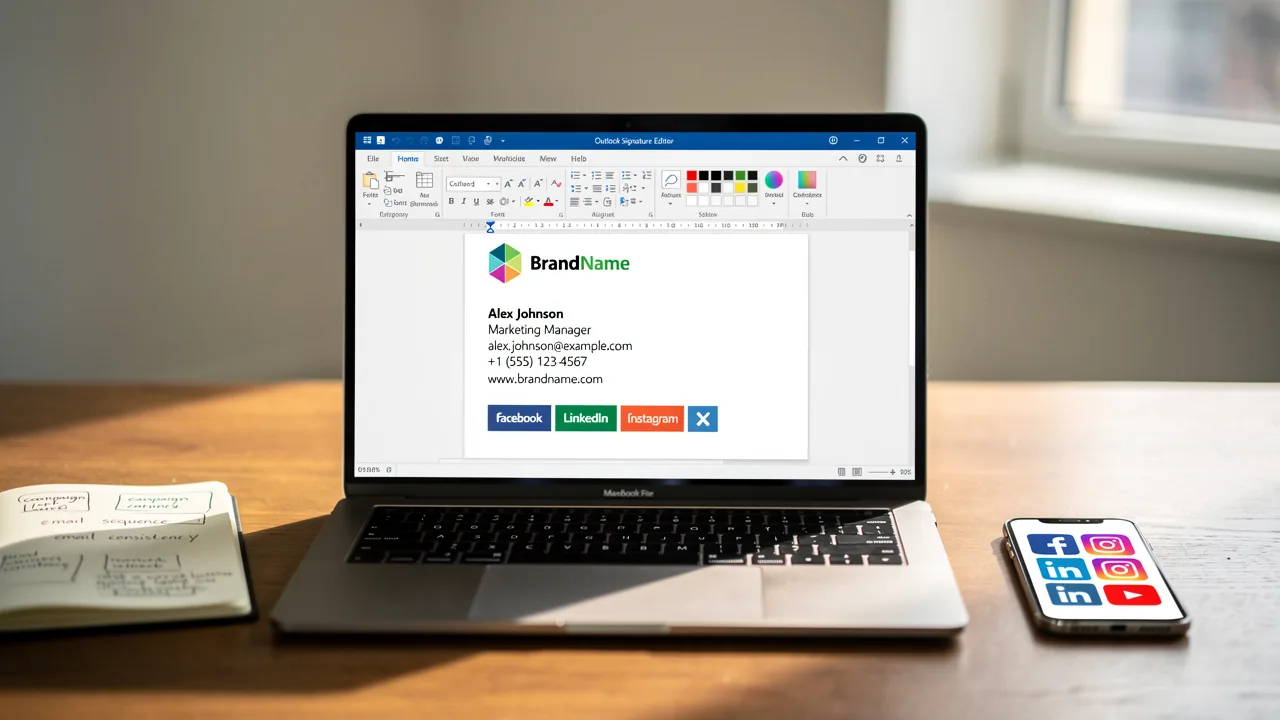
Many organizations struggle to fully utilize their email signatures as marketing tools, yet these subtle elements of communication can have a profound impact on marketing effectiveness. The Outlook Signature Editor offers a unique opportunity for businesses to transform standard sign-offs into dynamic marketing tools that enhance brand visibility and engagement.
So, how can organizations make the most of this tool to ensure consistency and achieve measurable results? By exploring the key features and best practices of the Outlook Signature Editor, organizations can uncover strategies that maintain brand integrity while significantly enhancing their marketing efforts.
Understand Key Features of the Outlook Signature Editor
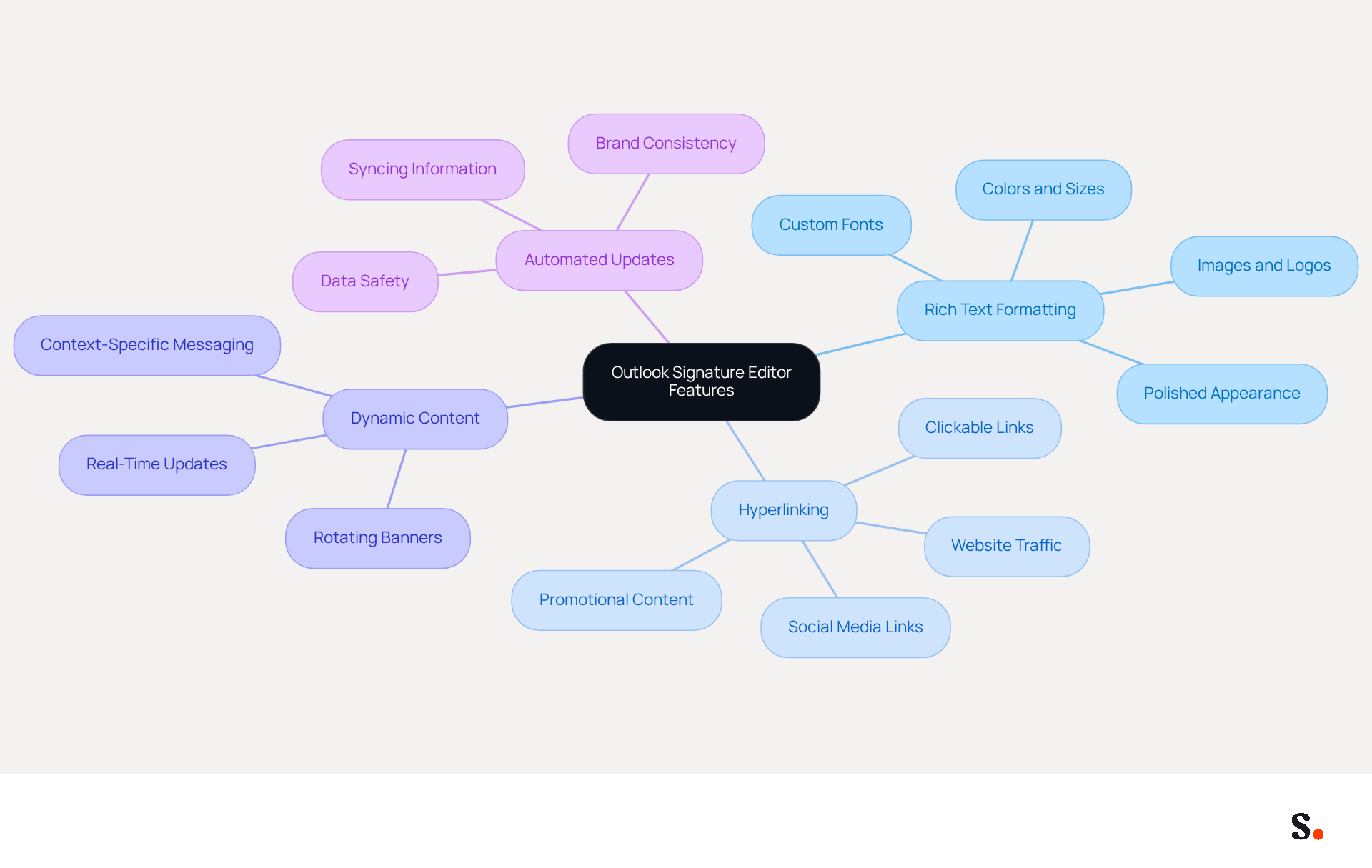
The features of the Outlook Signature Editor are designed to elevate standard identifiers into impactful marketing assets. Key functionalities include:
- Rich Text Formatting: Users can customize fonts, colors, and sizes to align with brand guidelines, ensuring a polished appearance that resonates with recipients. The Outlook Signature Editor provides the ability to incorporate images and logos, significantly enhancing brand recognition and visual appeal, making communications more engaging.
- Hyperlinking: Clickable links can direct recipients to websites, social media platforms, or promotional content, effectively driving traffic and increasing engagement rates. Studies indicate that branded email footers can result in a 15% rise in click-through rates to company websites. Using the Outlook Signature Editor, users can create and manage various identifiers tailored for different purposes, allowing for context-specific messaging that aligns with marketing goals. The Outlook Signature Editor supports dynamic content, such as rotating banners or promotional messages, which can be updated in real-time without modifying individual identifiers. Adding dynamic banners can lead to a significant 22% increase in click-through rates, underscoring the effectiveness of this feature.
Scribe streamlines the process by automatically filling in your teammates' initials based on your business phone system. This ensures that signature information is always synced, with no action needed from your teammates. Automated updates from your connected source ensure branding consistency across all communications. Additionally, the platform is SOC 2 Type II compliant, ensuring the safety of your data.
Mastering these features allows teams to utilize the Outlook Signature Editor to turn each message into a consistent branding opportunity, reinforcing their promotional messages and enhancing overall campaign effectiveness. Considering that a company with 100 employees produces between 60,000 to 80,000 branded impressions monthly, optimizing email formats with Scribe can maximize their branding impact without incurring additional costs.
Create On-Brand Signature Templates for Consistency
To effectively establish a cohesive brand identity, businesses must adhere to specific signature template best practices:
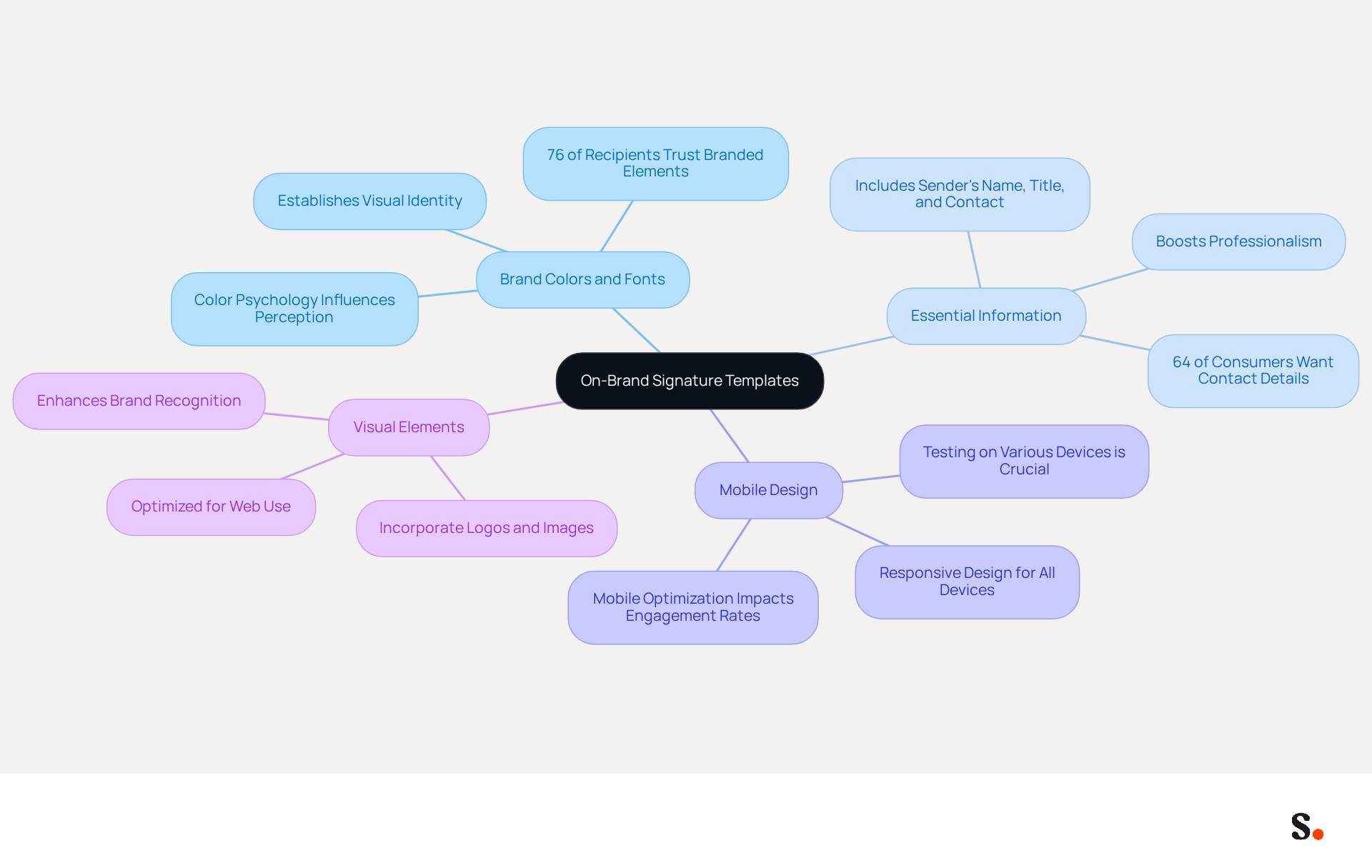
- Use Brand Colors and Fonts: Incorporate your company’s official colors and fonts to maintain visual identity. This method not only establishes a unified appearance across all marketing materials but also enhances brand recognition. In fact, 76% of recipients indicate increased trust in senders with branded elements.
- Include Essential Information: Ensure that each sign-off contains key details such as the sender's name, title, company name, and contact information. This clarity not only boosts professionalism but also meets what consumers are looking for, as 64% of consumers desire contact information in correspondence.
- Design for Mobile: With many emails being read on mobile devices, ensure that your email footer is responsive and looks good on all screen sizes. Testing designs on various devices confirms their effectiveness, which is crucial since mobile optimization can significantly impact engagement rates.
- Incorporate Visual Elements: Adding logos or images can enhance the appeal of the design. Ensure these elements are optimized for web use to avoid slow loading times, as visual consistency helps recipients recognize and remember your brand quickly.
By implementing these strategies, businesses can create identifiers that not only appear professional but also reinforce their brand identity in every communication. By neglecting these strategies, businesses risk losing the trust and recognition that are vital for successful communication.
Incorporate Calls-to-Action and Promotional Elements
To effectively incorporate calls-to-action and promotional elements into your email signatures, consider the following strategies:
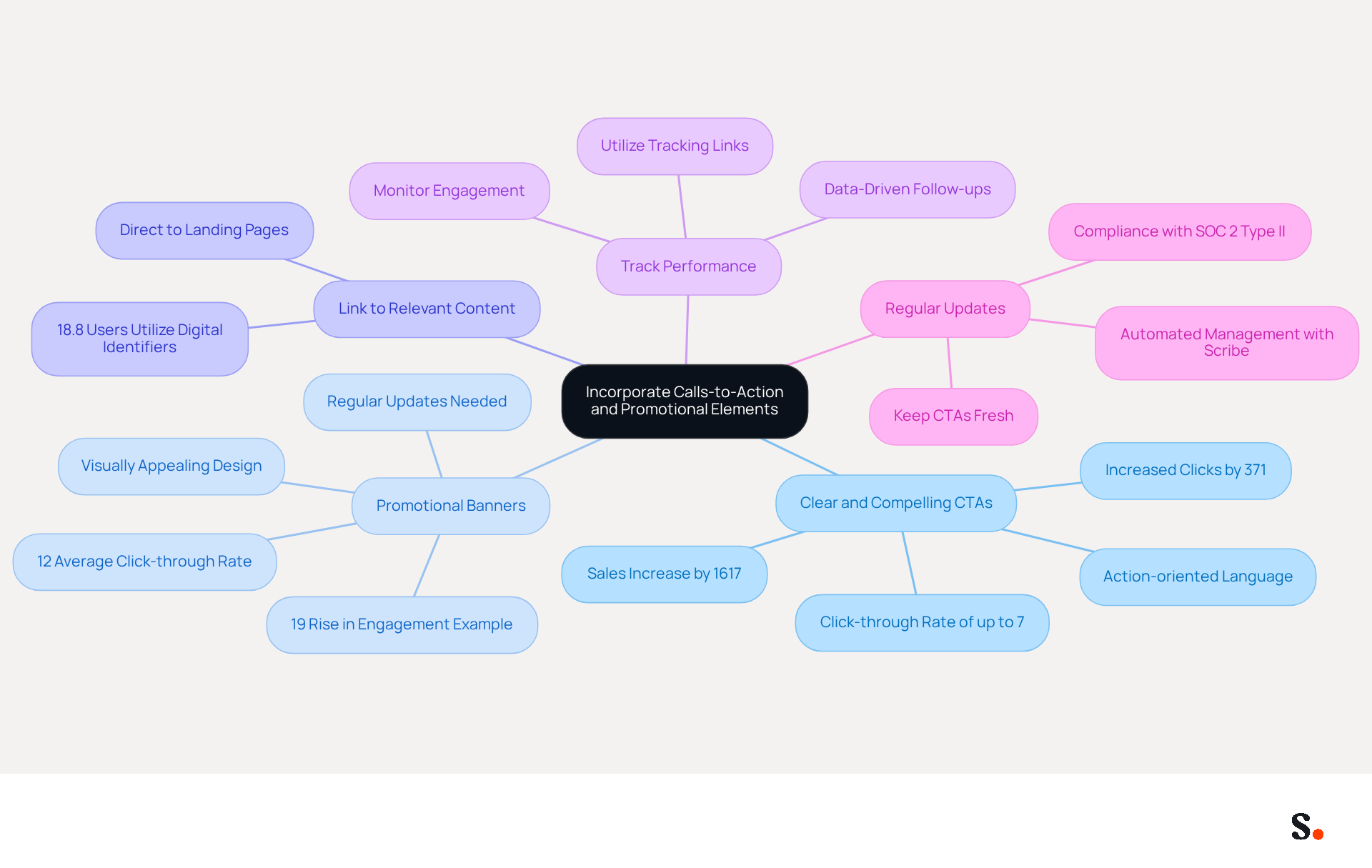
- Clear and Compelling CTAs: Use action-oriented language that encourages recipients to engage. Phrases like "Sign Up Now," "Get Your Free Trial," or "Learn More" can motivate action. Studies indicate that well-crafted CTAs can increase clicks by 371% and sales by 1617%. Additionally, CTAs can achieve a click-through rate of up to 7%, further emphasizing their importance in driving engagement.
- Promotional Banners: Include visually appealing banners that highlight current promotions or events. Ensure these banners are not excessively large, as they should enhance the emblem rather than dominate it. Without regular updates, your messaging risks becoming stale and ineffective. For example, a leading tech firm experienced a 19% rise in customer engagement through the use of unified digital identifiers. With Scribe, every modification made in your Aircall setup will automatically be reflected in your branding components, ensuring brand consistency effortlessly. This demonstrates how Scribe can enhance your marketing effectiveness, with an average click-through rate on banners of 12%.
- Link to Relevant Content: Direct recipients to specific landing pages, blog posts, or product pages that align with the CTA. This focused strategy can improve the efficiency of your marketing initiatives, as 18.8% of users utilize digital identifiers for lead generation.
- Track Performance: Utilize tracking links to measure the effectiveness of your CTAs. Tools enable users to monitor how many times links in their digital identifiers are clicked, offering insights into what connects with your audience and guiding future strategies. For example, integrating tracking features in message footers enables organizations to effectively observe recipient engagement.
- Regular Updates: Keep your CTAs fresh by regularly updating them to reflect current campaigns or promotions. This guarantees that your correspondence identifiers stay pertinent and captivating, maximizing their potential as promotional tools. With Scribe's automated management of digital identifiers, you can effortlessly implement these updates while ensuring compliance with SOC 2 Type II standards for secure data handling.
Ostap, a Marketing Manager, notes that an electronic identifier can significantly enhance promotional efforts. By leveraging these strategies, businesses can significantly enhance their email marketing outcomes.
Integrate with Marketing Tools for Enhanced Efficiency
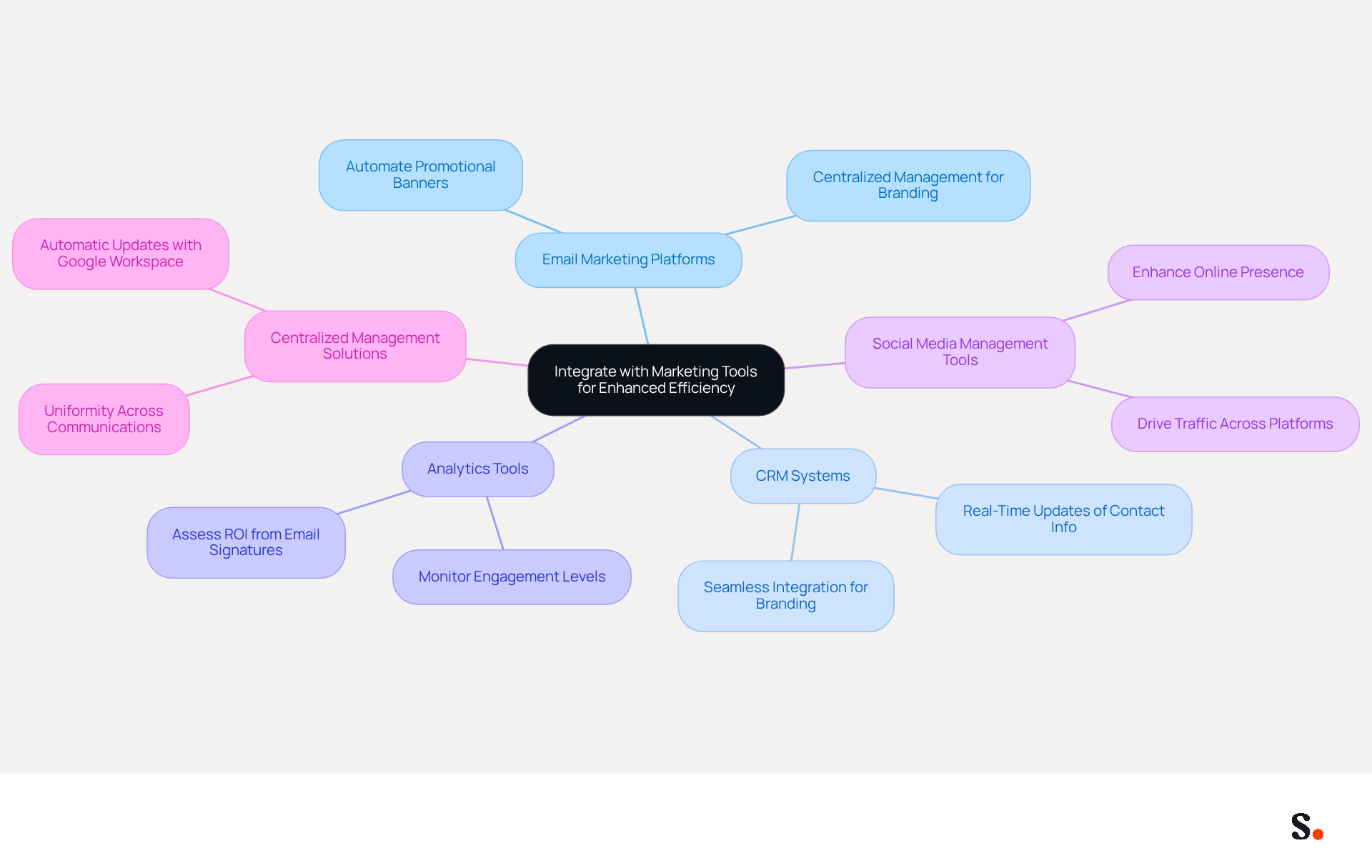
Managing email signatures can be a complex task, especially when striving for brand consistency across communications. To maximize the efficiency of your email signature management, integrating with the following marketing tools is essential:
- Email Marketing Platforms: Connect your email signatures with platforms like Mailchimp or HubSpot to automate the inclusion of promotional banners or CTAs in your email campaigns. Scribe's centralized management enables uniform branding throughout all communications.
- CRM Systems: Integrate with customer relationship management (CRM) systems such as Salesforce to ensure that signed documents are updated with the latest contact information and branding elements. This integration is seamless, enabling real-time updates.
- Analytics Tools: Utilize analytics tools to monitor the effectiveness of your digital identifiers. This data can help you understand engagement levels and refine your strategies accordingly. With Scribe, you can assess the effect of your identifiers on ROI, as shown by an average click-through rate of 12% on banner displays.
- Social Media Management Tools: Connect your contact details to social media profiles to drive traffic and engagement across platforms. This can enhance your overall promotional strategy by creating a cohesive online presence.
- Centralized Management Solutions for Email Identifiers: Consider using Scribe for centralized oversight of email identifiers throughout your organization. This guarantees uniformity and conserves time when updating identifiers for promotional campaigns. By syncing with Google Workspace, the platform enables automatic updates of teammate information, conserving time and ensuring accuracy.
By integrating these tools, businesses can significantly improve their email signature management and overall marketing effectiveness. This strategic approach not only enhances brand messaging but also drives engagement and revenue growth.
Conclusion
Many businesses find it challenging to maintain consistent brand visibility and engagement in their communications. Maximizing marketing impact through the Outlook Signature Editor is crucial for organizations looking to enhance their brand presence. By utilizing the editor's comprehensive capabilities, businesses can transform standard email signatures into effective marketing tools that consistently reflect their brand identity and drive customer interaction.
Key strategies discussed include:
- The importance of creating on-brand signature templates
- Incorporating compelling calls-to-action
- Integrating with various marketing tools
Utilizing rich text formatting and dynamic content not only elevates the visual appeal of email signatures but also significantly boosts click-through rates. Moreover, regular updates and performance tracking ensure that marketing efforts remain relevant and effective, ultimately leading to improved engagement and ROI.
Implementing these best practices helps businesses achieve a cohesive brand presence across all communications. As organizations strive for consistency and effectiveness in their marketing strategies, embracing the capabilities of the Outlook Signature Editor, particularly through solutions like Scribe, can provide a competitive edge. By prioritizing brand consistency and measurable outcomes, organizations can maximize their marketing impact and foster stronger connections with their audience. Embracing the Outlook Signature Editor can redefine how organizations connect with their audience, ultimately leading to greater marketing success.
Frequently Asked Questions
What are the key features of the Outlook Signature Editor?
The key features include rich text formatting, hyperlinking, dynamic content support, and automated updates for branding consistency.
How does rich text formatting enhance email signatures?
Rich text formatting allows users to customize fonts, colors, and sizes to align with brand guidelines, incorporating images and logos to improve brand recognition and visual appeal.
What is the benefit of hyperlinking in email signatures?
Hyperlinking enables clickable links that direct recipients to websites, social media platforms, or promotional content, which can increase engagement rates and drive traffic.
How can dynamic content in the Outlook Signature Editor improve click-through rates?
Dynamic content, such as rotating banners or promotional messages, can be updated in real-time and has been shown to lead to a significant 22% increase in click-through rates.
How does Scribe streamline the signature management process?
Scribe automatically fills in teammates' initials based on the business phone system, ensuring signature information is always synced without requiring action from teammates.
What compliance standard does Scribe adhere to for data safety?
Scribe is SOC 2 Type II compliant, ensuring the safety of user data.
How can optimizing email formats with Scribe impact branding?
Optimizing email formats can maximize branding impact, as a company with 100 employees can produce between 60,000 to 80,000 branded impressions monthly without incurring additional costs.
List of Sources
- Understand Key Features of the Outlook Signature Editor
- 40+ Email Signature Statistics for 2026 (Data + Insights) (https://wavecnct.com/blogs/email-signature-statistics)
- How Email Signatures Impact Marketing Performance (https://letsignit.com/blog/how-email-signatures-impact-marketing-performance)
- New email signature management and editor features in Outlook on the web | Topedia Blog (https://blog-en.topedia.com/2026/01/new-email-signature-management-and-editor-features-in-outlook-on-the-web)
- Microsoft Updates Outlook Web Email Signature Management | Tobias Asböck posted on the topic | LinkedIn (https://linkedin.com/posts/tobiasasboeck_new-email-signature-management-and-editor-activity-7418365340369211392-RK9i)
- Email signature statistics: Why every business should optimize their email signatures — Stripo.email (https://stripo.email/blog/email-signature-statistics-why-every-business-should-optimize-their-email-signatures)
- Create On-Brand Signature Templates for Consistency
- Research Recap: Branded Email Signatures Increase Company Recognition, Trust - B2BMX INSIGHTS (https://demandgenreport.com/industry-news/research-recap-branded-email-signatures-increase-company-recognition-trust/47252)
- Why Are Email Signatures Key to Brand Awareness? | QuickMail (https://quickmail.com/role-of-email-signatures-in-brand-awareness)
- The impact of email signatures on your branding (https://signitic.com/en/resources/the-impact-of-email-signatures-on-your-branding)
- Email Signature Branding: Consistency and Impact | Crossware365 (https://crossware365.com/blog/mastering-email-signature-branding-market-presence)
- Best Practices for a Correct Email Signature That Boosts Branding (https://scribe-mail.com/en-US/blog/best-practices-for-a-correct-email-signature-that-boosts-branding)
- Incorporate Calls-to-Action and Promotional Elements
- Using Email Signatures as a Marketing Tool: Ideas for Generating Leads and Promoting Business (https://blog.ringostat.com/en/using-email-signatures-as-a-marketing-tool-ideas-for-generating-leads-and-promoting-business)
- 7 ways email signatures boost brand image (https://signitic.com/en/resources/7-ways-email-signatures-boost-brand-image)
- Why and how to add an effective CTA to your email signature? (https://signitic.com/en/resources/why-and-how-to-add-an-effective-cta-to-your-email-signature)
- The Ultimate Guide to Email Signature Call-to-Action - NEWOLDSTAMP (https://newoldstamp.com/blog/the-ultimate-guide-to-email-signature-call-to-action)
- Don't Underestimate the Marketing Power of Your Email Signature (https://marketingprofs.com/opinions/2015/29032/dont-underestimate-the-marketing-power-of-your-email-signature)
- Integrate with Marketing Tools for Enhanced Efficiency
- Email signature statistics: Why every business should optimize their email signatures — Stripo.email (https://stripo.email/blog/email-signature-statistics-why-every-business-should-optimize-their-email-signatures)
- Email signature solution: why integrate them in the Marketing Stack? (https://letsignit.com/blog/tool-saas-email-signature)
- Positive connects Positive Signitic to the CRM – the email signature becomes a marketing channel in its own right (https://positivegroup.com/news/signitic-crm-email-signature-marketing)
- Email signature statistics and trends in 2024 (https://wisestamp.com/blog/email-signature-statistics)
- Salesforce Connector: Now Live! (https://letsignit.com/blog/salesforce-integration)
Get started with Scribe
Create your signature in minutes
Free 14-day trial — no credit card.