What Should a Regulated Organization Include in an Email Signature?
Learn how regulated organizations can review email signature content, jurisdictional triggers, approvals, and control limits.
Sophie Grant
Email Signature Specialist, Scribe

On this page
- Start with the regulated-communications question
- Separate baseline identity from conditional disclosures
- Use jurisdiction, role, and message context as the decision filters
- What the available evidence shows for law firms
- What the available evidence shows for California insurance communications
- Compare review topics across regulated sectors
- Turn each approved element into an accountable record
- Build the pre-publication review checklist
- Keep disclaimers and signatures within their limits
- Assess the control needed to preserve the approved result
- Choose the next investigation, not a universal template
- Sources
Start with the regulated-communications question
A regulated organization's email signature is a controlled communication artifact, not merely a decorative block beneath a sender's name. The signature may repeat identity details, contact routes, professional information, and wording that your organization has approved for a particular role, jurisdiction, or type of message.
The first question is not which template looks complete. The first question is which information must appear for this sender, this organization, this location, and this communication. That distinction keeps you from turning a requirement that applies to one licensed activity into a rule for every employee and every email.
A practical review should answer five questions:
- Which identity and contact details should remain stable across the organization?
- Which fields depend on the sender's role, license, practice area, or jurisdiction?
- Which wording is approved for the relevant message context?
- Who owns the decision, and where is the approval recorded?
- How will you identify an unauthorized change after publication?
The answers should produce a controlled set of fields and conditions rather than a universal disclaimer list. Your goal is to define what belongs in scope, who may approve it, and how the approved result will be preserved. That approach also leaves room for differences between healthcare, financial services, insurance, and law firms without presenting one sector's practice as a rule for all regulated organizations.
Separate baseline identity from conditional disclosures
Baseline identity details and conditional disclosures should be reviewed as separate layers. Baseline details can include the sender's name, role, organization, business contact route, and other fields your organization has chosen to use consistently. Conditional disclosures can include a license number, authorization wording, regulatory information, privacy-related language, or a practice-specific statement that applies only when a defined trigger is present.
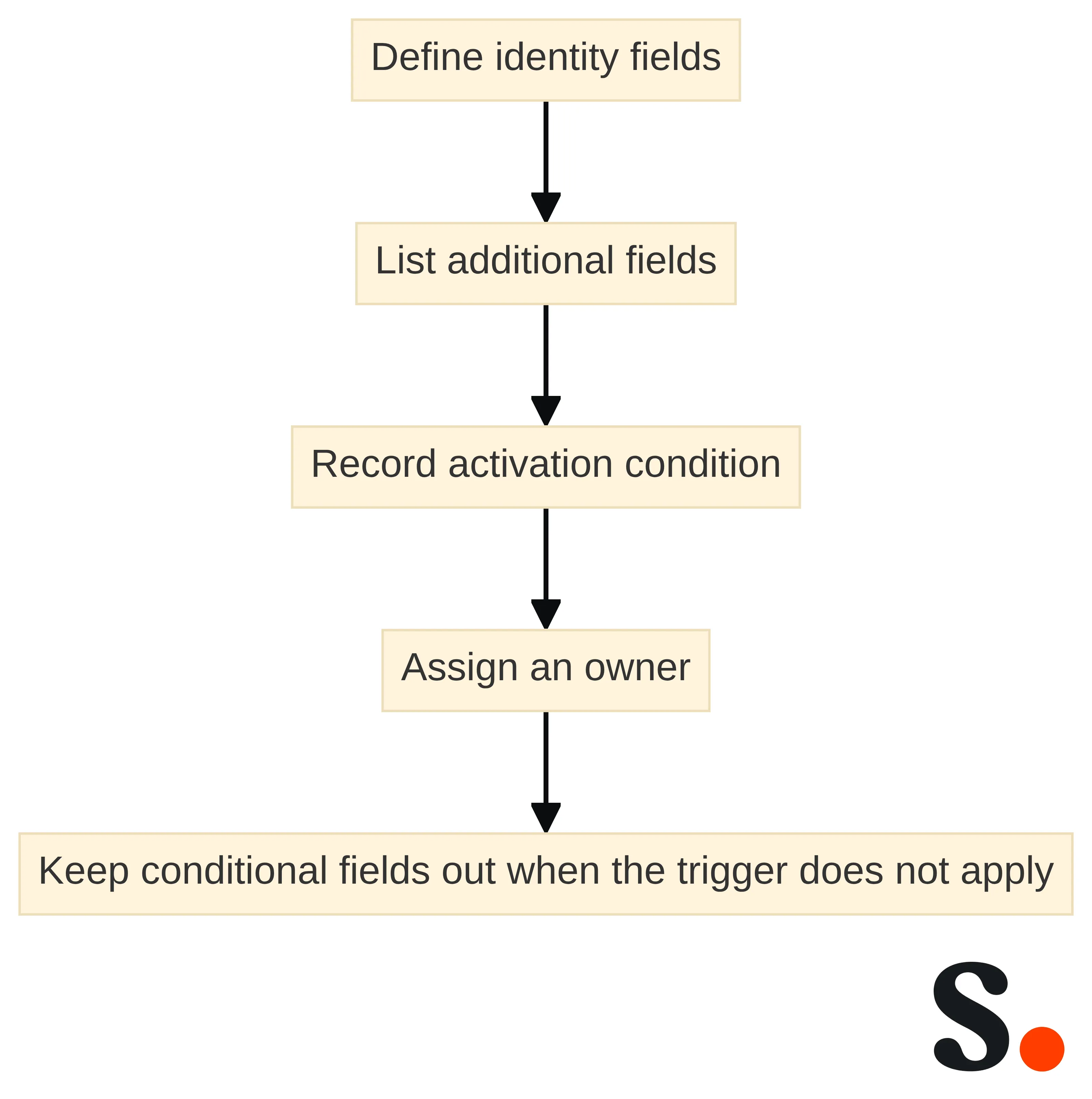
This separation gives you a clearer decision path:
- Define the identity fields that establish who sent the message and how the recipient can contact the business.
- List every additional field that may be required or useful for a particular role, jurisdiction, service, or message.
- Record the condition that activates each additional field.
- Assign an owner who can approve the wording and confirm its scope.
- Keep the conditional field out of messages and roles for which its trigger does not apply, unless your adviser has approved a broader use.
For a law firm, the review should cover accurate sender and contact details, required regulatory information, jurisdiction-appropriate wording, and consistent branding. That is a review standard for the relevant legal context, not a universal list for every organization or jurisdiction. The same discipline applies elsewhere: treat a field as a controlled candidate until you know its purpose, scope, and approval basis.
Privacy-related wording needs the same separation. Ask why each field is present, who needs to receive it, whether it is accurate, and which internal owner approves its use. Do not assume that adding a privacy phrase resolves the separate questions of data collection, use, retention, access, or cross-border handling.
The resulting structure can be simple: stable identity fields at the base, conditional fields beside them, and a written rule explaining when each conditional field appears. This prevents a broad request for a compliant signature from hiding several different decisions.
Use jurisdiction, role, and message context as the decision filters
Jurisdiction, role, and message context are the three filters that determine whether a signature field deserves further review. A field may be relevant in one state, for one licensed role, or for one type of activity without applying to every sender in the organization.
Use the filters in this order:
- Jurisdiction: Which state, country, regulator, bar, licensing authority, or practice location governs the relevant communication?
- Role: Is the sender an attorney, producer, adviser, clinician, administrator, or another role with a defined professional scope?
- Message context: Does the email involve a regulated activity, a client matter, a product, a service, or a transaction that activates a disclosure?
Requirements for law-firm communications can vary by jurisdiction. The cited legal-industry guidance identifies SRA number and authorization wording requirements for firms in England and Wales, while U.S. attorney communications are subject to state-specific bar rules. That distinction means a U.S. firm should map its own state and practice context rather than copy a requirement from another jurisdiction.
The same trigger-based approach appears in the California insurance example. A California Department of Insurance notice dated December 22, 2022 states that specified insurance licensees must include their license numbers on emails involving an activity for which a license is required. The stated scope is limited to those licensees and qualifying activities; use it as a jurisdiction-and-activity question, not as a universal field for every insurance email.
Before approving wording, write the trigger in plain language. For example, your record might identify the applicable jurisdiction, the covered role, and the type of communication that activates the field. If you cannot explain those conditions, pause the publication decision and send the question to the person responsible for the relevant legal or compliance determination.
What the available evidence shows for law firms
Law-firm signatures should be reviewed against four practical areas: accurate sender and contact details, regulatory information where required, wording appropriate to the governing jurisdiction, and consistent presentation across attorneys. These areas help you separate information that identifies the firm from information that depends on a particular practice or location.
U.S. law firms should not treat the existence of one standard signature as proof that every attorney's communication has the same requirements. State bar rules can differ among states, so your review record should identify the relevant state or states and the attorney or practice circumstances that make a rule applicable. A firm with several offices may need more than one approved conditional variation while keeping the underlying identity fields consistent.
The England and Wales example illustrates why jurisdiction belongs in the record. The cited guidance identifies an SRA number and authorization wording for firms in that jurisdiction, including their use in every email. That requirement should not be copied into a U.S. workflow without a separate determination that it applies there.
A law-firm review can therefore use this sequence:
- Inventory the firm's stable identity and contact fields.
- Map each attorney or practice group to the jurisdictions and professional rules that may apply.
- Identify any regulatory number or authorization wording that has a defined trigger.
- Record the approved text, owner, scope, and change history.
- Test whether the intended wording appears for the messages and senders within that scope.
This process does not decide the legal requirement for you. It creates a clear handoff between the people who determine the rule and the people who maintain the communication artifact.
What the available evidence shows for California insurance communications
California insurance communications provide a specific example of why a regulated signature field needs a defined trigger.
The scope matters as much as the field itself. The stated requirement concerns specified licensees and emails involving an activity for which a license is required. It should therefore be recorded as a conditional rule with at least three attributes:
- The covered licensee or role.
- The activity that requires the license.
- The jurisdiction in which the rule applies.
Do not convert that example into a universal requirement for every insurance email, every employee, or every industry. A producer's message about a licensed activity may need a different review from an internal administrative message, and another state may apply a different rule. The signature control should preserve the approved distinction rather than flattening every situation into one block of text.
For an insurance organization, ask the responsible owner to define the trigger before a license number is added to a shared template. Then document which senders and messages receive the field, how the number is checked for accuracy, and what happens when a license changes, expires, or no longer covers the relevant activity. Those are governance questions; the underlying legal determination belongs with the appropriate professional authority.
Compare review topics across regulated sectors
Healthcare, financial services, insurance, and law firms can use the same review structure while asking different questions about their own roles, jurisdictions, and communications. The table below is a planning aid, not a list of universal disclosures.
| Sector | Baseline identity questions | Conditional disclosure questions | Privacy and data questions | Approval focus |
|---|---|---|---|---|
| Healthcare | Does the signature identify the organization, service setting, sender, role, and approved contact route? | Which role, service, location, or message context requires additional wording? | Which personal or health-related details belong in the signature, and who approved their use? | Match the wording to the responsible legal, compliance, and operational owners. |
| Financial services | Does the signature identify the firm, sender, professional role, and business contact path? | Does a state, license, product, service, or transaction trigger a field or statement? | Which personal details are necessary for the business purpose, and how will changes be controlled? | Connect each conditional field to the relevant compliance or legal decision. |
| Insurance | Does the signature identify the agency or firm, sender, role, and contact route? | Does the sender and activity fall within a jurisdiction-specific licensing trigger? | Which producer or client-facing details are approved for the communication? | Record the covered licensee, activity, jurisdiction, and approval owner. |
| Law firms | Does the signature contain accurate sender and contact details for the firm and attorney? | Which state bar, practice jurisdiction, or authorization rule applies to this communication? | Which client-facing or professional details are appropriate for the relevant context? | Keep the approved wording and scope tied to the responsible legal owner. |
The shared structure helps you compare decisions without pretending that the sectors have identical requirements. Start with the questions in the table, then replace each question with a documented answer for your organization. The legal or compliance owner should decide which answer governs a live communication.
Turn each approved element into an accountable record
An approved signature element becomes easier to control when each decision has an owner, a scope, and a record. A short field register can connect the wording that appears in an email to the reason it exists and the conditions under which it may be used.
Create one record for each field or grouped disclosure and capture:
- Field name: Use a plain description such as sender identity, license number, authorization wording, or privacy-related wording.
- Approved text: Store the exact wording, capitalization, punctuation, and formatting that the owner approved.
- Scope: Identify the organization, office, role, jurisdiction, message type, or other boundary that applies.
- Trigger: State what must be true before the field appears.
- Owner: Name the function responsible for the legal, compliance, operational, or brand decision.
- Approval record: Preserve the approver, approval date, version, and reason for the decision.
- Change condition: Describe what event requires a fresh review, such as a jurisdictional change, role change, license change, or revised wording.
- Implementation check: Record how you will compare the approved result with the signature that recipients actually see.
This record should distinguish a requirement from a preference. A brand preference may explain a color, logo, or layout choice. A jurisdiction-specific disclosure needs a clear scope and an accountable decision owner. Keeping those categories separate helps you avoid presenting a design decision as a legal conclusion.
The record also gives you a way to handle variations without losing control. If one group uses a conditional field and another group does not, document the reason and the boundary. If two jurisdictions require different wording, give each version its own scope rather than editing a single sentence until it vaguely fits both.
Use the register during every change request. The person proposing a new field should identify its purpose and trigger; the responsible owner should approve or reject it; and the implementation owner should preserve the approved version. That sequence creates an auditable chain from decision to published signature without assuming that the signature itself proves compliance.
Build the pre-publication review checklist
A pre-publication signature checklist should move from content scope to approval, then to the recipient-facing result. Use the checklist for a new signature, a role change, a jurisdictional variation, or a change to required wording.
- Inventory the fields. List the sender name, role, organization, contact details, regulatory information, privacy-related wording, links, and visual elements that the proposed signature contains.
- Classify each field. Mark each item as baseline identity, conditional disclosure, privacy-related wording, brand content, or another documented category.
- Define the audience and trigger. Record which people, offices, roles, jurisdictions, and message contexts receive each field.
- Check the wording. Compare every regulated or approved phrase with the latest authorized text, including numbers, names, punctuation, and jurisdiction-specific language.
- Assign the decision owner. Identify who approved the field and who has authority to resolve an open legal, compliance, privacy, or operational question.
- Record the version. Capture the approval date, version identifier, effective date, and reason for the change in the field register.
- Check the rendered result. Compare the approved content with the signature displayed in the intended email environments, including variations for different roles or jurisdictions.
- Record exceptions. Document any sender, device, client, or message condition that receives a different result and state who approved that exception.
- Set the follow-up point. Identify the event that should reopen the review, such as a rule change, license change, new office, role change, or revised privacy decision.
The checklist is a working aid, not a certification. Its immediate use is to give you one place to identify missing fields, unresolved ownership, scope errors, and differences between approved wording and published output. A completed checklist should lead to a clear publication decision: approve the defined scope, hold the change for a decision, or reject the proposed field.
Keep disclaimers and signatures within their limits
An email signature should support a defined communication-control process, not carry the full weight of legal, privacy, or regulatory compliance. A signature can display approved information, but its presence does not establish that the underlying rule was interpreted correctly, that the sender is authorized, or that the organization has met every related obligation.
Confidentiality disclaimers illustrate this boundary. A confidentiality disclaimer should not be treated as a reliable legal shield; its wording and use should be assessed in the relevant legal context.
Apply the same boundary to privacy-related wording. A phrase about privacy does not by itself decide whether personal data belongs in the signature, whether the data is accurate, who may access it, how long it should remain in use, or whether another process is required. Ask the appropriate owner to address those questions separately.
Keep three controls distinct:
- Content control: the approved words, fields, and visual elements.
- Scope control: the people, jurisdictions, roles, and messages to which each element applies.
- Compliance control: the broader policies, approvals, records, and professional decisions that govern the organization.
A signature can be part of all three conversations, but it is not a substitute for the third. That distinction prevents a polished block of text from being mistaken for a complete compliance program.
Assess the control needed to preserve the approved result
The control needed to preserve an approved signature depends on how many fields, roles, jurisdictions, and changes your organization must coordinate. If each person can edit a signature independently, the organization must account for differences between the approved wording and the version that each recipient sees. A controlled process should make ownership, updates, and exceptions visible.
Assess the operating model with these questions:
- Who creates the approved signature structure?
- Who can change a conditional field after approval?
- How are employee names, titles, contact details, and license information kept accurate?
- How do you distinguish a standard version from a jurisdictional or role-specific version?
- How are changes recorded and communicated to the people responsible for the affected scope?
- How do you identify an unauthorized edit or an outdated field?
- Which email clients and browsers must display the approved result?
A managed approach may merit investigation when the answers require coordinated content, employee data, monitoring, or multiple delivery environments. Scribe provides email-signature design across email clients and browsers, HR-data synchronization to automatically fill email signatures, and monitoring and compliance tracking for email signatures. Those are platform capabilities to evaluate against your control requirements; they do not determine which legal wording applies to your organization.
Use the evaluation to define the handoff between decision and maintenance. Your legal or compliance owner decides the approved field and scope. Your operational or IT owner maintains the relevant people, environments, and change path. Your communications or brand owner may manage presentation within the approved boundary. A managed system is useful only when those responsibilities remain explicit.
The outcome you want from this assessment is not a claim that one method fits every organization. It is a documented answer to whether your current process can preserve approved wording, apply conditional fields to the right scope, and produce a record when something changes.
Choose the next investigation, not a universal template
A regulated organization should begin with a field register and a trigger map, then connect each approved element to an owner, a scope, and a change record. Use the law-firm and California insurance examples as reminders that jurisdiction, role, and message context can change the decision; do not turn either example into a universal template.
Your next investigation can follow this order:
- Inventory baseline identity and contact details.
- Separate conditional disclosures from stable fields.
- Map each conditional field to its jurisdiction, role, and message trigger.
- Record exact wording, approval, version, and ownership.
- Test whether the published result matches the approved scope.
- Decide whether your present process can preserve that result as people, roles, locations, and requirements change.
A qualified legal, privacy, or compliance professional should determine individual suitability for your organization's circumstances. Your signature process can then implement and document that decision without presenting the signature itself as proof of broader compliance.
Get started with Scribe
Build a professional email signature
Free 14-day trial — no credit card.