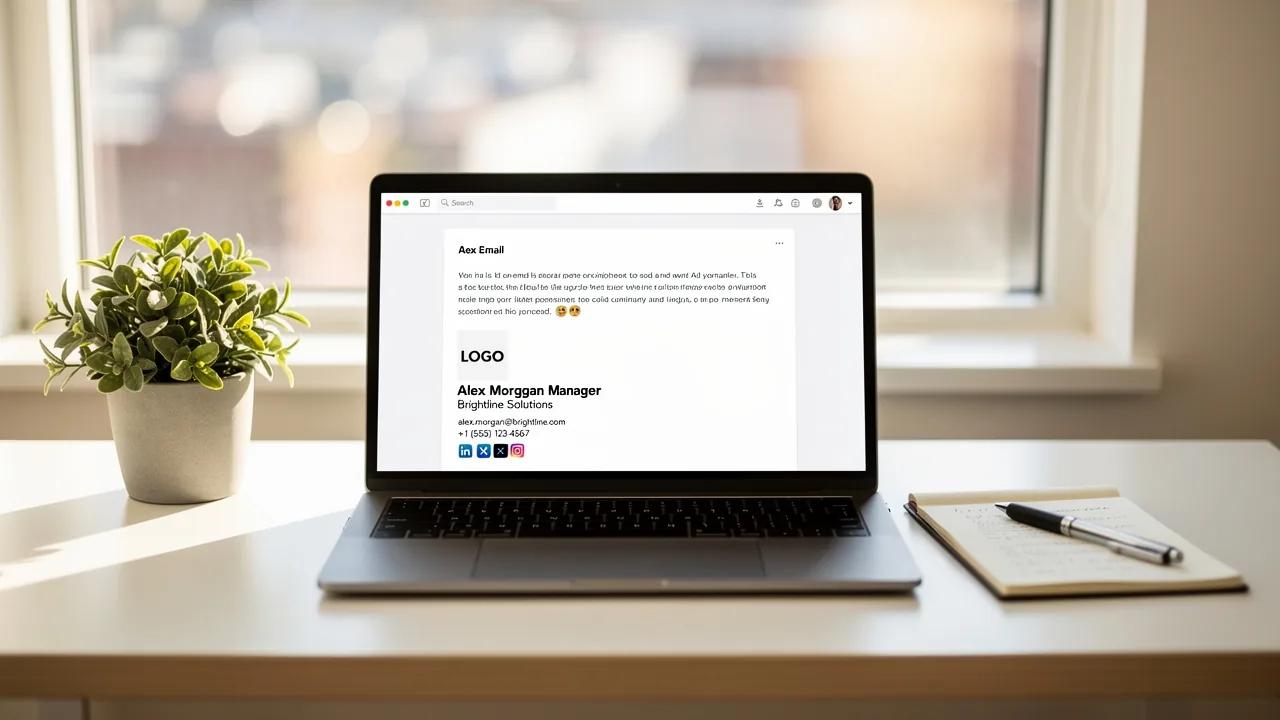
Set Up a Company-Wide Email Signature in Office 365: A Step-by-Step Guide
Establishing a cohesive email signature across an organization is a strategic move that enhances both credibility and communication effectiveness. By
Sophie Grant
Email Signature Specialist, Scribe

On this page
- Introduction
- Understand the Importance of Company-Wide Email Signatures in Office 365
- Gather Requirements for Setting Up Email Signatures in Office 365
- Create and Manage Company-Wide Email Signatures in Office 365
- Troubleshoot Common Issues with Email Signatures in Office 365
- Conclusion
- Frequently Asked Questions
- List of Sources
Introduction
Establishing a cohesive email signature across an organization is a strategic move that enhances both credibility and communication effectiveness. By implementing a company-wide email signature in Office 365, businesses can transform every email into a powerful marketing tool, promoting key messages and ensuring compliance with industry regulations.
However, organizations often struggle with maintaining consistency and effectiveness in their email signatures. How can they ensure that their signatures drive engagement and build trust among recipients? This inconsistency can undermine brand credibility and hinder communication efforts.
Understand the Importance of Company-Wide Email Signatures in Office 365
Inconsistent email branding can undermine an organization's credibility and hinder effective communication. The company-wide email signature Office 365 branding elements are essential tools that ensure every email sent from your organization maintains a consistent image. This uniformity not only enhances brand recognition but also builds trust among recipients. Standardized marks can incorporate legal disclaimers, ensuring compliance with industry regulations.
By implementing a company-wide email signature Office 365, businesses can transform every message into a marketing opportunity, effectively promoting key messages, campaigns, or contact information. Research indicates that:
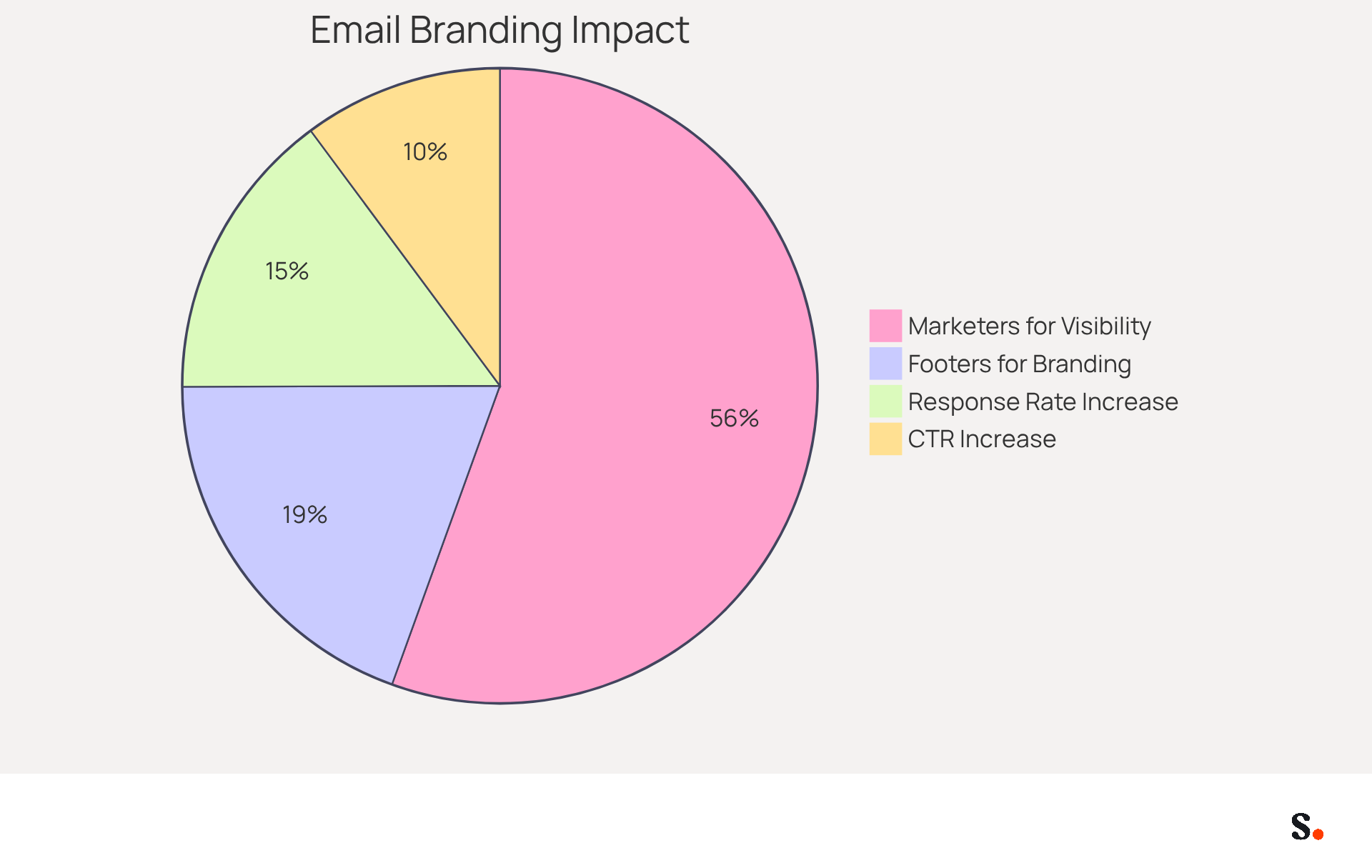
- 28.7% of firms use footers to enhance branding.
- 82% of marketers leverage them to increase visibility.
Moreover, businesses utilizing branded digital identifiers experience a 15% rise in website click-through rates and obtain a 22% greater response rate compared to those lacking, demonstrating the tangible benefits of this approach. Research indicates that organizations that align their communication footers experience notable enhancements in public perception and consumer trust, with 57% of individuals showing increased confidence in messages from businesses that utilize professional footers.
With Scribe, every modification made in your Aircall setup will automatically be reflected in your digital identifiers, ensuring seamless synchronization and improved consistency. This integration makes communication easier and boosts marketing effectiveness, enabling organizations to maintain 100% brand consistency and measurable ROI from their digital branding. Ultimately, the absence of a cohesive email branding strategy can result in missed opportunities for engagement and growth.
Gather Requirements for Setting Up Email Signatures in Office 365
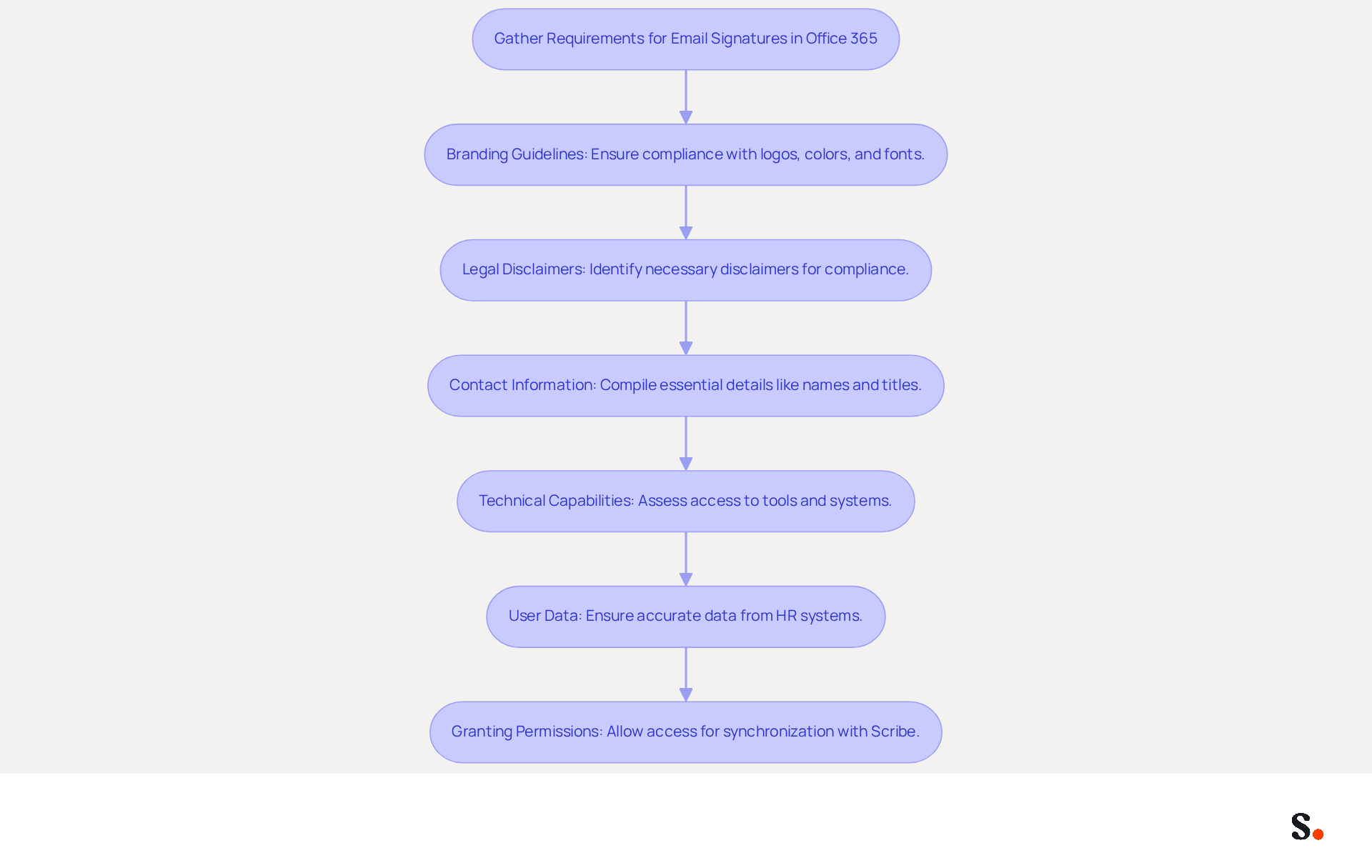
Establishing company-wide email signatures in Office 365 requires careful consideration of several key requirements:
- Branding Guidelines: Ensure that the mark complies with your company's branding standards, including logos, colors, and fonts. A consistent brand image is essential, as 28.7% of businesses use digital identifiers mainly to improve branding and brand recognition.
- Legal Disclaimers: Identify any legal disclaimers required for your industry or region. Adherence is crucial, as it aids in reducing risks linked to electronic communications.
- Contact Information: Compile essential contact details to be included, such as names, titles, phone numbers, and social media links. This information is essential for sustaining professional communication and fostering trust, with 52% of professionals indicating that a strong digital identifier is important for client interactions.
- Technical Capabilities: Assess your organization’s technical abilities, including access to the Exchange Admin Center and any existing communication management tools. Knowing what your organization can handle will make the setup process much smoother.
- User Data: Ensure accurate user data from your HR or identity management systems to personalize signatures effectively. Integrating with Azure Active Directory can streamline this process, allowing for automatic updates and reducing manual errors.
- Granting Permissions: To enable synchronization with Scribe, you must allow Scribe access to connect with your service provider. Ensure you are a Super Admin of your service provider to grant these permissions. You will have the option to select which teammates you want to sync with the application.
By gathering these requirements, you prepare to create a mark that aligns with branding and compliance needs, enhancing your communications and marketing. Incorporating Scribe can streamline your management of the company-wide email signature Office 365, ensuring compliance and efficiency. This proactive approach not only fortifies your brand's integrity and compliance but also saves time by automatically syncing teammate data from your Google Workspace.
Create and Manage Company-Wide Email Signatures in Office 365
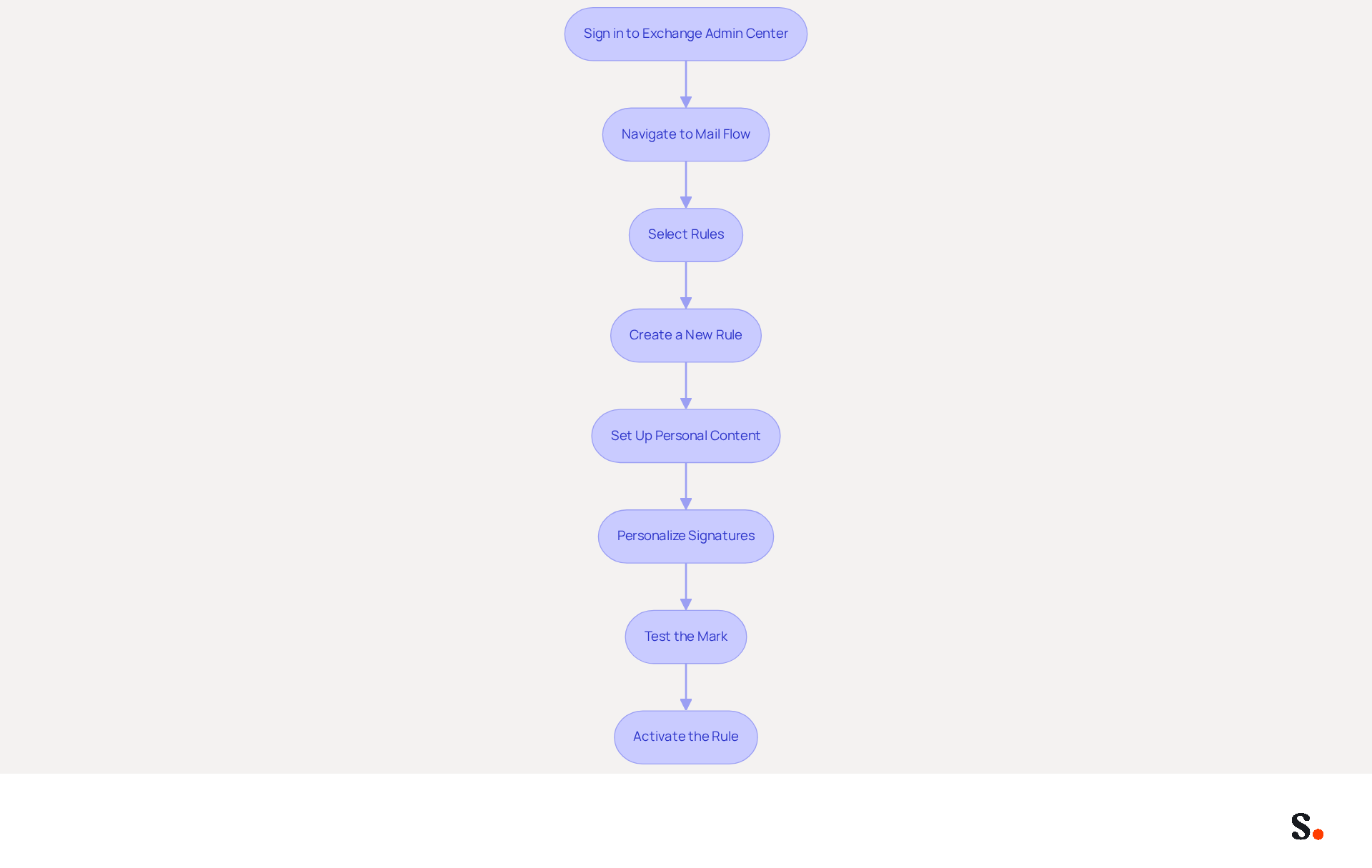
Implementing a company-wide email signature Office 365 across your organization is essential for maintaining brand consistency and professionalism. To create and manage company-wide email signatures in Office 365 using Scribe, follow these steps:
- Sign in to the Exchange Admin Center: Use your admin credentials to access the Exchange Admin Center.
- Navigate to Mail Flow: From the left navigation bar, select 'Mail flow' to expand the options.
- Select Rules: Under 'Mail flow', click on 'Rules' to create a new rule for message identifiers.
- Create a New Rule: Click on the '+' icon to create a new rule. Choose 'Apply disclaimers' from the dropdown options.
- Set Up Personal Content: In the rule settings, define the content of your message footer. You can include text, images, and links as per your branding guidelines. Keep in mind that images can't be embedded directly in Microsoft 365; instead, they'll be sent as attachments.
- Personalize Signatures: Use placeholders to automatically insert user-specific information, such as names and titles, from your directory. Scribe simplifies this process by syncing information from your provider, so sign-offs remain current without requiring action from your teammates. Research indicates that customized electronic identifiers can lead to transaction rates that are six times higher.
- Test the Mark: Before finalizing, send trial messages to ensure the mark appears correctly across different messaging clients. Almost 44.4% of users refresh their contact details every six months or less, highlighting the significance of regular testing and updates.
- Activate the Rule: Once satisfied with the setup, enable the rule to apply the mark to all outgoing messages.
Note: To enable one-click synchronization, ensure you have Super Admin permissions to connect Scribe with your service provider.
Following these steps helps you implement a company-wide email signature Office 365 that boosts brand consistency and professionalism. This approach ensures compliance with security standards, as Scribe is SOC 2 Type II compliant, while also leveraging digital identifiers as powerful marketing tools. In fact, 67% of users of management platforms expect these tools to aid in lead generation.
Troubleshoot Common Issues with Email Signatures in Office 365
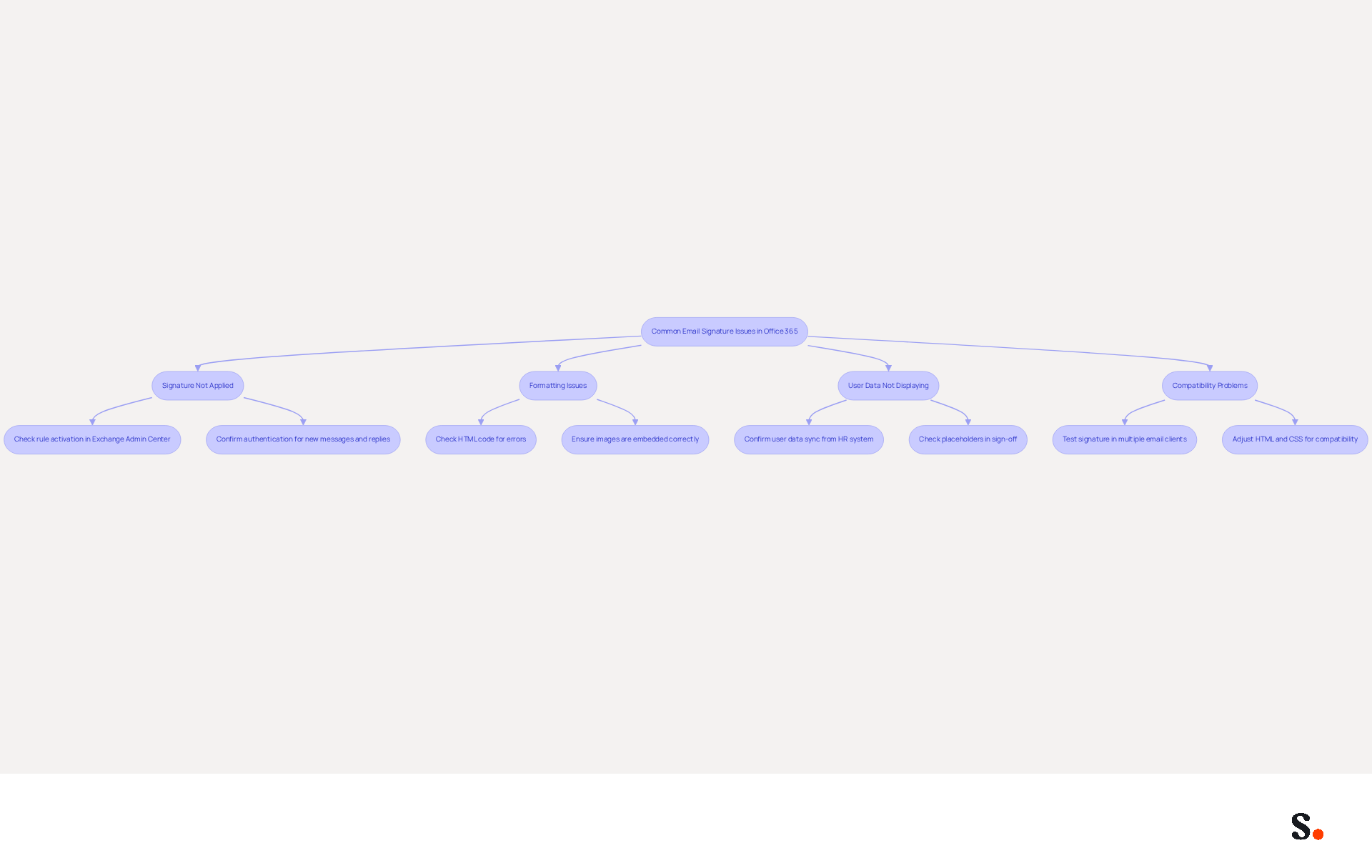
Despite careful configuration, organizations often encounter challenges with messaging identifiers in Office 365. Here are some common problems and their solutions:
-
Many organizations struggle with ensuring the company-wide email signature Office 365 is consistently applied in outgoing emails. If the signature does not appear, check the following:
- Ensure the rule is activated in the Exchange Admin Center.
- Confirm that the authentication is configured for both new messages and replies/forwards. It is essential to note that 42% of organizations fail to monitor email performance, resulting in significant blind spots.
-
Formatting Issues: If the signature appears incorrectly formatted:
- Check the HTML code for any errors. Formatting problems often arise from hidden information when pasting from word processors like Microsoft Word, which can disrupt layout after sending.
- Ensure that images are embedded correctly and not linked from external sources. Large images can cause Outlook to freeze, particularly during long conversations.
-
User Data Not Displaying: If personalized information is missing:
- Confirm that the user data is correctly synced from your HR or identity management system. A common issue is that changes in Active Directory do not update dynamic identifiers retrospectively.
- Ensure that the placeholders used in the sign-off are correct, as incorrect placeholders can lead to missing information.
-
Compatibility Problems: If the signature looks different in various email clients:
- Test the signature in multiple email clients to identify discrepancies. For example, markings may display correctly in Outlook but be modified in Gmail or other clients.
- Adjust the HTML and CSS to ensure compatibility across platforms. Research indicates that effective branded digital identifiers can enhance response rates by 22% and increase click-through rates to company websites by 15%.
By proactively addressing these common issues, organizations can enhance their email communication and uphold a consistent brand image with a company-wide email signature Office 365.
Conclusion
Implementing a company-wide email signature in Office 365 is a strategic initiative that significantly enhances brand consistency and professionalism. When every email from your organization presents a unified image, it significantly boosts credibility and builds trust with recipients. We’ve covered the key steps and considerations for setting up effective email signatures, highlighting compliance, branding, and user data management.
Key insights discussed include:
- The necessity of adhering to branding guidelines
- Incorporating legal disclaimers
- Ensuring accurate user information is reflected in signatures
The integration of Scribe further streamlines this process, allowing for seamless synchronization and management of email signatures. This can enhance marketing performance, evidenced by a 12% average click-through rate on signature banners. Additionally, troubleshooting common issues ensures that organizations can maintain a consistent and professional appearance in their email communications.
Ultimately, adopting a cohesive email signature strategy not only strengthens brand identity but also transforms every email into a powerful marketing tool. Embracing this approach will improve engagement and contribute to measurable ROI, making it a worthwhile investment for any marketing strategy.
Frequently Asked Questions
Why are company-wide email signatures important in Office 365?
Company-wide email signatures are essential for maintaining consistent branding, enhancing brand recognition, and building trust among recipients. They also ensure compliance with industry regulations through standardized legal disclaimers.
How can a company-wide email signature transform emails into marketing opportunities?
By implementing a company-wide email signature, businesses can promote key messages, campaigns, or contact information with every email sent, effectively turning each message into a marketing opportunity.
What statistics support the effectiveness of email signatures in branding?
Research shows that 28.7% of firms use footers to enhance branding, and 82% of marketers leverage them to increase visibility. Additionally, businesses with branded digital identifiers experience a 15% rise in website click-through rates and a 22% greater response rate.
How does using professional footers impact public perception and consumer trust?
Organizations that align their communication footers see notable enhancements in public perception, with 57% of individuals showing increased confidence in messages from businesses that utilize professional footers.
What role does Scribe play in managing email signatures?
Scribe ensures that every modification made in your Aircall setup is automatically reflected in your digital identifiers, promoting seamless synchronization and improved consistency in communication.
What are the consequences of not having a cohesive email branding strategy?
The absence of a cohesive email branding strategy can lead to missed opportunities for engagement and growth, undermining an organization's credibility and effectiveness in communication.
List of Sources
- Understand the Importance of Company-Wide Email Signatures in Office 365
- Email signature statistics: Why every business should optimize their email signatures — Stripo.email (https://stripo.email/blog/email-signature-statistics-why-every-business-should-optimize-their-email-signatures)
- Exclaimer Research: 67% of Marketers Expect Email Signatures to Support With Lead Gen In 2023 (https://businesswire.com/news/home/20230612141095/en/Exclaimer-Research-67-of-Marketers-Expect-Email-Signatures-to-Support-With-Lead-Gen-In-2023)
- Why Email Signatures Are So Important (https://findlight.net/salesacademy/why-email-signatures-are-so-important)
- The impact of email signatures on your branding (https://signitic.com/en/resources/the-impact-of-email-signatures-on-your-branding)
- Research Recap: Branded Email Signatures Increase Company Recognition, Trust - Demand Gen Report (https://demandgenreport.com/industry-news/research-recap-branded-email-signatures-increase-company-recognition-trust/47252)
- Gather Requirements for Setting Up Email Signatures in Office 365
- The Best Way to Manage Email Signatures in Microsoft 365 | Rocketseed (https://rocketseed.com/blog/best-way-to-manage-email-signatures-in-microsoft-365)
- How to Create and Enforce Common Signature in Office 365 (https://cloudfuze.com/how-to-create-and-enforce-common-signature-in-office-365)
- Create Organization-wide Email Signatures and Disclaimers - Microsoft 365 admin (https://learn.microsoft.com/en-us/microsoft-365/admin/setup/create-signatures-and-disclaimers?view=o365-worldwide)
- Email signature management in Microsoft 365 & Office 365 (https://codetwo.com/guides/email-signatures-in-office-365)
- Email signature statistics: Why every business should optimize their email signatures — Stripo.email (https://stripo.email/blog/email-signature-statistics-why-every-business-should-optimize-their-email-signatures)
- Create and Manage Company-Wide Email Signatures in Office 365
- Email signature statistics and trends in 2024 (https://wisestamp.com/blog/email-signature-statistics)
- How to Create and Enforce Common Signature in Office 365 (https://cloudfuze.com/how-to-create-and-enforce-common-signature-in-office-365)
- Create Organization-wide Email Signatures and Disclaimers - Microsoft 365 admin (https://learn.microsoft.com/en-us/microsoft-365/admin/setup/create-signatures-and-disclaimers?view=o365-worldwide)
- Email signature management in Microsoft 365 & Office 365 (https://codetwo.com/guides/email-signatures-in-office-365)
- Troubleshoot Common Issues with Email Signatures in Office 365
- Email Signature Troubleshooting - Problems & Solutions - Gimmio (https://blog.gimm.io/email-signature-troubleshooting)
- How to solve problems with email signatures in Microsoft 365? (https://mail-signatures.com/articles/problems-email-signatures-office-365)
- 40+ Email Signature Statistics for 2026 (Data + Insights) (https://wavecnct.com/blogs/email-signature-statistics)
- Outlook Signature Not Working in Office 365: Causes & Fixes (https://exclaimer.com/email-signature-handbook/outlook-signature-not-working-in-office-365)
Get started with Scribe
Manage signatures across your whole team
Free 14-day trial — no credit card.