4 Best Practices for a Professional Looking Email Signature
A professional email signature is a crucial element of communication and brand representation. Organizations can enhance their credibility and engagement by
Sophie Grant
Email Signature Specialist, Scribe

Introduction
A professional email signature is a crucial element of communication and brand representation. Organizations can enhance their credibility and engagement by incorporating essential elements and effective design principles into their signatures. This struggle often leads to ineffective signatures that fail to represent the brand properly.
What are the best practices that can transform a simple signature into a powerful marketing tool while ensuring brand consistency and professionalism? Understanding and applying best practices can elevate your email signature from a mere sign-off to a strategic asset.
Define Key Elements of a Professional Email Signature
A professional looking email signature is not just a formality; it is a critical component of effective communication and brand representation. It should encompass several essential elements:
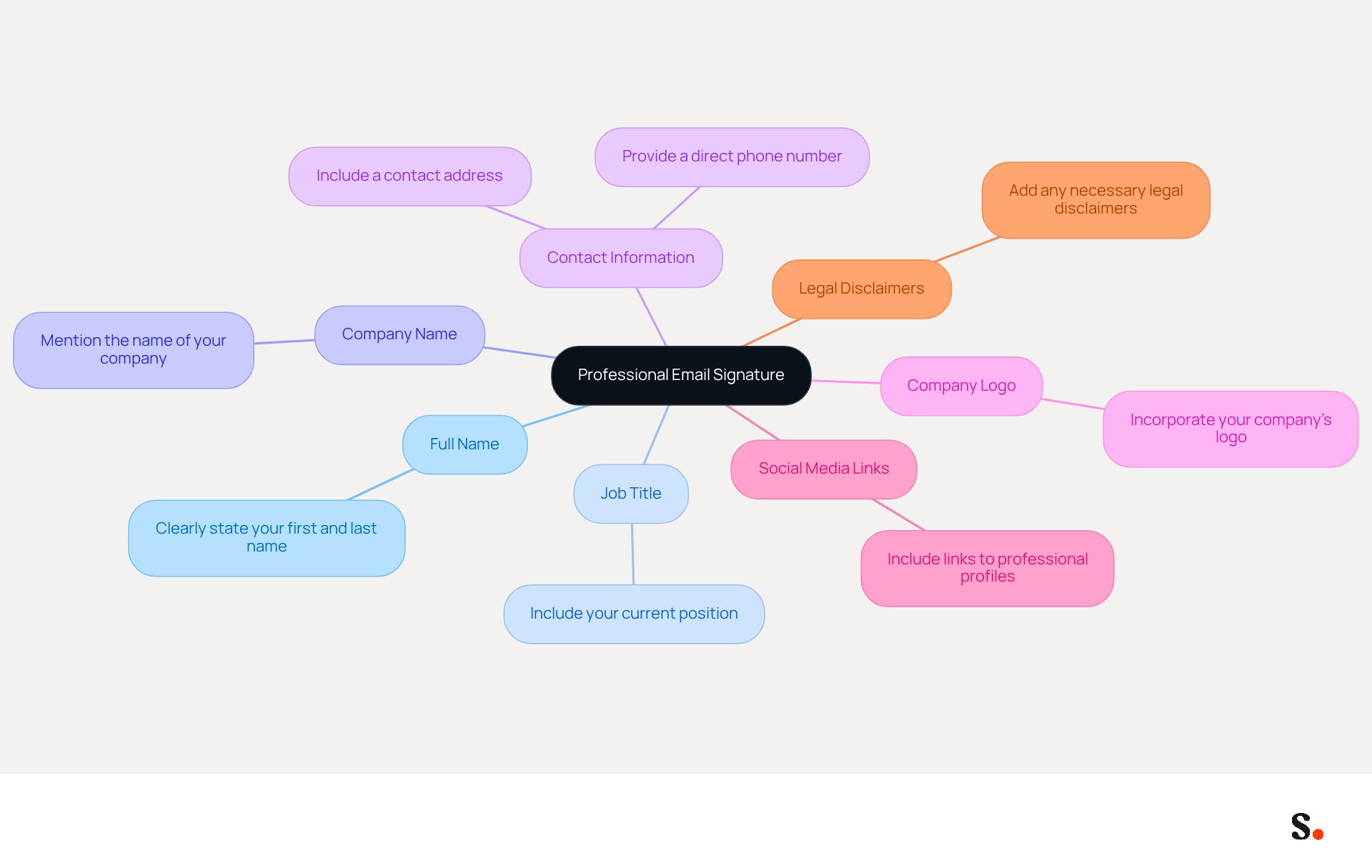
- Full Name: Clearly state your first and last name to personalize the interaction.
- Job Title: Include your current position to establish your role within the organization.
- Company Name: Mention the name of your company to enhance visibility and trust.
- Contact Information: Provide a direct phone number and contact address for easy communication, ensuring recipients can reach you without hassle.
- Company Logo: Incorporate your company’s logo to reinforce identity and recognition.
- Social Media Links: Include links to professional social media profiles, such as LinkedIn, allowing recipients to connect further and explore your professional background.
- Legal Disclaimers: If necessary, add any legal disclaimers relevant to your industry, ensuring compliance and professionalism.
These elements enhance your contact information while showcasing your professionalism and Scribe's brand image. Effective digital identifiers can drive up to 40% higher engagement through strategic placement of these components, particularly when using specific CTAs, which convert 40% better than generic 'contact me' links. Furthermore, utilizing clear fonts at a size of 14-16px improves readability, and 76% of participants feel that a well-designed message footer increases trust in the sender.
To enable seamless management of these documents, Scribe offers automated synchronization with Google Workspace. To get started, simply grant Scribe permission to connect with your email provider; just remember, you’ll need to be a Super Admin to do this. Once established, any updates to your teammates' information - such as job positions or contact details - are automatically reflected in their profiles. This not only saves time but also guarantees brand consistency across all communications. Regularly reviewing and updating your contact information, especially after job changes, is crucial for maintaining its effectiveness. With Scribe's SOC 2 Type II compliance, you can trust that your data is handled securely. With Scribe's solutions, you can ensure that your email signatures not only convey essential information but also serve as a professional looking email signature that enhances your credibility.
Incorporate Effective Design Principles for Engagement
Creating an engaging email signature requires careful consideration of several key design principles:
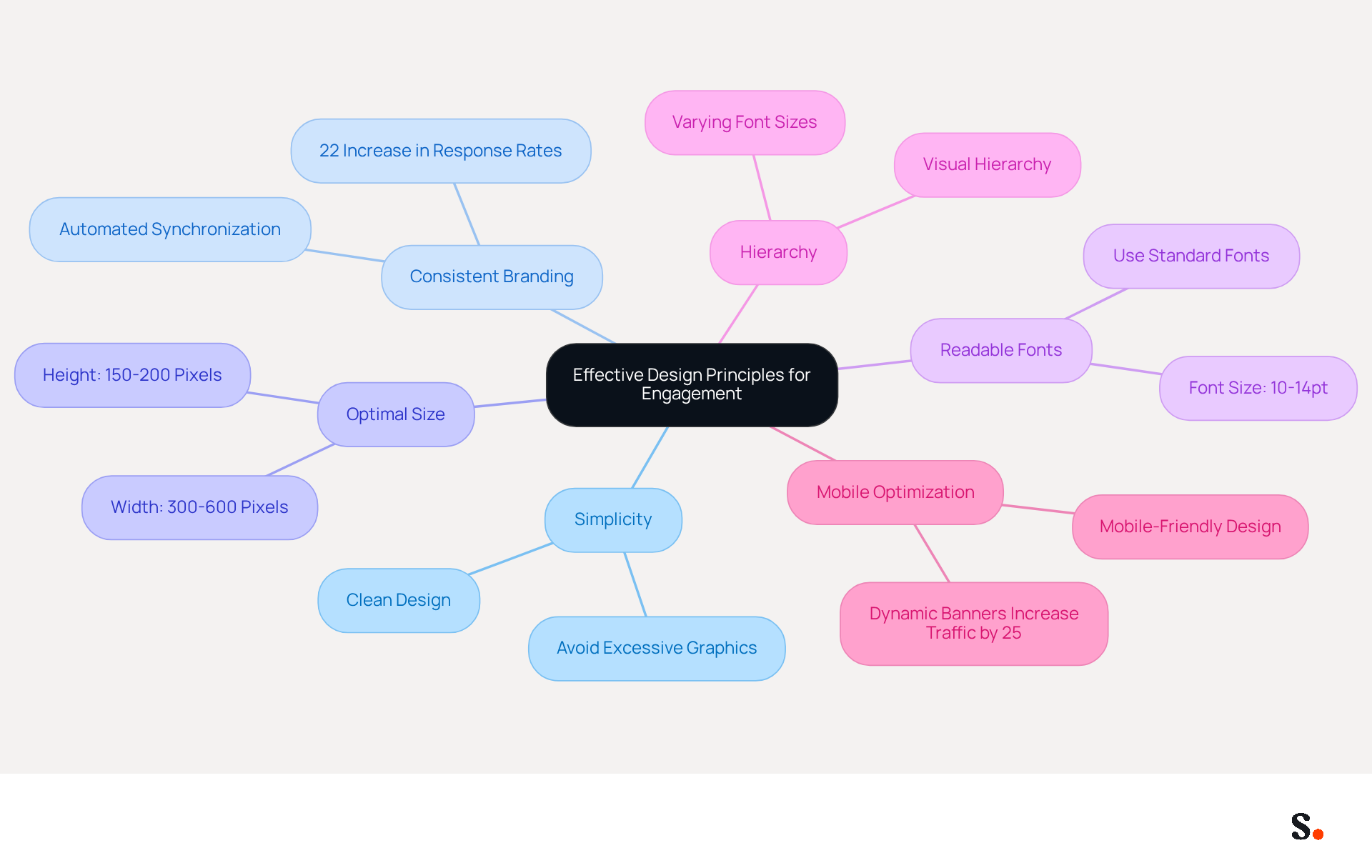
- Simplicity: A clean and uncluttered design is essential. Avoid excessive graphics or text that can distract from key information. Minimalist designs are currently favored, as they enhance usability and trust.
- Consistent Branding: Utilize colors and fonts that align with your company’s branding guidelines. Consistent branding across all communications can lead to a 22% increase in response rates, reinforcing the importance of a professional appearance. With Scribe's automated synchronization with Aircall, any changes in your Aircall settings will automatically update your branding elements, ensuring consistency.
- Optimal Size: Aim for a signature width of 300-600 pixels and a height of 150-200 pixels. This size guarantees compatibility across various devices, particularly since over 80% of recipients utilize mobile devices.
- Readable Fonts: Choose standard fonts like Arial or Times New Roman in sizes between 10-14pt for easy readability. Web-safe fonts are suggested to ensure consistent rendering across messaging clients.
- Hierarchy: Establish a visual hierarchy using varying font sizes and weights to highlight the most important information. This approach helps guide the recipient's attention effectively.
- Mobile Optimization: Ensure your sign-off is mobile-friendly, as many recipients will view messages on their phones. Testing identifiers in different messaging clients is essential to guarantee proper display and functionality. Additionally, incorporating dynamic banners can lead to a 25% increase in traffic to specific landing pages.
When you apply these design principles, you’ll craft a professional communication footer that truly engages your recipients. Research shows that well-optimized email sign-offs can lead to 40% higher engagement compared to generic endings. By avoiding common pitfalls, like multi-column layouts or oversized images, you can significantly enhance your branding effectiveness.
Utilize Email Signatures as Powerful Marketing Tools
Email signatures can be transformed into powerful marketing tools through strategic enhancements:
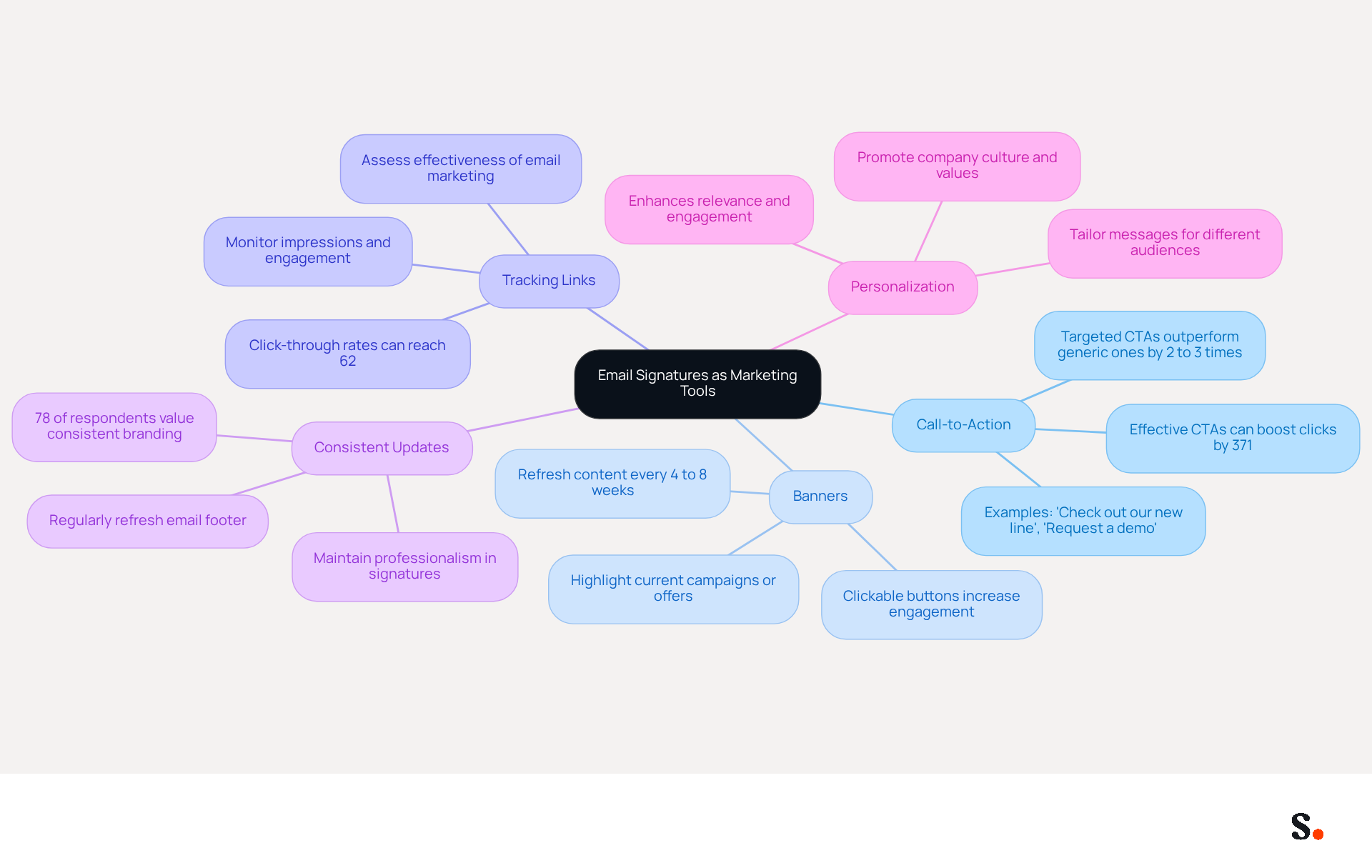
- Call-to-Action (CTA): Include a clear CTA in your email footer, such as a link to a recent blog post, a promotional offer, or an event registration page. Studies show that targeted CTAs can outperform generic ones by 2 to 3 times, greatly improving engagement. In fact, effective CTAs can boost clicks by 371% and sales by 1617%, showcasing their significant impact.
- Banners: Add promotional banners that highlight current campaigns or special offers, ensuring they capture attention and encourage interaction. Consistent updates are essential to keep your audience engaged, with studies indicating that refreshing content every 4 to 8 weeks can maintain interest levels.
- Tracking Links: Utilize tracking links to assess the effectiveness of your email marketing efforts. This allows for the analysis of engagement metrics, such as click-through rates, which can reach up to 62% when well-designed campaigns are implemented, particularly associated with footer promotions.
- Consistent Updates: Regularly refresh your email footer to reflect new promotions, product launches, or company news. Maintaining a professional looking email signature ensures that recipients always receive the latest information, reinforcing your brand's relevance. Significantly, 78% of respondents ranked consistent branding as one of the most important email features, emphasizing its importance.
- Personalization: Tailor your mark for different audiences or campaigns to enhance relevance and engagement. Personalization can lead to a more engaged workforce and ensure that brand identity is preserved across all communications. Furthermore, digital identifiers can aid internal marketing efforts, effectively promoting company culture and values.
By implementing these strategies, businesses can transform their digital identifiers, such as a professional looking email signature, into dynamic marketing channels that drive engagement and conversions. Ultimately, neglecting these strategies could hinder your marketing effectiveness and brand visibility.
Streamline Management with Automation and Integration
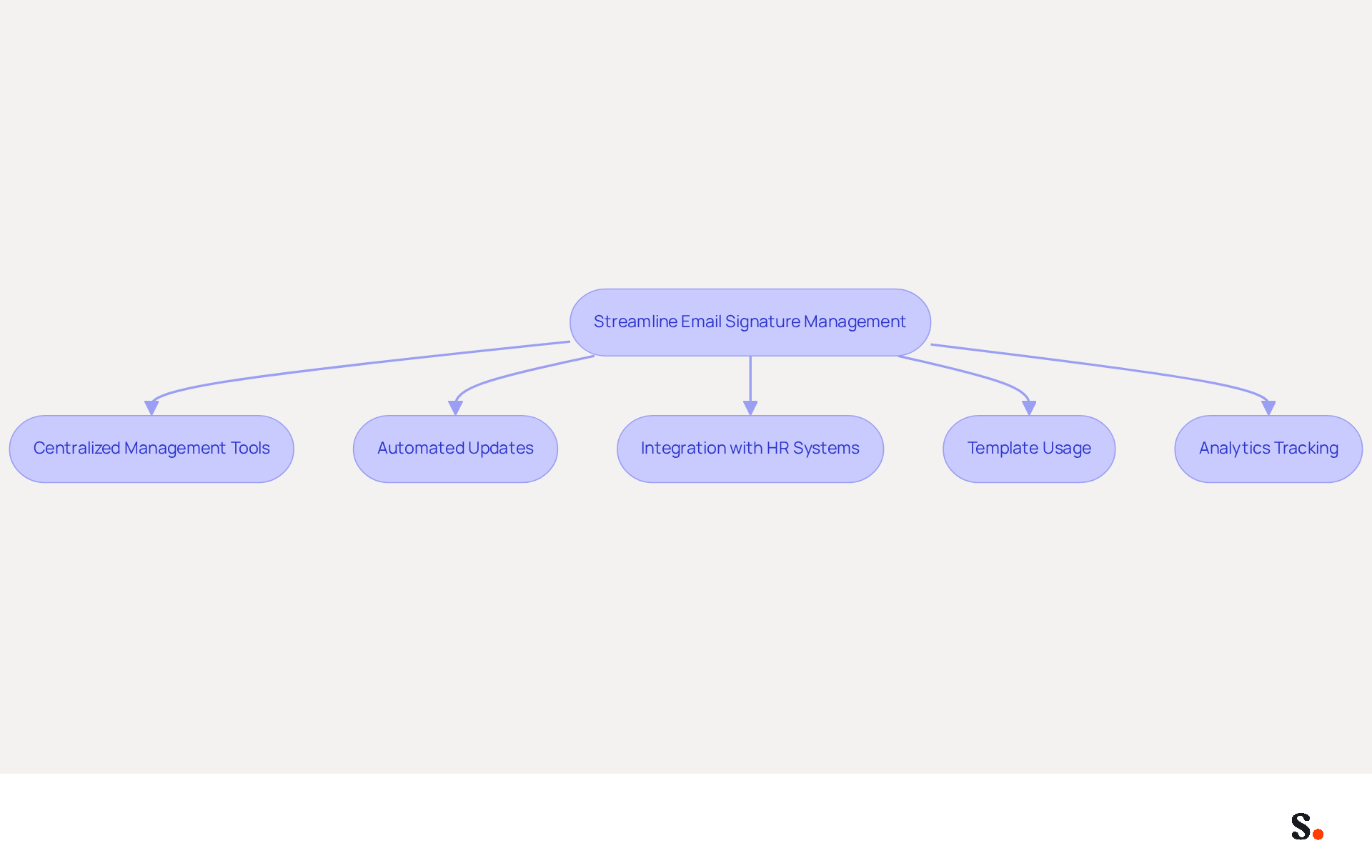
To enhance the effectiveness of email communications, organizations must adopt streamlined email signature management practices:
- Centralized Management Tools: Utilize platforms like Scribe that enable centralized control of email branding across the organization. This approach guarantees consistent branding and adherence to guidelines, which enhances brand visibility.
- Automated Updates: Implement automated updates to ensure that all identifiers reflect the latest information, such as changes in job titles or contact details, without requiring manual intervention. Managing outdated information can lead to significant inefficiencies and potential reputational damage.
- Integration with HR Systems: Integrate your email management with HR systems to automatically sync employee data. This minimizes the risk of outdated information and ensures that every employee's endorsement is current, which is crucial for maintaining a professional image.
- Template Usage: Create standardized templates that can be easily customized for different departments or campaigns. This not only saves time but also maintains consistency across all communications, reinforcing a unified identity.
- Analytics Tracking: Utilize analytics tools to monitor the performance of digital identifiers. By tracking key performance indicators such as click-through rates and engagement metrics, organizations can make data-driven adjustments to improve effectiveness and maximize marketing impact.
By automating updates, organizations can ensure that their communications are always accurate and up-to-date, enhancing their professional image. Ultimately, effective management of a professional looking email signature not only reflects professionalism but also enhances brand integrity in every interaction.
Conclusion
In today's digital landscape, the email signature is often an overlooked yet crucial element of professional communication. A professional email signature is a key element in communication, showcasing both personal identity and the integrity of the brand. By incorporating essential elements such as full name, job title, company name, and contact information, organizations can create a signature that enhances credibility and fosters trust. The strategic use of design principles further elevates the signature's effectiveness, ensuring it is both visually appealing and functional across various devices.
Research shows that simplicity, consistent branding, and mobile optimization are crucial for creating an effective email signature. Additionally, leveraging email signatures as marketing tools through clear calls-to-action, promotional banners, and personalized content can significantly boost engagement and conversion rates. The integration of automated management tools like Scribe helps keep these signatures current and in line with your brand, boosting your professional image.
In a world where digital communication is paramount, investing in a well-designed email signature is not just a best practice; it is a strategic move that can yield measurable marketing ROI. Organizations are encouraged to adopt these best practices and utilize tools like Scribe to streamline management and maintain brand consistency. By prioritizing email signature design and management, organizations can unlock new avenues for engagement and brand loyalty.
Frequently Asked Questions
What are the key elements of a professional email signature?
The key elements of a professional email signature include your full name, job title, company name, contact information, company logo, social media links, and legal disclaimers if necessary.
Why is a professional email signature important?
A professional email signature is important because it enhances communication, represents your brand, and increases trust and engagement with recipients.
How can a well-designed email signature impact engagement?
A well-designed email signature can drive up to 40% higher engagement, especially when using specific calls to action (CTAs), which convert 40% better than generic 'contact me' links.
What font size is recommended for email signatures to improve readability?
A font size of 14-16px is recommended for email signatures to improve readability.
How does Scribe help manage email signatures?
Scribe offers automated synchronization with Google Workspace, allowing for seamless management of email signatures. Updates to teammates' information are automatically reflected in their profiles, ensuring brand consistency.
What permissions are needed to use Scribe for email signature management?
To use Scribe for email signature management, you need to grant Scribe permission to connect with your email provider, and you must be a Super Admin to do this.
Why is it important to regularly review and update contact information in email signatures?
Regularly reviewing and updating contact information is crucial for maintaining the effectiveness of email signatures, especially after job changes.
How does Scribe ensure data security for email signature management?
Scribe is SOC 2 Type II compliant, ensuring that your data is handled securely during email signature management.
List of Sources
- Define Key Elements of a Professional Email Signature
- 4 Best Practices for Your Work Email Signature Strategy (https://scribe-mail.com/en-US/blog/4-best-practices-for-your-work-email-signature-strategy)
- Best practices for business email signatures in 2026 (https://bybrand.io/blog/best-practices)
- 20 best email signature design examples for 2026 — Stripo.email (https://stripo.email/blog/10-best-email-signature-design-examples)
- Email Signature Best Practices for 2026 (+ 15 Pro Examples) (https://wavecnct.com/blogs/email-signature-best-practices-2026)
- Incorporate Effective Design Principles for Engagement
- 40+ Email Signature Statistics for 2026 (Data + Insights) (https://wavecnct.com/blogs/email-signature-statistics)
- Email Signature Design Trends in 2026: What Works and What to Drop (https://bulksignature.com/blog/email-signature-design-trends)
- Email Signature Trends 2026: What Designers Are Actually Using (https://markaplugin.com/blog/email-signature-trends-2026)
- Email Design Trends and Best Practices in 2026 | Mailjet (https://mailjet.com/blog/email-best-practices/email-design-trends)
- "Email Signature Trends for 2026: What's In, What's Out" | Crossware posted on the topic | LinkedIn (https://linkedin.com/posts/crossware-ltd_new-year-new-trends-even-for-your-email-activity-7394554686046908416-vD_O)
- Utilize Email Signatures as Powerful Marketing Tools
- 7 tips for an effective CTA in your email signature (https://letsignit.com/blog/efficient-call-to-action-signature)
- 4 Best Practices for Your Outlook Signature Line in Marketing (https://scribe-mail.com/en-US/blog/4-best-practices-for-your-outlook-signature-line-in-marketing)
- Why Email Signatures Must Be In Your 2026 Marketing Plan | Rocketseed (https://rocketseed.com/blog/2026-marketing-plan-email-signatures)
- What is email signature marketing? Complete B2B efinition (2026) (https://signitic.com/en/resources/what-is-email-signature-marketing-a-complete-definition-for-b2b-teams)
- Why and how to add an effective CTA to your email signature? (https://signitic.com/en/resources/why-and-how-to-add-an-effective-cta-to-your-email-signature)
- Streamline Management with Automation and Integration
- Automating Email Signatures: How IT Teams Streamline Processes & Reduce Risk (https://exclaimer.com/blog/streamlining-it-processes-automated-email-signatures)
- Why Email Signature Management Software is Essential for Marketing Success (https://scribe-mail.com/en-US/blog/why-email-signature-management-software-is-essential-for-marketing-success)
- Email Signature Trends 2026: Centralized Control & Automation | SIGNandGO posted on the topic | LinkedIn (https://linkedin.com/posts/signngo_email-signature-trends-to-watch-in-2026-activity-7401523471786217473-zAVL)
- 4 Best Practices for Effective Email Signature Automation (https://scribe-mail.com/en-US/blog/4-best-practices-for-effective-email-signature-automation)
- The impact of email signatures on your branding (https://signitic.com/en/resources/the-impact-of-email-signatures-on-your-branding)
Get started with Scribe
Manage signatures across your whole team
Free 14-day trial — no credit card.