4 Best Practices for an Effective Email Signature as a Freelancer
An email signature is not merely a digital sign-off; it is a crucial element that can define a freelancer's professionalism and communication effectiveness. By
Sophie Grant
Email Signature Specialist, Scribe
Introduction
An email signature is not merely a digital sign-off; it is a crucial element that can define a freelancer's professionalism and communication effectiveness. By including key elements and following design best practices, freelancers can make their signatures stand out as powerful marketing assets that convey information and promote their services. Despite their importance, many freelancers find it challenging to create signatures that are both attractive and effective across various platforms. Without effective strategies, freelancers risk missing out on valuable opportunities to market themselves.
Get started with Scribe
See why teams switch to Scribe
Free 14-day trial — no credit card.
Include Essential Elements in Your Email Signature
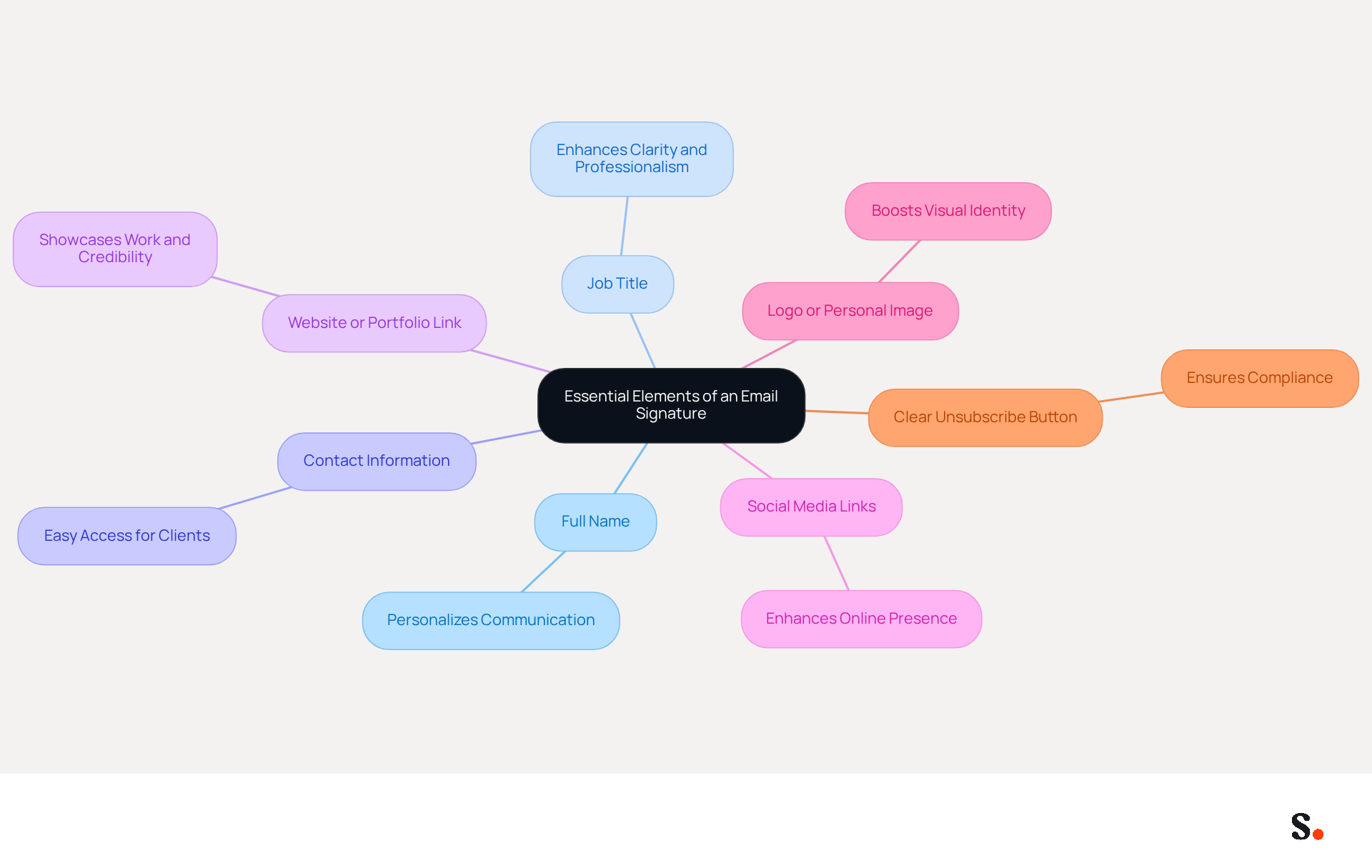
Crafting an effective email signature freelancer is crucial for establishing a professional image and enhancing communication. To create an impactful email signature, freelancers should include the following essential elements:
- Full Name: Clearly state your full name to personalize communication, fostering a connection with your audience.
- Job Title: Including your professional title informs recipients of your role, enhancing clarity and professionalism.
- Contact Information: Provide your phone number and email address for easy access, ensuring potential customers can reach you without hassle.
- Website or Portfolio Link: Direct clients to your online portfolio or website to showcase your work, which is crucial for establishing credibility and attracting opportunities.
- Social Media Links: Include links to professional social media profiles, such as LinkedIn, to enhance your online presence and facilitate networking.
- Logo or Personal Image: Including a logo or a professional headshot not only boosts your visual identity but also helps make a lasting impression.
- Clear Unsubscribe Button: Including a visible unsubscribe button is essential for compliance with legal requirements, ensuring recipients can opt-out if they choose.
By incorporating these elements, you enhance the professionalism of your correspondence and your email signature freelancer becomes a powerful communication tool. Statistics show that messages with branded identifiers receive a 22% higher response rate than those lacking them. Moreover, businesses utilizing branded digital identifiers see a 15% rise in website click-through rates (CTR), emphasizing the significance of a well-designed mark in promoting engagement and collaboration. Furthermore, 52% of professionals think a robust digital identifier is vital for establishing trust, making it a key element of a freelancer's marketing approach. Ultimately, a thoughtfully designed email signature freelancer can be the difference between a missed connection and a valuable opportunity.
Design a Professional and Eye-Catching Signature
Creating an effective electronic communication footer requires a balance of aesthetics and functionality. Here are some best practices for creating an effective design:
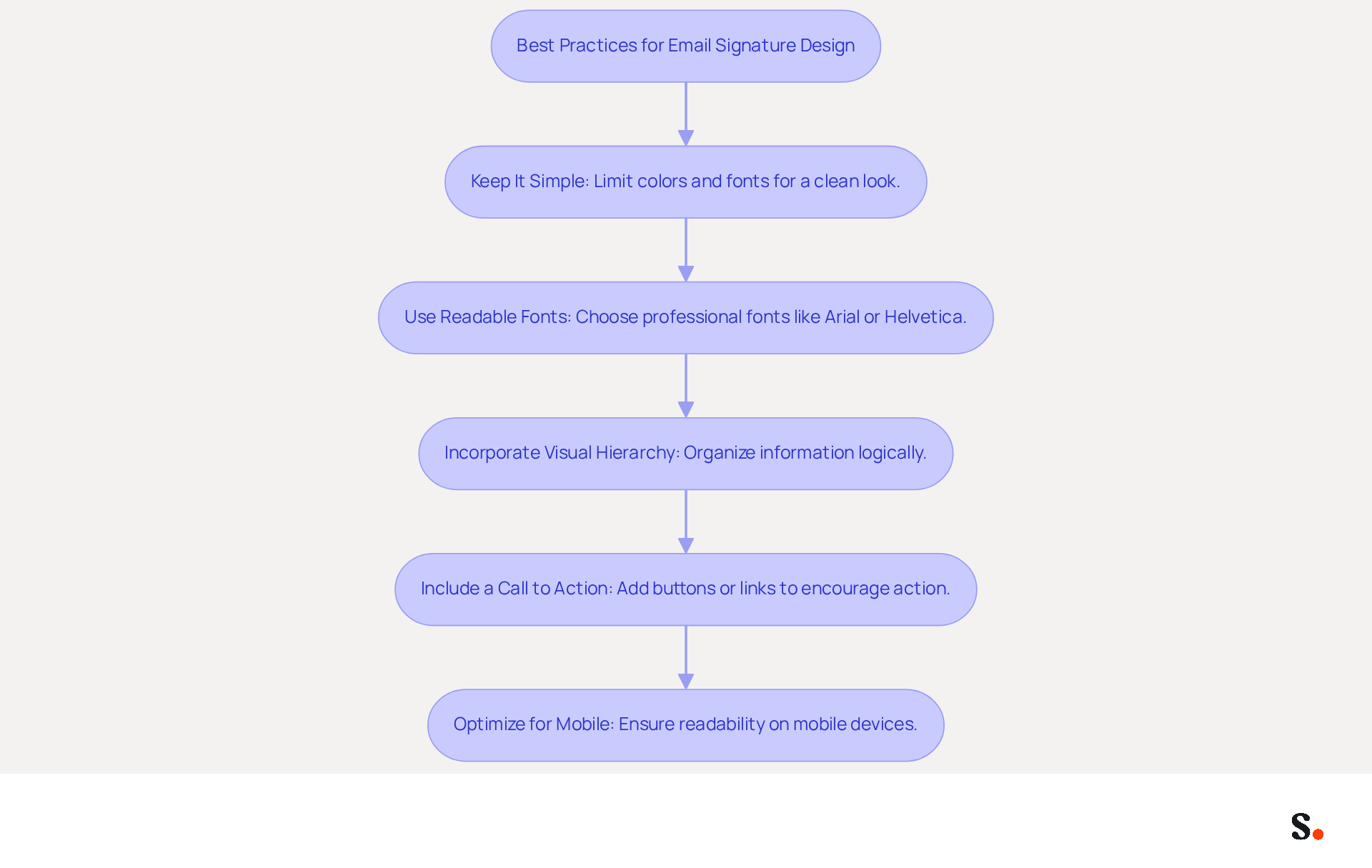
- Keep It Simple: Limit the number of colors and fonts to maintain a clean look. Stick to two or three colors that align with your brand, as consistent branding can boost customer engagement by 23%.
- Use Readable Fonts: Choose professional fonts that are easy to read. Recommended fonts like Arial or Helvetica at 14-16px ensure consistent display across email clients and enhance readability on mobile devices.
- Incorporate Visual Hierarchy: Organize information logically, placing the most important details (like your name and title) at the top. This design enhances clarity and efficiency, making it simpler for viewers to scan your mark.
- Include a Call to Action (CTA): If applicable, add a CTA button or link to encourage recipients to take action, such as visiting your website or scheduling a consultation. Strategic CTAs can drive up to 40% higher engagement compared to generic links.
- Optimize for Mobile: Ensure that your email footer appears appealing on mobile devices, as over 60% of business emails are accessed on smartphones. However, many struggle with ensuring their email footers are mobile-friendly. Keeping the image size under 100 KB and within the dimensions of 300-600px wide and 150-200px high will help maintain readability and fast loading.
Following these design principles helps an email signature freelancer create footers that effectively communicate information and boost their professional image, leading to better engagement and brand recognition. Furthermore, with Scribe's seamless integration with Calendly, any modifications made to your Calendly settings automatically sync with your Scribe documents, ensuring brand consistency and effortless updates.
Ensure Compatibility Across Email Platforms
To ensure your email signature is effective and professional, it is crucial to follow established best practices:
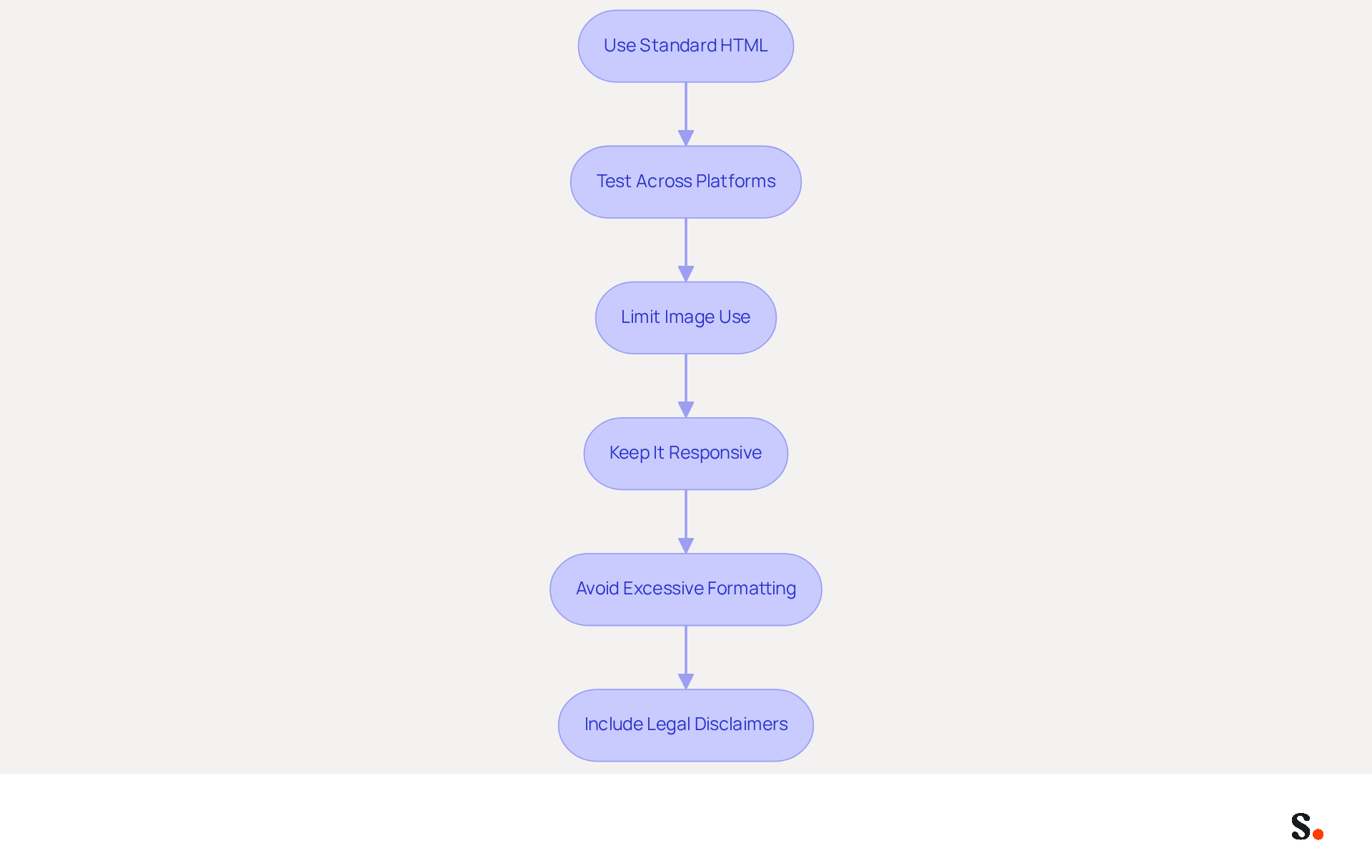
- Use Standard HTML: Adhere to basic HTML coding practices to avoid rendering issues. Complex layouts may not be supported by all messaging applications, leading to inconsistent displays.
- Test Across Platforms: Testing across platforms helps identify compatibility issues before you send your messages. Utilize tools like Litmus or Email on Acid to check how your identifier appears in different messaging clients, such as Gmail, Outlook, and Apple Mail.
- Limit Image Use: If images are included, ensure they are optimized for web use and hosted on a reliable server. This prevents broken links and ensures that images load correctly across platforms.
- Keep It Responsive: Design your mark to be responsive, ensuring it looks good on both desktop and mobile devices. A responsive design enhances user experience and professionalism.
- Avoid Excessive Formatting: Excessive formatting often results in emails that do not display correctly, causing potential miscommunication. Stick to simple text and basic formatting to maintain consistency across different messaging clients.
- Include Legal Disclaimers: In regulated industries, incorporating legal disclaimers in your correspondence is essential to comply with industry standards and protect your business.
By following these guidelines, freelancers can design an email signature that looks good and functions well on any platform, thereby enhancing their professionalism and ensuring effective communication. Furthermore, companies utilizing consistent branded digital communication formats report over a 22% increase in response rates, highlighting the critical need to adopt these best practices. With Scribe, the automated synchronization of messages with Aircall ensures that any modifications made in your configuration are instantly reflected, enhancing brand consistency. Moreover, syncing your Google Workspace with Scribe saves time by automatically updating your teammates' information, enabling effortless management of correspondence identifiers while ensuring compliance with SOC 2 Type II standards and GDPR/CCPA regulations. As highlighted by a recent report, '76% say branded digital identifiers increase their trust in the sender,' further emphasizing the importance of a well-crafted mark.
Leverage Your Email Signature for Marketing Opportunities
Many freelancers miss out on potential client engagement simply because their email signature lacks marketing elements. Here are some strategies to change that:
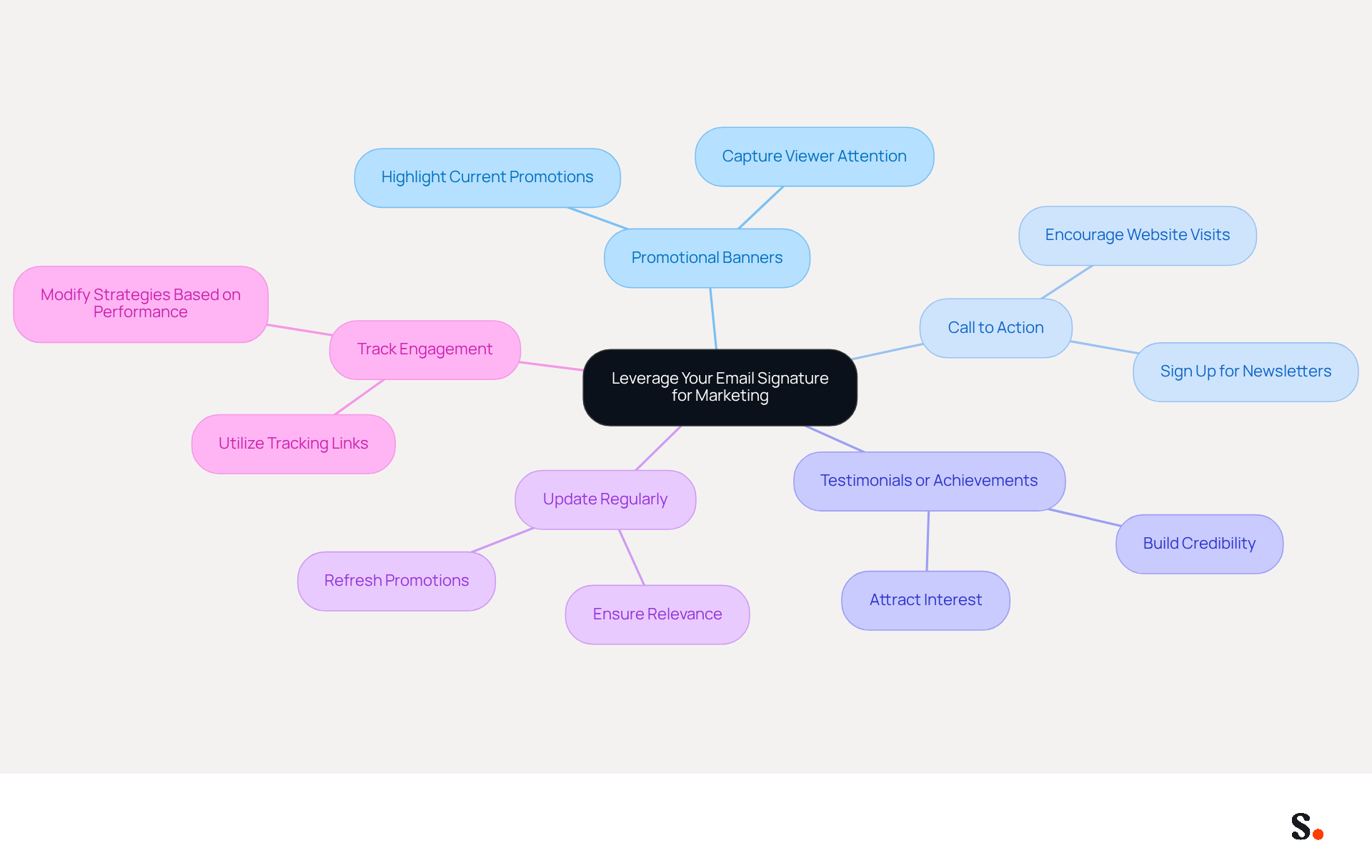
- Include Promotional Banners: Add a banner that highlights current promotions, services, or events to capture the viewer's attention.
- Use a Call to Action: Encourage recipients to take action, such as visiting your website or signing up for a newsletter, by including a clear CTA.
- Highlight Testimonials or Achievements: Briefly mention any awards or positive client feedback to build credibility and attract interest.
- Update Regularly: Keep your mark fresh by refreshing it with new promotions or services consistently, ensuring that it remains pertinent.
- Track Engagement: Utilize tracking links to assess the effectiveness of your signature marketing efforts, enabling you to modify strategies based on performance.
Implementing these strategies can significantly enhance your email communications and open doors to new opportunities.
Conclusion
In a digital age where first impressions matter, a well-crafted email signature is crucial for freelancers seeking to convey professionalism and foster connections. Incorporating key elements like full name, job title, and contact information, along with links to portfolios or social media, allows freelancers to create a powerful communication tool. This tool conveys professionalism and fosters connections with potential clients.
The article outlines several best practices for designing an impactful email signature. These include:
- Maintaining a clean and simple design
- Ensuring compatibility across various email platforms
- Leveraging the signature for marketing opportunities
Implementing these best practices allows freelancers to enhance communication and use their email signatures as effective marketing tools, ultimately leading to more business opportunities. A well-crafted email signature acts as a digital business card, reflecting professionalism and credibility in every interaction.
In a competitive freelance landscape, taking the time to create a thoughtful and strategic email signature can set one apart from the crowd. Embracing these strategies improves client engagement and helps build a strong personal brand, making it essential for freelancers to prioritize email signature design. Ultimately, a strategic email signature is not just a formality; it is a vital asset that can significantly influence a freelancer's success in a competitive market.
Frequently Asked Questions
Why is an effective email signature important for freelancers?
An effective email signature is crucial for establishing a professional image and enhancing communication, making it a powerful tool for freelancers.
What essential elements should be included in a freelancer's email signature?
A freelancer's email signature should include the following elements: full name, job title, contact information, website or portfolio link, social media links, a logo or personal image, and a clear unsubscribe button.
How does including a full name in an email signature benefit communication?
Including a full name personalizes communication, fostering a connection with the audience.
What role does a job title play in an email signature?
A job title informs recipients of the freelancer's role, enhancing clarity and professionalism.
Why is it important to provide contact information in an email signature?
Providing contact information, such as a phone number and email address, ensures potential customers can easily reach the freelancer without hassle.
How can a website or portfolio link enhance a freelancer's email signature?
A website or portfolio link directs clients to the freelancer's work, establishing credibility and attracting opportunities.
What is the significance of including social media links in an email signature?
Including links to professional social media profiles enhances online presence and facilitates networking.
How does a logo or personal image contribute to an email signature?
A logo or professional headshot boosts visual identity and helps make a lasting impression.
Why is a clear unsubscribe button necessary in an email signature?
A clear unsubscribe button is essential for compliance with legal requirements, allowing recipients to opt-out if they choose.
What impact does a well-designed email signature have on response rates and engagement?
Messages with branded identifiers receive a 22% higher response rate, and businesses using branded digital identifiers see a 15% rise in website click-through rates, emphasizing the importance of a well-designed email signature.
List of Sources
- Include Essential Elements in Your Email Signature
- Email signature statistics: Why every business should optimize their email signatures — Stripo.email (https://stripo.email/blog/email-signature-statistics-why-every-business-should-optimize-their-email-signatures)
- 20 Examples of Professional Email Signatures | Letsignit (https://letsignit.com/blog/professional-email-signature)
- 7 Essential Elements to Enhance Your Artist Email Signature (https://pxpcontemporary.com/blogs/news/7-essential-elements-to-enhance-your-artist-email-signature)
- Email Signature for Content Creators: Personal Branding & Collaboration Tools (https://syncsignature.com/blog/email-signature-for-content-creators)
- Email Signatures for Freelancers - Gimmio (https://blog.gimm.io/email-signatures-for-freelancers)
- Design a Professional and Eye-Catching Signature
- Best Practices for Email Signatures for Business Owners (https://scribe-mail.com/en-US/blog/best-practices-for-email-signatures-for-business-owners)
- Email Signature Best Practices - NEWOLDSTAMP (https://newoldstamp.com/blog/email-signature-best-practices)
- Email Signature Design Guide: Best Practices and Examples (https://designmodo.com/email-signature)
- Email Signature Best Practices for 2026 (+ 15 Pro Examples) (https://wavecnct.com/blogs/email-signature-best-practices-2026)
- Email Signature Best Practices Guide With Examples - MailerLite (https://mailerlite.com/blog/email-signature-best-practices)
- Ensure Compatibility Across Email Platforms
- 40+ Email Signature Statistics for 2026 (Data + Insights) (https://wavecnct.com/blogs/email-signature-statistics)
- WiseStamp Launches AI Email Signature Platform for Brands (https://martech360.com/news/ai-automation/wisestamp-unveils-ai-powered-email-signature-platform-for-enterprise-brand-management)
- Email Signature Trends in Numbers: Infographic [2026] (https://mailtrap.io/blog/email-signature-trends)
- 100 Professional Email Signature Quotes: Best Ideas - NEWOLDSTAMP (https://newoldstamp.com/blog/email-signature-quotes)
- WiseStamp Sets a New Standard for Email Signature Creation (https://prnewswire.com/news-releases/wisestamp-sets-a-new-standard-for-email-signature-creation-302689811.html)
- Leverage Your Email Signature for Marketing Opportunities
- Exclaimer Research: 67% of Marketers Expect Email Signatures to Support With Lead Gen In 2023 (https://businesswire.com/news/home/20230612141095/en/Exclaimer-Research-67-of-Marketers-Expect-Email-Signatures-to-Support-With-Lead-Gen-In-2023)
- 10 ideas for marketing campaigns in email signatures (https://signitic.com/en/resources/10-ideas-for-marketing-campaigns-in-email-signatures)
- Email Signature Marketing: A Guide to Drive Sales (https://smartrmail.com/blog/email-signature-marketing)
- Email signature marketing: everything you need to know (https://templafy.com/email-signature-marketing-everything-you-need-to-know)
- Email Signature Marketing Examples That Drive ROI | CloudM (https://cloudm.io/blog/email-signature-marketing-examples-that-drive-roi)
Get started with Scribe
See why teams switch to Scribe
Free 14-day trial — no credit card.