4 Best Practices for Effective Business Email Endings
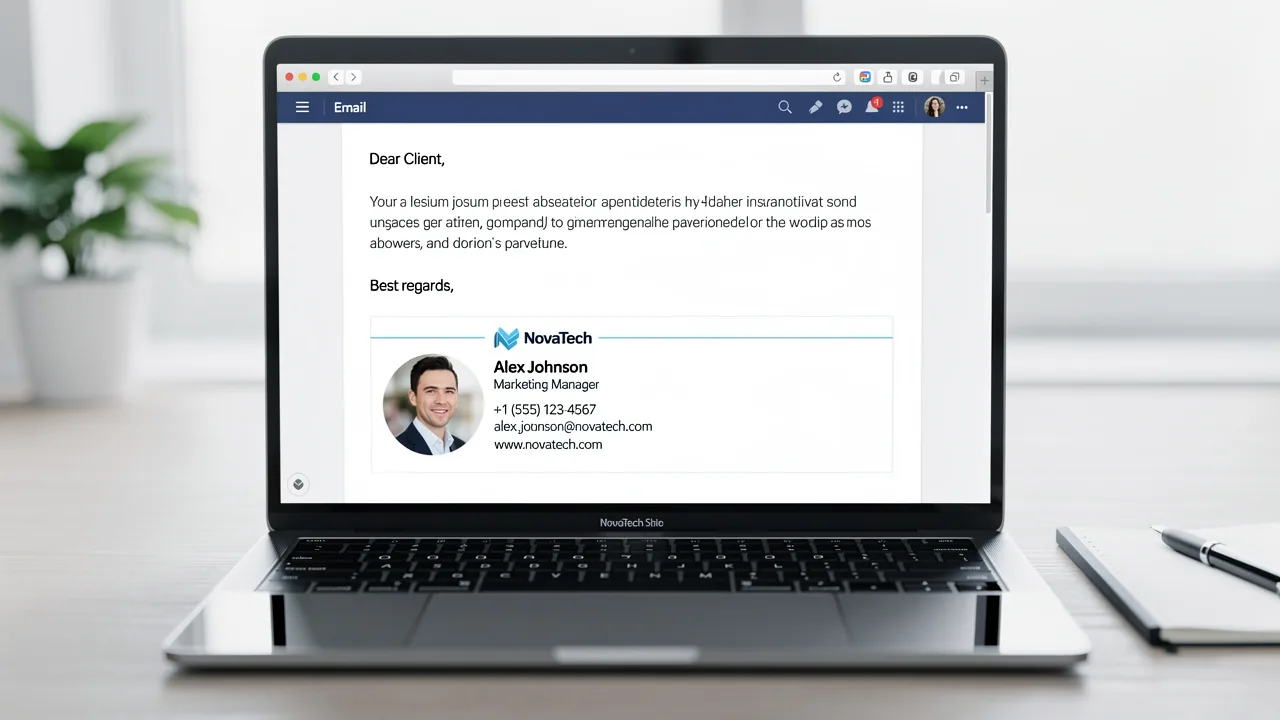
Crafting an effective email ending is crucial for successful business communication, yet many professionals overlook its importance. A well-chosen sign-off not
Sophie Grant
Email Signature Specialist, Scribe
Introduction
Crafting an effective email ending is crucial for successful business communication, yet many professionals overlook its importance. A well-chosen sign-off not only reinforces the message but also establishes a professional tone that can enhance relationships and drive engagement. Many professionals find themselves uncertain about how to effectively close their emails, which can lead to confusion and missed opportunities. Mastering the best practices for email sign-offs can transform a simple farewell into a powerful tool for connection and clarity.
Get started with Scribe
Manage signatures across your whole team
Free 14-day trial — no credit card.
Establish a Professional Tone in Email Closings
To convey professionalism in your email closings, implementing specific strategies is essential:
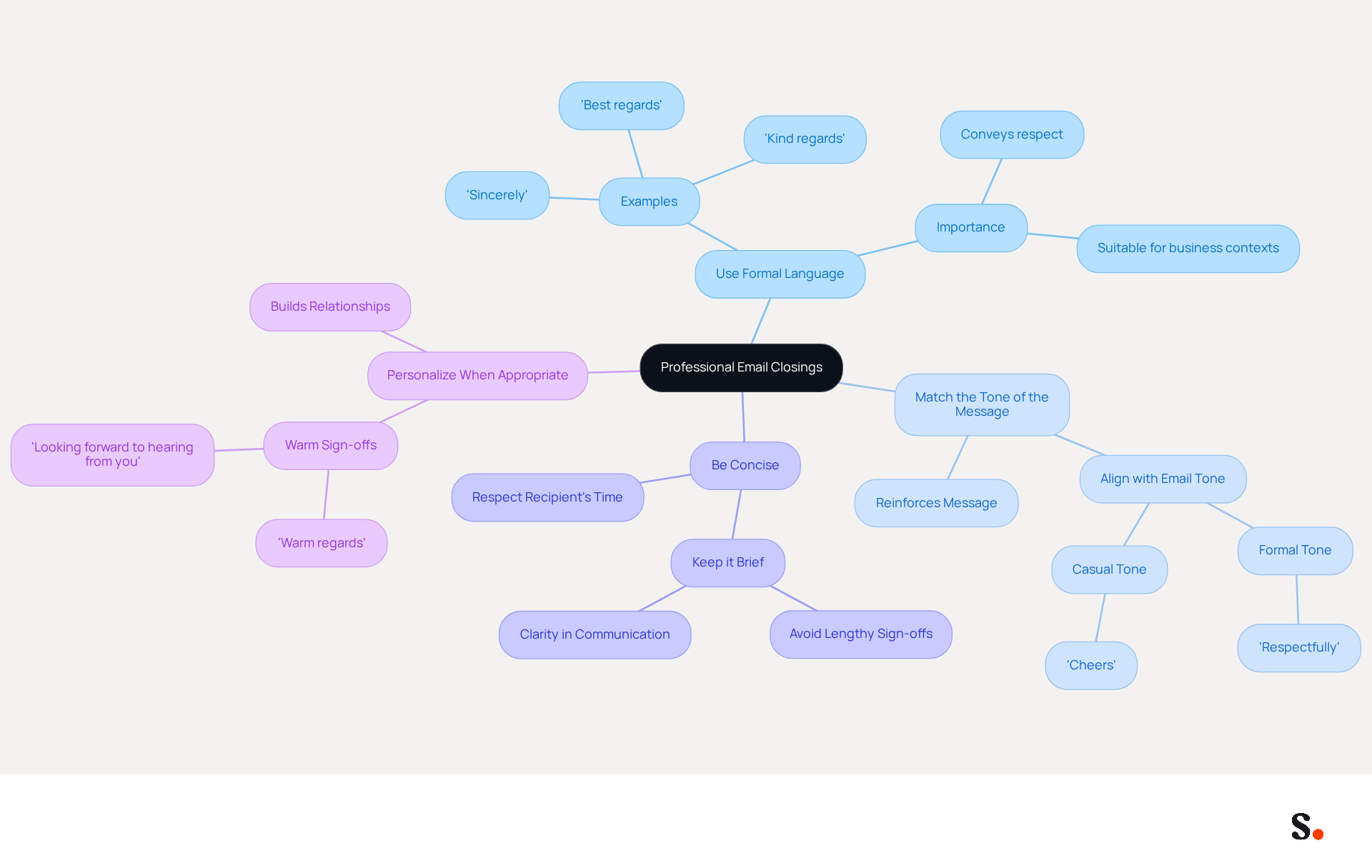
- Use Formal Language: Opt for formal sign-offs such as 'Sincerely,' 'Best regards,' or 'Kind regards.' These phrases convey respect and professionalism, making them suitable for various business contexts.
- Match the Tone of the Message: Ensure that your conclusion aligns with the overall tone of the correspondence. For example, if the correspondence is formal, maintain that formality in your conclusion to reinforce the message.
- Be Concise: Keep your conclusion brief and to the point. Lengthy sign-offs often confuse recipients, obscuring the intended message.
- Personalize When Appropriate: If you have an established relationship with the recipient, a slightly warmer sign-off like 'Warm regards' can be effective. However, ensure it remains professional to uphold the message's integrity.
By following these practices, you ensure that your business email endings reflect the professionalism expected in business communications. These strategies not only enhance your credibility but also foster stronger professional relationships.
Choose Appropriate Sign-Off Phrases for Different Contexts
Choosing the right business email endings is essential for effective business communication. Here are some best practices, enhanced with expert insights and statistics:
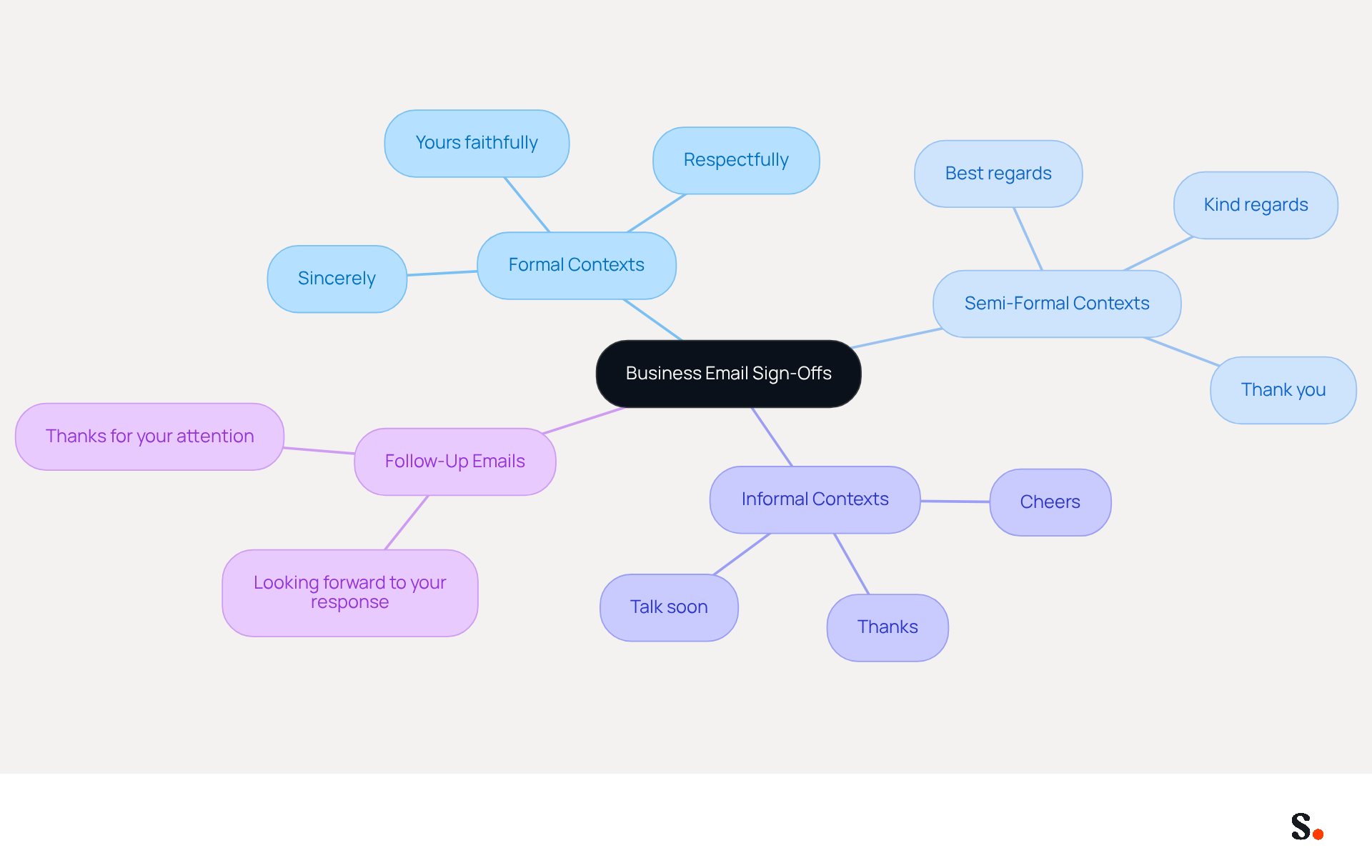
- Formal Contexts: For formal messages, such as job applications or official correspondence, use sign-offs like 'Sincerely,' 'Yours faithfully,' or 'Respectfully.' These phrases maintain professionalism and respect. According to Amotz Harari, effective business email endings emphasize your main message, reinforcing the importance of a formal sign-off in these contexts.
- Semi-Formal Contexts: In less formal business communications, consider using 'Best regards,' 'Kind regards,' or 'Thank you.' These options strike a balance between professionalism and warmth, making them suitable for a variety of interactions. Remember, 64% of professionals check their email on mobile devices, so keeping sign-offs concise is crucial for mobile compatibility.
- Informal Contexts: For casual interactions with colleagues or familiar contacts, phrases like 'Cheers,' 'Thanks,' or 'Talk soon' can be appropriate. Make sure your sign-off matches the relationship with the recipient. Avoid overly casual sign-offs, as they can undermine professionalism, especially in formal settings.
- Follow-Up Emails: When following up, use phrases such as 'Looking forward to your response' or 'Thanks for your attention.' These sign-offs promote engagement and encourage a response, improving the effectiveness of your interactions. As highlighted in case studies, using appropriate sign-offs can significantly improve response rates and foster better relationships.
By thoughtfully choosing your sign-off phrases and steering clear of passive-aggressive expressions, you can greatly enhance the effectiveness of your communications, especially with appropriate business email endings, ensuring they are received positively and nurturing better relationships. Ultimately, the right sign-off can transform your email interactions and strengthen professional relationships.
Incorporate Clear Calls to Action in Your Email Endings
Incorporating a clear call to action (CTA) in your message closing is crucial for maximizing engagement and prompting desired responses. Here are some best practices to consider:
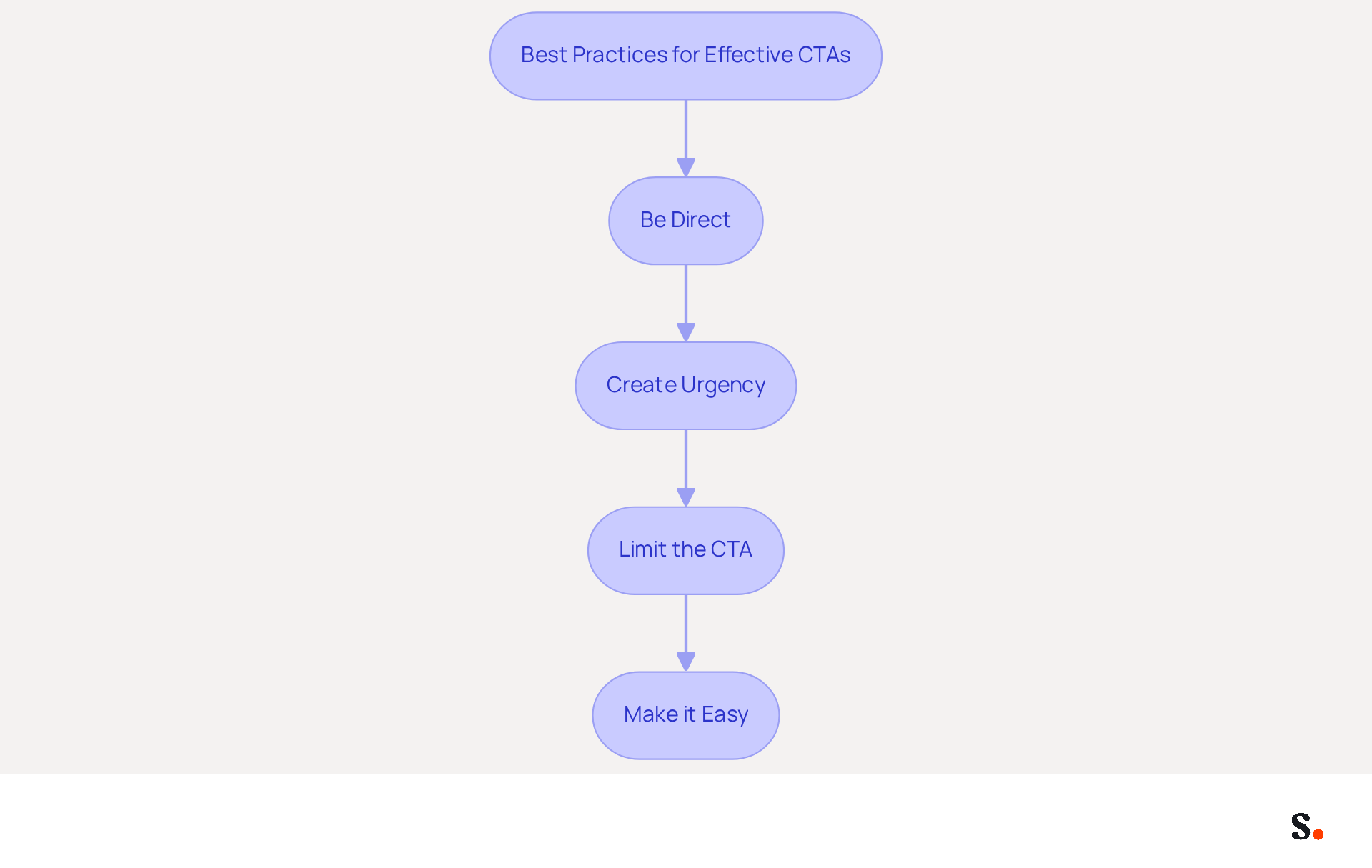
- Be Direct: Use straightforward language that clearly states what you want the recipient to do. Phrases like 'Please let me know your thoughts' or 'I look forward to your feedback' effectively communicate your intent.
- Create Urgency: Encourage prompt responses by using phrases such as 'Respond by Friday' or 'Let’s schedule a call this week.' This sense of urgency can motivate recipients to act quickly.
- Limit the CTA: Focus on one primary action to avoid overwhelming the recipient. Prioritizing the most important request, such as 'Click here to schedule a meeting,' ensures clarity and increases the likelihood of compliance.
- Make it Easy: Provide clear instructions or links to facilitate the action. For instance, 'Reply to this message with your availability' simplifies the process for the recipient.
Effective CTAs drive engagement and ensure your messages achieve their goals. Studies indicate that messages featuring a single CTA can increase clicks by 371% and sales by 1617%, underscoring the importance of clarity and focus. Additionally, case studies show that well-crafted CTAs eliminate uncertainty, prompting prospects to engage and respond, thus enhancing the effectiveness of sales outreach. By implementing these strategies, you can transform your communications into powerful tools that drive results.
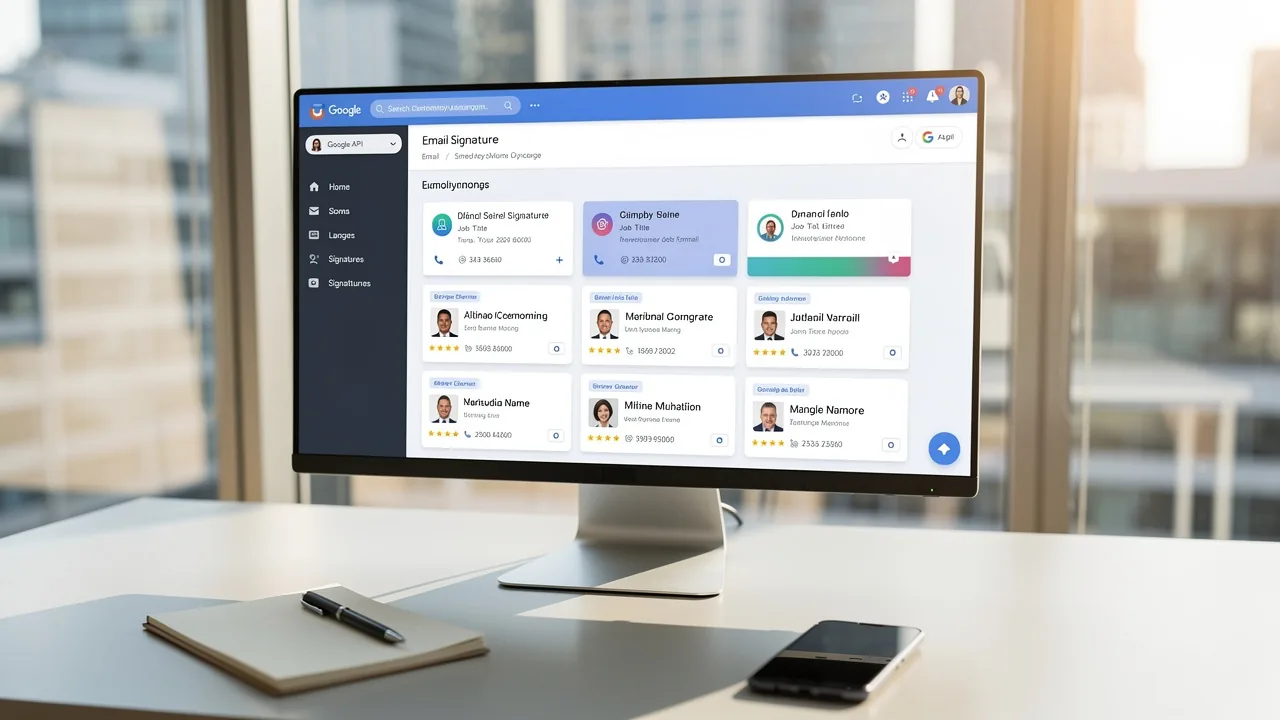
Moreover, syncing your Google Workspace with Scribe can further enhance your signature management. This integration saves time by automatically updating your teammates' information, ensuring that any changes in Google Workspace-such as moving teammates from one group to another or updating their job positions-are reflected in Scribe without manual input. This means you can focus on crafting engaging CTAs while Scribe takes care of the signature details seamlessly, ensuring 100% brand consistency and measurable marketing ROI from your signatures.
Avoid Common Mistakes in Email Closings
To maintain professionalism in your email closings, it is essential to recognize and avoid common pitfalls that can undermine your credibility:
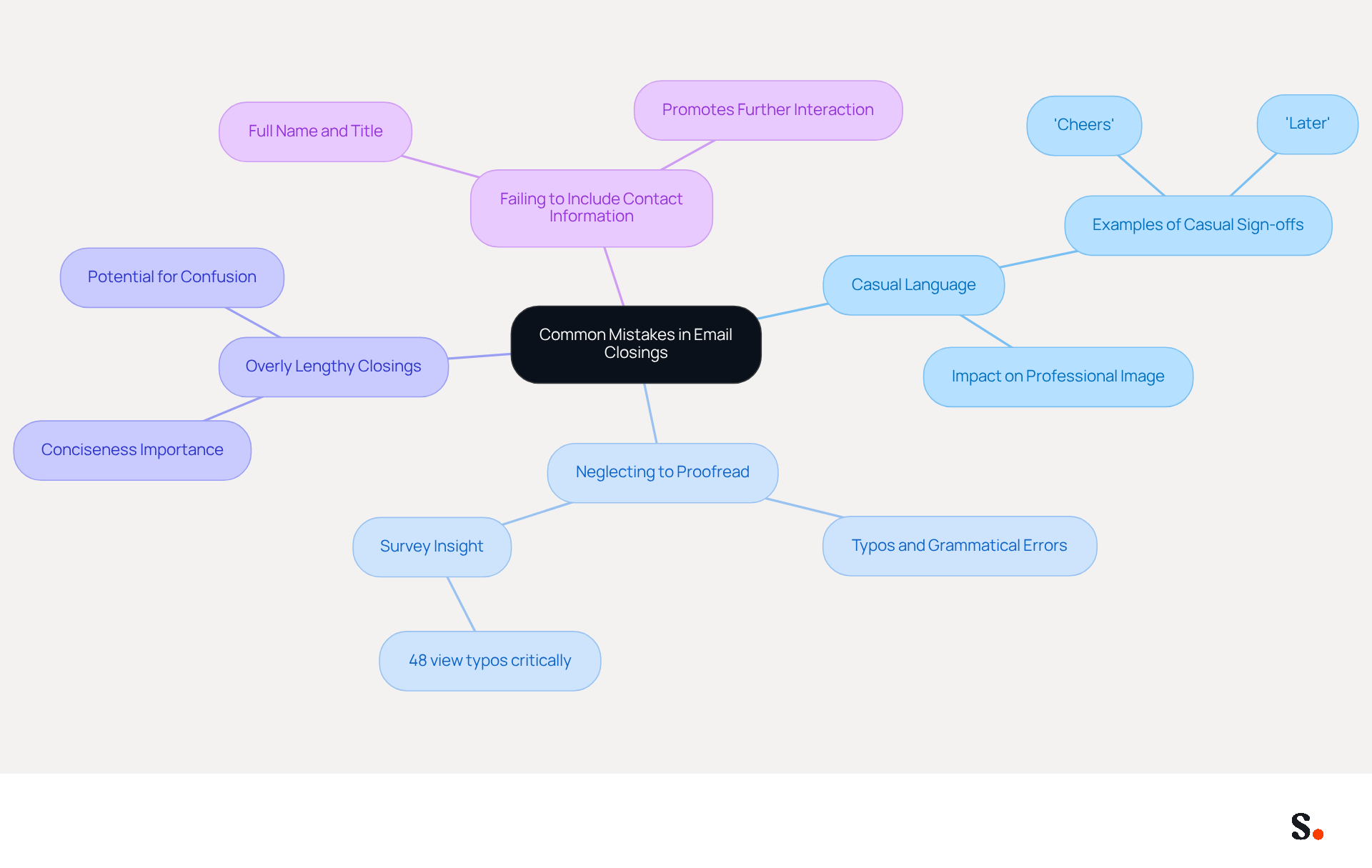
- Using Casual Language: Overly casual sign-offs like 'Cheers' or 'Later' can lead to misunderstandings and diminish your professional image. Choose more suitable business email endings that accurately reflect the context of your message.
- Neglecting to Proofread: Typos or grammatical errors in your closing can significantly detract from your credibility. A recent survey found that 48% of people view typos in work emails more critically than in casual chats. Always proofread your emails before sending to ensure clarity and professionalism.
- Overly Lengthy Closings: Keep your sign-off concise. Lengthy or complicated closings can confuse the recipient and dilute your message. Aim for brevity to enhance the impact of your message.
- Failing to Include Contact Information: In professional correspondence, always include your full name, title, and contact details. This promotes further interaction and shows your willingness to engage.
Recognizing these common mistakes is crucial for enhancing the quality and impact of your written communication. Furthermore, utilizing Scribe to synchronize your Google Workspace can enhance your signature management, permitting automatic updates and ensuring brand consistency across all interactions. Scribe's adherence to SOC 2 Type II and GDPR further strengthens the security and professionalism of your communications. Remember, 88% of respondents regretted the contents and language of an email immediately after sending it, highlighting the importance of careful communication. Ultimately, the way you use business email endings can greatly influence how your message is perceived and the relationships you build.
Conclusion
The conclusion of a business email can significantly impact professional relationships and communication effectiveness. Implementing best practices like formal language, tone matching, and clear calls to action can greatly improve email interactions. These strategies not only reflect professionalism but also contribute to stronger relationships and improved engagement with recipients.
Key insights discussed include the importance of selecting appropriate sign-off phrases tailored to different contexts, from formal to informal settings. Additionally, the article emphasizes the necessity of avoiding common mistakes, such as using casual language or neglecting to proofread, which can damage professional credibility. By being mindful of these elements, professionals can ensure their email closings leave a positive impression and encourage desired responses.
How you conclude your business emails can really shape your communication effectiveness and the relationships you build. Embracing these best practices not only enhances individual credibility but also fosters a culture of professionalism that benefits the entire organization. As organizations strive for brand consistency and measurable marketing ROI, leveraging tools like Scribe can further streamline the process, ensuring that every email signature aligns with the company's standards and goals.
Frequently Asked Questions
What is the importance of establishing a professional tone in email closings?
Establishing a professional tone in email closings is essential for conveying respect and professionalism, which enhances credibility and fosters stronger professional relationships.
What are some formal sign-offs recommended for professional emails?
Recommended formal sign-offs include phrases such as 'Sincerely,' 'Best regards,' and 'Kind regards.'
How should the tone of the email affect the closing?
The conclusion should match the overall tone of the correspondence; if the email is formal, the closing should also maintain that formality to reinforce the message.
Why is it important to be concise in email closings?
Being concise is important because lengthy sign-offs can confuse recipients and obscure the intended message.
When is it appropriate to personalize an email closing?
Personalization is appropriate when there is an established relationship with the recipient, allowing for warmer sign-offs like 'Warm regards,' while still ensuring the tone remains professional.
List of Sources
- Establish a Professional Tone in Email Closings
- 50 Best Email Sign-Offs to End an Email Properly in [year] (https://elementor.com/blog/best-email-sign-offs)
- Email Etiquette At Work: Universal Rules For Every Professional (https://forbes.com/councils/forbescoachescouncil/2026/04/16/email-etiquette-at-work-universal-rules-for-every-professional)
- How to End an Email: 43 Ways to Sign Off on an Email (2026) (https://respona.com/blog/how-to-end-an-email)
- 8 Best Business Letter Sign Offs for 2026 (https://rewritebar.com/articles/business-letter-sign-offs)
- Mastering Professional Email Sign-Offs in 2026 (https://linkedin.com/pulse/mastering-professional-email-sign-offs-2026-bulksignature-qsr4e)
- Choose Appropriate Sign-Off Phrases for Different Contexts
- How to end an email: 70+ professional sign-offs & examples (https://blog.superhuman.com/how-to-end-an-email)
- 89 Ways To Sign Off On An Email (https://forbes.com/sites/susanadams/2014/10/08/89-ways-to-sign-off-on-an-email)
- How to End an Email Professionally (With Examples) (https://iconnect.isenberg.umass.edu/blog/2024/07/10/how-to-end-an-email-professionally-with-examples)
- Email Sign Offs for Every Industry and Situation | Mailchimp (https://mailchimp.com/resources/email-sign-offs)
- Best Email Sign-Offs for Any Correspondence (https://wisestamp.com/examples/email-sign-offs)
- Incorporate Clear Calls to Action in Your Email Endings
- Why Are Sales Email Calls to Action So Important? (https://salesfuel.com/why-sales-email-calls-to-action-gets-results)
- Do CTAs help to improve email response rates? (https://campaignmonitor.com/resources/knowledge-base/do-ctas-help-to-improve-email-response-rates)
- constantcontact.com (https://constantcontact.com/blog/call-to-action-ideas)
- Email CTA: Guide to using email marketing campaigns effectively - Apptivo (https://apptivo.com/blog/email-cta-guide-to-using-email-marketing-campaigns-effectively)
- The Importance Of A Strong Call-to-action In Email Marketing | Email Marketing Blog | Mail Blaze (https://mailblaze.com/thinking/call-to-actions-in-emails)
- Avoid Common Mistakes in Email Closings
- 100 Compelling Email Statistics for 2026 | PGM Solutions (https://porchgroupmedia.com/blog/100-compelling-email-statistics-to-inform-your-strategy-in-2023)
- The 2 biggest mistakes people make in work emails—and how to avoid them (https://cnbc.com/amp/2024/04/10/the-biggest-mistakes-people-make-over-email-and-how-to-avoid-them.html)
- 49 Top Email Marketing Statistics (https://forbes.com/advisor/business/software/email-marketing-statistics)
- 11 Common Email Mistakes Everyone Makes (https://linkedin.com/pulse/11-common-email-mistakes-everyone-makes-betty-liu)
- These Common Email Mistakes Are Ruining Your Credibility (https://fastcompany.com/40480306/these-common-emails-mistakes-are-ruining-your-credibility)
Get started with Scribe
Manage signatures across your whole team
Free 14-day trial — no credit card.