4 Best Practices for Using the Cap Signature Generator Effectively
In an increasingly competitive digital landscape, establishing a robust brand presence is essential for organizations aiming to differentiate themselves. The
Sophie Grant
Email Signature Specialist, Scribe
Introduction
In an increasingly competitive digital landscape, establishing a robust brand presence is essential for organizations aiming to differentiate themselves. The Cap Signature Generator serves as a powerful tool for businesses seeking to enhance their email signatures, ensuring brand consistency and maximizing marketing impact. Despite the potential of the Cap Signature Generator, many organizations find it challenging to utilize its full capabilities. By understanding and implementing best practices for the Cap Signature Generator, businesses can unlock significant branding potential that may otherwise go untapped.
Create On-Brand Signature Templates
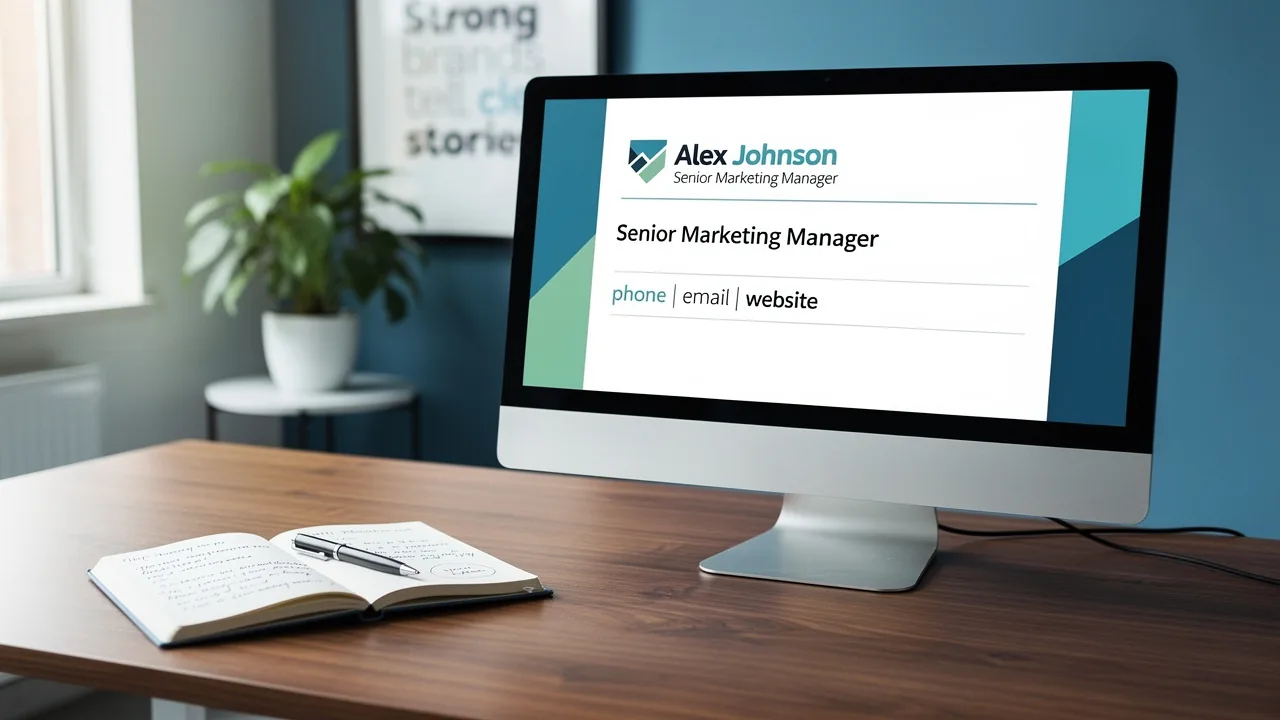
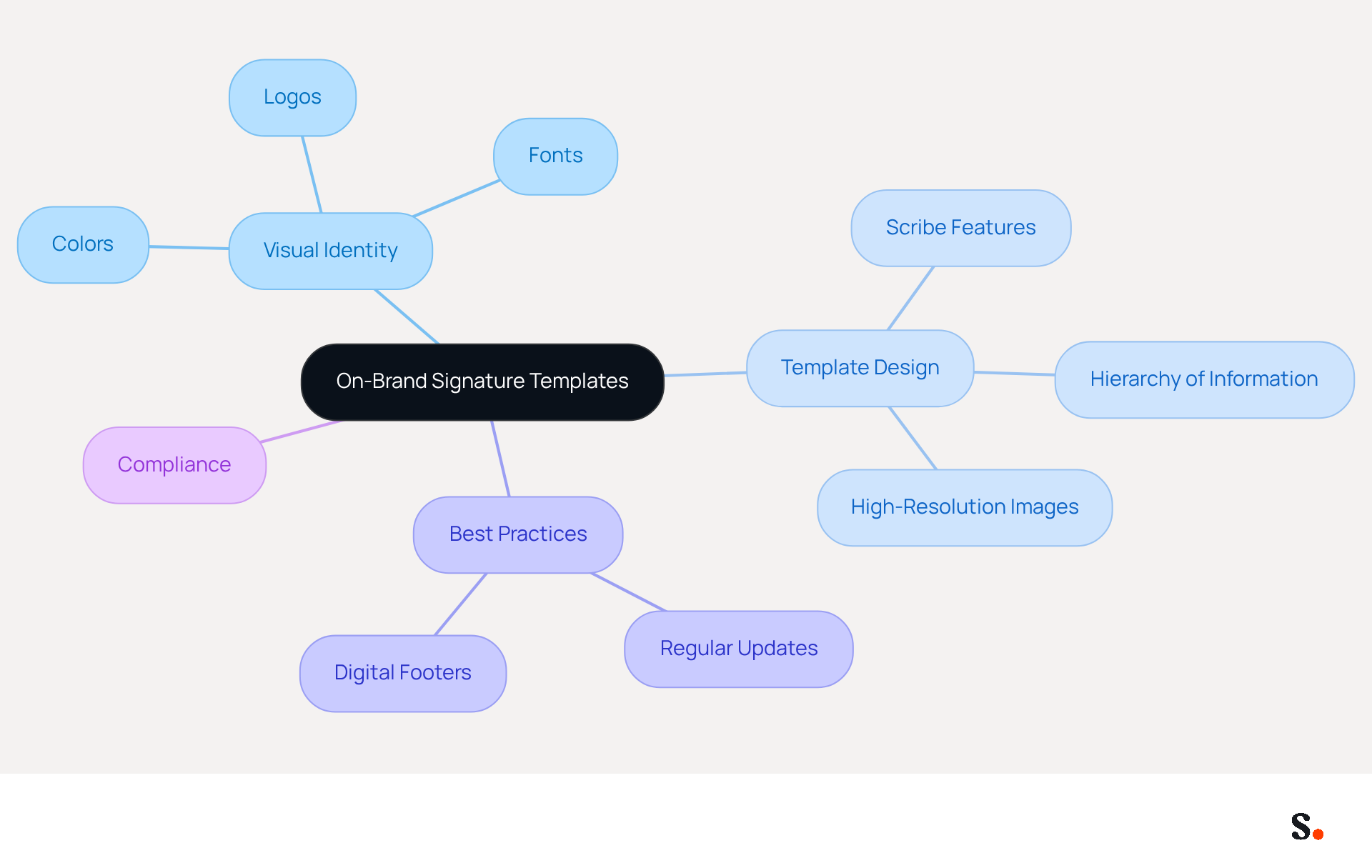
Defining your brand's visual identity is crucial for creating effective on-brand templates. Begin by selecting appropriate colors, fonts, and logos. Utilize Scribe's template creation feature to design sign-offs that seamlessly incorporate these elements. Ensure that the templates are visually appealing and easy to read, maintaining a clear hierarchy of information. For instance, prominently display the employee's name, title, and contact information, while relegating disclaimers or legal notices to smaller text. High-resolution images should be utilized for logos to ensure quality across various devices and messaging clients. Without regular updates, your brand's identity may become outdated, leading to confusion among clients. Regular reviews and updates of these templates are essential to reflect any changes in branding or company information, guaranteeing that all signatures remain current and consistent.
To enable one-click synchronization, ensure you grant Scribe permission to connect with your service provider. Ensure you have Super Admin access to grant these permissions. Research indicates that 82% of marketers leverage digital footers to boost brand awareness, highlighting their importance in marketing strategies. Organizations that adopt centralized management experience 85% improved brand consistency. Case studies show that organizations utilizing customized footers experience a notable rise in engagement, with promotional footers containing resource downloads producing five times more qualified leads than standard calls to action. By following these best practices, businesses can effectively leverage digital footers as powerful marketing tools that reinforce their brand identity. Additionally, ensure that correspondence identifiers comply with a maximum width of 600px and a total size limit of under 100KB to follow best practices. Scribe's SOC 2 Type II compliance ensures the security of your information, offering reassurance as you handle your digital identifiers. By adhering to these guidelines, your organization can ensure that its digital footers not only reflect its brand identity but also drive meaningful engagement.
Schedule Targeted Marketing Campaigns
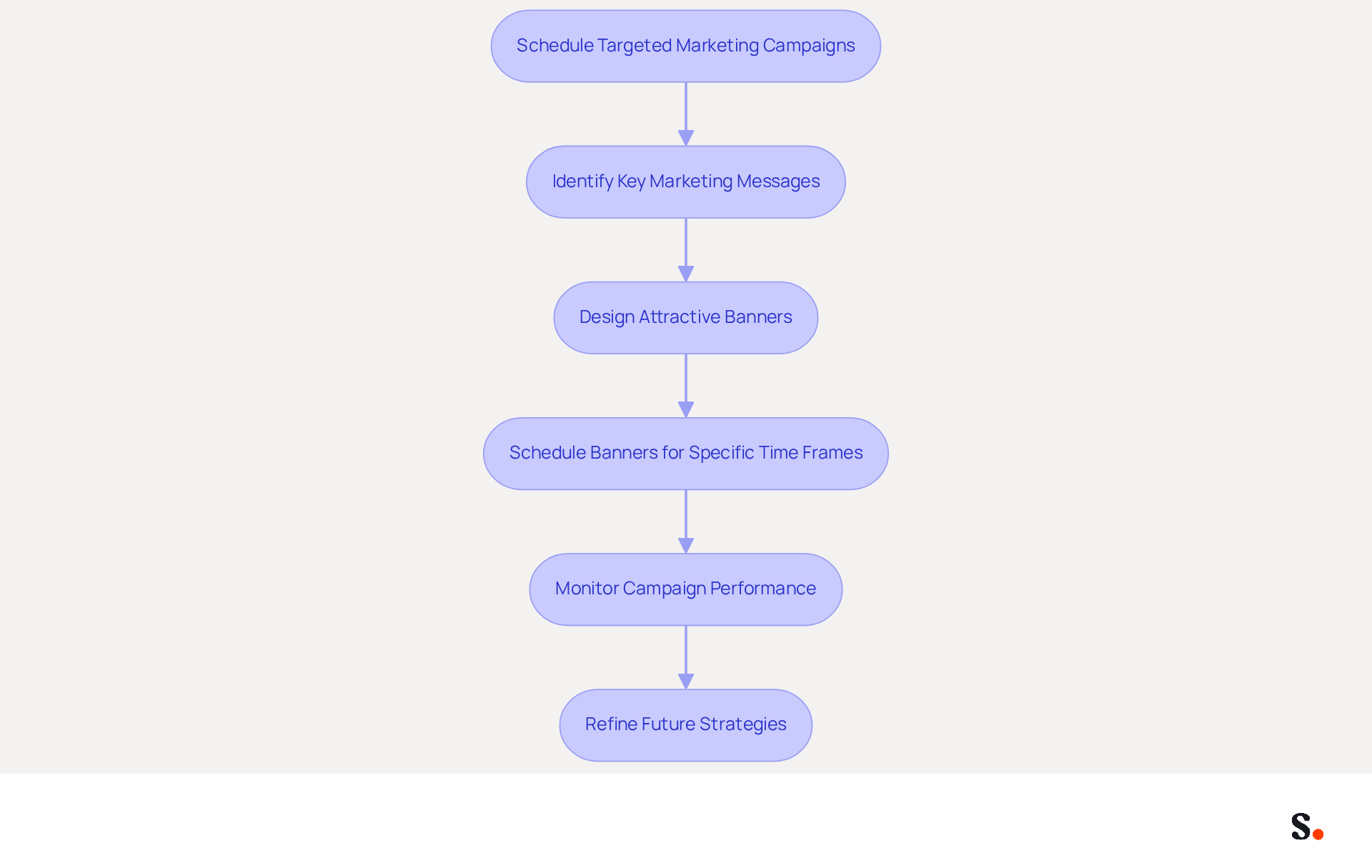
To maximize the impact of your promotional campaigns, leverage Scribe's scheduling feature for organized execution. Start by pinpointing key marketing messages or promotions that align with your business objectives. Design visually attractive banners that can be effortlessly incorporated into your electronic correspondence. Schedule these banners to appear during specific time frames, such as product launches or seasonal promotions. For instance, if you are launching a new product, set the banner to activate one week prior to the launch and deactivate it afterward. This strategy ensures that every message sent during that period promotes the new product, leading to a measurable increase in visibility and potential sales, as evidenced by a 20% rise in click-through rates.
Furthermore, a marketing team that refreshed their communication identifiers acquired 312 new CRM contacts within just 30 days, demonstrating the effectiveness of strategic management in digital correspondence. With Scribe's automated synchronization features, any modifications made in your provider directory will be automatically reflected in your messages, ensuring brand consistency. Scribe is designed for ease of use, making it a great choice for organizations that want to manage their digital identities without needing extensive technical knowledge after the initial setup. Monitor the performance of these campaigns through analytics to assess engagement metrics and refine future strategies accordingly. Rest assured, Scribe's SOC 2 Type II compliance guarantees that your data remains secure throughout the process.
Integrate with Popular Tools for Efficiency
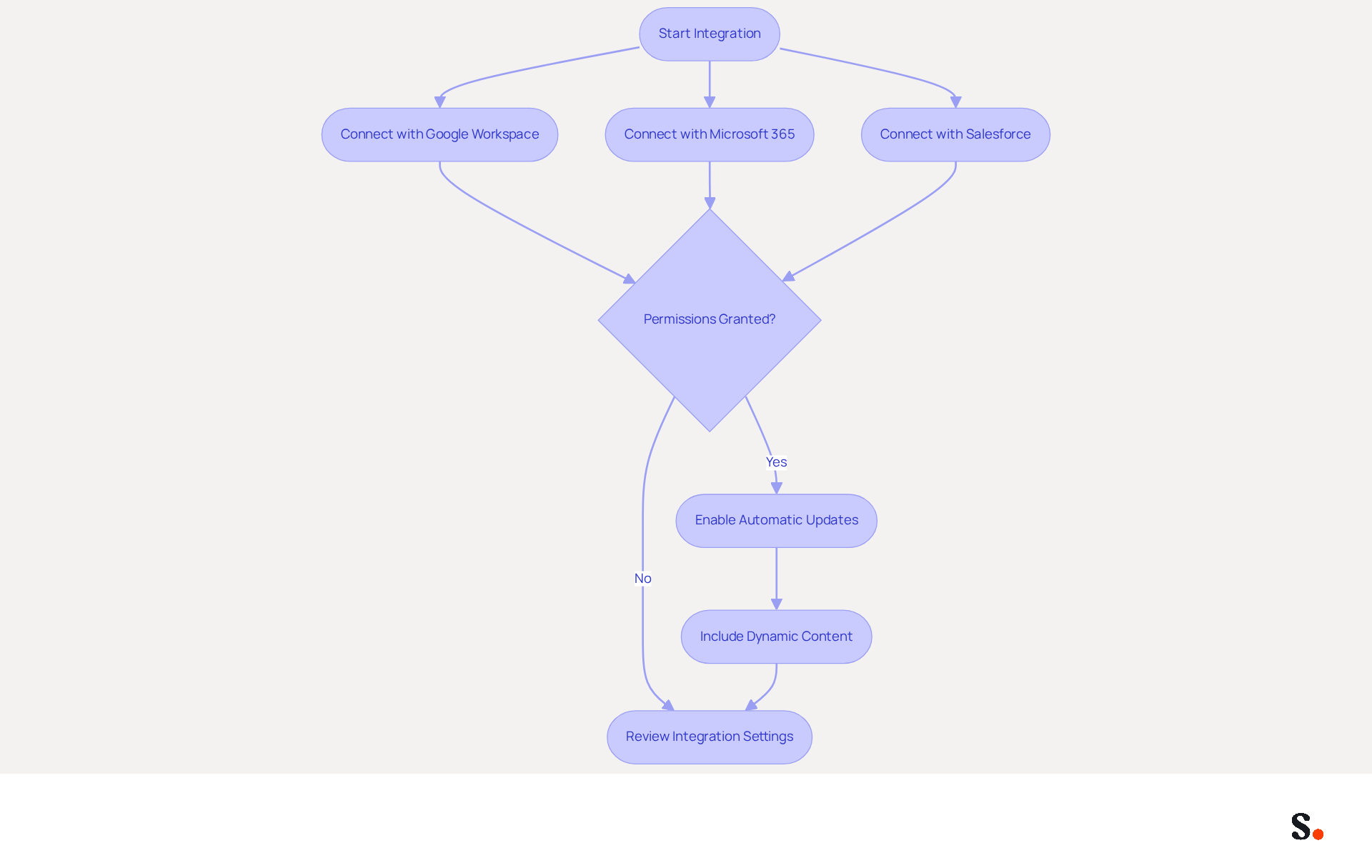
Manual updates to digital signatures can lead to errors and missed branding opportunities. To enhance the effectiveness of your management of digital signatures, integrating Scribe with existing tools such as Google Workspace, Microsoft 365, and Salesforce is crucial. This integration allows for automatic updates to identifiers based on changes in employee information or branding, ensuring that every message reflects the most current details. For example, when a new employee starts or an existing employee alters their title, their signature is updated automatically, removing the need for manual intervention. Additionally, to enable one-click synchronization, ensure that the application has the necessary permissions to connect with your provider.
Furthermore, this integration makes it easy to include dynamic content, such as personalized banners or promotional links, tailored to specific audiences. Regularly reviewing the integration settings is essential to ensure they align with your current business processes, allowing for necessary adjustments that optimize performance. By utilizing these integrations, organizations can improve their branding consistency and take advantage of every message as a marketing opportunity. With Scribe's SOC 2 Type II compliance, you can also be confident that your data is secure while you streamline your management. By neglecting integration, organizations may overlook significant marketing opportunities in their communications.
Automate Data Synchronization for Consistency
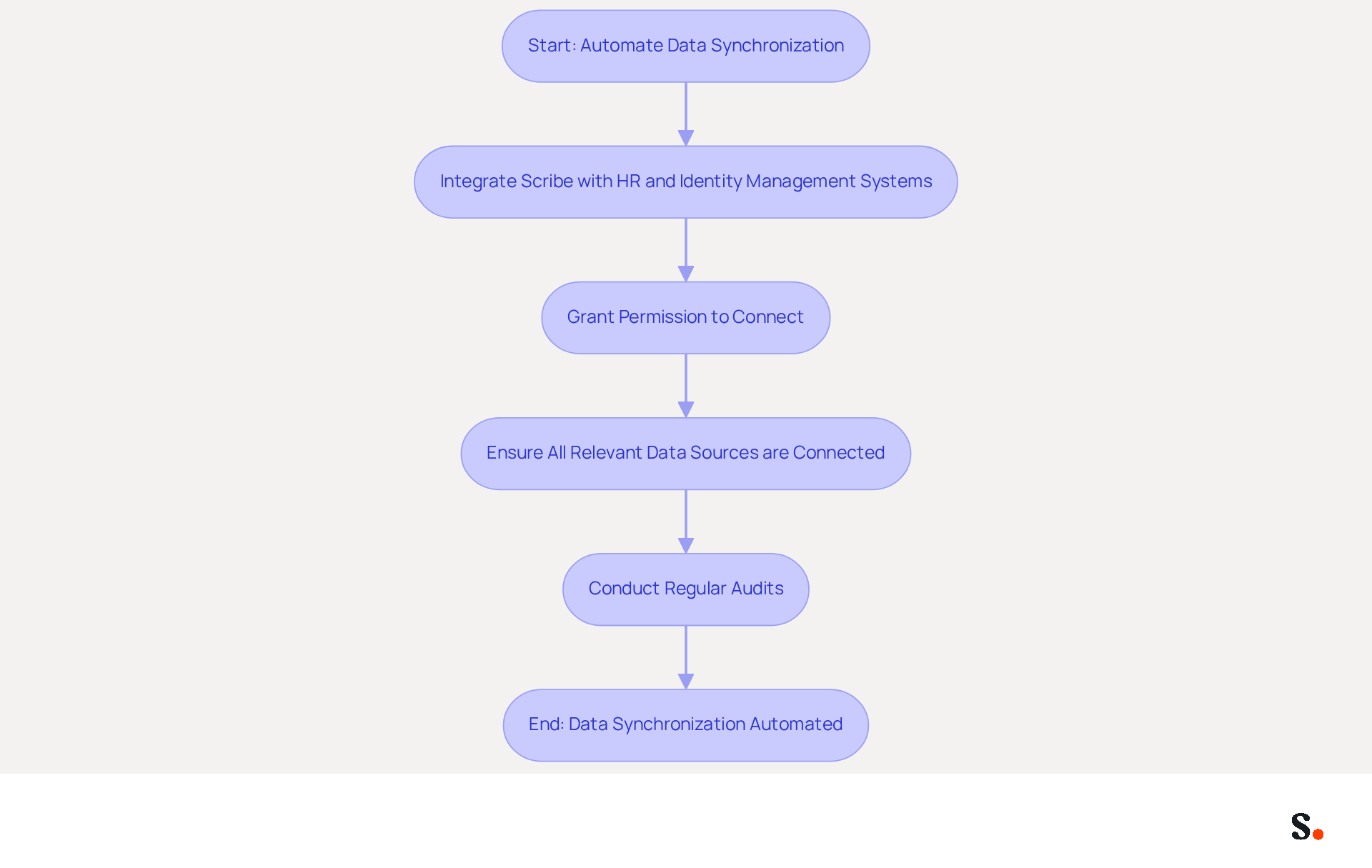
Automating data synchronization with Scribe is essential for maintaining accurate digital identifiers across your organization. By integrating Scribe with your HR and identity management systems, any modifications to employee details - such as a new phone number or job title - are automatically reflected in their communication footers. This not only saves time but also ensures that all communications remain accurate and professional. Without automation, organizations face the risk of inaccuracies in communications, which can lead to misunderstandings and damage to their brand image. Indeed, organizations that automate updates to their footers typically see a notable decrease in help desk inquiries, as manual mistakes are reduced.
To enable one-click synchronization, you must grant Scribe permission to connect with your service provider. This setup is crucial for ensuring that all changes made in your connected sources, like your business phone system or HR software, are automatically updated in real-time. Regular audits of the synchronization settings are vital to ensure they operate correctly and that all data is accurately represented in correspondence. Best practices for maintaining synchronization include:
- Checking permissions regularly
- Ensuring that all relevant data sources are connected
This approach not only enhances your brand image but also builds trust with clients and partners. For example, a firm with 100 staff can produce roughly 60,000 to 80,000 branded impressions each month, showcasing the branding potential of effective digital signature management. By leveraging Scribe's capabilities, businesses can ensure their email signatures not only comply with branding standards but also serve as a strategic asset in their marketing efforts, all while adhering to SOC 2 Type II compliance for secure data handling. Ultimately, embracing Scribe's automated solutions can transform your email signature management into a powerful tool for brand consistency and client trust.
Conclusion
Effective email signatures serve as a strategic asset, enhancing brand visibility and consistency beyond mere aesthetics. By utilizing Scribe's capabilities, organizations can ensure their digital signatures reflect their brand identity while also serving as powerful marketing tools. The emphasis on on-brand signature templates, targeted marketing campaigns, seamless integrations, and automated data synchronization demonstrates the comprehensive strategies required to optimize email communications.
Key insights from this article include:
- The importance of designing visually appealing templates that align with brand guidelines.
- Scheduling marketing messages to coincide with key promotions.
- Integrating with popular tools for efficiency.
- Automating data synchronization to minimize potential errors that could jeopardize brand reputation, ensuring that all communications remain accurate and up-to-date.
By adopting these best practices, organizations can anticipate enhanced engagement metrics and a more robust brand presence in their communications.
Ultimately, embracing these best practices not only enhances brand consistency but also transforms email signatures into a strategic asset for marketing efforts. With Scribe's solutions, businesses can fully leverage their digital footers, ensuring compliance with branding standards while also promoting meaningful engagement and building trust with clients and partners. Implementing these strategies now can fundamentally reshape how brands engage with their audience, leading to lasting improvements in visibility and trust.
Frequently Asked Questions
Why is defining a brand's visual identity important for creating templates?
Defining a brand's visual identity is crucial for creating effective on-brand templates as it ensures consistency and recognition across all communications.
What elements should be selected when creating on-brand signature templates?
When creating on-brand signature templates, appropriate colors, fonts, and logos should be selected to reflect the brand's identity.
How can Scribe assist in designing signature templates?
Scribe's template creation feature allows users to design sign-offs that seamlessly incorporate brand elements, ensuring templates are visually appealing and easy to read.
What information should be prominently displayed in signature templates?
Signature templates should prominently display the employee's name, title, and contact information, while relegating disclaimers or legal notices to smaller text.
What is the importance of using high-resolution images for logos in templates?
High-resolution images for logos ensure quality across various devices and messaging clients, maintaining a professional appearance.
Why is it necessary to regularly update signature templates?
Regular updates are essential to reflect any changes in branding or company information, preventing confusion among clients and ensuring consistency.
What permissions are needed for one-click synchronization with Scribe?
To enable one-click synchronization, users must grant Scribe permission to connect with their service provider and have Super Admin access to do so.
How do digital footers contribute to brand awareness?
Research indicates that 82% of marketers leverage digital footers to boost brand awareness, highlighting their importance in marketing strategies.
What benefits do organizations experience from centralized management of templates?
Organizations that adopt centralized management experience an 85% improvement in brand consistency.
What impact do customized footers have on engagement?
Case studies show that organizations utilizing customized footers experience a notable rise in engagement, with promotional footers producing five times more qualified leads than standard calls to action.
What are the best practices for correspondence identifiers in templates?
Correspondence identifiers should comply with a maximum width of 600px and a total size limit of under 100KB to follow best practices.
What security assurance does Scribe provide for handling digital identifiers?
Scribe's SOC 2 Type II compliance ensures the security of your information, offering reassurance when handling digital identifiers.
List of Sources
- Create On-Brand Signature Templates
- Email Signature Best Practices for 2026 (+ 15 Pro Examples) (https://wavecnct.com/blogs/email-signature-best-practices-2026)
- Email Signature Best Practices - NEWOLDSTAMP (https://newoldstamp.com/blog/email-signature-best-practices)
- Research Recap: Branded Email Signatures Increase Company Recognition, Trust - Demand Gen Report (https://demandgenreport.com/industry-news/research-recap-branded-email-signatures-increase-company-recognition-trust/47252)
- Email Signature Branding: Consistency and Impact | Crossware365 (https://crossware365.com/blog/mastering-email-signature-branding-market-presence)
- The impact of email signatures on your branding (https://signitic.com/en/resources/the-impact-of-email-signatures-on-your-branding)
- Schedule Targeted Marketing Campaigns
- Exclaimer Research: 67% of Marketers Expect Email Signatures to Support With Lead Gen In 2023 (https://businesswire.com/news/home/20230612141095/en/Exclaimer-Research-67-of-Marketers-Expect-Email-Signatures-to-Support-With-Lead-Gen-In-2023)
- 4 Best Practices for Your Outlook Signature Line in Marketing (https://scribe-mail.com/en-US/blog/4-best-practices-for-your-outlook-signature-line-in-marketing)
- Why Email Signatures Must Be In Your 2026 Marketing Plan | Rocketseed (https://rocketseed.com/blog/what-are-the-biggest-email-trends-for-2026)
- Email Signature Trends 2026: Centralized Control & Automation | SIGNandGO posted on the topic | LinkedIn (https://linkedin.com/posts/signngo_email-signature-trends-to-watch-in-2026-activity-7401523471786217473-zAVL)
- Email Signature Campaigns Belong in Your Marketing Calendar (https://bluechiptt.com/blog/email-signature-campaigns-marketing-calendar)
- Integrate with Popular Tools for Efficiency
- Best Email Signature Software for Google Workspace and Microsoft 365 in 2026 (https://bulksignature.com/blog/best-email-signature-software)
- 40+ Email Signature Statistics for 2026 (Data + Insights) (https://wavecnct.com/blogs/email-signature-statistics)
- 10 Best Email Signature Software Reviewed In 2026 (https://thecmo.com/tools/best-email-signature-software)
- Company-Wide Email Signature Management | CloudM (https://cloudm.io/resources/blog/optimize-your-process-with-company-wide-email-signature-management)
- Email Signature Trends 2026: Centralized Control & Automation | SIGNandGO posted on the topic | LinkedIn (https://linkedin.com/posts/signngo_email-signature-trends-to-watch-in-2026-activity-7401523471786217473-zAVL)
- Automate Data Synchronization for Consistency
- Email signature do’s & don’ts: from chaos to consistency and performance in every send (https://marketingtechnews.net/news/email-signature-dos-donts-from-chaos-to-consistency-and-performance-in-every-send)
- How to Automate Email Signature Updates | Exclaimer (https://exclaimer.com/email-signature-handbook/automate-email-signature-updates)
- 40+ Email Signature Statistics for 2026 (Data + Insights) (https://wavecnct.com/blogs/email-signature-statistics)
- How to combine automation and email signatures (https://signitic.com/en/resources/how-to-combine-automation-and-email-signatures)
- How Automated Email Signatures Save IT Teams Hours Every Month - Signite (https://signite.io/automated-email-signatures-to-save-time)
Get started with Scribe
Create your signature in minutes
Free 14-day trial — no credit card.