How to Remove Gmail Signature: Step-by-Step Guide for Marketers
Managing email signatures effectively is essential for marketers aiming to uphold a professional online presence in digital communication. With Gmail's vast
Sophie Grant
Email Signature Specialist, Scribe
Introduction
Managing email signatures effectively is essential for marketers aiming to uphold a professional online presence in digital communication. With Gmail's vast user base and high engagement rates, the ability to remove or update signatures seamlessly can significantly impact brand visibility and trust. Users often struggle with modifying their signatures, leading to inconsistencies in brand representation.
How can marketers ensure their email communications reflect their brand identity without the hassle of manual updates? This guide will walk you through:
- Removing Gmail signatures
- Troubleshooting common issues
- Exploring automated solutions to streamline your branding efforts
Access Gmail Settings to Manage Signatures
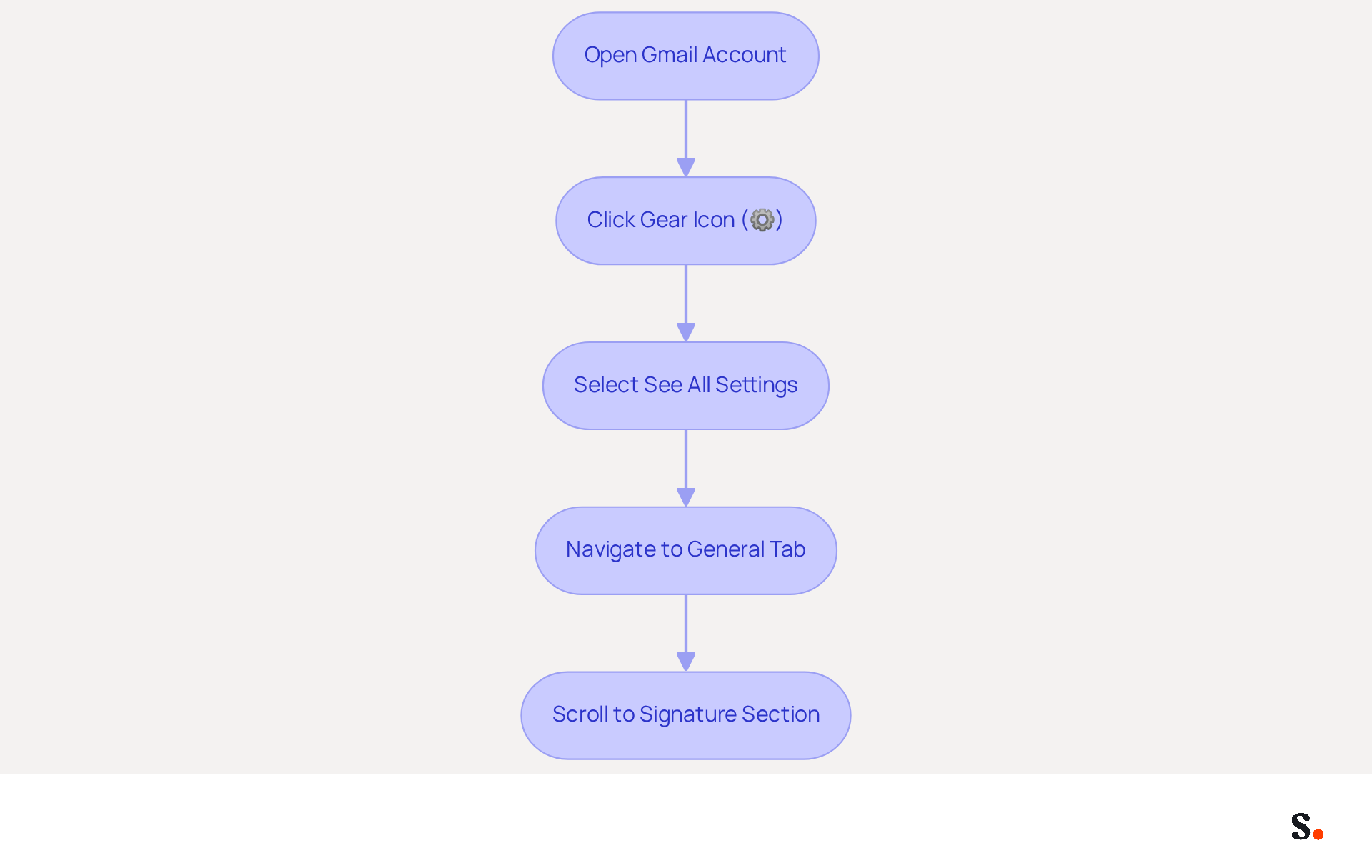
- Open your Gmail account in a web browser.
- In the top right corner, click on the gear icon (⚙️) to access the Settings menu.
- Select 'See all settings' from the dropdown menu.
- Navigate to the 'General' tab, which is typically the first tab displayed.
- Scroll down to the 'Signature' section, where all your current autographs are listed. This is where you will learn how to remove gmail signature.
Effectively managing your email signature is crucial, especially when learning how to remove gmail signature to maximize visibility in a crowded digital landscape. As of July 2026, Gmail boasts over 1.8 billion active users globally, holding a 23.54% share of the messaging market. With an impressive open rate of 75%, effective management of your email footer can significantly enhance your visibility. Expert opinions emphasize that inconsistent branding can lead to lost opportunities in marketing. Utilizing Gmail's management features with Scribe allows marketers to ensure their communications reflect their identity, ultimately enhancing engagement and improving campaign effectiveness. Scribe's automated synchronization with Aircall guarantees that any modifications made in your Aircall configuration are automatically reflected in your signatures, ensuring easy updates and consistent branding. Furthermore, Scribe's SOC 2 Type II compliance ensures that your data is managed securely, enhancing trust and reliability in your communications. Case studies demonstrate that effective email management can lead to increased brand recognition and customer engagement. Ultimately, leveraging Scribe's capabilities can transform your email communications into a powerful branding tool.
Delete or Disable Your Current Signature
Managing your email signature is essential for maintaining a professional online presence.
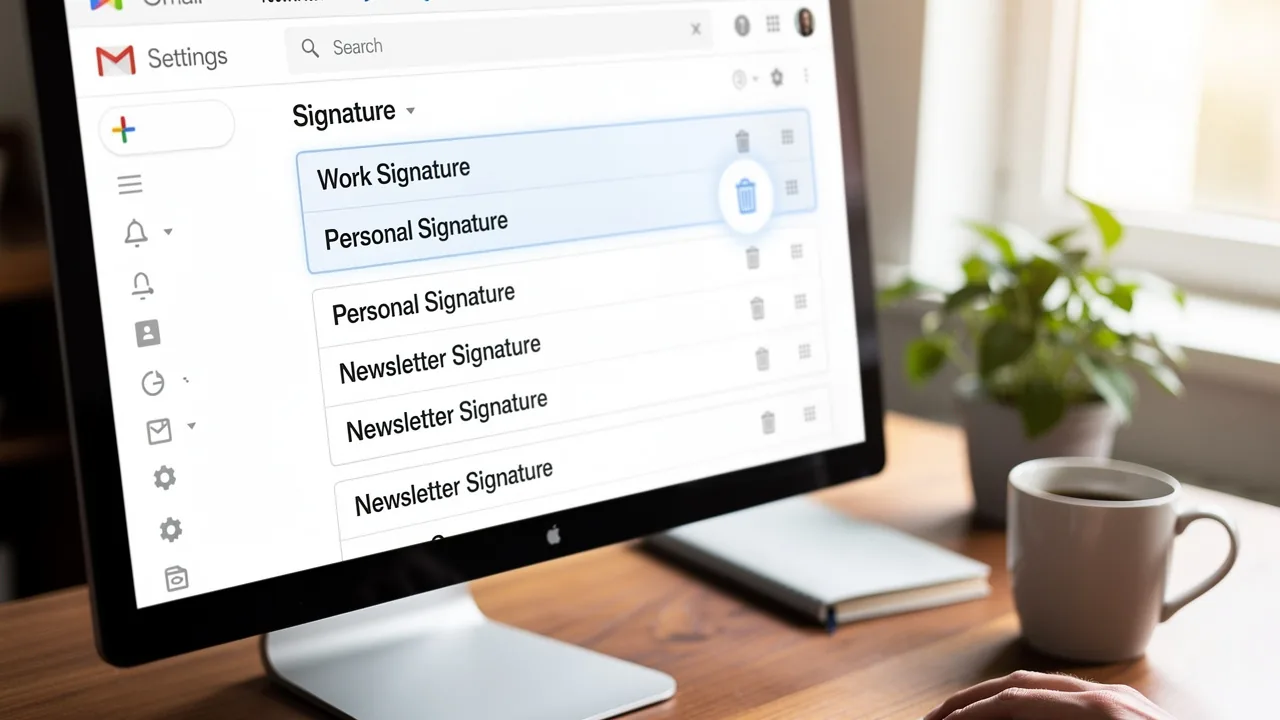
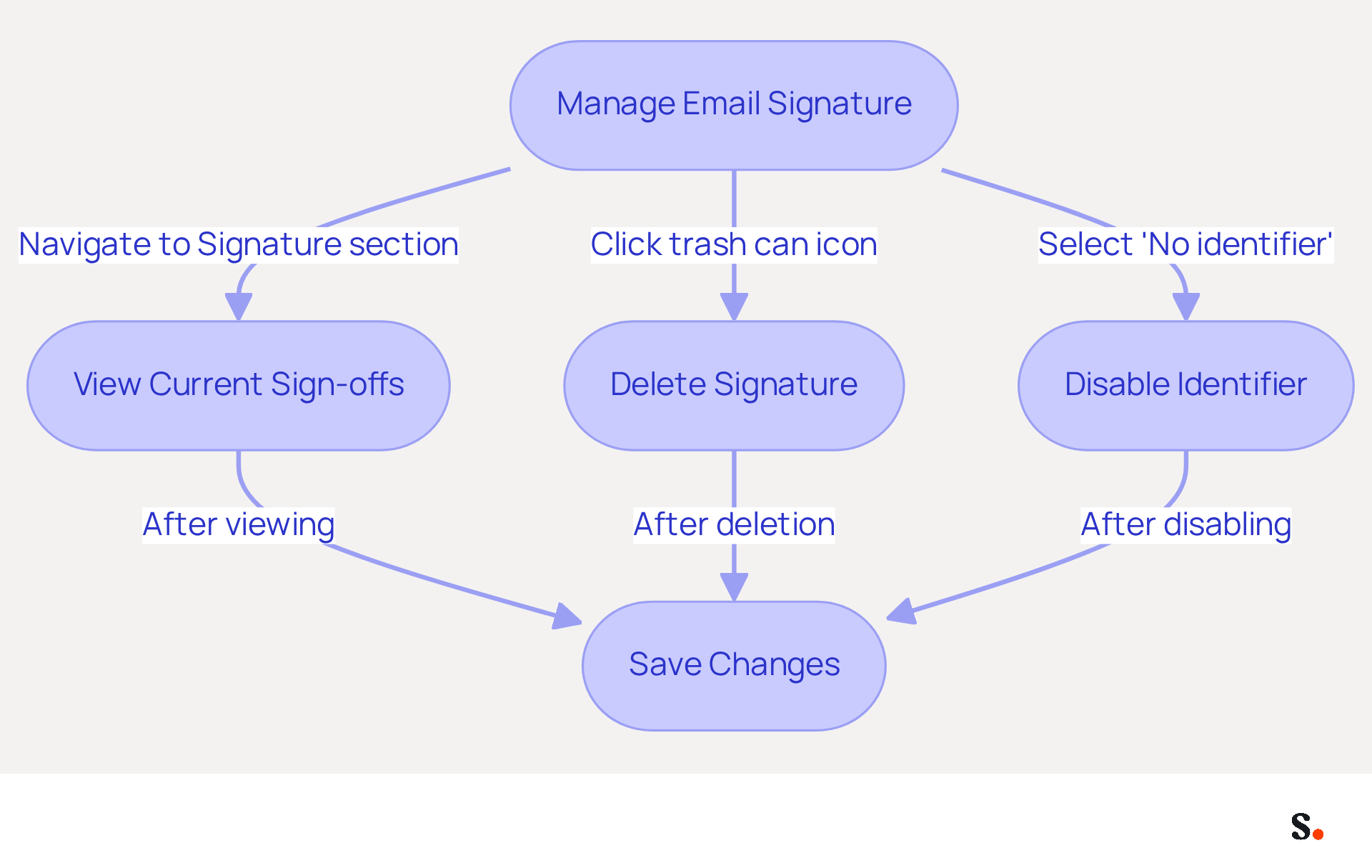
- To view a list of your current sign-offs, navigate to the 'Signature' section within your Gmail settings and find instructions on how to remove Gmail signature.
- To understand how to remove gmail signature, click on the trash can icon next to the mark you wish to delete. This will permanently remove the mark from your account if you know how to remove gmail signature.
- If you prefer to disable the identifier without removing it, select 'No identifier' from the dropdown menu. This option allows you to retain the mark stored for future use without it showing up in your outgoing messages.
- Once you've made your changes, scroll down and click 'Save Changes' to apply them.
Statistics show that 42% of consumers have a negative perception of businesses that do not utilize branded identifiers, emphasizing the significance of maintaining a professional online presence. Furthermore, 76% of marketers concur that branded email footers boost trust in the sender, making it essential to manage your footer effectively. Some users have reported challenges when attempting to delete marks due to conflicts with third-party applications. If issues persist, reaching out to Gmail support may be necessary. Not managing your email signature can undermine your credibility with clients and partners.
Troubleshoot Common Signature Removal Issues
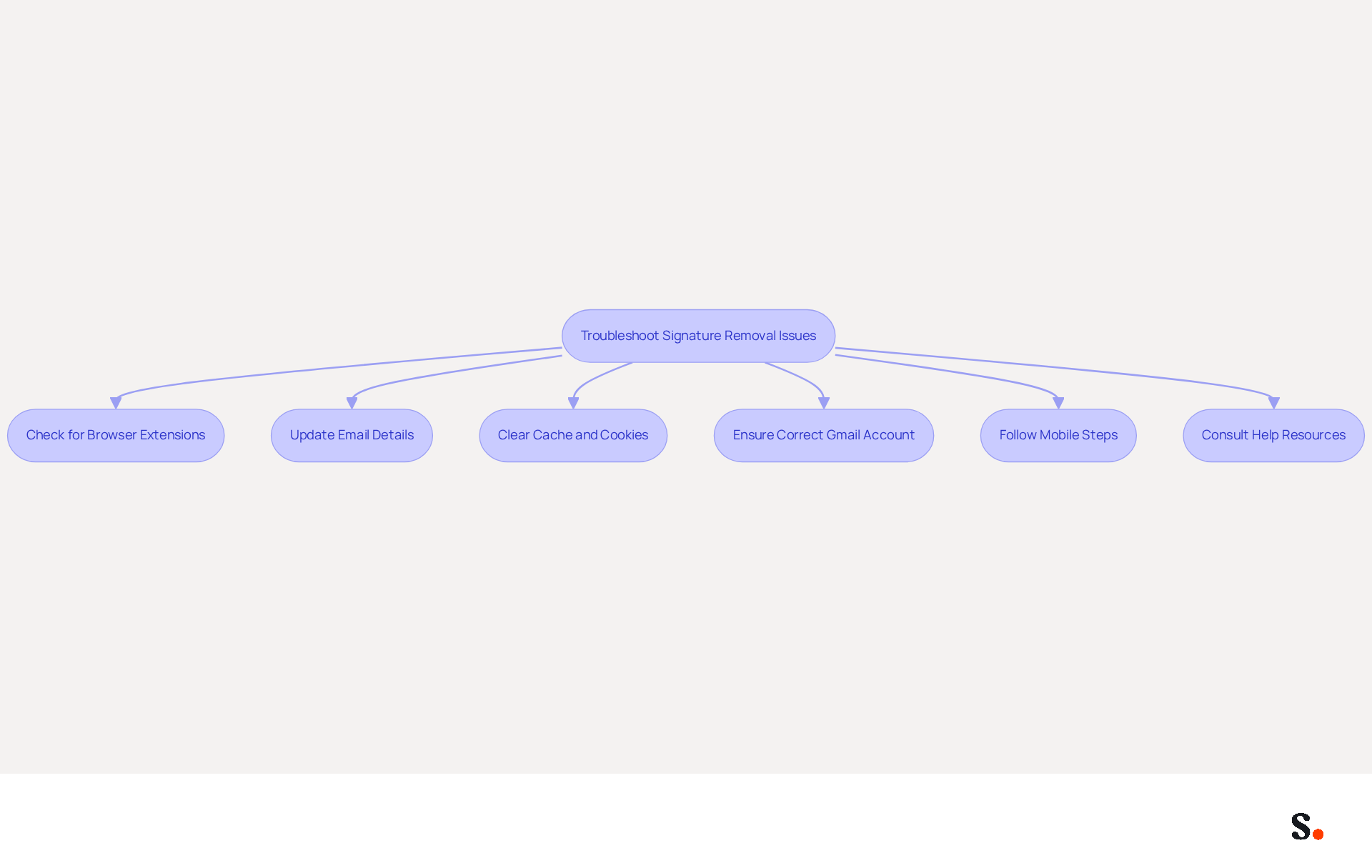
If your mark keeps reappearing after deletion, it may be due to overlooked browser extensions that restore it automatically. Research shows that 31.6% of users often overlook updating their email details, which can result in confusion. By syncing your Google Workspace with Scribe, you can save time and ensure that your teammates' identification information is automatically updated, removing the need for manual entry.
Clear your browser's cache and cookies, then try to remove the mark again. This step can resolve conflicts caused by stored data that may interfere with changes. Remember, a professional branded mark is important for a company's brand identity, as 80% of respondents agree. With the tool, any modifications in your Google Workspace, such as relocating teammates from one group to another or updating their details, will be automatically reflected without any input on your part.
Ensure you are logged into the correct Gmail account, especially if you manage multiple accounts. Mismanagement of accounts is a common source of confusion, and 42% of consumers have a negative perception of a business when receiving a message without a branded signature. Scribe's SAML single sign-on integration further improves security and convenience of access for your team.
If you are using a mobile device, follow the specific steps for the Gmail app, as the interface may differ from the desktop version. Mobile users frequently face distinct challenges that necessitate customized solutions, particularly as 42% of messages are accessed on mobile devices. Scribe's automated management of digital signatures ensures that your branding stays consistent across all platforms.
If issues persist, consult Gmail's help resources or community forums for additional support. Engaging with these resources provides insights from users facing similar challenges, emphasizing the significance of maintaining a professional communication footer, which can enhance trust by 76%. With Scribe, you can achieve complete consistency in your branding, ultimately enhancing your professional image.
Explore Automated Solutions for Signature Management
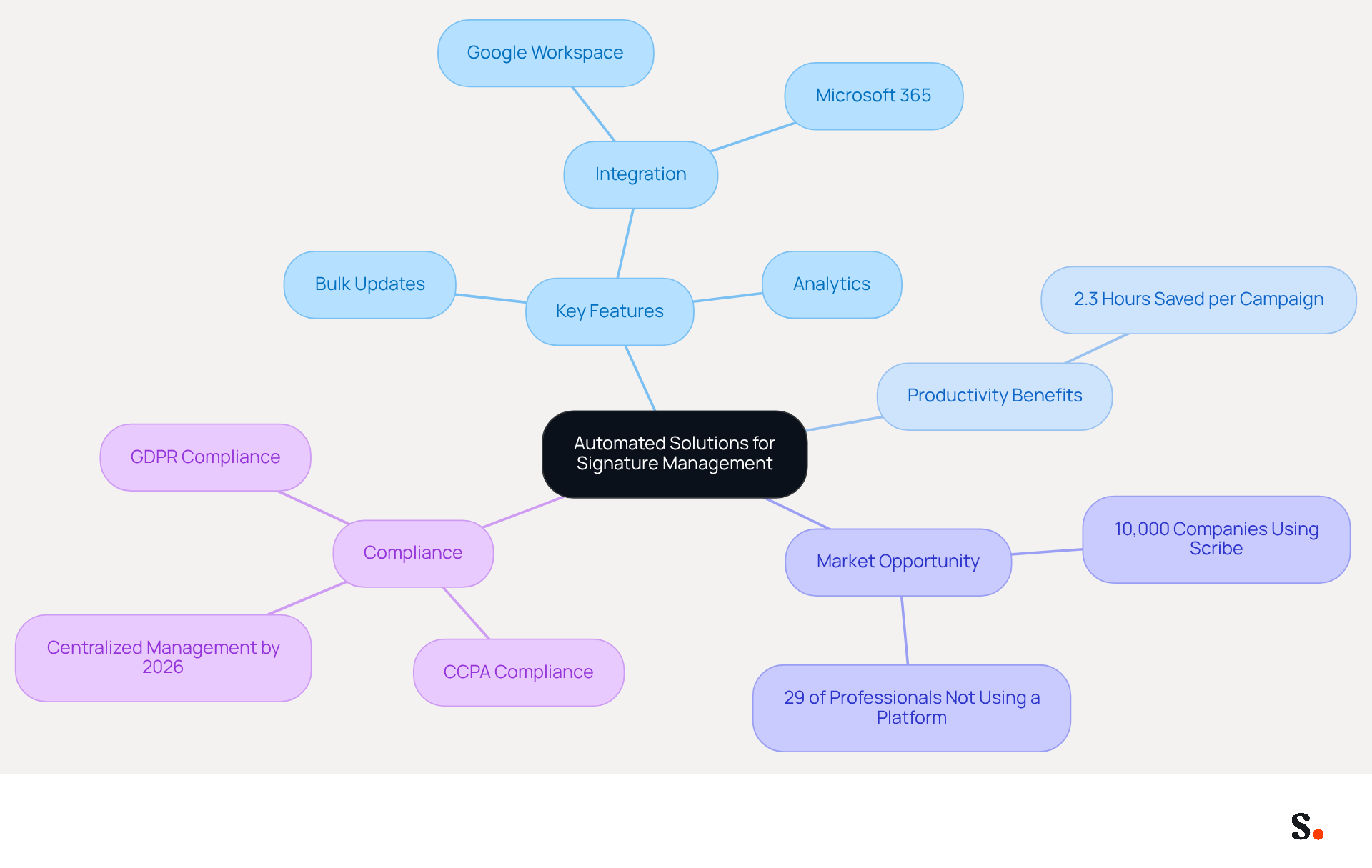
Managing digital identifiers manually can lead to inconsistencies and compliance challenges, making it essential to consider automated solutions like Scribe. Scribe is an innovative platform that automates the creation and management of digital identifiers for businesses, ensuring a cohesive corporate image across all communications while maintaining compliance with GDPR and CCPA. This tool facilitates seamless updates, allowing teams to maintain brand consistency with just a single click, which is essential for effective marketing. Scribe offers SAML-based single sign-on integration, allowing employees to access the platform securely through their identity provider. The platform is SOC 2 Type II certified, ensuring robust security measures are in place.
Key features to consider include:
- Bulk updates
- Seamless integration with platforms like Google Workspace and Microsoft 365
- Robust analytics for tracking performance and engagement metrics
Automation can save marketers approximately 2.3 hours per campaign, significantly improving productivity. Research and compare automated signature management solutions to find one that meets your business needs and budget. The demand for these tools is growing, with over 10,000 companies using Scribe to generate 15 million daily brand impressions. Currently, 29% of professionals do not use a management platform for their email signatures, indicating a significant market opportunity for this solution. As regulations evolve, by the end of 2026, businesses operating in multiple US states will require centralized management of email disclaimers and consent mechanisms. Scribe's commitment to exceptional customer support means you can speak with a real person when you need assistance, enhancing your overall experience.
Conclusion
In a digital landscape where first impressions matter, effective email signature management is essential for marketers. This guide has outlined the step-by-step process for removing a Gmail signature, emphasizing the importance of a cohesive digital identity in a competitive environment. Tools like Scribe help marketers manage their signatures more efficiently, making sure their communications accurately reflect their brand.
Key insights discussed include the significance of maintaining a branded email footer, which can significantly boost recipient trust and engagement, as shown in various case studies. The article also highlighted common challenges faced during the signature removal process and provided troubleshooting tips to overcome these issues. Furthermore, the advantages of automated solutions, such as Scribe's capabilities, were underscored, showcasing how they can save time and improve productivity while ensuring compliance with regulations like GDPR and CCPA.
In summary, managing email signatures is crucial for shaping perceptions and boosting brand visibility. Using automated solutions like Scribe allows marketers to manage their email communications effectively, ensuring every message reflects their brand identity. Ultimately, neglecting email signature management could hinder a brand's ability to connect meaningfully with its audience.
Frequently Asked Questions
How do I access Gmail settings to manage my signatures?
To access Gmail settings, open your Gmail account in a web browser, click on the gear icon (⚙️) in the top right corner, select 'See all settings' from the dropdown menu, navigate to the 'General' tab, and scroll down to the 'Signature' section.
Why is managing my email signature important?
Managing your email signature is crucial for maximizing visibility in a crowded digital landscape, especially given that Gmail has over 1.8 billion active users. An effective signature can enhance engagement and improve campaign effectiveness.
What are the benefits of using Scribe for email signature management?
Scribe allows for automated synchronization with Aircall, ensuring that any modifications made in your Aircall configuration are automatically reflected in your signatures. This guarantees easy updates and consistent branding.
How does Scribe ensure data security in email communications?
Scribe is SOC 2 Type II compliant, which means that your data is managed securely, enhancing trust and reliability in your communications.
What impact can effective email management have on branding?
Effective email management can lead to increased brand recognition and customer engagement, transforming your email communications into a powerful branding tool.
List of Sources
- Access Gmail Settings to Manage Signatures
- Gmail Statistics 2026 – Visits Data & Market Share (https://demandsage.com/gmail-statistics)
- Gmail is making a major change. Here’s what users must decide (https://al.com/news/2026/01/gmail-is-making-a-major-change-heres-what-users-must-decide.html)
- Google just dropped a bombshell about Gmail and everyone needs to pay attention (https://pennlive.com/life/2026/02/google-just-dropped-a-bombshell-about-gmail-and-everyone-needs-to-pay-attention.html)
- Delete or Disable Your Current Signature
- 40+ Email Signature Statistics for 2026 (Data + Insights) (https://wavecnct.com/blogs/email-signature-statistics)
- How To Remove An Email Signature From Gmail In 2026 (https://clean.email/blog/email-signature/how-to-remove-email-signature-from-gmail)
- How to Remove a Signature From Gmail (https://yamm.com/blog/how-to-remove-signature-from-gmail)
- How to Delete/Remove an Email Signature from Gmail - Gimmio (https://blog.gimm.io/how-to-delete-remove-an-email-signature-from-gmail)
- Troubleshoot Common Signature Removal Issues
- Google says it's fixed Gmail issues with spam and misclassification | TechCrunch (https://techcrunch.com/2026/01/25/gmail-is-having-issues-with-spam-and-misclassification)
- Email Signature Statistics: A Closer Look at Email Signatures in 2026 (https://mysignature.io/blog/email-signature-statistics)
- 40+ Email Signature Statistics for 2026 (Data + Insights) (https://wavecnct.com/blogs/email-signature-statistics)
- Explore Automated Solutions for Signature Management
- Compare 5 Software for Email Signature: Features and Benefits for Marketers (https://scribe-mail.com/en-US/blog/compare-5-software-for-email-signature-features-and-benefits-for-marketers)
- 10 Best Email Signature Software Reviewed In 2026 (https://thecmo.com/tools/best-email-signature-software)
- Why Email Signatures Must Be In Your 2026 Marketing Plan | Rocketseed (https://rocketseed.com/blog/what-are-the-biggest-email-trends-for-2026)
- 12 best email signature software tools for 2026 - Guideflow Blog (https://guideflow.com/blog/best-email-signature-software)
- Email Signature Trends 2026: Centralized Control & Automation | SIGNandGO posted on the topic | LinkedIn (https://linkedin.com/posts/signngo_email-signature-trends-to-watch-in-2026-activity-7401523471786217473-zAVL)
Get started with Scribe
Create your signature in minutes
Free 14-day trial — no credit card.