4 Best Practices for Your Business Signature Creator Strategy
In a competitive digital landscape, establishing a cohesive brand identity is essential for business success. Email signatures are essential for
Sophie Grant
Email Signature Specialist, Scribe

Introduction
In a competitive digital landscape, establishing a cohesive brand identity is essential for business success. Email signatures are essential for professionalism and can significantly boost brand visibility and engagement. Many organizations face challenges in ensuring their email signatures are consistent and effective.
How can businesses ensure their email signatures not only reflect their brand accurately but also drive marketing success? This article outlines four best practices for creating an email signature strategy that aligns with branding goals and enhances marketing effectiveness.
Ensure Brand Consistency Across All Email Signatures
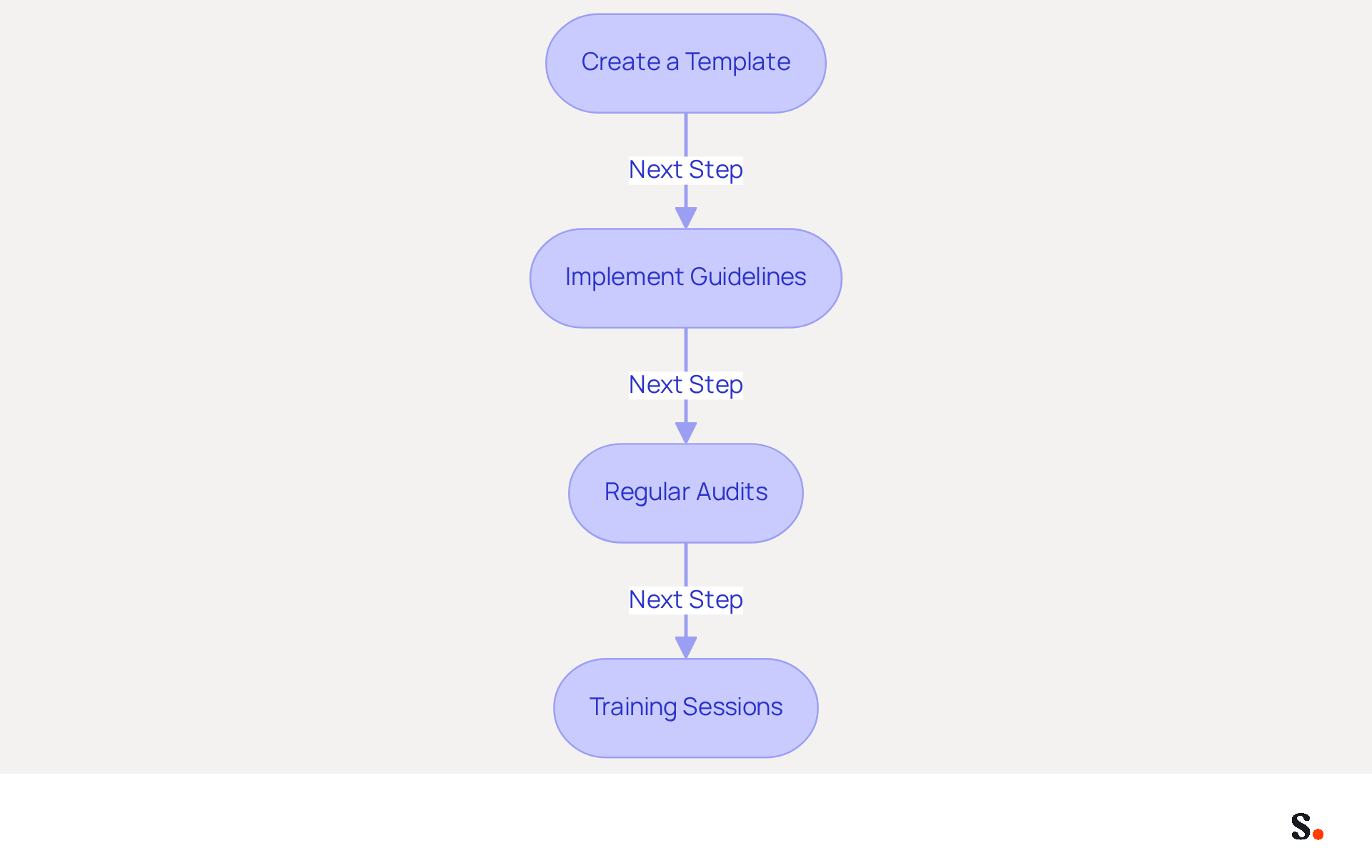
To maintain a strong brand image, organizations must prioritize consistency in their electronic communications. Begin by developing a standardized template that incorporates your company's logo, color palette, and font styles. This template should be consistently applied by all staff, ensuring that every message sent reflects a uniform professional image.
- Create a Template for Your Signature: Utilize design tools to craft a visually appealing template that includes essential elements such as the sender's name, job title, company name, and contact information. Ensure that the design aligns with your identity guidelines, as 80% of businesses consider branded email identifiers essential for their marketing efforts. With Scribe, you can automate the filling of signing details, conserving time and ensuring precision.
- Implement Guidelines: Distribute clear guidelines on how to use the template, specifying font sizes, colors, and logo placement. This will assist in avoiding deviations from the brand identity, which is essential since organizations that standardize their branding see an 85% improvement in brand consistency and three times higher campaign engagement. The one-click synchronization feature allows for effortless updates across all documents, ensuring adherence to your established guidelines. Remember, to enable synchronization, you must grant Scribe permission to connect with your provider, requiring Super Admin access.
- Regular Audits: Perform routine evaluations of electronic correspondence identifiers throughout the organization to ensure adherence to established guidelines. However, many organizations struggle to maintain consistent branding across all communications. This oversight can lead to a fragmented brand image, diminishing trust among clients. As 43% of recipients develop a more positive perception of companies with professional endorsements, businesses that implement consistent communication formats experience a 22% rise in response rates, highlighting the advantages of upholding consistency in their identity. Scribe's automated synchronization of teammate data guarantees that any modifications in your service provider are reflected in real-time, enhancing your organization's professionalism.
- Training Sessions: Arrange training sessions for employees to inform them about the significance of consistency in branding and how to correctly apply the template for electronic correspondence. Consistent training helps employees understand the importance of brand standards, which can significantly enhance professionalism and trustworthiness in communications. A well-crafted identifier functions as a business signature creator, reinforcing the organization's image with each message sent. With Scribe's intuitive interface, even non-technical users can manage their messages effectively after the initial setup.
By following these steps and leveraging Scribe's capabilities, businesses can maintain a cohesive brand image in all communications, ultimately enhancing their professional reputation and fostering greater trust among recipients.
Leverage Email Signatures for Marketing Campaigns
Transforming email footers into effective marketing tools requires strategic incorporation of promotional elements. Here are some best practices to leverage email signatures for marketing campaigns:
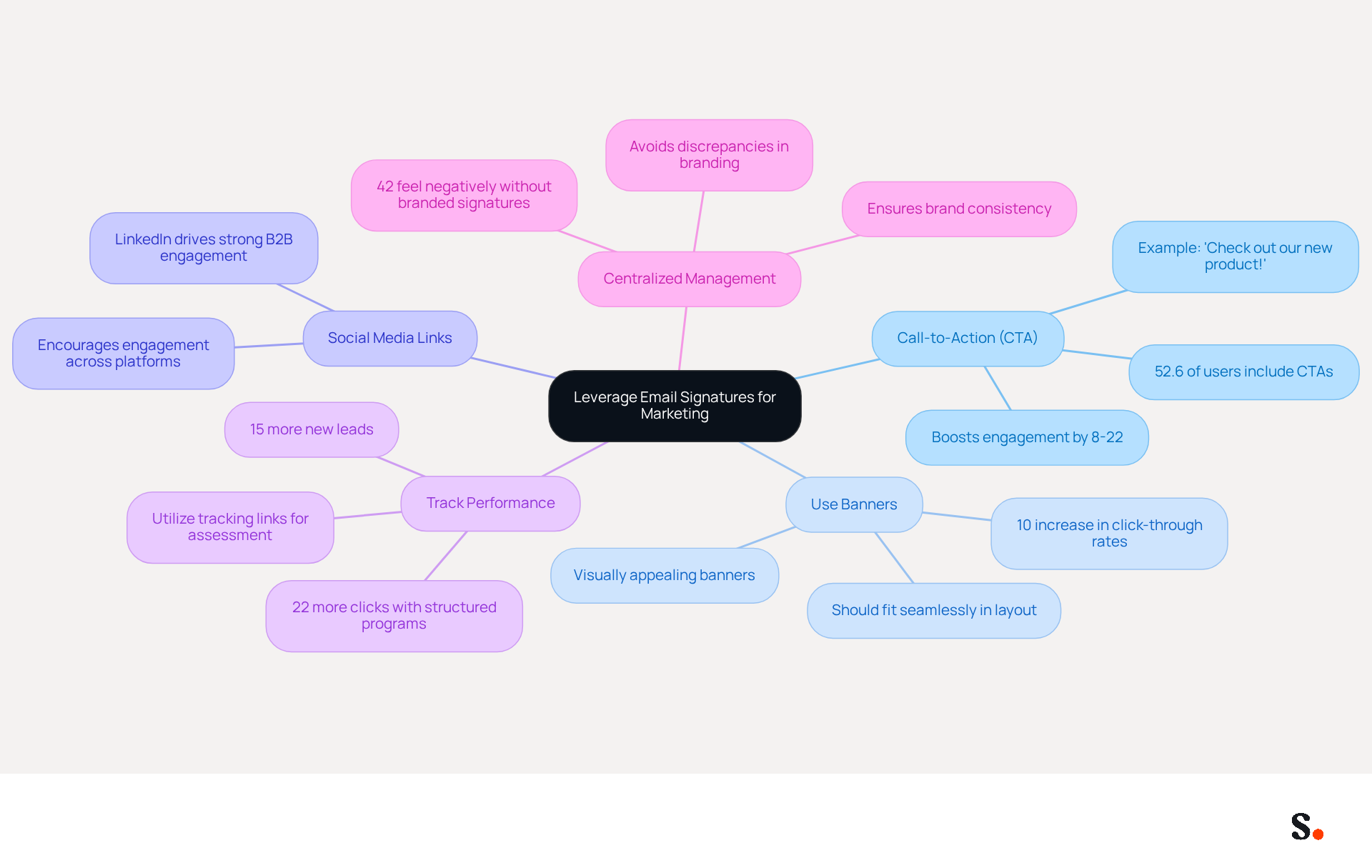
- Include Call-to-Action (CTA): Adding a clear and compelling CTA in the email footer directs recipients to your latest promotions, blog posts, or product launches. For example, a straightforward 'Check out our new product!' can significantly boost clicks. Studies show that 52.6% of users include CTAs in their email footers, which enhances engagement. Additionally, teams that fit those conditions can expect signature-influenced pipeline growth between 8 and 22% of total pipeline after two quarters of disciplined operation.
- Use Banners: Incorporate visually appealing banners that highlight current marketing campaigns or special offers. These banners should be designed to fit seamlessly within the distinctive layout, ensuring they enhance rather than overwhelm the recipient's experience. Effective banner campaigns can lead to a 10% increase in click-through rates, showing their effectiveness.
- Social Media Links: Including icons that link to your social media profiles not only promotes your channels but also encourages recipients to engage with your brand across multiple platforms. LinkedIn icons, in particular, drive strong B2B engagement, making them a valuable addition to your email footer.
- Track Performance: Utilize tracking links to assess the effectiveness of your marketing campaigns related to electronic correspondence. This data is crucial for refining future strategies and improving engagement rates. Companies that implement structured signing programs report 22% more clicks and 15% more new leads compared to those without. Moreover, electronic identifiers serve as a business signature creator, functioning as strategic marketing tools that strengthen your identity and support core business goals.
- Centralized Management: To ensure consistency across the organization, it is crucial to manage identifiers from a central location. This ensures that all marks align with your branding guidelines, avoiding discrepancies that could negatively impact brand perception. In fact, 42% of consumers indicate feeling negatively toward a business when they receive a message lacking a branded identifier.
When businesses integrate these marketing elements into their emails, they turn every message into an opportunity for promotion, enhancing marketing efficiency and delivering measurable results.
Automate Email Signature Management for Efficiency
To enhance efficiency in managing digital identifiers, businesses must embrace automation tools. Here are key practices for automating email signature management:
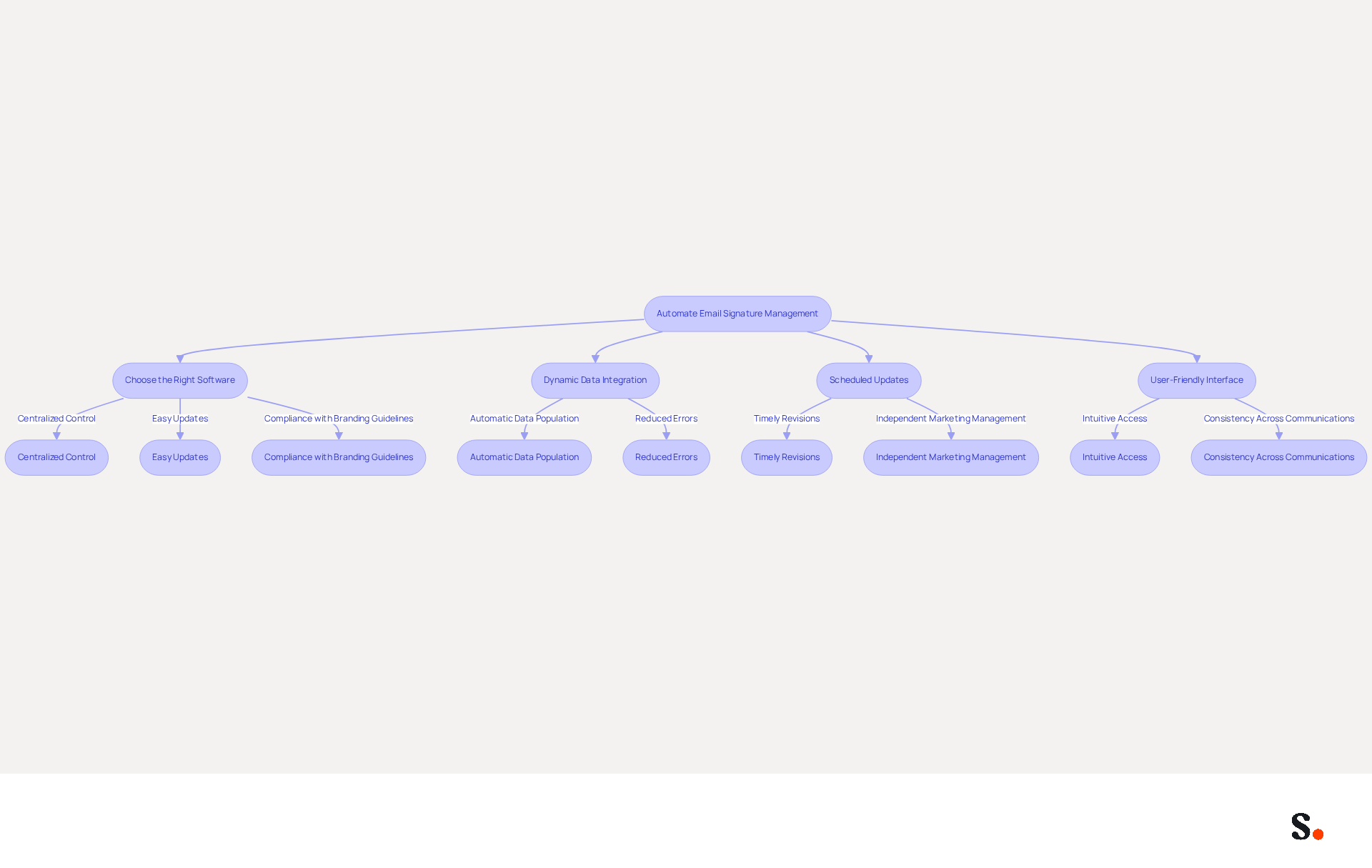
- Choose the Right Software: Select a business signature creator that provides centralized control over signatures. Look for features that enable easy updates and compliance with branding guidelines, ensuring that all communications reflect a cohesive brand image. As Sophie Grant, an Email Signature Specialist, emphasizes, "Choose the Right Signature Management Tool: Select Scribe, which integrates seamlessly with your current platforms."
- Dynamic Data Integration: Utilize tools that automatically extract data from HR systems to populate fields with up-to-date employee information, such as job titles and contact details. This ensures that approvals remain current without manual effort, reducing the chances of errors and compliance issues. With Scribe, any modifications in your Google Workspace, such as relocating teammates from one group to another or updating their details, will be automatically reflected in email footers, conserving time and effort. The platform also complies with SOC 2 Type II, GDPR, and CCPA, ensuring that your data management practices meet industry standards.
- Scheduled Updates: Establish a timetable for regular revisions to communication identifiers, especially during marketing initiatives or when there are alterations in branding. Automation can facilitate these updates, allowing marketing teams to run targeted campaigns without IT involvement, thus enhancing operational efficiency. Scribe's rapid deployment and user-friendliness for non-technical individuals allow Marketing to manage email branding independently after the initial IT setup.
- User-Friendly Interface: Ensure that the automation tool has an intuitive interface that allows employees to easily access and utilize the latest template designs without requiring technical expertise. This accessibility enables teams to uphold consistency across all communications.
When businesses implement a business signature creator to automate their management of communication identifiers, they not only save time but also reduce errors and maintain a consistent image. Studies indicate that messages featuring branded identifiers can lead to a 22% increase in response rates, highlighting the significance of effective management of digital identifiers in enhancing engagement and brand awareness. Furthermore, Scribe's average click-through rate on banner displays is 12%, demonstrating the effectiveness of automated messages in enhancing marketing efforts.
Integrate Signature Creators with Existing Tools for Seamless Use
To maximize the effectiveness of electronic identifiers, organizations must integrate signature generators with their existing tools seamlessly. Here are best practices for achieving this integration:
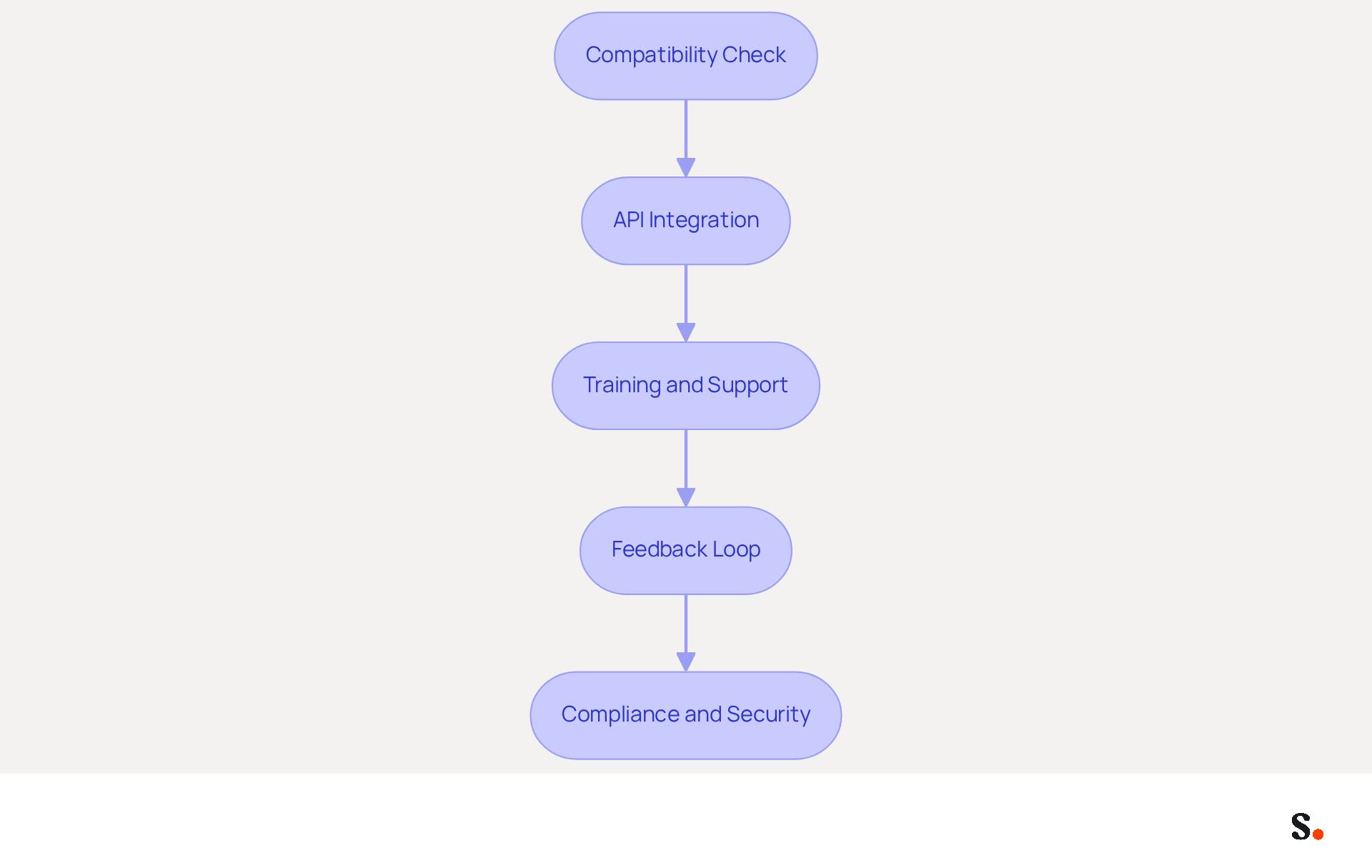
- Compatibility Check: Verify that the management tool for electronic correspondence identifiers is suitable for your organization's messaging platforms, such as Google Workspace, Microsoft 365, or Apple Mail. Without a compatibility check, organizations risk facing significant technical challenges that disrupt communication.
- API Integration: Utilize API integrations to connect the tool for managing signatures with other software systems, including CRM platforms and marketing automation tools. This approach facilitates dynamic updates and enhances data synchronization, leading to improved operational efficiency.
- Training and Support: Offer comprehensive training for employees on utilizing the integrated systems effectively. This training empowers users to leverage the tools for maximum benefit, ultimately enhancing productivity.
- Feedback Loop: Implement a feedback mechanism to gather insights from users regarding the integration process. This feedback can help identify issues and drive continuous improvement in the overall user experience.
- Compliance and Security: Ensure that the integration adheres to compliance regulations, such as GDPR and CCPA, and incorporates necessary security measures to protect sensitive data. It's essential to protect sensitive data and maintain trust within your organization. Scribe's SAML Single Sign-On integration improves security by enabling employees to access Scribe via their identity provider, ensuring that only authorized individuals can manage digital identities. Additionally, Scribe holds a SOC 2 Type II certification, further reinforcing its commitment to security and compliance.
Integrating a business signature creator with existing tools streamlines communication processes, enhances productivity, and ensures effective utilization. As a result, these organizations are witnessing a marked improvement in their marketing outcomes, demonstrating the effectiveness of integrated signature solutions. With Scribe, Marketing teams can manage email signatures independently after the initial IT setup, ensuring 100% brand consistency and measurable marketing ROI.
Conclusion
Effective email signature management is crucial for organizations striving to enhance their professional reputation. Without standardized templates and regular audits, businesses risk inconsistent brand representation in their communications. By creating a cohesive approach, companies can ensure that every email sent reflects their brand identity.
Using tools like Scribe simplifies this process and allows marketing teams to manage signatures on their own, which helps maintain brand consistency. Key insights from the article highlight the importance of leveraging email signatures as marketing tools. Incorporating elements like clear calls-to-action, visually appealing banners, and social media links can transform email footers into powerful promotional assets. Furthermore, automating signature management through Scribe enhances efficiency, reduces errors, and allows for real-time updates, ultimately leading to improved engagement and measurable marketing results.
Organizations that embrace strategic email signature management will not only strengthen their brand image but also unlock new avenues for engagement and growth. By integrating automation with existing tools, businesses can maximize their branding efforts and drive engagement. This leads to a more cohesive brand image and enhances overall marketing effectiveness.
Frequently Asked Questions
Why is brand consistency important in email signatures?
Brand consistency in email signatures helps maintain a strong brand image and ensures that every message reflects a uniform professional image, which can enhance trust among clients.
How can organizations create a standardized email signature template?
Organizations can create a standardized email signature template by utilizing design tools to incorporate essential elements such as the sender's name, job title, company name, and contact information, while aligning with their identity guidelines.
What role does Scribe play in managing email signatures?
Scribe automates the filling of signing details, conserving time and ensuring precision, and offers a one-click synchronization feature that allows for effortless updates across all documents.
What guidelines should be implemented for email signatures?
Clear guidelines should specify font sizes, colors, and logo placement to avoid deviations from brand identity, ensuring adherence to established branding standards.
How can organizations ensure adherence to email signature guidelines?
Organizations can perform regular audits of electronic correspondence identifiers to evaluate adherence to established guidelines and maintain consistent branding.
What benefits do organizations experience from consistent branding in communications?
Organizations that standardize their branding see an 85% improvement in brand consistency and three times higher campaign engagement, along with a 22% rise in response rates.
What training should be provided to employees regarding email signatures?
Training sessions should inform employees about the significance of consistency in branding and how to correctly apply the email signature template, enhancing professionalism and trustworthiness in communications.
How does Scribe assist non-technical users in managing email signatures?
Scribe's intuitive interface allows even non-technical users to manage their messages effectively after the initial setup, making it easier to maintain brand consistency.
List of Sources
- Ensure Brand Consistency Across All Email Signatures
- Why Email Signatures Must Be In Your 2026 Marketing Plan | Rocketseed (https://rocketseed.com/blog/what-are-the-biggest-email-trends-for-2026)
- Best Practices for a Correct Email Signature That Boosts Branding (https://scribe-mail.com/en-US/blog/best-practices-for-a-correct-email-signature-that-boosts-branding)
- The impact of email signatures on your branding (https://signitic.com/en/resources/the-impact-of-email-signatures-on-your-branding)
- Email Signature Branding: Consistency and Impact | Crossware365 (https://crossware365.com/blog/mastering-email-signature-branding-market-presence)
- Email Signature Best Practices for 2026 (+ 15 Pro Examples) (https://wavecnct.com/blogs/email-signature-best-practices-2026)
- Leverage Email Signatures for Marketing Campaigns
- What is email signature marketing? Complete B2B efinition (2026) (https://signitic.com/en/resources/what-is-email-signature-marketing-a-complete-definition-for-b2b-teams)
- 6 Ways to Use Email Signature to Support Marketing Campaigns (https://clearout.io/blog/use-email-signature-to-support-marketing-campaigns)
- How to Run a Successful Email Signature Marketing Campaign - NEWOLDSTAMP - NEWOLDSTAMP (https://newoldstamp.com/blog/email-signature-marketing-guide)
- Why Email Signatures Must Be In Your 2026 Marketing Plan | Rocketseed (https://rocketseed.com/blog/2026-marketing-plan-email-signatures)
- 40+ Email Signature Statistics for 2026 (Data + Insights) (https://wavecnct.com/blogs/email-signature-statistics)
- Automate Email Signature Management for Efficiency
- How to Automate Email Signature Updates | Exclaimer (https://exclaimer.com/email-signature-handbook/automate-email-signature-updates)
- Email signature statistics: Why every business should optimize their email signatures — Stripo.email (https://stripo.email/blog/email-signature-statistics-why-every-business-should-optimize-their-email-signatures)
- Email Signature Trends 2026: Centralized Control & Automation | SIGNandGO posted on the topic | LinkedIn (https://linkedin.com/posts/signngo_email-signature-trends-to-watch-in-2026-activity-7401523471786217473-zAVL)
- Master Automatic Email Signatures: Boost Branding and Efficiency (https://scribe-mail.com/en-US/blog/master-automatic-email-signatures-boost-branding-and-efficiency)
- Integrate Signature Creators with Existing Tools for Seamless Use
- How to integrate an email signature API (https://signitic.com/en/resources/how-to-integrate-an-email-signature-api)
- Best Email Signature Management Software (Evaluated May 2026) (https://wisestamp.com/guides/best-email-signature-management-software)
- How to Centralize and Standardize Email Signatures at Scale (2026) (https://wisestamp.com/guides/how-to-standardize-email-signatures-for-large-company)
- Best Email Signature Management Software: Top 12 Tools (2026)
- NEWOLDSTAMP (https://newoldstamp.com/blog/email-signature-software)
- Email Signature Trends 2026: Centralized Control & Automation | SIGNandGO posted on the topic | LinkedIn (https://linkedin.com/posts/signngo_email-signature-trends-to-watch-in-2026-activity-7401523471786217473-zAVL)
Get started with Scribe
Manage signatures across your whole team
Free 14-day trial — no credit card.