4 Best Practices for Your Signature Block on iPhone
Many professionals underestimate the impact of a well-crafted email signature, yet it plays a crucial role in effective business communication. With the rise
Sophie Grant
Email Signature Specialist, Scribe
Introduction
Many professionals underestimate the impact of a well-crafted email signature, yet it plays a crucial role in effective business communication. With the rise of mobile correspondence, ensuring that every email sent reflects a polished and consistent brand image is crucial for professionals across various industries. We will explore four best practices that enhance the visual appeal of email signatures while optimizing engagement and brand recognition:
- Use a professional design that aligns with your brand.
- Include essential contact information clearly.
- Optimize for mobile viewing to ensure accessibility.
- Incorporate social media links to enhance connectivity.
By neglecting to implement these strategies, organizations risk losing valuable engagement and brand recognition opportunities.
Establish Signature Settings on iPhone
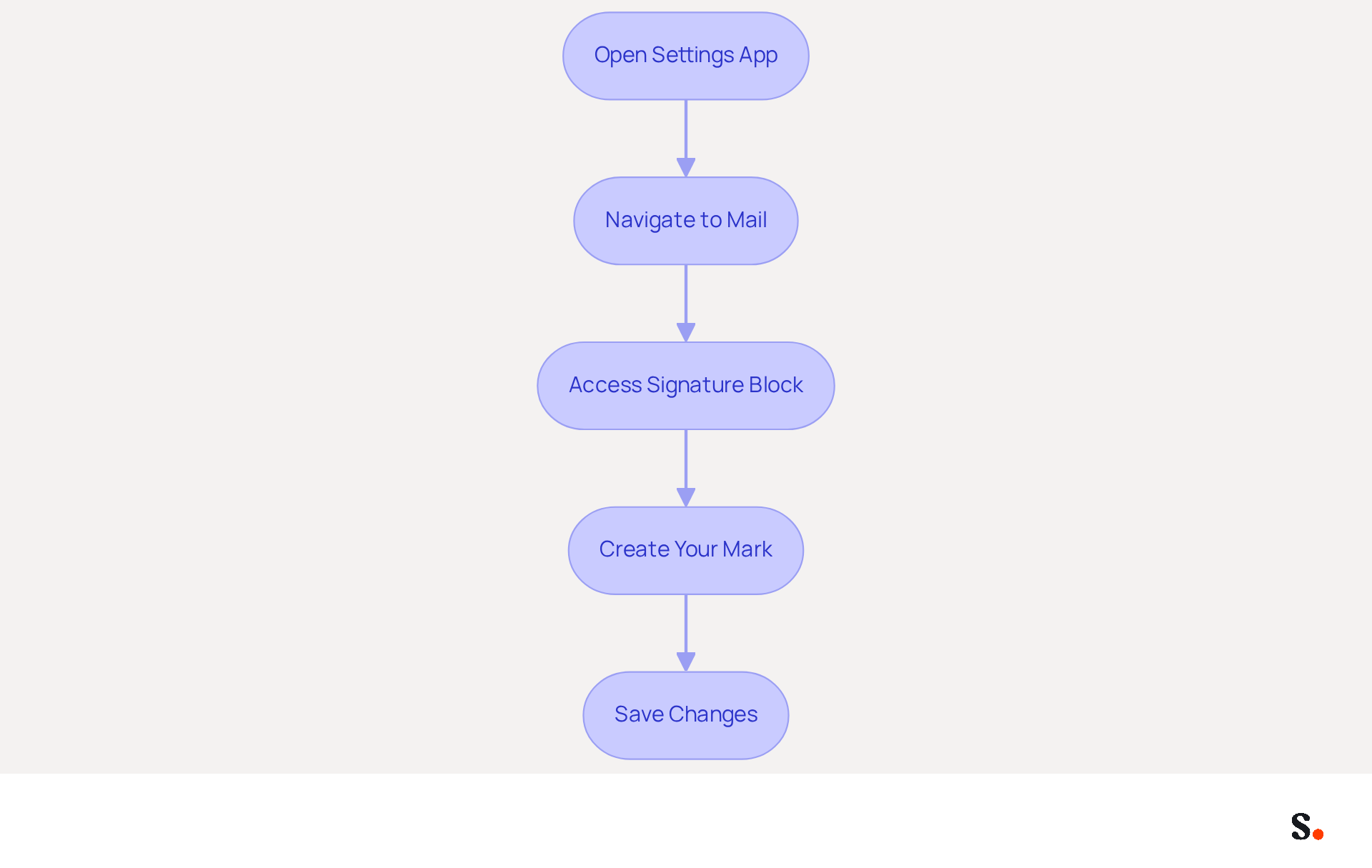
To effectively establish your email signature settings on an iPhone, follow these straightforward steps:
- Open the Settings App: Locate the Settings icon on your home screen and tap it.
- Navigate to Mail: Scroll down and select 'Mail' from the list of options.
- To create a professional email, you should include a signature block on iPhone. To access the signature block on iPhone, scroll to the bottom of the Mail settings and tap on 'Signature'. Here, you can opt to establish a sign-off for all accounts or tailor it for individual accounts.
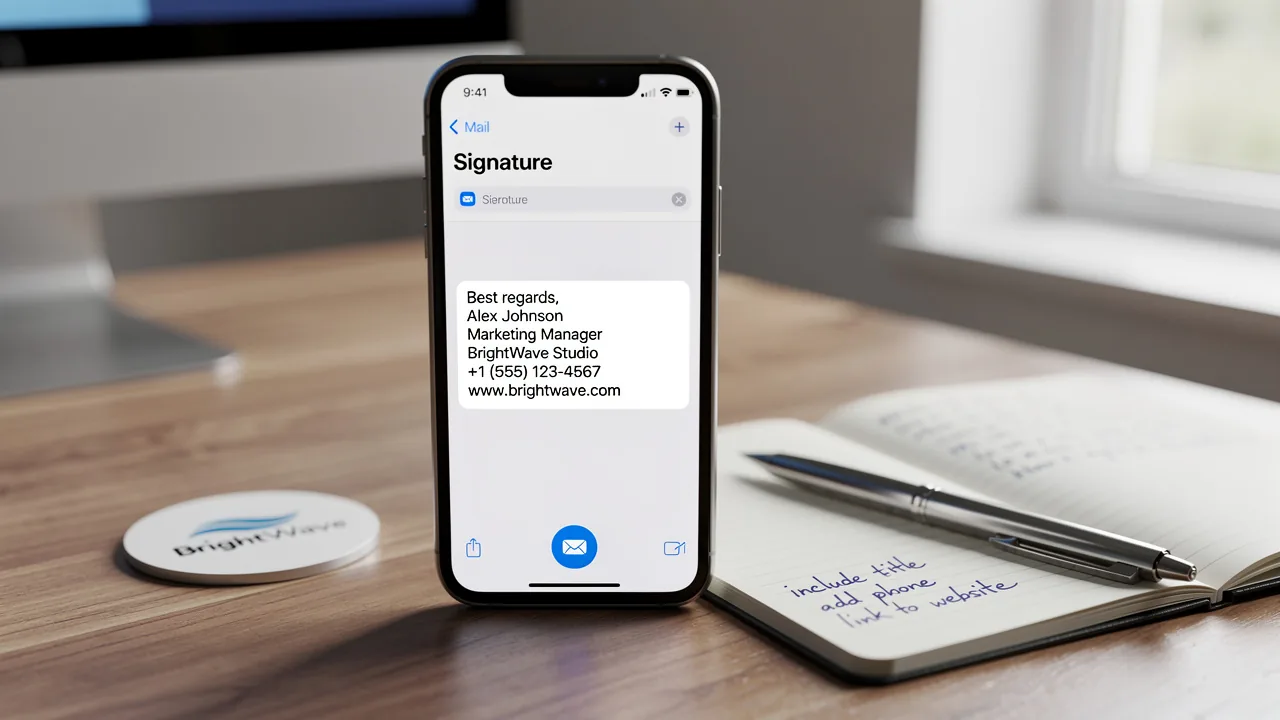
- Create Your Mark: In the text box, type your desired sign-off. Keep it concise, ideally between three to five lines, and include essential information such as your name, title, company, phone number, and web address. Plain text signatures work well across all email programs, making them the best choice for mobile devices. Avoid using elaborate designs, as they may lead to formatting issues and could display incorrectly.
- Save Changes: Once you are satisfied with your mark, exit the settings. Your changes will be saved automatically.
Following these steps helps you set up your signature block on iPhone correctly, ensuring you present a polished image in all your communications. With Scribe, any modifications made in your Aircall settings will automatically synchronize with your communication identifiers, ensuring consistency across all interactions. With 90% of professionals checking messages daily, a well-crafted closing can significantly enhance your brand's visibility and credibility, leading to a 22% increase in response rates. Furthermore, syncing your Google Workspace with Scribe saves time by automatically updating your teammates' details, enabling effortless management of communication identifiers. This integration not only simplifies management but also reinforces your commitment to data security, enhancing trust in your communications.
Incorporate Branding and Visual Elements
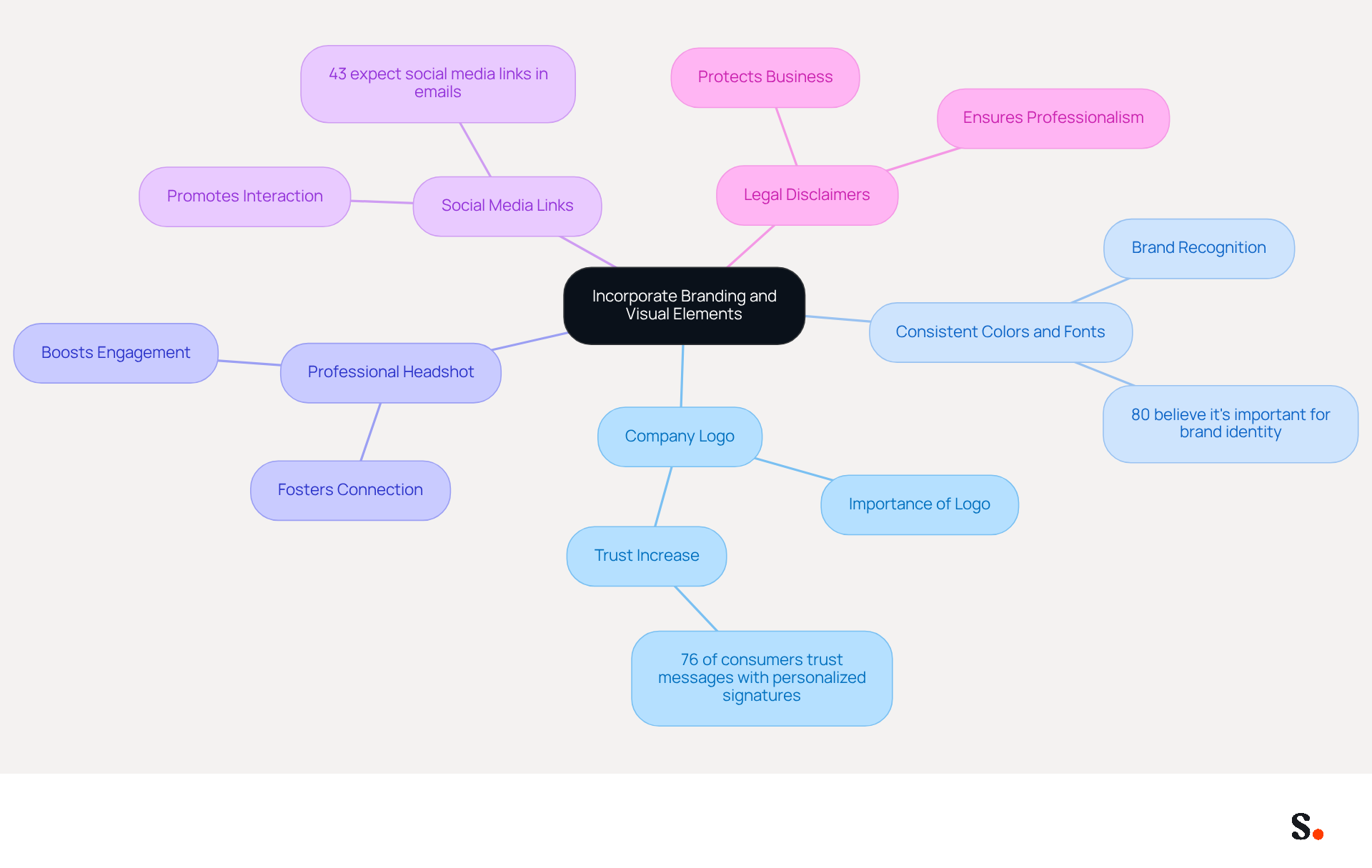
Incorporating branding and visual elements into your signature block on iPhone is crucial for establishing a professional identity.
- Use Company Logo: Including your company logo is essential. Ensure it is suitably sized (preferably 320 px wide) and in a format that displays well across various messaging clients. This not only improves visibility but also strengthens identity, as 76% of consumers indicate greater trust in messages with personalized signatures.
- Consistent Colors and Fonts: Utilize your organization's colors and fonts to maintain consistency. This method enhances your identity and makes your messages instantly recognizable with a signature block on iPhone. Consistent branding is essential, with 80% of respondents believing that a signature block on iPhone is important for a company's brand identity.
- Professional Headshot: If appropriate, include a professional headshot. This personal touch fosters a connection, boosting engagement. Research shows that emails featuring branded logos can significantly boost confidence and positive perceptions of the organization.
- Social Media Links: Add icons linking to your company’s social media profiles. This promotes interaction and enables recipients to connect with your identity on multiple platforms. Indeed, 43% of consumers anticipate social media links in correspondence, emphasizing their significance in contemporary communication.
- Legal Disclaimers: If necessary, include any legal disclaimers or confidentiality notices to protect your business. This is particularly important in industries where compliance is critical, ensuring that your communications remain professional and trustworthy.
Without these elements, your communications, including your signature block on iPhone, may fail to leave a lasting impression on your audience. With Scribe, every modification made in your Aircall configuration will automatically be reflected in your correspondence identifiers, ensuring seamless updates and enhanced brand consistency. Scribe also adheres to SOC 2 Type II compliance and GDPR/CCPA regulations, providing secure data handling. The strategic application of electronic communication footers can greatly aid in lead generation initiatives, with research indicating that organizations utilizing consistent branded footers experience over a 22% rise in response rates.
Add Interactive Elements for Engagement
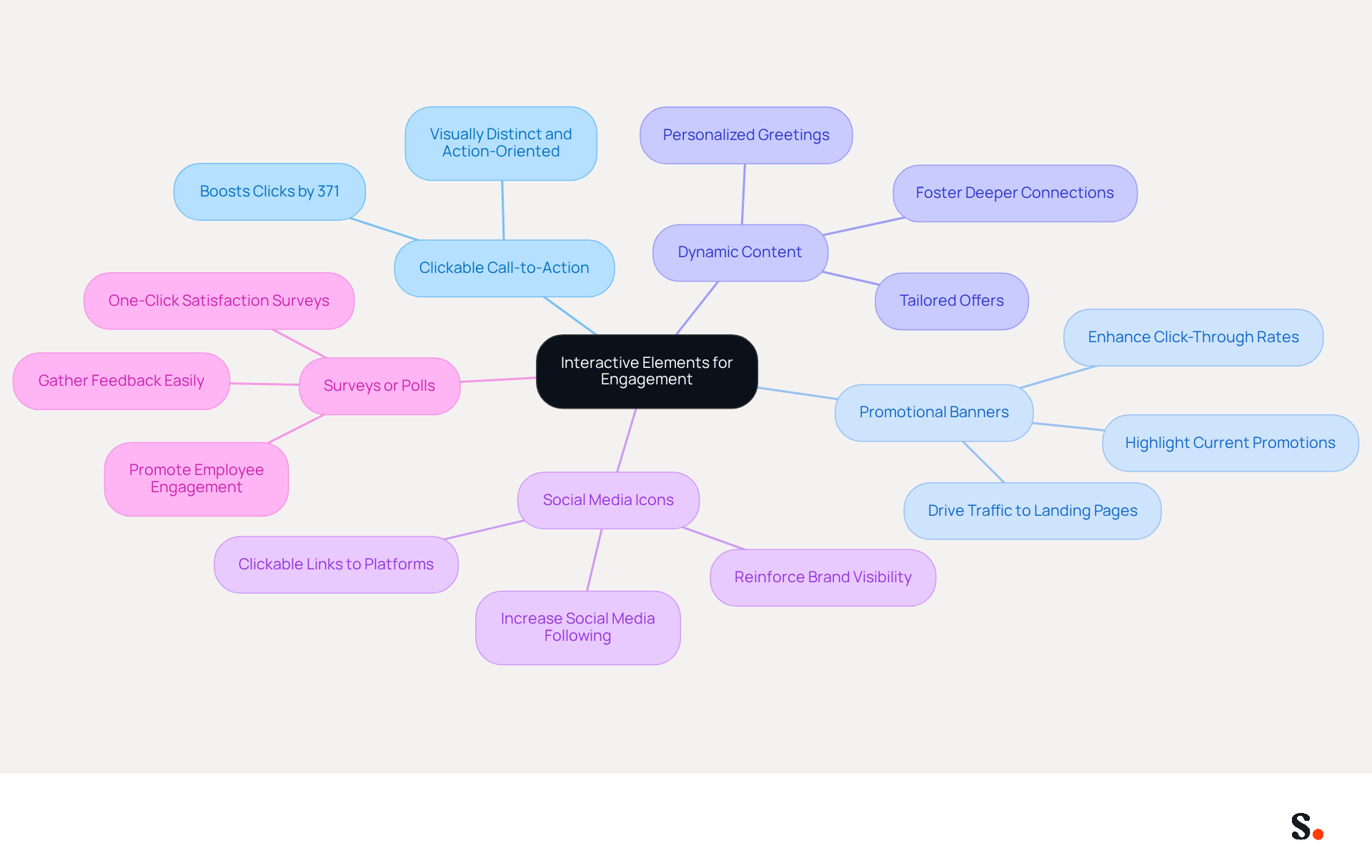
To maximize the effectiveness of your email signature, consider integrating interactive elements that engage recipients:
- Clickable Call-to-Action (CTA): Including a single call-to-action can boost clicks by 371%, so it's crucial to make the CTA visually distinct and use action-oriented language.
- Promotional Banners: Use banners to highlight current promotions or important announcements. These can be linked to relevant landing pages, driving traffic and conversions. Research shows that engaging elements like festive banners can significantly enhance click-through rates.
- Dynamic Content: Consider using dynamic content that changes based on the individual or the context of the email. This could include personalized greetings or tailored offers, fostering a deeper connection with your audience.
- Social Media Icons: Make your social media icons clickable, enabling users to easily follow your presence on various platforms. This not only increases your social media following but also reinforces brand visibility.
- Surveys or Polls: Gathering feedback can often be challenging, but incorporating surveys or polls can simplify this process. One-click satisfaction surveys in messages can assess employee happiness and promote engagement, making individuals feel valued and involved.
By integrating these features, marketers can significantly improve customer engagement and build lasting relationships. As the landscape of digital marketing evolves, these enhancements will be vital for fostering deeper connections with your audience.
Test and Optimize Signature Performance
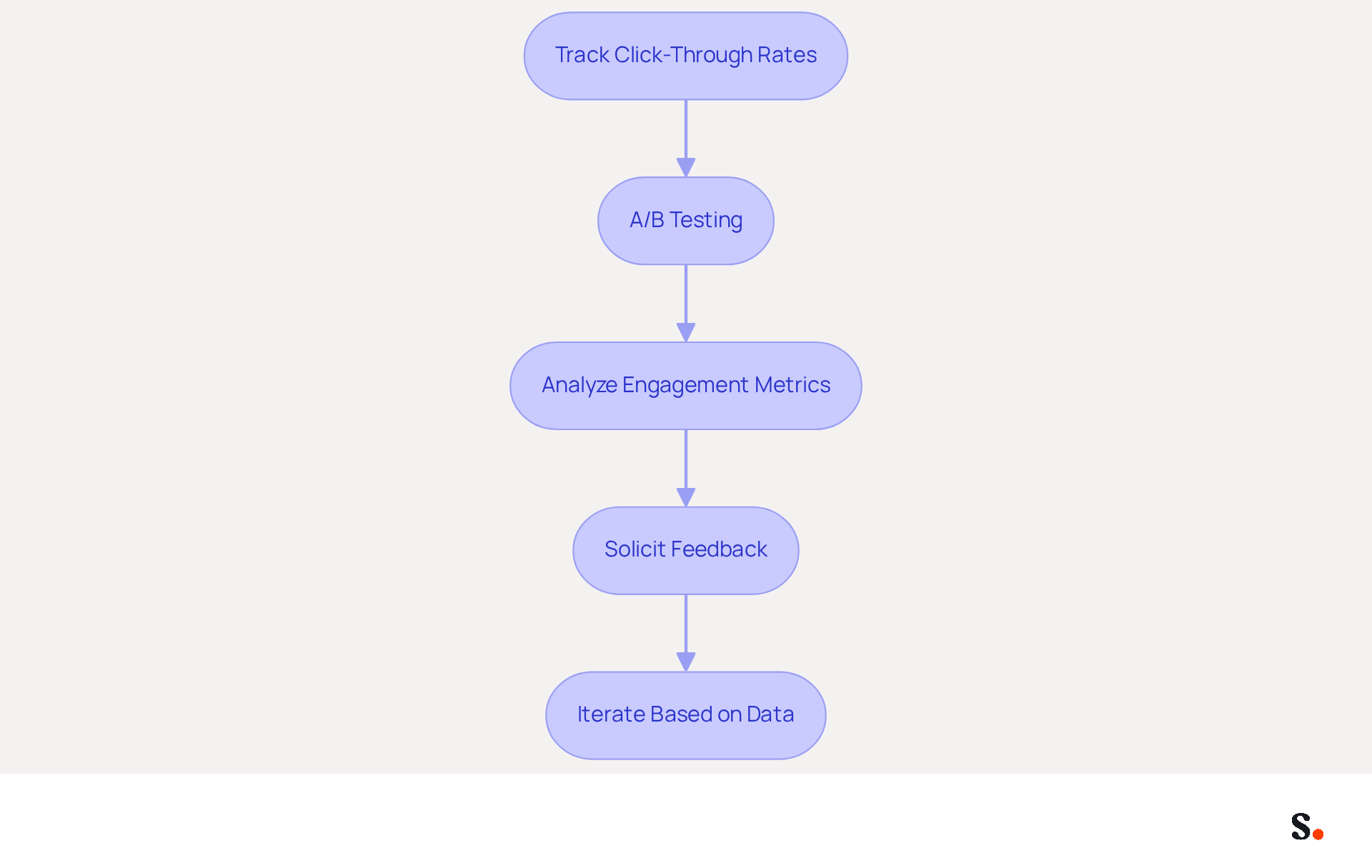
To maximize the effectiveness of your email signature, it is essential to implement systematic testing and optimization strategies:
- Track Click-Through Rates (CTR): Utilize UTM parameters to monitor how many recipients click on links within your email. This data helps identify which elements work best, as messages with identifiers attract 58% more viewing time and receive attention 47% faster.
- A/B Testing: Conduct A/B tests by creating different versions of your sign-off. Experiment with variations in design, CTAs, and content to determine which performs better. A/B testing can lead to significant enhancements in communication effectiveness, making it an essential approach for enhancing communication effectiveness.
- Analyze Engagement Metrics: Regularly review engagement metrics such as open rates and response rates to gauge the overall effectiveness of your correspondence footer. Organizations utilizing a standard email format can observe a 22% increase in response rates, emphasizing the significance of consistent branding.
- Solicit Feedback: Consider reaching out to colleagues or clients for their thoughts on your signature. Their feedback can offer valuable insights into how your signature is perceived, helping to refine its impact.
- Iterate Based on Data: Use the data collected to make informed adjustments to your mark. Regular updates are vital; without them, your email signature may become outdated and less effective. Refreshing digital identifiers 2 to 4 times a year keeps them relevant and aligned with marketing goals.
By neglecting these strategies, you risk diminishing the impact of your email signature as a communication tool.
Conclusion
A professional email signature on an iPhone is essential for effective business communication, transcending mere aesthetics. By implementing best practices that include branding elements, interactive features, and thorough testing, organizations can significantly enhance their visibility and engagement with recipients. An effective signature block acts as a marketing asset, strengthening brand identity and building trust.
Key insights from this article highlight the importance of:
- A concise and informative signature
- The strategic use of visual elements like logos and colors
- The integration of interactive components that drive engagement
Additionally, implementing testing and optimization strategies ensures that the signature remains effective and relevant over time. With Scribe's capabilities, including seamless integration with platforms like Google Workspace and adherence to security standards such as SOC 2 Type II compliance, managing email signatures becomes a streamlined process that empowers marketing teams.
Ultimately, the email signature is more than just a sign-off; it is an opportunity to make a lasting impression. By implementing these strategies, organizations can transform their email signatures into powerful tools that enhance brand perception and drive engagement.
Frequently Asked Questions
How do I access the email signature settings on my iPhone?
To access the email signature settings on your iPhone, open the Settings app, scroll down, and select 'Mail'. Then, scroll to the bottom of the Mail settings and tap on 'Signature'.
Can I create a different signature for each email account on my iPhone?
Yes, you can choose to establish a signature for all accounts or tailor it for individual accounts when you access the signature settings.
What information should I include in my email signature?
Your email signature should ideally include your name, title, company, phone number, and web address. It is recommended to keep it concise, ideally between three to five lines.
What type of signature format is best for mobile devices?
Plain text signatures work best across all email programs and are recommended for mobile devices to avoid formatting issues.
Will my changes to the email signature settings be saved automatically?
Yes, once you are satisfied with your signature and exit the settings, your changes will be saved automatically.
How does Scribe enhance my email communication?
With Scribe, any modifications made in your Aircall settings will automatically synchronize with your communication identifiers, ensuring consistency across all interactions.
What impact can a well-crafted email signature have on my communication?
A well-crafted closing can significantly enhance your brand's visibility and credibility, potentially leading to a 22% increase in response rates.
How does syncing Google Workspace with Scribe benefit my team?
Syncing Google Workspace with Scribe saves time by automatically updating your teammates' details, enabling effortless management of communication identifiers and reinforcing data security.
List of Sources
- Establish Signature Settings on iPhone
- Email Signature Statistics: A Closer Look at Email Signatures in 2026 (https://mysignature.io/blog/email-signature-statistics)
- Set Up an Email Signature on iPhone or iPad - Kualo (https://kualo.com/knowledgebase/email-apple/setting-up-your-email-signature-on-your-iphone)
- Email Signature Trends in Numbers: Infographic [2026] (https://mailtrap.io/blog/email-signature-trends)
- 40+ Email Signature Statistics for 2026 (Data + Insights) (https://wavecnct.com/blogs/email-signature-statistics)
- Email signature statistics: Why every business should optimize their email signatures — Stripo.email (https://stripo.email/blog/email-signature-statistics-why-every-business-should-optimize-their-email-signatures)
- Incorporate Branding and Visual Elements
- Why Email Signatures Must Be In Your 2026 Marketing Plan | Rocketseed (https://rocketseed.com/blog/2026-marketing-plan-email-signatures)
- Best practices for business email signatures in 2026 (https://bybrand.io/blog/best-practices)
- 40+ Email Signature Statistics for 2026 (Data + Insights) (https://wavecnct.com/blogs/email-signature-statistics)
- Research Recap: Branded Email Signatures Increase Company Recognition, Trust - B2BMX INSIGHTS (https://demandgenreport.com/industry-news/research-recap-branded-email-signatures-increase-company-recognition-trust/47252)
- Add Interactive Elements for Engagement
- 8 creative email marketing trends for 2026 (https://elements.envato.com/learn/email-marketing-trends-2026?srsltid=AU7gw4Xac5FJLIvh1JzhFZmA-aWVLkM49a3f_-UgpNjG0pegLhjuf6g-)
- How To Engage Employees with Email Signatures | Rocketseed (https://rocketseed.com/blog/employee-engagement-email-signatures)
- Craft a Happy New Year 2026 Email Signature That Engages Clients (https://scribe-mail.com/en-US/blog/craft-a-happy-new-year-2026-email-signature-that-engages-clients)
- Email Marketing Trends in 2026: AI, Interactive Emails & Best Practices (https://mysignature.io/blog/email-marketing-trends)
- The Best Interactive Elements Email Examples & Designs - Really Good Emails (https://reallygoodemails.com/categories/interactive)
- Test and Optimize Signature Performance
- A/B Testing for Email Signature Marketing | Signitic (https://signitic.com/en/resources/ab-testing-email-signature-marketing)
- Email Marketing A/B Testing: A Complete Guide (2024) (https://salesforce.com/ap/marketing/email/a-b-testing)
- Seeing Is Believing: Eye-Tracking Test Shows What Works In Email Signatures (https://mediapost.com/publications/article/416520/seeing-is-believing-eye-tracking-test-shows-what.html)
- How to Run A/B Tests on Your Emails (https://litmus.com/blog/email-ab-testing-how-to)
- Best Practices for a Standard Email Signature That Boosts Marketing ROI (https://scribe-mail.com/en-US/blog/best-practices-for-a-standard-email-signature-that-boosts-marketing-roi)
Get started with Scribe
Build a professional email signature
Free 14-day trial — no credit card.