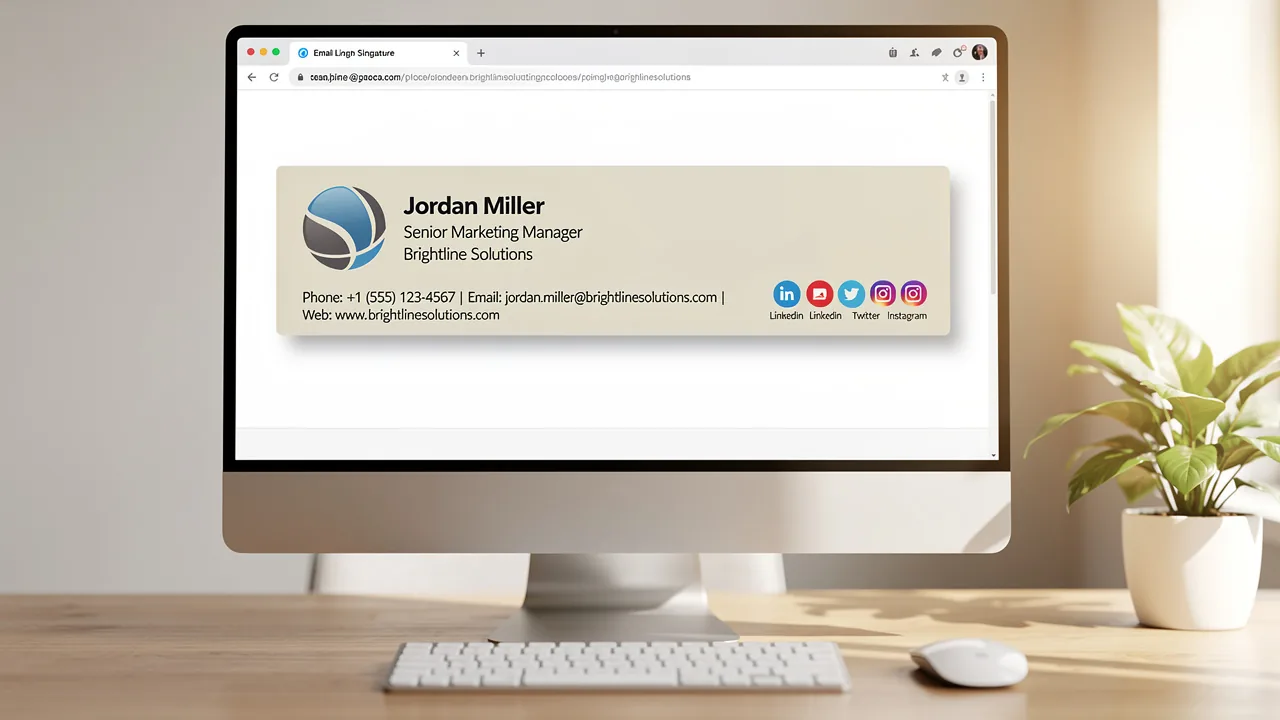
Best Email Signature Practices for Students to Boost Professionalism
Crafting a professional email signature is crucial for students seeking to make a strong impression in both academic and professional settings. By
Sophie Grant
Email Signature Specialist, Scribe
Introduction
Crafting a professional email signature is crucial for students seeking to make a strong impression in both academic and professional settings. By incorporating essential elements and visual branding, students can significantly enhance their communication and leave a lasting impression. Despite their potential, many students fail to recognize the significance of a well-crafted email signature, which can result in diminished credibility and lost networking opportunities. Understanding the key components of an effective email signature can significantly enhance a student's professional image and networking potential.
Incorporate Essential Elements in Your Email Signature
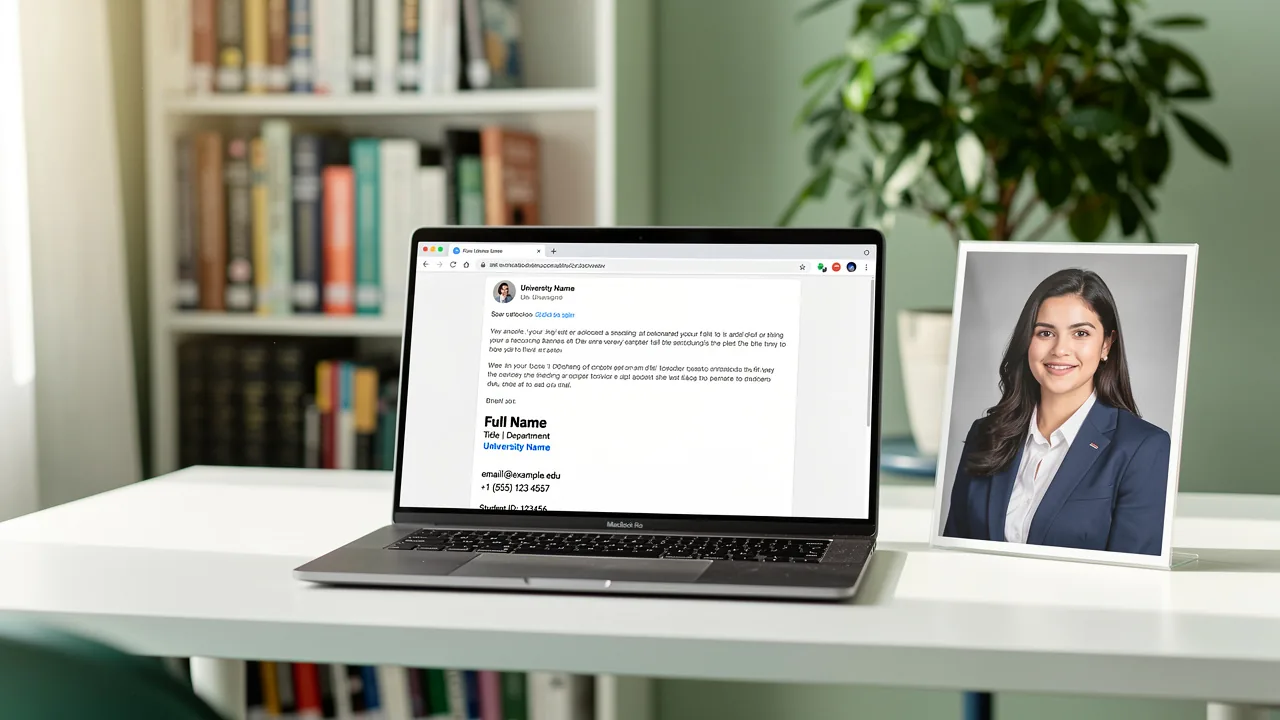
A well-crafted email signature is essential for students to develop the best email signature for students in a professional setting. It should include the following essential elements:
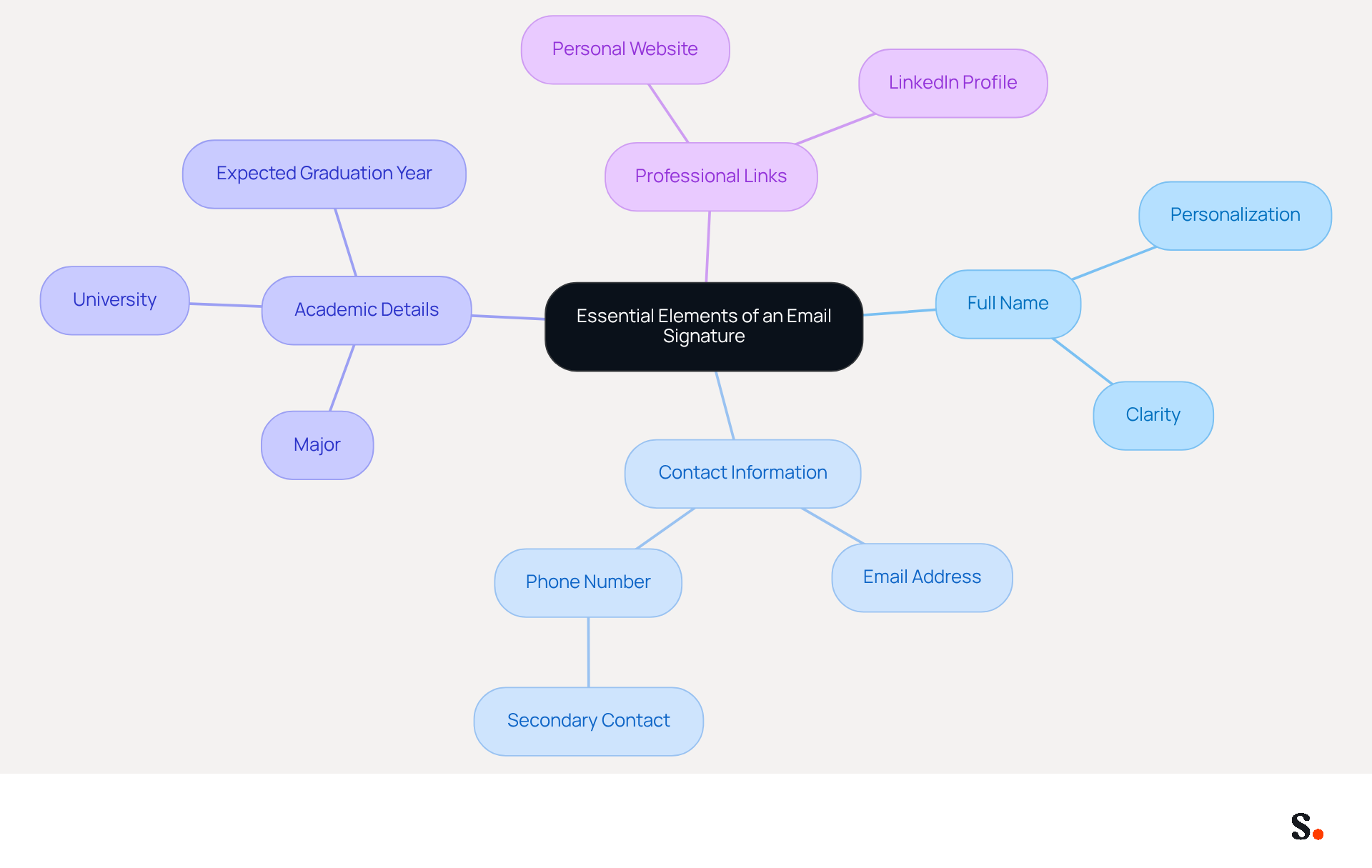
- Full Name: Clearly state your first and last name to personalize communication.
- Contact Information: Include your email address and phone number to make it easy for recipients to reach you.
- Academic Details: Mention your major, university, and expected graduation year to provide context about your academic background.
- Professional Links: If applicable, include links to your LinkedIn profile or personal website to showcase your work and achievements.
To create the best email signature for students, aim for a concise sign-off of 3-4 lines to maintain professionalism and readability. Avoid unnecessary details that could clutter your mark and detract from its purpose. Too many details can obscure your message. This statistic highlights the importance of a well-crafted digital representation, indicating that companies using the best email signature for students experience a 22% higher response rate compared to those that do not. As Amy Elliott, a content team lead, observes, 'Stick to the most important elements to avoid making your correspondence too cluttered or overwhelming.' Furthermore, be careful about using too many colors or images, as these can diminish the professionalism of your mark.
Scribe helps you manage your digital correspondences effortlessly, reflecting updates from your business phone system in real-time. This seamless integration with Calendly not only saves time but also guarantees brand consistency across all communications. Furthermore, Scribe is SOC 2 Type II compliant, ensuring that your data is handled securely, making it a vital tool for effective communication.
Utilize Visual Branding to Enhance Recognition
Without a cohesive visual identity, your correspondence risks being overlooked. Here are some best practices for employing visual branding effectively:
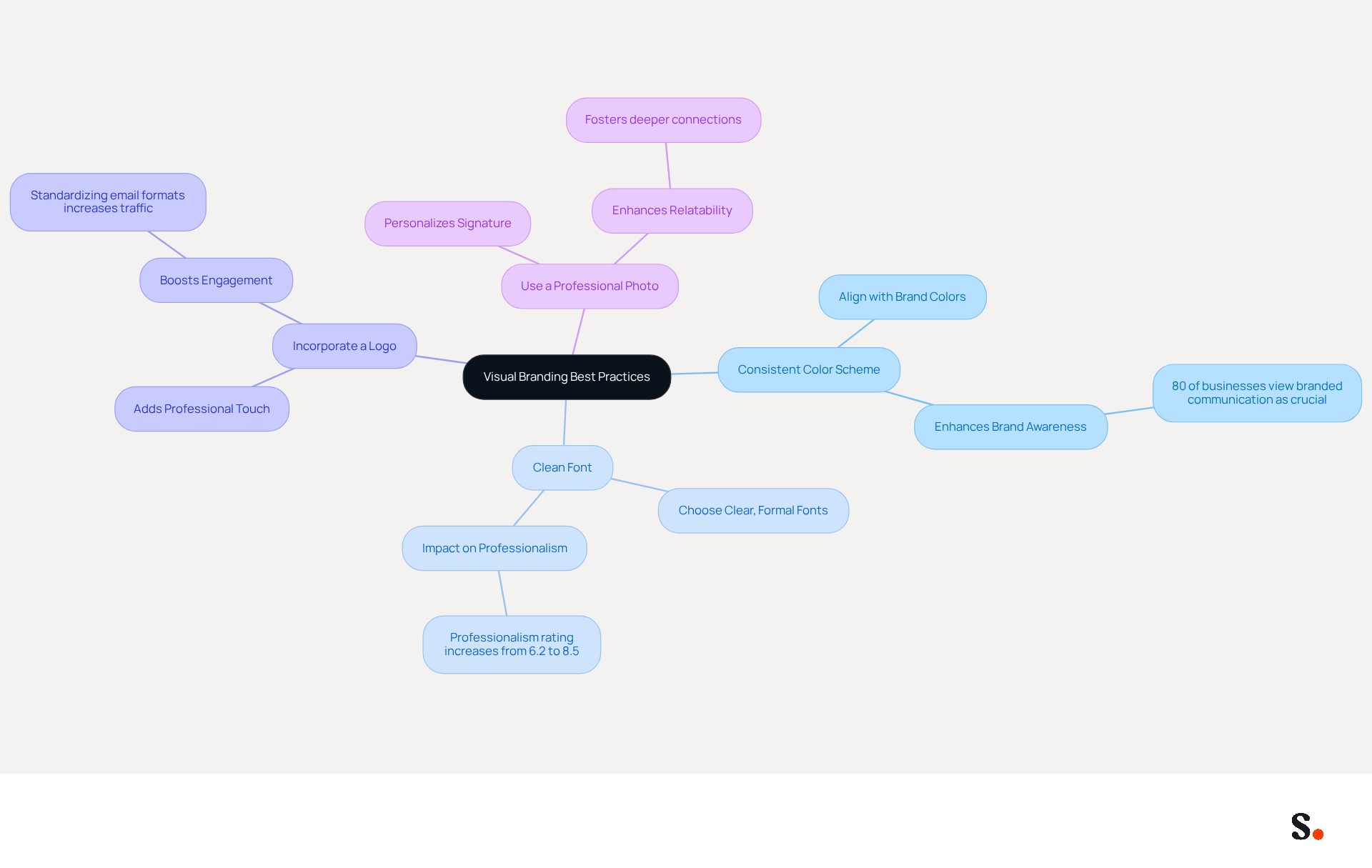
- Consistent Color Scheme: Use colors that align with your personal brand or university colors to create a cohesive appearance. This consistency can greatly enhance brand awareness, as 80% of businesses view a branded electronic communication as a crucial aspect of their identity.
- Clean Font: Choose a clear, formal font that is easy to read. Avoid overly decorative fonts that may distract from your message. A well-organized email footer can enhance professionalism, with average ratings of professionalism increasing from 6.2 to 8.5 out of 10 when branded footers are utilized.
- Incorporate a Logo: Including a personal logo or your university's logo adds a professional touch and reinforces your identity. For instance, a well-known tech company saw a boost in social media engagement and website traffic after standardizing email formats. This approach boosts visual appeal and reinforces how others perceive your brand.
- Use a Professional Photo: A high-quality headshot personalizes your signature and makes it more relatable. Ensure the photo is suitable and reflects your business demeanor. Incorporating personal elements can significantly improve the overall communication experience, fostering deeper connections with recipients.
By integrating these visual elements, you can create a mark that conveys essential information while enhancing your professional image. Every message becomes a chance to strengthen your brand's presence and foster meaningful connections.
Leverage Tools for Efficient Email Signature Management
Managing your email footer effectively is crucial for maintaining a professional image in correspondence. Here are some effective options:
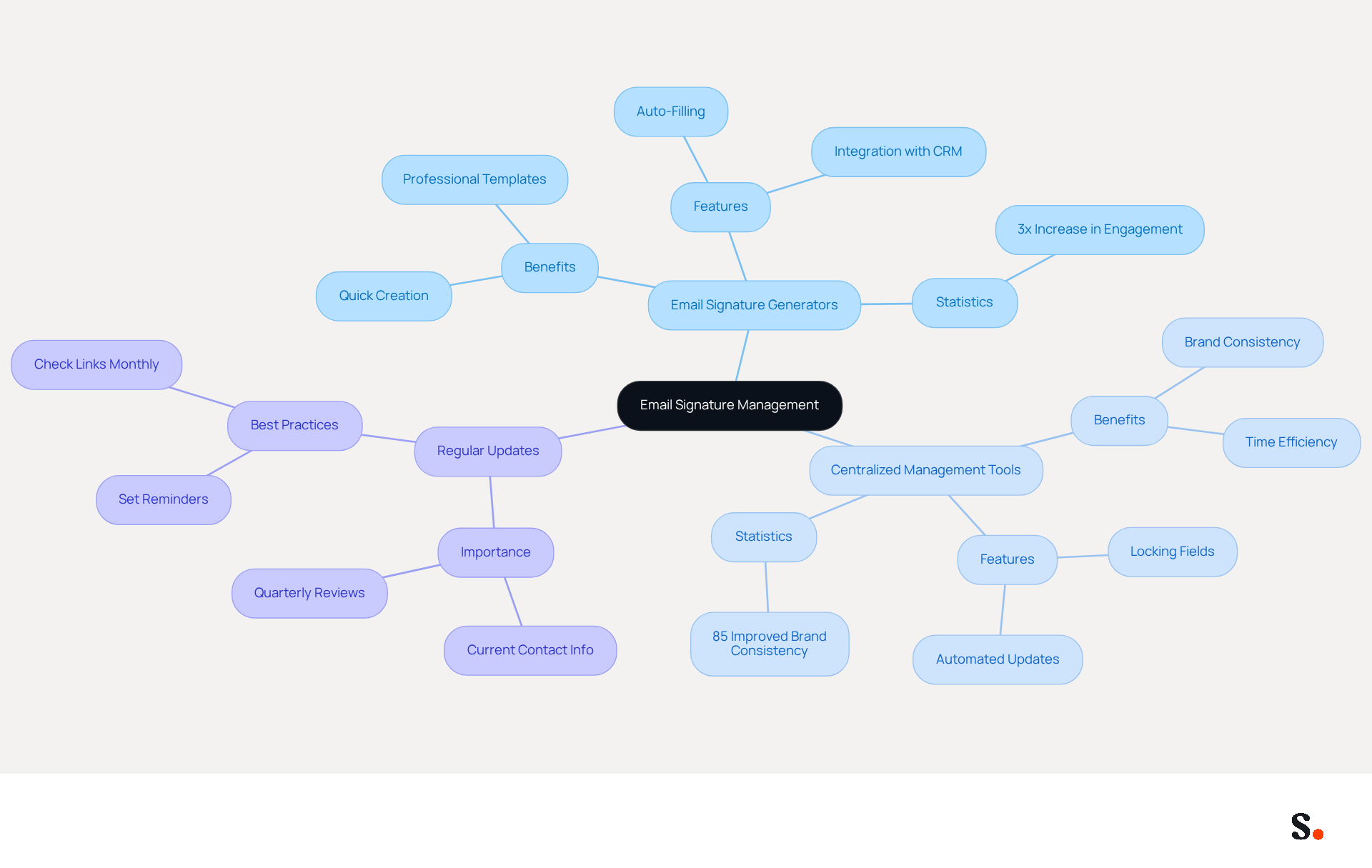
- Email Signature Generators: Platforms like Scribe allow you to create professional signatures quickly and easily. With a variety of templates available, these tools ensure that your mark is polished and consistent, enhancing your professional image. Teams that use centralized email management see a threefold increase in campaign engagement, highlighting the value of tools like Scribe. Additionally, Scribe's auto-filling feature syncs your teammates' identification information directly from your business phone system, ensuring that updates are made automatically without requiring action from your team members.
- Centralized Management Tools: Centralized management tools are invaluable for maintaining uniformity in branding across all members of an organization, which helps maintain a strong and recognizable brand image across all communications. In fact, 85% improved brand consistency is observed in teams utilizing centralized email management. Scribe's SOC 2 Type II compliance guarantees that your data remains protected while handling these documents.
- Regular Updates: Many professionals struggle to keep their contact information current, leading to missed opportunities. It's essential to set reminders for updating your contact details regularly, especially when you achieve new milestones or change your information. Many tools, including Scribe, enable effortless updates across various platforms, allowing you to maintain your identity current without difficulty. Email footers should be reviewed quarterly and updated promptly for job changes to maintain professionalism.
By leveraging these tools, you not only enhance your professional image but also ensure that your communication reflects your current status and achievements.
Avoid Common Mistakes in Email Signature Design
Common mistakes in email signatures can undermine professionalism and clarity. To ensure your email signature is effective and professional, avoid these common pitfalls:
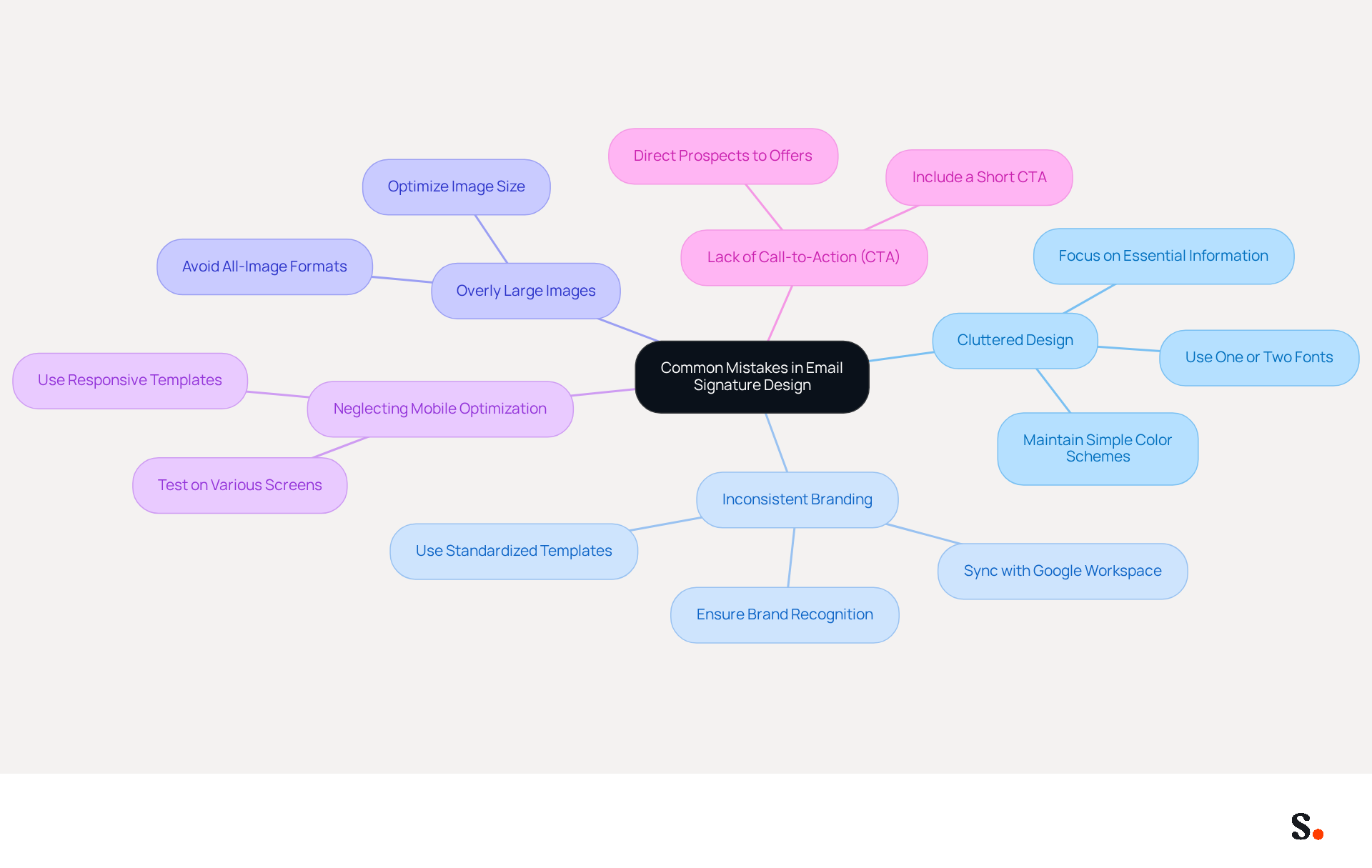
- Cluttered Design: An overloaded signature can confuse recipients and obscure your message. Strive for a clean design to ensure your message is clear and professional. Excessive use of fonts, colors, and images can lead to an unprofessional appearance, making it essential to maintain a clean design with one or two fonts and a simple color scheme.
- Inconsistent Branding: Your mark should align with your personal or organizational branding. Inconsistencies can confuse recipients and undermine your professionalism. Standardized templates help maintain brand consistency and recognition. By syncing your Google Workspace with Scribe, any modifications to your team’s information will be automatically reflected in your signatures, ensuring that your branding stays consistent across all communications. Scribe also complies with security standards like SOC 2 Type II, GDPR, and CCPA, enhancing your credibility.
- Overly Large Images: If you choose to include images, ensure they are appropriately sized. Large images can disrupt the layout of messages and may not display correctly across devices, leading to a poor user experience. Moreover, all-image electronic formats can lead to blurry displays and larger file sizes compared to standard versions.
- Neglecting Mobile Optimization: With over 60% of messages accessed on mobile devices, it’s crucial to test your branding on various screens. Many electronic correspondences do not display responsively, which can create a negative impression and reduce engagement. Utilizing responsive templates guarantees that your mark appears crisp and retains its formatting on any device.
- Lack of Call-to-Action (CTA): Failing to include a CTA in your correspondence can miss opportunities to drive engagement. A short CTA can significantly enhance outreach efforts by directing prospects to relevant offers.
Addressing these pitfalls not only elevates your email signature but also reinforces your professional image in every correspondence.
Conclusion
Many students overlook the importance of a well-crafted email signature, which can hinder their professional image. Incorporating key elements like your full name, contact details, academic background, and relevant professional links can help create a concise and impactful signature that reflects your identity and professionalism.
This article highlights how visual branding plays a crucial role in creating an effective email signature. Utilizing a consistent color scheme, clean fonts, and professional images can significantly enhance recognition and professionalism. Tools like Scribe streamline the management of email signatures, ensuring brand consistency and security while allowing for easy updates. Moreover, being mindful of design pitfalls, such as cluttered layouts and mobile optimization, can further elevate the effectiveness of an email signature.
Ultimately, a well-designed email signature serves not only as a digital business card but also as a powerful tool for students to convey professionalism and foster connections. By implementing these best practices, students can enhance their communication, leaving a lasting impression on recipients and paving the way for future opportunities. Recognizing the impact of a polished email signature can open doors to future opportunities and professional growth.
Frequently Asked Questions
What are the essential elements to include in an email signature for students?
The essential elements to include in an email signature for students are: full name, contact information (email address and phone number), academic details (major, university, and expected graduation year), and professional links (such as LinkedIn profile or personal website).
How long should an email signature for students be?
An email signature for students should aim for a concise sign-off of 3-4 lines to maintain professionalism and readability.
Why is it important to have a well-crafted email signature?
A well-crafted email signature is important because it can lead to a 22% higher response rate for companies that use the best email signatures compared to those that do not.
What should be avoided when creating an email signature?
When creating an email signature, avoid unnecessary details that could clutter the signature, as well as using too many colors or images, which can diminish professionalism.
How does Scribe assist with email signatures and digital correspondence?
Scribe helps manage digital correspondences effortlessly, reflecting updates from your business phone system in real-time and ensuring brand consistency across all communications. It is also SOC 2 Type II compliant, ensuring secure handling of data.
List of Sources
- Incorporate Essential Elements in Your Email Signature
- 12 Best Email Signature and Disclaimer Practices (https://cloud-awards.com/12-tips-for-effective-use-of-email-signatures-and-disclaimers)
- Email Signature Best Practices (https://uschamber.com/co/grow/thrive/email-signature-best-practices)
- 4 Best Practices for Your Work Email Signature Strategy (https://scribe-mail.com/en-US/blog/4-best-practices-for-your-work-email-signature-strategy)
- Email Signature Design Guide: Best Practices and Examples (https://designmodo.com/email-signature)
- Email Signature Best Practices Guide With Examples - MailerLite (https://mailerlite.com/blog/email-signature-best-practices)
- Utilize Visual Branding to Enhance Recognition
- Email Signature Branding: Consistency and Impact | Crossware365 (https://crossware365.com/blog/mastering-email-signature-branding-market-presence)
- Research Recap: Branded Email Signatures Increase Company Recognition, Trust - Demand Gen Report (https://demandgenreport.com/industry-news/research-recap-branded-email-signatures-increase-company-recognition-trust/47252)
- The impact of email signatures on your branding (https://signitic.com/en/resources/the-impact-of-email-signatures-on-your-branding)
- Why Are Email Signatures Key to Brand Awareness? | QuickMail (https://quickmail.com/role-of-email-signatures-in-brand-awareness)
- The benefits of a branded email signature (https://bybrand.io/blog/branded-email-signature)
- Leverage Tools for Efficient Email Signature Management
- Email Signature Best Practices for 2026 (+ 15 Pro Examples) (https://wavecnct.com/blogs/email-signature-best-practices-2026)
- Email Signature Manager for Any Scale | WiseStamp (https://wisestamp.com)
- Top 10 Email Signature Management Tools in 2026 (Compared) (https://mailbutler.io/blog/email/email-signature-management-tools)
- 10 Best Email Signature Software Reviewed In 2026 (https://thecmo.com/tools/best-email-signature-software)
- Best Email Signature Management Software: Top 12 Tools (2026)
- NEWOLDSTAMP (https://newoldstamp.com/blog/email-signature-software)
- Avoid Common Mistakes in Email Signature Design
- 5 Common email signature mistakes (and how to avoid them) (https://adsigner.com/en/blog/5-common-email-signature-mistakes)
- 5 Email Signature Mistakes You Must Avoid (And How to Fix Them) - Signite (https://signite.io/blog/5-email-signature-mistakes-you-must-avoid)
- Worst email signature mistakes and how to avoid them (https://mail-signatures.com/articles/worst-email-signature-mistakes)
- 11 Common Email Signature Mistakes to Avoid - Gimmio (https://blog.gimm.io/email-signature-mistakes)
- 5 Common Mistakes You’re Making With Your Email Signature (https://fastcompany.com/3025208/5-common-mistakes-youre-making-with-your-email-signature)
Get started with Scribe
Signatures for every role on your team
Free 14-day trial — no credit card.