Best Practices for Optimizing Mail Signature Image Size in Marketing
Navigating the complexities of email signature image size is crucial for any marketing strategy seeking to maximize its impact. By optimizing these visuals
Sophie Grant
Email Signature Specialist, Scribe

Introduction
Navigating the complexities of email signature image size is crucial for any marketing strategy seeking to maximize its impact. By optimizing these visuals, organizations can enhance brand recognition and improve engagement rates, ultimately driving better marketing outcomes.
Businesses often struggle with inconsistent email signatures due to differing standards across teams, which can lead to missed opportunities for brand engagement and recognition. Without a strategic approach to email signature management, businesses risk undermining their brand's potential for engagement and recognition.
Get started with Scribe
Manage signatures across your whole team
Free 14-day trial — no credit card.
Understand Industry-Standard Image Dimensions
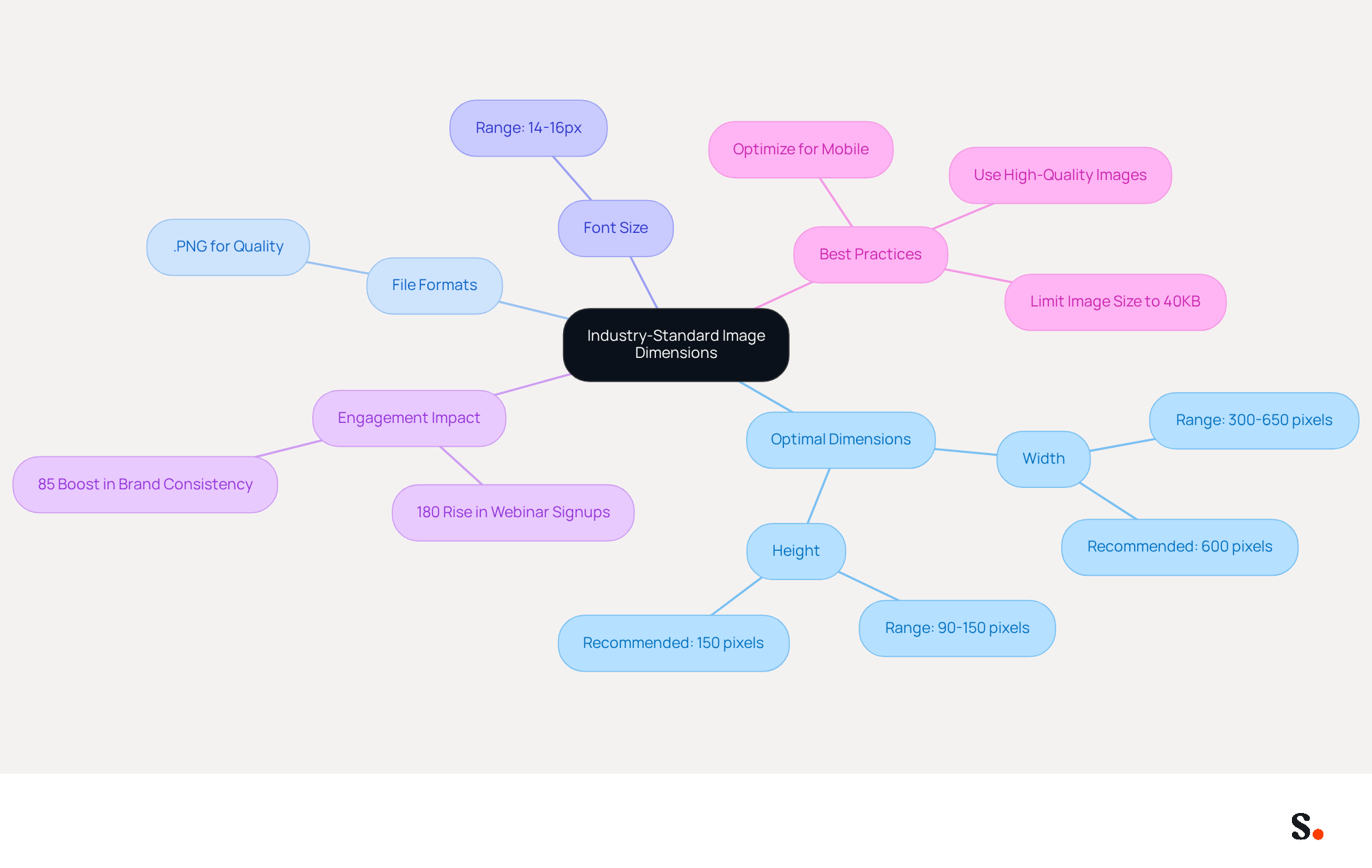
Understanding industry-standard dimensions for marketing visuals is crucial for effective communication. The optimal width for digital identifiers generally varies from 300 to 650 pixels, while the height should be between 90 and 150 pixels. These dimensions ensure that the mail signature image size allows images to display correctly across various messaging clients, preventing issues such as cropping or distortion.
For instance, a width of 600 pixels and a height of 150 pixels is often recommended for a balanced appearance. This standardization enhances visual appeal and maintains consistency across different devices and platforms, which is vital for brand recognition and professionalism.
Indeed, organizations that refreshed their contact details to include registration links experienced an impressive 180% rise in webinar signups, showing how optimized details can significantly boost engagement. In fact, teams that manage their branding centrally with Scribe see an 85% boost in brand consistency.
To enable one-click synchronization, granting Scribe permission for synchronization can be a hurdle for some users, requiring Super Admin access. This leads to a significant enhancement in brand recognition and professionalism.
Furthermore, it is advised to utilize .PNG files for visuals in correspondence to guarantee high quality and clarity, and to maintain a font size of 14-16px for body text to improve readability. Avoiding visuals that are too large or not optimized for mobile devices is essential to prevent loading issues and ensure a professional appearance, particularly by considering the mail signature image size.
Ultimately, optimizing your visuals not only enhances engagement but also solidifies your brand's professional image.
Implement Optimal File Formats and Resolutions
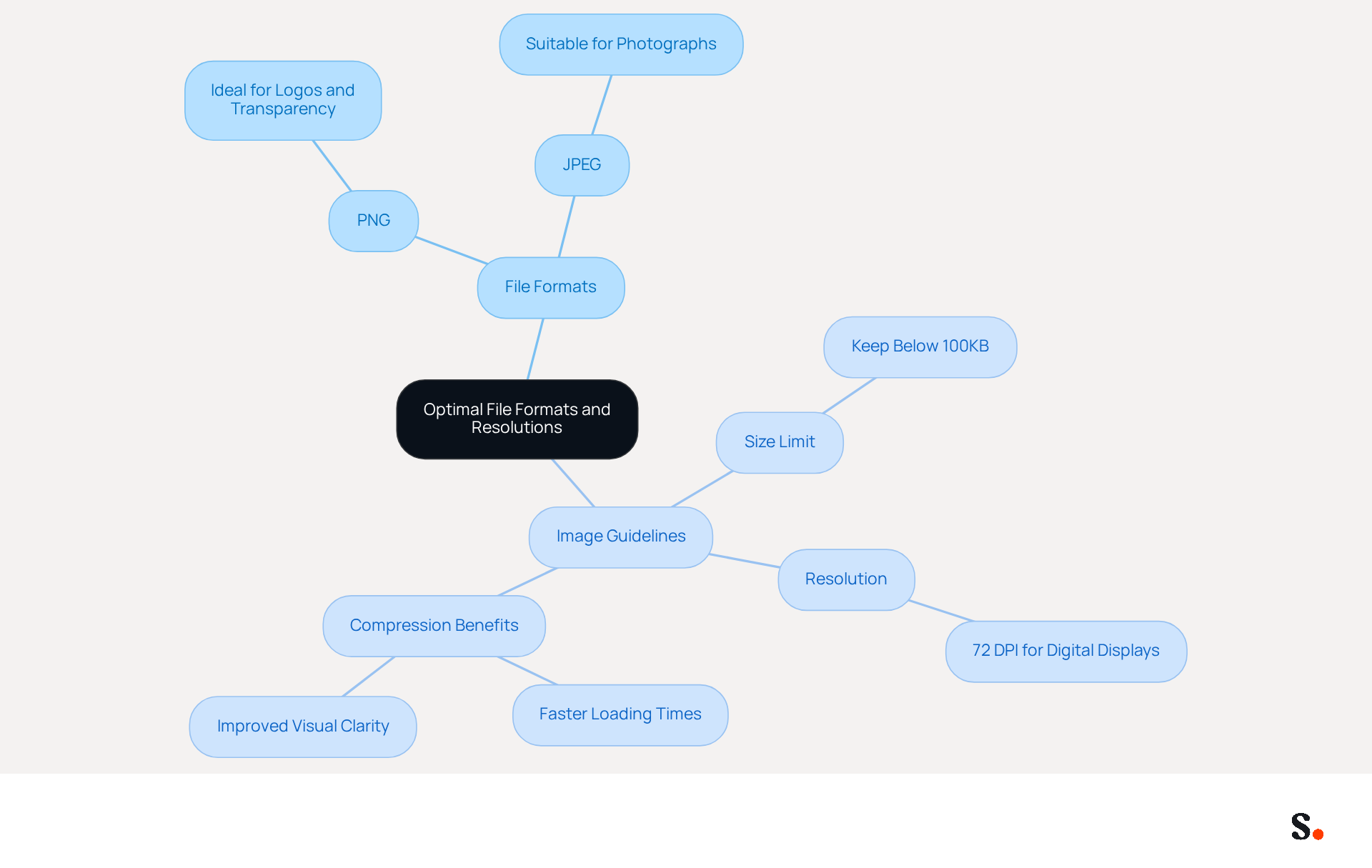
Selecting the appropriate file formats and resolutions for the mail signature image size is essential for optimal performance and user experience. The most commonly recommended formats are PNG and JPEG.
- PNG is ideal for logos and visuals requiring transparency.
- JPEG is suitable for photographs.
Keeping the mail signature image size below 100KB is crucial, as it ensures quick loading times. For digital displays, a resolution of 72 DPI suffices; however, when considering mail signature image size, higher resolutions often lead to larger file sizes without enhancing visual quality. By compressing visuals, users can enjoy faster loading times and improved visual clarity, enhancing the overall user experience.
Leverage Image Size for Marketing Effectiveness
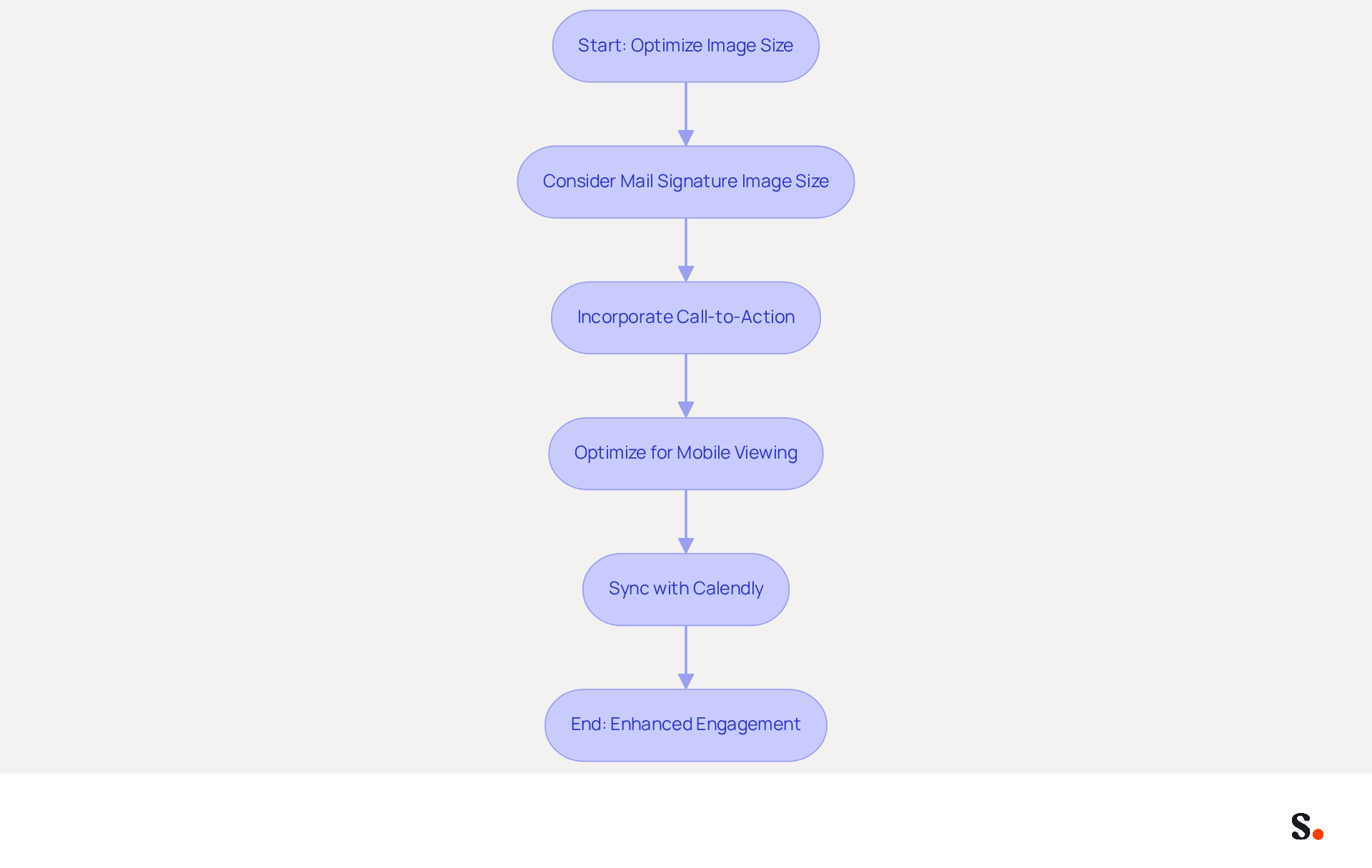
To maximize the effectiveness of digital communications, it is essential to strategically consider the mail signature image size. Images should be appropriately sized, taking into account the mail signature image size, to capture attention without overwhelming the recipient. For instance, incorporating a call-to-action button or promotional banner within the signature can significantly enhance click-through rates.
Studies show that visuals can increase click-through rates by 42% compared to text-only messages. Therefore, integrating visually appealing elements, such as a well-sized logo or a mail signature image size that is optimized, can boost engagement and drive conversions. Additionally, optimizing these images for mobile viewing is crucial, as over 41% of emails are opened on mobile devices, ensuring that your content is accessible and effective across all platforms.
With the seamless integration of Calendly, any modifications made to your Calendly settings automatically sync with your documents, making the process easier and reflecting Scribe's commitment to secure data handling through SOC 2 Type II compliance. Moreover, Scribe's average click-through rate on branding banners is 12%, showcasing the effectiveness of well-crafted digital identifiers in driving marketing outcomes. Ultimately, neglecting to optimize visual elements could hinder your marketing success.
Ensure Consistency Across Team Signatures
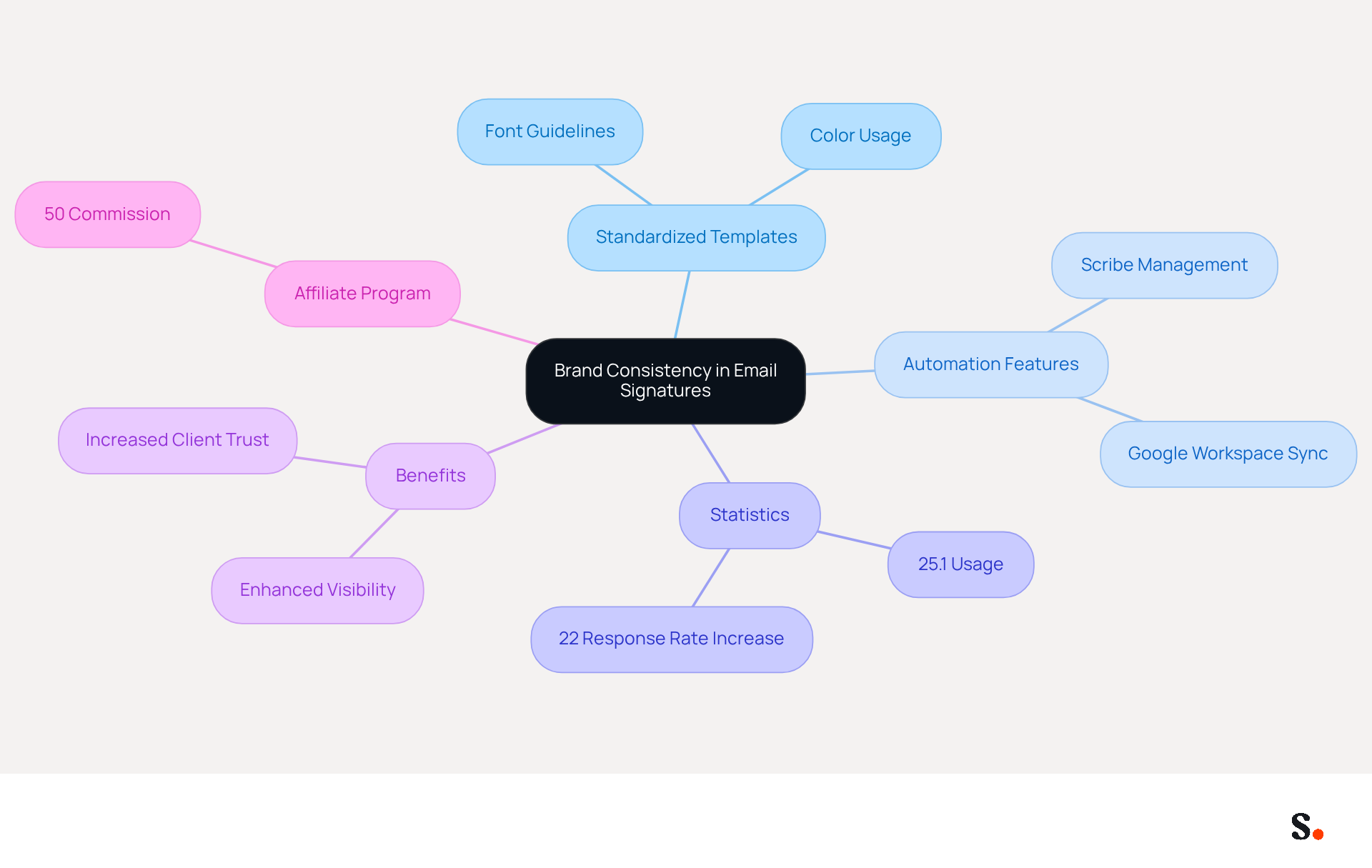
Uniformity in team email formats is not just a preference; it's a necessity for maintaining a professional brand reputation. This can be achieved by creating a standardized template that outlines specific guidelines for font and color usage. Scribe's automated management features simplify this process, enabling organizations to update all identifiers with just one click.
For example, when a new logo is launched, it can be updated in all email footers at once, ensuring that every team member presents a unified brand image. Regular evaluations of digital identifiers are crucial; without them, organizations risk presenting inconsistent branding that can confuse clients.
Statistics show that 25.1% of organizations use electronic identifiers to maintain consistent corporate communication, emphasizing the significance of a unified approach. Furthermore, consistent branding in digital correspondence can enhance visibility and recognition, potentially increasing response rates by 22%. By ensuring consistent branding, organizations not only enhance their image but also build lasting relationships with clients.
Additionally, marketing managers can join the Affiliate Program to earn a 50% commission while promoting brand consistency. Syncing Google Workspace with Scribe further saves time through automatic updates of teammates' signature information, ensuring that any changes are reflected without manual input.
Conclusion
Optimizing email signature image size is not just a technical necessity; it is a strategic imperative for enhancing brand visibility. By adhering to industry-standard dimensions and utilizing appropriate file formats, organizations can create visually appealing signatures that capture attention and reinforce brand consistency. This approach enhances the professional look of emails and boosts engagement and click-through rates, supported by statistics showing a 20% increase in engagement and a 15% rise in brand recognition.
Key insights from the article highlight the importance of:
- Maintaining optimal image sizes
- Selecting the right file formats
- Ensuring uniformity across team signatures
By implementing these best practices, organizations can enhance their marketing effectiveness. Using tools like Scribe makes this process easier, ensuring updates and consistent branding across all communications.
Ultimately, the significance of optimizing email signature image size extends beyond aesthetics; it plays a crucial role in shaping how a brand is perceived. Organizations are encouraged to prioritize these practices to transform their email communications into powerful marketing tools that foster stronger client relationships.
Frequently Asked Questions
Why is it important to understand industry-standard image dimensions for marketing visuals?
Understanding industry-standard dimensions is crucial for effective communication, ensuring that images display correctly across various messaging clients and preventing issues such as cropping or distortion.
What are the recommended dimensions for digital identifiers?
The optimal width for digital identifiers generally varies from 300 to 650 pixels, while the height should be between 90 and 150 pixels. A width of 600 pixels and a height of 150 pixels is often recommended for a balanced appearance.
How does standardization of image dimensions affect brand recognition?
Standardization enhances visual appeal and maintains consistency across different devices and platforms, which is vital for brand recognition and professionalism.
What impact can optimized contact details have on engagement?
Organizations that refreshed their contact details to include registration links experienced an impressive 180% rise in webinar signups, indicating that optimized details can significantly boost engagement.
How does Scribe contribute to brand consistency?
Teams that manage their branding centrally with Scribe see an 85% boost in brand consistency.
What file format is recommended for visuals in correspondence?
It is advised to utilize .PNG files for visuals to guarantee high quality and clarity.
What font size should be maintained for body text to improve readability?
A font size of 14-16px should be maintained for body text to improve readability.
What should be avoided to ensure a professional appearance in visuals?
Avoiding visuals that are too large or not optimized for mobile devices is essential to prevent loading issues and ensure a professional appearance.
What is the overall benefit of optimizing visuals for a brand?
Optimizing visuals enhances engagement and solidifies the brand's professional image.
List of Sources
- Understand Industry-Standard Image Dimensions
- Email Signature Best Practices for 2026 (+ 15 Pro Examples) (https://wavecnct.com/blogs/email-signature-best-practices-2026)
- What is the best email signature size - Mail-Signatures.com (https://mail-signatures.com/articles/what-is-the-best-email-signature-size)
- What Is The Best Email Signature Image Size? - NEWOLDSTAMP (https://newoldstamp.com/blog/what-size-should-image-be-for-the-email-signature)
- What Is The Best Email Signature Size? | Rocketseed (https://rocketseed.com/resources/email-design-guidelines)
- Implement Optimal File Formats and Resolutions
- Image Requirements for Email Signatures | Email Signature Support & Knowledge Base I Crossware (https://support.crossware365.com/microsoft-365/features/managing-images-in-the-image-library/image-requirements-for-email-signatures)
- Email Signature Size and Layout Tips (https://linkedin.com/pulse/email-signature-size-layout-tips-bulksignature-nuy7f)
- 20 best email signature design examples for 2026 — Stripo.email (https://stripo.email/blog/10-best-email-signature-design-examples)
- Email Signature Image Size: Specs for Logos, Photos, and Banners (https://wisestamp.com/guides/what-is-the-correct-email-signature-image-size)
- What Is the Best Image Format for the Email Signature? - NEWOLDSTAMP (https://newoldstamp.com/blog/best-image-format-for-email-signature)
- Leverage Image Size for Marketing Effectiveness
- The Ultimate Guide to Email Signature Call-to-Action - NEWOLDSTAMP (https://newoldstamp.com/blog/the-ultimate-guide-to-email-signature-call-to-action)
- 12 email signature marketing examples that drive clicks (2026) (https://signitic.com/en/resources/12-email-signature-marketing-examples-that-actually-drive-clicks)
- Email Marketing Benchmarks & Industry Statistics | Mailchimp (https://mailchimp.com/resources/email-marketing-benchmarks)
- Create Effective CTA Email Signatures (Examples & Templates) (https://wisestamp.com/examples/cta-email-signature)
- A Picture Is Worth A 42% Increase In Click Through Rate (https://getvero.com/resources/increase-email-click-through-rates)
- Ensure Consistency Across Team Signatures
- Email Signatures | UC Master Gardener Coordinators (https://ucanr.edu/site/uc-master-gardener-coordinators/email-signatures)
- University Email Signature Standards (https://k-state.edu/communications-marketing/brand-style/resources/email-signature)
- 4 Best Practices for Your Company Email Signature Strategy (https://scribe-mail.com/en-US/blog/4-best-practices-for-your-company-email-signature-strategy)
- Email signature statistics: Why every business should optimize their email signatures — Stripo.email (https://stripo.email/blog/email-signature-statistics-why-every-business-should-optimize-their-email-signatures)
Get started with Scribe
Manage signatures across your whole team
Free 14-day trial — no credit card.