Best Practices for Outlook Email Signature Templates That Boost Engagement
Many organizations overlook the potential of their email signatures, missing an opportunity to enhance brand presence and engagement. By implementing effective
Sophie Grant
Email Signature Specialist, Scribe
Introduction
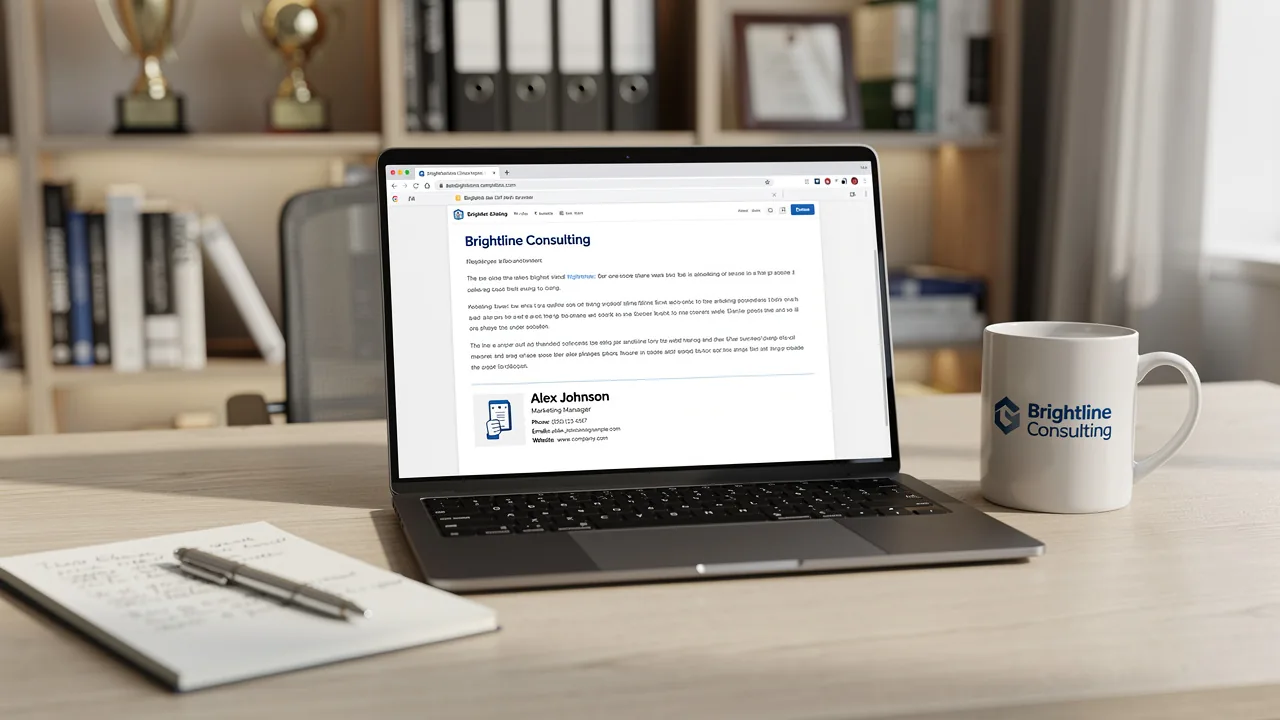
Many organizations overlook the potential of their email signatures, missing an opportunity to enhance brand presence and engagement. By implementing effective Outlook email signature templates, companies can maintain brand consistency while leveraging these signatures as powerful marketing tools.
Let’s take a closer look at how to create email signature templates that truly make an impact. This article will discuss best practices for creating email signature templates that enhance brand visibility and boost engagement. By adopting these strategies, businesses can transform their email signatures into tools that not only represent their brand but also encourage recipient interaction, ultimately redefining how a brand is perceived and engaged with in the digital space.
Establish Brand Consistency in Email Signatures
To ensure a cohesive brand identity, companies must implement effective strategies for email signature management.
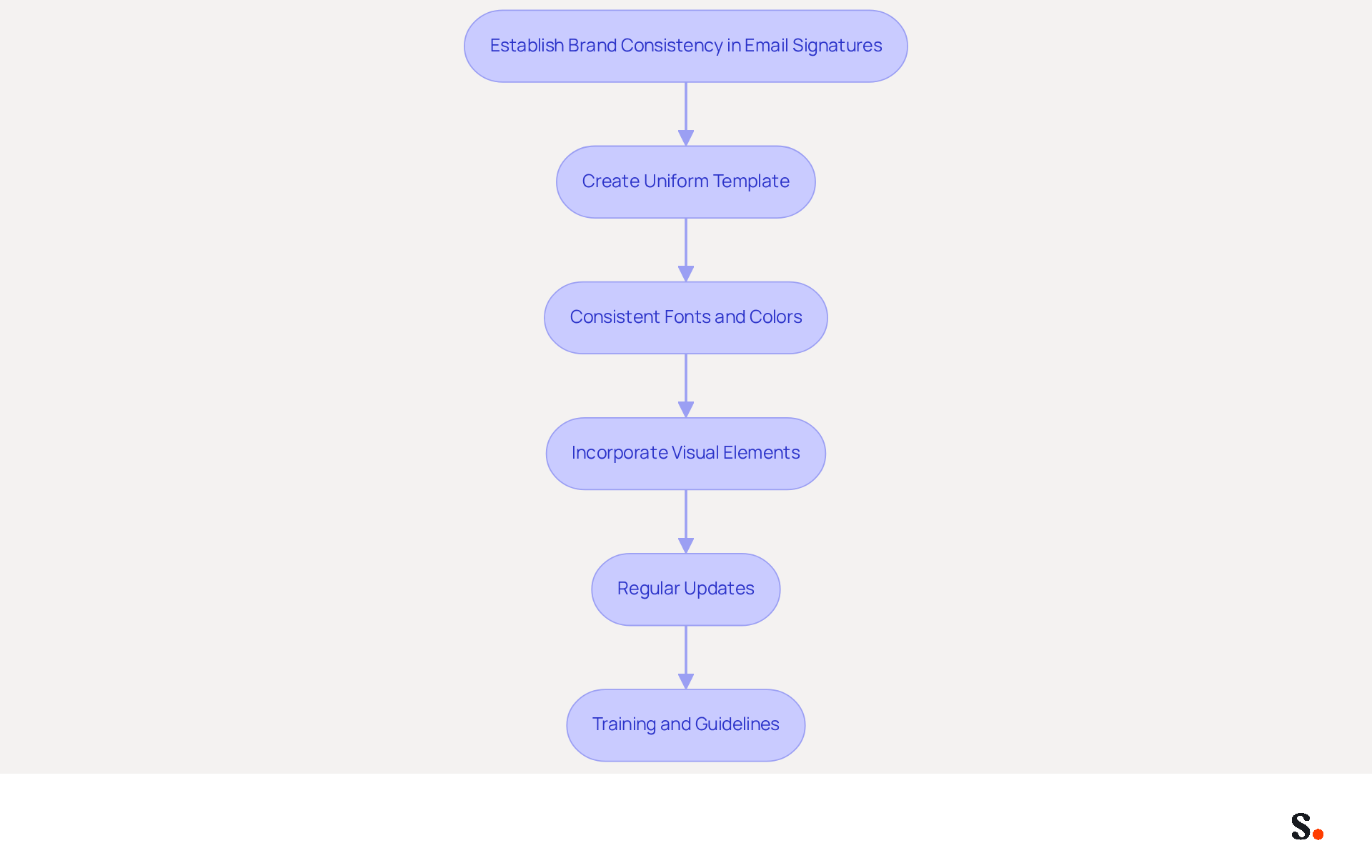
- Create a uniform Outlook email signature template that includes essential elements such as the company logo, employee name, job title, and contact information. This ensures that each employee's signature aligns with Scribe's visual identity, fostering a cohesive brand image.
- Consistent Fonts and Colors: Utilize the same fonts and color schemes that are part of your identity guidelines. Consistency in typography and color not only boosts recognition but also upholds a professional look across all communications. Notably, 80% of respondents believe that branded email formats play a crucial role in establishing brand identity.
- Incorporate Visual Elements: Include visual elements like the company logo and any relevant certifications or awards. Ensure these elements are sized appropriately to avoid overwhelming the signature. Research indicates that endorsements featuring full names, titles, and logos can significantly enhance perceived legitimacy and accountability, making recipients more comfortable engaging.
- Regular Updates: Periodically review and refresh the template to reflect any changes in branding, such as a logo redesign or new color palette. Organizations that neglect visual consistency often face challenges in maintaining a cohesive brand image. Such inconsistency can confuse customers and weaken brand recognition.
- Training and Guidelines: Provide employees with clear instructions on how to implement the template for their correspondence footer. This can include training sessions or written instructions to ensure everyone understands the significance of consistency in branding. When employees receive proper training, it can lead to a remarkable 75.9% increase in sales tied to well-structured digital identifiers.
By adhering to these practices, companies can establish a strong, recognizable brand presence in every message sent, particularly through their Outlook email signature templates, reinforcing their identity and enhancing customer trust. Ultimately, a well-executed email signature strategy can significantly enhance customer perception and loyalty.
Implement Effective Email Signature Templates in Outlook
Implementing effective Outlook email signature templates is crucial for maintaining a professional image. To achieve this, follow these steps:
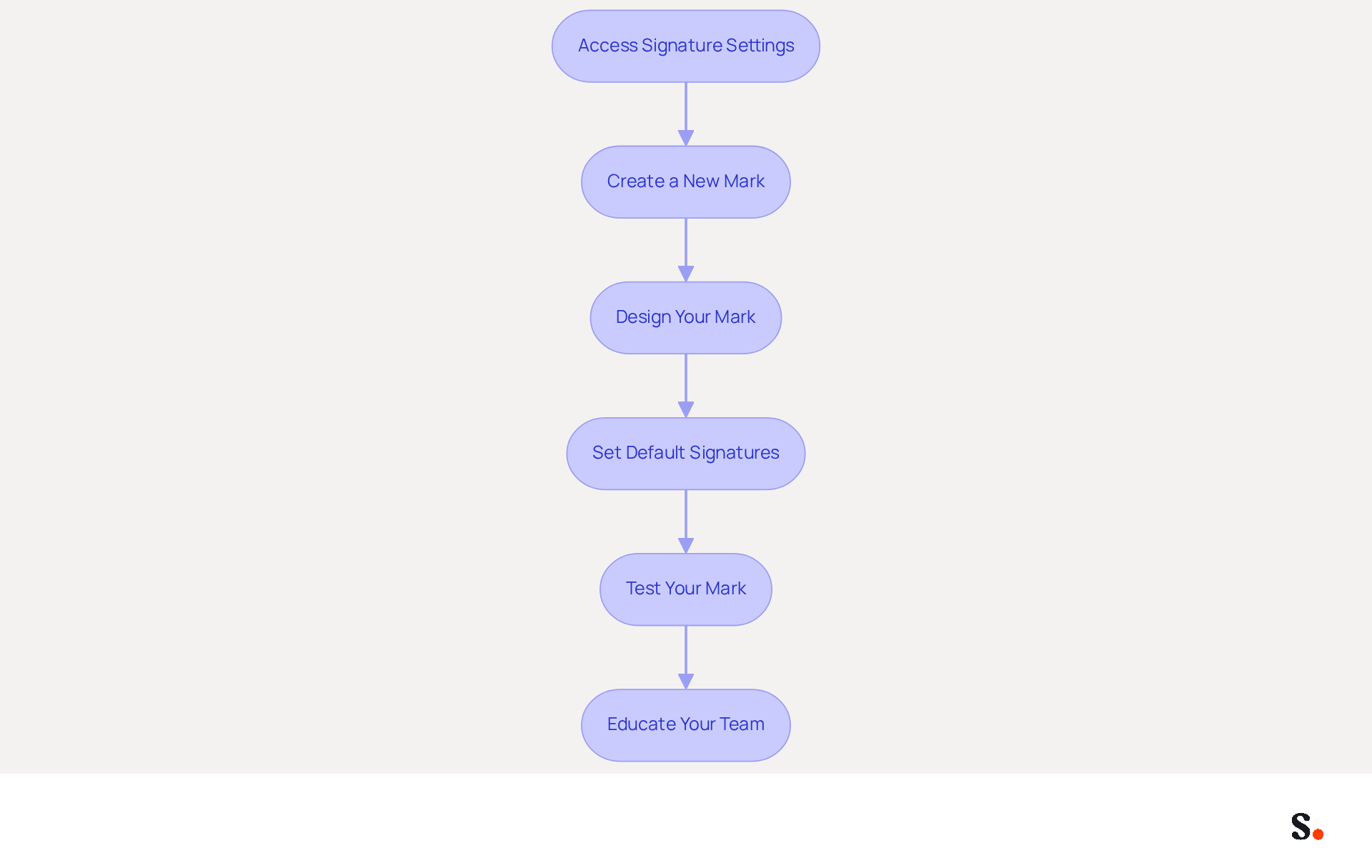
- Access Signature Settings: Open Outlook and navigate to the 'File' menu. Select 'Options', then 'Mail', and click on 'Signatures'. This will open the settings window for the sign-off.
- Create a New Mark: Click on 'New' to create a new mark. Name your emblem appropriately, such as 'Company Emblem'.
- Design Your Mark: In the editing box, enter the standardized elements that define your mark. Utilize formatting tools to modify fonts, colors, and sizes to conform with your guidelines. Incorporate your logo by inserting an image file, ensuring it is under 100KB for optimal loading times.
- Set Default Signatures: Select your new sign-off as the default for new messages and replies/forwards. This guarantees that every message dispatched from your account incorporates your professional closing automatically, improving brand visibility.
- Test Your Mark: Send a test email to yourself or a colleague to ensure that the mark appears correctly across different email clients. Inconsistent formatting can lead to a perception of unprofessionalism, which may affect client trust.
- Educate Your Team: Share the template and instructions with your team to ensure everyone is using the same format. This approach has been shown to improve response rates significantly, as evidenced by recent studies.
By using Outlook's management features for personal identifiers, combined with Scribe's automated synchronization with Google Workspace and Aircall, organizations can streamline their communications and maintain a professional appearance. Scribe ensures that any modifications made in your Google Workspace, such as updates to team members' information, are automatically reflected in your communications, saving time and enhancing consistency. Scribe is SOC 2 Type II certified and compliant with GDPR and CCPA, ensuring secure data handling. Research indicates that organizations such as Nike and Headspace utilizing centralized management of their digital identifiers experience an 85% boost in brand consistency and three times greater involvement in campaigns. Regularly reviewing and updating logos keeps them fresh and aligned with current branding strategies. Additionally, be aware of common pitfalls such as formatting errors and outdated information, which can detract from the professionalism of your communications. By prioritizing consistency and professionalism in your Outlook email signature templates, you can significantly enhance your brand's reputation.
Leverage Email Signatures for Marketing and Engagement
To maximize the impact of email signatures on marketing and engagement, businesses must adopt strategic practices that resonate with their audience:
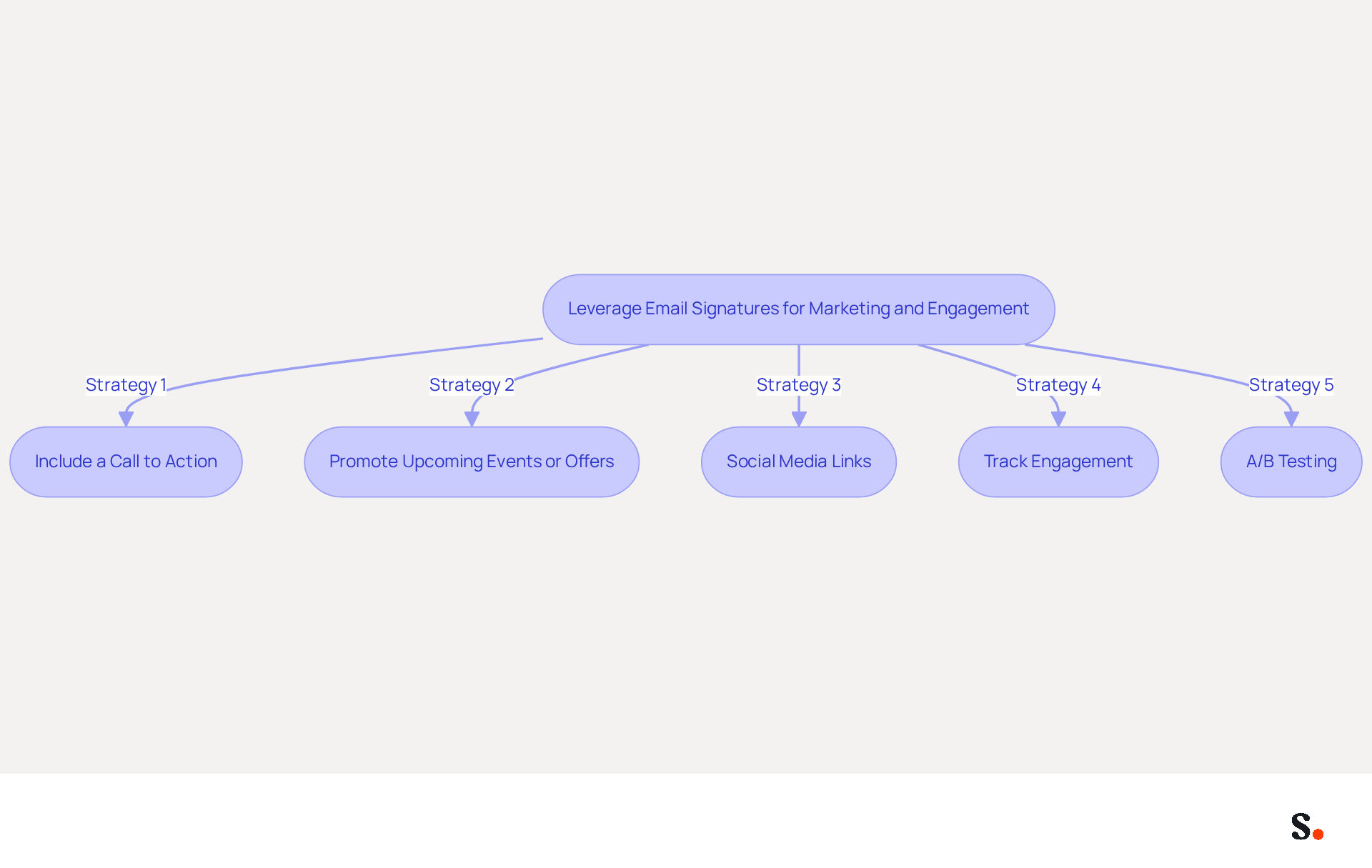
- Include a Call to Action (CTA): Incorporate a clear and compelling CTA in your email footer, such as 'Schedule a Demo' or 'Download Our Free Guide'. This prompts recipients to take action and connect with your brand. Notably, 52.6% of users who incorporate a CTA in their email footers report higher engagement rates, emphasizing its role in boosting interaction.
- Promote Upcoming Events or Offers: Utilize your contact information to highlight upcoming webinars, promotions, or events. This can be achieved through eye-catching banners or text links that draw attention to these opportunities. Organizations that align email campaigns with their marketing calendars see improved tactical execution and engagement, reinforcing the effectiveness of this strategy as a cost-effective marketing tool.
- Social Media Links: Incorporate icons linking to your company's social media profiles. This not only encourages recipients to connect with your identity across multiple platforms but also increases your social media visibility. With 76% of marketers indicating that branded elements enhance trust in the sender, this strategy can significantly strengthen your brand's credibility.
- Track Engagement: Utilize tracking links in your correspondence to measure engagement. This enables you to examine how many recipients are clicking on your CTAs or promotional links, offering valuable insights into the effectiveness of your email marketing efforts. Advanced management tools can track impressions and clicks, ensuring you have the data needed to optimize your strategies effectively.
- A/B Testing: Regular A/B testing can reveal which strategies resonate best with different departments. Experiment with different design styles and CTAs to determine which combinations yield the best results. For example, testing variations in button colors, text, and banner sizes can result in enhanced interaction rates.
By implementing these strategies, businesses can transform their communication footers into powerful marketing tools that enhance engagement and drive conversions. Without these strategies, businesses risk losing valuable engagement opportunities that could drive significant growth.
Automate Email Signature Management for Efficiency
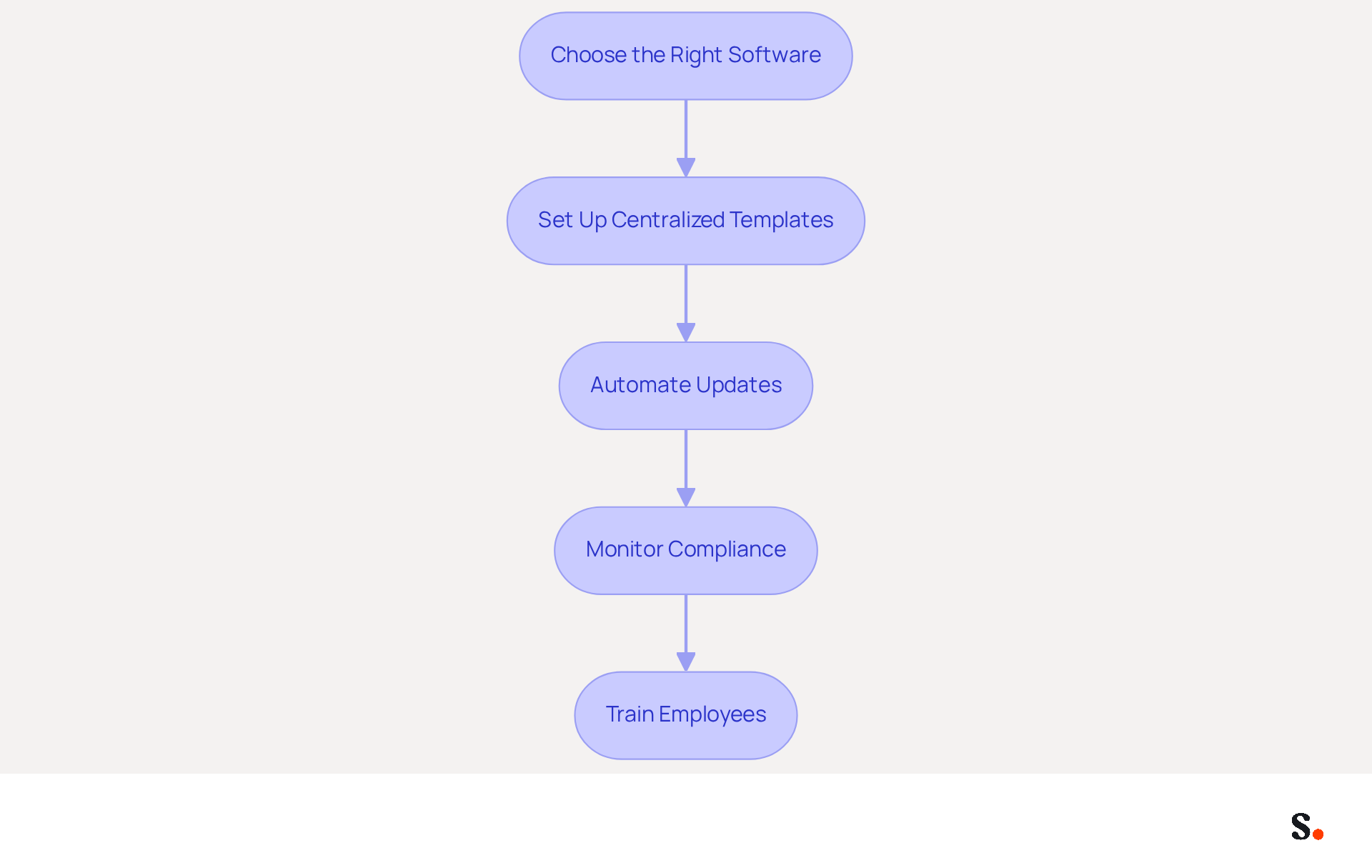
To effectively manage email signatures, organizations must adopt a systematic approach that emphasizes the use of Outlook email signature templates to ensure automation and consistency.
- Choose the Right Software: Select a tool for managing digital signatures that integrates seamlessly with your messaging platform, such as Scribe. This software should enable centralized control over template designs and updates, streamlining the management process.
- Set Up Centralized Templates: Develop a standardized template that can be automatically applied to all outgoing emails. This approach ensures that every employee's communications utilize Outlook email signature templates that remain consistent and up-to-date, reinforcing brand identity.
- Automate Updates: Leverage features that facilitate automatic updates to identifiers when changes occur, such as a new logo or updated contact information. Automating updates minimizes the need for manual changes, which can lead to outdated information and inconsistencies in branding.
- Monitor Compliance: Regularly reviewing email formats, supported by analytics from automated tools, ensures compliance with branding guidelines. This allows for timely adjustments and improvements across the organization.
- Train Employees: Make sure employees understand how to use the system and see the benefits of keeping their signatures consistent. Providing comprehensive training on the importance of using the automated document management system is essential.
By automating management of communication identifiers, organizations can save valuable time, reduce mistakes, and maintain a professional image in all interactions. Ultimately, using Outlook email signature templates in a well-managed email signature system can significantly enhance an organization's professional image and brand recognition.
Conclusion
Effective email signature templates in Outlook are crucial for organizations seeking to strengthen brand consistency and engagement. By implementing best practices, companies can ensure that every email sent reflects their brand identity, fostering trust and recognition among recipients. A well-structured email signature serves as both a digital business card and a marketing tool that drives engagement and conversions.
Key strategies discussed include:
- Creating uniform templates that incorporate essential branding elements
- Utilizing consistent fonts and colors
- Regularly updating signatures to reflect any changes in branding
- Leveraging email signatures for marketing purposes, such as including calls to action and promoting events, to enhance engagement rates
- Automating the management of these signatures through tools like Scribe to ensure that organizations maintain a professional image while saving time and reducing errors
In today’s competitive landscape, many organizations find it challenging to maintain brand consistency and effective communication. Organizations are encouraged to adopt these best practices to not only enhance their professional image but also to maximize the marketing potential of their email signatures. Ultimately, prioritizing these strategies can lead to a more cohesive brand representation and foster lasting customer loyalty.
Frequently Asked Questions
Why is brand consistency important in email signatures?
Brand consistency in email signatures helps establish a cohesive brand identity, enhances recognition, and fosters customer trust.
What essential elements should be included in an email signature template?
An email signature template should include the company logo, employee name, job title, and contact information to align with Scribe's visual identity.
How can fonts and colors contribute to brand consistency in email signatures?
Utilizing consistent fonts and color schemes from identity guidelines boosts recognition and maintains a professional appearance across all communications.
What visual elements should be incorporated into email signatures?
Visual elements like the company logo and relevant certifications or awards should be included, ensuring they are sized appropriately to avoid overwhelming the signature.
How often should email signature templates be updated?
Email signature templates should be periodically reviewed and refreshed to reflect any changes in branding, such as logo redesigns or new color palettes.
What role does employee training play in implementing email signature consistency?
Providing employees with clear instructions and training on the email signature template can lead to a significant increase in sales and ensures everyone understands the importance of branding consistency.
What impact can a well-executed email signature strategy have on customer perception?
A well-executed email signature strategy can enhance customer perception and loyalty by reinforcing the brand identity in every message sent.
List of Sources
- Establish Brand Consistency in Email Signatures
- Top 10+ best practices for email signatures design in 2026 (https://mysignature.io/blog/email-signature-best-practices)
- Why Team Email Signatures Matter More Than You Think: The Hidden Impact on Brand Trust and Customer Experience (https://getmailbird.com/why-team-email-signatures-matter-brand-trust)
- Email Signature Best Practices for 2026 (+ 15 Pro Examples) (https://wavecnct.com/blogs/email-signature-best-practices-2026)
- Research Recap: Branded Email Signatures Increase Company Recognition, Trust - B2BMX INSIGHTS (https://demandgenreport.com/industry-news/research-recap-branded-email-signatures-increase-company-recognition-trust/47252)
- Why Email Signatures Must Be In Your 2026 Marketing Plan | Rocketseed (https://rocketseed.com/blog/what-are-the-biggest-email-trends-for-2026)
- Implement Effective Email Signature Templates in Outlook
- Best Practices for a Professional Email Signature Template in Outlook (https://scribe-mail.com/en-US/blog/best-practices-for-a-professional-email-signature-template-in-outlook)
- The Complete Email Signature Guide 2026: Best Practices and Policy (https://opensense.com/complete-email-signature-guide)
- Best Practices for Creating a Signature for Outlook That Engages (https://scribe-mail.com/en-US/blog/best-practices-for-creating-a-signature-for-outlook-that-engages)
- Email Signature Best Practices for 2026 (+ 15 Pro Examples) (https://wavecnct.com/blogs/email-signature-best-practices-2026)
- Best Practices for Creating Organization-wide Signatures in Outlook with Active Directory Integration - Microsoft Q&A (https://learn.microsoft.com/en-gb/answers/questions/1362992/best-practices-for-creating-organization-wide-sign)
- Leverage Email Signatures for Marketing and Engagement
- Why Email Signatures Must Be In Your 2026 Marketing Plan | Rocketseed (https://rocketseed.com/blog/2026-marketing-plan-email-signatures)
- The Ultimate Guide to Email Signature Call-to-Action - NEWOLDSTAMP (https://newoldstamp.com/blog/the-ultimate-guide-to-email-signature-call-to-action)
- 40+ Email Signature Statistics for 2026 (Data + Insights) (https://wavecnct.com/blogs/email-signature-statistics)
- 2026 Marketing Trends: Email Signatures as a Marketing Tool (https://bluechiptt.com/blog/5-marketing-trends-for-2026-and-how-your-email-signature-fits-in)
- Automate Email Signature Management for Efficiency
- Company-Wide Email Signature Management | CloudM (https://cloudm.io/blog/optimize-your-process-with-company-wide-email-signature-management)
- 40+ Email Signature Statistics for 2026 (Data + Insights) (https://wavecnct.com/blogs/email-signature-statistics)
- Automating Email Signatures: How IT Teams Streamline Processes & Reduce Risk (https://exclaimer.com/blog/streamlining-it-processes-automated-email-signatures)
- Email Signature Trends 2026: Centralized Control & Automation | SIGNandGO posted on the topic | LinkedIn (https://linkedin.com/posts/signngo_email-signature-trends-to-watch-in-2026-activity-7401523471786217473-zAVL)
Get started with Scribe
Build a professional email signature
Free 14-day trial — no credit card.