Create a Professional Email Signature with an Outlook Signature Maker
A professional email signature is essential for effective communication in today's business environment. By utilizing an Outlook signature maker, individuals
Sophie Grant
Email Signature Specialist, Scribe
Introduction
A professional email signature is essential for effective communication in today's business environment. By utilizing an Outlook signature maker, individuals can craft a signature that reinforces their brand identity while enhancing credibility and trust with clients and colleagues. Yet, many professionals find the process of creating and managing email signatures to be confusing and time-consuming, leading to missed opportunities for engagement and marketing.
What best practices should be followed to design an impactful email signature, and how can common pitfalls associated with Outlook signatures be navigated?
Understand the Importance of a Professional Email Signature
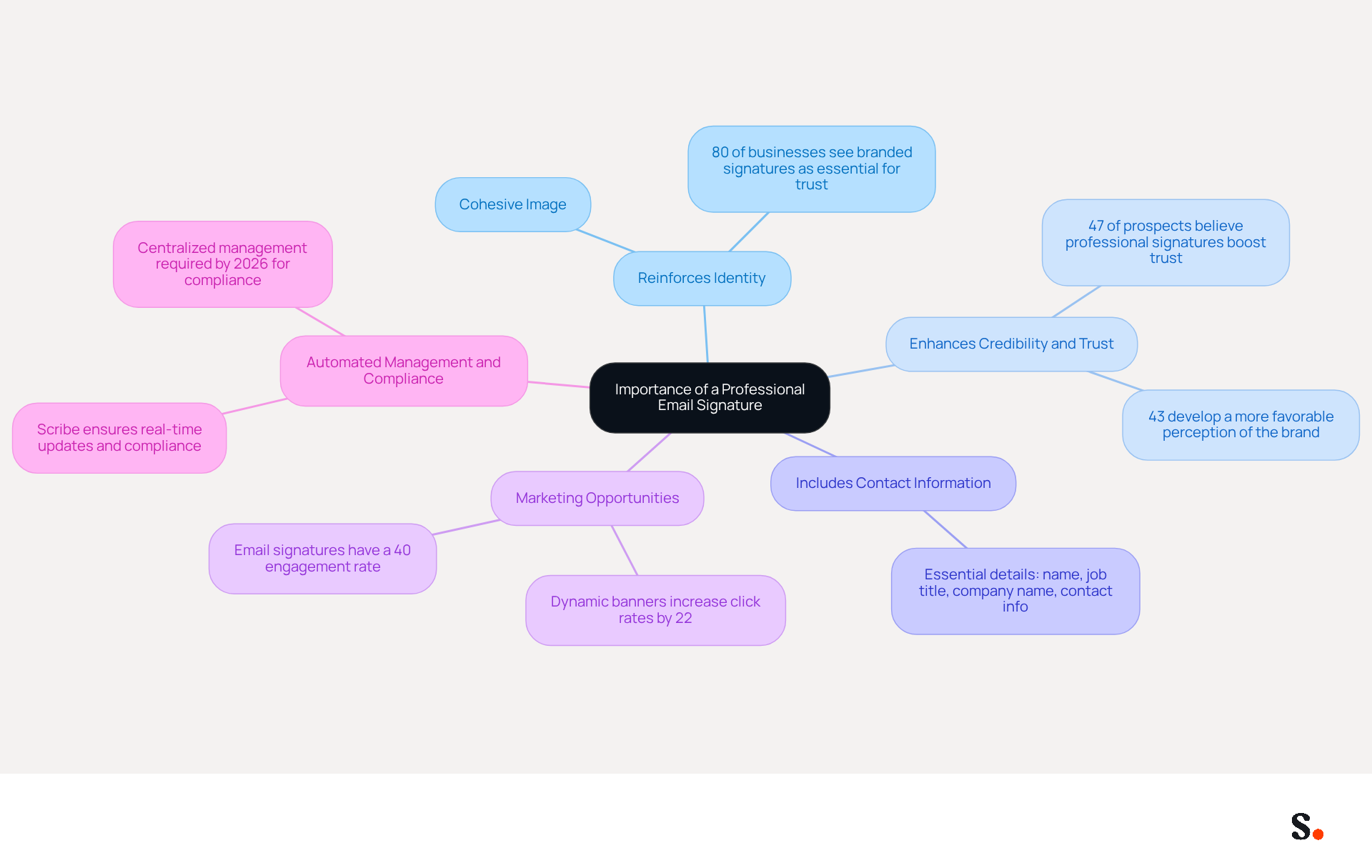
In today's digital landscape, utilizing an outlook signature maker to create a professional email signature is not just an accessory; it is a necessity for effective communication. Here are key reasons why investing in a professional email signature is vital:
- Your digital footer is a powerful tool for reinforcing your identity. Incorporating your logo, company colors, and consistent fonts helps maintain a cohesive image. This is vital, considering that 80% of businesses see branded email signatures as essential for building trust.
- Credibility and Trust: A well-crafted signature enhances your credibility with clients and colleagues. Research shows that 47% of prospects believe professional endorsements enhance their trust, while 43% form a more positive perception of the brand. This psychological impact can significantly influence business relationships.
- Contact Information: Including comprehensive contact details ensures that recipients can easily reach you, facilitating better communication and engagement. An effective signature should encompass vital components such as your name, job title, company name, and contact details.
- Marketing Opportunities: Email footers can be transformed into marketing channels by including promotional banners or calls to action. Dynamic banners in message footers have been shown to increase click rates by 22%, turning every communication into a potential marketing opportunity.
- Automated Management and Compliance: With Scribe, managing your email identifiers becomes effortless. The platform automatically syncs signature information from your business phone system, ensuring that any changes made in your Aircall configuration are reflected in real-time. This not only enhances consistency but also ensures that your data handling is secure, as Scribe is SOC 2 Type II compliant. As of 2026, businesses operating across multiple states will require centralized management of disclaimers to navigate the increasing complexity of compliance, making Scribe an essential tool for maintaining legal standards.
Understanding these factors highlights why utilizing an Outlook signature maker to create a polished email signature is crucial for enhancing your image and fostering trust with your audience.
Explore Features of an Outlook Signature Maker
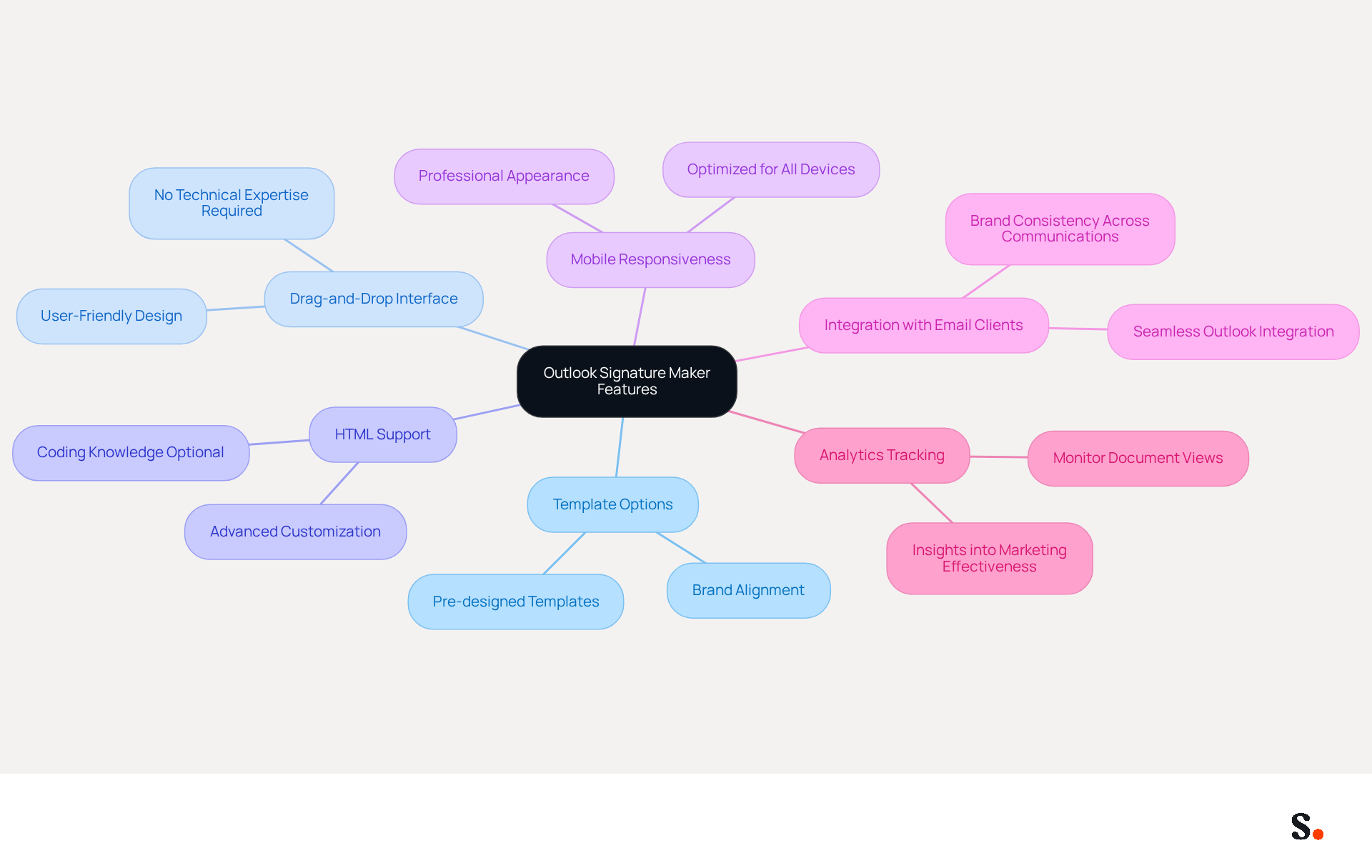
An Outlook signature maker simplifies the process of creating professional email signatures, addressing common challenges faced by users. Key functionalities include:
- Template Options: Signature makers often offer a variety of pre-designed templates that can be tailored to align with your brand's identity, significantly reducing the time and effort required for design.
- Drag-and-Drop Interface: A user-friendly drag-and-drop interface enables users to effortlessly incorporate elements such as images, social media icons, and text, eliminating the need for technical expertise.
- HTML Support: For those with coding knowledge, the option to edit HTML allows for advanced customization, ensuring that the design meets specific aesthetic and functional requirements.
- Mobile Responsiveness: Many creators optimize their designs for mobile viewing, ensuring they look professional on all devices.
- Integration with Email Clients: Seamless integration with Outlook and other email clients, using an outlook signature maker, ensures that branding elements are consistently applied across all communications, enhancing brand visibility. Scribe takes this a step further by enabling automated synchronization of teammate approvals directly from your business phone system, ensuring that all changes are reflected in real-time without requiring action from your team.
- Analytics Tracking: Advanced tools may include analytics features that monitor document views and clicks, providing valuable insights into their effectiveness as marketing assets.
Using these features can turn your email signature into a strong branding tool, enhancing professionalism and potentially increasing marketing effectiveness, as evidenced by companies reporting a 14% increase in lead generation.
Follow Step-by-Step Instructions to Create Your Email Signature
Using an Outlook signature maker to create a professional email footer can significantly enhance your communication strategy. Follow these steps:
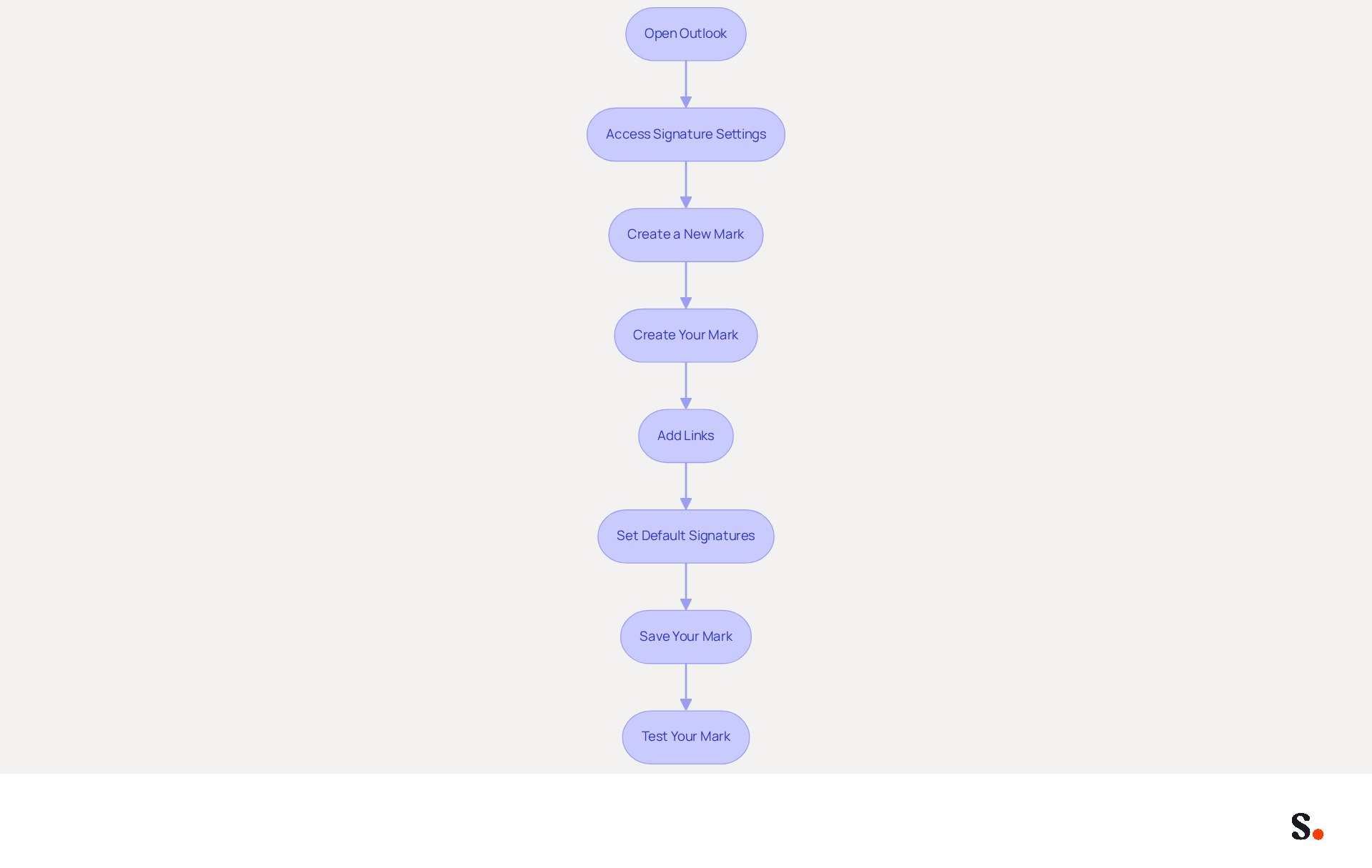
- Open Outlook: Launch the Outlook application on your computer.
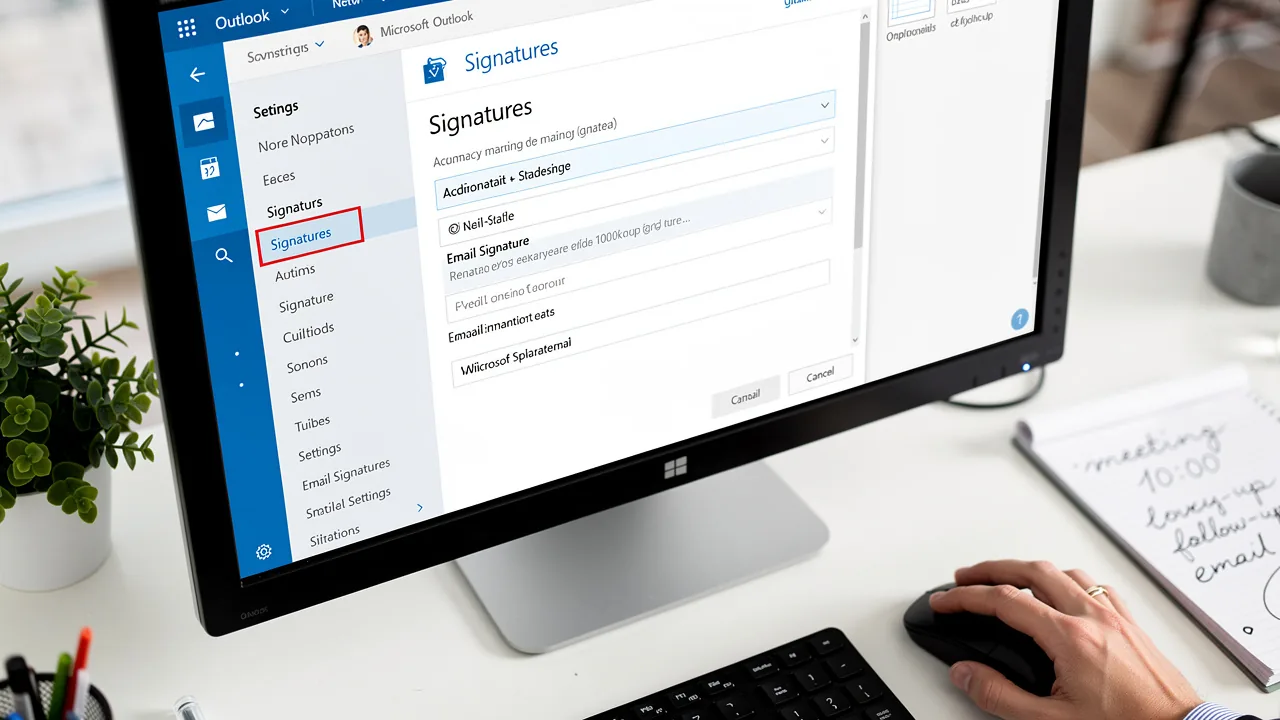
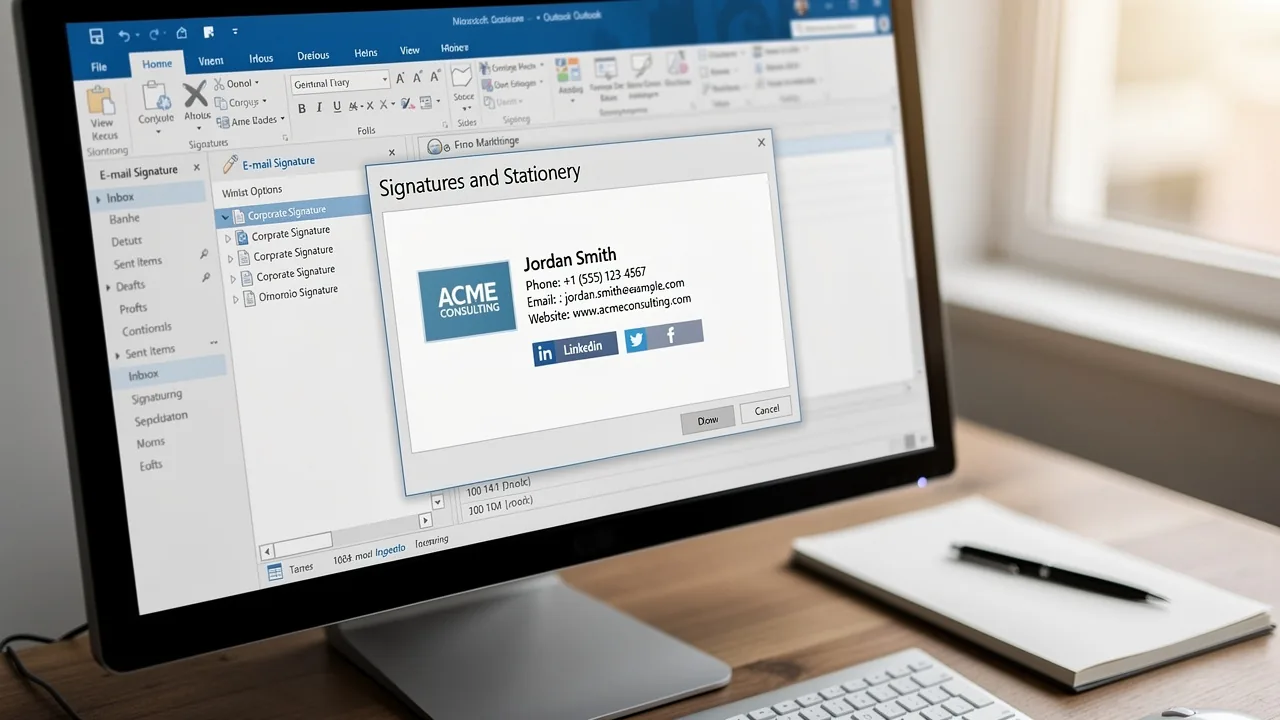
- Access Signature Settings: Click on 'File' in the top-left corner, then select 'Options'. In the Mail category, click on 'Signatures'.
- Create a New Mark: Click 'New' to create a new mark. Enter a name for your mark and click 'OK'.
- Create Your Mark: In the editing box, type your mark. Format the text using the available options (font, size, color). Click the image icon to upload your logo or photo, keeping the file size under 50KB for optimal display.
- Add Links: To include hyperlinks (e.g., to your website or social media), highlight the text you want to link, click the hyperlink icon, and enter the URL. In fact, research shows that including social media links can boost engagement, with 75.8% of users incorporating them in their profiles.
- Set Default Signatures: Select your new sign-off as the default for new messages and replies/forwards if desired. This guarantees uniformity throughout your communications, a key objective for effective management of your correspondence.
- Save Your Mark: Click 'OK' to save your mark settings.
- Test Your Mark: Create a new message to see how your mark appears. Make any necessary adjustments by returning to the settings.
By using an Outlook signature maker, following these steps will help you create a professional email footer that enhances your communication. Additionally, by syncing your Google Workspace with Scribe, any changes made to your teammates' information will be automatically reflected in their profiles, saving you time and ensuring brand consistency across all communications. Scribe also adheres to SOC 2 Type II compliance and GDPR/CCPA regulations, ensuring secure data handling. A well-crafted email footer not only improves engagement but also reinforces your brand identity across all communications.
Troubleshoot Common Issues with Your Email Signature
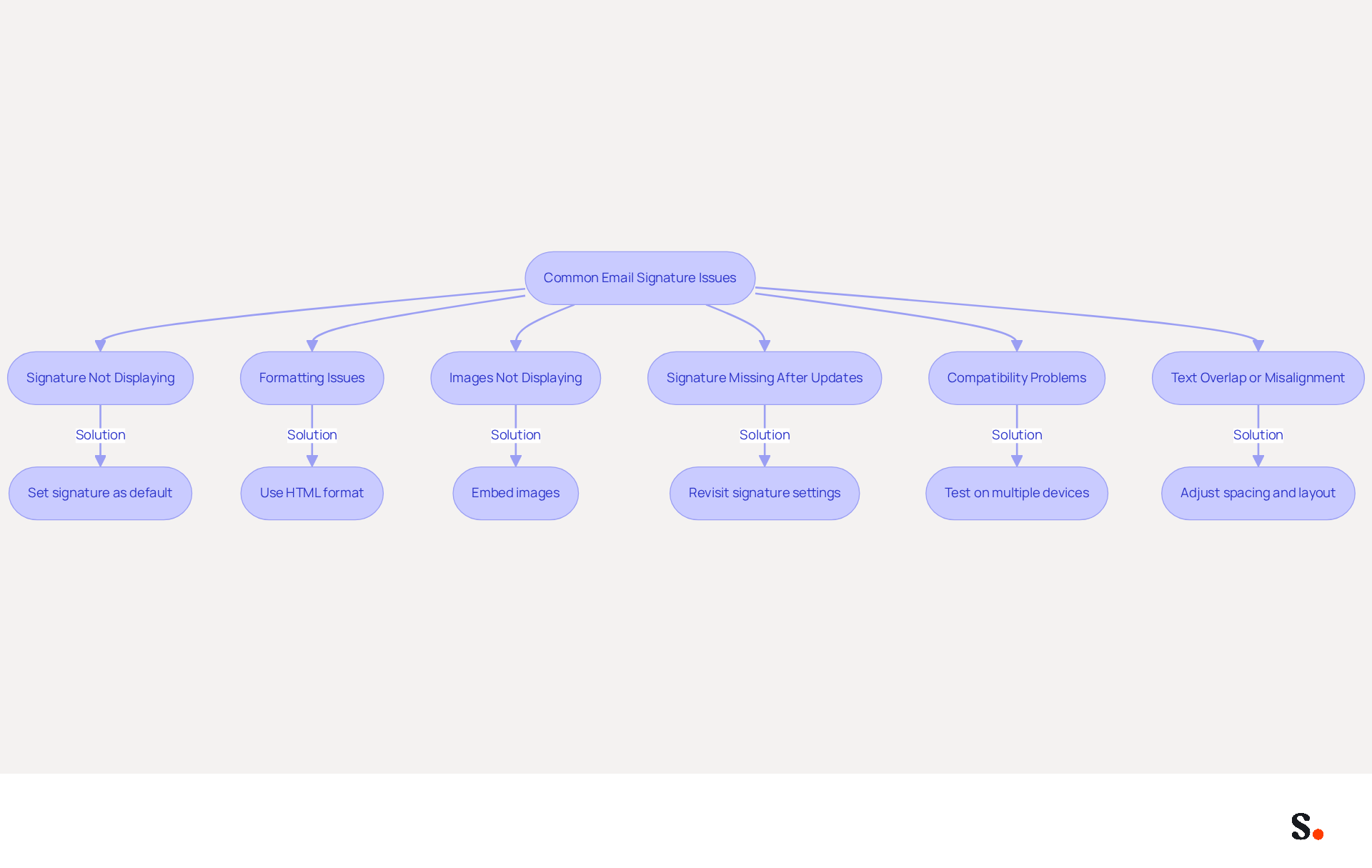
Despite having a well-designed electronic correspondence footer, many professionals encounter issues that can hinder effective communication. Here are common problems and how to troubleshoot them:
- Signature Not Displaying: If your mark isn’t visible in new messages, many professionals struggle with ensuring their signatures are set correctly, leading to visibility issues. Ensure it is set as the default option in the signature settings. This is a common problem, as 89.9% of professionals utilize only one sign-off and may overlook this setting.
- Formatting Issues: If your sign-off appears different when sent, check if you are using HTML format for your messages. Plain text messages may not support all formatting, leading to discrepancies in appearance.
- Images Not Displaying: If images in your email footer are not showing, ensure they are embedded rather than linked. Linked images may not display if the recipient's email client blocks them, which is a common occurrence in many corporate environments.
- Signature Missing After Updates: Users have reported that their signatures sometimes disappear after updates. Revisit the settings for your sign-off to ensure it is still configured correctly.
- Compatibility Problems: If your mark appears different on various devices, test it on multiple platforms (desktop, mobile) to ensure it is responsive and displays correctly. With 42% of all messages accessed on mobile devices, this is vital for upholding professionalism.
- Text Overlap or Misalignment: If text overlaps or is misaligned, try adjusting the spacing and layout in the editor. Using tables can help maintain structure and prevent formatting issues.
By being aware of these common issues and their solutions, you can ensure that your electronic correspondence remains professional and effective. Addressing these common issues not only enhances your email's professionalism but also ensures your communications are effective and impactful.
Conclusion
Crafting a professional email signature with an Outlook signature maker is crucial for effective communication and brand representation. A well-crafted signature strengthens your personal and company image while acting as an effective marketing tool that enhances engagement and trust with clients and colleagues.
Throughout this guide, we have explored key aspects of crafting an effective email signature. From understanding the importance of a professional signature to utilizing the features of an Outlook signature maker, each step contributes to a cohesive and impactful digital presence. The process includes practical instructions for creating and troubleshooting signatures, ensuring that users can navigate common issues effectively. Moreover, integrating tools like Scribe can streamline management and compliance, further enhancing the overall experience.
Ultimately, taking the time to create a polished email signature can truly enhance your professionalism and ensure brand consistency. By leveraging the capabilities of an Outlook signature maker, organizations can transform every email into an opportunity for connection and marketing. By prioritizing your email signature, you position your organization for greater professional impact and connection.
Frequently Asked Questions
Why is a professional email signature important?
A professional email signature is essential for effective communication as it reinforces your identity, enhances credibility and trust, provides comprehensive contact information, and offers marketing opportunities.
How does a professional email signature reinforce identity?
It serves as a digital footer that incorporates your logo, company colors, and consistent fonts, helping to maintain a cohesive image that builds trust with recipients.
What impact does a well-crafted email signature have on credibility?
A well-crafted signature enhances credibility, with research indicating that 47% of prospects believe professional endorsements increase trust, and 43% have a more positive perception of the brand.
What essential components should be included in an email signature?
An effective email signature should include your name, job title, company name, and comprehensive contact details to facilitate better communication.
How can email signatures be used for marketing?
Email footers can include promotional banners or calls to action, turning them into marketing channels. Dynamic banners in message footers can increase click rates by 22%.
How does Scribe assist in managing email signatures?
Scribe automates the management of email identifiers by syncing signature information from your business phone system, ensuring real-time updates and consistency.
What compliance benefits does Scribe provide?
Scribe is SOC 2 Type II compliant, ensuring secure data handling. It also helps businesses manage disclaimers centrally, which will be necessary for compliance as regulations evolve by 2026.
List of Sources
- Understand the Importance of a Professional Email Signature
- The impact of email signatures on your branding (https://signitic.com/en/resources/the-impact-of-email-signatures-on-your-branding)
- How Email Signatures Can Benefit Your Brand | Square 205 (https://square205.com/blog/how-email-signatures-can-benefit-your-brand)
- Why Email Signatures Must Be In Your 2026 Marketing Plan | Rocketseed (https://rocketseed.com/blog/what-are-the-biggest-email-trends-for-2026)
- Best practices for business email signatures in 2026 (https://bybrand.io/blog/best-practices)
- The ultimate guide to email signatures in 2026 (https://signitic.com/en/resources/email-signature)
- Explore Features of an Outlook Signature Maker
- New email signature management and editor features in Outlook on the web | Topedia Blog (https://blog-en.topedia.com/2026/01/new-email-signature-management-and-editor-features-in-outlook-on-the-web)
- Compare the Best Email Signatures Generators for Your Marketing Needs (https://scribe-mail.com/en-US/blog/compare-the-best-email-signatures-generators-for-your-marketing-needs)
- What's new in new Outlook for Windows | Microsoft Support (https://support.microsoft.com/en-us/outlook/getstarted/what-s-new-in-new-outlook-for-windows)
- Top 10 Email Signature Generators in 2026 for Business [Review] (https://turbologo.com/articles/email-signature-generators-2026)
- Follow Step-by-Step Instructions to Create Your Email Signature
- Email Signature Statistics: A Closer Look at Email Signatures in 2026 (https://mysignature.io/blog/email-signature-statistics)
- Email Signature Essentials: Key Statistics to Know for 2023 (https://blog.hubspot.com/marketing/email-signature-statistics)
- Email signature statistics and trends in 2024 (https://wisestamp.com/blog/email-signature-statistics)
- How To Add An Email Signature in Outlook (2026) (https://hubspot.com/email-signature-generator/add-signature-outlook)
- 40+ Email Signature Statistics for 2026 (Data + Insights) (https://wavecnct.com/blogs/email-signature-statistics)
- Troubleshoot Common Issues with Your Email Signature
- Email Signatures vanishing - New Outlook | Microsoft Community Hub (https://techcommunity.microsoft.com/discussions/outlookgeneral/email-signatures-vanishing---new-outlook/4418809)
- 40+ Email Signature Statistics for 2026 (Data + Insights) (https://wavecnct.com/blogs/email-signature-statistics)
- Email signature statistics: Why every business should optimize their email signatures — Stripo.email (https://stripo.email/blog/email-signature-statistics-why-every-business-should-optimize-their-email-signatures)
- Why is my signature not showing up in Outlook | NewOldStamp - NEWOLDSTAMP (https://newoldstamp.com/blog/signature-not-showing-up-in-outlook)
Get started with Scribe
Create your signature in minutes
Free 14-day trial — no credit card.