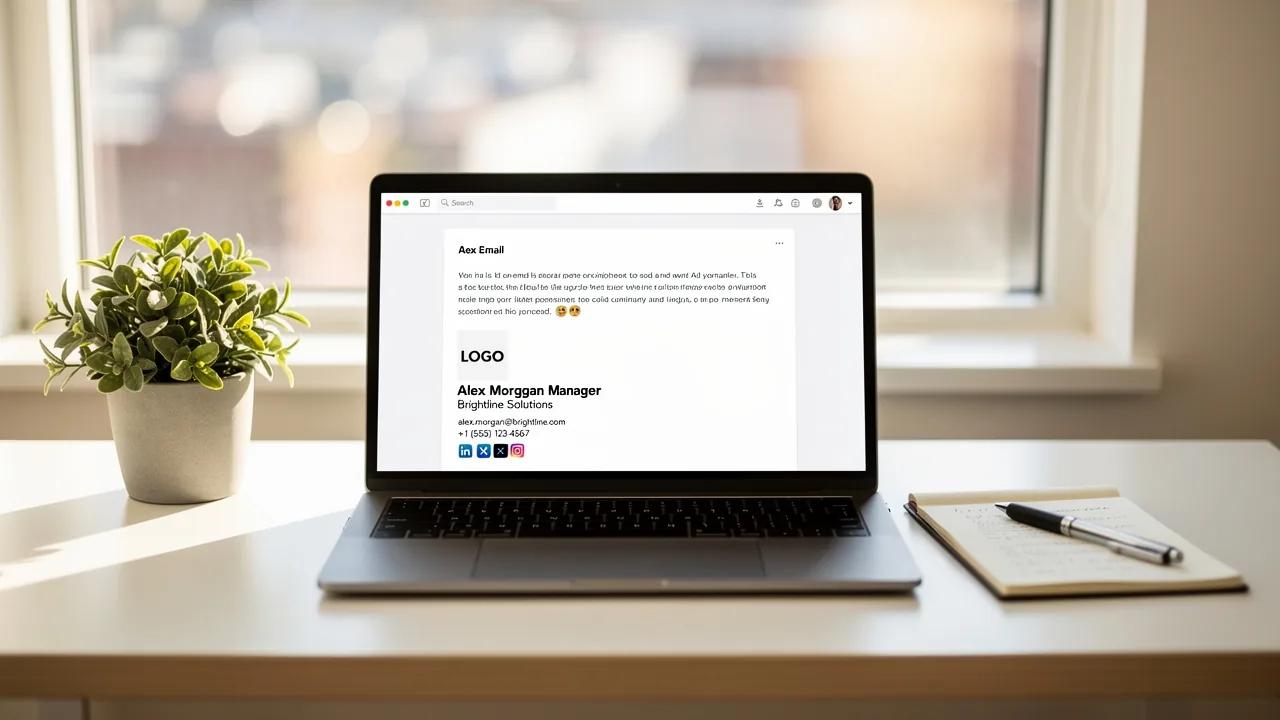
Create Your Email Signature on Phone: A Step-by-Step Guide
Despite the importance of a professional email signature, many struggle to achieve consistency across their communications. Creating a professional email
Sophie Grant
Email Signature Specialist, Scribe

On this page
- Introduction
- Understand the Purpose and Components of an Email Signature
- Create Your Email Signature on Mobile: Step-by-Step Instructions
- Troubleshoot Common Issues When Creating Your Email Signature
- Leverage Scribe for Efficient Email Signature Management
- Conclusion
- Frequently Asked Questions
- List of Sources
Introduction
Despite the importance of a professional email signature, many struggle to achieve consistency across their communications. Creating a professional email signature on a mobile device is more than just a digital formality; it’s an essential branding tool that can significantly impact how recipients perceive a business.
It's essential to know the key components and best practices for creating an effective email signature today. However, many professionals encounter challenges in maintaining consistency and professionalism across their communications.
How can one ensure that their email signature not only reflects their identity but also enhances brand visibility and trust? This guide will walk you through the step-by-step process of creating an email signature on mobile and highlight how Scribe can help manage and ensure compliance effortlessly.
Without a cohesive email signature, businesses risk undermining their brand's visibility and trustworthiness.
Understand the Purpose and Components of an Email Signature
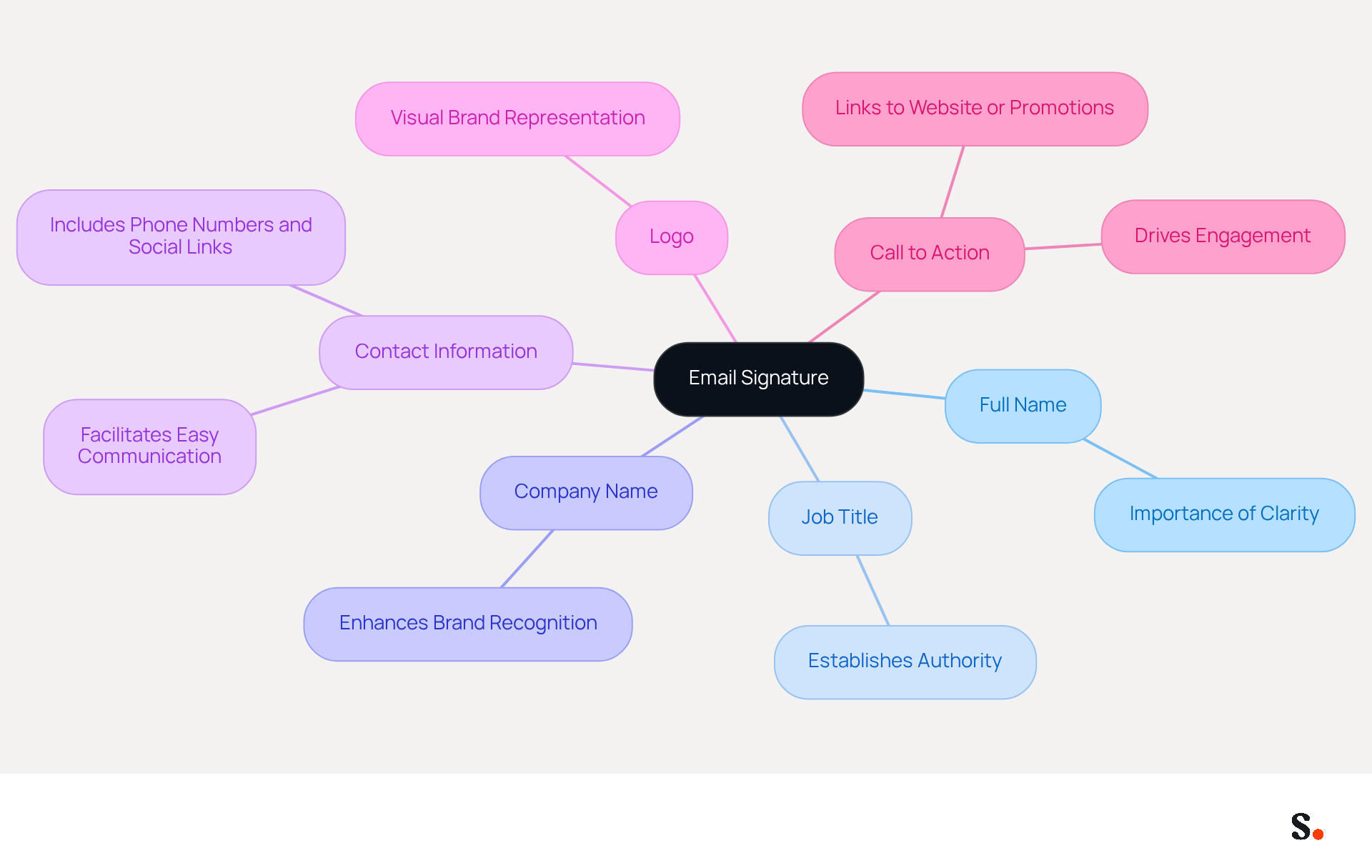
In a digital landscape where first impressions matter, an effective email signature on phone can significantly influence recipients' perceptions of your brand. A digital business card serves to provide essential information about the sender while strengthening brand identity. Key components of an effective email signature include:
- Full Name: Clearly stating your name ensures recipients know who you are.
- Job Title: Including your position establishes authority and context.
- Company Name: Mentioning your organization enhances brand recognition.
- Contact Information: Providing phone numbers, addresses, and links to social media profiles facilitates easy communication.
- Logo: Incorporating your company logo visually represents your brand.
- Call to Action: Adding a link to your website or a promotional banner can drive engagement.
Grasping these key elements helps ensure your email signature not only looks polished but also acts as a strong marketing tool. Statistics indicate that 76% of recipients believe that branded digital identifiers enhance their trust in the sender, while 80% of businesses view them as vital for brand identity. Moreover, effective electronic communication identifiers can result in a 22% rise in response rates, highlighting their potential as strategic assets in communication. Case studies illustrate that organizations utilizing well-crafted digital identifiers have effectively improved their brand visibility and engagement, transforming each message into a chance for connection and promotion. By investing in an email signature on phone, businesses can transform every email into a strategic opportunity for connection and brand enhancement.
Create Your Email Signature on Mobile: Step-by-Step Instructions
Many professionals struggle to maintain a consistent email signature on phone, which leads to confusion and a lack of professionalism. Syncing your Google Workspace with Scribe streamlines the process, saving time and keeping your teammates' information up to date. Scribe's SOC 2 Type II certification and compliance with GDPR and CCPA also ensure that your data is handled securely. Here’s how to do it for popular email applications:
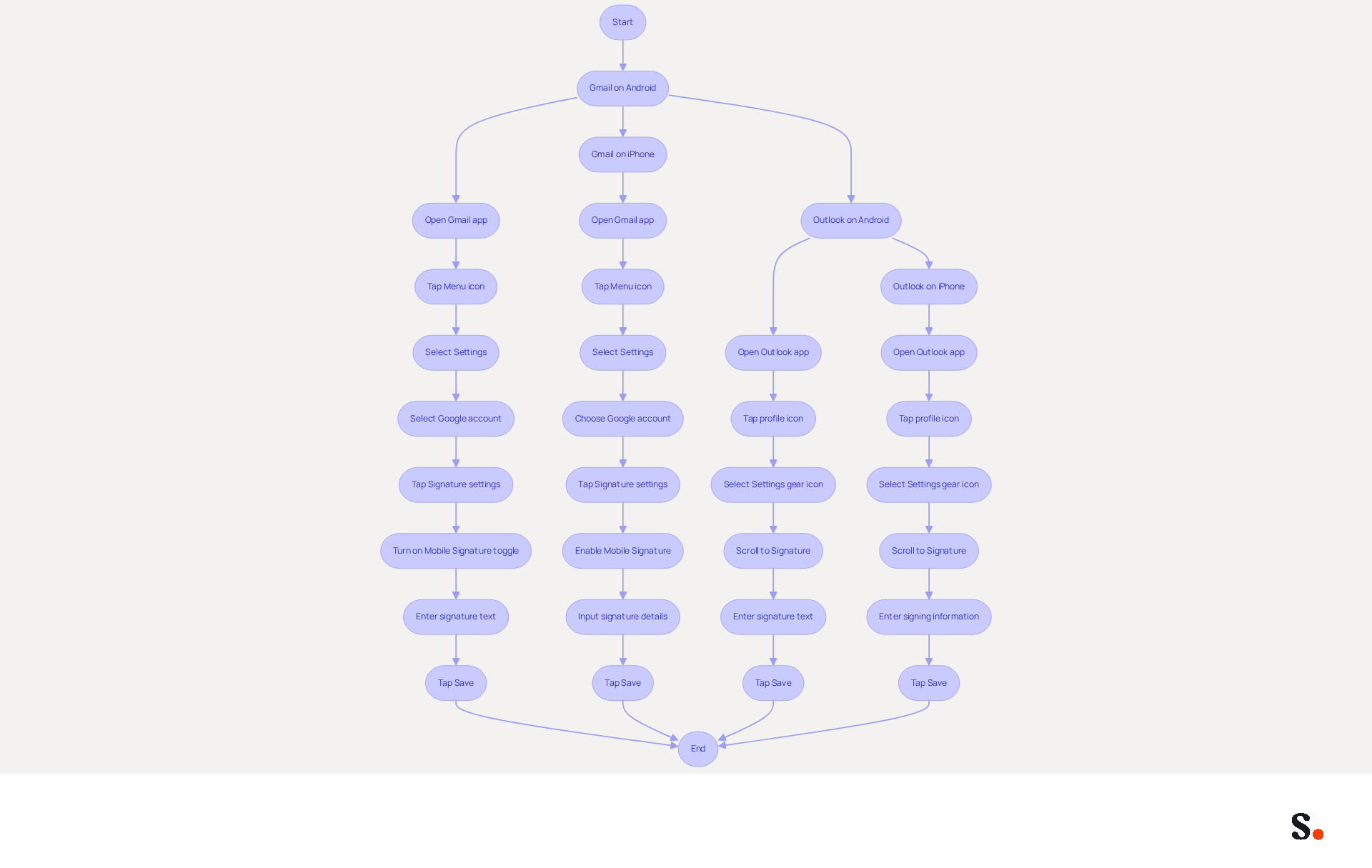
For Gmail on Android:
- Open the Gmail app.
- Tap the Menu icon (three horizontal lines) in the top left corner.
- Scroll down and select Settings.
- Select the Google account you wish to add a personal touch to.
- Tap on Signature settings.
- Turn on the Mobile Signature toggle.
- Enter your preferred text for the sign-off, including your name, title, and contact details.
- Tap Save.
For Gmail on iPhone:
- Open the Gmail app.
- Tap the Menu icon in the top left corner.
- Select Settings.
- Choose your Google account.
- Tap on Signature settings.
- Enable the Mobile Signature option.
- Input your autograph details and tap Save.
For Outlook on Android:
- Open the Outlook app.
- Tap your profile icon in the top left corner.
- Select the Settings gear icon.
- Scroll down to Signature.
- Enter your text and tap Save.
For Outlook on iPhone:
- Open the Outlook app.
- Tap your profile icon in the top left corner.
- Select the Settings gear icon.
- Scroll down to Signature.
- Enter your signing information and tap Save.
Follow these steps to easily create a professional email signature on phone from your mobile device. Syncing your Google Workspace with Scribe not only saves time by automatically updating your teammates' information but also ensures that any changes, such as job positions or group assignments, are reflected in Scribe without manual input. This is vital as 76% of marketers think that branded messages enhance trust in the sender, and communications with branded elements achieve a 22% higher response rate. Furthermore, a company with 100 employees can produce between 60,000 to 80,000 impressions monthly through their digital branding, emphasizing their potential as a strong marketing tool. By ensuring your email signature is consistently updated, you reinforce your brand identity and enhance the professionalism of your communications.
Troubleshoot Common Issues When Creating Your Email Signature
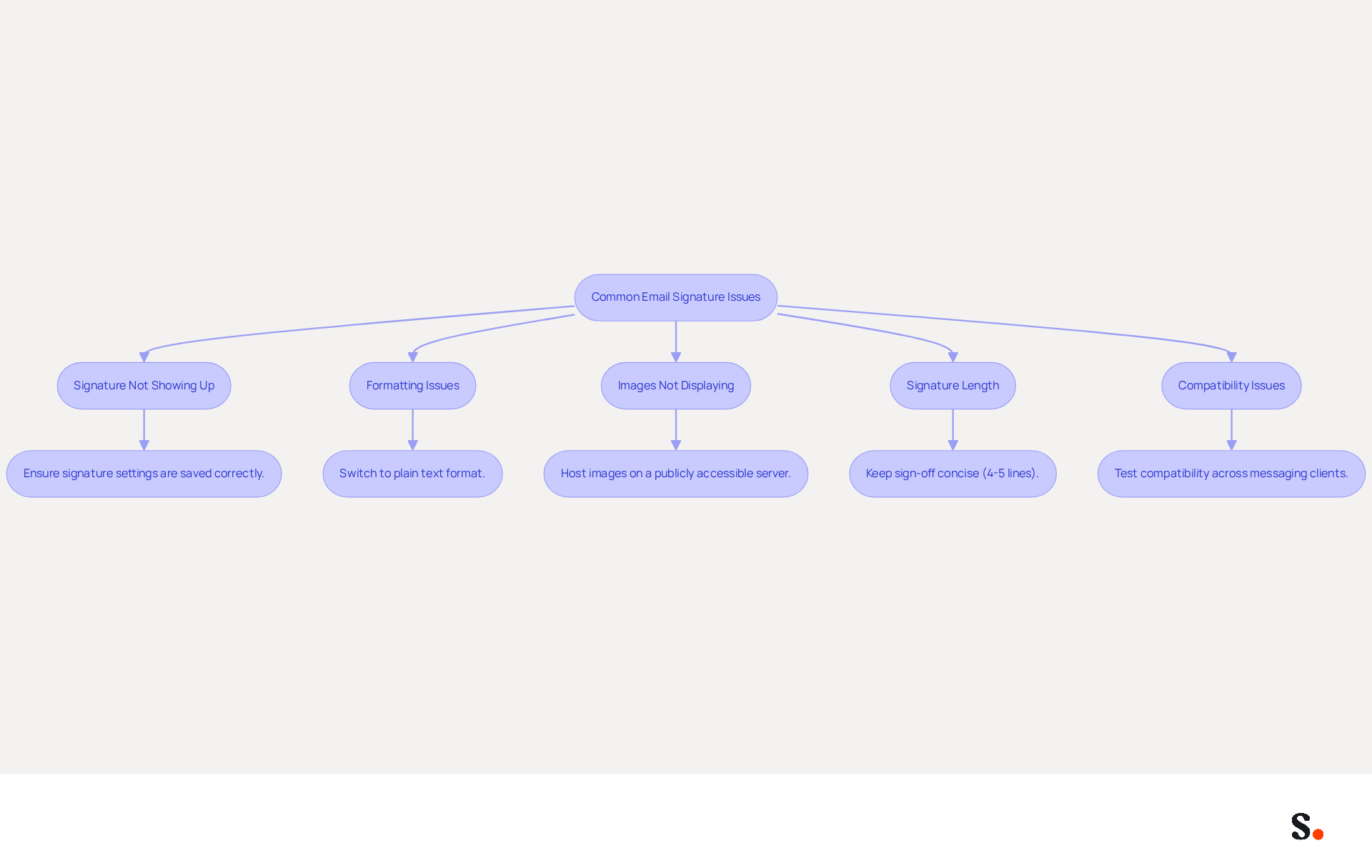
Crafting an effective message footer often presents common challenges that require attention. Here are effective solutions to help you troubleshoot:
- Signature Not Showing Up: To resolve this issue, ensure that your signature settings are saved correctly. Confirm that the signature is activated for both new emails and responses. Missing initials can often arise from overlooked settings.
- Formatting Issues: To resolve formatting issues, switch to plain text rather than rich text or HTML for a more consistent appearance. Avoid copying and pasting from word processors, as this can introduce hidden formatting problems that disrupt the layout. Many users face formatting challenges, particularly with linked images in Microsoft 365, highlighting the need for careful management.
- Images Not Displaying: Ensure your logo or images are hosted on a publicly accessible server to avoid visibility issues. Furthermore, verify the image size and format, as some messaging clients impose restrictions that can hinder images from displaying correctly.
- Signature Length: Keep your sign-off concise. If it exceeds a certain length, some messaging clients may truncate it. Aim for a sign-off that is no more than 4-5 lines to ensure it remains fully visible across different platforms.
- Compatibility Issues: Test your identifier by sending messages to various messaging clients (e.g., Gmail, Outlook) to confirm it displays correctly. A team of 100 individuals can produce 60,000-80,000 impressions monthly through digital branding, making it essential to ensure compatibility across platforms.
Furthermore, syncing your Google Workspace with Scribe can greatly enhance your email management. By automatically updating your teammates' details, such as job positions or group changes, you save time and ensure consistency across your organization. This integration enables you to auto-fill identification information effortlessly, minimizing manual input and possible errors. Scribe's SOC 2 Type II certification and adherence to GDPR and CCPA further improve the security and reliability of your management process for digital identifiers. Addressing these challenges not only streamlines your email management but also reinforces your brand's professionalism and trustworthiness.
Leverage Scribe for Efficient Email Signature Management
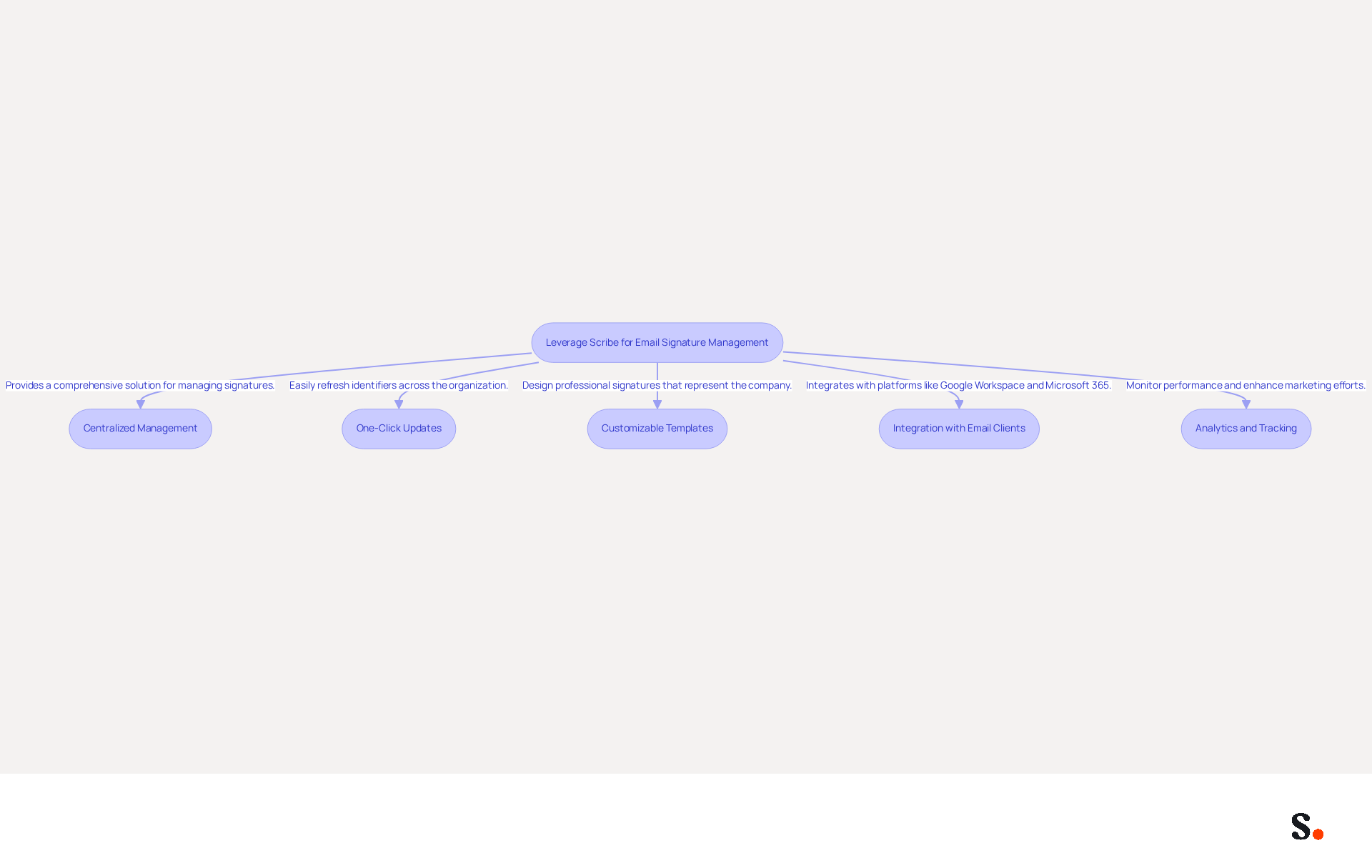
Managing email signatures across a team can be a daunting task, often leading to inconsistencies and outdated information. Here’s how you can leverage Scribe for your email signature needs:
- Centralized Management: Scribe offers a comprehensive solution for efficiently managing email signatures across your organization. This centralized method aids in removing inconsistencies that may occur from individual management of approvals, which is essential for upholding a professional image.
- One-Click Updates: Easily refresh identifiers across your organization with just one click, eliminating the need for manual updates and reducing the risk of outdated information. This feature not only saves time but also ensures that all team members present the most current branding in their communications.
- Customizable Templates: Utilize Scribe’s on-brand signature templates to design professional signatures that represent your company’s identity. Studies show that 80% of businesses acknowledge the critical role of branded digital identifiers in establishing a professional image, making customization essential for effective branding.
- Integration with Email Clients: The tool integrates effortlessly with popular messaging platforms like Google Workspace and Microsoft 365, making it simple to implement and utilize. This integration simplifies the management process, enabling real-time updates and consistency across communication channels. Additionally, the tool automatically fills in your teammates' information using your business phone system as a data source, ensuring that details are always synced and current without any action required from your teammates.
- Analytics and Tracking: Monitor the performance of your email signatures with Scribe’s analytics features, enabling you to enhance your marketing efforts. Organizations that utilize Scribe have reported notable increases in engagement rates, with studies indicating that businesses employing digital identifiers as marketing tools have seen engagement rates rise by 40%.
With GDPR compliance and SAML single sign-on integration, Scribe not only enhances security but also simplifies data management for your team. By not leveraging Scribe, organizations risk undermining their professional image and missing out on valuable engagement opportunities. This approach not only enhances brand visibility but also contributes to building trust with clients, as 76% of respondents believe that branded digital identifiers enhance trust in the sender.
Conclusion
A professional email signature is more than just a visual element; it serves as a vital tool for enhancing brand identity and building trust in communications. Understanding the key components of an email signature and following the provided steps can help individuals ensure their digital presence is polished and effective. Tools like Scribe simplify this process, allowing for seamless management and updates across teams.
This guide has highlighted the importance of consistency and how to troubleshoot common issues while leveraging Scribe's features for efficient email signature management. The integration of Scribe with popular email platforms ensures that signatures are not only visually appealing but also up-to-date and compliant with security standards such as SOC 2 Type II, GDPR, and CCPA. This compliance is crucial for organizations aiming to project a professional image while maximizing engagement through their email communications.
In conclusion, the decision to invest in effective email signatures can redefine how individuals and organizations connect and promote their brand. By adopting best practices and utilizing Scribe's capabilities, businesses can transform every email into an opportunity for connection and brand promotion. Embrace the power of a well-crafted email signature and take the necessary steps to enhance your professional communications today.
Frequently Asked Questions
What is the purpose of an email signature?
An email signature serves as a digital business card that provides essential information about the sender while strengthening brand identity.
What are the key components of an effective email signature?
Key components include the full name, job title, company name, contact information, logo, and a call to action.
Why is it important to include a full name in an email signature?
Clearly stating your name ensures recipients know who you are, which helps establish a personal connection.
How does including a job title in an email signature benefit the sender?
Including your position establishes authority and context, helping recipients understand your role.
What role does the company name play in an email signature?
Mentioning your organization enhances brand recognition and reinforces the sender's affiliation.
Why should contact information be included in an email signature?
Providing phone numbers, addresses, and links to social media profiles facilitates easy communication with recipients.
How does incorporating a logo in an email signature benefit a brand?
A logo visually represents your brand, making the email signature more recognizable and professional.
What is the significance of a call to action in an email signature?
Adding a link to your website or a promotional banner can drive engagement and encourage recipients to take action.
What impact do branded digital identifiers have on trust and brand identity?
Statistics indicate that 76% of recipients believe that branded digital identifiers enhance their trust in the sender, and 80% of businesses view them as vital for brand identity.
How can effective email signatures influence response rates?
Effective electronic communication identifiers can result in a 22% rise in response rates, highlighting their potential as strategic assets in communication.
What benefits have organizations seen from using well-crafted email signatures?
Organizations utilizing well-crafted digital identifiers have effectively improved their brand visibility and engagement, transforming each message into a chance for connection and promotion.
List of Sources
- Understand the Purpose and Components of an Email Signature
- Research Recap: Branded Email Signatures Increase Company Recognition, Trust - Demand Gen Report (https://demandgenreport.com/industry-news/research-recap-branded-email-signatures-increase-company-recognition-trust/47252)
- The impact of email signatures on your branding (https://signitic.com/en/resources/the-impact-of-email-signatures-on-your-branding)
- Why Are Email Signatures Key to Brand Awareness? | QuickMail (https://quickmail.com/role-of-email-signatures-in-brand-awareness)
- Email Signature Branding: Consistency and Impact | Crossware365 (https://crossware365.com/blog/mastering-email-signature-branding-market-presence)
- Why Email Signatures Must Be In Your 2026 Marketing Plan | Rocketseed (https://rocketseed.com/blog/2026-marketing-plan-email-signatures)
- Create Your Email Signature on Mobile: Step-by-Step Instructions
- 40+ Email Signature Statistics for 2026 (Data + Insights) (https://wavecnct.com/blogs/email-signature-statistics)
- Email Signature Statistics: A Closer Look at Email Signatures in 2026 (https://mysignature.io/blog/email-signature-statistics)
- Email signature statistics: Why every business should optimize their email signatures — Stripo.email (https://stripo.email/blog/email-signature-statistics-why-every-business-should-optimize-their-email-signatures)
- Email signature statistics and trends in 2024 (https://wisestamp.com/blog/email-signature-statistics)
- How to Change Your Mobile Email Signature (https://pcmag.com/news/how-to-change-your-mobile-email-signature)
- Troubleshoot Common Issues When Creating Your Email Signature
- 40+ Email Signature Statistics for 2026 (Data + Insights) (https://wavecnct.com/blogs/email-signature-statistics)
- Email Signature Troubleshooting - Problems & Solutions - Gimmio (https://blog.gimm.io/email-signature-troubleshooting)
- Email Signature Statistics: A Closer Look at Email Signatures in 2026 (https://mysignature.io/blog/email-signature-statistics)
- How to solve problems with email signatures in Microsoft 365? (https://mail-signatures.com/articles/problems-email-signatures-office-365)
- 4 Steps to Fix Your Outlook Signature Not Showing Issues (https://scribe-mail.com/en-US/blog/4-steps-to-fix-your-outlook-signature-not-showing-issues)
- Leverage Scribe for Efficient Email Signature Management
- How to Manage Email Signatures Effectively with Scribe (https://scribe-mail.com/en-US/blog/how-to-manage-email-signatures-effectively-with-scribe)
- Why Email Signature Management Software is Essential for Marketing Success (https://scribe-mail.com/en-US/blog/why-email-signature-management-software-is-essential-for-marketing-success)
- Master Automatic Email Signatures: Boost Branding and Efficiency (https://scribe-mail.com/en-US/blog/master-automatic-email-signatures-boost-branding-and-efficiency)
- Scribe vs. Competitors: Best Email Signature Management Tools Compared (https://scribe-mail.com/en-US/blog/scribe-vs-competitors-best-email-signature-management-tools-compared)
- Master Corporate Email Signature Management for Brand Consistency (https://scribe-mail.com/en-US/blog/master-corporate-email-signature-management-for-brand-consistency)
Get started with Scribe
Manage signatures across your whole team
Free 14-day trial — no credit card.