Enhance Your Outlook Signature with Animated GIFs for Better Engagement
Organizations often struggle to maintain professionalism while trying to stand out in crowded inboxes. Animated GIFs have emerged as a dynamic tool for
Sophie Grant
Email Signature Specialist, Scribe
Introduction
Organizations often struggle to maintain professionalism while trying to stand out in crowded inboxes. Animated GIFs have emerged as a dynamic tool for enhancing email signatures, offering a unique way to engage recipients and elevate brand visibility. The challenge for organizations is to integrate animated GIFs effectively while maintaining professionalism and brand consistency. By leveraging animated GIFs strategically, organizations can enhance their email signatures, improve engagement, and drive measurable marketing results.
Leverage Animated GIFs to Enhance Engagement
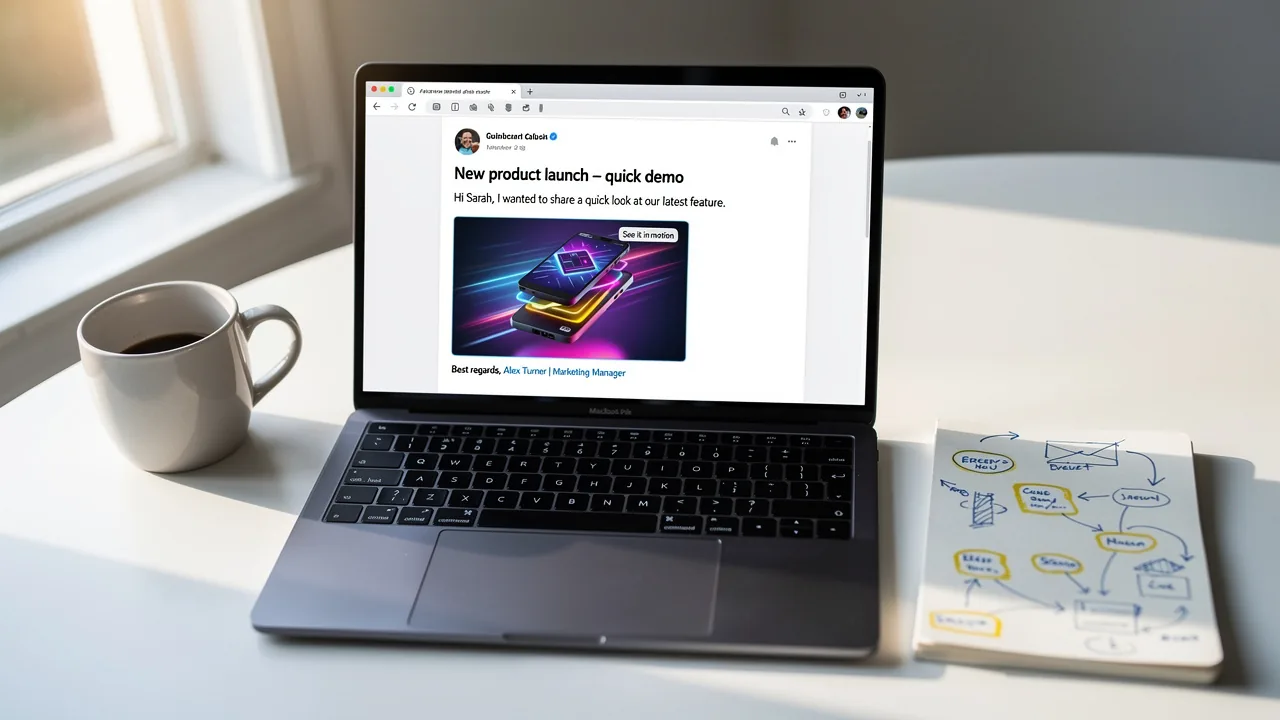
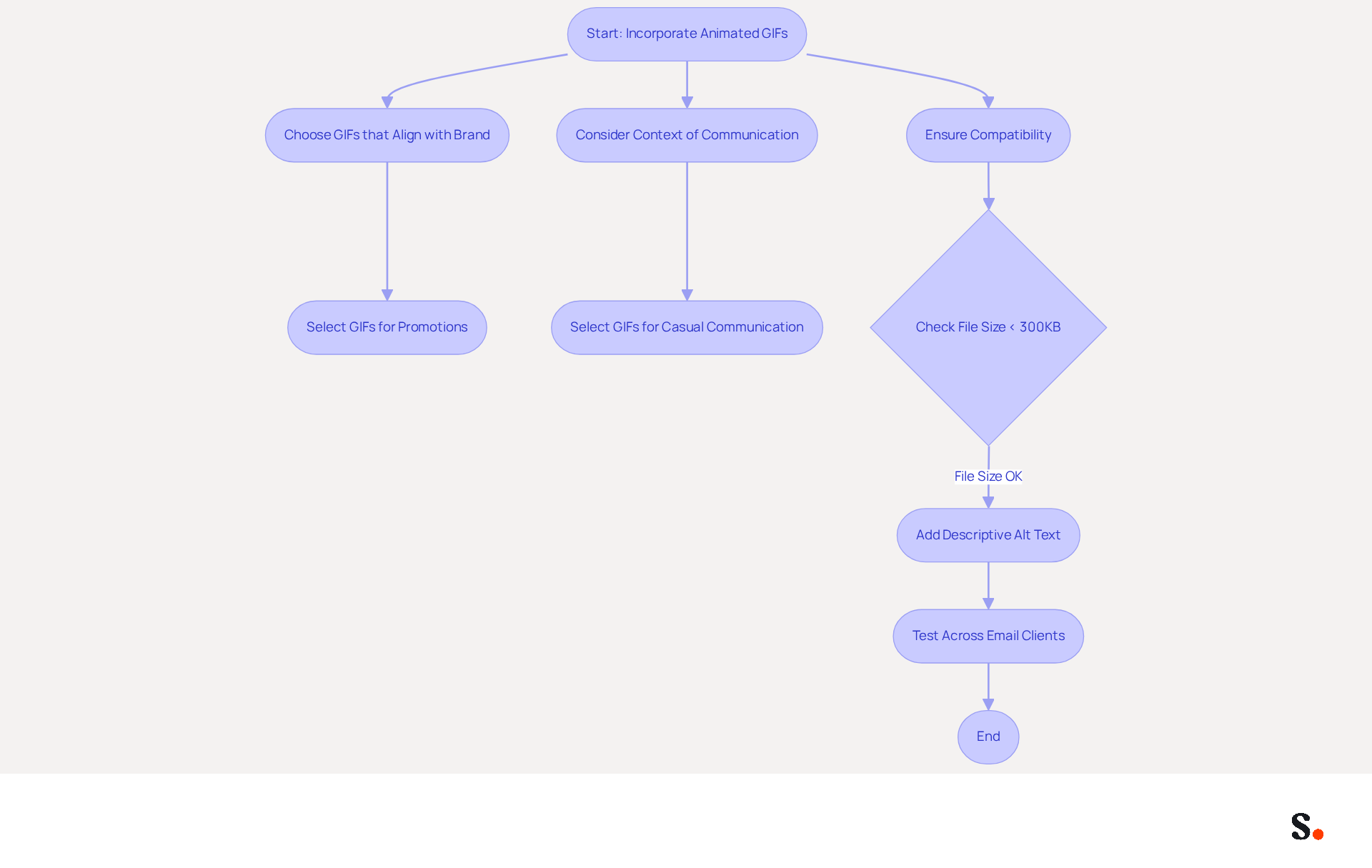
Incorporating an Outlook signature animated gif into message signatures can significantly enhance engagement and capture recipient attention. Studies show that using animated images in emails can boost click-through rates by up to 26%. Maximize this potential by choosing animated images that align with your brand and message. For instance, a GIF demonstrating a product in action or a brief animation highlighting a special offer can effectively attract the reader's eye. Ensure the GIF enhances the signature without overshadowing the text, maintaining a professional appearance.
Choosing the right context for animated images can be challenging, as they may not suit all types of communication. Animated images are particularly effective in promotional or casual communications, while they may be less suitable for formal business correspondence. Additionally, ensure that GIF file sizes are kept under 300KB for optimal performance, as larger files can slow down loading times and distract from the message. Adding descriptive alt text to animated images is also important for accessibility, allowing visually impaired recipients to understand the content.
Be mindful of compatibility issues with older messaging clients, particularly Microsoft Outlook, which may only show the first frame of an outlook signature animated gif. This means it's essential to ensure that the first frame is meaningful. Case studies demonstrate the effectiveness of animated visuals in marketing: Dell's animation-focused campaign led to an impressive 109% increase in revenue, highlighting how moving images can drive substantial business outcomes. By thoughtfully integrating animated images, you can elevate your communication strategy and foster stronger connections with your audience.
Maintain Brand Consistency with GIF Integration
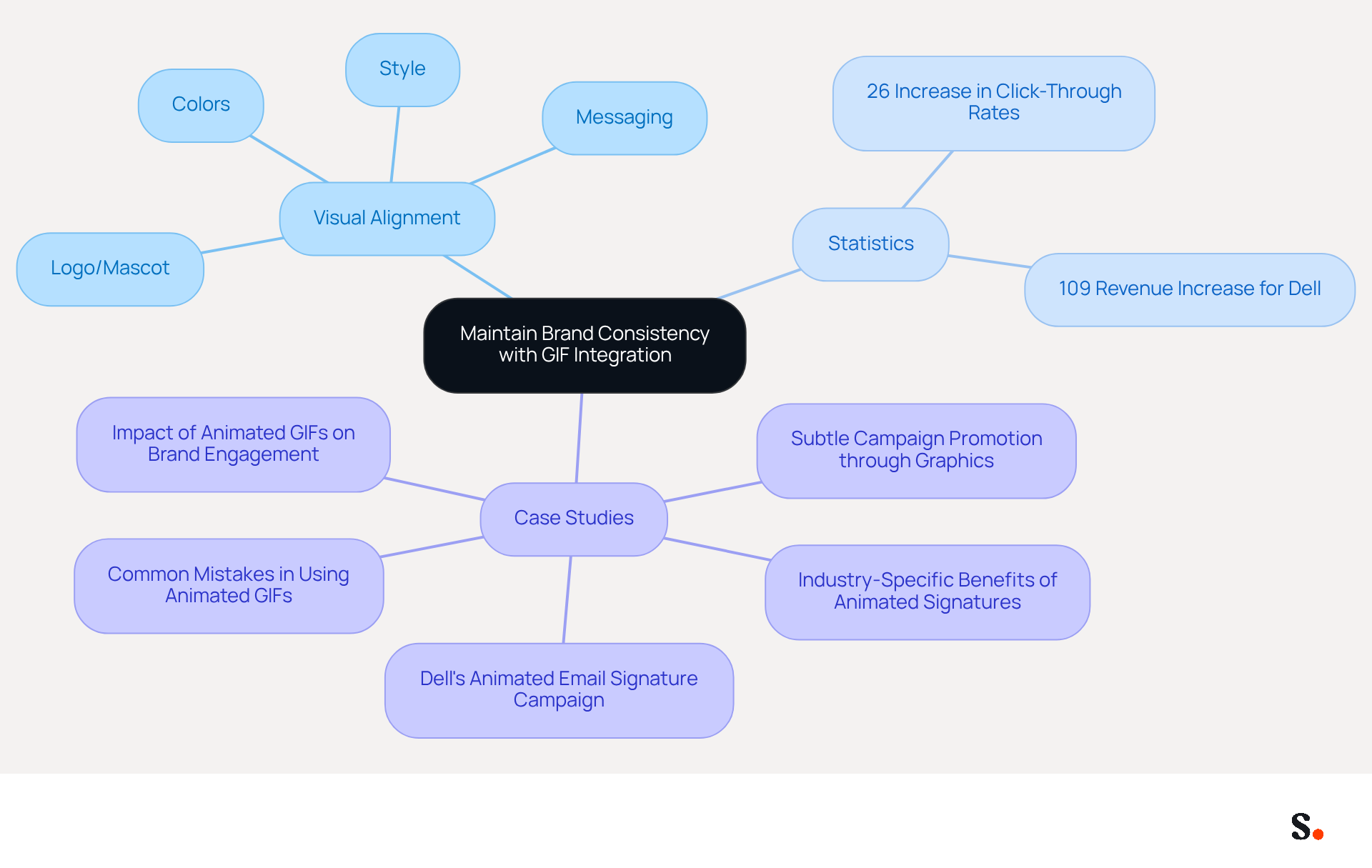
To maintain brand consistency while incorporating an Outlook signature animated GIF into your signatures, it is essential to align the visuals with your established brand guidelines. Ensure that the image's style, colors, and messaging reflect your brand's identity. For instance, if your brand utilizes specific colors or fonts, the GIF should incorporate these elements to reinforce brand identity and enhance recognition among recipients. Using your logo or brand mascot subtly within the GIF can further strengthen brand recall. Avoid using unrelated GIFs, as they can lead to a diluted brand message, making it harder for recipients to recognize your identity.
Statistics indicate that strong branding in communications significantly boosts engagement, making companies more memorable and trustworthy. In fact, campaigns featuring animated images have reported up to a 26% increase in click-through rates compared to those with static visuals. A case analysis on Dell's animated communication campaign demonstrated a remarkable 109% increase in revenue, showcasing the effectiveness of animations in driving interaction and reinforcing brand consistency. This strategic approach not only enhances brand visibility but also fosters a deeper connection with your audience. By thoughtfully choosing and crafting your Outlook signature animated GIF, you can significantly enhance your brand's digital presence and foster stronger connections with your audience.
Implement Animated GIFs Effectively in Email Signatures
Using an Outlook signature animated GIF in your email can significantly enhance engagement and brand visibility.
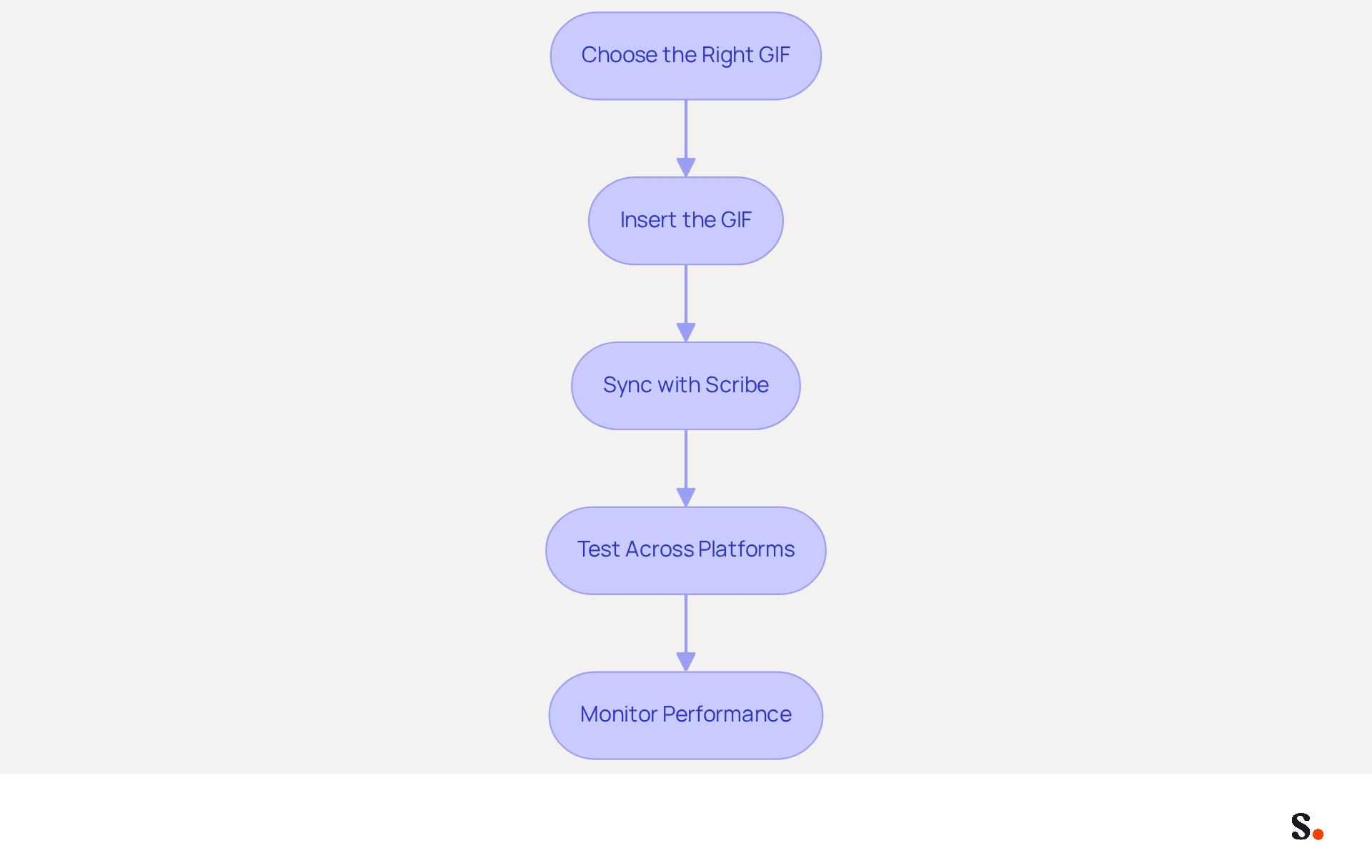
- Choose the Right GIF: Select a GIF that resonates with your message and aligns with your brand identity. Optimize the GIF for email by keeping it under 200KB to ensure quick loading and avoid spam filters.
- Insert the GIF: In Outlook, navigate to 'File' > 'Options' > 'Mail' > 'Signatures'. Create a new sign-off and use the 'Insert Picture' option to add your GIF. For Gmail, go to 'Settings' > 'Signature' and use the image icon to upload your GIF.
- Sync with Scribe: By syncing your Google Workspace with Scribe, you can save time and ensure that your teammates' information is always up-to-date. Manual updates can be time-consuming and prone to errors, but syncing with Scribe automates this process. Any changes in your Google Workspace, such as moving teammates from one group to another or updating their information, will be automatically reflected in Scribe. This automation simplifies management and reduces errors.
- Test Across Platforms: Before finalizing, send test messages to yourself and colleagues to ensure the GIF displays correctly across various clients. Remember that while most modern email clients support GIFs, Outlook desktop versions only show the first frame, so ensure the first frame of your outlook signature animated gif is visually appealing.
- Monitor Performance: After implementation, track engagement metrics such as open rates and click-through rates to evaluate the effectiveness of your GIF-enhanced email footer. Animated elements can greatly enhance visibility and interaction, with studies indicating that dynamic banners can triple engagement rates compared to static ones.
Ultimately, leveraging animated GIFs can transform your email communications into more engaging and effective interactions.
Measure the Marketing Impact of GIFs in Signatures
Measuring the marketing impact of an Outlook signature animated GIF in email signatures requires a strategic approach. To effectively assess this impact, consider implementing the following strategies:
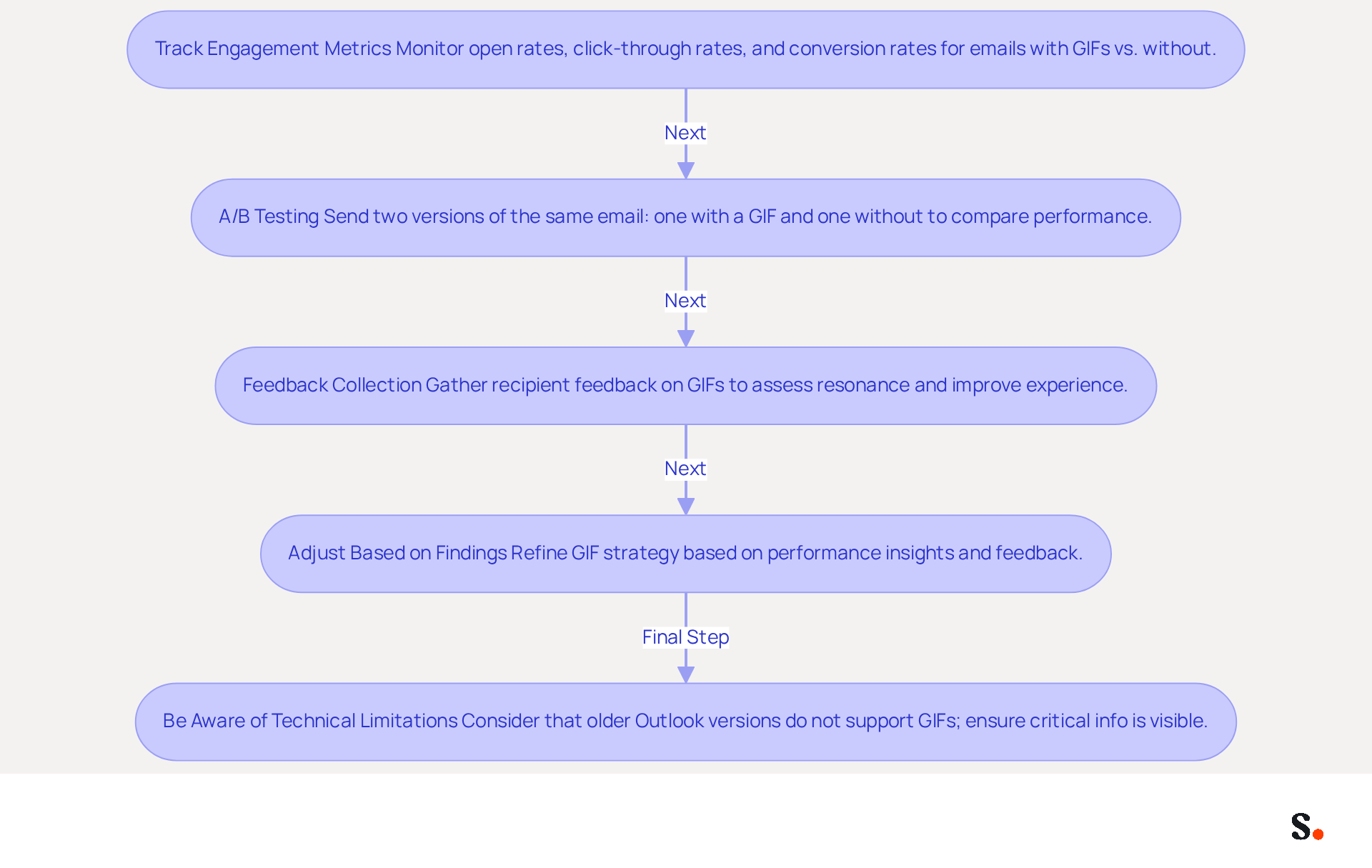
- Track Engagement Metrics: Utilize marketing tools to monitor key performance indicators such as open rates, click-through rates, and conversion rates for messages featuring animated images versus those without. Research shows that using animated images can boost click-through rates by as much as 42%, making this data crucial for assessing effectiveness (source: external research).
- A/B Testing: Conduct A/B tests by sending two versions of the same email-one with a GIF and one without. Comparing performance will clarify the GIF's effect on engagement. For example, Dell's promotional campaign that featured animated images led to a 42% rise in click rates, a 103% increase in conversion rates, and a 109% boost in revenue, highlighting the potential advantages of this strategy (source: Dell case study).
- Feedback Collection: Ask recipients for their thoughts on the animated images in your signatures. This can offer valuable insights into how well the animated images resonate with your audience and whether they improve the overall experience of the message. Additionally, consider adding alt-text to your animated images to improve accessibility for visually impaired users who rely on text-to-speech software.
- Adjust Based on Findings: Use the insights gained from your measurements to refine your GIF strategy. If certain types of animated images yield better performance, consider incorporating more Outlook signature animated GIFs into your email signatures. For instance, brands like Cirrus Insight have effectively employed playful animations in their campaigns, enhancing customer engagement and fostering a personal connection with their audience.
- Be Aware of Technical Limitations: Keep in mind that older versions of Outlook (2007, 2010, and 2013) do not support animated images, displaying only the first frame. Ensure that critical calls to action are visible in the first frame of animated images or included elsewhere in the message to mitigate the impact of unsupported animations.
Optimizing your email signature strategy based on these insights can transform animated GIFs into powerful engagement tools.
Conclusion
Incorporating animated GIFs into email signatures presents both opportunities and challenges for organizations aiming to enhance engagement. By thoughtfully selecting GIFs that resonate with your brand identity and message, organizations can capture recipient attention and foster stronger connections. This enhancement boosts click-through rates and reinforces brand consistency, making communications more memorable and effective.
Key insights from the article highlight the importance of maintaining brand alignment when using animated visuals. For instance, Dell's campaign illustrates how effective GIFs can lead to significant revenue increases, demonstrating the potential of GIFs to drive substantial business outcomes. Additionally, practical steps for implementation, including testing across platforms and monitoring performance metrics, ensure that the use of GIFs is both effective and aligned with organizational goals.
If not carefully managed, the use of GIFs could lead to inconsistent messaging and reduced impact. Ultimately, using animated GIFs in email signatures isn’t just about creativity; it’s a strategic approach that can make email communications more engaging. By measuring the impact of these animated elements and refining strategies based on performance data, organizations can maximize their marketing efforts and achieve greater brand recognition. By adopting this innovative strategy, organizations can not only enhance their engagement but also redefine their digital communication landscape.
Frequently Asked Questions
How can animated GIFs enhance engagement in emails?
Incorporating animated GIFs into email signatures can significantly enhance engagement and capture recipient attention, with studies showing that they can boost click-through rates by up to 26%.
What types of animated images are effective for email signatures?
Effective animated images include those that align with your brand and message, such as GIFs demonstrating a product in action or highlighting a special offer.
How should animated GIFs be used in email signatures?
Animated GIFs should enhance the signature without overshadowing the text, maintaining a professional appearance.
Are animated GIFs suitable for all types of communication?
Animated images are particularly effective in promotional or casual communications but may be less suitable for formal business correspondence.
What is the recommended file size for animated GIFs in email signatures?
GIF file sizes should be kept under 300KB for optimal performance, as larger files can slow down loading times and distract from the message.
Why is it important to add descriptive alt text to animated images?
Adding descriptive alt text is important for accessibility, allowing visually impaired recipients to understand the content of the animated images.
What compatibility issues should be considered when using animated GIFs in emails?
Be mindful of compatibility issues with older messaging clients, particularly Microsoft Outlook, which may only show the first frame of an animated GIF. Therefore, the first frame should be meaningful.
Can you provide an example of the effectiveness of animated visuals in marketing?
A case study showed that Dell's animation-focused campaign led to a 109% increase in revenue, demonstrating how moving images can drive substantial business outcomes.
List of Sources
- Leverage Animated GIFs to Enhance Engagement
- Why You Need GIFs in Your Email Marketing (https://schoolofmotion.com/blog/why-you-need-gifs-in-your-email-marketing)
- Best Practices for Using GIFs in Emails (https://beefree.io/hub/html-email-creation/email-marketing-gifs-best-practices)
- Animated GIFs in Email: How to Add GIFs to Emails, Plus 4 Examples (https://activecampaign.com/blog/gifs-in-email)
- B2B Email Marketing Tips: Spice Up Your Sales with GIFs (https://autobound.ai/blog/b2b-email-marketing-tips-spice-up-your-sales-with-gifs)
- Best Practices for Animated GIF Email Signatures to Boost Engagement (https://scribe-mail.com/en-US/blog/best-practices-for-animated-gif-email-signatures-to-boost-engagement)
- Maintain Brand Consistency with GIF Integration
- The Benefits of Using Animated Email Signatures (https://thebusinesstoolkit.com/the-benefits-of-using-animated-email-signatures-for-makeup-artists?srsltid=AfmBOopX86KMa0aw7LFFPUNQXRzU6ULeNgsPLuUMA7p6Le1eO0I0t6OK)
- Using GIFs In Email Marketing to Surprise & Delight - The Spot (https://thespotforpardot.com/2018/04/29/using-gifs-in-email-marketing-to-surprise-delight)
- Animated GIFs in Email Signatures: Pros & Cons | Exclaimer (https://exclaimer.com/email-signature-handbook/animated-gifs-in-email-signatures)
- Benefits of animated email signatures in marketing — salamandra.uk (https://salamandra.uk/news/success-with-animated-email-signatures)
- Best Practices for Animated GIF Email Signatures to Boost Engagement (https://scribe-mail.com/en-US/blog/best-practices-for-animated-gif-email-signatures-to-boost-engagement)
- Implement Animated GIFs Effectively in Email Signatures
- Animated GIFs in Email Signatures: Pros & Cons | Exclaimer (https://exclaimer.com/email-signature-handbook/animated-gifs-in-email-signatures)
- Animated GIFs in email signatures - the definitive guide (https://mail-signatures.com/articles/animated-gifs-in-email-signatures)
- How to Add a GIF in Outlook Signature (Desktop & Web) (https://wisestamp.com/guides/how-to-add-a-gif-signature-in-outlook)
- Animated email signature: how to implement it? (https://letsignit.com/blog/animated-email-signature)
- Animated GIF in Email Signature , Email Signature Glossary | SyncSignature (https://syncsignature.com/email-signature-glossary/animated-gif-in-email-signature)
- Measure the Marketing Impact of GIFs in Signatures
- Why You Need GIFs in Your Email Marketing (https://schoolofmotion.com/blog/why-you-need-gifs-in-your-email-marketing)
- Why You Should Include GIFs in Your Emails - AOR (https://thinkaor.com/insights/why-you-should-include-gifs-in-your-emails)
- Maximize Email Impact with an Animated GIF Signature Maker (https://scribe-mail.com/en-US/blog/maximize-email-impact-with-an-animated-gif-signature-maker)
- Using GIFs In Email Marketing to Surprise & Delight - The Spot (https://thespotforpardot.com/2018/04/29/using-gifs-in-email-marketing-to-surprise-delight)
Get started with Scribe
Create your signature in minutes
Free 14-day trial — no credit card.