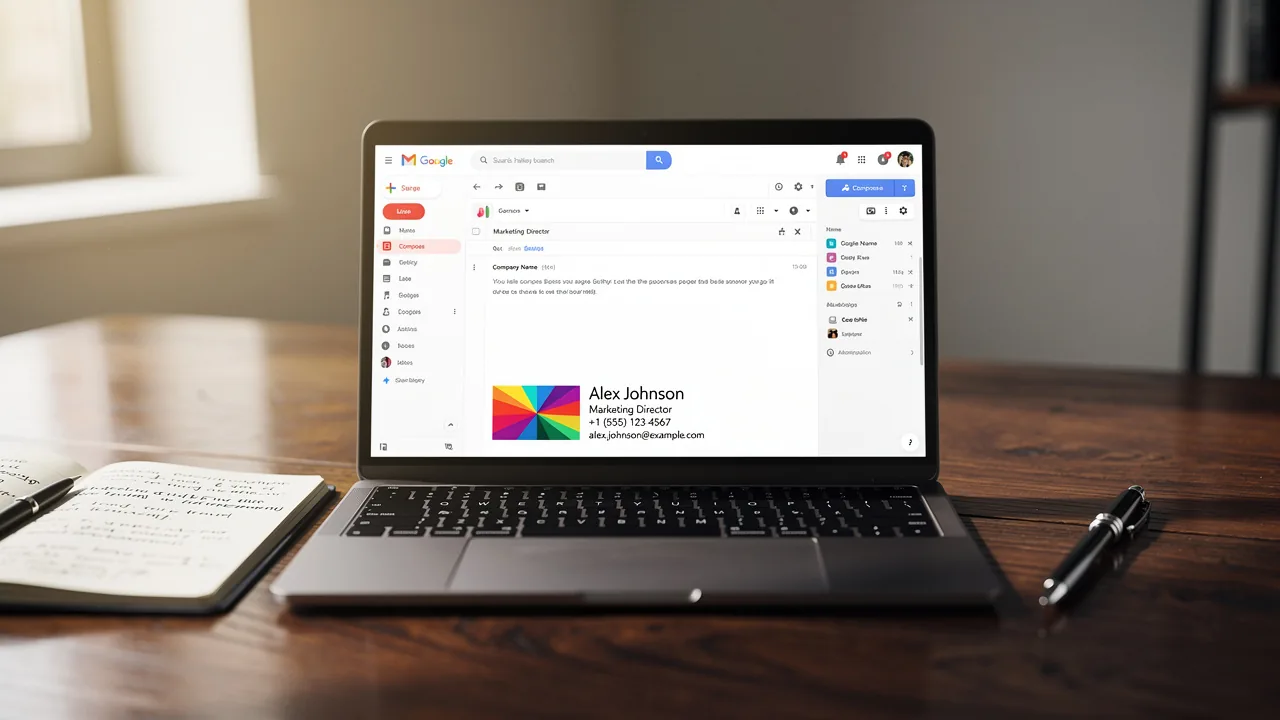
How Do You Add a Signature to Email: A Step-by-Step Guide
Email signatures are often overlooked, yet they hold significant potential for enhancing brand identity and marketing effectiveness. By crafting a professional
Sophie Grant
Email Signature Specialist, Scribe
On this page
- Introduction
- Understand the Importance of Email Signatures in Marketing
- Create Your Email Signature: Step-by-Step Instructions
- For Gmail:
- For Outlook:
- For Apple Mail:
- Integrate Your Signature with Tools for Automation
- Troubleshoot Common Email Signature Issues
- Conclusion
- Frequently Asked Questions
- List of Sources
Introduction
Email signatures are often overlooked, yet they hold significant potential for enhancing brand identity and marketing effectiveness. By crafting a professional signature, organizations can boost brand visibility, build trust, and even help generate leads with every email sent. Many professionals find the process of creating and managing email signatures to be complex and time-consuming.
How can one ensure that their email signature not only looks great but also aligns with their marketing goals and maintains brand consistency? This guide will walk you through the essential steps to create and integrate email signatures that truly reflect your brand's identity and marketing strategy.
Understand the Importance of Email Signatures in Marketing
Despite their often-overlooked status, email footers play a crucial role in shaping your brand's identity with every communication. With Scribe's automated synchronization with Aircall, any changes made in your Aircall configuration will automatically reflect in your Scribe branding, ensuring brand consistency across all communications. Here are the key reasons why email signatures are essential:
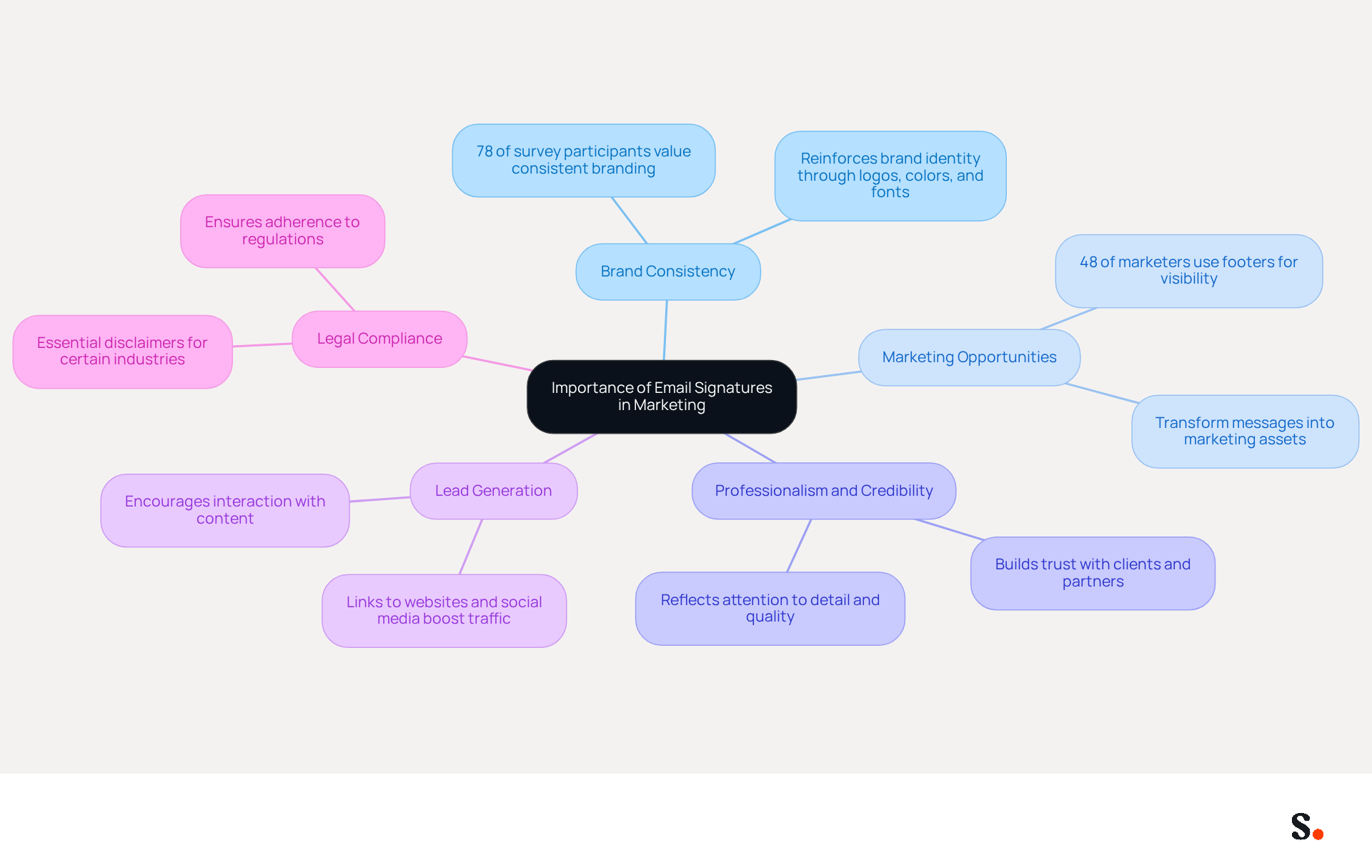
- Brand Consistency: A well-crafted emblem reinforces your brand identity. Consistent use of logos, colors, and fonts enables recipients to recognize your brand instantly, enhancing brand recall. Indeed, 78% of survey participants rated consistent branding as one of the most crucial aspects of digital correspondence.
- Marketing Opportunities: Email footers can be transformed into marketing assets by including promotional banners, links to your latest content, or calls to action. This transforms every message into a potential marketing opportunity, enabling brands to drive traffic to websites and social media platforms. This is evident as 48% of marketers leverage message footers to boost their online visibility, showcasing their potential as marketing tools.
- A well-designed footer not only reflects professionalism but also builds credibility, making a lasting impression on clients and partners. A well-crafted emblem can enhance your brand's image, as it reflects attention to detail and quality in communications.
- Lead Generation: Including links to your website or social media channels can significantly boost traffic and generate leads. Recipients are more inclined to interact with your content after noticing your mark, effectively transforming communications into chances for conversion.
- Legal Compliance: In certain industries, it is essential to include disclaimers or legal information in your email footer, ensuring compliance with regulations and protecting your business.
By acknowledging these elements, you can grasp the importance of investing time in crafting an impactful digital identifier that not only reflects your brand but also boosts your marketing initiatives in 2026. Investing in your email footers is not just about aesthetics; it’s a strategic move that can significantly impact your brand's visibility and engagement.
Create Your Email Signature: Step-by-Step Instructions
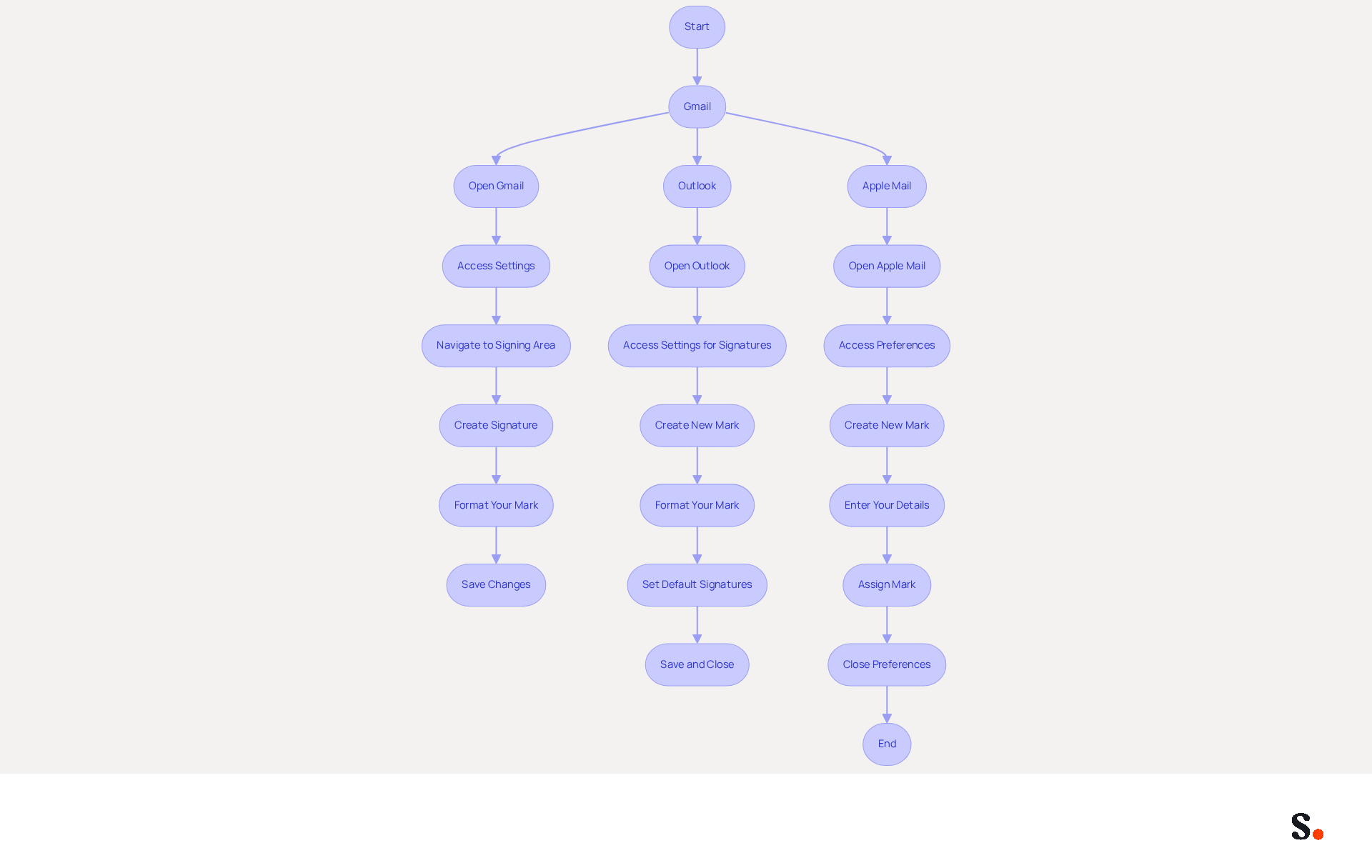
To enhance effective communication and branding, it's essential to understand how do you add a signature to email. Follow these steps to ensure your signature is both functional and visually appealing:
For Gmail:
- Open Gmail: Log into your Gmail account.
- Access Settings: Click on the gear icon in the top right corner and select 'See all settings'.
- Navigate to the Signing Area: In the 'General' tab, scroll down to the 'Signing' area.
- Create Signature: Click 'Create new', name your mark, and enter your desired text, including your full name, job title, company name, and one direct contact method. Including links to your LinkedIn profile and a digital business card can significantly improve engagement.
- Format Your Mark: Use the formatting tools to adjust font, size, and color. You can also add images or links, ensuring they are not oversized to avoid spam filters.
- Save Changes: Scroll down and click 'Save Changes' at the bottom of the page.
For Outlook:
- Open Outlook: Launch the Outlook application.
- Access Settings for Signatures: Go to 'File' > 'Options' > 'Mail' > 'Signatures'.
- Create New Mark: Click 'New', name your mark, and enter your details in the text box, including a call-to-action if desired.
- Format Your Mark: Use the formatting options to customize your mark's appearance, ensuring it aligns with your brand identity.
- Set Default Signatures: Choose your new mark as the default for new emails and replies/forwards if desired.
- Save and Close: Click 'OK' to store your settings.
For Apple Mail:
- Open Apple Mail: Launch the Mail app on your Mac.
- Access Preferences: Go to 'Mail' > 'Preferences' > 'Signatures'.
- Create New Mark: Click the '+' button to add a new mark.
- Enter Your Details: Type your information and format it as needed, including your contact information and social media links.
- Assign Mark: Drag your new mark to the desired account.
- Close Preferences: Close the preferences window to save your changes.
Regularly updating your email footer is crucial, as 44.4% of users do so every six months or less. A well-crafted mark can enhance trust and credibility, which is essential when considering how do you add a signature to email in your branding strategy. Remember, 42% of consumers feel negatively toward a business when receiving a message without a branded signature, so ensure your signature is consistent and professional.
This tool simplifies the process, allowing for seamless updates and synchronization. By granting permission to connect with your provider, you enable one-click synchronization, ensuring that all changes made in your provider directory are automatically updated in the application. This feature not only saves time but also enhances your branding efforts while maintaining SOC 2 Type II compliance for data security. A well-crafted email signature not only enhances your brand image but also fosters trust with your audience.
Integrate Your Signature with Tools for Automation
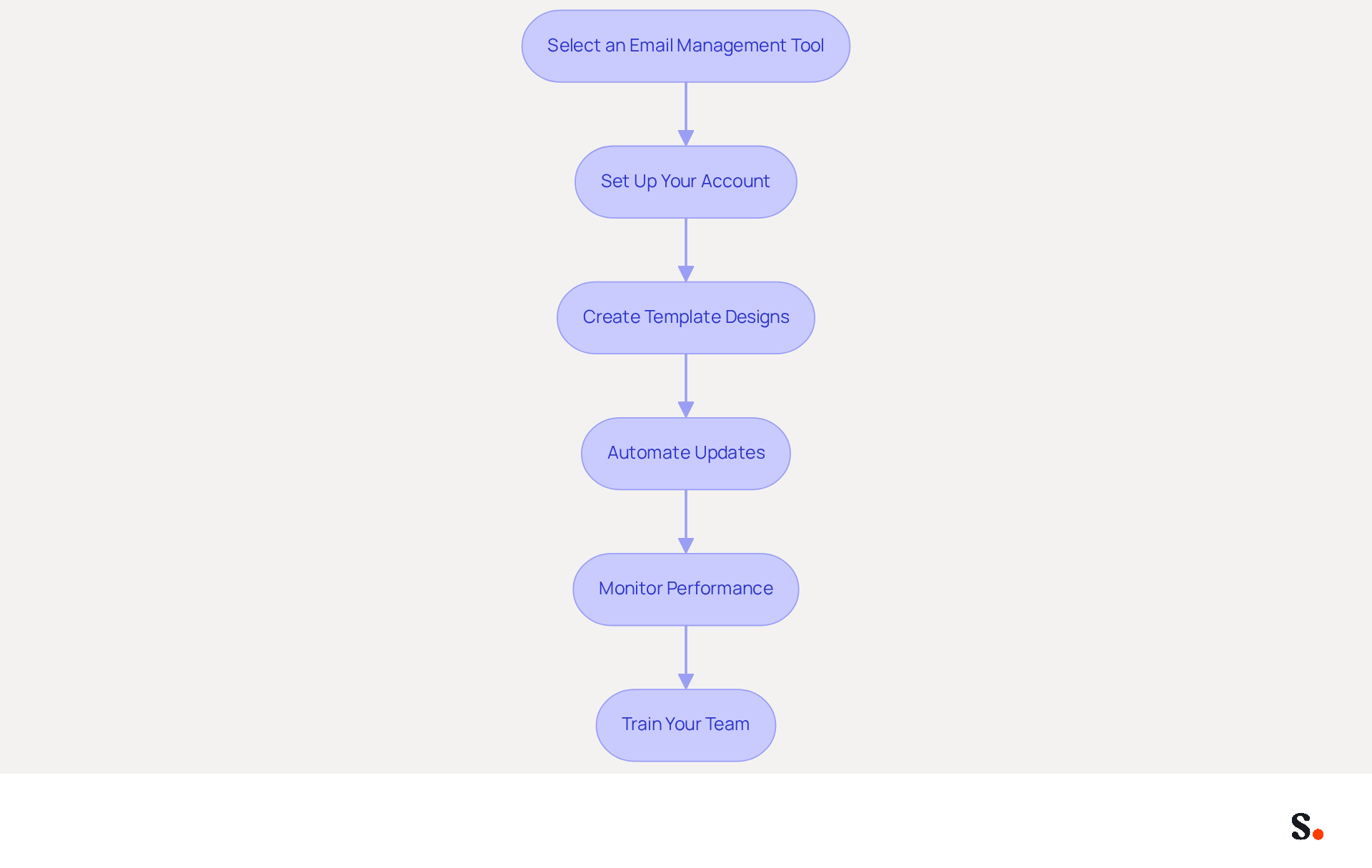
Integrating automation tools into your digital identifier management can significantly enhance efficiency and brand consistency. Here’s how:
- Select an Email Management Tool: Platforms such as Scribe enable you to create, manage, and automate message signatures throughout your organization, which leads to the question of how do you add a signature to email to ensure 100% brand consistency.
- Set Up Your Account: Register for the platform and follow the setup instructions to connect it with your email service, such as Google Workspace or Microsoft 365.
- Create Template Designs: Utilize Scribe to create template designs that represent your brand. Include essential elements like logos, social media links, and promotional banners.
- Automate Updates: Set Scribe to automatically refresh identifiers across all users whenever modifications occur, ensuring consistency and adherence to branding guidelines. This feature is particularly beneficial as it syncs with your business phone system, requiring no action from your teammates.
- Monitor Performance: Utilize Scribe’s analytics features to track engagement metrics, such as click-through rates on links in your email footers. This platform showcases an impressive average click-through rate of 12% on branded banners, enhancing your marketing efforts.
- Train Your Team: Provide training for your team on how to use Scribe effectively, ensuring everyone understands how to utilize the automated features in their communications. Scribe offers responsive customer support to address any issues promptly.
Integrating automation tools like Scribe into your digital identifier management streamlines processes, ensures brand consistency, and enhances marketing efforts while supporting environmental sustainability.
Troubleshoot Common Email Signature Issues
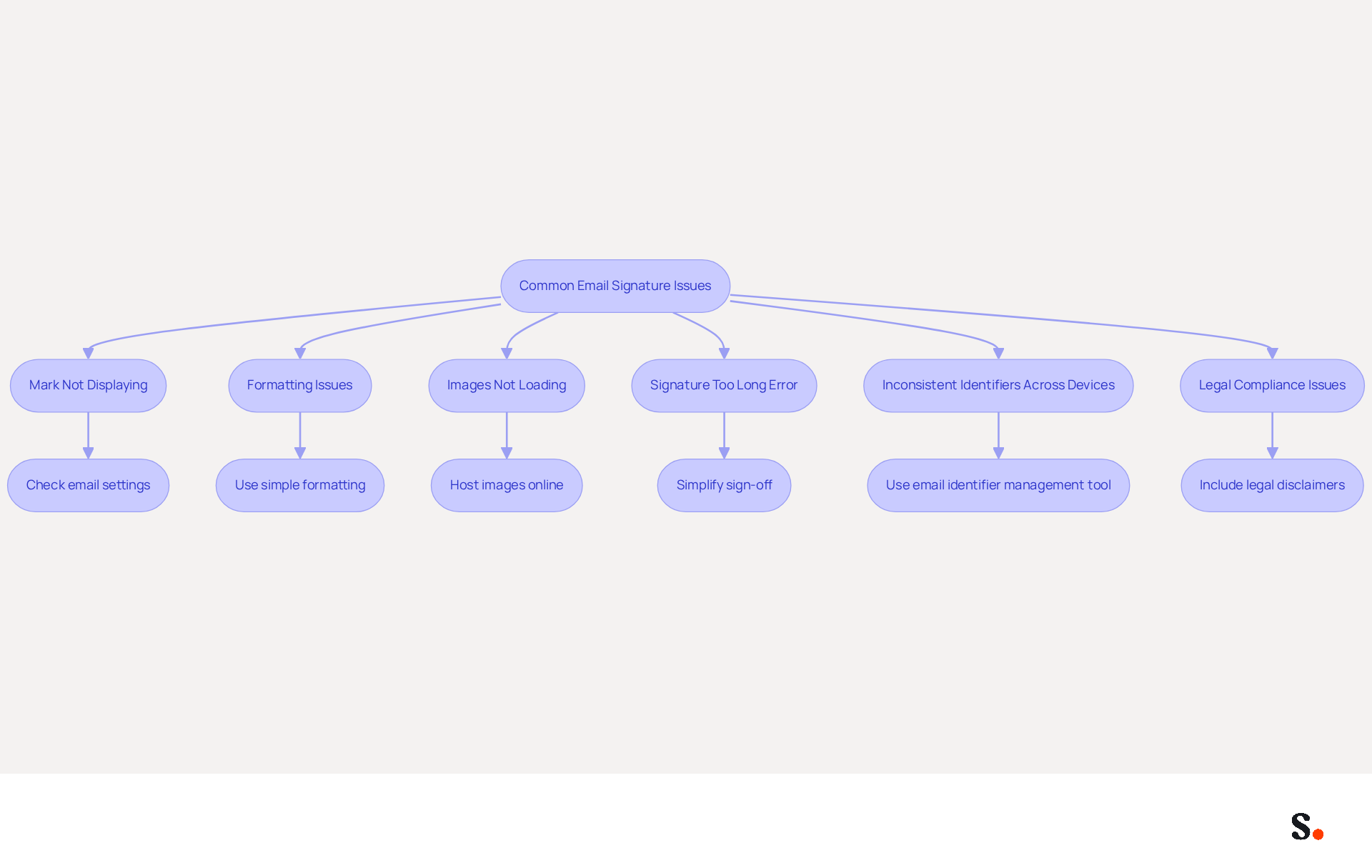
Despite best efforts, managing digital identifiers often leads to unexpected challenges that require careful troubleshooting. Here are common problems and how to address them:
- Mark Not Displaying: If your mark isn’t appearing in emails, check your email settings to ensure the correct mark is selected as default. To understand how do you add a signature to email in Gmail, navigate to Settings > Signature; in Outlook, check under File > Options > Mail > Signatures. Many users find that their identifiers disappear, particularly in Outlook, due to registry settings that can complicate modifications.
- Formatting Issues: If your mark looks different when sent, it may be due to HTML formatting. Ensure you use simple formatting and avoid excessive images or complex layouts. Testing your mark by sending emails to various clients can help identify discrepancies. Research indicates that users frequently encounter formatting issues when transferring email blocks into Outlook, resulting in inconsistent displays.
- Images Not Loading: To fix image display issues in your emails, make sure the images are hosted online and can be accessed easily. Use direct links to images instead of embedding them directly in the footer. Issues with images not appearing can stem from server settings that block hotlinking, so consider moving images to a different server if necessary.
- Signature Too Long Error: If you encounter an error regarding your sign-off being too lengthy, simplify your sign-off by reducing the amount of text or images. Gmail has a 10,000 character limit for email footers, and exceeding this can lead to errors that prevent proper display.
- Inconsistent Identifiers Across Devices: To maintain uniformity, utilize an email identifier management tool that automatically updates identifiers across all devices and email clients. This is vital as 42% of consumers have negative feelings towards businesses that do not use branded identifiers, emphasizing the significance of consistency.
- Legal Compliance Issues: Ensure your endorsement includes any necessary legal disclaimers or compliance information required for your industry. Regularly review and update this information as needed, as failing to do so can lead to significant legal repercussions.
By addressing these common issues, you can ensure your email identifiers function effectively and also understand how do you add a signature to email to maintain a professional appearance. Effective management of email identifiers can significantly impact your brand's perception and communication effectiveness.
Conclusion
Email signatures serve a critical role in shaping your brand's identity and marketing effectiveness. By effectively utilizing email signatures, organizations can enhance brand consistency, leverage marketing opportunities, and foster trust with their audience. The steps outlined in this guide provide a clear pathway for creating and managing impactful email signatures that resonate with recipients and reflect your brand's professionalism.
Throughout this article, key insights have been shared on the importance of email signatures, including their role in generating leads, ensuring legal compliance, and serving as a marketing tool. The step-by-step instructions for setting up signatures across various platforms, along with tips for integrating automation tools like Scribe, highlight how easy it can be to maintain brand consistency and optimize marketing efforts. Additionally, troubleshooting common issues ensures that your email signatures function seamlessly, further enhancing your communication effectiveness.
A well-designed email signature goes beyond aesthetics; it strategically enhances your brand's visibility and engagement. By embracing these practices, organizations can expect to see a measurable increase in audience engagement and brand recognition. Consider implementing these strategies to enhance your email signature effectiveness and leverage tools like Scribe to streamline the process, ensuring that your email signatures are not only consistent but also effective in driving engagement and reinforcing your brand identity.
Frequently Asked Questions
Why are email signatures important in marketing?
Email signatures play a crucial role in shaping your brand's identity, ensuring brand consistency, creating marketing opportunities, generating leads, and ensuring legal compliance.
How does Scribe enhance email signature management?
Scribe's automated synchronization with Aircall allows any changes made in your Aircall configuration to automatically reflect in your Scribe branding, ensuring consistent branding across all communications.
What role does brand consistency play in email signatures?
Brand consistency in email signatures reinforces brand identity through the consistent use of logos, colors, and fonts, enabling recipients to recognize the brand instantly and enhancing brand recall.
How can email footers be used as marketing tools?
Email footers can include promotional banners, links to content, or calls to action, transforming every message into a marketing opportunity that drives traffic to websites and social media platforms.
What is the impact of a well-designed email footer?
A well-designed email footer reflects professionalism and builds credibility, making a lasting impression on clients and partners while enhancing the brand's image.
How can email signatures contribute to lead generation?
Including links to your website or social media channels in email signatures can significantly boost traffic and generate leads, as recipients are more likely to engage with your content.
Why is legal compliance important in email signatures?
In certain industries, including disclaimers or legal information in email footers is essential for compliance with regulations and protecting the business.
What should businesses consider when crafting email signatures?
Businesses should invest time in creating impactful email signatures that reflect their brand and boost marketing initiatives, as they can significantly affect brand visibility and engagement.
List of Sources
- Understand the Importance of Email Signatures in Marketing
- Why Email Signatures Must Be In Your 2026 Marketing Plan | Rocketseed (https://rocketseed.com/blog/2026-marketing-plan-email-signatures)
- Why Are Email Signatures Key to Brand Awareness? | QuickMail (https://quickmail.com/role-of-email-signatures-in-brand-awareness)
- Using Email Signatures for Marketing | CloudM (https://cloudm.io/resources/blog/using-email-signatures-for-marketing-how-every-email-can-boost-your-brand)
- The Importance Of Email Signatures | Email Marketing Blog | Mail Blaze (https://mailblaze.com/thinking/email-signatures-in-email-marketing)
- Create Your Email Signature: Step-by-Step Instructions
- 40+ Email Signature Statistics for 2026 (Data + Insights) (https://wavecnct.com/blogs/email-signature-statistics)
- Email signature statistics and trends in 2024 (https://wisestamp.com/blog/email-signature-statistics)
- Email Signature Statistics: A Closer Look at Email Signatures in 2026 (https://mysignature.io/blog/email-signature-statistics)
- Email Signature Trends in Numbers: Infographic [2026] (https://mailtrap.io/blog/email-signature-trends)
- "Email Signature Trends for 2026: What's In, What's Out" | Crossware posted on the topic | LinkedIn (https://linkedin.com/posts/crossware-ltd_new-year-new-trends-even-for-your-email-activity-7394554686046908416-vD_O)
- Integrate Your Signature with Tools for Automation
- 40+ Email Signature Statistics for 2026 (Data + Insights) (https://wavecnct.com/blogs/email-signature-statistics)
- Email Signature Trends 2026: Centralized Control & Automation | SIGNandGO posted on the topic | LinkedIn (https://linkedin.com/posts/signngo_email-signature-trends-to-watch-in-2026-activity-7401523471786217473-zAVL)
- Email signature statistics: Why every business should optimize their email signatures — Stripo.email (https://stripo.email/blog/email-signature-statistics-why-every-business-should-optimize-their-email-signatures)
- Top Content on LinkedIn (https://linkedin.com/pulse/email-signature-software-market-key-industry-trends-kflze)
- Why Email Signatures Must Be In Your 2026 Marketing Plan | Rocketseed (https://rocketseed.com/blog/what-are-the-biggest-email-trends-for-2026)
- Troubleshoot Common Email Signature Issues
- How to solve problems with email signatures in Microsoft 365? (https://mail-signatures.com/articles/problems-email-signatures-office-365)
- Email Signature Statistics: A Closer Look at Email Signatures in 2026 (https://mysignature.io/blog/email-signature-statistics)
- Persistent Issues with Outlook – Signature & Notifications - Microsoft Q&A (https://learn.microsoft.com/en-us/answers/questions/4752516/persistent-issues-with-outlook-signature-notificat)
- 40+ Email Signature Statistics for 2026 (Data + Insights) (https://wavecnct.com/blogs/email-signature-statistics)
Get started with Scribe
Create your signature in minutes
Free 14-day trial — no credit card.