How to Customize Your Email Signature: A Step-by-Step Guide
An effective email signature serves as a crucial marketing asset, yet many professionals overlook its potential. When designed well, a signature can boost
Sophie Grant
Email Signature Specialist, Scribe

On this page
Introduction
An effective email signature serves as a crucial marketing asset, yet many professionals overlook its potential. When designed well, a signature can boost engagement and highlight important campaigns, turning each email into a chance to connect. Many professionals find themselves overwhelmed by the options available for email signature design, which can result in lost connections and diminished brand presence. Navigating these complexities is essential for ensuring that every email reinforces your brand's identity.
Understand the Importance of Email Signatures in Marketing
Many businesses fail to recognize the potential of email footers, leading to lost marketing opportunities. Every message dispatched is an opportunity to strengthen your identity and connect with recipients. A well-crafted email signature can:
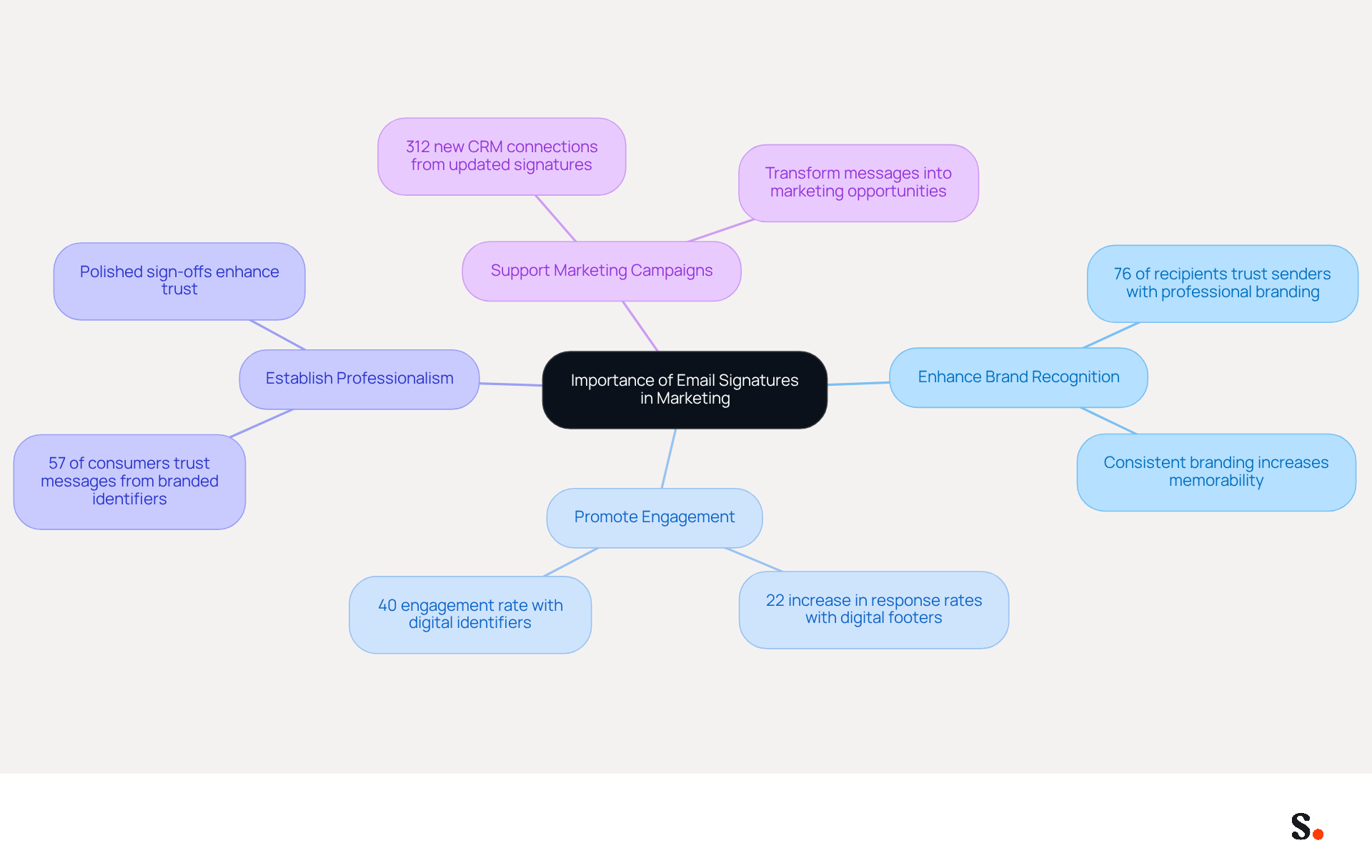
- Enhance Brand Recognition: Consistent branding in email signatures aids in making your company memorable. Research shows that 76% of recipients feel more trust towards senders with professional branding, reinforcing the importance of a cohesive brand image.
- Promote Engagement: Including links to your website, social media, or promotional campaigns can drive traffic and increase engagement. Businesses that implement strategies for digital footers have experienced a 22% increase in response rates, showcasing the potential of footers as powerful marketing tools. Moreover, digital identifiers have an engagement rate of 40%, showing their ability to engage recipients.
- Establish Professionalism: A polished sign-off shows professionalism and care for detail, enhancing trust with clients and partners. Research indicates that 57% of consumers trust messages from businesses with branded identifiers, emphasizing the influence of professionalism on customer perception.
- Support Marketing Campaigns: Signatures can be utilized to promote special offers or events, transforming every message into a marketing opportunity. For example, a marketing team that updated their contact details captured 312 new CRM connections within 30 days, demonstrating the direct advantages of strategic management of contact information.
With Scribe, you can automate the management of your email identifiers, guaranteeing real-time synchronization with your business phone system, such as Aircall. This indicates that any modifications made in your Aircall configuration will automatically be reflected in your Scribe materials, enhancing brand consistency without requiring additional action from your team. Moreover, Scribe's SOC 2 Type II compliance ensures that your data is secure, allowing you to focus on your marketing efforts with peace of mind.
By acknowledging these benefits, you can fully understand how to customize your email signature to personalize your message footer effectively. Understanding and leveraging the power of personalized email footers can significantly enhance your marketing strategy and brand presence.
Identify Key Components of a Professional Email Signature
In today's digital communication landscape, understanding how to customize your email signature is essential for establishing credibility and fostering connections with recipients. To create an effective email signature, include the following key components:
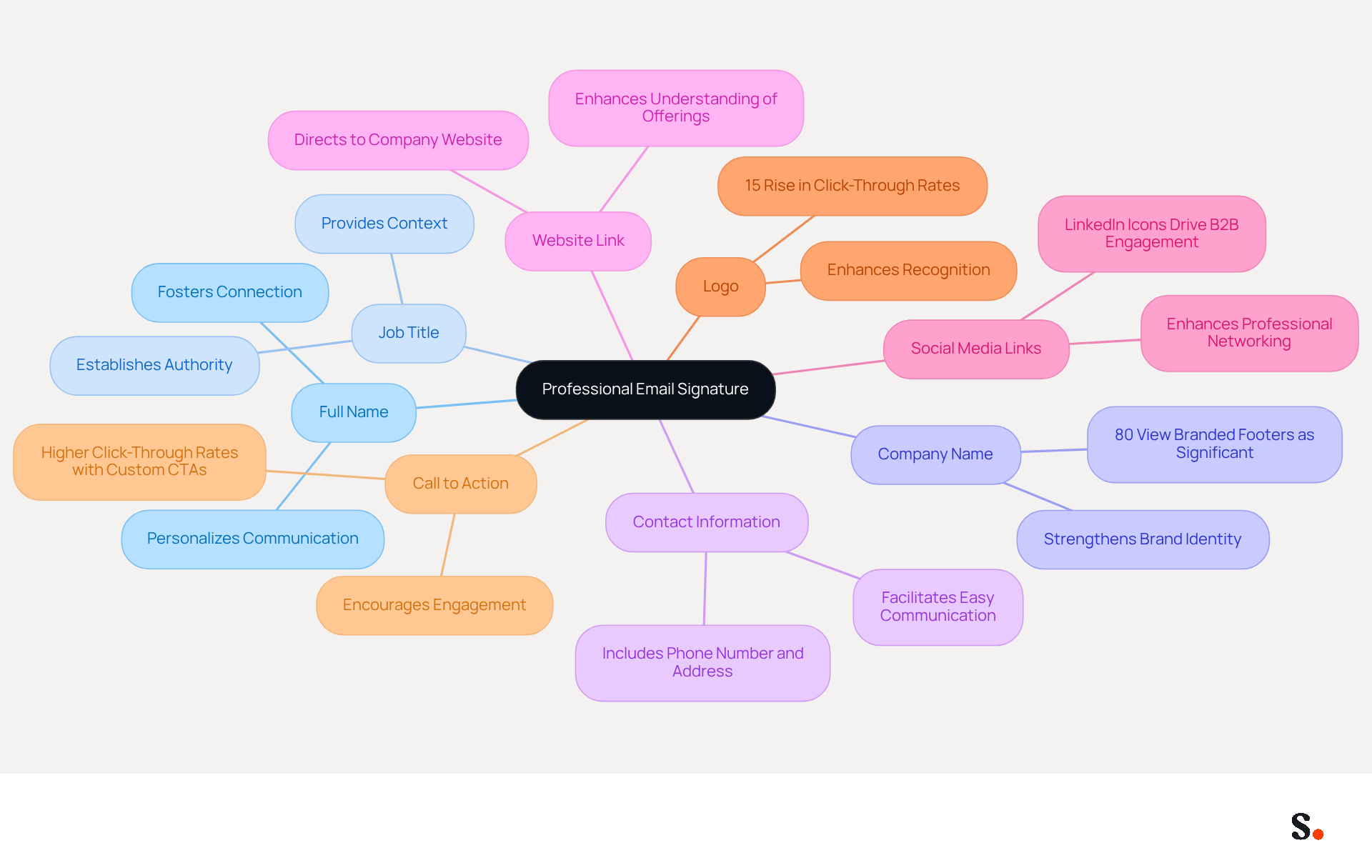
- Full Name: Clearly state your name to personalize your communication, fostering a connection with recipients.
- Job Title: Including your position establishes authority and context, helping recipients understand your role within the organization.
- Company Name: Mentioning your organization strengthens brand identity, as 80% of respondents view a branded communication footer as significant for a company's brand identity.
- Contact Information: Provide a phone number and contact address for easy communication, ensuring recipients can reach you without hassle.
- Website Link: Direct recipients to your company’s website for more information, enhancing their understanding of your offerings.
- Social Media Links: Include icons directing to your professional social media profiles, as LinkedIn icons generate the strongest B2B engagement and profile visits from correspondence.
- Logo: Incorporating your company emblem can enhance recognition, with research showing that branded identifiers result in a 15% rise in click-through rates to company websites.
- Call to Action: Consider including a promotional message or link to a current campaign. Effective CTAs in message footers can significantly enhance engagement, with customized content producing higher click-through rates.
Without a professional email signature, your communications may lack credibility and fail to make a lasting impression. When you include these elements, you will learn how to customize your email signature so that it not only looks professional but also acts as a powerful marketing tool. Furthermore, with Scribe's automated synchronization features, any modifications made in your Google Workspace or Aircall configuration will be automatically reflected in your email footers. This feature saves time and ensures brand consistency across all communications. Additionally, ensure that your mark is mobile-friendly to accommodate all users and avoid oversized or overly promotional banners that may trigger spam filters. Ultimately, a well-designed email signature can transform your correspondence into a powerful marketing tool that enhances your professional presence.
Customize Your Email Signature Using Scribe's Platform
Learning how to customize your email signature with Scribe is essential for maintaining a professional brand image. To customize your email signature using Scribe, follow these straightforward steps:
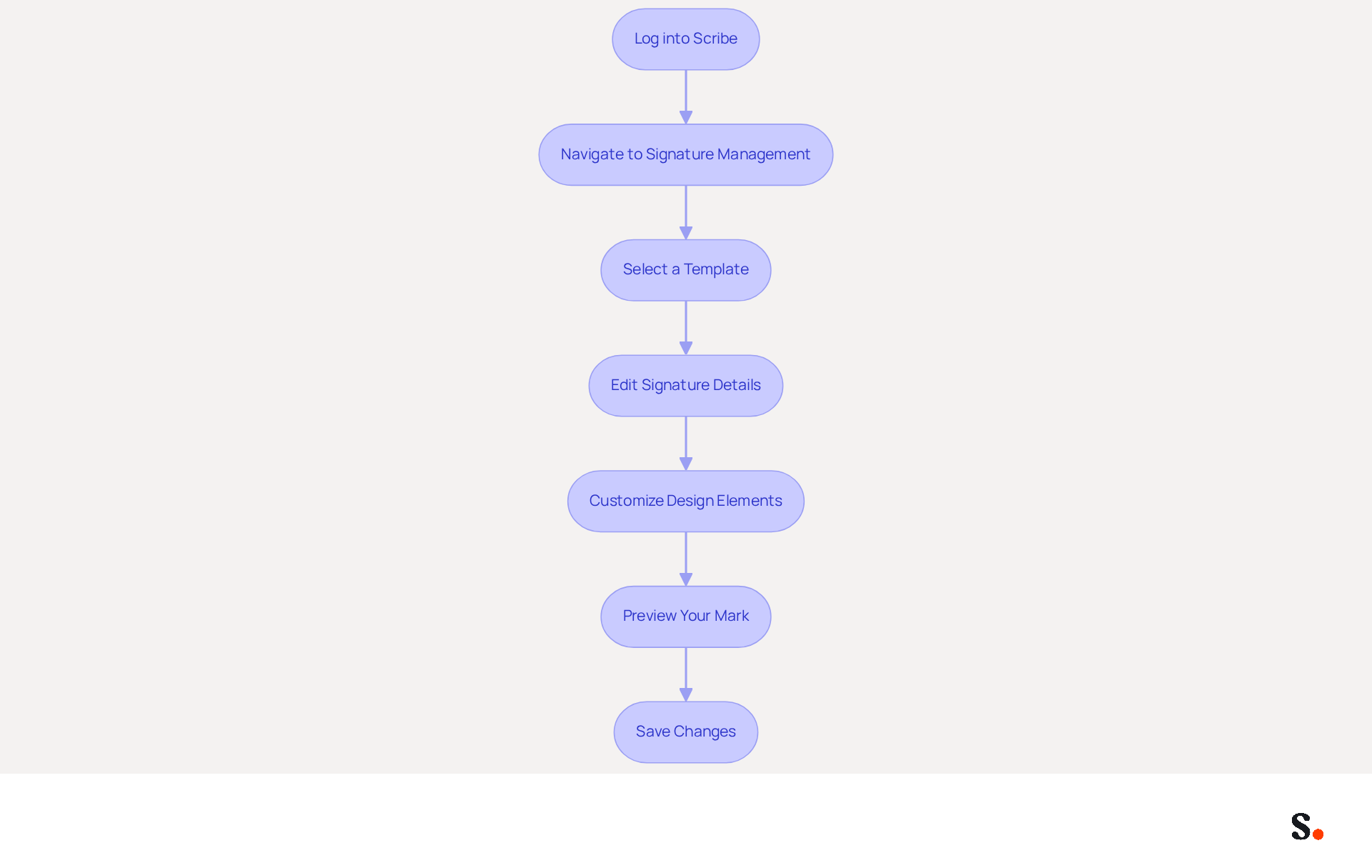
- Log into Scribe: Access your Scribe account with your credentials.
- Navigate to Signature Management: Click on the 'Signatures' tab in the dashboard.
- Select a Template: Choose from pre-designed templates that represent your identity.
- Edit Signature Details: Click on the template to open the editor. Here, you can:
- Add your full name, job title, and company name.
- Insert your contact information and website link.
- Upload your company logo and add social media icons.
- Include a call to action (CTA) if desired, as CTAs can significantly increase click-through rates.
- Customize Design Elements: Adjust fonts, colors, and layout to align with your branding guidelines. Maintaining consistent branding is crucial for shaping positive perceptions and driving customer interest.
- Preview Your Mark: Utilize the preview feature to see how your mark will appear in messages, ensuring it looks professional and engaging.
- Save Changes: Once satisfied, save your mark. The tool will automatically refresh it across all your messages, ensuring consistency and adherence to branding standards.
Consider joining Scribe's Affiliate Program to earn a 50% commission while helping others achieve brand consistency. Regular evaluations of your digital identifiers are crucial to ensure compliance with branding standards and uphold effectiveness. Integrating your messaging footers with marketing tools can further enhance promotional efforts, turning every correspondence into a marketing opportunity. With Scribe's SOC 2 Type II compliance, you can trust that your data is secure while you enhance your brand's visibility.
Troubleshoot Common Issues in Email Signature Customization
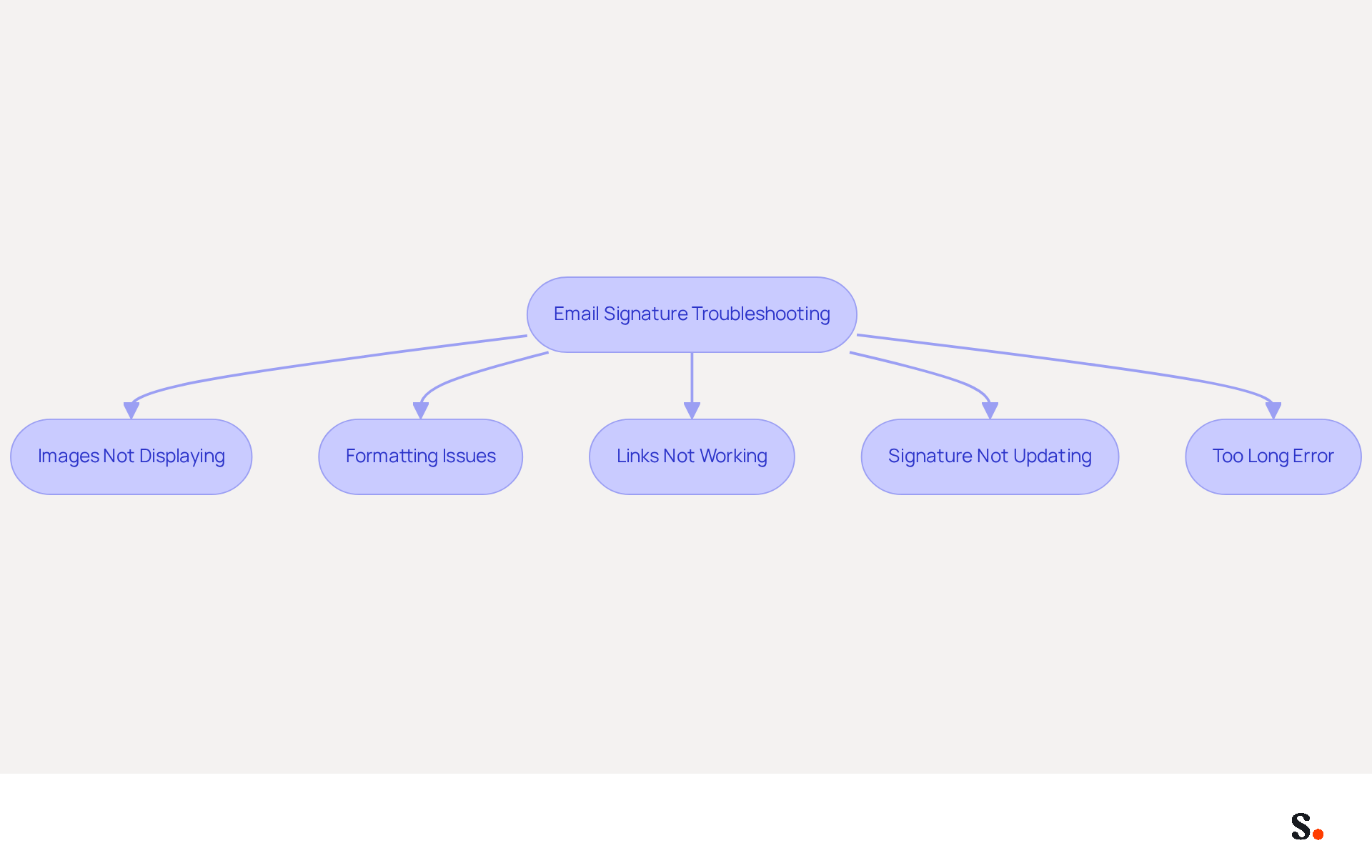
When considering how to customize your email signature, common challenges can arise that may affect your professional image. Here’s how to troubleshoot them effectively:
- Images Not Displaying: Many users struggle with images not displaying correctly in their email signatures, which can hinder professional communication. Ensure that your image files are in supported formats like PNG or JPEG and that their sizes are manageable. If problems persist, consider re-uploading the images to ensure they are correctly linked. Additionally, use public image URLs hosted on reliable HTTPS servers to enhance visibility.
- Formatting Issues: Variations in how your name appears across different messaging clients can result from inconsistent font styles and sizes. To maintain uniformity, use web-safe fonts and limit complex formatting.
- Links Not Working: Verify that all hyperlinks are accurately entered. Testing each link is crucial to ensure they direct recipients to the intended pages. Failure to verify hyperlinks can lead to missed opportunities and diminished professionalism in correspondence.
- Signature Not Updating: If your sign-off isn’t appearing in emails, make sure you’ve saved it in the application and set it as the default in your email client. Linking your Google Workspace with Scribe makes it easier to keep your team’s email footers updated automatically, saving you time and minimizing errors.
- Too Long Error: Should you encounter an error indicating your sign-off is too lengthy, simplify it by removing unnecessary elements or reducing the text size.
By following these troubleshooting tips, you can effectively resolve common issues and understand how to customize your email signature to ensure it remains impactful. Companies with consistent branded email signatures see over a 22% increase in response rates, underscoring the importance of a well-functioning signature. Addressing these issues not only enhances your email signature's effectiveness but also reinforces your brand's professionalism in every communication.
Conclusion
A well-crafted email signature is more than just a digital signature; it is a strategic asset that can elevate your brand's visibility. Creating a customized email signature goes beyond aesthetics; it strategically boosts brand recognition and marketing efforts. Many organizations fail to recognize the full potential of their email signatures, leading to missed branding opportunities. By leveraging tools like Scribe, organizations can transform every email into a powerful marketing opportunity, ensuring that their brand remains consistent and professional across all communications.
Throughout this guide, we have highlighted key components of an effective email signature, including the necessity of including your name, job title, and contact information, as well as the importance of incorporating branding elements like logos and social media links. Additionally, the step-by-step instructions for customizing your signature using Scribe demonstrate how easy it is to maintain brand consistency while also addressing common issues that may arise during the customization process.
It's clear that a well-crafted email signature plays a crucial role in your marketing strategy, capable of driving engagement and establishing trust with recipients. By utilizing Scribe's features, organizations can ensure their email signatures are not only visually appealing but also effective in promoting their brand and enhancing marketing ROI. This investment could lead to a stronger brand presence and increased customer engagement.
Frequently Asked Questions
Why are email signatures important in marketing?
Email signatures are important in marketing because they represent an opportunity to strengthen brand identity and connect with recipients. A well-crafted signature can enhance brand recognition, promote engagement, establish professionalism, and support marketing campaigns.
How do email signatures enhance brand recognition?
Consistent branding in email signatures helps make a company memorable. Research indicates that 76% of recipients feel more trust towards senders with professional branding, reinforcing the importance of a cohesive brand image.
What impact do email signatures have on engagement?
Including links to websites, social media, or promotional campaigns in email signatures can drive traffic and increase engagement. Businesses that implement strategies for digital footers have seen a 22% increase in response rates, and digital identifiers have an engagement rate of 40%.
How do email signatures establish professionalism?
A polished email signature demonstrates professionalism and attention to detail, which enhances trust with clients and partners. Research shows that 57% of consumers trust messages from businesses with branded identifiers.
In what ways can email signatures support marketing campaigns?
Email signatures can be used to promote special offers or events, turning every message into a marketing opportunity. For instance, a marketing team that updated their contact details captured 312 new CRM connections within 30 days.
How does Scribe help with email signature management?
Scribe automates the management of email identifiers, ensuring real-time synchronization with business phone systems like Aircall. Any modifications made in Aircall will automatically reflect in Scribe materials, enhancing brand consistency without additional effort from the team.
What security measures does Scribe provide for email signature management?
Scribe is SOC 2 Type II compliant, ensuring that your data is secure, allowing you to focus on marketing efforts with peace of mind.
How can I customize my email signature effectively?
By understanding the benefits of personalized email footers and leveraging their power, you can significantly enhance your marketing strategy and brand presence through effective customization of your email signature.
List of Sources
- Understand the Importance of Email Signatures in Marketing
- 4 Essential Email Signature Ideas to Boost Marketing Engagement (https://scribe-mail.com/en-US/blog/4-essential-email-signature-ideas-to-boost-marketing-engagement)
- The impact of email signatures on your branding (https://signitic.com/en/resources/the-impact-of-email-signatures-on-your-branding)
- Using Email Signatures for Marketing | CloudM (https://cloudm.io/resources/blog/using-email-signatures-for-marketing-how-every-email-can-boost-your-brand)
- Why Email Signatures Must Be In Your 2026 Marketing Plan | Rocketseed (https://rocketseed.com/blog/2026-marketing-plan-email-signatures)
- The ultimate guide to email signatures in 2026 (https://signitic.com/en/resources/email-signature)
- Identify Key Components of a Professional Email Signature
- 12 email signature marketing examples that drive clicks (2026) (https://signitic.com/en/resources/12-email-signature-marketing-examples-that-actually-drive-clicks)
- 40+ Email Signature Statistics for 2026 (Data + Insights) (https://wavecnct.com/blogs/email-signature-statistics)
- What to Include in Your Email Signature for Maximum Impact (https://scribe-mail.com/en-US/blog/what-to-include-in-your-email-signature-for-maximum-impact)
- Email Signature Best Practices for 2026 (+ 15 Pro Examples) (https://wavecnct.com/blogs/email-signature-best-practices-2026)
- 20 Examples of Professional Email Signatures | Letsignit (https://letsignit.com/blog/professional-email-signature)
- Customize Your Email Signature Using Scribe's Platform
- Best Practices for a Personalized Email Signature That Boosts Branding (https://scribe-mail.com/en-US/blog/best-practices-for-a-personalized-email-signature-that-boosts-branding)
- Email signature statistics and trends in 2024 (https://wisestamp.com/blog/email-signature-statistics)
- Maximize Your Email Signature Program with These 4 Best Practices (https://scribe-mail.com/en-US/blog/maximize-your-email-signature-program-with-these-4-best-practices)
- Create Captivating Email Signatures with Scribe: a Review (https://languedoc121tech.fr/create-captivating-and-engaging-email-footers-with-scribe)
- How to Manage Email Signatures Effectively with Scribe (https://scribe-mail.com/en-US/blog/how-to-manage-email-signatures-effectively-with-scribe)
- Troubleshoot Common Issues in Email Signature Customization
- 40+ Email Signature Statistics for 2026 (Data + Insights) (https://wavecnct.com/blogs/email-signature-statistics)
- Email Signature Troubleshooting - Problems & Solutions - Gimmio (https://blog.gimm.io/email-signature-troubleshooting)
- Solving a Gmail signature problem (https://signitic.com/en/guides/solving-a-gmail-signature-problem)
- How to solve problems with email signatures in Microsoft 365? (https://mail-signatures.com/articles/problems-email-signatures-office-365)
- justanswer.com (https://justanswer.com/email/lyeqn-email-signatures-no-longer-loading-automatically.html)
Get started with Scribe
Manage signatures across your whole team
Free 14-day trial — no credit card.