How to Include LinkedIn in Your Email Signature: A Step-by-Step Guide
Many professionals overlook the strategic value of including a LinkedIn profile link in their email signatures, missing out on significant networking
Sophie Grant
Email Signature Specialist, Scribe

On this page
- Introduction
- Understand the Benefits of Adding LinkedIn to Your Email Signature
- Explore Methods for Integrating LinkedIn into Your Signature
- Follow Step-by-Step Instructions to Add LinkedIn to Your Email Signature
- For Gmail:
- For Outlook:
- For Apple Mail:
- Access Resources and Troubleshooting Tips for LinkedIn Integration
- Conclusion
- Frequently Asked Questions
- List of Sources
Introduction
Many professionals overlook the strategic value of including a LinkedIn profile link in their email signatures, missing out on significant networking opportunities. By learning how to seamlessly integrate LinkedIn into email signatures, you can turn every email into a chance for connection, credibility, and brand consistency. Yet, many still don’t know the best ways to integrate LinkedIn effectively, which can lead to missed opportunities.
What strategies can you implement to make LinkedIn a powerful asset in your email communications?
Get started with Scribe
Manage signatures across your whole team
Free 14-day trial — no credit card.
Understand the Benefits of Adding LinkedIn to Your Email Signature
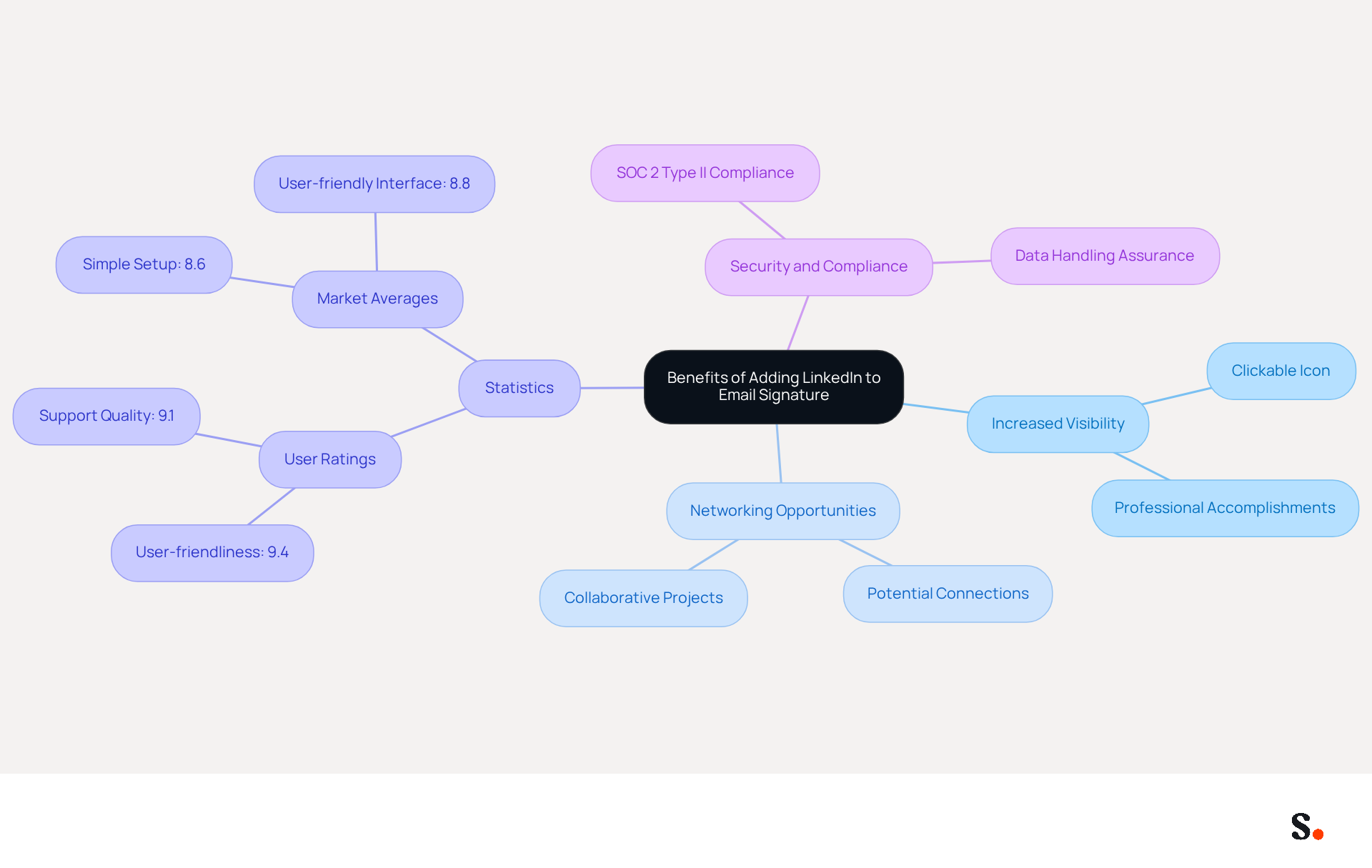
Learning how to include LinkedIn in email signature can significantly elevate your professional image. Here are some key benefits:
- Increased Visibility: Including your LinkedIn profile link makes it easier for recipients to find and connect with you, expanding your professional network. A clickable icon enhances visibility, facilitating connections with potential clients and partners. Brand consistency can be enhanced by knowing how to include LinkedIn in email signature, as a well-crafted email footer that features your professional profile strengthens your personal brand and maintains uniformity across all communications. With Scribe's automated synchronization with Aircall, any changes made in your Aircall configuration will automatically be reflected in your Scribe signatures, enhancing brand consistency across all platforms. By learning how to include LinkedIn in email signature, you can enhance credibility, allowing recipients to easily verify your credentials and fostering trust in your expertise. Establishing trust is crucial when connecting with new contacts, and a professional profile provides that assurance.
- Networking Opportunities: Every message you send becomes a potential networking opportunity, especially when you learn how to include LinkedIn in email signature to connect with clients, colleagues, and industry peers effortlessly. This can lead to meaningful professional relationships and collaborative projects. Your footer can act as a subtle promotional tool, highlighting your professional accomplishments and fostering engagement with your content on the platform, particularly when you learn how to include LinkedIn in email signature. This strategy not only boosts your visibility but also facilitates new connections.
- Statistics: As of 2026, understanding how to include LinkedIn in email signature has been shown to enhance networking potential and trust, with user ratings for platforms that facilitate this integration averaging 9.4 for user-friendliness and 9.1 for support quality. This emphasizes the efficiency of incorporating a professional networking platform as part of your communication strategy. Expert Opinions: Naimh Bennett, a seasoned marketer, emphasizes the importance of knowing how to include LinkedIn in email signature to enhance professional visibility. Furthermore, Jessica Beliveau from Leger mentions that tools like Scribe are essential for updating contact details efficiently, and she emphasizes how to include LinkedIn in email signature to enhance professional profiles. Case studies illustrate how to include LinkedIn in email signature designs, demonstrating how individuals have successfully increased their networking opportunities and engagement by following best practices. By linking to their professional profiles, users have reported enhanced visibility and trust among their contacts.
- Security and Compliance: Scribe is SOC 2 Type II compliant, ensuring secure data handling and reinforcing trust with your contacts. This compliance is crucial for organizations that prioritize security in their communications. Ultimately, leveraging a professional networking platform in your email signature can transform every communication into a strategic opportunity for growth.
Explore Methods for Integrating LinkedIn into Your Signature
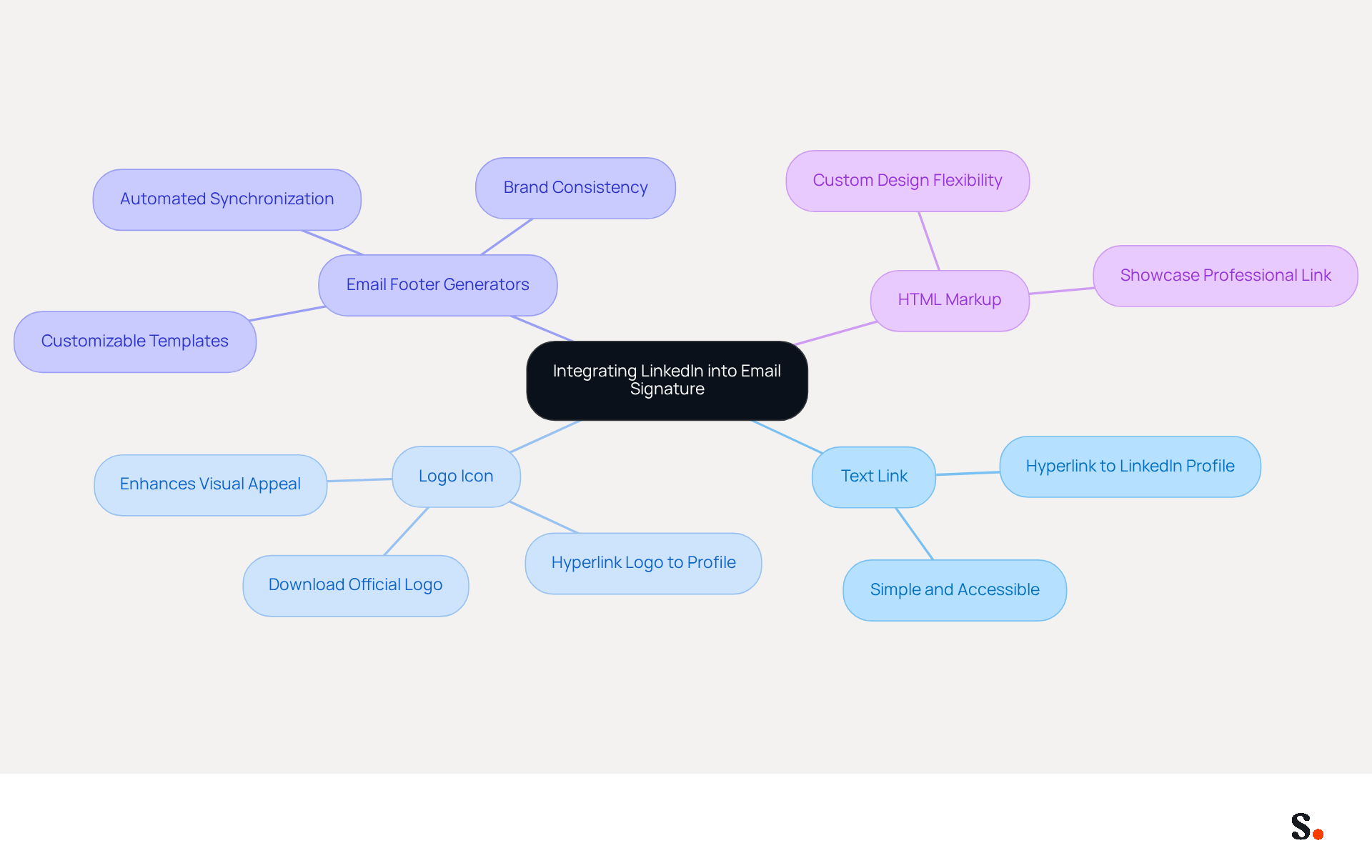
Many professionals overlook the potential of their email signatures as a networking tool. Learning how to include LinkedIn in your email signature can significantly enhance your presence and networking possibilities by incorporating your professional profile into your signature. Here are several effective methods to achieve this:
- Text Link: A simple yet effective approach is to add a text link that says 'Connect with me on LinkedIn,' hyperlinked to your LinkedIn profile. This method is straightforward and compatible with all email platforms, ensuring accessibility for recipients.
Learning how to include LinkedIn in your email signature by incorporating the official logo of the platform as an icon adds a visual element that can enhance its design. Download the logo from the Brand Guidelines and hyperlink it to your profile for a polished look.
Email footer generators, such as Scribe, can simplify the process of adding social media links, including how to include LinkedIn in your email signature. Scribe's automated synchronization with Aircall ensures that any changes made in your Aircall configuration are automatically reflected in your Scribe branding, maintaining brand consistency across your organization. These generators frequently offer customizable templates that ensure your mark maintains a professional appearance. Statistics show that 28.7% of companies leverage email footers to boost their branding efforts, making this a strategic addition. Additionally, Scribe is SOC 2 Type II certified and compliant with GDPR and CCPA, ensuring secure data handling. - HTML Markup: If you have HTML skills, you can create a custom design that showcases your professional link, giving you more flexibility in how it looks.
Incorporating how to include LinkedIn in your email signature into your contact information not only promotes your career profile but also aligns with the primary objectives of contact details, which include branding and enhancing awareness. Regular evaluations of your digital identity can ensure that your LinkedIn link remains operational and that your branding is consistent across all communications. Moreover, examining statistics related to message signatures, including Scribe's average click-through rate of 12% on banners, can offer insights into recipient behavior, further improving your marketing strategies. If you know anyone seeking to maintain brand consistency across their digital identifiers while opening a new marketing channel, consider sharing Scribe's affiliate program, which offers a $30 credit on their subscription and a 50% commission for referrals.
Follow Step-by-Step Instructions to Add LinkedIn to Your Email Signature
To effectively add LinkedIn to your email signature, follow these step-by-step instructions tailored for different email platforms:
For Gmail:
- Open Gmail and click on the gear icon in the top right corner.
- Select 'See all settings'.
- Scroll down to the 'Signature' section.
- Click 'Create new' and name your signature.
- In the editor, type 'Connect with me on LinkedIn' or insert the icon for the professional network.
- Highlight the text or icon, click the link icon, and paste your profile URL from the professional networking site.
- Save changes.
For Outlook:
- Open Outlook and go to 'File' > 'Options'.
- Select 'Mail' and then 'Signatures'.
- Click 'New' to create a new signature.
- Type your desired text or insert the icon for the professional networking platform.
- Highlight the text or icon, right-click, and select 'Hyperlink'. Paste your LinkedIn URL.
- Click 'OK' to save your signature.
For Apple Mail:
- Open Apple Mail and go to 'Mail' > 'Preferences'.
- Click on the 'Signatures' tab.
- Select the email account where you want to add your signature.
- Click the '+' button to create a new signature.
- Type your text or drag in the icon image from the professional networking site.
- Highlight the text or icon, right-click, and select 'Add Link'. Paste your LinkedIn URL.
- Close the preferences window to save changes.
Understanding how to include LinkedIn in your email signature can significantly enhance your professional outreach. Research shows that 52% of prospects prefer digital messages for brand communication, making a well-designed signature crucial for engagement and trust. This can lead to a 22% increase in response rates. Furthermore, branded email signatures are known to enhance trust by 76%, underscoring the importance of keeping your signature updated to reflect any changes in your role or company branding. Neglecting to update your email signature can lead to missed branding opportunities. By syncing your Google Workspace with Scribe, you can save time and ensure that any updates to your teammates' information are automatically reflected in their profiles, allowing for effortless management and brand consistency. Regularly updating your email signature ensures you capitalize on every opportunity to connect and engage with prospects.

Access Resources and Troubleshooting Tips for LinkedIn Integration
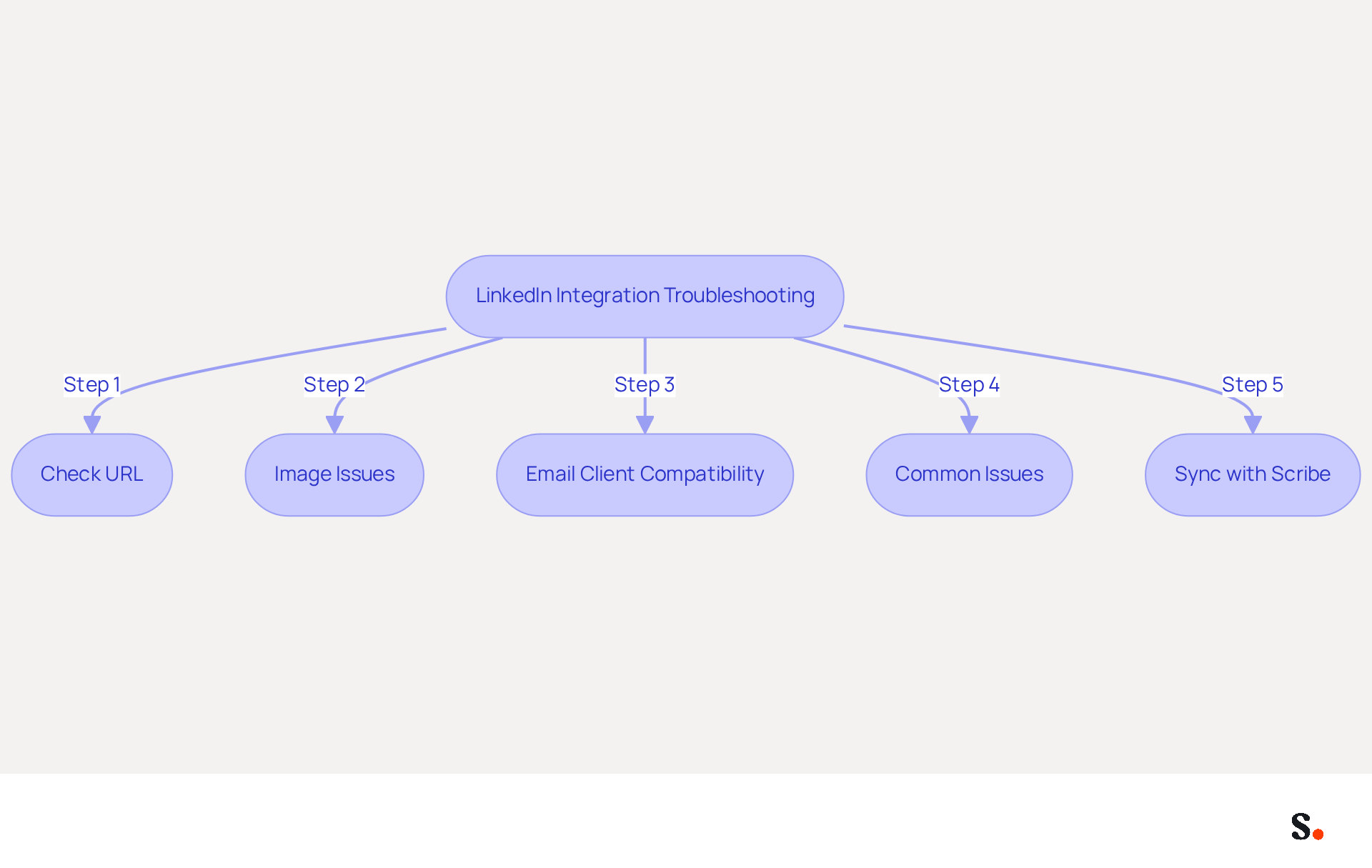
While there can be challenges when adding LinkedIn to your email signature, knowing how to include LinkedIn in email signature troubleshooting can help you overcome them. Here are some tips to assist you:
- Check URL: Ensure that the LinkedIn URL you are using is correct and publicly accessible. You can find your profile link in your settings under 'Edit public profile & URL'.
- Image Issues: If using an icon, ensure the image is properly sized (ideally 30 pixels wide) and hosted on a reliable server. If the image does not display, try re-uploading it. Enhancing your professional image and helping recipients verify your credentials can be achieved by learning how to include LinkedIn in email signature with a LinkedIn logo.
- Email Client Compatibility: Some email clients may not support certain HTML features. If your signature appears different across various clients, consider simplifying the design. This can assist in maintaining consistency across platforms and ensure that your professional link is functional.
- Common Issues: An outdated hyperlink for a professional network in your contact information may impact message delivery. Always update your professional hyperlink, especially regarding how to include LinkedIn in email signature, to avoid potential issues. To learn how to include LinkedIn in email signature, open a new message in Outlook, navigate to the settings for your signature, select your signature, and edit the hyperlink to ensure it points to the correct LinkedIn URL. If problems persist, consider reaching out to your IT Service Desk for assistance.
- Sync with Scribe: By linking your Google Workspace with Scribe, you can save time and ensure your teammates' information is always up to date. This means you won't have to manually update email identifiers when team members change roles or groups, streamlining your email management process. The attribute feature allows for auto-filling signature information, enhancing efficiency.
- Resources: For assistance, refer to the following:
- LinkedIn Brand Guidelines for logo usage.
- Scribe's Email Signature Management for automated solutions.
- Community forums like Reddit or Quora for user experiences and solutions.
Resolving these issues not only enhances your email signature but also reinforces your professional credibility.
Conclusion
Integrating LinkedIn into email signatures presents a unique opportunity for professionals to enhance their visibility and networking potential. This article highlights key benefits that come with adding LinkedIn to your email signature, including:
- Increased visibility
- Enhanced networking potential
- Establishment of trust with recipients through professional branding
It also provides practical methods for integration, such as using text links, icons, and HTML markup, along with step-by-step instructions for various email platforms. Additionally, troubleshooting tips ensure that users can overcome common challenges, reinforcing the importance of maintaining an updated and functional signature.
Failing to leverage this tool could result in lost connections and diminished professional presence. By adopting these practices, professionals can not only enhance their outreach but also ensure brand consistency across all platforms. By embracing this strategy, professionals can unlock new avenues for connection and engagement that may otherwise remain untapped.
Frequently Asked Questions
What are the benefits of adding LinkedIn to your email signature?
Adding LinkedIn to your email signature increases visibility, enhances brand consistency, boosts credibility, and creates networking opportunities.
How does including LinkedIn in an email signature enhance visibility?
Including a LinkedIn profile link makes it easier for recipients to find and connect with you, expanding your professional network and facilitating connections with potential clients and partners.
How can adding LinkedIn to my email signature enhance my personal brand?
A well-crafted email footer featuring your LinkedIn profile strengthens your personal brand and maintains uniformity across all communications.
What role does Scribe play in integrating LinkedIn into email signatures?
Scribe automates synchronization with Aircall, ensuring that any changes made in your Aircall configuration are automatically reflected in your Scribe signatures, enhancing brand consistency across platforms.
Why is credibility important when including LinkedIn in an email signature?
Including LinkedIn allows recipients to easily verify your credentials, fostering trust in your expertise, which is crucial when connecting with new contacts.
How can every email I send become a networking opportunity?
By including LinkedIn in your email signature, every message can connect you with clients, colleagues, and industry peers, leading to meaningful professional relationships and collaborative projects.
What statistics support the effectiveness of including LinkedIn in email signatures?
As of 2026, platforms that facilitate this integration have user ratings averaging 9.4 for user-friendliness and 9.1 for support quality, indicating the efficiency of incorporating LinkedIn into communication strategies.
What do experts say about including LinkedIn in email signatures?
Experts like Naimh Bennett emphasize its importance for enhancing professional visibility, while Jessica Beliveau highlights tools like Scribe for efficiently updating contact details.
How does Scribe ensure security and compliance when adding LinkedIn to email signatures?
Scribe is SOC 2 Type II compliant, ensuring secure data handling and reinforcing trust with your contacts, which is crucial for organizations prioritizing security in communications.
How can leveraging LinkedIn in my email signature transform my communications?
It can turn every communication into a strategic opportunity for growth by enhancing visibility, credibility, and networking potential.
List of Sources
- Understand the Benefits of Adding LinkedIn to Your Email Signature
- How to Add LinkedIn to Your Email Signature (Gmail, Outlook, Mac) (https://exclaimer.com/email-signature-handbook/add-linkedin-to-email-signature)
- LinkedIn Link Email Signature Templates for Professional Networking - NEWOLDSTAMP (https://newoldstamp.com/email-signature-templates/linkedin-email-signature-templates)
- How to Add Your LinkedIn Profile to Your Email Signature (https://topechelon.com/blog/how-add-linkedin-email-signature-button)
- How to Add LinkedIn Logo to Email Signature - Newoldstamp - NEWOLDSTAMP (https://newoldstamp.com/blog/add-linkedin-logo-email-signature)
- Explore Methods for Integrating LinkedIn into Your Signature
- Email signature statistics: Why every business should optimize their email signatures — Stripo.email (https://stripo.email/blog/email-signature-statistics-why-every-business-should-optimize-their-email-signatures)
- Email Signature Statistics: A Closer Look at Email Signatures in 2026 (https://mysignature.io/blog/email-signature-statistics)
- How to Add Your LinkedIn Profile to Your Email Signature (https://topechelon.com/blog/how-add-linkedin-email-signature-button)
- Follow Step-by-Step Instructions to Add LinkedIn to Your Email Signature
- Email Signature Statistics: A Closer Look at Email Signatures in 2026 (https://mysignature.io/blog/email-signature-statistics)
- 40+ Email Signature Statistics for 2026 (Data + Insights) (https://wavecnct.com/blogs/email-signature-statistics)
- 14 Key Email Signature Statistics to Know in 2026 (https://mailmodo.com/guides/email-signature-statistics)
- How to Add LinkedIn to Your Email Signature (Gmail, Outlook, Mac) (https://exclaimer.com/email-signature-handbook/add-linkedin-to-email-signature)
- Access Resources and Troubleshooting Tips for LinkedIn Integration
- How to Add LinkedIn Logo to Email Signature - Newoldstamp - NEWOLDSTAMP (https://newoldstamp.com/blog/add-linkedin-logo-email-signature)
- Update Email Signature LinkedIn link to avoid Email Delivery issues (https://support.utrgv.edu/TDClient/1849/Portal/KB/Article/164181/Update-Email-Signature-LinkedIn-link-to-avoid-Email-Delivery-issues)
- Troubleshoot common LinkedIn issues | LinkedIn Help (https://linkedin.com/help/linkedin/answer/a520521)
- How to fix a blurry email signature | Exclaimer posted on the topic | LinkedIn (https://linkedin.com/posts/exclaimer_how-to-stop-your-email-signature-from-looking-activity-7373672010968735744-4ZPR)
Get started with Scribe
Manage signatures across your whole team
Free 14-day trial — no credit card.